ESP KIA CADENZA 2019 Owner's Guide
[x] Cancel search | Manufacturer: KIA, Model Year: 2019, Model line: CADENZA, Model: KIA CADENZA 2019Pages: 518, PDF Size: 11.08 MB
Page 284 of 518
Driving your vehicle
38
5
The FCA system (if equipped) is
designed to detect and monitor a
vehicle ahead or detect a pedestrian
in the roadway through radar signals
and camera recognition to warn the
driver that a collision is imminent,
and if necessary, apply emergency
braking.System setting and activation
System setting
The driver can activate the FCA by
placing the ignition switch to the ON
position and by selecting 'User
Settings', 'Driver Assistance', and
‘Forward Collision-Avoidance Assist’.
The FCA deactivates, when the driv-
er cancels the system setting.
FORWARD COLLISION-AVOIDANCE ASSIST (FCA) (IF EQUIPPED)
WARNING - Forward
Collision-Avoidance assist
(FCA) Limitations
The FCA system is a supple-
mental system and is not a sub-
stitute for safe driving prac-
tices. It is the responsibility of
the driver to always check the
speed and distance to the vehi-
cle ahead and to be prepared to
apply the brakes.
WARNING
Take the following precautions
when using the forward colli-
sion-avoidance assist (FCA):
This system is only a supple- mental system and it is not
intended to, nor does it
replace the need for extreme
care and attention of the driv-
er. The sensing range and
objects detectable by the sen-
sors are limited. Pay attention
to the road conditions at all
times.
NEVER drive too fast in accor- dance with the road condi-
tions or while cornering.
Always drive cautiously to prevent unexpected and sud-
den situations from occur-
ring. FCA does not stop the
vehicle completely and does
not avoid collisions.
Page 288 of 518
Driving your vehicle
42
5
✽ ✽
NOTICE
The FCA system assesses the risk of
a collision by monitoring several
variables such as the distance to the
vehicle/pedestrian ahead, the speed
of the vehicle/pedestrian ahead, and
the driver's operation of the vehicle.
Certain conditions such as
inclement weather and road condi-
tions may affect the operation of the
FCA system.
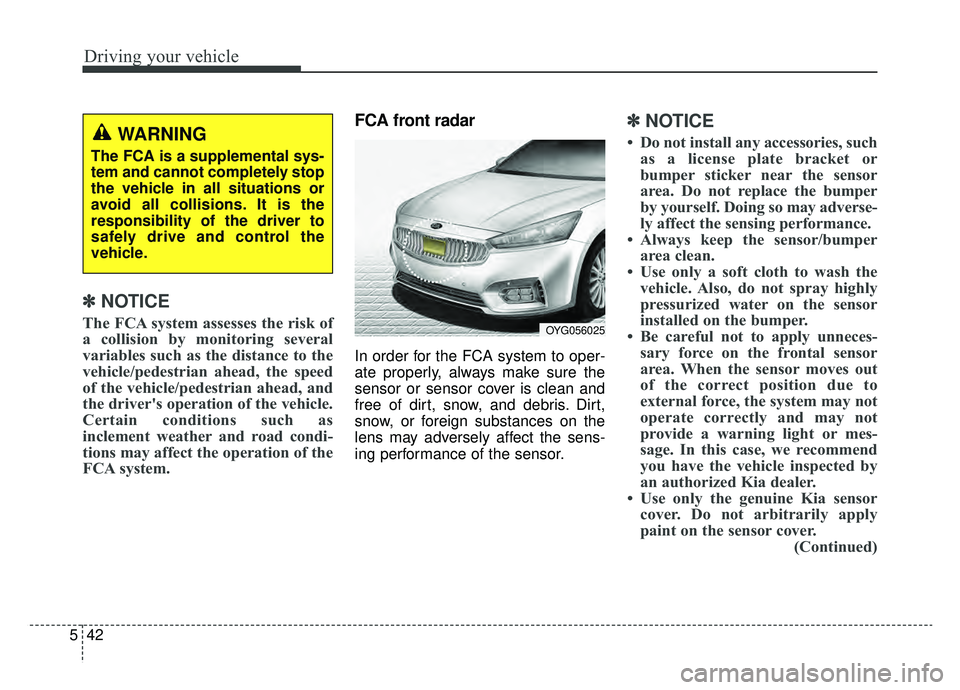
FCA front radar
In order for the FCA system to oper-
ate properly, always make sure the
sensor or sensor cover is clean and
free of dirt, snow, and debris. Dirt,
snow, or foreign substances on the
lens may adversely affect the sens-
ing performance of the sensor.
✽ ✽NOTICE
• Do not install any accessories, such
as a license plate bracket or
bumper sticker near the sensor
area. Do not replace the bumper
by yourself. Doing so may adverse-
ly affect the sensing performance.
• Always keep the sensor/bumper area clean.
• Use only a soft cloth to wash the vehicle. Also, do not spray highly
pressurized water on the sensor
installed on the bumper.
• Be careful not to apply unneces- sary force on the frontal sensor
area. When the sensor moves out
of the correct position due to
external force, the system may not
operate correctly and may not
provide a warning light or mes-
sage. In this case, we recommend
you have the vehicle inspected by
an authorized Kia dealer.
• Use only the genuine Kia sensor cover. Do not arbitrarily apply
paint on the sensor cover. (Continued)WARNING
The FCA is a supplemental sys-
tem and cannot completely stop
the vehicle in all situations or
avoid all collisions. It is the
responsibility of the driver to
safely drive and control the
vehicle.
OYG056025
Page 290 of 518
Driving your vehicle
44
5
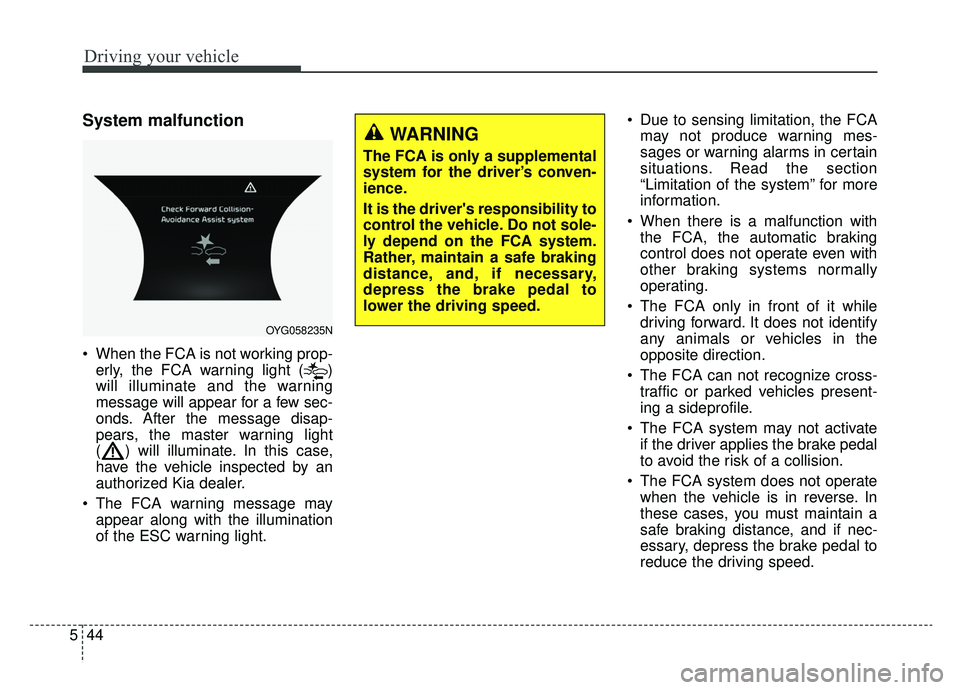
System malfunction
When the FCA is not working prop-
erly, the FCA warning light ( )
will illuminate and the warning
message will appear for a few sec-
onds. After the message disap-
pears, the master warning light
( ) will illuminate. In this case,
have the vehicle inspected by an
authorized Kia dealer.
The FCA warning message may appear along with the illumination
of the ESC warning light. Due to sensing limitation, the FCA
may not produce warning mes-
sages or warning alarms in certain
situations. Read the section
“Limitation of the system” for more
information.
When there is a malfunction with the FCA, the automatic braking
control does not operate even with
other braking systems normally
operating.
The FCA only in front of it while driving forward. It does not identify
any animals or vehicles in the
opposite direction.
The FCA can not recognize cross- traffic or parked vehicles present-
ing a sideprofile.
The FCA system may not activate if the driver applies the brake pedal
to avoid the risk of a collision.
The FCA system does not operate when the vehicle is in reverse. In
these cases, you must maintain a
safe braking distance, and if nec-
essary, depress the brake pedal to
reduce the driving speed.
OYG058235N
WARNING
The FCA is only a supplemental
system for the driver’s conven-
ience.
It is the driver's responsibility to
control the vehicle. Do not sole-
ly depend on the FCA system.
Rather, maintain a safe braking
distance, and, if necessary,
depress the brake pedal to
lower the driving speed.
Page 294 of 518
Driving your vehicle
48
5
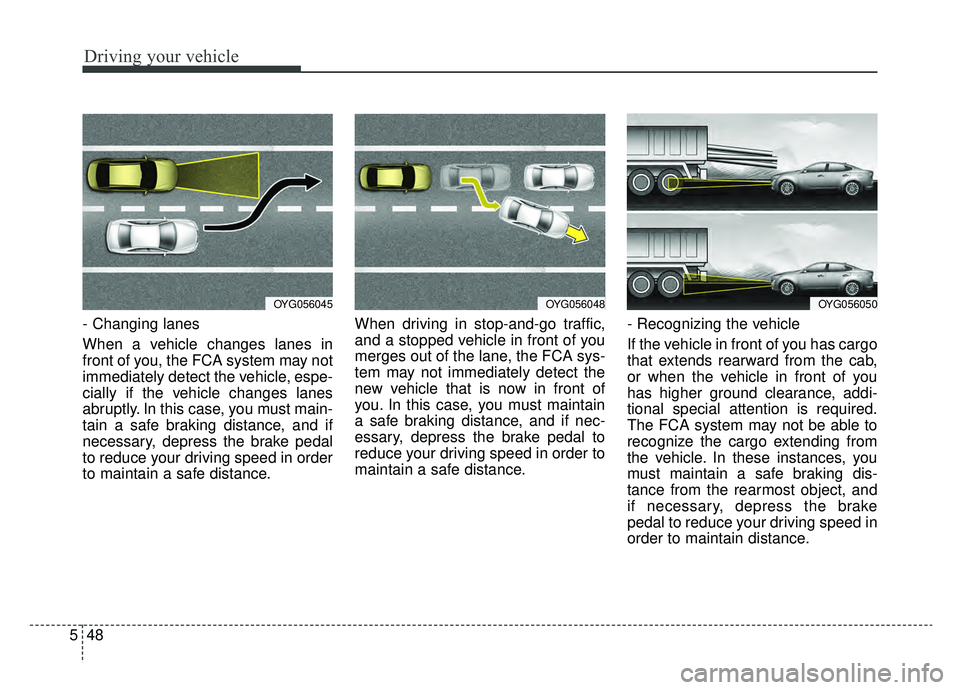
- Changing lanes
When a vehicle changes lanes in
front of you, the FCA system may not
immediately detect the vehicle, espe-
cially if the vehicle changes lanes
abruptly. In this case, you must main-
tain a safe braking distance, and if
necessary, depress the brake pedal
to reduce your driving speed in order
to maintain a safe distance. When driving in stop-and-go traffic,
and a stopped vehicle in front of you
merges out of the lane, the FCA sys-
tem may not immediately detect the
new vehicle that is now in front of
you. In this case, you must maintain
a safe braking distance, and if nec-
essary, depress the brake pedal to
reduce your driving speed in order to
maintain a safe distance.
- Recognizing the vehicle
If the vehicle in front of you has cargo
that extends rearward from the cab,
or when the vehicle in front of you
has higher ground clearance, addi-
tional special attention is required.
The FCA system may not be able to
recognize the cargo extending from
the vehicle. In these instances, you
must maintain a safe braking dis-
tance from the rearmost object, and
if necessary, depress the brake
pedal to reduce your driving speed in
order to maintain distance.
OYG056045OYG056048OYG056050
Page 297 of 518
551
Driving your vehicle
When replacing or reinstalling the
windshield, front bumper or
radar/camera after removal, we rec-
ommend you to have the vehicle
inspected by an authorized Kia deal-
er.This device complies with Part 15
of the FCC rules.
Operation is subject to the following
three conditions:
1. This device may not cause harm-
ful interference, and
2. This device must accept any inter- ference received, including inter-
ference that may cause undesired
operation.
3. Changes or modifications not expressly approved by the party
responsible for compliance could
void the user’s authority to operate
the device.
WARNING
The FCA cannot avoid all colli-
sions. The FCA might not com-
pletely stop the vehicle before a
collision, due to ambient weath-
er and road conditions. The
driver has the responsibility to
drive safely and control the
vehicle.
Page 303 of 518
557
Driving your vehicle
SMART CRUISE CONTROL WITH STOP & GO SYSTEM (IF EQUIPPED)
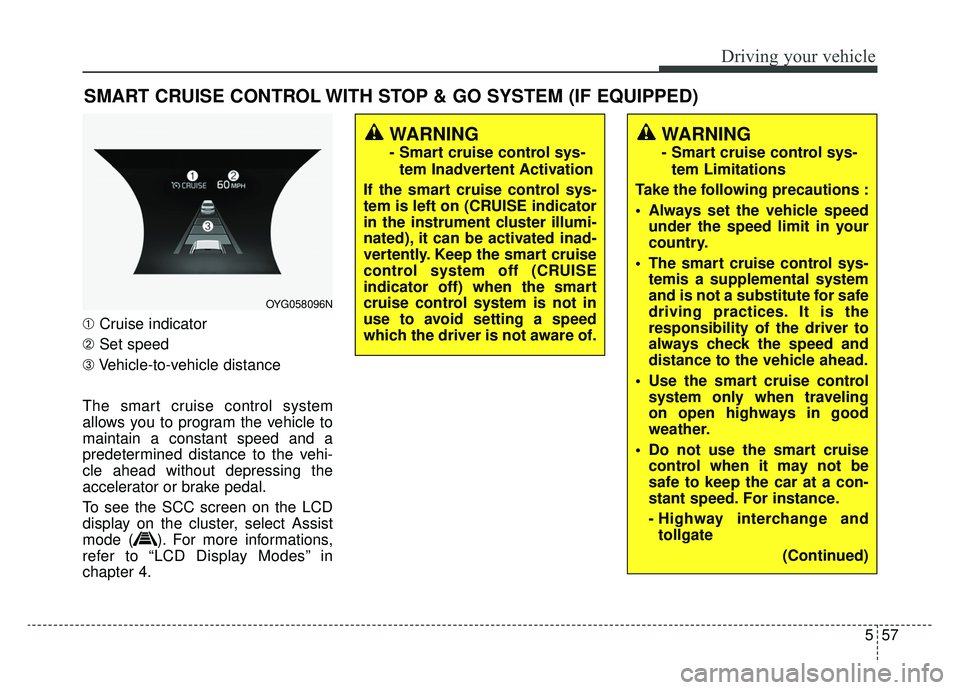
➀Cruise indicator
➁ Set speed
➂ Vehicle-to-vehicle distance
The smart cruise control system
allows you to program the vehicle to
maintain a constant speed and a
predetermined distance to the vehi-
cle ahead without depressing the
accelerator or brake pedal.
To see the SCC screen on the LCD
display on the cluster, select Assist
mode ( ). For more informations,
refer to “LCD Display Modes” in
chapter 4.
WARNING
- Smart cruise control sys- tem Inadvertent Activation
If the smart cruise control sys-
tem is left on (CRUISE indicator
in the instrument cluster illumi-
nated), it can be activated inad-
vertently. Keep the smart cruise
control system off (CRUISE
indicator off) when the smart
cruise control system is not in
use to avoid setting a speed
which the driver is not aware of.
WARNING
- Smart cruise control sys- tem Limitations
Take the following precautions :
Always set the vehicle speed under the speed limit in your
country.
The smart cruise control sys- temis a supplemental system
and is not a substitute for safe
driving practices. It is the
responsibility of the driver to
always check the speed and
distance to the vehicle ahead.
Use the smart cruise control system only when traveling
on open highways in good
weather.
control when it may not be
safe to keep the car at a con-
stant speed. For instance.
- Highway interchange andtollgate
(Continued)
OYG058096N
Page 305 of 518
559
Driving your vehicle
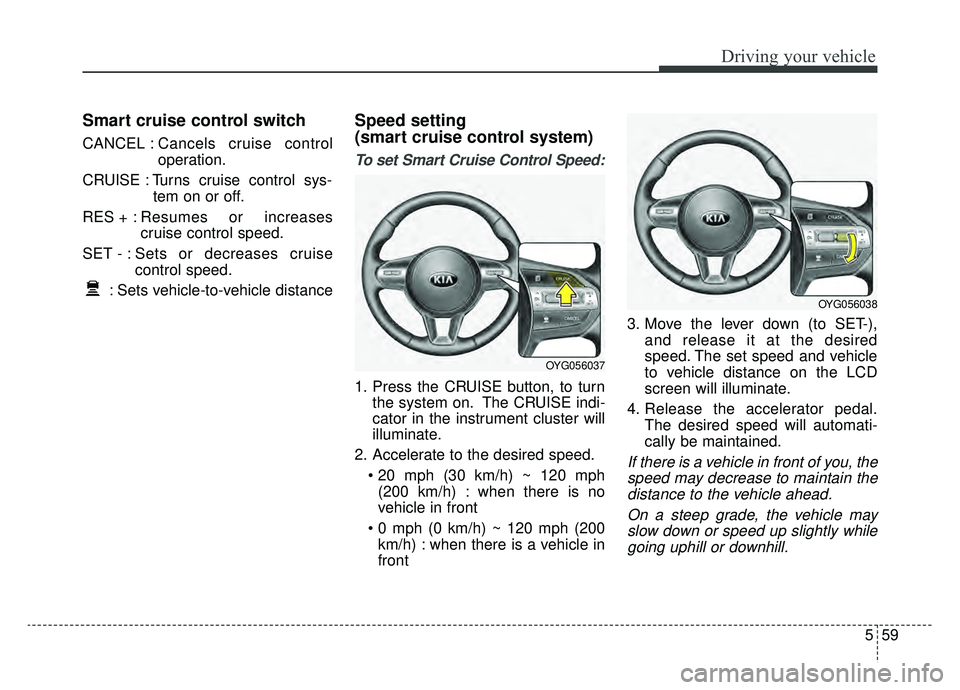
Smart cruise control switch
CANCEL :Cancels cruise control
operation.
CRUISE : Turns cruise control sys- tem on or off.
RES + : Resumes or increases
cruise control speed.
SET - : Sets or decreases cruise control speed.
: Sets vehicle-to-vehicle distance
Speed setting
(smart cruise control system)
To set Smart Cruise Control Speed:
1. Press the CRUISE button, to turn the system on. The CRUISE indi-
cator in the instrument cluster will
illuminate.
2. Accelerate to the desired speed. (200 km/h) : when there is no
vehicle in front
km/h) : when there is a vehicle in
front 3. Move the lever down (to SET-),
and release it at the desired
speed. The set speed and vehicle
to vehicle distance on the LCD
screen will illuminate.
4. Release the accelerator pedal. The desired speed will automati-
cally be maintained.
If there is a vehicle in front of you, thespeed may decrease to maintain thedistance to the vehicle ahead.
On a steep grade, the vehicle mayslow down or speed up slightly whilegoing uphill or downhill.
OYG056038
OYG056037
Page 321 of 518
575
Driving your vehicle
- When other vehicles are changinglanes in front of you frequently,
there may be a delay in the sys-
tem's reaction. Always look ahead
cautiously to prevent unexpected
and sudden situations from occur-
ring.
- The smart cruise control system is a supplementary system only and
is not a substitute for safe driving-
practices. It is the responsibility of
the driver to always check the
speed and the distance to the vehi-
cle ahead.
- Always be aware of the selected speed and vehicle to vehicle dis-
tance.
- Always maintain sufficient braking distance and decelerate your vehi-
cle by applying the brakes if neces-
sary. This device complies with Part 15
of the FCC rules.
Operation is subject to the following
three conditions:
1. This device may not cause harm-
ful interference, and
2. This device must accept any inter- ference received, including inter-
ference that may cause undesired
operation.
3. Changes or modifications not expressly approved by the party
responsible for compliance could
void the user’s authority to operate
the device. Radio frequency radiation expo-
sure information:
This equipment complies with FCC
radiation exposure limits set forth for
an uncontrolled environment.
This equipment should be installed
and operated with minimum distance
of 20 cm between the radiator
(antenna) and your body.
This transmitter must not be co-locat-
ed or operating in conjunction with
any other antenna or transmitter.
Page 324 of 518

Driving your vehicle
78
5
SPORT MODE
button is pressed and
the SPORT MODE is
selected, the SPORT
indicator (red) will illumi-
nate on the dashboard.
is activated, and the
Engine Start/Stop button
is turned off and on again,
drive mode will reset to
COMFORT MODE.
To turn on SPORT MODE, press DRIVE
MODE button again.
- After increasing speed and taking your foot off
the accelerator pedal, it
maintains the current
gear and RPM for a
short time even though
the accelerator pedal is
not depressed.
- Up-shift during accel- eration is delayed.
✽ ✽ NOTICE
In SPORT DRIVE MODE, the fuel
efficiency may decrease.
SMART MODE
SMART MODE is an intel-
ligent driving mode which
automatically selects the
most appropriate drive
mode by measuring
usage of steering wheel,
and accelerator pedal.
ton is pressed and the
SMART MODE is select-
ed, SMART indicator will
illuminate on the dash-
board.
MODE indicator light will
depend on the driving
style. If the driving style is
economic, average, and
speedy, the indicator light
will be green, white, and
red in respective order.
is activated, and the
Engine Start/Stop button
is turned off and on again,
your car will still maintain
the SMART MODE.
Page 325 of 518

579
Driving your vehicle
automatic drive mode con-
trol depending on the
usage of the steering
wheel, engine and
transaxle system.
Driving styleSMART
DRIVE MODEGear Shift PatternEngine Torque
EconomicSMART ECOFuel EfficientFuel Efficient
AverageSMART COMFORTAverageAverage
DynamicSMART SPORTAccelerationHighly Responsive
✽ ✽ NOTICE
• SMART MODE is an intelligent driving mode and when the driving style
is economic and fuel efficient, the SMART ECO MODE will be automat-
ically selected. The engine and transaxle system will become more fuel
efficient, but the actual fuel economy will depend on various driving fa\
c-
tors (on uphill/ downhill, heavy revving or braking).
• If you make sudden accelerations or turns in SMART MODE, the intelli- gent mode will select SMART SPORT MODE. This may decrease fuel effi-
ciency.