ECO mode KIA CADENZA 2020 User Guide
[x] Cancel search | Manufacturer: KIA, Model Year: 2020, Model line: CADENZA, Model: KIA CADENZA 2020Pages: 560, PDF Size: 11.37 MB
Page 160 of 560
Features of your vehicle
78 4
✽
✽
NOTICE
The average vehicle speed is not dis-
played, when the vehicle drives
shorter than 0.19 miles (300 meters)
or less than 10 seconds since the
ENGINE START/STOP button is
turned ON.
Instant Fuel Economy (2)
This mode displays the instant fuel
economy during the last few sec-
onds when the vehicle speed is
more than 5 MPH (8 km/h).
- Fuel economy range: 0 ~ 50
(MPG) , 0 ~ 30 (km/L, L/100km).Accumulated driving information
mode
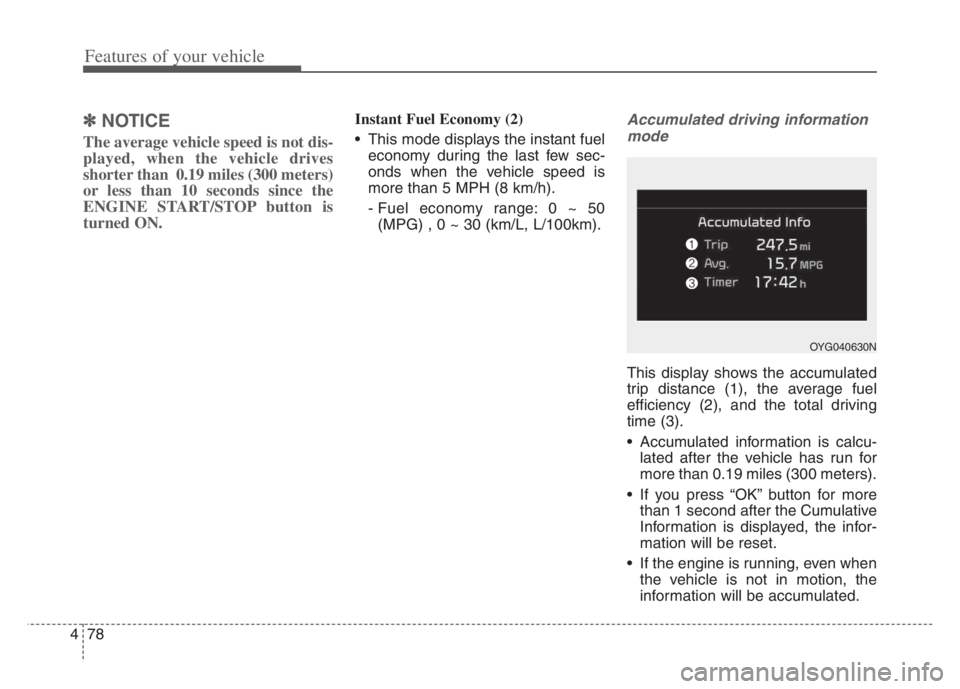
This display shows the accumulated
trip distance (1), the average fuel
efficiency (2), and the total driving
time (3).
Accumulated information is calcu-
lated after the vehicle has run for
more than 0.19 miles (300 meters).
If you press “OK” button for more
than 1 second after the Cumulative
Information is displayed, the infor-
mation will be reset.
If the engine is running, even when
the vehicle is not in motion, the
information will be accumulated.
OYG040630N
Page 161 of 560
479
Features of your vehicle
One time driving information
mode
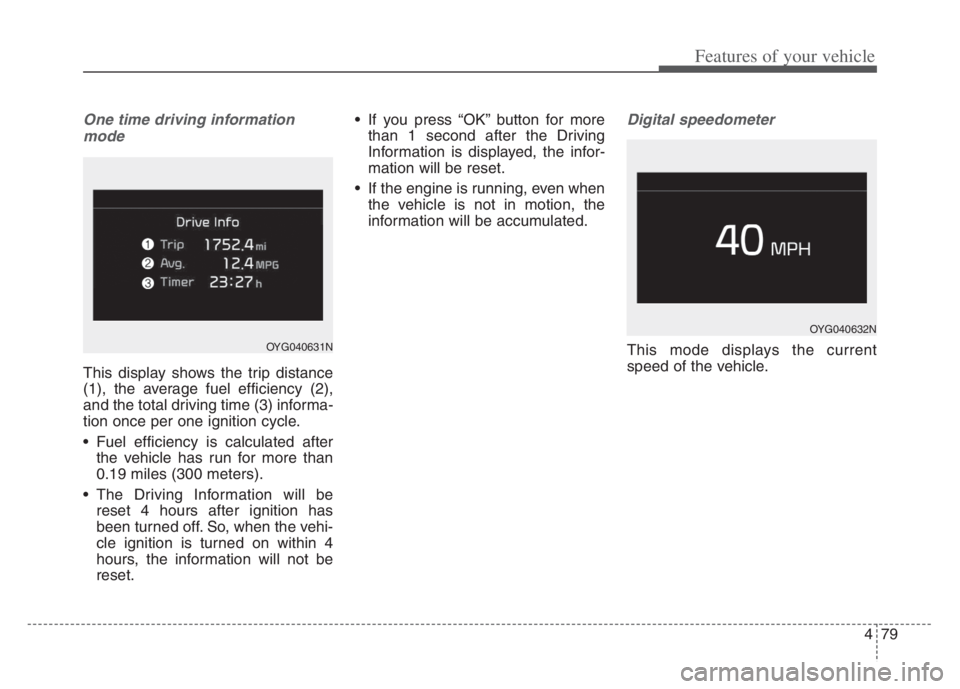
This display shows the trip distance
(1), the average fuel efficiency (2),
and the total driving time (3) informa-
tion once per one ignition cycle.
Fuel efficiency is calculated after
the vehicle has run for more than
0.19 miles (300 meters).
The Driving Information will be
reset 4 hours after ignition has
been turned off. So, when the vehi-
cle ignition is turned on within 4
hours, the information will not be
reset. If you press “OK” button for more
than 1 second after the Driving
Information is displayed, the infor-
mation will be reset.
If the engine is running, even when
the vehicle is not in motion, the
information will be accumulated.
Digital speedometer
This mode displays the current
speed of the vehicle.
OYG040632N
OYG040631N
Page 162 of 560
Features of your vehicle
80 4
Drive mode
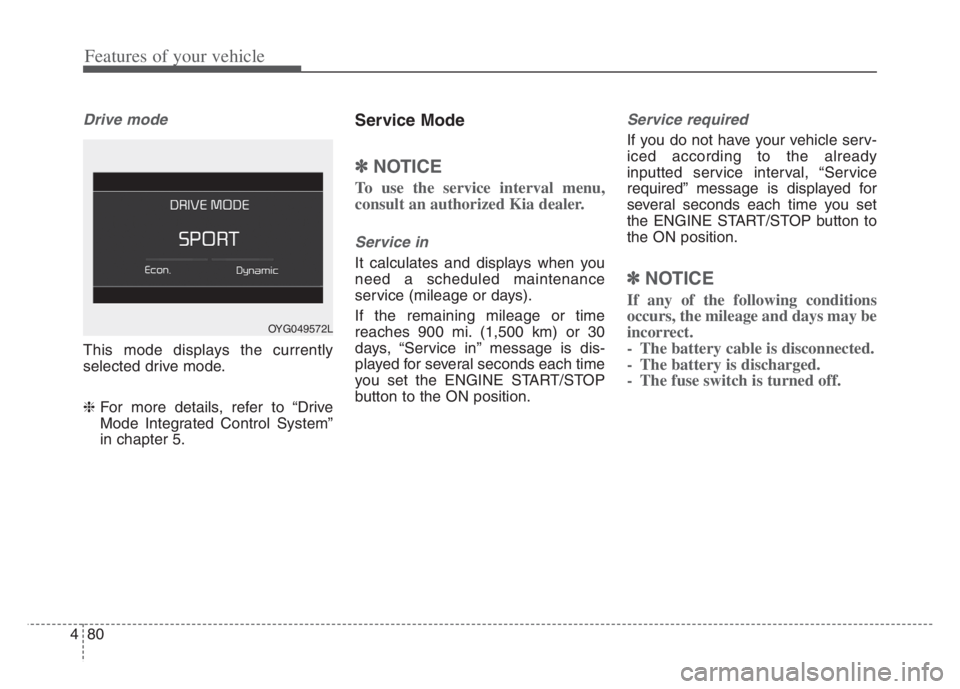
This mode displays the currently
selected drive mode.
❈For more details, refer to “Drive
Mode Integrated Control System”
in chapter 5.
Service Mode
✽ ✽
NOTICE
To use the service interval menu,
consult an authorized Kia dealer.
Service in
It calculates and displays when you
need a scheduled maintenance
service (mileage or days).
If the remaining mileage or time
reaches 900 mi. (1,500 km) or 30
days, “Service in” message is dis-
played for several seconds each time
you set the ENGINE START/STOP
button to the ON position.
Service required
If you do not have your vehicle serv-
iced according to the already
inputted service interval, “Service
required” message is displayed for
several seconds each time you set
the ENGINE START/STOP button to
the ON position.
✽ ✽
NOTICE
If any of the following conditions
occurs, the mileage and days may be
incorrect.
- The battery cable is disconnected.
- The battery is discharged.
- The fuse switch is turned off.
OYG049572L
Page 180 of 560
Features of your vehicle
98 4
ECO Mode Indicator
Light
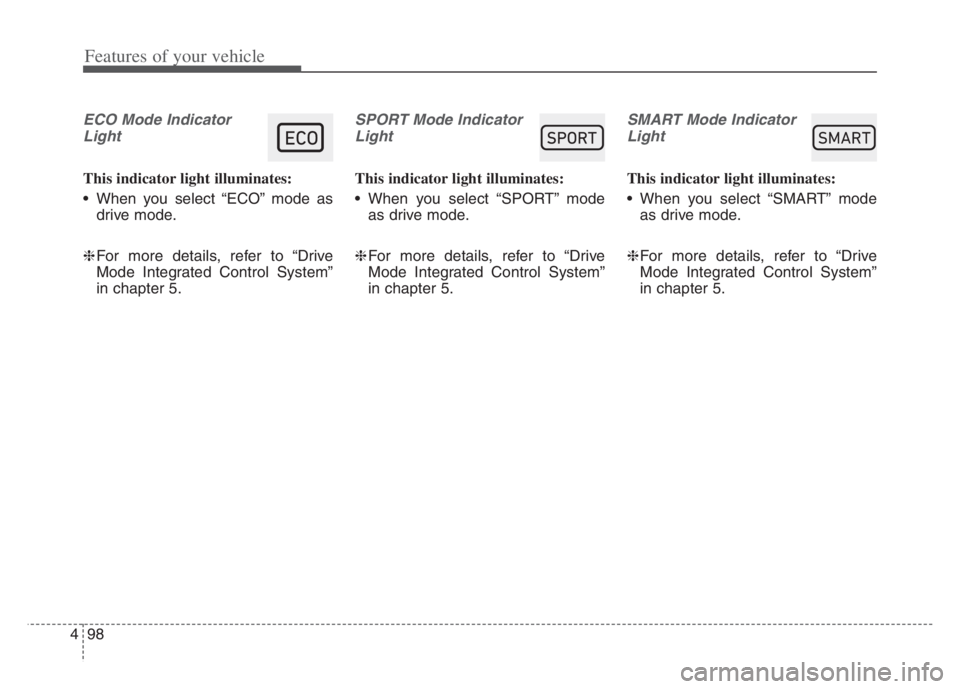
This indicator light illuminates:
When you select “ECO” mode as
drive mode.
❈For more details, refer to “Drive
Mode Integrated Control System”
in chapter 5.
SPORT Mode Indicator
Light
This indicator light illuminates:
When you select “SPORT” mode
as drive mode.
❈For more details, refer to “Drive
Mode Integrated Control System”
in chapter 5.
SMART Mode Indicator
Light
This indicator light illuminates:
When you select “SMART” mode
as drive mode.
❈For more details, refer to “Drive
Mode Integrated Control System”
in chapter 5.
60$57
Page 210 of 560
Features of your vehicle
128 4
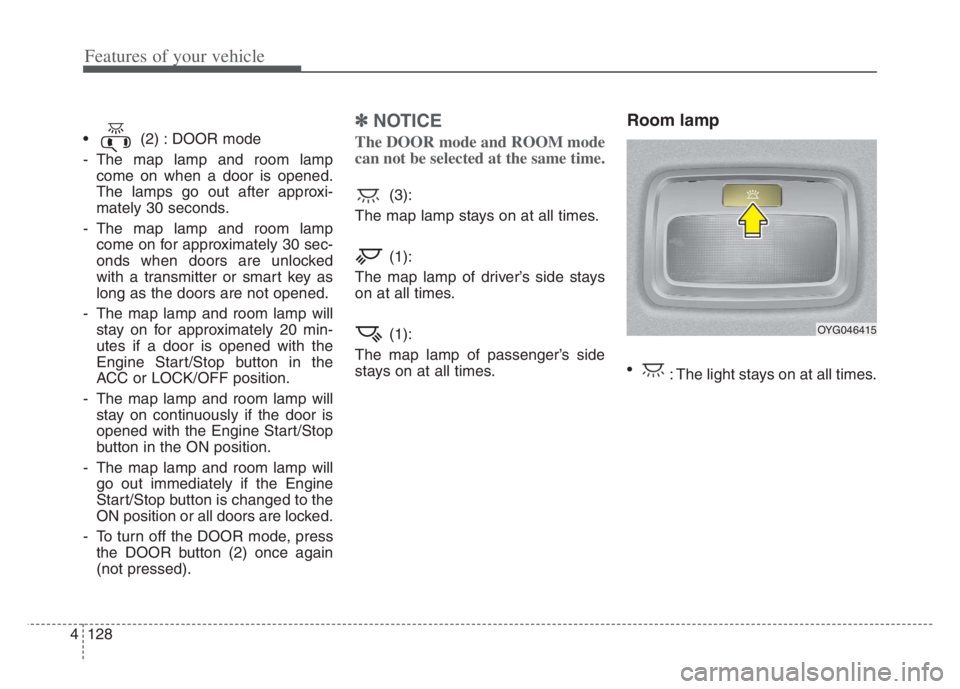
(2) : DOOR mode
- The map lamp and room lamp
come on when a door is opened.
The lamps go out after approxi-
mately 30 seconds.
- The map lamp and room lamp
come on for approximately 30 sec-
onds when doors are unlocked
with a transmitter or smart key as
long as the doors are not opened.
- The map lamp and room lamp will
stay on for approximately 20 min-
utes if a door is opened with the
Engine Start/Stop button in the
ACC or LOCK/OFF position.
- The map lamp and room lamp will
stay on continuously if the door is
opened with the Engine Start/Stop
button in the ON position.
- The map lamp and room lamp will
go out immediately if the Engine
Start/Stop button is changed to the
ON position or all doors are locked.
- To turn off the DOOR mode, press
the DOOR button (2) once again
(not pressed).
✽ ✽
NOTICE
The DOOR mode and ROOM mode
can not be selected at the same time.
(3):
The map lamp stays on at all times.
(1):
The map lamp of driver’s side stays
on at all times.
(1):
The map lamp of passenger’s side
stays on at all times.
Room lamp
: The light stays on at all times.
OYG046415
Page 221 of 560
4139
Features of your vehicle
Adjusting the driver and passenger
side temperature equally
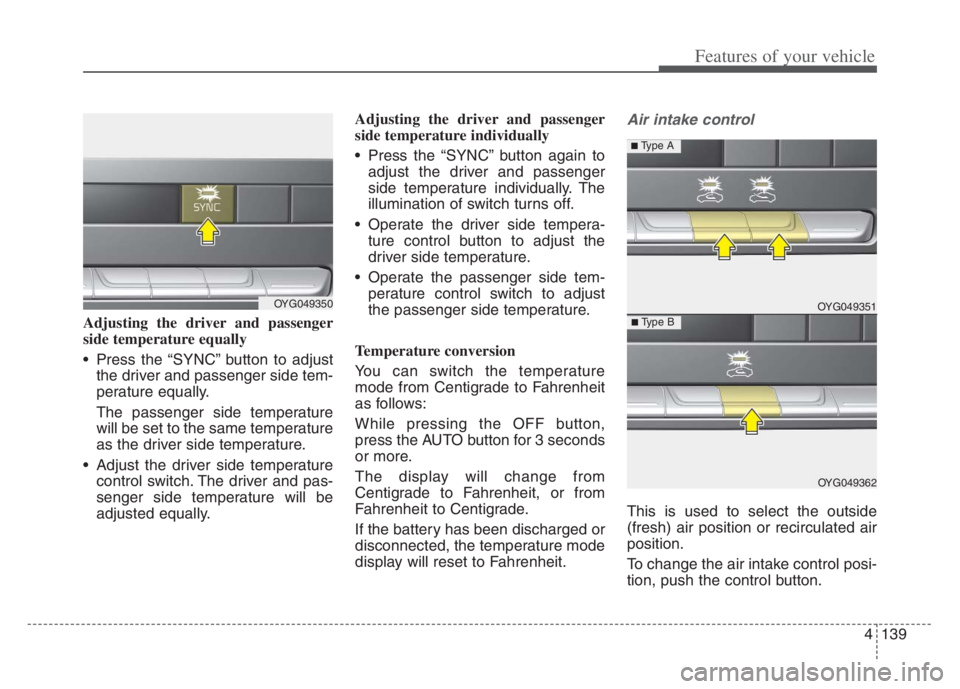
Press the “SYNC” button to adjust
the driver and passenger side tem-
perature equally.
The passenger side temperature
will be set to the same temperature
as the driver side temperature.
Adjust the driver side temperature
control switch. The driver and pas-
senger side temperature will be
adjusted equally.Adjusting the driver and passenger
side temperature individually
Press the “SYNC” button again to
adjust the driver and passenger
side temperature individually. The
illumination of switch turns off.
Operate the driver side tempera-
ture control button to adjust the
driver side temperature.
Operate the passenger side tem-
perature control switch to adjust
the passenger side temperature.
Temperature conversion
You can switch the temperature
mode from Centigrade to Fahrenheit
as follows:
While pressing the OFF button,
press the AUTO button for 3 seconds
or more.
The display will change from
Centigrade to Fahrenheit, or from
Fahrenheit to Centigrade.
If the battery has been discharged or
disconnected, the temperature mode
display will reset to Fahrenheit.
Air intake control
This is used to select the outside
(fresh) air position or recirculated air
position.
To change the air intake control posi-
tion, push the control button.
OYG049350 OYG049351
OYG049362
■ Type B
■ Type A
Page 226 of 560
Features of your vehicle
144 4
When using the air conditioning
system, you may notice clear water
dripping (or even puddling) on the
ground under the passenger side
of the vehicle. This is a normal sys-
tem operation characteristic.
Operating the air conditioning sys-
tem in the recirculated air position
provides maximum cooling, how-
ever, continual operation in this
mode may cause the air inside the
vehicle to become stale.
During cooling operation, you may
occasionally notice a misty air flow
because of rapid cooling and
humid air intake. This is a normal
system operation characteristic.Automatic Air Ventilation
When operating heater and air con-
ditioner for the vehicle ventilation, if
you maintain the Recirculation mode
for 30 minutes or over at low temper-
ature, it automatically changes to
Fresh mode.
Automatic Air Ventilation control
procedure
When set up or release the automat-
ic air ventilation function, select the
Mode Selection button at heater or
air conditioner on. And press the Air
Intake Control button for 5 times or
over within 3seconds together within
3 seconds together within 3 seconds
together with pressing the Air
Conditioning button. When release
the automatic ventilation function,
the Recirculation mode indicator will
blink 3 times at 0.5 second intervals
and air direction, air volume,
Recirculation/Fresh mode, and air
conditioner is automatically con-
trolled.When it set the automatic ventilation
function, the Recirculation mode
indicator will blink 6 times at 0.25
seconds intervals and air direction,
air volume, Recirculation/Fresh
mode, and air conditioner is auto-
matically controlled.
Auto dehumidify is activated when
you select ‘Settings →Vehicle →
Climate →Automatic Ventilation →
Auto dehumidify’ from the Settings
menu in the Infotainment System
screen.
For more details, please scan the
QR code in a separately supplied
Car Infotainment System Quick
Reference Guide.
Page 227 of 560

4145
Features of your vehicle
Sunroof inside air recircula-
tion
The outside (fresh) air position is
automatically selected, when the
sunroof is opened.
When you select the recirculated air
position, the system maintains the
recirculated air position for 3 minutes
and then automatically converts to
the outside (fresh) air position.
When the sunroof is closed, the air
intake position will return to the orig-
inal position that was selected.
Activate upon Washer Fluid
Use
To prevent the odor from entering to
inside the vehicle, the ventilation sys-
tem changes to Recirculated Air
Mode for a while when the wind-
shield washer fluid sprayed.
However, at low outside temperature,
to prevent from windshield fogging,
the system continues to outside air
mode.
System setting
1. ENGINE START/STOP button is
On.
2. Select Floor-Level ( ) air flow
direction by pressing
Mode Selection button.
3. With pressing Air Conditioning but-
ton, press the Recirculated Air but-
ton more than 4 times within 2
seconds.
4. If the system is set up, the indica-
tor on Recirculated Air button will
blinks 6 times.
System cancellation
1. ENGINE START/STOP button is
On.
2. Select Floor-Level ( ) air flow
direction by pressing
Mode Selection button.
3. With pressing Air Conditioning but-
ton, press the Recirculated Air but-
ton more than 4 times within 2
seconds.
4. If the system is cancelled, the indi-
cator on Recirculated Air button
will blinks 3 times.
Activation on washer fluid is activat-
ed when you select ‘Settings →
Vehicle →Climate →Recirculate Air
→Activate upon Washer Fluid Use’
from the Settings menu in the
Infotainment System screen.
For more details, please scan the
QR code in a separately supplied
Car Infotainment System Quick
Reference Guide.
Page 239 of 560

4157
Features of your vehicle
During mild weather or under condi-
tions where the operation of the seat
warmer is not needed, keep the
switches in the “OFF” position.
Temperature control (Manual)
Each time you press the switch,
the temperature setting of the seat
will change as follows :
■ Front seat
■ Rear seat
The seat warmer defaults to the
OFF position whenever the Engine
Start/Stop button is turned on.Temperature control(Automatic)
The seat warmer starts to automati-
cally control the seat temperature in
order to prevent low-temperature
burns after being manually turned
ON.
You may manually press the button
to increase the seat temperature.
However, it soon returns to the auto-
matic mode again.
When pressing the switch for more
than 1.5 seconds with the seat
warmer operating, the seat warmer
will turn OFF.
The seat warmer defaults to the
OFF position whenever the
ENGINE START/STOP button is
the ON position.✽ ✽
NOTICE
With the seat warmer switch in the
ON position, the heating system in
the seat turns off or on automatically
depending on the seat temperature.▼ ▼
OFFHIGH( )MIDDLE( )LOW( )
OFFHIGH( )LOW( )
OFFHIGH( )MIDDLE( )LOW( )
30min
60min
WARNING- Seat warmer
burns
The seat warmer may cause
burns, even at low tempera-
tures, if used over a long period
of time. Never allow passengers
who may not be able to take
care of themselves to be
exposed to the risk of seat
heater burns. These include:
1. Infants, children, elderly or
disabled persons, or hospital
outpatients
2. Persons with sensitive skin
or those that burn easily
3. Fatigued individuals
4. Intoxicated individuals
5. Individuals taking medication
that can cause drowsiness or
sleepiness (sleeping pills,
cold tablets, etc.)
Page 261 of 560

Driving your vehicle
8 5
✽
✽
NOTICE
If you leave the ENGINE START/
STOP button in the ACC or ON
position for an extended period of
time, the battery will discharge.
Starting the engine with a
smart key
1.Carry the smart key or place it
inside the vehicle.
2.Make sure the parking brake is
firmly applied
3.Place the shift lever in P (Park).
Depress the brake pedal fully.
You can also start the engine when
the shift lever is in the N (Neutral)
position.
4.Press the ENGINE START/STOP
button while depressing the brake
pedal.
No need to depress the accelerator
pedal
5.Do not wait for the engine to warm
up while the vehicle remains sta-
tionary.
Start driving at moderate engine
speeds. (Steep accelerating and
decelerating should be avoided.) Even if the smart key is in the vehi-
cle, if it is position far away from
you, the engine may not start.
When the ENGINE START/STOP
button is in the ACC or ON position
and any door is opened, the sys-
tem checks for the presents of the
smart key. If the smart key is not in
the vehicle, a message "key is not
in the vehicle" will appear on the
LCD display. And if all doors are
closed, the chime will sound for 5
seconds. The indicator or warning
will turn off while the vehicle is
moving. Always have the smart key
with you.
WARNING- Starting
vehicle
Never press the ENGINE
START/STOP button while the
vehicle is in motion except in an
emergency. This would result in
loss of directional control and
braking function, which could
cause an accident.