warning lights KIA CADENZA 2020 User Guide
[x] Cancel search | Manufacturer: KIA, Model Year: 2020, Model line: CADENZA, Model: KIA CADENZA 2020Pages: 560, PDF Size: 11.37 MB
Page 129 of 560

447
Features of your vehicle
(Continued)
• When the charging system warning
light comes on due to low voltage
(When should be lower case the
alternator or battery do not oper-
ate normally or malfunction), the
steering wheel may require
increased steering effort.Tilt and telescopic steering
Tilt and telescopic steering allows
you to adjust the steering wheel
before you drive. You can also raise it
to give your legs more room when
you exit and enter the vehicle.
The steering wheel should be posi-
tioned so that it is comfortable for
you to drive, while permitting you to
see the instrument panel warning
lights and gauges.
Manual type
To change the steering wheel angle,
pull down the lock-release lever (1),
adjust the steering wheel to the
desired angle (2) and height (3) then
pull up the lock-release lever to lock
the steering wheel in place. Be sure
to adjust the steering wheel to the
desired position before driving.
▼
WARNING- Steering
wheel adjustment
Never adjust the angle and
height of the steering wheel
while driving. You may lose
steering control.
OYG049038
Page 130 of 560

Features of your vehicle
48 4
✽
✽
NOTICE
After adjustment, sometimes the
lock release lever may not lock the
steering wheel. It is not a malfunc-
tion. This occurs when two gears are
not engaged correctly. In this case,
adjust the steering wheel again and
then lock the steering wheel.
Electric type (if equipped)
Adjust the steering wheel angle (2)
and position (3) with the knob (1) on
the steering column. Move the steer-
ing wheel, so it points toward your
chest, not toward your face. Make
sure you can see the instrument
panel warning lights and gauges.
After adjusting, push the steering
wheel both up and down to be cer-
tain it is locked in position. Always
adjust the position of the steering
wheel before driving.
✽ ✽
NOTICE
To prevent discharge of the battery,
do not operate when the engine is
stopped.
▼
OYG049039
Page 147 of 560
465
Features of your vehicle
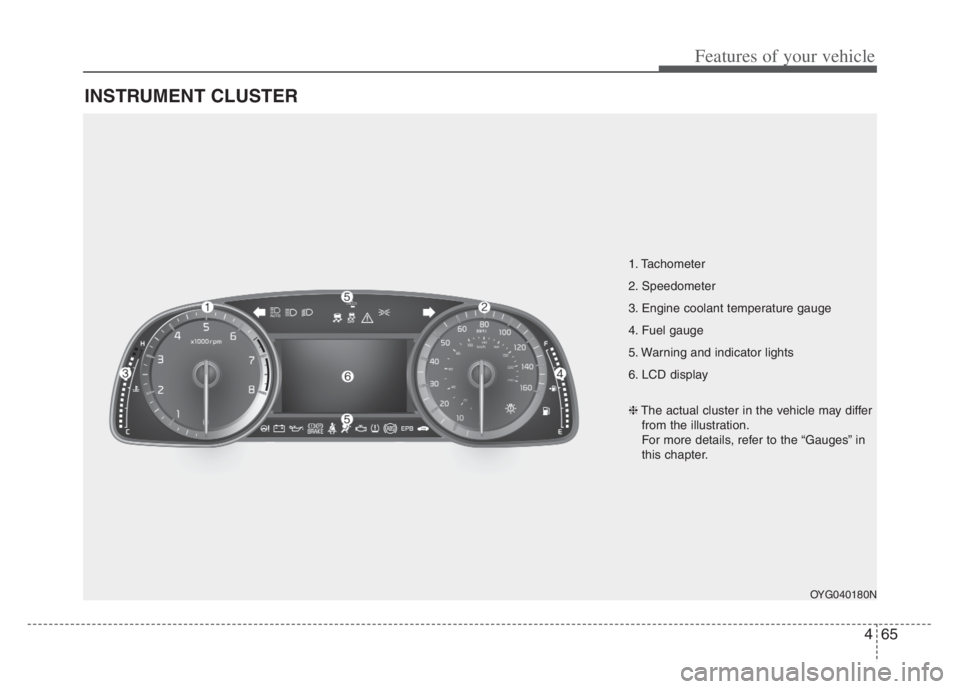
INSTRUMENT CLUSTER
1. Tachometer
2. Speedometer
3. Engine coolant temperature gauge
4. Fuel gauge
5. Warning and indicator lights
6. LCD display
OYG040180N
❈The actual cluster in the vehicle may differ
from the illustration.
For more details, refer to the “Gauges” in
this chapter.
Page 163 of 560

481
Features of your vehicle
LCD Display Messages
Door, Hood, Trunk open
This warning is displayed indicat-
ing which door, hood or trunk is
open.
Sunroof Open
This warning is displayed if you
turn off the engine when the sun-
roof is open.
Lights mode
This indicator displays which exte-
rior light is selected using the light-
ing control.
OYG049582LOYG049588
OYG049587
Page 168 of 560

Features of your vehicle
86 4
Warning lights
✽
✽
NOTICE - Warning lights
Make sure that all warning lights
are OFF after starting the engine. If
any light is still ON, this indicates a
situation that needs attention.
Air bag Warning Light
This warning light illuminates:
Once you set the ENGINE
START/STOP button to the ON
position.
- It illuminates for approximately 6
seconds and then goes off.
When there is a malfunction with
the SRS.
In this case, have the vehicle
inspected by an authorized Kia
dealer.
Seat Belt Warning Light
This warning light informs the driv-
er that the seat belt is not fastened.
❈ For more details, refer to the “Seat
Belts” in chapter 3.
WARNING AND INDICATOR LIGHTS
Page 170 of 560
Features of your vehicle
88 4
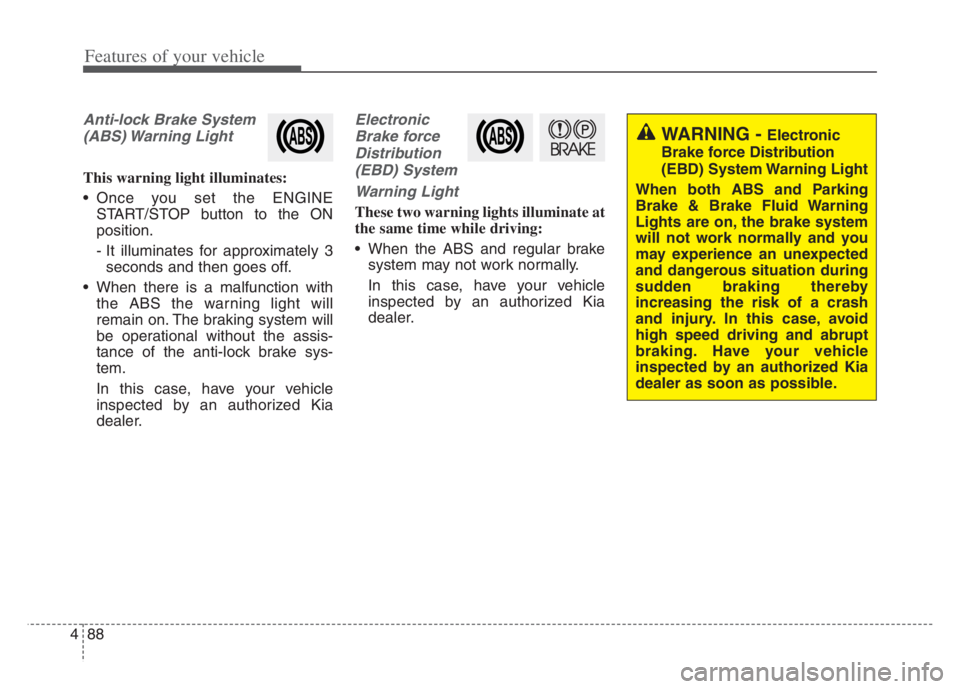
Anti-lock Brake System
(ABS) Warning Light
This warning light illuminates:
Once you set the ENGINE
START/STOP button to the ON
position.
- It illuminates for approximately 3
seconds and then goes off.
When there is a malfunction with
the ABS the warning light will
remain on. The braking system will
be operational without the assis-
tance of the anti-lock brake sys-
tem.
In this case, have your vehicle
inspected by an authorized Kia
dealer.
Electronic
Brake force
Distribution
(EBD) System
Warning Light
These two warning lights illuminate at
the same time while driving:
When the ABS and regular brake
system may not work normally.
In this case, have your vehicle
inspected by an authorized Kia
dealer.
WARNING - Electronic
Brake force Distribution
(EBD) System Warning Light
When both ABS and Parking
Brake & Brake Fluid Warning
Lights are on, the brake system
will not work normally and you
may experience an unexpected
and dangerous situation during
sudden braking thereby
increasing the risk of a crash
and injury. In this case, avoid
high speed driving and abrupt
braking. Have your vehicle
inspected by an authorized Kia
dealer as soon as possible.
Page 171 of 560
489
Features of your vehicle
✽ ✽
NOTICE- Electronic Brake
force Distribution (EBD)
System Warning Light
When the ABS Warning Light is on
or both ABS and Parking Brake &
Brake Fluid Warning Lights are on,
the speedometer, odometer, or trip-
meter may not work. Also, the EPS
Warning Light may illuminate and
the steering effort may increase or
decrease.
Recommend to have your vehicle
inspected by an authorized Kia deal-
er as soon as possible.
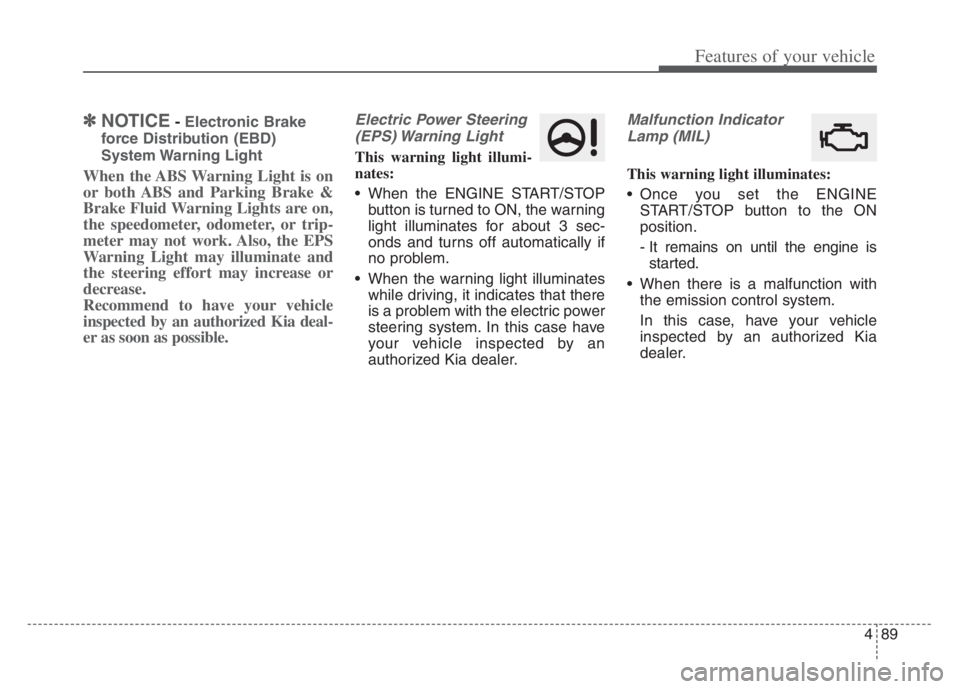
Electric Power Steering
(EPS) Warning Light
This warning light illumi-
nates:
When the ENGINE START/STOP
button is turned to ON, the warning
light illuminates for about 3 sec-
onds and turns off automatically if
no problem.
When the warning light illuminates
while driving, it indicates that there
is a problem with the electric power
steering system. In this case have
your vehicle inspected by an
authorized Kia dealer.
Malfunction Indicator
Lamp (MIL)
This warning light illuminates:
Once you set the ENGINE
START/STOP button to the ON
position.
- It remains on until the engine is
started.
When there is a malfunction with
the emission control system.
In this case, have your vehicle
inspected by an authorized Kia
dealer.
Page 176 of 560

Features of your vehicle
94 4
Icy Road Warning Light
This warning light is to warn the driv-
er the road may be icy.
When the following conditions occur,
the warning light (including Outside
Temperature Gauge) blinks and then
illuminates, and a warning chime
sounds once.
- The temperature on the Outside
Temperature Gauge is below
approximately 39°F (4°C).
You can activate or deactivate the Icy
road warning function when you
select 'Settings Cluster Content
Selection Icy Road Warning' from
the Setting menu in the Infotainment
System screen.
For more details, please scan the
QR code in a separately supplied
Car Infotainment System Quick
Reference Guide.
✽ ✽
NOTICE
If the icy road warning light appears
while driving, you should drive
more attentively and safely, refrain-
ing from over-speeding, rapid accel-
eration, sudden braking or sharp
turning, etc.
Indicator Lights
Electronic Stability
Control (ESC) Indicator
Light
This indicator light illuminates:
Once you set the ENGINE
START/STOP button to the ON
position.
- It illuminates for approximately 3
seconds and then goes off.
When there is a malfunction with
the ESC system.
In this case, have your vehicle
inspected by an authorized Kia
dealer.
This indicator light blinks:
While the ESC is operating.
❈For more details, refer to
“Electronic Stability Control (ESC)”
in chapter 5.
Page 178 of 560
Features of your vehicle
96 4
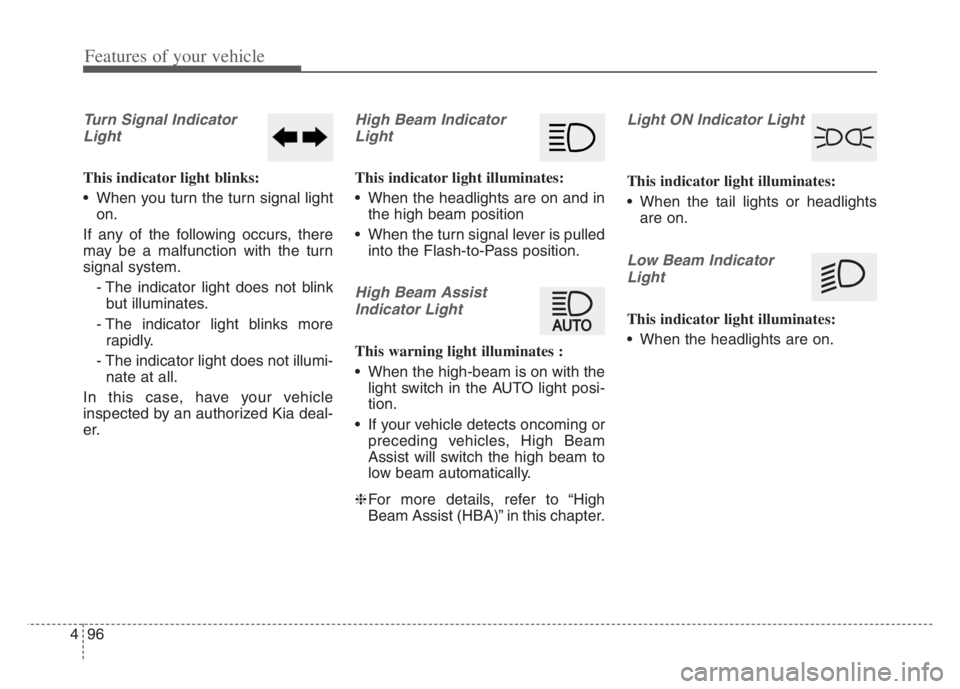
Turn Signal Indicator
Light
This indicator light blinks:
When you turn the turn signal light
on.
If any of the following occurs, there
may be a malfunction with the turn
signal system.
- The indicator light does not blink
but illuminates.
- The indicator light blinks more
rapidly.
- The indicator light does not illumi-
nate at all.
In this case, have your vehicle
inspected by an authorized Kia deal-
er.
High Beam Indicator
Light
This indicator light illuminates:
When the headlights are on and in
the high beam position
When the turn signal lever is pulled
into the Flash-to-Pass position.
High Beam Assist
Indicator Light
This warning light illuminates :
When the high-beam is on with the
light switch in the AUTO light posi-
tion.
If your vehicle detects oncoming or
preceding vehicles, High Beam
Assist will switch the high beam to
low beam automatically.
❈For more details, refer to “High
Beam Assist (HBA)” in this chapter.
Light ON Indicator Light
This indicator light illuminates:
When the tail lights or headlights
are on.
Low Beam Indicator
Light
This indicator light illuminates:
When the headlights are on.
Page 199 of 560

4117
Features of your vehicle
High beam operation
To turn on the high beam headlamp,
push the lever away from you. The lever
will return to its original position. The
high beam indicator will light when the
headlight high beams are switched on.
To turn off the high beam headlamps,
pull the lever towards you. It will return
to the normal (low beam) position
when released.
To prevent the battery from being
discharged, do not leave the lights
on for a prolonged time while the
engine is not running.
WARNING - High beams
Do not use high beam when
there are other vehicles in front
of your vehicle. Using high
beam could obstruct the other
driver’s vision.
OYG040637N
CAUTION
Never place anything over the
sensor (1) located on the
instrument panel, this will
ensure better auto-light sys-
tem control.
Don’t clean the sensor using a
window cleaner, the cleaner
may leave a light film which
could interfere with sensor
operation.