belt KIA CADENZA 2020 Service Manual
[x] Cancel search | Manufacturer: KIA, Model Year: 2020, Model line: CADENZA, Model: KIA CADENZA 2020Pages: 560, PDF Size: 11.37 MB
Page 79 of 560

363
Safety features of your vehicle
Air bag non-inflation conditions
In certain low-speed collisions the
air bags may not deploy. The air
bags are designed not to deploy in
such cases because they may not
provide benefits beyond the pro-
tection of the seat belts in such col-
lisions. Air bags are not designed to inflate
in rear collisions, because occu-
pants are moved backward by the
force of the impact. In this case,
inflated air bags would not be able
to provide any additional benefit. Front air bags may not inflate in
side impact collisions, because
occupants move to the direction of
the collision, and thus in side
impacts, frontal air bag deployment
would not provide additional occu-
pant protection.
OYG036077
OYG039058 OYG036078
Page 168 of 560

Features of your vehicle
86 4
Warning lights
✽
✽
NOTICE - Warning lights
Make sure that all warning lights
are OFF after starting the engine. If
any light is still ON, this indicates a
situation that needs attention.
Air bag Warning Light
This warning light illuminates:
Once you set the ENGINE
START/STOP button to the ON
position.
- It illuminates for approximately 6
seconds and then goes off.
When there is a malfunction with
the SRS.
In this case, have the vehicle
inspected by an authorized Kia
dealer.
Seat Belt Warning Light
This warning light informs the driv-
er that the seat belt is not fastened.
❈ For more details, refer to the “Seat
Belts” in chapter 3.
WARNING AND INDICATOR LIGHTS
Page 172 of 560
Features of your vehicle
90 4
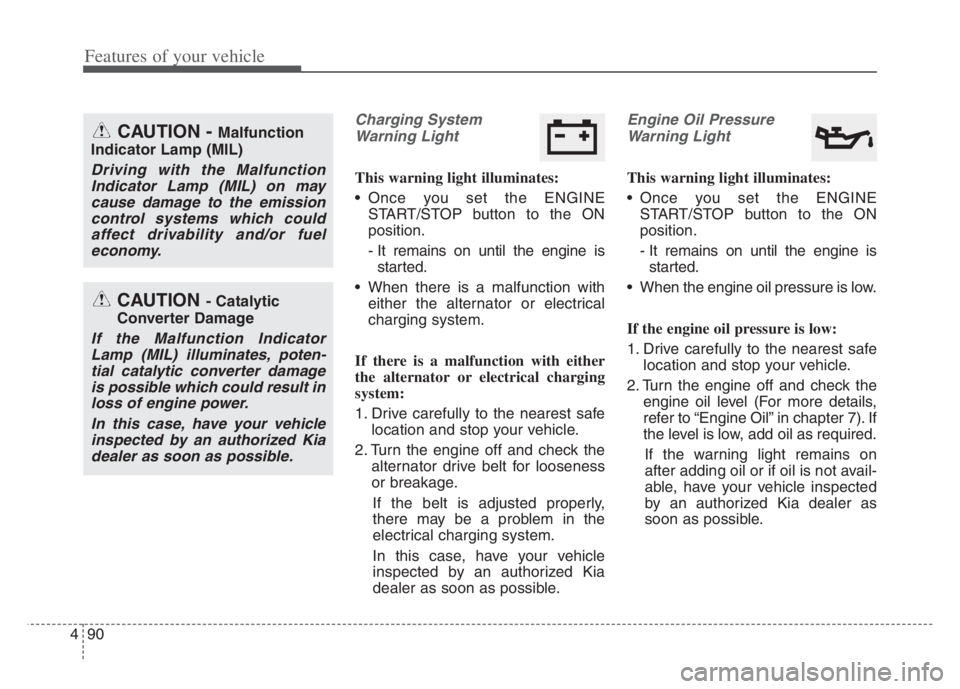
Charging System
Warning Light
This warning light illuminates:
Once you set the ENGINE
START/STOP button to the ON
position.
- It remains on until the engine is
started.
When there is a malfunction with
either the alternator or electrical
charging system.
If there is a malfunction with either
the alternator or electrical charging
system:
1. Drive carefully to the nearest safe
location and stop your vehicle.
2. Turn the engine off and check the
alternator drive belt for looseness
or breakage.
If the belt is adjusted properly,
there may be a problem in the
electrical charging system.
In this case, have your vehicle
inspected by an authorized Kia
dealer as soon as possible.
Engine Oil Pressure
Warning Light
This warning light illuminates:
Once you set the ENGINE
START/STOP button to the ON
position.
- It remains on until the engine is
started.
When the engine oil pressure is low.
If the engine oil pressure is low:
1. Drive carefully to the nearest safe
location and stop your vehicle.
2. Turn the engine off and check the
engine oil level (For more details,
refer to “Engine Oil” in chapter 7). If
the level is low, add oil as required.
If the warning light remains on
after adding oil or if oil is not avail-
able, have your vehicle inspected
by an authorized Kia dealer as
soon as possible.
CAUTION - Catalytic
Converter Damage
If the Malfunction Indicator
Lamp (MIL) illuminates, poten-
tial catalytic converter damage
is possible which could result in
loss of engine power.
In this case, have your vehicle
inspected by an authorized Kia
dealer as soon as possible.
CAUTION - Malfunction
Indicator Lamp (MIL)
Driving with the Malfunction
Indicator Lamp (MIL) on may
cause damage to the emission
control systems which could
affect drivability and/or fuel
economy.
Page 191 of 560
4109
Features of your vehicle
Warning only
If the system detects a risk of colli-
sion with a pedestrian or an object,
the system will warn the driver with
audible warning and warnings on
the infotainment system display.
If ‘Warning Only’ is selected, brak-
ing will not be assisted.
The warning will turn off when :
- The driver shifts the gear to P
(Park), N (Neutral), or D (Drive)
✽ ✽
NOTICE
• Always pay attention to road and
traffic conditions while driving,
whether or not there is a warning.
• Playing the vehicle audio system
at high volume may prevent occu-
pants from hearing Reverse
Parking Collision-Avoidance
Assist warning sounds.
• If any other warning sound, such
as seat belt warning chime, is
already generated, Reverse
Parking Collision Avoidance
Assist warning may not sound.
✽ ✽
NOTICE
The system can detect a pedestrian or
an object when :
• A pedestrian is standing behind
the vehicle.
• A large obstacle, such as a vehicle,
is parked in the rear center of the
vehicle.
WARNING
Reverse Parking Collision
Avoidance Assist may not
operate properly or may oper-
ate unnecessarily in some cir-
cumstances.
Always pay extreme caution
while driving. The driver is
responsible for controlling the
brake appropriately.
Page 257 of 560
Driving your vehicle
4 5
Before entering vehicle
• Be sure that all windows, outside
mirror(s), and outside lights are
clean.
Check the condition of the tires.
Check under the vehicle for any
sign of leaks.
Be sure there are no obstacles
behind you if you intend to back up.
Necessary inspections
Fluid levels, such as engine oil,
engine coolant, brake fluid, and
washer fluid should be checked on a
regular basis, at the exact interval
depending on the fluid. Further
details are provided in chapter 7,
“Maintenance”.
Before starting
Close and lock all doors.
Position the seat so that all con-
trols are easily reached.
Buckle your seat belt.
Adjust the inside and outside
rearview mirrors.
Be sure that all lights work.
Check all gauges.
Check the operation of warning
lights when the ENGINE
START/STOP button is in the ON
position.
Release the parking brake and
make sure the brake warning light
goes out.
For safe operation, be sure you are
familiar with your vehicle and its
equipment.
BEFORE DRIVING
WARNING - Distracted
driving
Focus on the road while driving.
The driver's primary responsi-
bility is in the safe and legal
operation of the vehicle. Use of
any handled devices, other
equipment or vehicle systems
that distract the driver should
not be used during vehicle
operation.
Page 274 of 560

521
Driving your vehicle
To release EPB (Electronic Parking
Brake) automatically:
Shift lever in P (Park)
With the engine running depress
the brake pedal and shift out of P
(Park) to R (Reverse) or D (Drive).
Shift lever in N (Neutral)
With the engine running depress
the brake pedal and shift out of N
(Neutral) to R (Reverse) or D
(Drive).
Automatic Transmission
1. Close the driver's door, engine
hood and trunk.
2. Fasten the driver's seat belt.
3. Start the engine.
4. Depress the accelerator pedal
while the shift lever is in R
(Reverse), D (Drive) or Sports
mode.
Make sure the brake warning light
goes off.✽ ✽
NOTICE
• For your safety, you can engage
the EPB even though the ENGINE
START/STOP button is in the
OFF position, but you cannot
release it.
• For your safety, depress the brake
pedal and release the parking
brake manually with the EPB
switch when you drive downhill or
when backing up the vehicle.
Do not follow the above procedure
when driving on a flat level ground.
The vehicle may suddenly move for-
ward.
EPB (Electronic Parking Brake) may
be automatically applied when:
The EPB is overheated
Requested by other systems
✽ ✽
NOTICE
For EPB (Electronic Parking Brake)
equipped vehicles with [AUTO
HOLD] function used while driving,
if the ENGINE START/STOP but-
ton has been turned OFF, the EPB
will be engaged automatically.
Therefore, [AUTO HOLD] function
should be turned off before the igni-
tion button is turned off.
CAUTION
If the parking brake warning
light is still on even though
the EPB has been released,
have the system checked by
an authorized Kia dealer.
Do not drive your vehicle with
the EPB applied. It may cause
excessive brake pad and
brake rotor wear.
Page 275 of 560
Driving your vehicle
22 5
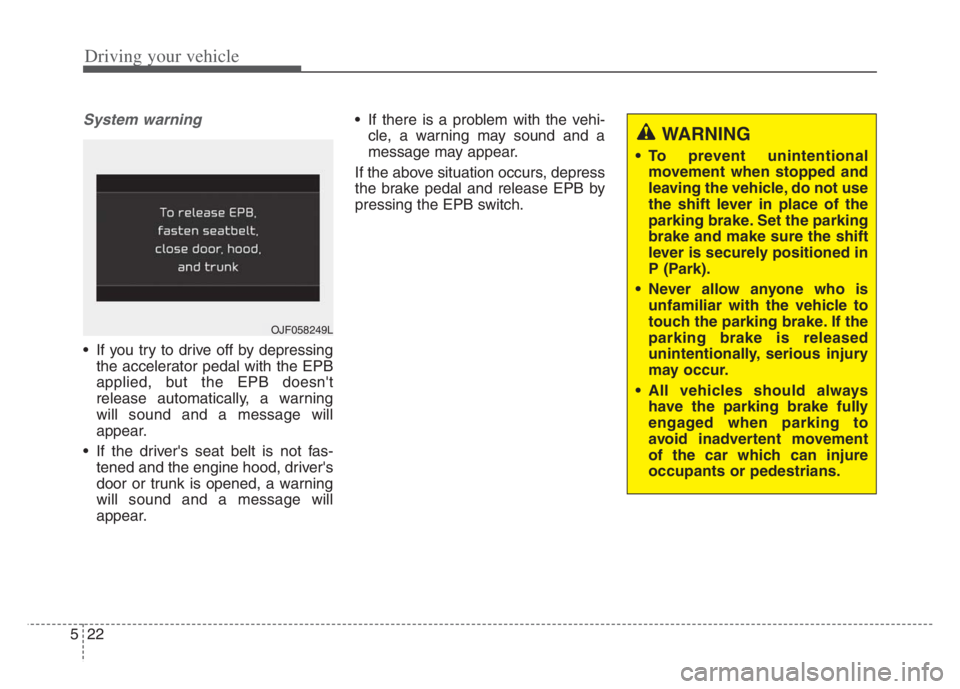
System warning
If you try to drive off by depressing
the accelerator pedal with the EPB
applied, but the EPB doesn't
release automatically, a warning
will sound and a message will
appear.
If the driver's seat belt is not fas-
tened and the engine hood, driver's
door or trunk is opened, a warning
will sound and a message will
appear. If there is a problem with the vehi-
cle, a warning may sound and a
message may appear.
If the above situation occurs, depress
the brake pedal and release EPB by
pressing the EPB switch.
OJF058249L
WARNING
To prevent unintentional
movement when stopped and
leaving the vehicle, do not use
the shift lever in place of the
parking brake. Set the parking
brake and make sure the shift
lever is securely positioned in
P (Park).
Never allow anyone who is
unfamiliar with the vehicle to
touch the parking brake. If the
parking brake is released
unintentionally, serious injury
may occur.
All vehicles should always
have the parking brake fully
engaged when parking to
avoid inadvertent movement
of the car which can injure
occupants or pedestrians.
Page 279 of 560
Driving your vehicle
26
5
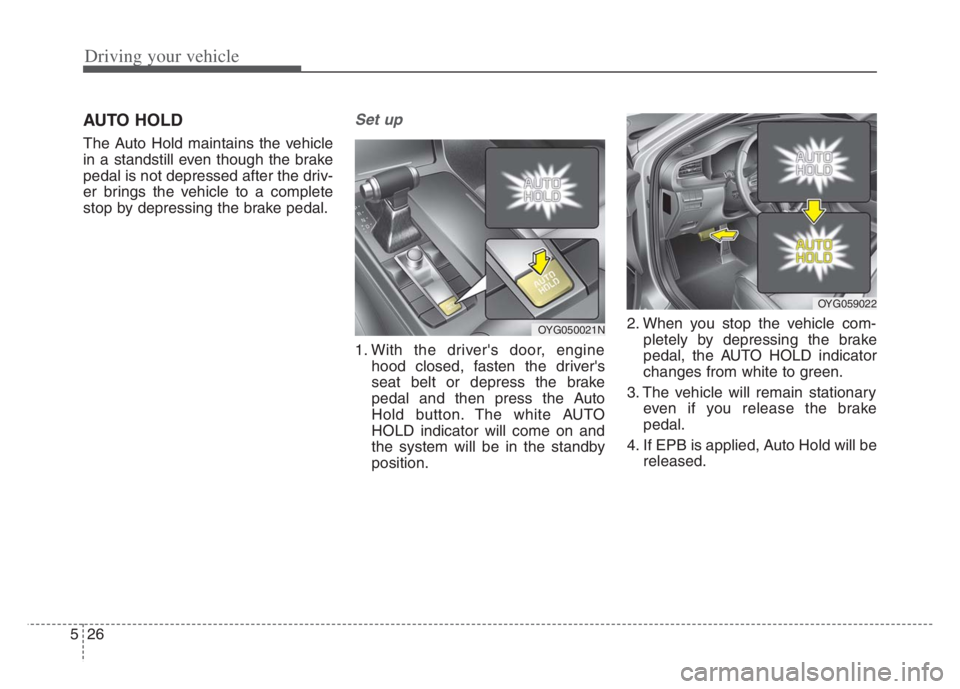
AUTO HOLD
The Auto Hold maintains the vehicle
in a standstill even though the brake
pedal is not depressed after the driv-
er brings the vehicle to a complete
stop by depressing the brake pedal.
Set up
1. With the driver's door, engine
hood closed, fasten the driver's
seat belt or depress the brake
pedal and then press the Auto
Hold button. The white AUTO
HOLD indicator will come on and
the system will be in the standby
position. 2. When you stop the vehicle com-
pletely by depressing the brake
pedal, the AUTO HOLD indicator
changes from white to green.
3. The vehicle will remain stationary even if you release the brake
pedal.
4. If EPB is applied, Auto Hold will be released.
OYG050021N
OYG059022
Page 285 of 560

Driving your vehicle
32 5
Electronic stability control
(ESC)
The Electronic Stability control
(ESC) system is designed to stabi-
lize the vehicle during cornering
maneuvers. ESC checks where you
are steering and where the vehicle is
actually going. ESC applies the
brakes on individual wheels and
intervenes with the engine manage-
ment system to stabilize the vehicle.Electronic stability control (ESC) will
not prevent accidents. Excessive
speed in turns, abrupt maneuvers
and hydroplaning on wet surfaces
can still result in serious accidents.
Only a safe and attentive driver can
prevent accidents by avoiding
maneuvers that cause the vehicle to
lose traction. Even with ESC
installed, always follow all the normal
precautions for driving - including
driving at safe speeds for the condi-
tions.The Electronic Stability Control (ESC)
system is an electronic system
designed to help the driver maintain
vehicle control under adverse condi-
tions. It is not a substitute for safe driv-
ing practices. Factors including speed,
road conditions and driver steering
input can all affect whether ESC will be
effective in preventing a loss of control.
It is still your responsibility to drive and
corner at reasonable speeds and to
leave a sufficient margin of safety.
When you apply your brakes under
conditions which may lock the wheels,
you may hear a “tik-tik’’ sound from the
brakes, or feel a corresponding sensa-
tion in the brake pedal. This is normal
and it means your ESC is active.
✽ ✽
NOTICE
A click sound may be heard in the
engine compartment when the vehi-
cle begins to move after the engine is
started. These conditions are normal
and indicate that the Electronic
Stability Control System is function-
ing properly.
OYG059024 WARNING
For maximum protection,
always wear your seat belt. No
system, no matter how
advanced, can compensate for
all driver error and/or driving
conditions. Always drive
responsibly.
Page 290 of 560

537
Driving your vehicle
The Vehicle Stability Management
system is not a substitute for safe
driving practices but a supplemen-
tary function only. It is the respon-
sibility of the driver to always check
the speed and the distance to the
vehicle ahead. Always hold the
steering wheel firmly while driving.
Your vehicle is designed to activate
according to the driver’s intention,
even with installed VSM. Always fol-
low all the normal precautions for
driving at safe speeds for the condi-
tions – including driving in inclement
weather and on a slippery road.Hill-start assist control (HAC)
A vehicle has the tendency to roll
back on a steep hill when it starts to
go after stopping. The Hill-start
Assist Control (HAC) prevents the
vehicle from rolling back by applying
the brakes automatically for about 2
seconds. The brakes are released
when the accelerator pedal is
depressed or after about 2 seconds.
The HAC is activated only for about 2
seconds, so when the vehicle is
starting off always depress the accel-
erator pedal.
Good braking practices
Check to be sure the parking brake
is not engaged and the parking
brake indicator light is out before
driving away.
Driving through water may get the
brakes wet. They can also get wet
when the vehicle is washed. Wet
brakes can be dangerous! Your
vehicle will not stop as quickly if the
brakes are wet. Wet brakes may
cause the vehicle to pull to one side.
To dry the brakes, apply the brakes
lightly until the braking action
returns to normal, taking care to
keep the vehicle under control at all
times. If the braking action does not
return to normal, stop as soon as it
is safe to do so and call an author-
ized Kia dealer for assistance.
Don't coast down hills with the
vehicle out of gear. This is extreme-
ly hazardous. Keep the vehicle in
gear at all times, use the brakes to
slow down, then shift to a lower
gear so that engine braking will
help you maintain a safe speed.
WARNING- Maintaining
Brake Pressure on Incline
HAC does not replace the need
to apply brakes while stopped on
an incline. While stopped, make
sure you maintain brake pres-
sure sufficient to prevent your
vehicle from rolling backward
and causing an accident. Don’t
release the brake pedal until you
are ready to accelerate forward.WARNING
For maximum protection, always
wear your seat belt. No system,
no matter how advanced, can
compensate for all driver error
and/or driving conditions.
Always drive responsibly.