light KIA CARENS RHD 2017 Owners Manual
[x] Cancel search | Manufacturer: KIA, Model Year: 2017, Model line: CARENS RHD, Model: KIA CARENS RHD 2017Pages: 723, PDF Size: 40.8 MB
Page 417 of 723
![KIA CARENS RHD 2017 Owners Manual Audio system
134
5
SETUP
(for RDS model) AM111 A4EE
Starting Mode
Press the key to display the Setup screen.
You can select and control options
related to [Display], [Sound],
[Clock/Day], [Phone](/img/2/57939/w960_57939-416.png "KIA CARENS RHD 2017 Owners Manual Audio system
134
5
SETUP
(for RDS model) AM111 A4EE
Starting Mode
Press the key to display the Setup screen.
You can select and control options
related to [Display], [Sound],
[Clock/Day], [Phone")
Audio system
134
5
SETUP
(for RDS model) AM111 A4EE
Starting Mode
Press the key to display the Setup screen.
You can select and control options
related to [Display], [Sound],
[Clock/Day], [Phone] and [System]. Display Settings
Adjusting the Brightness
Press the key Select
[Display] Select [Brightness]
Use the , buttons to adjust the
screen brightness or set the
Brightness on Automatic, Day, or
Night mode.
Press the button to reset.
(1) Automatic : Adjusts the bright-
ness automatically
(2) Daylight : Always maintains the brightness on high
(3) Night : Always maintains the
brightness on low
Pop-up Mode
Press the key Select
[Display] Select [Pop-up Mode]
This feature is used to display the
Pop-up Mode screen when entering
radio and media modes.
When this feature is turned on, pressing the or key
will display the Pop-up Mode screen.
✽✽ NOTICE
The media Pop-up Mode screen can
be displayed only when two or more
media modes have been connected.
MEDIA RADIO
SETUP
Default
SETUP
SETUP
Page 426 of 723
![KIA CARENS RHD 2017 Owners Manual 5143
Audio system
SETUP
AM111A4GG, AM111A4GN
AM111A4GE, AM111A4GL
Starting Mode
Press the key to display the Setup screen.
You can select and control options
related to [Display], [Sound],
[](/img/2/57939/w960_57939-425.png "KIA CARENS RHD 2017 Owners Manual 5143
Audio system
SETUP
AM111A4GG, AM111A4GN
AM111A4GE, AM111A4GL
Starting Mode
Press the key to display the Setup screen.
You can select and control options
related to [Display], [Sound],
[")
5143
Audio system
SETUP
AM111A4GG, AM111A4GN
AM111A4GE, AM111A4GL
Starting Mode
Press the key to display the Setup screen.
You can select and control options
related to [Display], [Sound],
[Clock/Day], [Phone] and [System].Display Settings
Adjusting the Brightness
Press the key Select
[Display] Select [Brightness]
Use the , buttons to adjust the
screen brightness or set the
Brightness on Automatic, Daylight, or
Night mode.
Press the button to reset.
(1) Automatic : Adjusts the bright-
ness automatically
(2) Daylight : Always maintains the brightness on high
(3) Night : Always maintains the
brightness on low
Pop-up Mode
Press the key Select
[Display] Select [Mode Pop up]
This feature is used to display the
Pop-up Mode screen when entering
radio and media modes.
When this feature is turned on, pressing the or key
will display the Pop-up Mode screen.
✽✽ NOTICE
The media Pop-up Mode screen can
be displayed only when two or more
media modes have been connected.
MEDIA RADIO
SETUP
Default
SETUP
SETUP
Page 439 of 723
Driving your vehicle
4
6
Before entering vehicle
• Be sure that all windows, outside
mirror(s), and outside lights are clean.
Check the condition of the tyres.
Check under the vehicle for any sign of leaks.
Be sure there are no obstacles behind you if you intend to back up. Necessary inspections
Fluid levels, such as engine oil,
engine coolant, brake fluid, and
washer fluid should be checked on a
regular basis, with the exact interval
depending on the fluid. Further
details are provided in chapter 8,“Maintenance”.
Before starting
Close and lock all doors.
Position the seat so that all con-
trols are easily reached.
Adjust the inside and outside rearview mirrors.
Be sure that all lights work.
Check all gauges.
Check the operation of warning lights when the ignition switch is
turned to the ON position.
Release the parking brake and make sure the brake warning lightgoes out.
For safe operation, be sure you are
familiar with your vehicle and itsequipment.
BEFORE DRIVING
WARNING
Driving whilst distracted can
result in a loss of vehicle con-
trol, that may lead to an acci-
dent, severe personal injury,
and death. The driver’s primary
responsibility is in the safe and
legal operation of a vehicle, and
use of any handheld devices,
other equipment, or vehicle sys-
tems which take the driver’s
eyes, attention and focus away
from the safe operation of a
vehicle or which are not permis-
sible by law should never beused during operation of the
vehicle.
Page 441 of 723
Driving your vehicle
6
6
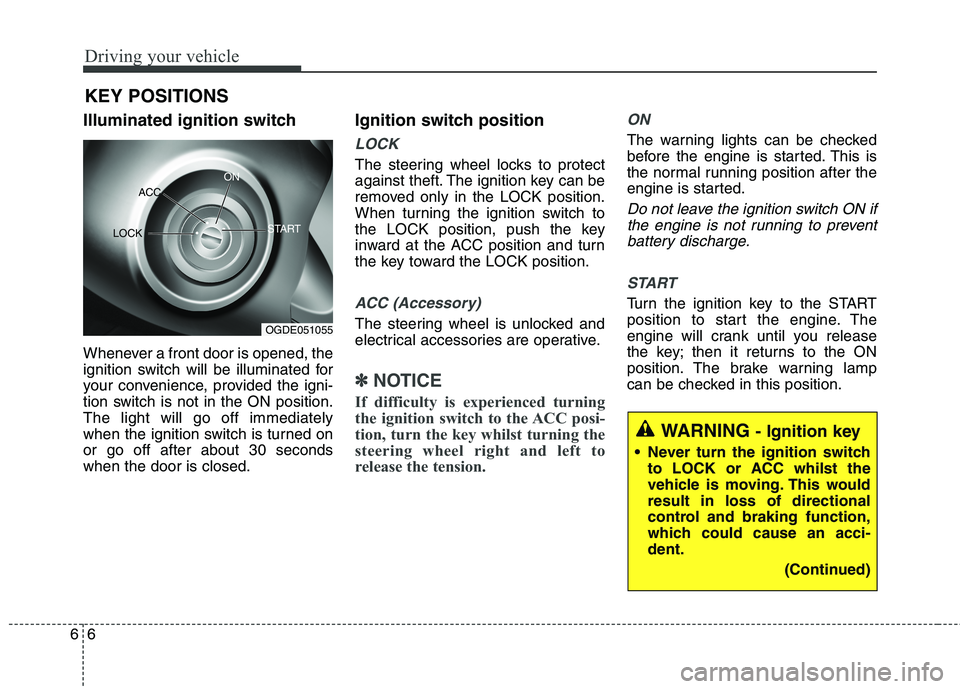
Illuminated ignition switch
Whenever a front door is opened, the
ignition switch will be illuminated for
your convenience, provided the igni-
tion switch is not in the ON position.The light will go off immediately
when the ignition switch is turned onor go off after about 30 secondswhen the door is closed. Ignition switch position
LOCK
The steering wheel locks to protect
against theft. The ignition key can be
removed only in the LOCK position.
When turning the ignition switch to
the LOCK position, push the key
inward at the ACC position and turn
the key toward the LOCK position.
ACC (Accessory)
The steering wheel is unlocked and
electrical accessories are operative.
✽✽
NOTICE
If difficulty is experienced turning
the ignition switch to the ACC posi-
tion, turn the key whilst turning the
steering wheel right and left to
release the tension.
ON
The warning lights can be checked
before the engine is started. This is
the normal running position after the
engine is started.
Do not leave the ignition switch ON if the engine is not running to preventbattery discharge.
START
Turn the ignition key to the START
position to start the engine. The
engine will crank until you release
the key; then it returns to the ON
position. The brake warning lamp
can be checked in this position.
KEY POSITIONS
WARNING
- Ignition key
Never turn the ignition switch to LOCK or ACC whilst the
vehicle is moving. This wouldresult in loss of directional
control and braking function,
which could cause an acci-dent.
(Continued)
OGDE051055
ACC
ON
START
LOCK
Page 444 of 723
69
Driving your vehicle
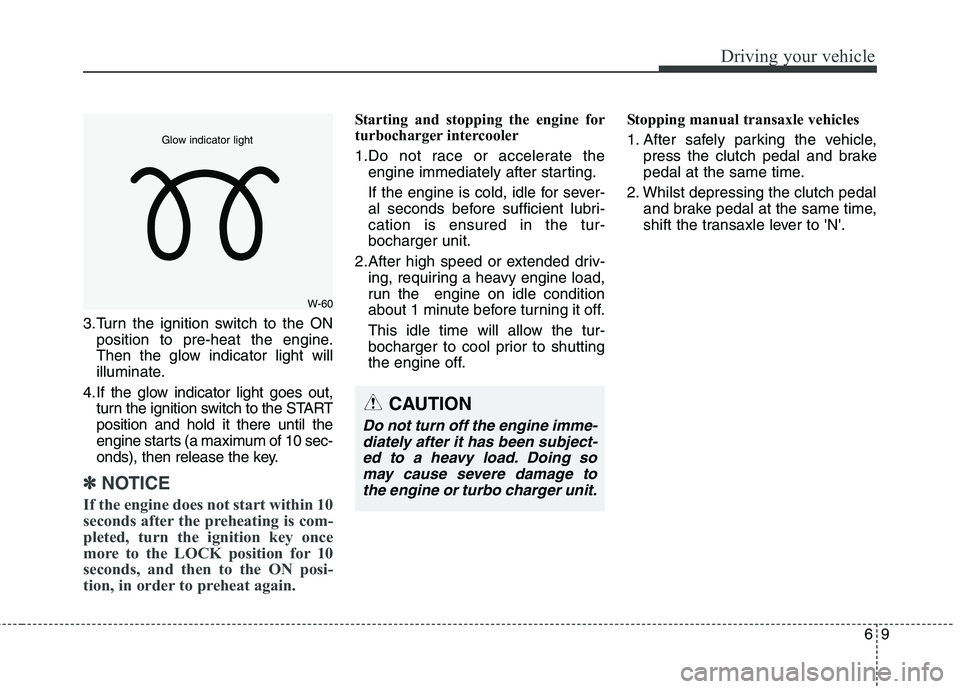
3.Turn the ignition switch to the ONposition to pre-heat the engine.
Then the glow indicator light will
illuminate.
4.If the glow indicator light goes out, turn the ignition switch to the STARTposition and hold it there until the
engine starts (a maximum of 10 sec-
onds), then release the key.
✽✽ NOTICE
If the engine does not start within 10
seconds after the preheating is com-
pleted, turn the ignition key once
more to the LOCK position for 10
seconds, and then to the ON posi-
tion, in order to preheat again.
Starting and stopping the engine for
turbocharger intercooler
1.Do not race or accelerate the engine immediately after starting.
If the engine is cold, idle for sever-
al seconds before sufficient lubri-cation is ensured in the tur-bocharger unit.
2.After high speed or extended driv- ing, requiring a heavy engine load,
run the engine on idle condition
about 1 minute before turning it off.
This idle time will allow the tur-
bocharger to cool prior to shutting
the engine off. Stopping manual transaxle vehicles
1. After safely parking the vehicle,
press the clutch pedal and brake
pedal at the same time.
2. Whilst depressing the clutch pedal and brake pedal at the same time,
shift the transaxle lever to 'N'.
W-60
Glow indicator light
CAUTION
Do not turn off the engine imme-
diately after it has been subject- ed to a heavy load. Doing somay cause severe damage tothe engine or turbo charger unit.
Page 445 of 723
Driving your vehicle
10
6
ENGINE START/STOP BUTTON (IF EQUIPPED)
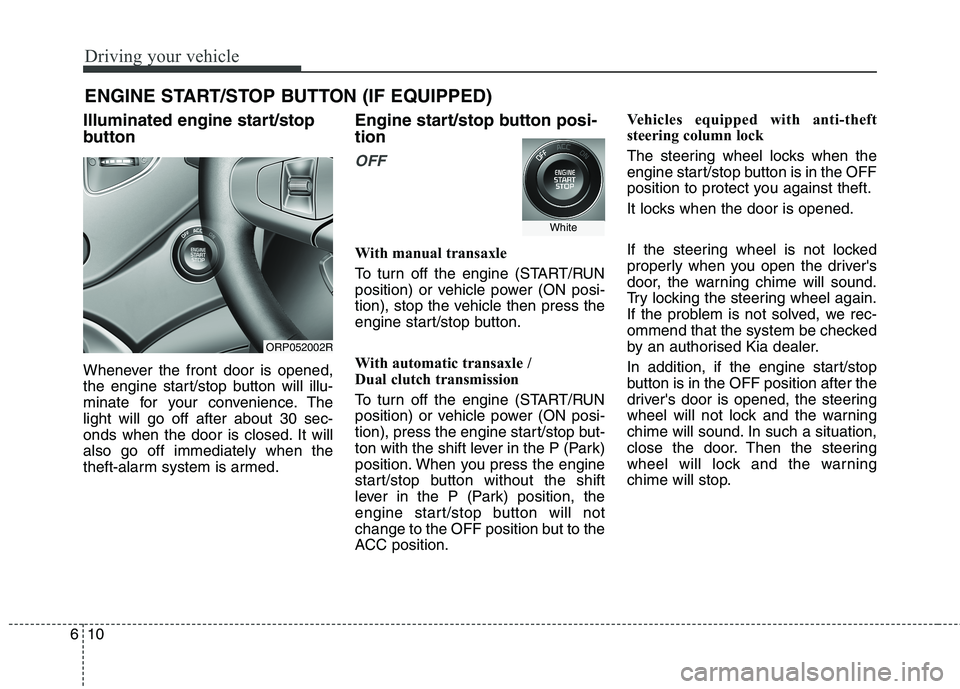
Illuminated engine start/stop
button
Whenever the front door is opened,
the engine start/stop button will illu-
minate for your convenience. Thelight will go off after about 30 sec-
onds when the door is closed. It willalso go off immediately when the
theft-alarm system is armed. Engine start/stop button posi- tion
OFF
With manual transaxle
To turn off the engine (START/RUN
position) or vehicle power (ON posi-
tion), stop the vehicle then press the
engine start/stop button.
With automatic transaxle /
Dual clutch transmission
To turn off the engine (START/RUN
position) or vehicle power (ON posi-
tion), press the engine start/stop but-
ton with the shift lever in the P (Park)
position. When you press the engine
start/stop button without the shift
lever in the P (Park) position, the
engine start/stop button will not
change to the OFF position but to the
ACC position.Vehicles equipped with anti-theft
steering column lock
The steering wheel locks when the
engine start/stop button is in the OFF
position to protect you against theft.
It locks when the door is opened.
If the steering wheel is not locked
properly when you open the driver's
door, the warning chime will sound.
Try locking the steering wheel again.
If the problem is not solved, we rec-
ommend that the system be checked
by an authorised Kia dealer.
In addition, if the engine start/stop
button is in the OFF position after the
driver's door is opened, the steering
wheel will not lock and the warning
chime will sound. In such a situation,
close the door. Then the steering
wheel will lock and the warning
chime will stop.
ORP052002R
White
Page 446 of 723
611
Driving your vehicle
✽✽
NOTICE
If the steering wheel doesn't unlock
properly, the engine start/stop but-
ton will not work. Press the engine
start/stop button whilst turning the
steering wheel right and left to
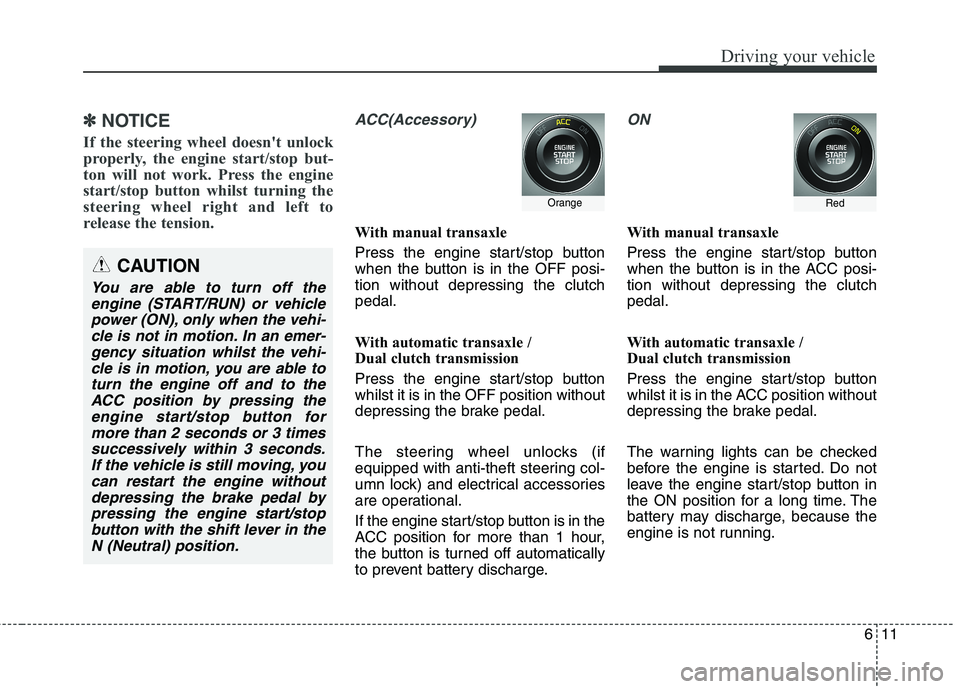
release the tension. ACC(Accessory)
With manual transaxle
Press the engine start/stop button
when the button is in the OFF posi-tion without depressing the clutchpedal.
With automatic transaxle /
Dual clutch transmission
Press the engine start/stop button whilst it is in the OFF position without
depressing the brake pedal.
The steering wheel unlocks (if
equipped with anti-theft steering col-
umn lock) and electrical accessories
are operational.
If the engine start/stop button is in the
ACC position for more than 1 hour,
the button is turned off automatically
to prevent battery discharge.
ON
With manual transaxle
Press the engine start/stop button
when the button is in the ACC posi-tion without depressing the clutchpedal.
With automatic transaxle /
Dual clutch transmission
Press the engine start/stop button
whilst it is in the ACC position without
depressing the brake pedal.
The warning lights can be checked
before the engine is started. Do not
leave the engine start/stop button in
the ON position for a long time. The
battery may discharge, because the
engine is not running.
CAUTION
You are able to turn off the engine (START/RUN) or vehiclepower (ON), only when the vehi- cle is not in motion. In an emer-gency situation whilst the vehi-cle is in motion, you are able to turn the engine off and to theACC position by pressing theengine start/stop button for more than 2 seconds or 3 timessuccessively within 3 seconds.If the vehicle is still moving, youcan restart the engine without depressing the brake pedal bypressing the engine start/stopbutton with the shift lever in the N (Neutral) position.
OrangeRed
Page 449 of 723
Driving your vehicle
14
6
Starting the petrol engine
1.Carry the smart key or leave it
inside the vehicle.
2.Make sure the parking brake is firmly applied.
3. Manual Transaxle - Depress the
clutch pedal fully and shift the
transaxle into Neutral. Keep the
clutch pedal and brake pedal
depressed whilst starting the
engine.
Automatic transaxle / Dual clutch transmission - Place the
transaxle shift lever in P (Park).
Depress the brake pedal fully.
You can also start the engine when
the shift lever is in the N (Neutral)position.
4.Press the engine start/stop button.
It should be started without depress-
ing the accelerator. Manual Transaxle
To start the vehicle, keep the clutch
pedal and brake pedal depressed,
and make sure the engine RPM is
within normal range (under 1000
rpm). After checking, shift the
transaxle shift lever to the desiredposition.
Unlock the parking brake, and take
your foot off the clutch pedal. Then,
lightly depress the accelerator
pedal and slowly start the vehicle.
5. Do not wait for the engine to warm up whilst the vehicle remains sta-
tionary.
Start driving at moderate engine
speeds. (Steep accelerating and
decelerating should be avoided.)
Starting the diesel engine
To start the diesel engine when the engine is cold, it has to be pre-heat-
ed before starting the engine and
then have to be warmed up before
starting to drive.
1.Make sure the parking brake is applied.
2. Manual Transaxle - Depress the
clutch pedal fully and shift the
transaxle into Neutral. Keep the
clutch pedal and brake pedaldepressed whilst pressing the
engine start/stop button to the
START position.
Dual clutch transmission - Place
the transaxle shift lever in P (Park).
Depress the brake pedal fully.
You can also start the engine when
the shift lever is in the N (Neutral)position.
Page 450 of 723
615
Driving your vehicle
3.Press the engine start/stop buttonwhilst depressing the brake pedal.
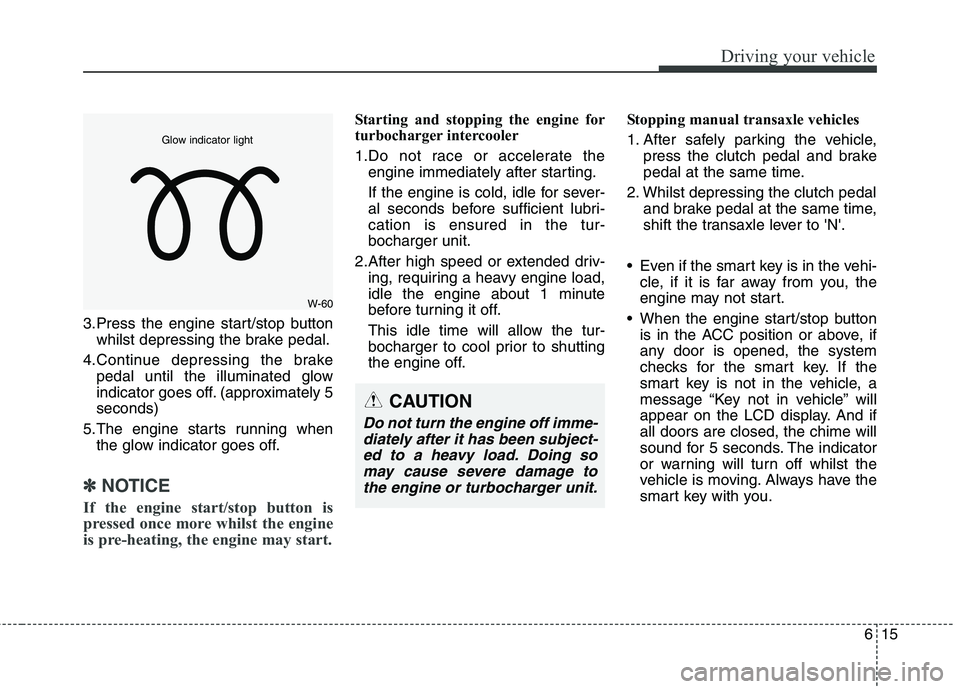
4.Continue depressing the brake pedal until the illuminated glow
indicator goes off. (approximately 5seconds)
5.The engine starts running when the glow indicator goes off.
✽✽
NOTICE
If the engine start/stop button is
pressed once more whilst the engine
is pre-heating, the engine may start.
Starting and stopping the engine for
turbocharger intercooler
1.Do not race or accelerate the engine immediately after starting.
If the engine is cold, idle for sever-
al seconds before sufficient lubri-cation is ensured in the tur-bocharger unit.
2.After high speed or extended driv- ing, requiring a heavy engine load,
idle the engine about 1 minute
before turning it off.
This idle time will allow the tur-
bocharger to cool prior to shutting
the engine off. Stopping manual transaxle vehicles
1. After safely parking the vehicle,
press the clutch pedal and brake
pedal at the same time.
2. Whilst depressing the clutch pedal and brake pedal at the same time,
shift the transaxle lever to 'N'.
Even if the smart key is in the vehi- cle, if it is far away from you, the
engine may not start.
When the engine start/stop button is in the ACC position or above, if
any door is opened, the system
checks for the smart key. If the
smart key is not in the vehicle, a
message “Key not in vehicle” will
appear on the LCD display. And ifall doors are closed, the chime will
sound for 5 seconds. The indicator
or warning will turn off whilst the
vehicle is moving. Always have the
smart key with you.
CAUTION
Do not turn the engine off imme-
diately after it has been subject-ed to a heavy load. Doing so may cause severe damage tothe engine or turbocharger unit.
W-60
Glow indicator light
Page 452 of 723

617
Driving your vehicle
Your vehicle may be equipped with the ISG system, which reduces fuel
consumption by automatically shut-
ting down the engine, when the vehi-
cle is at a standstill. (For example :
red light, stop sign and traffic jam)
The engine starts automatically as
soon as the starting conditions aremet.
The ISG system is ON whenever the
engine is running.
✽✽NOTICE
When the engine automatically
starts by the ISG system, some
warning lights (ABS, ESC, ESC
OFF, EPS or Parking brake warn-
ing light) may turn on for a few sec-
onds.
This happens because of low battery
voltage. It does not mean the system
has malfunctioned.
Auto stop
To stop the engine in idle stop mode
With manual transaxle
1.Decrease the vehicle speed to less than 5 km/h (3 mph).
2.Shift into N (Neutral) position.
3.Release the clutch pedal. With dual clutch transmission
1. Decrease the vehicle speed to 0
km/h.
2. Shift into D (Drive) or N (Neutral) position.
3. Press the brake pedal.
The engine will stop and the green
AUTO STOP( ) indicator on the
instrument cluster will illuminate.
✽✽ NOTICE
You must reach a speed of at least 10
km/h (6 mph) since last idle stop.
ISG (IDLE STOP AND GO) SYSTEM (IF EQUIPPED)
ORP052004