key KIA CARENS RHD 2017 Owners Manual
[x] Cancel search | Manufacturer: KIA, Model Year: 2017, Model line: CARENS RHD, Model: KIA CARENS RHD 2017Pages: 723, PDF Size: 40.8 MB
Page 430 of 723
![KIA CARENS RHD 2017 Owners Manual 5147
Audio system
Bluetooth®Wireless
Technology Setting
Pairing a New Device
Press the key Select
[Phone] Select [Pair Phone]
Bluetooth®Wireless Technology
devices can be paired with the audiosyst](/img/2/57939/w960_57939-429.png "KIA CARENS RHD 2017 Owners Manual 5147
Audio system
Bluetooth®Wireless
Technology Setting
Pairing a New Device
Press the key Select
[Phone] Select [Pair Phone]
Bluetooth®Wireless Technology
devices can be paired with the audiosyst")
5147
Audio system
Bluetooth®Wireless
Technology Setting
Pairing a New Device
Press the key Select
[Phone] Select [Pair Phone]
Bluetooth®Wireless Technology
devices can be paired with the audiosystem.
For more information, refer to the
“Pairing through Phone Setup” sec-tion within
Bluetooth®Wireless
Technology.
Viewing Paired Phone List
Press the key Select
[Phone] Select [Paired Phone List]
This feature is used to view mobile
phones that have been paired with
the audio system. Upon selecting a
paired phone, the setup menu is dis-
played.
For more information, refer to the“Setting
Bluetooth®Wireless
Technology Connection” section with-in
Bluetooth®Wireless Technology.
(1) : Moves to the previous screen
(2) Connect/Disconnect Phone :
Connect/disconnects currently selected phone (3) Delete : Deletes the currently
selected phone
(4) Change Priority : Sets currently selected phone to highest connec-
tion priority
✽✽NOTICE BEFORE DOWN-
LOADING CONTACTS
Only contacts within connected phones can be downloaded. Also
check to see that your mobile
phone supports the download fea-
ture.
To learn more about whether your mobile phone supports contacts
downloads, refer to your mobile
phone user’s manual.
The contacts for only the connect- ed phone can be downloaded.
Before downloading, check to see
whether your phone supports the
download feature.
SETUP
SETUP
Page 431 of 723
![KIA CARENS RHD 2017 Owners Manual Audio system
148
5
Downloading Contacts
Press the key Select
[Phone] Select [Contacts Download]
The contacts is downloaded from the
mobile phone and the download
progress is displayed.
✽✽
NOTI](/img/2/57939/w960_57939-430.png "KIA CARENS RHD 2017 Owners Manual Audio system
148
5
Downloading Contacts
Press the key Select
[Phone] Select [Contacts Download]
The contacts is downloaded from the
mobile phone and the download
progress is displayed.
✽✽
NOTI")
Audio system
148
5
Downloading Contacts
Press the key Select
[Phone] Select [Contacts Download]
The contacts is downloaded from the
mobile phone and the download
progress is displayed.
✽✽
NOTICE
Up to 1,000 contacts entries can be copied into car contacts.
Up to 1,000 contacts entries can be saved for each paired device.
Upon downloading contacts data, previously saved contacts data
will be deleted. However, contacts
entries saved to other paired
phones are not deleted.
Auto Download (Contacts)
Press the key Select
[Phone] Select [Auto Download] T
his feature is used to automatically
download mobile contacts entries once a
Bluetooth®Wireless Technology
phone is connected.
✽✽ NOTICE
The Auto Download feature will download mobile contacts entries
every time the phone is connected.
The download time may differ
depending on the number of saved
contacts entries and the communi-
cation state.
When downloading a contacts, first check to see that your mobile
phone supports the contacts
download feature.
Streaming Audio
Press the key Select
[Phone] Select [Streaming Audio]
When Streaming Audio is turned on,
you can play music files saved in
your
Bluetooth®Wireless Technology
device from the car.
SETUP SETUP SETUP
Page 432 of 723
![KIA CARENS RHD 2017 Owners Manual 5149
Audio system
Outgoing Volume
Press the key Select
[Phone] Select [Outgoing Volume]
Use the , buttons to adjust the
outgoing volume level.
Turning Bluetooth System Off
Press the key Select](/img/2/57939/w960_57939-431.png "KIA CARENS RHD 2017 Owners Manual 5149
Audio system
Outgoing Volume
Press the key Select
[Phone] Select [Outgoing Volume]
Use the , buttons to adjust the
outgoing volume level.
Turning Bluetooth System Off
Press the key Select")
5149
Audio system
Outgoing Volume
Press the key Select
[Phone] Select [Outgoing Volume]
Use the , buttons to adjust the
outgoing volume level.
Turning Bluetooth System Off
Press the key Select
[Phone] Select [Bluetooth SystemOff]
Once Bluetooth®Wireless Technology
is turned off,
Bluetooth®Wireless
Technology related features will not be
supported within the audio system.
✽✽ NOTICE
To turn Bluetooth®
Wireless
Technology back on, go to
[Phone] and press “Yes”.
SETUP
SETUP SETUP
Page 433 of 723
![KIA CARENS RHD 2017 Owners Manual Audio system
150
5
System Setting
Memory Information
Press the key Select
[System] Select [Memory Information]
This feature displays information
related to system memory.
(1) Using : Displays cap](/img/2/57939/w960_57939-432.png "KIA CARENS RHD 2017 Owners Manual Audio system
150
5
System Setting
Memory Information
Press the key Select
[System] Select [Memory Information]
This feature displays information
related to system memory.
(1) Using : Displays cap")
Audio system
150
5
System Setting
Memory Information
Press the key Select
[System] Select [Memory Information]
This feature displays information
related to system memory.
(1) Using : Displays capacity currently
in use
(2) Capacity : Displays total capacity
Language
Press the key Select
[System] Select [Language]
This feature is used to change the
system and voice recognition lan-
guage. If the language is changed, the sys-
tem will restart and apply the select-
ed language. REAR VIEW CAMERA (if equipped)
The system has been equipped
with a rear view camera for user
safety by allowing a wider rear
range of vision.
The rear view camera will automat- ically operate when the ignition key
is turned ON and the transmission
lever is set to R.
The rear view camera will automat- ically stop operating when set to a
different lever.SETUP
SETUP
CAUTION
The rear view camera has been
equipped with an optical lens toprovide a wider range of visionand may appear different from the actual distance. For safety,directly check the rear andleft/right sides.
Page 436 of 723
Driving your vehicle
Before driving . . . . . . . . . . . . . . . . . . . . . . . . . . . . . . 6-4• Before entering vehicle . . . . . . . . . . . . . . . . . . . . . . . . . 6-4
. . . . . . . . . . . . . . . . . . . . . . . . . . 6-4
. . . . . . . . . . . . . . . . . . . . . . . . . . . . . . . 6-4
Key positions . . . . . . . . . . . . . . . . . . . . . . . . . . . . . . . 6-6 . . . . . . . . . . . . . . . . . . . . . . 6-6
. . . . . . . . . . . . . . . . . . . . . . . . . 6-6
. . . . . . . . . . . . . . . . . . . . . . . . . . . . 6-7
ENGINE START/STOP button . . . . . . . . . . . . . . 6-10 . . . . . . . . . . . . . 6-10
. . . . . . . . . . . . . . . . . . . . . . . . . . . 6-13
ISG (Idle Stop and Go) system . . . . . . . . . . . . . . . 6-17 . . . . . . . . . . . . . . . . . . . . . . . . . . . . . . . . . . . 6-17
. . . . . . . . . . . . . . . . . . . . . . . . . . . . . . . . . . . 6-18
. . . . . . . . . . . . . . 6-19
. . . . . . . . . . . . . . . . . . . . . . . 6-19
. . . . . . . . . . . . . . . . . . . . . . . 6-20
Manual Transaxle . . . . . . . . . . . . . . . . . . . . . . . . . . 6-21 . . . . . . . . . . . . . . . . . . . . 6-21
. . . . . . . . . . . . . . . . . . . . . . . . 6-25
Automatic transaxle . . . . . . . . . . . . . . . . . . . . . . . . 6-26 . . . . . . . . . . . . . . . . . . 6-26
. . . . . . . . . . . . . . . . . . . . . . . . 6-32 Dual Clutch Transmission (DCT) . . . . . . . . . . . . 6-34
. . . . . . . . . . . . . 6-34
. . . . . . . . . . . . . . . . . . . . . . . . 6-41
Active ECO system. . . . . . . . . . . . . . . . . . . . . . . . . 6-43 . . . . . . . . . . . . . . . . . . . . . . . . . 6-43
. . . . . . . . . . . . . . . . . . 6-43
. . . . . . . . . . . . . 6-43
Brake system . . . . . . . . . . . . . . . . . . . . . . . . . . . . . . 6-44 . . . . . . . . . . . . . . . . . . . . . . . . . . . . . . . 6-44
. . . . . . . . . . . . . . . . 6-48
. . . . . . . . . . . . . . . 6-56
. . . . . . . . . . . . 6-60
. . . . . . . . . . . . . . . . . . 6-61
. . . . . . . . . . . . . . . . . . 6-62
Cruise Control system . . . . . . . . . . . . . . . . . . . . . . 6-64 . . . . . . . . . . . . . . . . . . . . . . . . . 6-65
. . . . . . . . . . . . . . . . . . . . . 6-65
. . . . . . . . . . . . . . . . . . 6-66
cruise control on . . . . . . . . . . . . . . . . . . . . . . . . . . . . 6-67
. . . . . . . . . . . . . . . . . . . . . . . 6-67
6
Page 441 of 723
Driving your vehicle
6
6
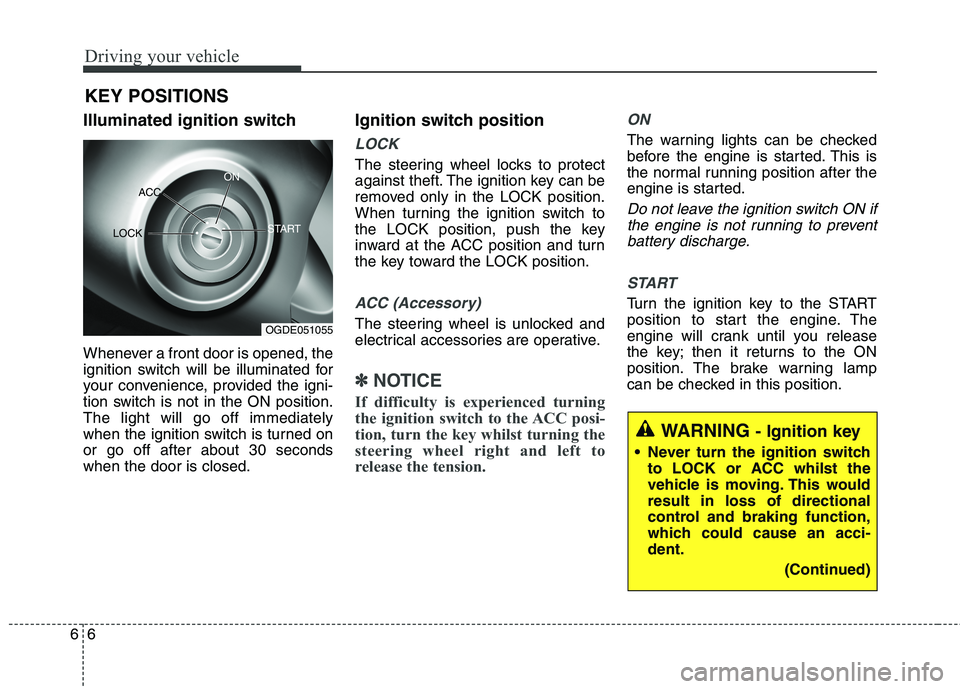
Illuminated ignition switch
Whenever a front door is opened, the
ignition switch will be illuminated for
your convenience, provided the igni-
tion switch is not in the ON position.The light will go off immediately
when the ignition switch is turned onor go off after about 30 secondswhen the door is closed. Ignition switch position
LOCK
The steering wheel locks to protect
against theft. The ignition key can be
removed only in the LOCK position.
When turning the ignition switch to
the LOCK position, push the key
inward at the ACC position and turn
the key toward the LOCK position.
ACC (Accessory)
The steering wheel is unlocked and
electrical accessories are operative.
✽✽
NOTICE
If difficulty is experienced turning
the ignition switch to the ACC posi-
tion, turn the key whilst turning the
steering wheel right and left to
release the tension.
ON
The warning lights can be checked
before the engine is started. This is
the normal running position after the
engine is started.
Do not leave the ignition switch ON if the engine is not running to preventbattery discharge.
START
Turn the ignition key to the START
position to start the engine. The
engine will crank until you release
the key; then it returns to the ON
position. The brake warning lamp
can be checked in this position.
KEY POSITIONS
WARNING
- Ignition key
Never turn the ignition switch to LOCK or ACC whilst the
vehicle is moving. This wouldresult in loss of directional
control and braking function,
which could cause an acci-dent.
(Continued)
OGDE051055
ACC
ON
START
LOCK
Page 443 of 723
Driving your vehicle
8
6
Starting the petrol engine
1.Make sure the parking brake is
applied.
2. Manual Transaxle - Depress the
clutch pedal fully and shift the
transaxle into Neutral. Keep the
clutch pedal and brake pedal
depressed whilst turning the igni-
tion switch to the start position.
Automatic Transaxle - Place the
transaxle shift lever in P (Park).
Depress the brake pedal fully.
You can also start the engine when
the shift lever is in the N (Neutral)position.
3.Turn the ignition switch to START and hold it there until the engine
starts (a maximum of 10 seconds),
then release the key.
It should be started without
depressing the accelerator pedal.
4.Do not wait for the engine to warm up whilst the vehicle remains sta-
tionary.
Start driving at moderate engine
speeds. (Steep accelerating and
decelerating should be avoided.)
Starting the diesel engine
To start the diesel engine when the engine is cold, it has to be pre-heat-
ed before starting the engine and
then have to be warmed up before
starting to drive.
1.Make sure the parking brake isapplied.
2. Manual Transaxle - Depress the
clutch pedal fully and shift the
transaxle into Neutral. Keep the
clutch pedal and brake pedal
depressed whilst turning the igni-
tion switch to the start position.
Dual clutch transmission - Place
the transaxle shift lever in P(park).
Depress the brake pedal fully.
You can also start the engine when
the shift lever is in the N(neutral)position.
CAUTION
If the engine stalls whilst youare in motion, do not attempt tomove the shift lever to the P (Park) position. If traffic androad conditions permit, you mayput the shift lever in the N(Neutral) position whilst the vehicle is still moving and turnthe ignition switch to the STARTposition in an attempt to restart the engine.
CAUTION
Do not engage the starter for more than 10 seconds. If theengine stalls or fails to start,wait 5 to 10 seconds before re-engaging the starter. Improper use of the starter may damageit.
Do not turn the ignition switch to the START position with theengine running. It may dam- age the starter.
Page 444 of 723
69
Driving your vehicle
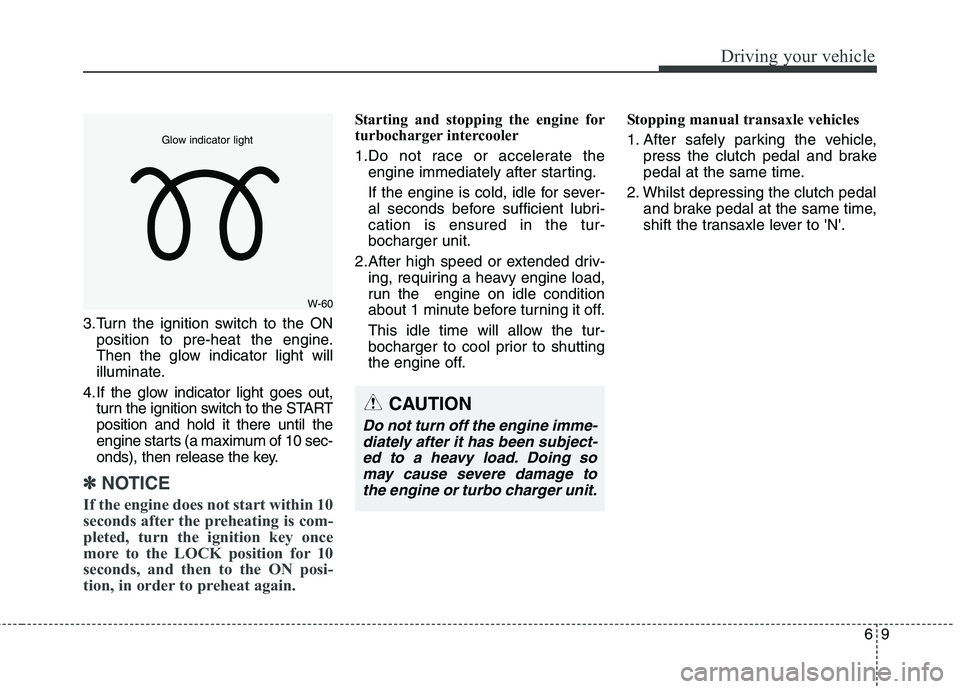
3.Turn the ignition switch to the ONposition to pre-heat the engine.
Then the glow indicator light will
illuminate.
4.If the glow indicator light goes out, turn the ignition switch to the STARTposition and hold it there until the
engine starts (a maximum of 10 sec-
onds), then release the key.
✽✽ NOTICE
If the engine does not start within 10
seconds after the preheating is com-
pleted, turn the ignition key once
more to the LOCK position for 10
seconds, and then to the ON posi-
tion, in order to preheat again.
Starting and stopping the engine for
turbocharger intercooler
1.Do not race or accelerate the engine immediately after starting.
If the engine is cold, idle for sever-
al seconds before sufficient lubri-cation is ensured in the tur-bocharger unit.
2.After high speed or extended driv- ing, requiring a heavy engine load,
run the engine on idle condition
about 1 minute before turning it off.
This idle time will allow the tur-
bocharger to cool prior to shutting
the engine off. Stopping manual transaxle vehicles
1. After safely parking the vehicle,
press the clutch pedal and brake
pedal at the same time.
2. Whilst depressing the clutch pedal and brake pedal at the same time,
shift the transaxle lever to 'N'.
W-60
Glow indicator light
CAUTION
Do not turn off the engine imme-
diately after it has been subject- ed to a heavy load. Doing somay cause severe damage tothe engine or turbo charger unit.
Page 449 of 723
Driving your vehicle
14
6
Starting the petrol engine
1.Carry the smart key or leave it
inside the vehicle.
2.Make sure the parking brake is firmly applied.
3. Manual Transaxle - Depress the
clutch pedal fully and shift the
transaxle into Neutral. Keep the
clutch pedal and brake pedal
depressed whilst starting the
engine.
Automatic transaxle / Dual clutch transmission - Place the
transaxle shift lever in P (Park).
Depress the brake pedal fully.
You can also start the engine when
the shift lever is in the N (Neutral)position.
4.Press the engine start/stop button.
It should be started without depress-
ing the accelerator. Manual Transaxle
To start the vehicle, keep the clutch
pedal and brake pedal depressed,
and make sure the engine RPM is
within normal range (under 1000
rpm). After checking, shift the
transaxle shift lever to the desiredposition.
Unlock the parking brake, and take
your foot off the clutch pedal. Then,
lightly depress the accelerator
pedal and slowly start the vehicle.
5. Do not wait for the engine to warm up whilst the vehicle remains sta-
tionary.
Start driving at moderate engine
speeds. (Steep accelerating and
decelerating should be avoided.)
Starting the diesel engine
To start the diesel engine when the engine is cold, it has to be pre-heat-
ed before starting the engine and
then have to be warmed up before
starting to drive.
1.Make sure the parking brake is applied.
2. Manual Transaxle - Depress the
clutch pedal fully and shift the
transaxle into Neutral. Keep the
clutch pedal and brake pedaldepressed whilst pressing the
engine start/stop button to the
START position.
Dual clutch transmission - Place
the transaxle shift lever in P (Park).
Depress the brake pedal fully.
You can also start the engine when
the shift lever is in the N (Neutral)position.
Page 450 of 723
615
Driving your vehicle
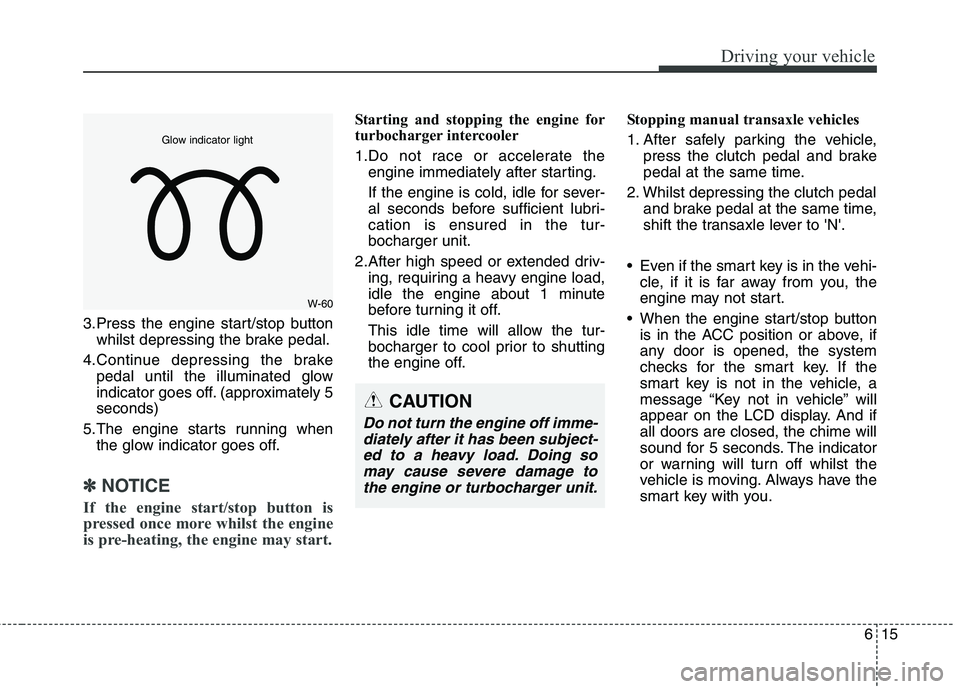
3.Press the engine start/stop buttonwhilst depressing the brake pedal.
4.Continue depressing the brake pedal until the illuminated glow
indicator goes off. (approximately 5seconds)
5.The engine starts running when the glow indicator goes off.
✽✽
NOTICE
If the engine start/stop button is
pressed once more whilst the engine
is pre-heating, the engine may start.
Starting and stopping the engine for
turbocharger intercooler
1.Do not race or accelerate the engine immediately after starting.
If the engine is cold, idle for sever-
al seconds before sufficient lubri-cation is ensured in the tur-bocharger unit.
2.After high speed or extended driv- ing, requiring a heavy engine load,
idle the engine about 1 minute
before turning it off.
This idle time will allow the tur-
bocharger to cool prior to shutting
the engine off. Stopping manual transaxle vehicles
1. After safely parking the vehicle,
press the clutch pedal and brake
pedal at the same time.
2. Whilst depressing the clutch pedal and brake pedal at the same time,
shift the transaxle lever to 'N'.
Even if the smart key is in the vehi- cle, if it is far away from you, the
engine may not start.
When the engine start/stop button is in the ACC position or above, if
any door is opened, the system
checks for the smart key. If the
smart key is not in the vehicle, a
message “Key not in vehicle” will
appear on the LCD display. And ifall doors are closed, the chime will
sound for 5 seconds. The indicator
or warning will turn off whilst the
vehicle is moving. Always have the
smart key with you.
CAUTION
Do not turn the engine off imme-
diately after it has been subject-ed to a heavy load. Doing so may cause severe damage tothe engine or turbocharger unit.
W-60
Glow indicator light