warning KIA CARENS RHD 2017 Owners Manual
[x] Cancel search | Manufacturer: KIA, Model Year: 2017, Model line: CARENS RHD, Model: KIA CARENS RHD 2017Pages: 723, PDF Size: 40.8 MB
Page 496 of 723
661
Driving your vehicle
Hill-start assist control (HAC) (if equipped)
A vehicle has the tendency to slip
back on a steep hill when it starts to
go after stopping. The Hill-start
Assist Control (HAC) prevents the
vehicle from slipping back by operat-
ing the brakes automatically for
about 1~2 seconds. The brakes are
released when the accelerator pedalis depressed or after about 1~2 sec-
onds.
✽✽NOTICE
The HAC does not operate when the transaxle shift lever is in the P
(Park) or N (Neutral) position.
The HAC activates even though the ESC is off but it does not acti-
vate when the ESC has malfunc-
tioned.
WARNING
The Vehicle Stability Management system is not a
substitute for safe driving
practices but a supplementary
function only. It is the respon-
sibility of the driver to always
check the speed and the dis-
tance to the vehicle ahead.
Always hold the steering
wheel firmly whilst driving.
Your vehicle is designed to activate according to the dri-
ver’s intention, even with the
VSM installed. Always follow
all the normal precautions for
driving at safe speeds for the
conditions – including driving
in inclement weather and on a
slippery road.
Driving with varying tyre or wheel sizes may cause theVSM system to malfunction.
When replacing tyres, make
sure they are the same size as
your original tyres.WARNING
The HAC is activated only for
about 1~2 seconds, so when the
vehicle is starting off alwaysdepress the accelerator pedal.
Page 497 of 723
Driving your vehicle
62
6
Emergency Stop Signal (ESS) (if equipped) The Emergency Stop Signal system
alerts the driver behind by blinking
the stop light when the vehicle is
braked rapidly and severely.
The system is activated when:
The vehicle suddenly stops (vehi-
cle speed is over 55km/h and the
vehicle deceleration at greaterthan 7 m/s 2
)
The ABS is activating
When the vehicle speed is under 40
km/h and the ABS deactivates or the
sudden stop situation is over, the
stop light blinking will stop. Instead,
the hazard warning flasher will turn
on automatically.
The hazard warning flasher will turn
off when vehicle speed is over
10km/h after the vehicle has
stopped. Also, it will turn off when the
vehicle is driven at low speed for
some time. You can turn it off manu-
ally by pushing the hazard warning
flasher switch. Good braking practices
WARNING
Whenever you leave or park your vehicle, always set the parking brake as far as possi-
ble and fully engage the vehi-
cle's transaxle into the P
(Park) position. If the parking
brake is not fully engaged, the
vehicle may move inadver-
tently and injure yourself and
others.
All vehicles should always have the parking brake fully
engaged when parking to
avoid inadvertent movement
of the vehicle which can injureoccupants or pedestrians.
CAUTION
The Emergency Stop Signal
(ESS) system will not work if thehazard warning flasher is already on.
Page 499 of 723
Driving your vehicle
64
6
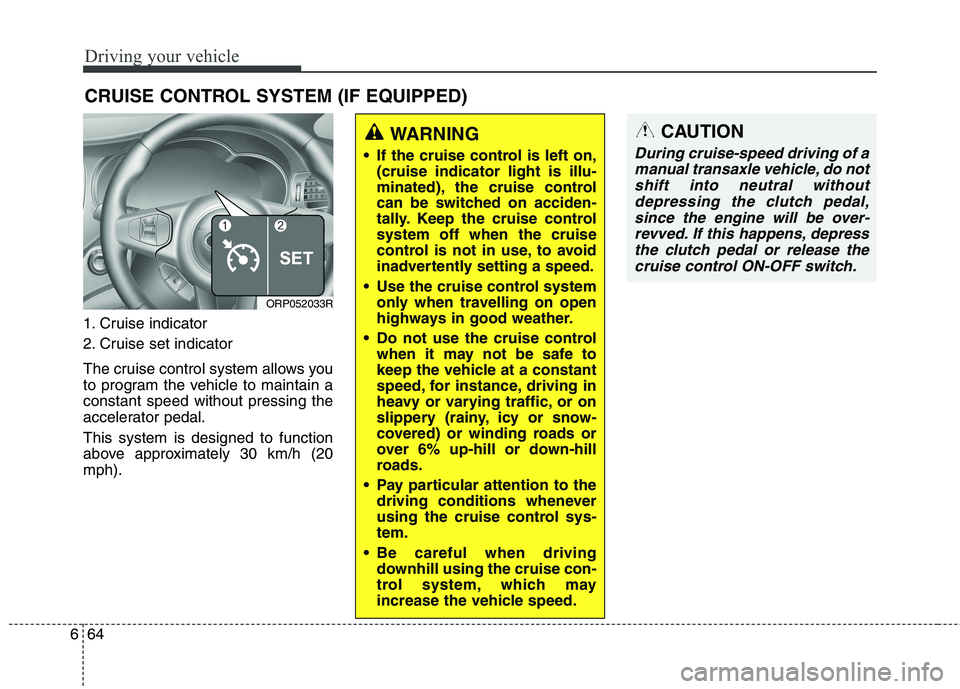
1. Cruise indicator
2. Cruise set indicator
The cruise control system allows you
to program the vehicle to maintain aconstant speed without pressing the
accelerator pedal. This system is designed to function
above approximately 30 km/h (20mph). CRUISE CONTROL SYSTEM (IF EQUIPPED)
WARNING
If the cruise control is left on, (cruise indicator light is illu-
minated), the cruise control
can be switched on acciden-
tally. Keep the cruise controlsystem off when the cruise
control is not in use, to avoid
inadvertently setting a speed.
Use the cruise control system only when travelling on open
highways in good weather.
Do not use the cruise control when it may not be safe to
keep the vehicle at a constant
speed, for instance, driving in
heavy or varying traffic, or on
slippery (rainy, icy or snow-
covered) or winding roads or
over 6% up-hill or down-hill
roads.
Pay particular attention to the driving conditions whenever
using the cruise control sys-tem.
Be careful when driving downhill using the cruise con-
trol system, which may
increase the vehicle speed.
ORP052033R
CAUTION
During cruise-speed driving of a
manual transaxle vehicle, do notshift into neutral without depressing the clutch pedal,since the engine will be over-revved. If this happens, depressthe clutch pedal or release the cruise control ON-OFF switch.
Page 504 of 723
669
Driving your vehicle
You can set the speed limit when you
do not want to drive over a specificspeed.
If you drive over the preset speed
limit, the warning system operates
(set speed limit will blink and chime
will sound) until the vehicle speed
returns within the speed limit.
✽✽NOTICE
Whilst speed limit control is in oper-
ation, the cruise control system can-
not be activated.
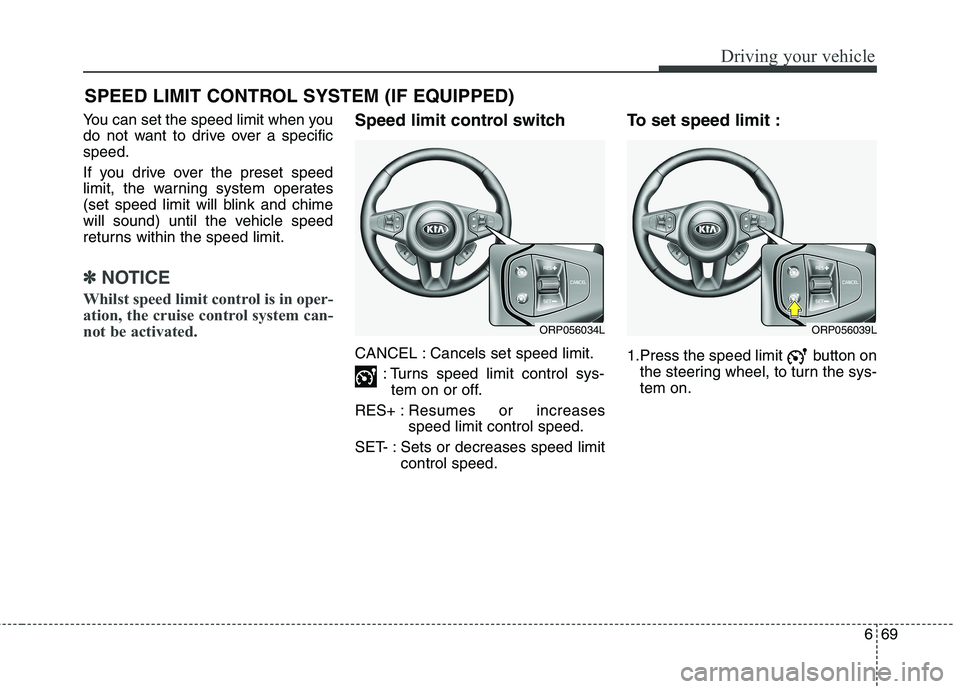
Speed limit control switch
CANCEL : Cancels set speed limit. : Turns speed limit control sys-tem on or off.
RES+ : Resumes or increases speed limit control speed.
SET- : Sets or decreases speed limit control speed. To set speed limit :
1.Press the speed limit button on
the steering wheel, to turn the sys- tem on.
SPEED LIMIT CONTROL SYSTEM (IF EQUIPPED)
ORP056039LORP056034L
Page 507 of 723
Driving your vehicle
72
6
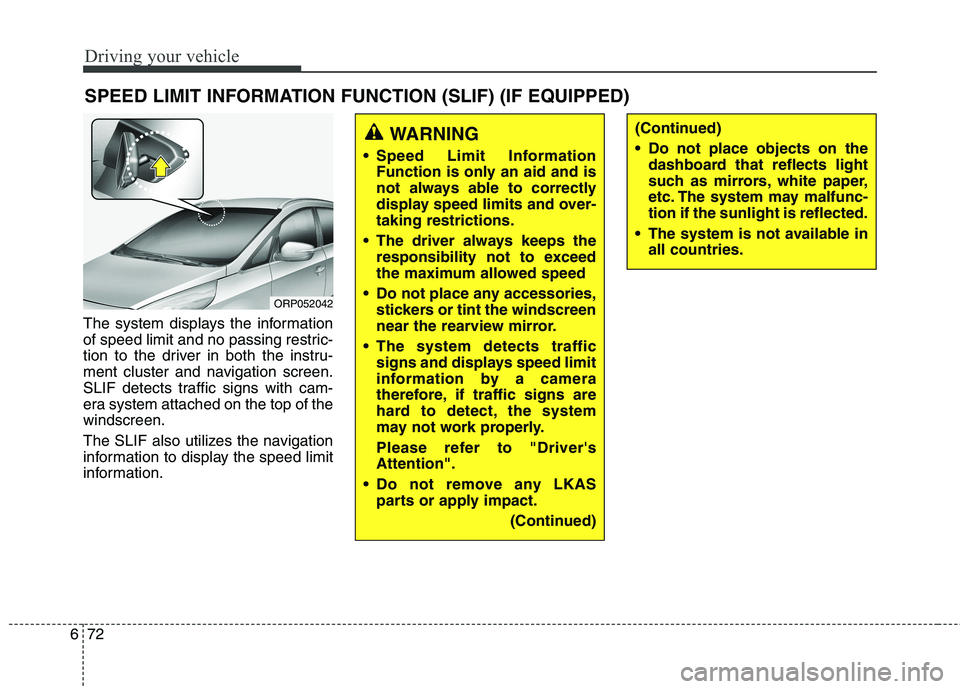
The system displays the information
of speed limit and no passing restric-
tion to the driver in both the instru-
ment cluster and navigation screen.
SLIF detects traffic signs with cam-
era system attached on the top of thewindscreen.
The SLIF also utilizes the navigation
information to display the speed limit
information. SPEED LIMIT INFORMATION FUNCTION (SLIF) (IF EQUIPPED)
WARNING
Speed Limit Information Function is only an aid and is
not always able to correctly
display speed limits and over-taking restrictions.
The driver always keeps the responsibility not to exceed
the maximum allowed speed
Do not place any accessories, stickers or tint the windscreen
near the rearview mirror.
The system detects traffic signs and displays speed limit
information by a camera
therefore, if traffic signs are
hard to detect, the system
may not work properly.
Please refer to "Driver's Attention".
Do not remove any LKAS parts or apply impact.
(Continued)(Continued)
Do not place objects on thedashboard that reflects light
such as mirrors, white paper,
etc. The system may malfunc-tion if the sunlight is reflected.
The system is not available in all countries.
ORP052042
Page 510 of 723
675
Driving your vehicle
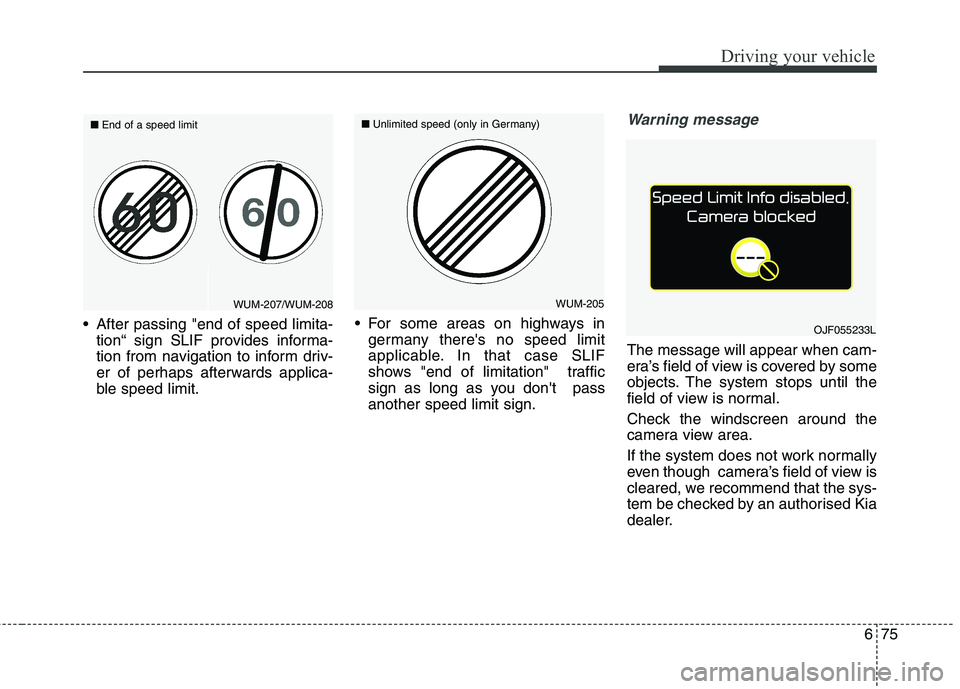
After passing "end of speed limita-tion“ sign SLIF provides informa-
tion from navigation to inform driv-
er of perhaps afterwards applica-
ble speed limit. For some areas on highways in
germany there's no speed limit
applicable. In that case SLIF
shows "end of limitation" traffic
sign as long as you don't passanother speed limit sign.
Warning message
The message will appear when cam-
era’s field of view is covered by some
objects. The system stops until the
field of view is normal.
Check the windscreen around the
camera view area.
If the system does not work normally
even though camera’s field of view is
cleared, we recommend that the sys-
tem be checked by an authorised Kia
dealer.
OJF055233L
WUM-205
■
Unlimited speed (only in Germany)WUM-207/WUM-208
■
End of a speed limit
Page 511 of 723
Driving your vehicle
76
6
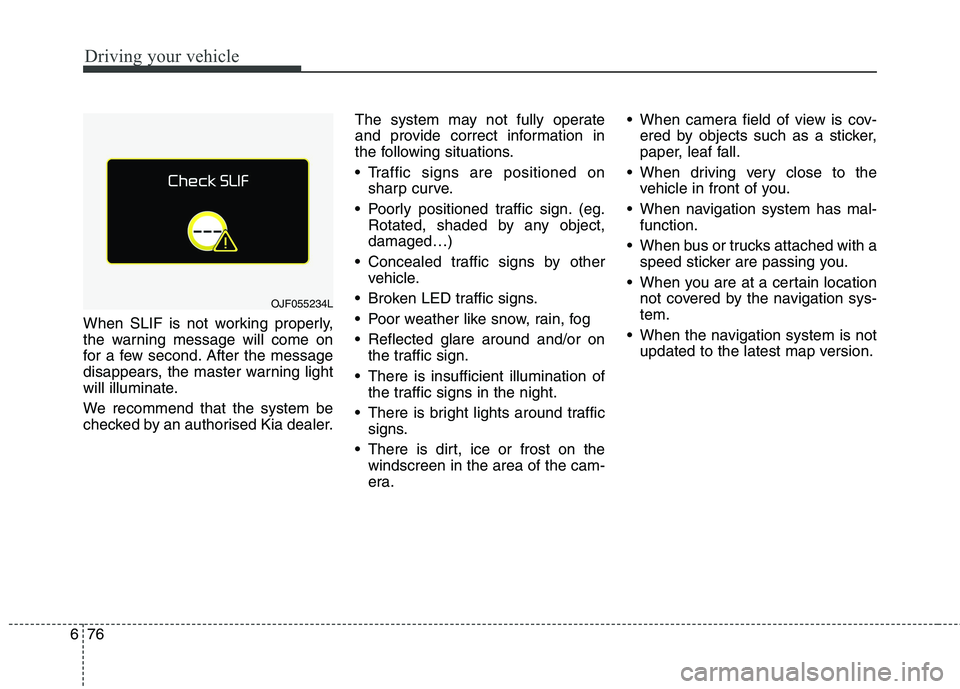
When SLIF is not working properly,
the warning message will come on
for a few second. After the message
disappears, the master warning light
will illuminate.
We recommend that the system be
checked by an authorised Kia dealer. The system may not fully operate
and provide correct information in
the following situations.
Traffic signs are positioned on
sharp curve.
Poorly positioned traffic sign. (eg. Rotated, shaded by any object, damaged…)
Concealed traffic signs by other vehicle.
Broken LED traffic signs.
Poor weather like snow, rain, fog
Reflected glare around and/or on the traffic sign.
There is insufficient illumination of the traffic signs in the night.
There is bright lights around traffic signs.
There is dirt, ice or frost on the windscreen in the area of the cam-
era. When camera field of view is cov-
ered by objects such as a sticker,
paper, leaf fall.
When driving very close to the vehicle in front of you.
When navigation system has mal- function.
When bus or trucks attached with a speed sticker are passing you.
When you are at a certain location not covered by the navigation sys-tem.
When the navigation system is not updated to the latest map version.
OJF055234L
Page 513 of 723
Driving your vehicle
78
6
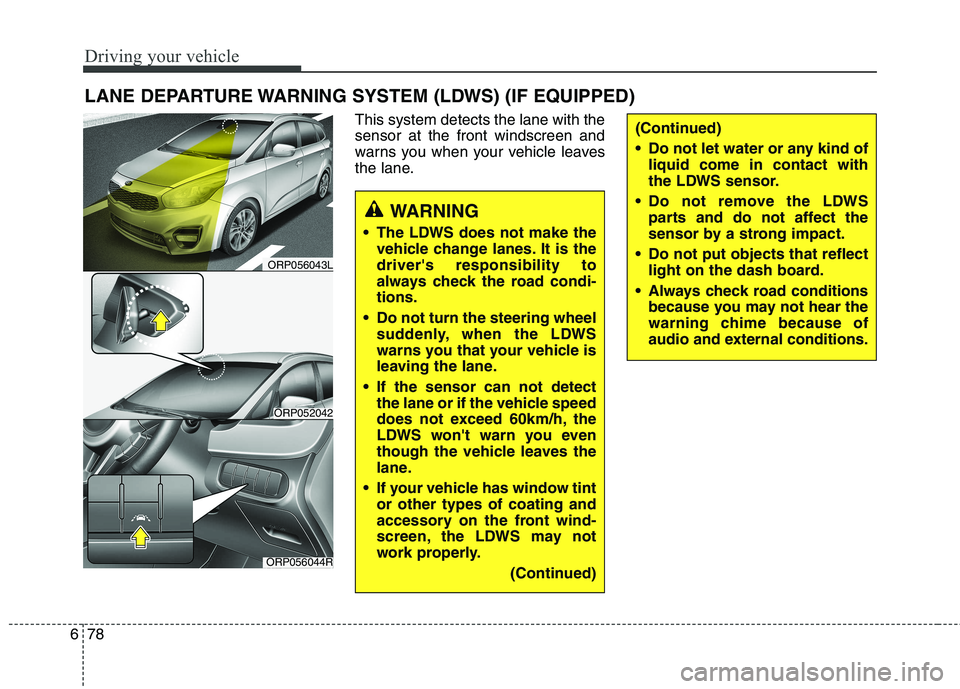
This system detects the lane with the sensor at the front windscreen and
warns you when your vehicle leaves
the lane.
LANE DEPARTURE WARNING SYSTEM (LDWS) (IF EQUIPPED)
WARNING
The LDWS does not make the vehicle change lanes. It is the driver's responsibility to
always check the road condi-tions.
Do not turn the steering wheel suddenly, when the LDWS
warns you that your vehicle is
leaving the lane.
If the sensor can not detect the lane or if the vehicle speed
does not exceed 60km/h, the
LDWS won't warn you even
though the vehicle leaves the
lane.
If your vehicle has window tint or other types of coating and
accessory on the front wind-
screen, the LDWS may not
work properly.
(Continued)
(Continued)
Do not let water or any kind ofliquid come in contact with
the LDWS sensor.
Do not remove the LDWS parts and do not affect the
sensor by a strong impact.
Do not put objects that reflect light on the dash board.
Always check road conditions because you may not hear the
warning chime because of
audio and external conditions.
ORP056044R
ORP052042
ORP056043L
Page 514 of 723
679
Driving your vehicle
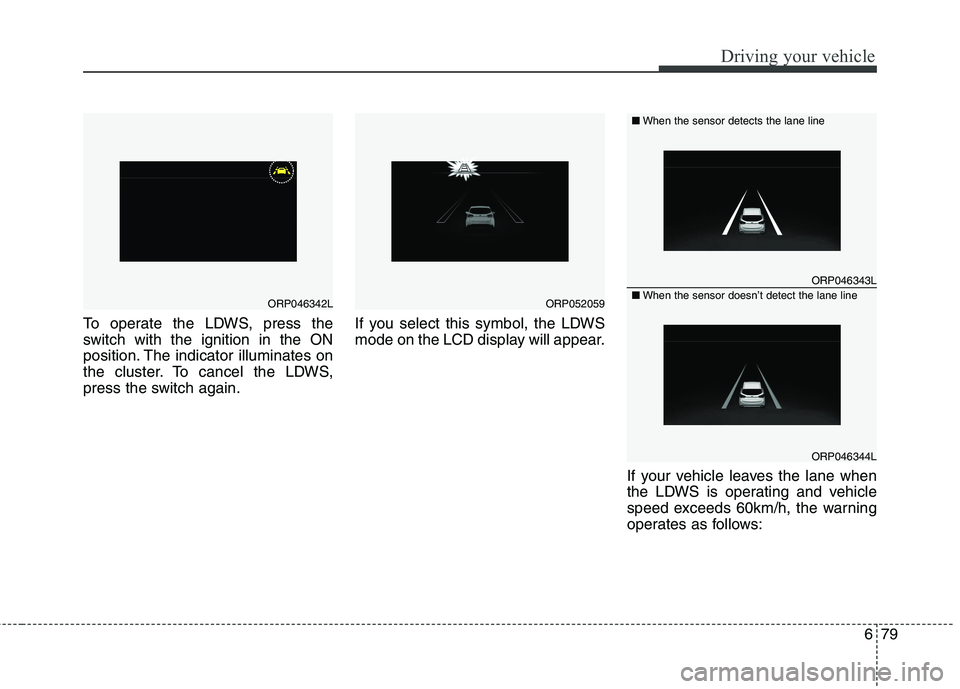
To operate the LDWS, press the
switch with the ignition in the ON
position. The indicator illuminates on
the cluster. To cancel the LDWS,
press the switch again.If you select this symbol, the LDWS
mode on the LCD display will appear.
If your vehicle leaves the lane when
the LDWS is operating and vehicle
speed exceeds 60km/h, the warning
operates as follows:
ORP046342LORP052059
ORP046343L
ORP046344L
■When the sensor detects the lane line
■When the sensor doesn’t detect the lane line
Page 515 of 723
Driving your vehicle
80
6
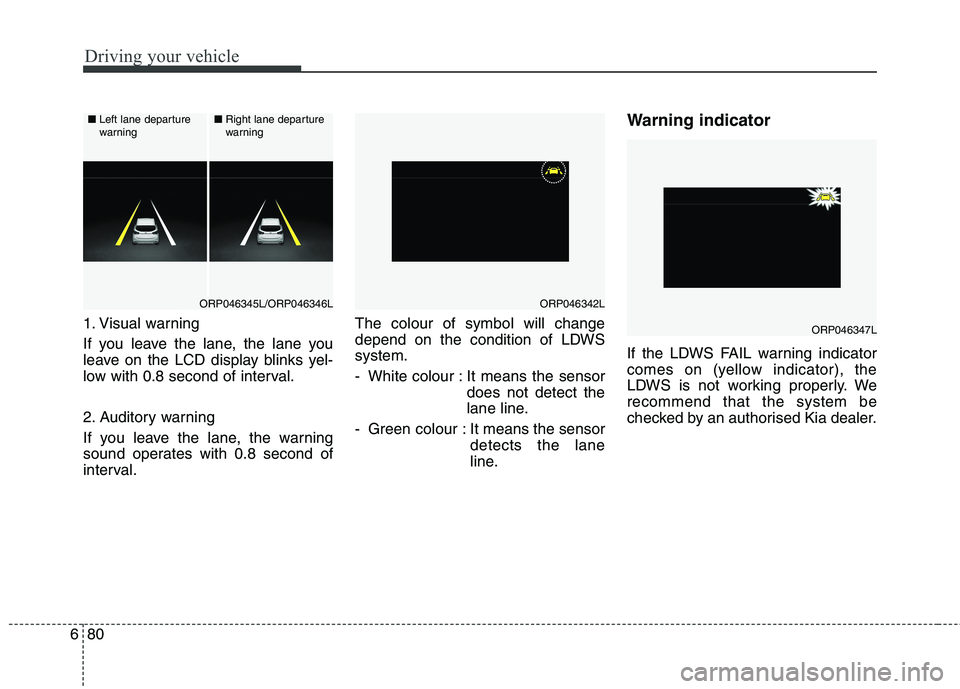
1. Visual warning
If you leave the lane, the lane you
leave on the LCD display blinks yel-
low with 0.8 second of interval.
2. Auditory warning
If you leave the lane, the warning
sound operates with 0.8 second of
interval. The colour of symbol will change
depend on the condition of LDWSsystem.
- White colour : It means the sensor
does not detect the
lane line.
- Green colour : It means the sensor detects the lane
line. Warning indicator
If the LDWS FAIL warning indicator
comes on (yellow indicator), the
LDWS is not working properly. Werecommend that the system be
checked by an authorised Kia dealer.ORP046347L
ORP046342L
■
Left lane departure
warning ■
Right lane departure
warning
ORP046345L/ORP046346L