brake KIA CARENS RHD 2017 Owner's Manual
[x] Cancel search | Manufacturer: KIA, Model Year: 2017, Model line: CARENS RHD, Model: KIA CARENS RHD 2017Pages: 723, PDF Size: 40.8 MB
Page 206 of 723
Features of your vehicle
110
4
How the system works
1. Activate the Smart Parking Assist
System
2. Select parking assist mode
3. Search for parking space (slowly move forward.)
4. Search complete (automatic search by sensor.)
5. Steering wheel control (1) Shift according to the instruc- tion on the LCD display.
(2) Drive slo wly with the brake
pedal applied.
6. Smart Parking Assist System complete
7. If necessary, manually adjust posi- tion of vehicle.✽✽ NOTICE
Before activating the system check if the conditions are possible to use
the system.
For your safety, always apply the brake pedal except for when driv-
ing.(Continued)
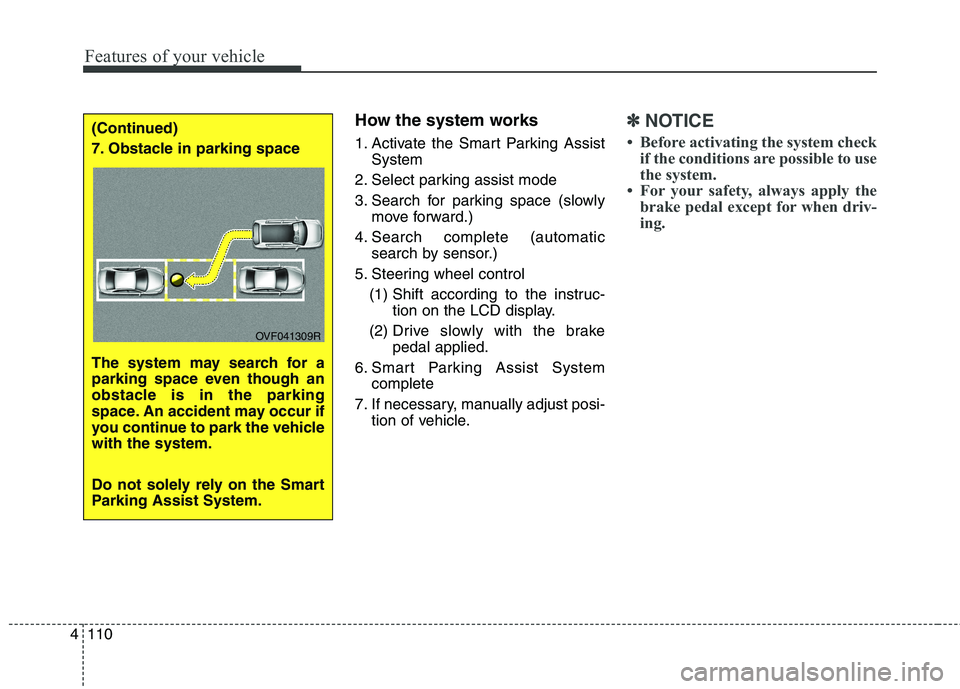
7. Obstacle in parking space
The system may search for a
parking space even though an
obstacle is in the parking
space. An accident may occur if
you continue to park the vehiclewith the system.
Do not solely rely on the Smart
Parking Assist System.
OVF041309R
Page 207 of 723
4111
Features of your vehicle
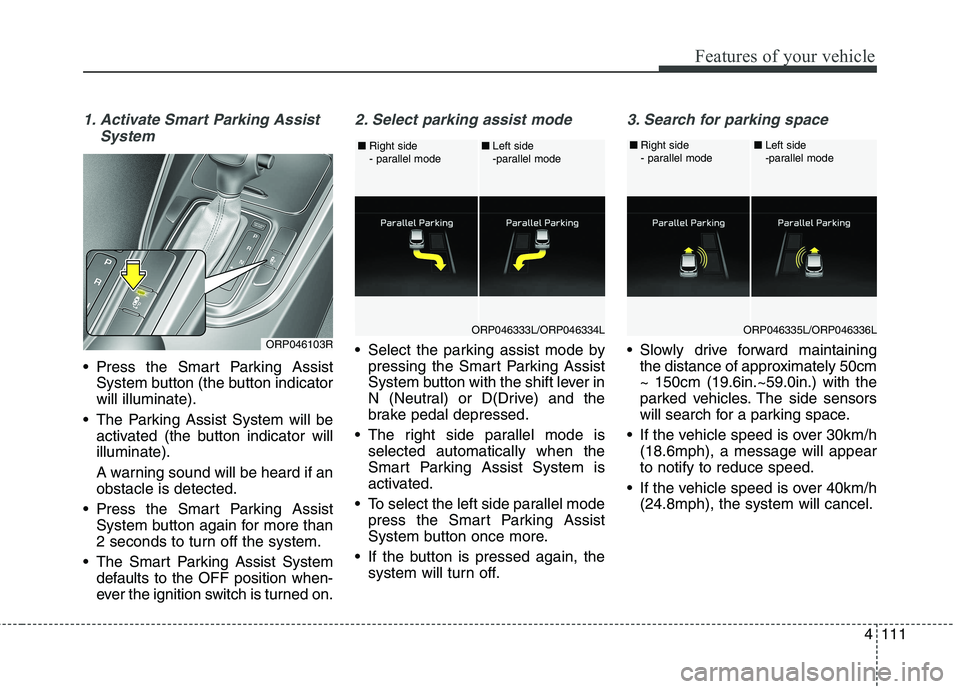
1. Activate Smart Parking AssistSystem
Press the Smart Parking AssistSystem button (the button indicator will illuminate).
The Parking Assist System will be activated (the button indicator willilluminate).
A warning sound will be heard if an obstacle is detected.
Press the Smart Parking Assist System button again for more than
2 seconds to turn off the system.
The Smart Parking Assist System defaults to the OFF position when-
ever the ignition switch is turned on.
2. Select parking assist mode
Select the parking assist mode bypressing the Smart Parking Assist
System button with the shift lever in
N (Neutral) or D(Drive) and the
brake pedal depressed.
The right side parallel mode is selected automatically when the
Smart Parking Assist System is
activated.
To select the left side parallel mode press the Smart Parking Assist
System button once more.
If the button is pressed again, the system will turn off.
3. Search for parking space
Slowly drive forward maintainingthe distance of approximately 50cm ~ 150cm (19.6in.~59.0in.) with the
parked vehicles. The side sensors
will search for a parking space.
If the vehicle speed is over 30km/h (18.6mph), a message will appearto notify to reduce speed.
If the vehicle speed is over 40km/h (24.8mph), the system will cancel.ORP046103RORP046333L/ORP046334L
■
Right side
- parallel mode ■
Left side
-parallel modeORP046335L/ORP046336L
■
Right side
- parallel mode ■
Left side
-parallel mode
Page 208 of 723
Features of your vehicle
112
4
✽✽
NOTICE
Turn on the hazard warning flasher if it is crowded with other vehicles.
If the parking lot is small, slowly drive more nearer to the parking
space.
The search for a parking space will be completed only when there
is enough space for the vehicle to
move to park.
✽
✽ NOTICE
When searching for a parking space, the system may not be able
to find a parking space if there is
no vehicle parked, a parking space
is available after driving by or a
parking space is available before
driving by.
The system may not operate nor- mally in the following conditions:
(1) When the sensors are frozen
(2) When the sensors are dirty
(3) When it snows or rains heavily
(4) When a pillar or object is near ✽
✽
NOTICE
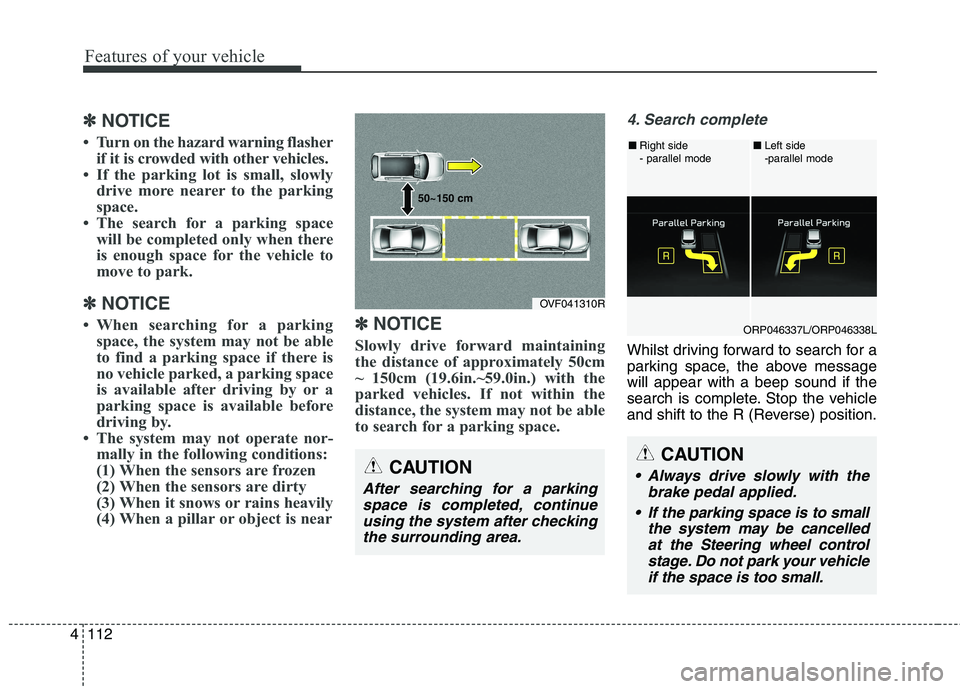
Slowly drive forward maintaining
the distance of approximately 50cm
~ 150cm (19.6in.~59.0in.) with the
parked vehicles. If not within the
distance, the system may not be able
to search for a parking space.
4. Search complete
Whilst driving forward to search for a
parking space, the above messagewill appear with a beep sound if the
search is complete. Stop the vehicle
and shift to the R (Reverse) position.
CAUTION
After searching for a parking space is completed, continueusing the system after checking the surrounding area.
OVF041310R
50~150 cm
CAUTION
Always drive slowly with the
brake pedal applied.
If the parking space is to small the system may be cancelledat the Steering wheel control stage. Do not park your vehicleif the space is too small.
ORP046337L/ORP046338L
■
Right side
- parallel mode ■
Left side
-parallel mode
Page 209 of 723
4113
Features of your vehicle
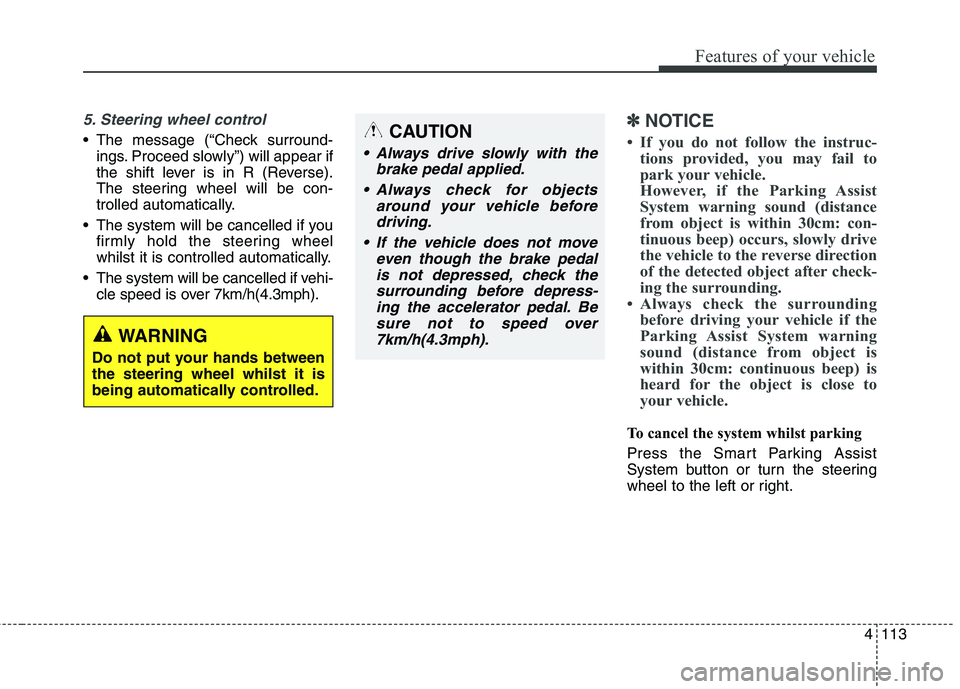
5. Steering wheel control
The message (“Check surround-ings. Proceed slowly”) will appear if
the shift lever is in R (Reverse).
The steering wheel will be con-
trolled automatically.
The system will be cancelled if you firmly hold the steering wheel
whilst it is controlled automatically.
The system will be cancelled if vehi- cle speed is over 7km/h(4.3mph).
✽✽ NOTICE
If you do not follow the instruc- tions provided, you may fail to
park your vehicle.
However, if the Parking Assist
System warning sound (distance
from object is within 30cm: con-
tinuous beep) occurs, slowly drive
the vehicle to the reverse direction
of the detected object after check-
ing the surrounding.
Always check the surrounding before driving your vehicle if the
Parking Assist System warning
sound (distance from object is
within 30cm: continuous beep) is
heard for the object is close to
your vehicle.
To cancel the system whilst parking
Press the Smart Parking Assist
System button or turn the steering
wheel to the left or right.
CAUTION
Always drive slowly with the
brake pedal applied.
Always check for objects around your vehicle beforedriving.
If the vehicle does not move even though the brake pedalis not depressed, check thesurrounding before depress- ing the accelerator pedal. Besure not to speed over7km/h(4.3mph).
WARNING
Do not put your hands between the steering wheel whilst it is
being automatically controlled.
Page 210 of 723
Features of your vehicle
114
4
Gear shift whilst steering wheel control When the message ("Shift to 1st gear", "Shift to R", "Shift to D")appears with a beep sound, shift the
gear and drive the vehicle with the
brake pedal depressed.6. Smart Parking Assist System
completed
Complete parking your vehicle
according to the instructions on the
LCD display. If required, manually
control the steering wheel and com-
plete parking your vehicle.
✽✽NOTICE
The brake pedal must be depressed
by the driver whilst parking your
vehicle.
The system may be cancelled in the
below conditions:
Ignoring the gear shift message and drive the vehicle approximate- ly 150cm (59in).
The front and rear Parking Assist System warning sound (distance
from object is within 30cm: contin-uous beep) is heard at the same
time.
6 minutes have passed since the vehicle has been controlled by the
Smart Parking Assist System.
The shift lever is changed to the P (Park) or R (Reverse) position
whilst searching for parking space.
WARNING
Always be careful whilst park-
ing for other vehicles or pedes-trians.
CAUTION
Always check the surrounding before releasing the brakepedal.
Page 436 of 723
Driving your vehicle
Before driving . . . . . . . . . . . . . . . . . . . . . . . . . . . . . . 6-4• Before entering vehicle . . . . . . . . . . . . . . . . . . . . . . . . . 6-4
. . . . . . . . . . . . . . . . . . . . . . . . . . 6-4
. . . . . . . . . . . . . . . . . . . . . . . . . . . . . . . 6-4
Key positions . . . . . . . . . . . . . . . . . . . . . . . . . . . . . . . 6-6 . . . . . . . . . . . . . . . . . . . . . . 6-6
. . . . . . . . . . . . . . . . . . . . . . . . . 6-6
. . . . . . . . . . . . . . . . . . . . . . . . . . . . 6-7
ENGINE START/STOP button . . . . . . . . . . . . . . 6-10 . . . . . . . . . . . . . 6-10
. . . . . . . . . . . . . . . . . . . . . . . . . . . 6-13
ISG (Idle Stop and Go) system . . . . . . . . . . . . . . . 6-17 . . . . . . . . . . . . . . . . . . . . . . . . . . . . . . . . . . . 6-17
. . . . . . . . . . . . . . . . . . . . . . . . . . . . . . . . . . . 6-18
. . . . . . . . . . . . . . 6-19
. . . . . . . . . . . . . . . . . . . . . . . 6-19
. . . . . . . . . . . . . . . . . . . . . . . 6-20
Manual Transaxle . . . . . . . . . . . . . . . . . . . . . . . . . . 6-21 . . . . . . . . . . . . . . . . . . . . 6-21
. . . . . . . . . . . . . . . . . . . . . . . . 6-25
Automatic transaxle . . . . . . . . . . . . . . . . . . . . . . . . 6-26 . . . . . . . . . . . . . . . . . . 6-26
. . . . . . . . . . . . . . . . . . . . . . . . 6-32 Dual Clutch Transmission (DCT) . . . . . . . . . . . . 6-34
. . . . . . . . . . . . . 6-34
. . . . . . . . . . . . . . . . . . . . . . . . 6-41
Active ECO system. . . . . . . . . . . . . . . . . . . . . . . . . 6-43 . . . . . . . . . . . . . . . . . . . . . . . . . 6-43
. . . . . . . . . . . . . . . . . . 6-43
. . . . . . . . . . . . . 6-43
Brake system . . . . . . . . . . . . . . . . . . . . . . . . . . . . . . 6-44 . . . . . . . . . . . . . . . . . . . . . . . . . . . . . . . 6-44
. . . . . . . . . . . . . . . . 6-48
. . . . . . . . . . . . . . . 6-56
. . . . . . . . . . . . 6-60
. . . . . . . . . . . . . . . . . . 6-61
. . . . . . . . . . . . . . . . . . 6-62
Cruise Control system . . . . . . . . . . . . . . . . . . . . . . 6-64 . . . . . . . . . . . . . . . . . . . . . . . . . 6-65
. . . . . . . . . . . . . . . . . . . . . 6-65
. . . . . . . . . . . . . . . . . . 6-66
cruise control on . . . . . . . . . . . . . . . . . . . . . . . . . . . . 6-67
. . . . . . . . . . . . . . . . . . . . . . . 6-67
6
Page 439 of 723
Driving your vehicle
4
6
Before entering vehicle
• Be sure that all windows, outside
mirror(s), and outside lights are clean.
Check the condition of the tyres.
Check under the vehicle for any sign of leaks.
Be sure there are no obstacles behind you if you intend to back up. Necessary inspections
Fluid levels, such as engine oil,
engine coolant, brake fluid, and
washer fluid should be checked on a
regular basis, with the exact interval
depending on the fluid. Further
details are provided in chapter 8,“Maintenance”.
Before starting
Close and lock all doors.
Position the seat so that all con-
trols are easily reached.
Adjust the inside and outside rearview mirrors.
Be sure that all lights work.
Check all gauges.
Check the operation of warning lights when the ignition switch is
turned to the ON position.
Release the parking brake and make sure the brake warning lightgoes out.
For safe operation, be sure you are
familiar with your vehicle and itsequipment.
BEFORE DRIVING
WARNING
Driving whilst distracted can
result in a loss of vehicle con-
trol, that may lead to an acci-
dent, severe personal injury,
and death. The driver’s primary
responsibility is in the safe and
legal operation of a vehicle, and
use of any handheld devices,
other equipment, or vehicle sys-
tems which take the driver’s
eyes, attention and focus away
from the safe operation of a
vehicle or which are not permis-
sible by law should never beused during operation of the
vehicle.
Page 441 of 723
Driving your vehicle
6
6
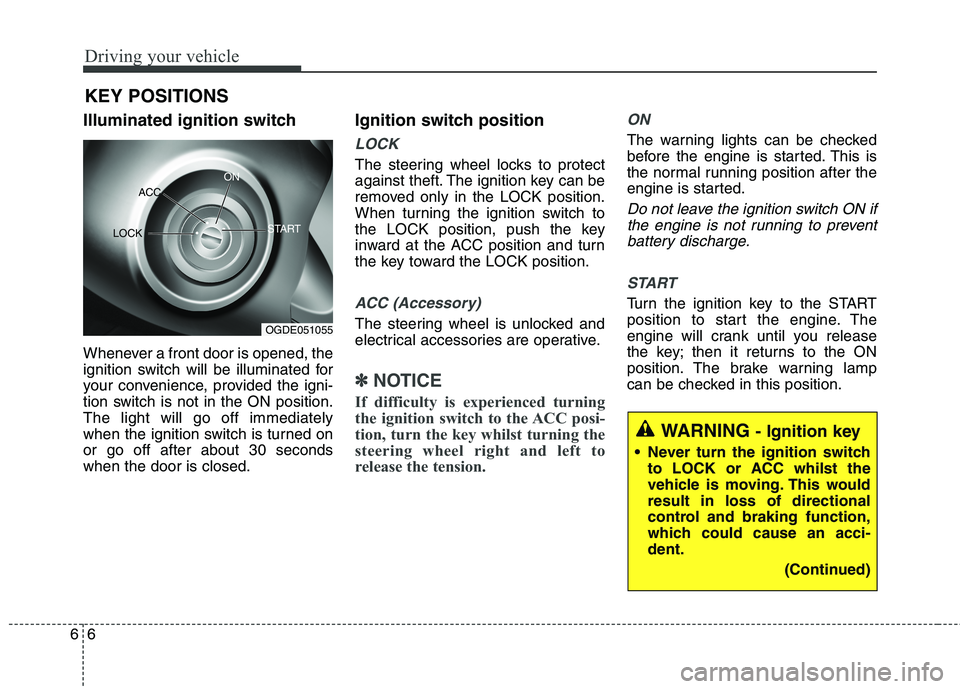
Illuminated ignition switch
Whenever a front door is opened, the
ignition switch will be illuminated for
your convenience, provided the igni-
tion switch is not in the ON position.The light will go off immediately
when the ignition switch is turned onor go off after about 30 secondswhen the door is closed. Ignition switch position
LOCK
The steering wheel locks to protect
against theft. The ignition key can be
removed only in the LOCK position.
When turning the ignition switch to
the LOCK position, push the key
inward at the ACC position and turn
the key toward the LOCK position.
ACC (Accessory)
The steering wheel is unlocked and
electrical accessories are operative.
✽✽
NOTICE
If difficulty is experienced turning
the ignition switch to the ACC posi-
tion, turn the key whilst turning the
steering wheel right and left to
release the tension.
ON
The warning lights can be checked
before the engine is started. This is
the normal running position after the
engine is started.
Do not leave the ignition switch ON if the engine is not running to preventbattery discharge.
START
Turn the ignition key to the START
position to start the engine. The
engine will crank until you release
the key; then it returns to the ON
position. The brake warning lamp
can be checked in this position.
KEY POSITIONS
WARNING
- Ignition key
Never turn the ignition switch to LOCK or ACC whilst the
vehicle is moving. This wouldresult in loss of directional
control and braking function,
which could cause an acci-dent.
(Continued)
OGDE051055
ACC
ON
START
LOCK
Page 442 of 723
67
Driving your vehicle
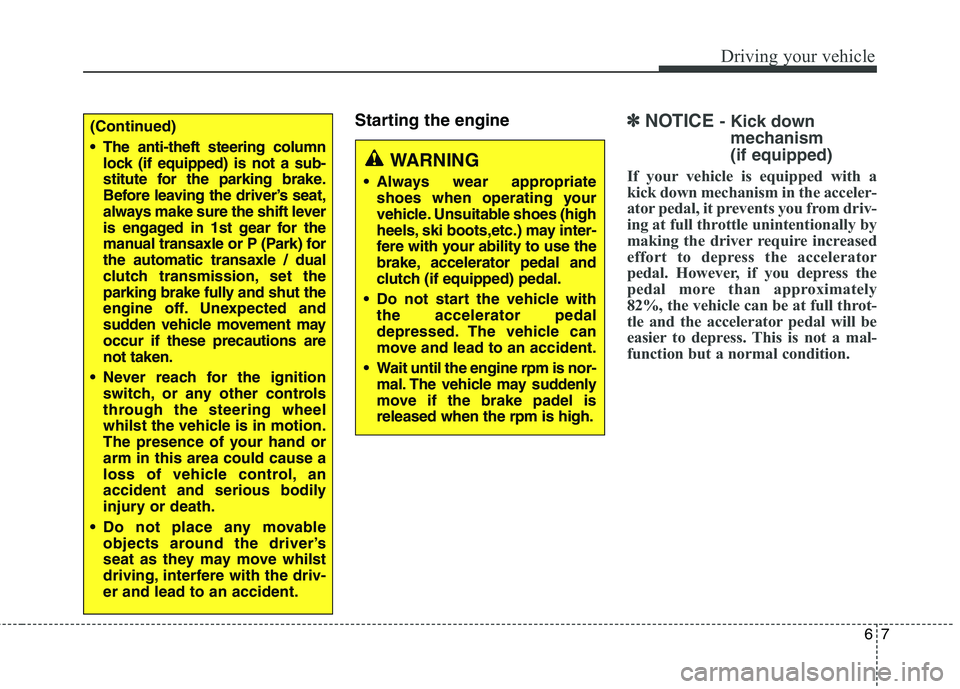
Starting the engine✽✽NOTICE - Kick down
mechanism (if equipped)
If your vehicle is equipped with a
kick down mechanism in the acceler-
ator pedal, it prevents you from driv-
ing at full throttle unintentionally by
making the driver require increased
effort to depress the accelerator
pedal. However, if you depress the
pedal more than approximately
82%, the vehicle can be at full throt-
tle and the accelerator pedal will be
easier to depress. This is not a mal-
function but a normal condition.(Continued)
The anti-theft steering column lock (if equipped) is not a sub-
stitute for the parking brake.
Before leaving the driver’s seat,
always make sure the shift lever
is engaged in 1st gear for the
manual transaxle or P (Park) forthe automatic transaxle / dual
clutch transmission, set the
parking brake fully and shut the
engine off. Unexpected and
sudden vehicle movement mayoccur if these precautions arenot taken.
Never reach for the ignition switch, or any other controls
through the steering wheel
whilst the vehicle is in motion.
The presence of your hand orarm in this area could cause a
loss of vehicle control, an
accident and serious bodily
injury or death.
Do not place any movable objects around the driver’s
seat as they may move whilst
driving, interfere with the driv-er and lead to an accident.
WARNING
Always wear appropriate shoes when operating your
vehicle. Unsuitable shoes (high
heels, ski boots,etc.) may inter-
fere with your ability to use the
brake, accelerator pedal and
clutch (if equipped) pedal.
Do not start the vehicle with the accelerator pedal
depressed. The vehicle can
move and lead to an accident.
Wait until the engine rpm is nor- mal. The vehicle may suddenly
move if the brake padel isreleased when the rpm is high.
Page 443 of 723
Driving your vehicle
8
6
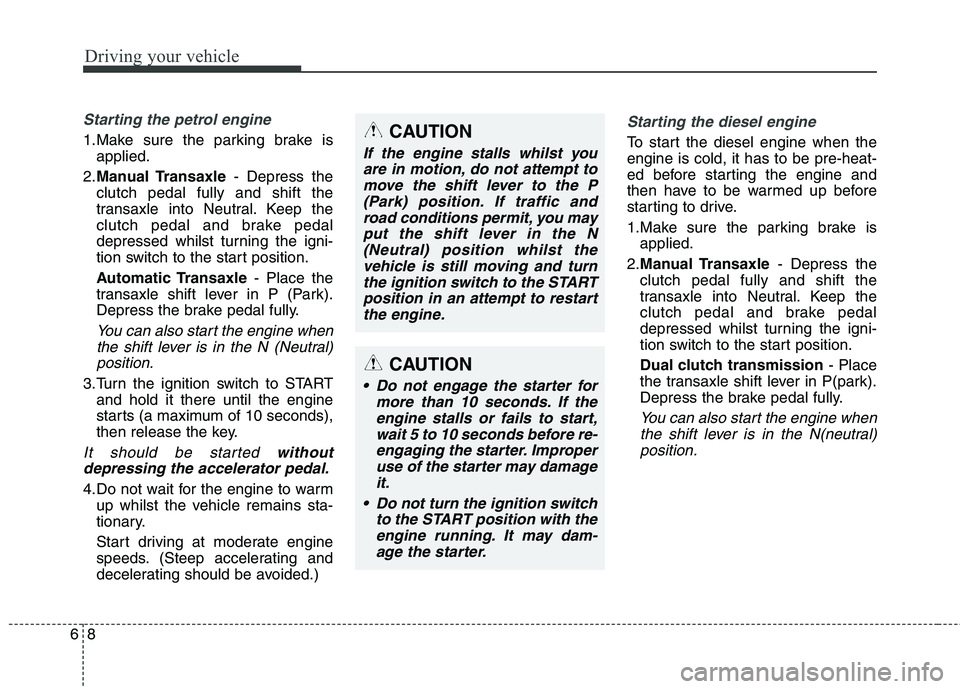
Starting the petrol engine
1.Make sure the parking brake is
applied.
2. Manual Transaxle - Depress the
clutch pedal fully and shift the
transaxle into Neutral. Keep the
clutch pedal and brake pedal
depressed whilst turning the igni-
tion switch to the start position.
Automatic Transaxle - Place the
transaxle shift lever in P (Park).
Depress the brake pedal fully.
You can also start the engine when
the shift lever is in the N (Neutral)position.
3.Turn the ignition switch to START and hold it there until the engine
starts (a maximum of 10 seconds),
then release the key.
It should be started without
depressing the accelerator pedal.
4.Do not wait for the engine to warm up whilst the vehicle remains sta-
tionary.
Start driving at moderate engine
speeds. (Steep accelerating and
decelerating should be avoided.)
Starting the diesel engine
To start the diesel engine when the engine is cold, it has to be pre-heat-
ed before starting the engine and
then have to be warmed up before
starting to drive.
1.Make sure the parking brake isapplied.
2. Manual Transaxle - Depress the
clutch pedal fully and shift the
transaxle into Neutral. Keep the
clutch pedal and brake pedal
depressed whilst turning the igni-
tion switch to the start position.
Dual clutch transmission - Place
the transaxle shift lever in P(park).
Depress the brake pedal fully.
You can also start the engine when
the shift lever is in the N(neutral)position.
CAUTION
If the engine stalls whilst youare in motion, do not attempt tomove the shift lever to the P (Park) position. If traffic androad conditions permit, you mayput the shift lever in the N(Neutral) position whilst the vehicle is still moving and turnthe ignition switch to the STARTposition in an attempt to restart the engine.
CAUTION
Do not engage the starter for more than 10 seconds. If theengine stalls or fails to start,wait 5 to 10 seconds before re-engaging the starter. Improper use of the starter may damageit.
Do not turn the ignition switch to the START position with theengine running. It may dam- age the starter.