steering wheel KIA CARENS RHD 2017 Owner's Manual
[x] Cancel search | Manufacturer: KIA, Model Year: 2017, Model line: CARENS RHD, Model: KIA CARENS RHD 2017Pages: 723, PDF Size: 40.8 MB
Page 206 of 723
Features of your vehicle
110
4
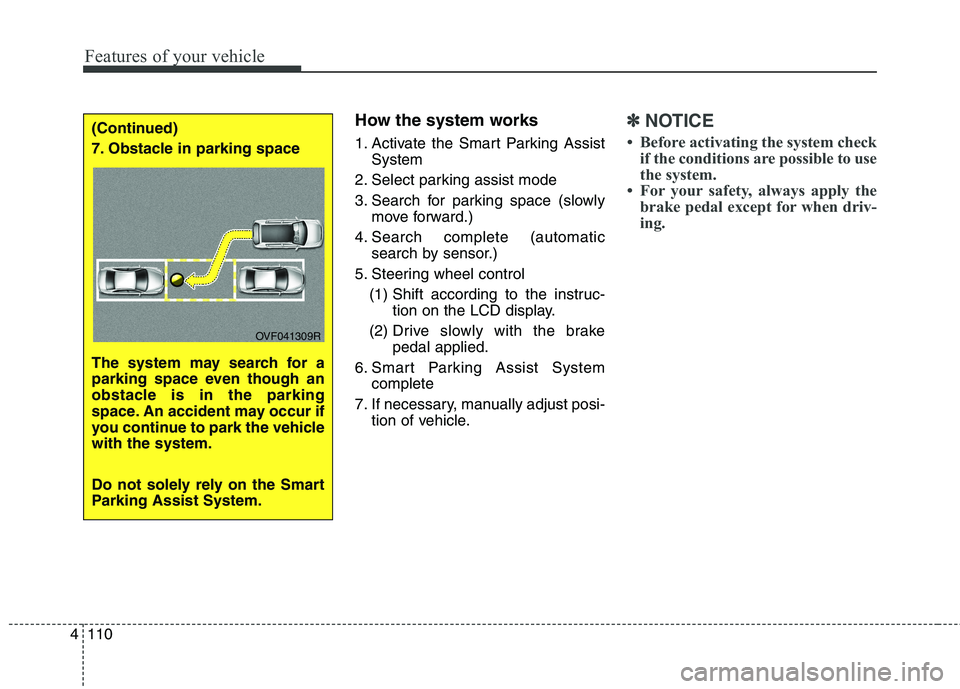
How the system works
1. Activate the Smart Parking Assist
System
2. Select parking assist mode
3. Search for parking space (slowly move forward.)
4. Search complete (automatic search by sensor.)
5. Steering wheel control (1) Shift according to the instruc- tion on the LCD display.
(2) Drive slo wly with the brake
pedal applied.
6. Smart Parking Assist System complete
7. If necessary, manually adjust posi- tion of vehicle.✽✽ NOTICE
Before activating the system check if the conditions are possible to use
the system.
For your safety, always apply the brake pedal except for when driv-
ing.(Continued)
7. Obstacle in parking space
The system may search for a
parking space even though an
obstacle is in the parking
space. An accident may occur if
you continue to park the vehiclewith the system.
Do not solely rely on the Smart
Parking Assist System.
OVF041309R
Page 208 of 723
Features of your vehicle
112
4
✽✽
NOTICE
Turn on the hazard warning flasher if it is crowded with other vehicles.
If the parking lot is small, slowly drive more nearer to the parking
space.
The search for a parking space will be completed only when there
is enough space for the vehicle to
move to park.
✽
✽ NOTICE
When searching for a parking space, the system may not be able
to find a parking space if there is
no vehicle parked, a parking space
is available after driving by or a
parking space is available before
driving by.
The system may not operate nor- mally in the following conditions:
(1) When the sensors are frozen
(2) When the sensors are dirty
(3) When it snows or rains heavily
(4) When a pillar or object is near ✽
✽
NOTICE
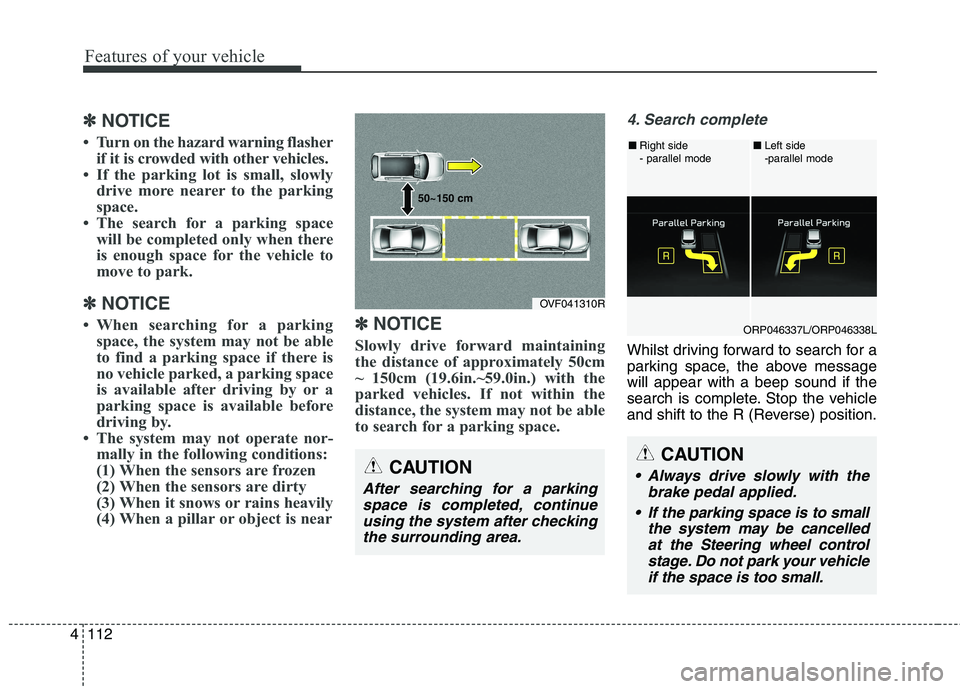
Slowly drive forward maintaining
the distance of approximately 50cm
~ 150cm (19.6in.~59.0in.) with the
parked vehicles. If not within the
distance, the system may not be able
to search for a parking space.
4. Search complete
Whilst driving forward to search for a
parking space, the above messagewill appear with a beep sound if the
search is complete. Stop the vehicle
and shift to the R (Reverse) position.
CAUTION
After searching for a parking space is completed, continueusing the system after checking the surrounding area.
OVF041310R
50~150 cm
CAUTION
Always drive slowly with the
brake pedal applied.
If the parking space is to small the system may be cancelledat the Steering wheel control stage. Do not park your vehicleif the space is too small.
ORP046337L/ORP046338L
■
Right side
- parallel mode ■
Left side
-parallel mode
Page 209 of 723
4113
Features of your vehicle
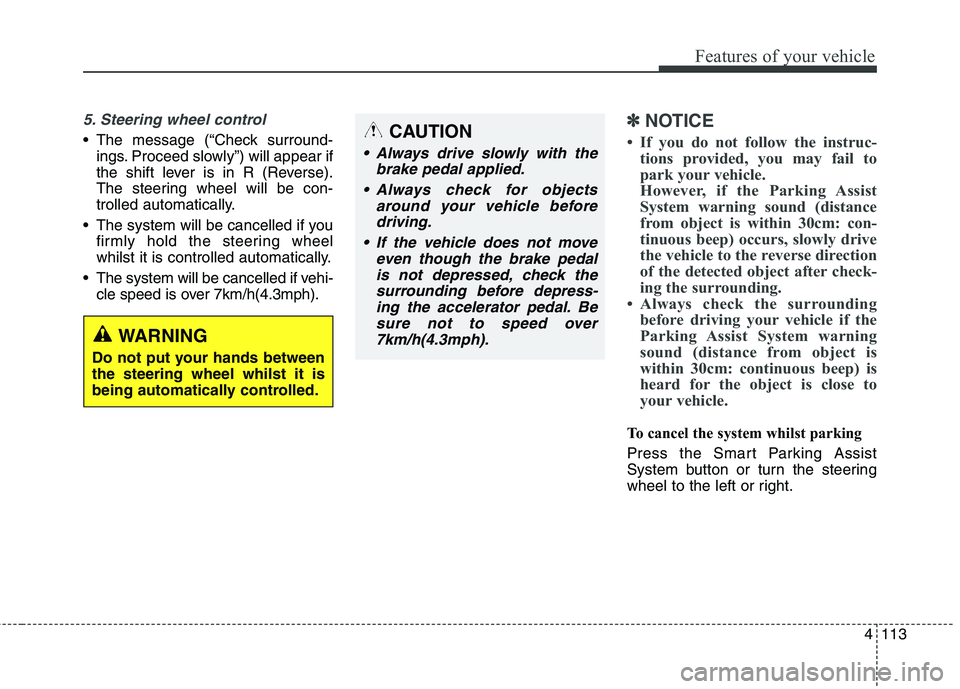
5. Steering wheel control
The message (“Check surround-ings. Proceed slowly”) will appear if
the shift lever is in R (Reverse).
The steering wheel will be con-
trolled automatically.
The system will be cancelled if you firmly hold the steering wheel
whilst it is controlled automatically.
The system will be cancelled if vehi- cle speed is over 7km/h(4.3mph).
✽✽ NOTICE
If you do not follow the instruc- tions provided, you may fail to
park your vehicle.
However, if the Parking Assist
System warning sound (distance
from object is within 30cm: con-
tinuous beep) occurs, slowly drive
the vehicle to the reverse direction
of the detected object after check-
ing the surrounding.
Always check the surrounding before driving your vehicle if the
Parking Assist System warning
sound (distance from object is
within 30cm: continuous beep) is
heard for the object is close to
your vehicle.
To cancel the system whilst parking
Press the Smart Parking Assist
System button or turn the steering
wheel to the left or right.
CAUTION
Always drive slowly with the
brake pedal applied.
Always check for objects around your vehicle beforedriving.
If the vehicle does not move even though the brake pedalis not depressed, check thesurrounding before depress- ing the accelerator pedal. Besure not to speed over7km/h(4.3mph).
WARNING
Do not put your hands between the steering wheel whilst it is
being automatically controlled.
Page 210 of 723
Features of your vehicle
114
4
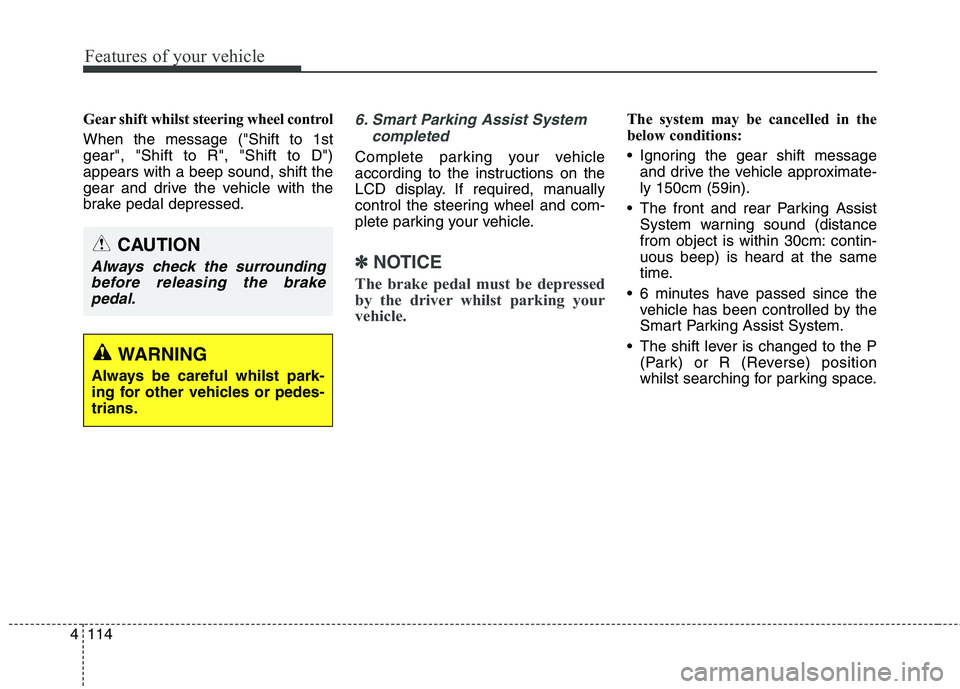
Gear shift whilst steering wheel control When the message ("Shift to 1st gear", "Shift to R", "Shift to D")appears with a beep sound, shift the
gear and drive the vehicle with the
brake pedal depressed.6. Smart Parking Assist System
completed
Complete parking your vehicle
according to the instructions on the
LCD display. If required, manually
control the steering wheel and com-
plete parking your vehicle.
✽✽NOTICE
The brake pedal must be depressed
by the driver whilst parking your
vehicle.
The system may be cancelled in the
below conditions:
Ignoring the gear shift message and drive the vehicle approximate- ly 150cm (59in).
The front and rear Parking Assist System warning sound (distance
from object is within 30cm: contin-uous beep) is heard at the same
time.
6 minutes have passed since the vehicle has been controlled by the
Smart Parking Assist System.
The shift lever is changed to the P (Park) or R (Reverse) position
whilst searching for parking space.
WARNING
Always be careful whilst park-
ing for other vehicles or pedes-trians.
CAUTION
Always check the surrounding before releasing the brakepedal.
Page 211 of 723
4115
Features of your vehicle
Additional instructions
(messages)
When the Smart Parking Assist
System is operating, a message
("Manually control steering wheel",
"Reduce speed") may appear
regardless of the parking order. The messages will appear according
to the circumstances. Follow the
instructions provided whilst parking
your vehicle with the Smart ParkingAssist System.✽✽NOTICE
In the below conditions the system
will be cancelled. Park your vehicle
manually.
1. Search for parking space - When the ABS/ESC is activated
- When the vehicle speed is over40km/h (24.8mph)
- When you press the Smart Parking Assist System button
(the front and rear Parking
Assist System operates)
- When you shift the shift lever to R (Reverse)
2. Steering wheel control - When the ABS/ESC is activated
- When the vehicle speed is over7km/h (4.3 mph)
- When you press the Smart Parking Assist System button
(the front and rear Parking
Assist System operates)
- When you shift the shift lever to D (Drive) before entering the
parking space
- When you hold the steering wheel firmlySystem malfunction
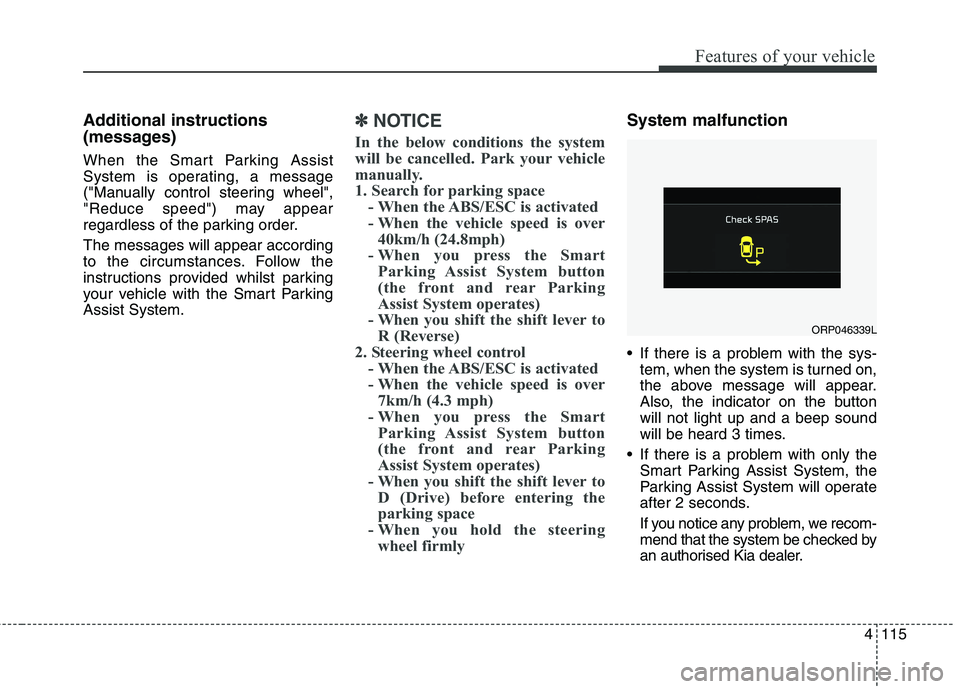
If there is a problem with the sys- tem, when the system is turned on,
the above message will appear.
Also, the indicator on the buttonwill not light up and a beep sound
will be heard 3 times.
If there is a problem with only the Smart Parking Assist System, the
Parking Assist System will operate
after 2 seconds.
If you notice any problem, we recom-
mend that the system be checked by
an authorised Kia dealer.
ORP046339L
Page 214 of 723
Features of your vehicle
118
4
Headlight (Headlamp) welcome function (if equipped)
When the headlight switch is in the
ON or AUTO position and all doors
(and tailgate) are closed and locked,
if you press the door unlock button
on the transmitter or smart key, the
headlights will come on for about 15
seconds.
If the headlight switch is in the AUTO position, the function can only oper-ate at night.
At this time, if you press the door
unlock button again or door lock but-
ton on the transmitter or smart key,
the headlights will turn off immedi-
ately.
You can activate or deactivate the
headlamp welcome fuction. Refer to
“User setting” in this chapter. Static bending light (if equipped)
Whilst driving the corner, for your
sight and safety, the static bending
light turns on automatically. The sys-
tem will operate automatically as fol-
lows:
When vehicle speed is under
10km/h and steering wheel angle
approximately 80 degrees.
When vehicle speed is over 10km/h and steering wheel angle
approximately 35 degrees.
When the vehicle is at a standstill.
When moving rearwards with one of the above conditions satisfied the lights will light up the oppositedirection. Daytime running light (if equipped)
Daytime Running Lights (DRL) can
make it easier for others to see the
front of your vehicle during the day.
DRL can be helpful in many different
driving conditions, and it is especially
helpful after dawn and before sunset.
The DRL system will turn off when:
1. The front fog light or headlight (low
beam) switch is ON.
2. The engine is OFF.
Page 286 of 723
53
Audio system
Audio remote control (if equipped)
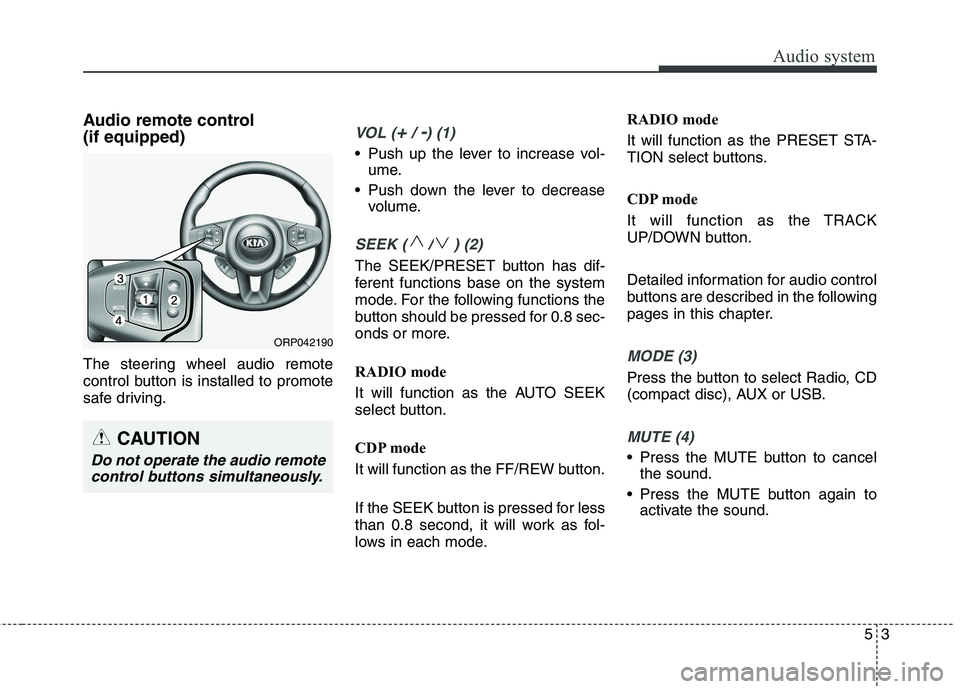
The steering wheel audio remote
control button is installed to promote
safe driving.VOL (+/ -) (1)
• Push up the lever to increase vol-ume.
Push down the lever to decrease volume.
SEEK ( / ) (2)
The SEEK/PRESET button has dif-
ferent functions base on the system
mode. For the following functions the
button should be pressed for 0.8 sec-
onds or more.
RADIO mode
It will function as the AUTO SEEK
select button.
CDP mode
It will function as the FF/REW button.
If the SEEK button is pressed for less
than 0.8 second, it will work as fol-
lows in each mode. RADIO mode
It will function as the PRESET STA-
TION select buttons.
CDP mode
It will function as the TRACK
UP/DOWN button.
Detailed information for audio control
buttons are described in the following
pages in this chapter.
MODE (3)
Press the button to select Radio, CD
(compact disc), AUX or USB.
MUTE (4)
Press the MUTE button to cancel
the sound.
Press the MUTE button again to activate the sound.
CAUTION
Do not operate the audio remote
control buttons simultaneously.
ORP042190
Page 340 of 723
![KIA CARENS RHD 2017 Owners Manual 557
Audio system
VOICE COMMAND (if equipped)
Starting Voice Command
press the key on the steering
wheel remote controller.
Mode], then the system will say
“Please say a command. Beep”
❈](/img/2/57939/w960_57939-339.png "KIA CARENS RHD 2017 Owners Manual 557
Audio system
VOICE COMMAND (if equipped)
Starting Voice Command
press the key on the steering
wheel remote controller.
Mode], then the system will say
“Please say a command. Beep”
❈")
557
Audio system
VOICE COMMAND (if equipped)
Starting Voice Command
press the key on the steering
wheel remote controller.
Mode], then the system will say
“Please say a command. Beep”
❈ If voice command is in [ExpertMode], then the system will only
say a “Beep-”
❈ Setting Voice command [Normal
Mode]/[Expert Mode]:
Press the key Select
[System] through the TUNE
knob or key Select [VoiceCommand Mode] through the
TUNE knob Set [Normal
Mode]/[Expert Mode]
✽✽ NOTICE
For proper voice recognition, say the
voice command after the guidance
message and the “Beep” sound.
Skipping the Guidance
Message Whilst the guidance message is
being stated, shortly press the
key (under 0.8 seconds) to discontin-ue the guidance message and soundthe “beep”.
After the “beep”, say the voice com- mand. Ending Voice Command
and hold the key (over 0.8 sec-
onds) to end voice command.
pressing the steering wheel remote
controller or a different key will end
voice command.
ing for your voice command, say
“cancel” or “end” to end voice com-mand.
ing for your voice command, short-
ly press the key (under 0.8 sec-
onds) to end voice command.
5
SETUP
Page 410 of 723
5127
Audio system
ENDING VOICE RECOGNITION
Whilst Voice Recognition is operatingPress and hold the key on the
steering remote controller (over 0.8 seconds)
✽✽ NOTICE
Whilst using voice command, pressing a steering wheel remote
control or a different key will end
voice command.
In a state where the system is wait- ing for a voice command, say
“cancel” or “end” to end voice
command.
In a state where the system is wait- ing for a voice command, press
and hold the key on the steer-
ing remote controller to end voice
command.
Page 440 of 723
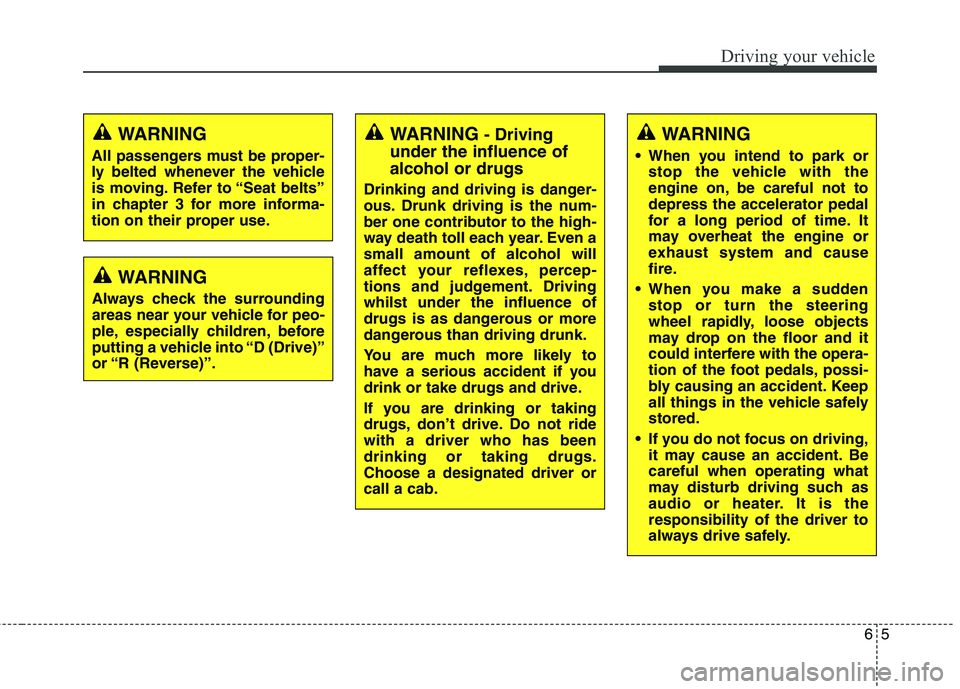
65
Driving your vehicle
WARNING- Driving
under the influence of alcohol or drugs
Drinking and driving is danger-
ous. Drunk driving is the num-
ber one contributor to the high-
way death toll each year. Even asmall amount of alcohol will
affect your reflexes, percep-
tions and judgement. Drivingwhilst under the influence of
drugs is as dangerous or more
dangerous than driving drunk.
You are much more likely to
have a serious accident if you
drink or take drugs and drive.
If you are drinking or taking
drugs, don’t drive. Do not ridewith a driver who has beendrinking or taking drugs.Choose a designated driver orcall a cab.WARNING
When you intend to park or stop the vehicle with the
engine on, be careful not todepress the accelerator pedal
for a long period of time. It
may overheat the engine or
exhaust system and cause
fire.
When you make a sudden stop or turn the steering
wheel rapidly, loose objects
may drop on the floor and it
could interfere with the opera-
tion of the foot pedals, possi-
bly causing an accident. Keep
all things in the vehicle safelystored.
If you do not focus on driving, it may cause an accident. Becareful when operating what
may disturb driving such as
audio or heater. It is theresponsibility of the driver to
always drive safely.WARNING
All passengers must be proper-
ly belted whenever the vehicle
is moving. Refer to “Seat belts”
in chapter 3 for more informa-
tion on their proper use.
WARNING
Always check the surrounding
areas near your vehicle for peo-
ple, especially children, before
putting a vehicle into “D (Drive)”
or “R (Reverse)”.