phone KIA CARENS RHD 2018 Owner's Manual
[x] Cancel search | Manufacturer: KIA, Model Year: 2018, Model line: CARENS RHD, Model: KIA CARENS RHD 2018Pages: 723, PDF Size: 40.94 MB
Page 310 of 723
![KIA CARENS RHD 2018 Owners Manual 527
Audio system
Auto Download
When connecting a mobile phone, it
is possible to automatically download
new phone book and Call Histories.
Select [Auto Download] Set /through TUNE knob
Audio Strea](/img/2/57938/w960_57938-309.png "KIA CARENS RHD 2018 Owners Manual 527
Audio system
Auto Download
When connecting a mobile phone, it
is possible to automatically download
new phone book and Call Histories.
Select [Auto Download] Set /through TUNE knob
Audio Strea")
527
Audio system
Auto Download
When connecting a mobile phone, it
is possible to automatically download
new phone book and Call Histories.
Select [Auto Download] Set /through TUNE knob
Audio Streaming
Songs (files) saved in your
Bluetooth®Wireless Technology
enabled mobile phone can be played through the audio system.
Select [Audio Streaming] Set / through TUNE knob Outgoing Volume
This is used to set the volume of your
voice as heard by the other partywhilst on a
Bluetooth®Wireless
Technology enabled handsfree call.
Select [Outgoing Volume] Set vol-
ume through TUNE knob ❈ Even whilst on a call, the volume
can be changed by using the
key.
Bluetooth®Wireless Technology
System Off
This feature is used when you do not wish to use the
Bluetooth®Wireless
Technology system.
Select [Bluetooth System Off] Set
through TUNE knob ❈ If a phone is already connected, disconnect the currently connect-
ed phone and turn the
Bluetooth®
Wireless Technology system off.
SEEK
TRACK
OFF
ON
OFF
ON
CAUTION
The Bluetooth ®
Wireless
Technology audio streaming feature may not be supported insome mobile phones.
Page 311 of 723
Audio system
28
5
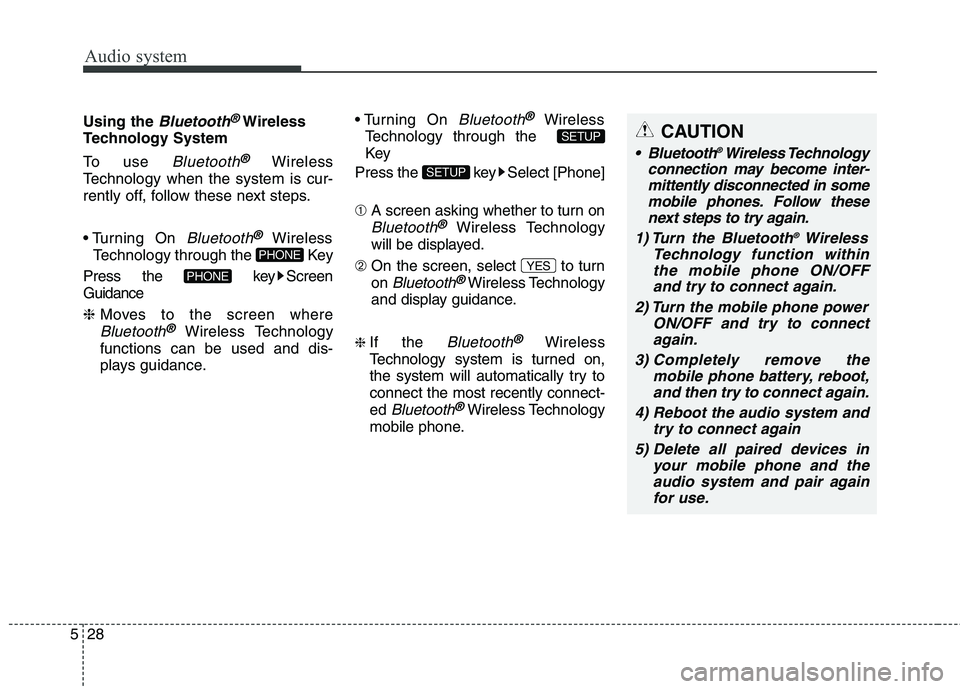
Using the Bluetooth®Wireless
Technology System
To use
Bluetooth®Wireless
Technology when the system is cur-
rently off, follow these next steps.
On
Bluetooth®Wireless
Technology through the Key
Press the key Screen Guidance ❈ Moves to the screen where
Bluetooth®Wireless Technology
functions can be used and dis-
plays guidance. On
Bluetooth®Wireless
Technology through the
Key
Press the key Select [Phone] ➀ A screen asking whether to turn on
Bluetooth®Wireless Technology
will be displayed.
➁ On the screen, select to turn on
Bluetooth®Wireless Technology
and display guidance.
❈ If the
Bluetooth®Wireless
Technology system is turned on,
the system will automatically try toconnect the most recently connect-ed
Bluetooth®Wireless Technology
mobile phone. YES
SETUP
SETUP
PHONE
PHONE
CAUTION
Bluetooth
®
Wireless Technology
connection may become inter- mittently disconnected in somemobile phones. Follow thesenext steps to try again.
1) Turn the Bluetooth ®
Wireless
Technology function within the mobile phone ON/OFF and try to connect again.
2) Turn the mobile phone power ON/OFF and try to connectagain.
3) Completely remove the mobile phone battery, reboot,and then try to connect again.
4) Reboot the audio system and try to connect again
5) Delete all paired devices in your mobile phone and theaudio system and pair againfor use.
Page 316 of 723
![KIA CARENS RHD 2018 Owners Manual 533
Audio system
Phone Setup
(for
Bluetooth®Wireless
Technology equipped model)
Press the key Select [Phone] Pair Phone
Select [Pair Phone] Set through TUNE knob ➀
Search for device names as](/img/2/57938/w960_57938-315.png "KIA CARENS RHD 2018 Owners Manual 533
Audio system
Phone Setup
(for
Bluetooth®Wireless
Technology equipped model)
Press the key Select [Phone] Pair Phone
Select [Pair Phone] Set through TUNE knob ➀
Search for device names as")
533
Audio system
Phone Setup
(for
Bluetooth®Wireless
Technology equipped model)
Press the key Select [Phone] Pair Phone
Select [Pair Phone] Set through TUNE knob ➀
Search for device names as dis-
played on your mobile phone andconnect.
➁ Input the passkey displayed on the
screen. (Passkey : 0000)
❈ The device name and passkey will
be displayed on the screen for up
to 3 minutes. If pairing is not com-
pleted within the 3 minutes, the
mobile phone pairing process willautomatically be canceled. ➂
Pairing completion is displayed.
❈ In some mobile phones, pairing
will automatically be followed byconnection.
❈ It is possible to pair up to five
Bluetooth®Wireless Technology
enabled mobile phones.SETUP
CAUTION
To pair a Bluetooth ®
Wireless
Technology enabled mobile phone, authentication and con-nection processes are firstrequired. As a result, you can- not pair your mobile phonewhilst driving the vehicle. Firstpark your vehicle before use.
Page 317 of 723
![KIA CARENS RHD 2018 Owners Manual Audio system
34
5
Phone List The names of up to 5 paired phones
will be displayed.
A [ ] is displayed in front of the cur-
rently connected phone. Select the desired name to setup the
selected pho](/img/2/57938/w960_57938-316.png "KIA CARENS RHD 2018 Owners Manual Audio system
34
5
Phone List The names of up to 5 paired phones
will be displayed.
A [ ] is displayed in front of the cur-
rently connected phone. Select the desired name to setup the
selected pho")
Audio system
34
5
Phone List The names of up to 5 paired phones
will be displayed.
A [ ] is displayed in front of the cur-
rently connected phone. Select the desired name to setup the
selected phone.
Select [Phone List] Select mobile
phone through TUNE knobSelect [Connect Phone] ➀
Select a mobile phone that is not currently connected.
➁ Connect the selected mobile
phone.
➂ Connection completion is dis-
played.
❈ If a phone is already connected,disconnect the currently connect-
ed phone and select a new phoneto connect.
Select [Phone List] Select mobile
phone through TUNE knobSelect [Disconnect Phone] ➀
Select the currently connected
mobile phone.
➁ Disconnect the selected mobile
phone.
➂ Disconnection completion is dis-
played.
Page 318 of 723
![KIA CARENS RHD 2018 Owners Manual 535
Audio system
(Priority)
This is used to change the order (pri-
ority) of automatic connection for the
paired mobile phones.
Select [Phone List] Select [Priority]
through TUNE knob Select No. 1](/img/2/57938/w960_57938-317.png "KIA CARENS RHD 2018 Owners Manual 535
Audio system
(Priority)
This is used to change the order (pri-
ority) of automatic connection for the
paired mobile phones.
Select [Phone List] Select [Priority]
through TUNE knob Select No. 1")
535
Audio system
(Priority)
This is used to change the order (pri-
ority) of automatic connection for the
paired mobile phones.
Select [Phone List] Select [Priority]
through TUNE knob Select No. 1
Priority mobile phone ➀ Select [Priority].
➁ From the paired phones, select
the phone desired for No.1 priority.
➂ The changed priority sequence is
displayed.
❈ Once the connection sequence
(priority) is changed, the new no. 1
priority mobile phone will be con-nected.
- when the no. 1 priority cannot be connected: Automatically attemptsto connect the most recently con-
nected phone.
- Cases when the most recently connected phone cannot be con-
nected: Attempts to connect in theorder in which paired phones arelisted. - The connected phone will auto-
matically be changed to No. 1 pri-
ority.
Select [Phone List] Select mobile
phone through TUNE knobSelect [Delete] ➀ Select the desired mobile phone.
➁ Delete the selected mobile phone.
➂ Deletion completion is displayed.
❈ When attempting to delete a cur-
rently connected phone, thephone is first disconnected. Contacts Download
This feature is used to download
contacts and call histories into theaudio system.
Select [Contacts Download] Select
through TUNE knob
CAUTION
The download feature may not
be supported in some mobilephones.
If a different operation is per- formed whilst Contacts arebeing downloaded, download-ing will be discontinued.Contacts already downloaded will be saved.
When downloading new Contacts, delete all previouslysaved Contacts before start-ing download.
CAUTION
When you delete a mobile phone, the mobile phone con-tacts will also be erased.
For stable Bluetooth ®
Wireless
Technology communication, delete the mobile phone fromthe audio and also delete theaudio from your mobile phone.
Page 319 of 723
Audio system
36
5
CAUTION
The Bluetooth ®
Wireless
Technology audio streaming feature may not be supported in some mobile phones.
Auto Download
When connecting a mobile phone, it
is possible to automatically download
new Contacts and Call Histories.
Select [Auto Download] Set /
through TUNE knob
Audio Streaming
Songs (files) saved in your
Bluetooth®Wireless Technology
enabled mobile phone can be played through the audio system.
Select [Audio Streaming] Set / through TUNE knob Outgoing Volume
This is used to set the volume of your
voice as heard by the other partywhilst on a
Bluetooth®Wireless
Technology enabled handsfree call.
Select [Outgoing Volume] Set vol-
ume through TUNE knob ❈ Even whilst on a call, the volume
can be changed by using the
key.
SEEK
TRACK
OFF
ON
OFF
ON
Page 320 of 723
537
Audio system
CAUTION
Bluetooth®Wireless Technology
connection may become inter- mittently disconnected in somemobile phones. Follow these next steps to try again.
1) Turn the Bluetooth ®
Wireless
Technology function within the mobile phone ON/OFF and tryto connect again.
2) Turn the mobile phone power ON/OFF and try to connectagain.
3) Completely remove the mobile phone battery, reboot, and thentry to connect again.
4) Reboot the audio system and try to connect again
5) Delete all paired devices in your mobile phone and theaudio system and pair again for use.
Bluetooth®Wireless
Technology System Off
This feature is used when you do not wish to use the
Bluetooth®Wireless
Technology system.
Select [Bluetooth System Off] Set
through TUNE knob ❈ If a phone is already connected, disconnect the currently connect-
ed phone and turn the
Bluetooth®
Wireless Technology system off.
Using the
Bluetooth®Wireless
Technology System
To use
Bluetooth®Wireless
Technology when the system is cur-
rently off, follow these next steps.
®Wireless
Technology through the Key
Press the key Screen Guidance ❈ Moves to the screen where Bluetooth
®Wireless Technology
functions can be used and dis-
plays guidance. On
Bluetooth®Wireless
Technology through the Key
Press the key Select [Phone] ➀ A screen asking whether to turn on
Bluetooth®Wireless Technology will
be displayed.
➁ On the screen, select to turn on
Bluetooth®Wireless Technology
and display guidance.
❈ If the
Bluetooth®Wireless
Technology system is turned on, the
system will automatically try to con-nect the most recently connected
Bluetooth®Wireless Technology
mobile phone. YES
SETUP
SETUP
PHONE
PHONE
Page 333 of 723
Audio system
50
5
Bluetooth®Wireless
Technology AUDIO (if equipped)
What is
Bluetooth®Wireless
Technology?
Bluetooth®Wireless Technology is a
wireless technology that allows mul-
tiple devices to be connected in a
short range, low-powered devices
like hands-free, stereo headset, wire-
less remote controller, etc. For more
information, visit the
Bluetooth®
Wireless Technology website at
www.Bluetooth.com
Before using Bluetooth®Wireless
Technology audio features
Bluetooth®Wireless Technology
audio may not be supported depending on the compatibility of
your
Bluetooth®Wireless Technology
mobile phone.
Bluetooth®Wireless
Technology audio, you must firstpair and connect the
Bluetooth®
Wireless Technology mobile phone.
Bluetooth®Wireless Technology
audio can be used only when the
[Audio Streaming] of Phone is
turned On.
❈ Setting
Bluetooth®Wireless
Technology Audio Streaming :
Press the key Select[Phone] through the tune knob
Select [Audio Streaming] through
the TUNE knob Set / Starting
Bluetooth®Wireless
Technology Audio Press the key to change the mode in order of CD ➟ USB ➟ AUX
➟ My Music ➟ BT Audio.
Bluetooth®
Wireless Technology audio will start
playing.
❈ Audio may not automatically start
playing in some mobile phones.
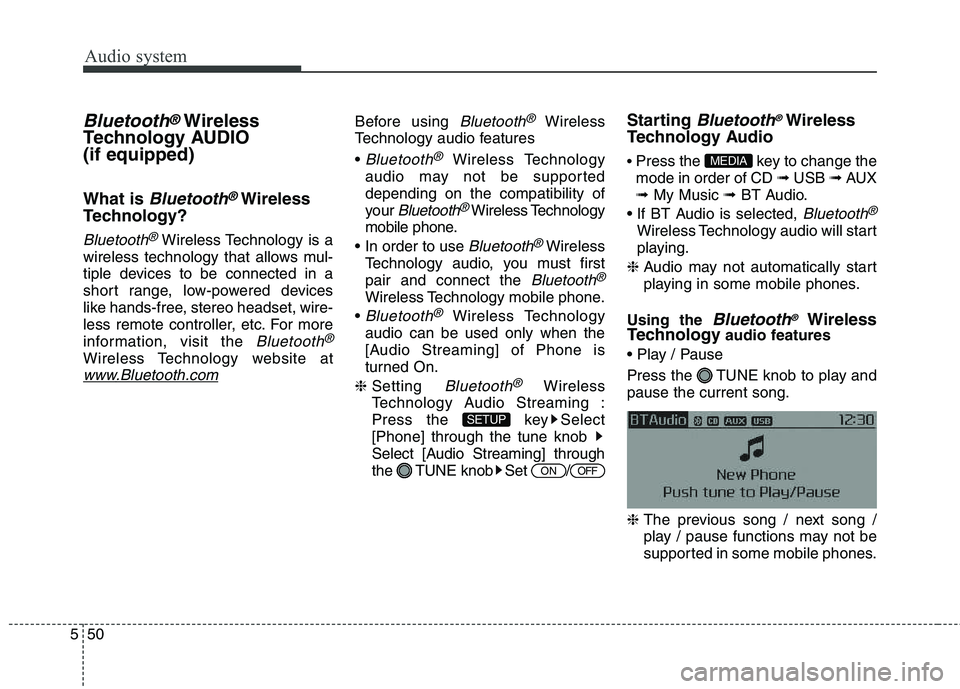
Using the
Bluetooth®Wireless
Technology audio features
Press the TUNE knob to play and pause the current song. ❈ The previous song / next song /
play / pause functions may not be
supported in some mobile phones.
MEDIA
OFFON
SETUP
Page 334 of 723
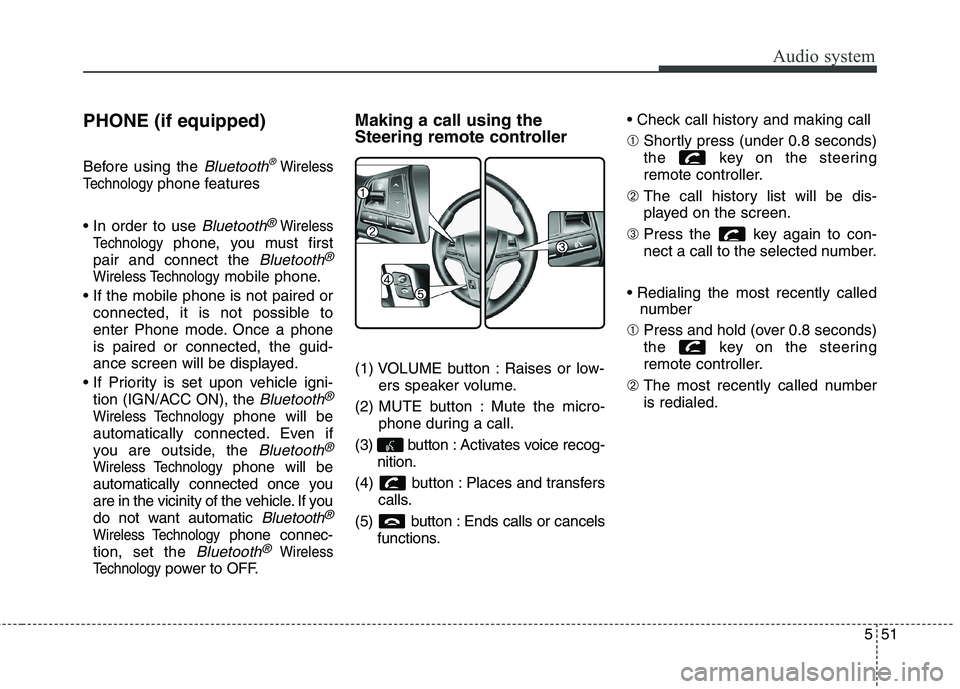
551
Audio system
PHONE (if equipped)
Before using the
Bluetooth®Wireless
Technology
phone features
Bluetooth®Wireless
Technology
phone, you must first
pair and connect the
Bluetooth®
Wireless Technologymobile phone.
connected, it is not possible to
enter Phone mode. Once a phoneis paired or connected, the guid-
ance screen will be displayed.
tion (IGN/ACC ON), the
Bluetooth®
Wireless Technologyphone will be
automatically connected. Even if
you are outside, the
Bluetooth®
Wireless Technologyphone will be
automatically connected once you
are in the vicinity of the vehicle. If you
do not want automatic
Bluetooth®
Wireless Technologyphone connec-
tion, set the
Bluetooth®Wireless
Technology
power to OFF. Making a call using the
Steering remote controller
(1) VOLUME button : Raises or low-
ers speaker volume.
(2) MUTE button : Mute the micro- phone during a call.
(3) button : Activates voice recog- nition.
(4) button : Places and transfers calls.
(5) button : Ends calls or cancels functions. ➀
Shortly press (under 0.8 seconds)
the key on the steering
remote controller.
➁ The call history list will be dis-
played on the screen.
➂ Press the key again to con-
nect a call to the selected number.
number
➀ Press and hold (over 0.8 seconds)
the key on the steering
remote controller.
➁ The most recently called numberis redialed.
Page 335 of 723
![KIA CARENS RHD 2018 Owners Manual Audio system
52
5
Phone MENU (for RDS model)
Press the key to display three
menus (Call History, Phone Book,Phone Setup).
Call history
Press the key Set [
History] through the TUNE knob
or key](/img/2/57938/w960_57938-334.png "KIA CARENS RHD 2018 Owners Manual Audio system
52
5
Phone MENU (for RDS model)
Press the key to display three
menus (Call History, Phone Book,Phone Setup).
Call history
Press the key Set [
History] through the TUNE knob
or key")
Audio system
52
5
Phone MENU (for RDS model)
Press the key to display three
menus (Call History, Phone Book,Phone Setup).
Call history
Press the key Set [
History] through the TUNE knob
or key.
The call history is displayed and can
be used to select a number and
make a call.
If call history does not exist, a screen
asking whether to download call his-
tory is displayed. (The download fea-
ture may not be supported in somemobile phones) Phone Book
Press the key Set [ P.
Book] through the TUNE knob or
key.
The phone book is displayed and
can be used to select a number and
make a call. ❈ If more than one number is saved to one contact, then a screen
showing the mobile phone num-
ber, Home and office number is
displayed. Select the desired num-
ber to make the call.
❈ If phone book do not exist, a
screen asking whether to down-
load phone book is displayed.
(The download feature may not be
supported in some mobilephones) Phone Setup
Press the key Set [ Setup]
through the TUNE knob or
key. The
Bluetooth®Wireless Technology
mobile phone setup screen is dis-
played. For more information, refer to“Phone Setup”.
3
PHONE
2 RDM
PHONE
1 RPT
PHONE
PHONE