warning light KIA CARENS RHD 2018 Workshop Manual
[x] Cancel search | Manufacturer: KIA, Model Year: 2018, Model line: CARENS RHD, Model: KIA CARENS RHD 2018Pages: 723, PDF Size: 40.94 MB
Page 186 of 723
Features of your vehicle
90
4
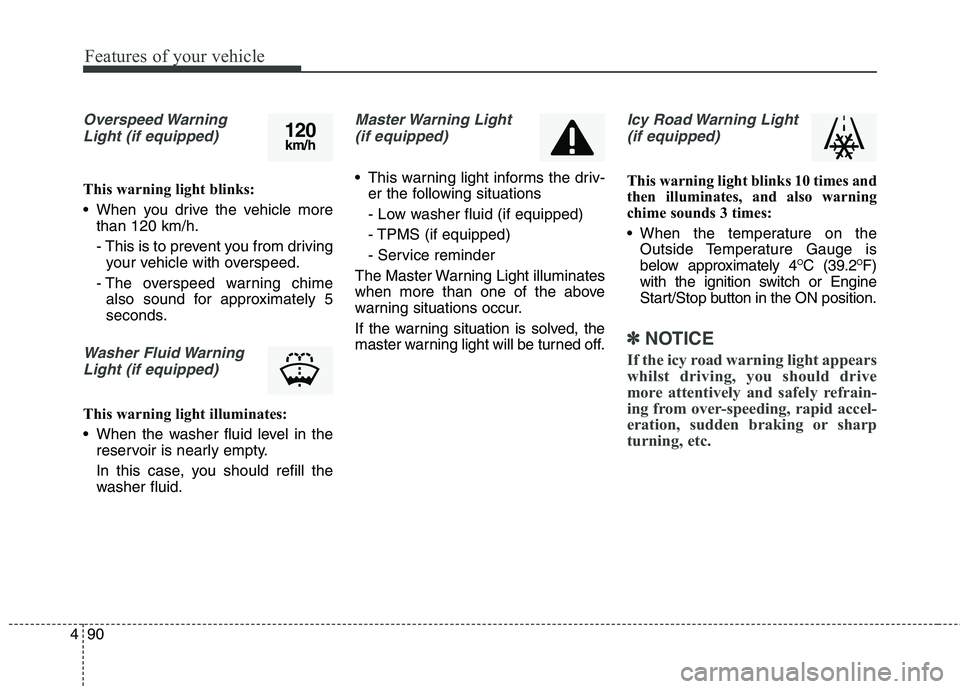
Overspeed Warning
Light (if equipped)
This warning light blinks:
When you drive the vehicle more than 120 km/h.
- This is to prevent you from drivingyour vehicle with overspeed.
- The overspeed warning chime also sound for approximately 5
seconds.
Washer Fluid Warning
Light (if equipped)
This warning light illuminates:
When the washer fluid level in the reservoir is nearly empty.
In this case, you should refill the
washer fluid.
Master Warning Light
(if equipped)
This warning light informs the driv- er the following situations
- Low washer fluid (if equipped)
- TPMS (if equipped)
- Service reminder
The Master Warning Light illuminates
when more than one of the above
warning situations occur.
If the warning situation is solved, the
master warning light will be turned off.
Icy Road Warning Light (if equipped)
This warning light blinks 10 times and
then illuminates, and also warning
chime sounds 3 times:
When the temperature on the Outside Temperature Gauge is
below approximately 4 O
C (39.2 O
F)
with the ignition switch or Engine
Start/Stop button in the ON position.
✽✽ NOTICE
If the icy road warning light appears
whilst driving, you should drive
more attentively and safely refrain-
ing from over-speeding, rapid accel-
eration, sudden braking or sharp
turning, etc.
120 km/h
Page 188 of 723
Features of your vehicle
92
4
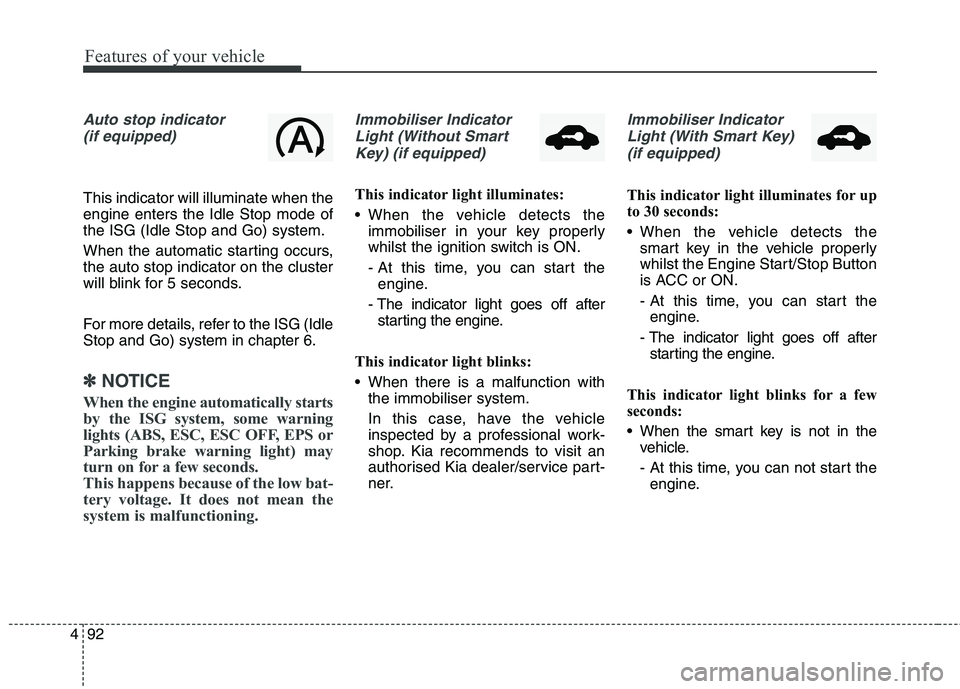
Auto stop indicator
(if equipped)
This indicator will illuminate when the engine enters the Idle Stop mode ofthe ISG (Idle Stop and Go) system.
When the automatic starting occurs, the auto stop indicator on the cluster
will blink for 5 seconds.
For more details, refer to the ISG (Idle Stop and Go) system in chapter 6.
✽✽ NOTICE
When the engine automatically starts
by the ISG system, some warning
lights (ABS, ESC, ESC OFF, EPS or
Parking brake warning light) may
turn on for a few seconds.
This happens because of the low bat-
tery voltage. It does not mean the
system is malfunctioning.
Immobiliser Indicator Light (Without Smart Key) (if equipped)
This indicator light illuminates:
When the vehicle detects the immobiliser in your key properly
whilst the ignition switch is ON.
- At this time, you can start theengine.
- The indicator light goes off after starting the engine.
This indicator light blinks:
When there is a malfunction with the immobiliser system.
In this case, have the vehicle
inspected by a professional work-
shop. Kia recommends to visit an
authorised Kia dealer/service part-
ner.
Immobiliser Indicator
Light (With Smart Key) (if equipped)
This indicator light illuminates for up
to 30 seconds:
When the vehicle detects the smart key in the vehicle properly
whilst the Engine Start/Stop Button
is ACC or ON.
- At this time, you can start theengine.
- The indicator light goes off after starting the engine.
This indicator light blinks for a few
seconds:
When the smart key is not in the vehicle.
- At this time, you can not start theengine.
Page 204 of 723
Features of your vehicle
108
4
A trash can or obstacle near
Heavy wind
Wheel changed to an unauthorised
size
A problem with the wheel alignment
Next to a garden or bush
A accessory installed on the detec- tive area the of sensors (such as
number plate holder)
Vehicle leaned severely to one side
Strong sunlight or very cold weather
Ultrasonic interference other vehi- cle's. Such as horn sounds of other
vehicles, motorcycle's engine noise,
air brake noise of heavy vehicles
and with the other vehicle's parking
assist system working.
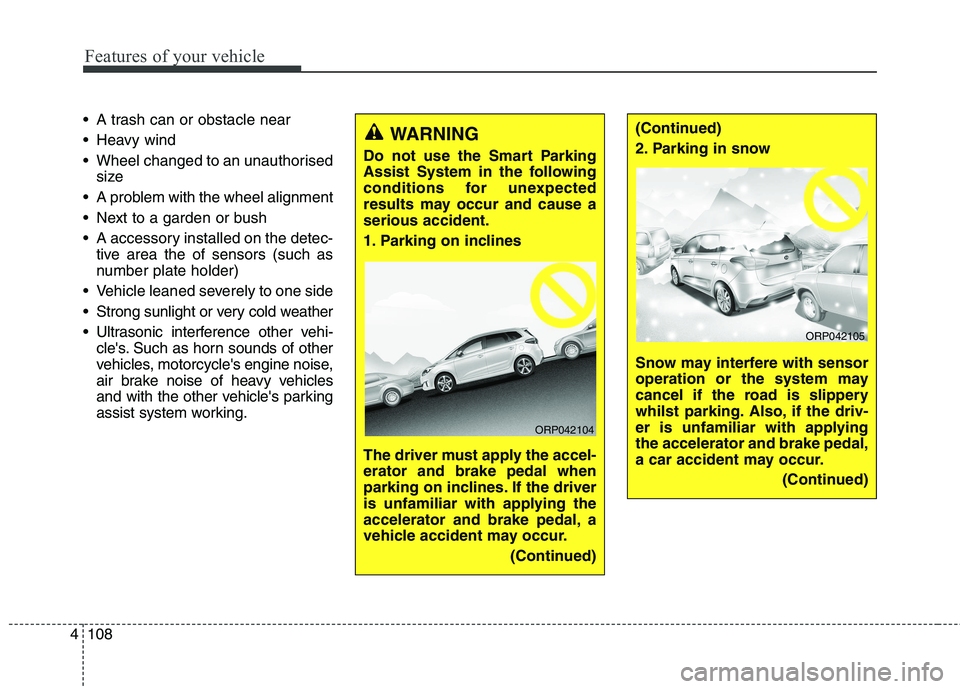
WARNING
Do not use the Smart Parking
Assist System in the following
conditions for unexpected
results may occur and cause aserious accident.
1. Parking on inclines
The driver must apply the accel- erator and brake pedal when
parking on inclines. If the driver
is unfamiliar with applying the
accelerator and brake pedal, a
vehicle accident may occur. (Continued)
ORP042104
(Continued)
2. Parking in snow
Snow may interfere with sensor
operation or the system may
cancel if the road is slippery
whilst parking. Also, if the driv-
er is unfamiliar with applyingthe accelerator and brake pedal,
a car accident may occur.(Continued)
ORP042105
Page 212 of 723
Features of your vehicle
116
4
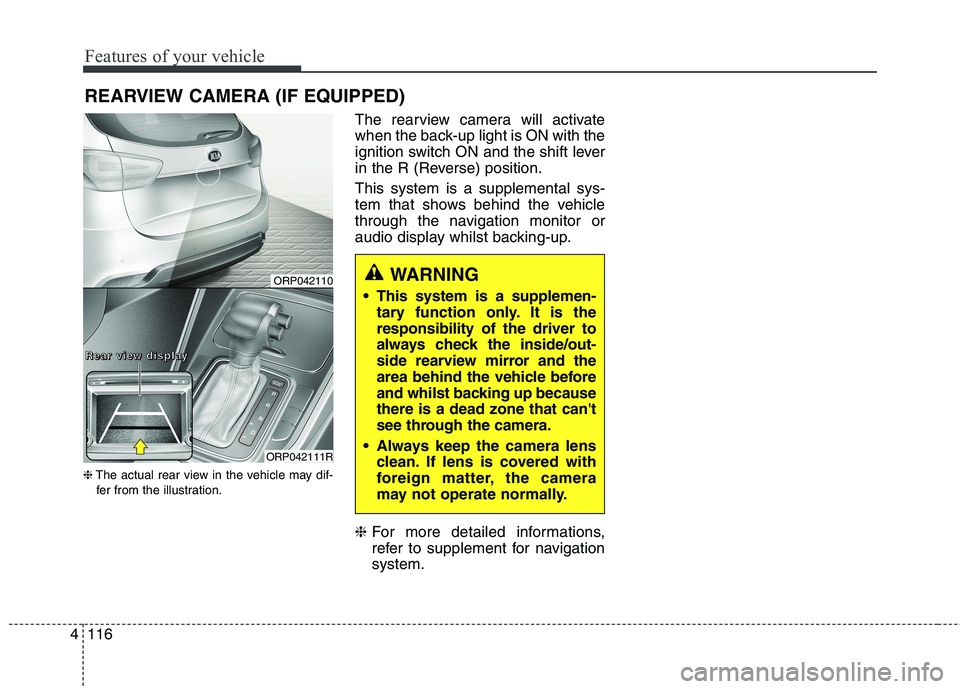
REARVIEW CAMERA (IF EQUIPPED)
❈ The actual rear view in the vehicle may dif-
fer from the illustration. The rearview camera will activate
when the back-up light is ON with the
ignition switch ON and the shift lever
in the R (Reverse) position. This system is a supplemental sys-
tem that shows behind the vehicle
through the navigation monitor or
audio display whilst backing-up. ❈
For more detailed informations,
refer to supplement for navigationsystem.
WARNING
This system is a supplemen- tary function only. It is the responsibility of the driver to
always check the inside/out-
side rearview mirror and the
area behind the vehicle before
and whilst backing up becausethere is a dead zone that can't
see through the camera.
Always keep the camera lens clean. If lens is covered with
foreign matter, the camera
may not operate normally.ORP042110
ORP042111R
RRRReeeeaaaarrrr vvvviiiieeeewwww ddddiiiissssppppllllaaaayyyy
Page 218 of 723
Features of your vehicle
122
4
The high-beam indicator will light
when the headlight high beams are
switched on.
To prevent the battery from being discharged, do not leave the lights
on for a prolonged time whilst the
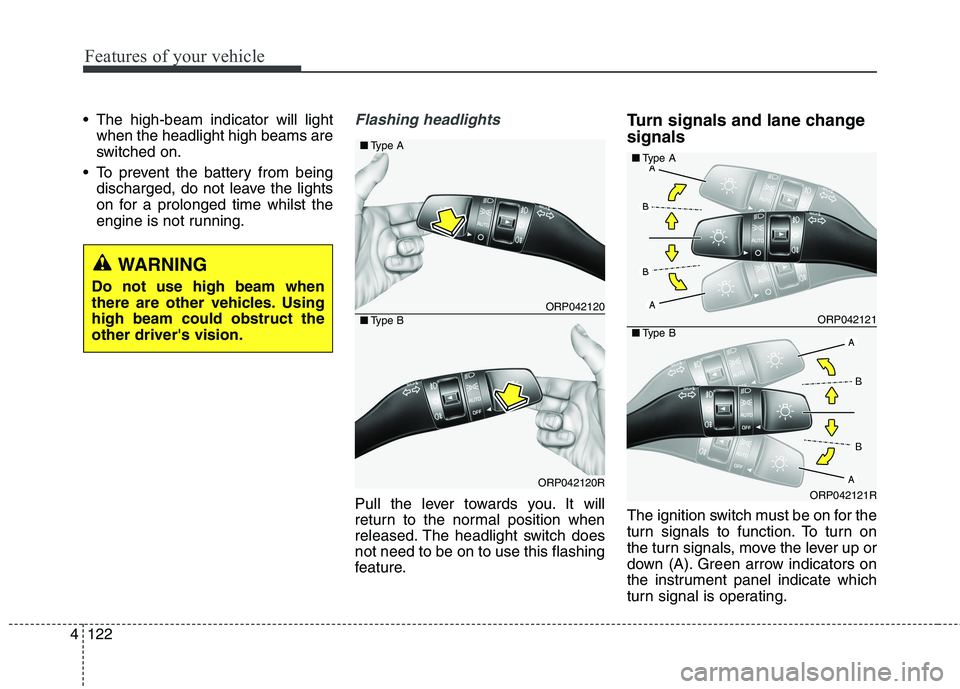
engine is not running.Flashing headlights
Pull the lever towards you. It will
return to the normal position when
released. The headlight switch doesnot need to be on to use this flashing
feature. Turn signals and lane change signals
The ignition switch must be on for the
turn signals to function. To turn on
the turn signals, move the lever up or
down (A). Green arrow indicators on
the instrument panel indicate which
turn signal is operating.
ORP042120
ORP042120R
■
Type A
■Type BORP042121
ORP042121R
■Type A
■Type B
WARNING
Do not use high beam when
there are other vehicles. Usinghigh beam could obstruct theother driver's vision.
Page 221 of 723
4125
Features of your vehicle
Headlight levelling device (if equipped)
Manual type
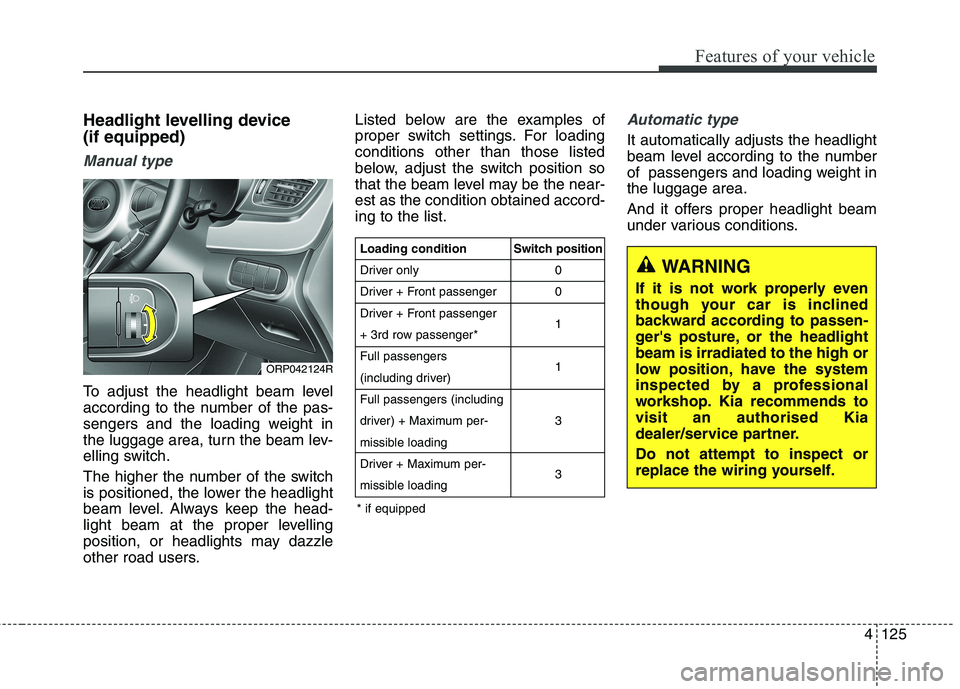
To adjust the headlight beam level
according to the number of the pas-
sengers and the loading weight in
the luggage area, turn the beam lev-
elling switch.
The higher the number of the switch
is positioned, the lower the headlight
beam level. Always keep the head-
light beam at the proper levelling
position, or headlights may dazzle
other road users.Listed below are the examples of
proper switch settings. For loadingconditions other than those listed
below, adjust the switch position so
that the beam level may be the near-est as the condition obtained accord-ing to the list.
Automatic type
It automatically adjusts the headlight
beam level according to the number
of passengers and loading weight inthe luggage area.
And it offers proper headlight beam
under various conditions.
ORP042124R
WARNING
If it is not work properly even
though your car is inclined
backward according to passen-
ger's posture, or the headlightbeam is irradiated to the high or
low position, have the system
inspected by a professional
workshop. Kia recommends tovisit an authorised Kia
dealer/service partner. Do not attempt to inspect or
replace the wiring yourself.
Loading condition
Driver only
Driver + Front passenger
Driver + Front passenger
+ 3rd row passenger*Full passengers
(including driver)Full passengers (including
driver) + Maximum per-
missible loading
Driver + Maximum per-
missible loading Switch position
00 1 1 3 3
* if equipped
Page 228 of 723
Features of your vehicle
132
4
Headlight washer (if equipped)
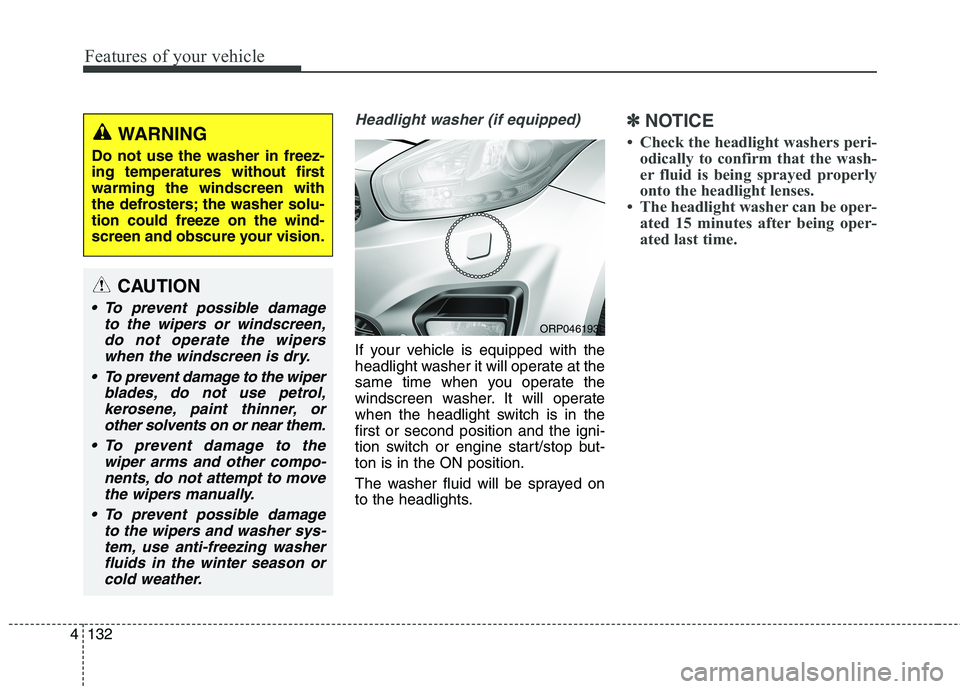
If your vehicle is equipped with the
headlight washer it will operate at the
same time when you operate the
windscreen washer. It will operate
when the headlight switch is in thefirst or second position and the igni-
tion switch or engine start/stop but-ton is in the ON position.
The washer fluid will be sprayed on
to the headlights.
✽✽
NOTICE
Check the headlight washers peri- odically to confirm that the wash-
er fluid is being sprayed properly
onto the headlight lenses.
The headlight washer can be oper- ated 15 minutes after being oper-
ated last time.
ORP046193L
WARNING
Do not use the washer in freez-
ing temperatures without firstwarming the windscreen with
the defrosters; the washer solu-
tion could freeze on the wind-
screen and obscure your vision.
CAUTION
To prevent possible damage to the wipers or windscreen,do not operate the wiperswhen the windscreen is dry.
To prevent damage to the wiper blades, do not use petrol,kerosene, paint thinner, or other solvents on or near them.
To prevent damage to the wiper arms and other compo-nents, do not attempt to movethe wipers manually.
To prevent possible damage to the wipers and washer sys-tem, use anti-freezing washerfluids in the winter season orcold weather.
Page 230 of 723
Features of your vehicle
134
4
Interior lamp AUTO cut
When all entrances are closed, if
you lock the vehicle by using the
transmitter or the smart key, all
interior lamp will be off after a few
seconds.
If you do not operate anything in the vehicle after turning off the
engine, the lights will turn off after
20 minutes. Map lamp
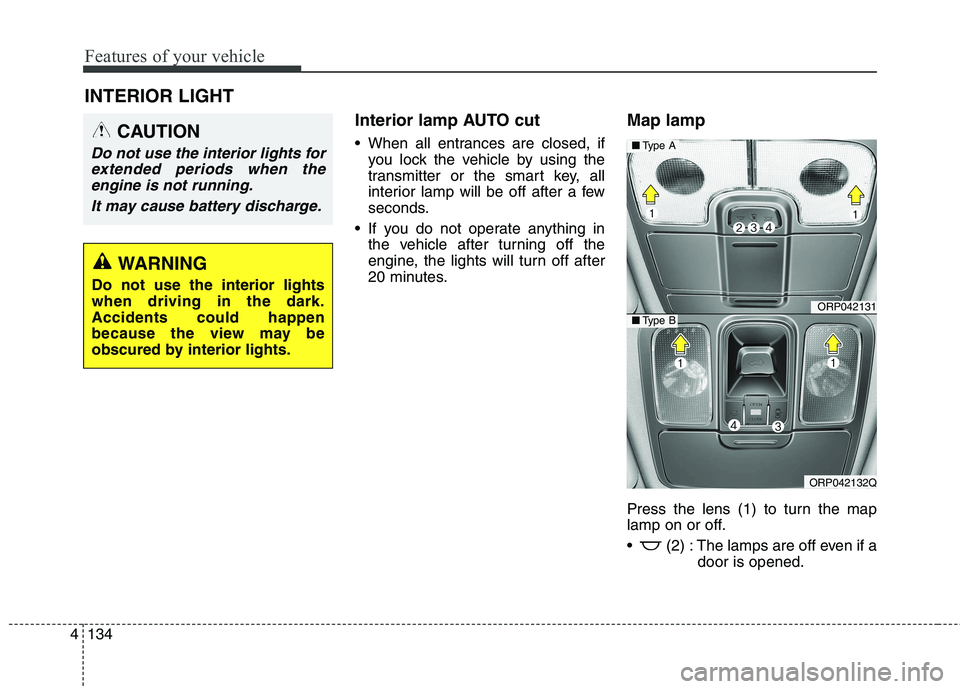
Press the lens (1) to turn the map
lamp on or off.
(2) : The lamps are off even if a
door is opened.
INTERIOR LIGHT
CAUTION
Do not use the interior lights for
extended periods when theengine is not running.
It may cause battery discharge.
WARNING
Do not use the interior lights when driving in the dark.Accidents could happen
because the view may be
obscured by interior lights.
ORP042131
ORP042132Q
■ Type A
■Type B
Page 264 of 723
Features of your vehicle
168
4
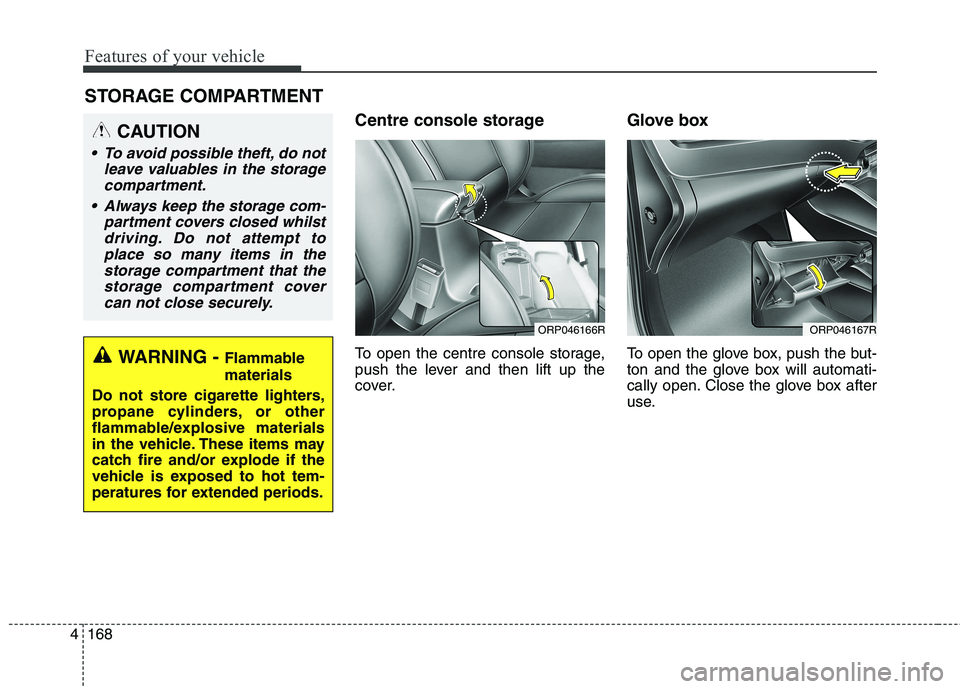
Centre console storage
To open the centre console storage,
push the lever and then lift up the
cover. Glove box
To open the glove box, push the but-
ton and the glove box will automati-
cally open. Close the glove box after
use.
STORAGE COMPARTMENT
WARNING -
Flammable materials
Do not store cigarette lighters,
propane cylinders, or other
flammable/explosive materials
in the vehicle. These items may
catch fire and/or explode if the
vehicle is exposed to hot tem-
peratures for extended periods.
CAUTION
To avoid possible theft, do not leave valuables in the storagecompartment.
Always keep the storage com- partment covers closed whilstdriving. Do not attempt toplace so many items in the storage compartment that thestorage compartment covercan not close securely.
ORP046166RORP046167R
Page 268 of 723
Features of your vehicle
172
4
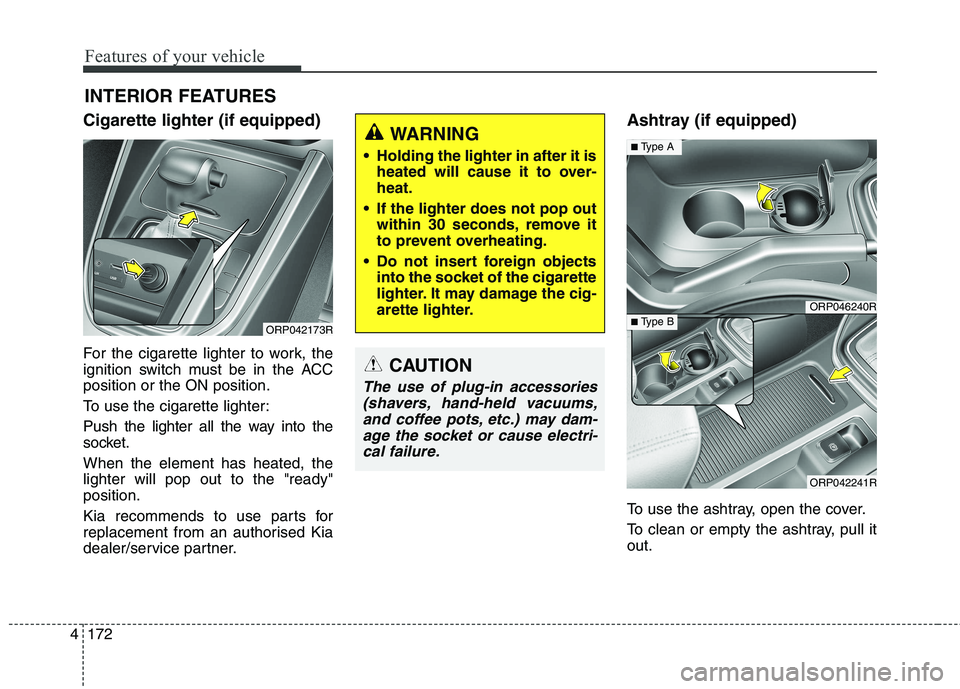
Cigarette lighter (if equipped)
For the cigarette lighter to work, the
ignition switch must be in the ACCposition or the ON position.
To use the cigarette lighter:
Push the lighter all the way into the
socket. When the element has heated, the lighter will pop out to the "ready"position.
Kia recommends to use parts for
replacement from an authorised Kia
dealer/service partner. Ashtray (if equipped)
To use the ashtray, open the cover.
To clean or empty the ashtray, pull it out.
INTERIOR FEATURES
ORP042173R
CAUTION
The use of plug-in accessories
(shavers, hand-held vacuums,and coffee pots, etc.) may dam- age the socket or cause electri-cal failure.
WARNING
Holding the lighter in after it is heated will cause it to over- heat.
If the lighter does not pop out within 30 seconds, remove it
to prevent overheating.
Do not insert foreign objects into the socket of the cigarette
lighter. It may damage the cig-
arette lighter.
ORP046240R
ORP042241R
■Type A
■ Type B