air condition KIA CEED 2013 Owners Manual
[x] Cancel search | Manufacturer: KIA, Model Year: 2013, Model line: CEED, Model: KIA CEED 2013Pages: 1168, PDF Size: 48.01 MB
Page 811 of 1168
Features of your vehicle
148
4
For maximum defrosting, set the tem-
perature control to the hottest position
and the fan speed control to the high-est speed.
If warm air to the floor is desired whilst defrosting or defogging, set the modeto the floor-defrost position.
Before driving, clear all snow and ice from the windscreen, rear window, out-
side rear view mirrors, and all side win-
dows.
Clear all snow and ice from the bonnet and air inlet in the cowl grill to improveheater and defroster efficiency and to
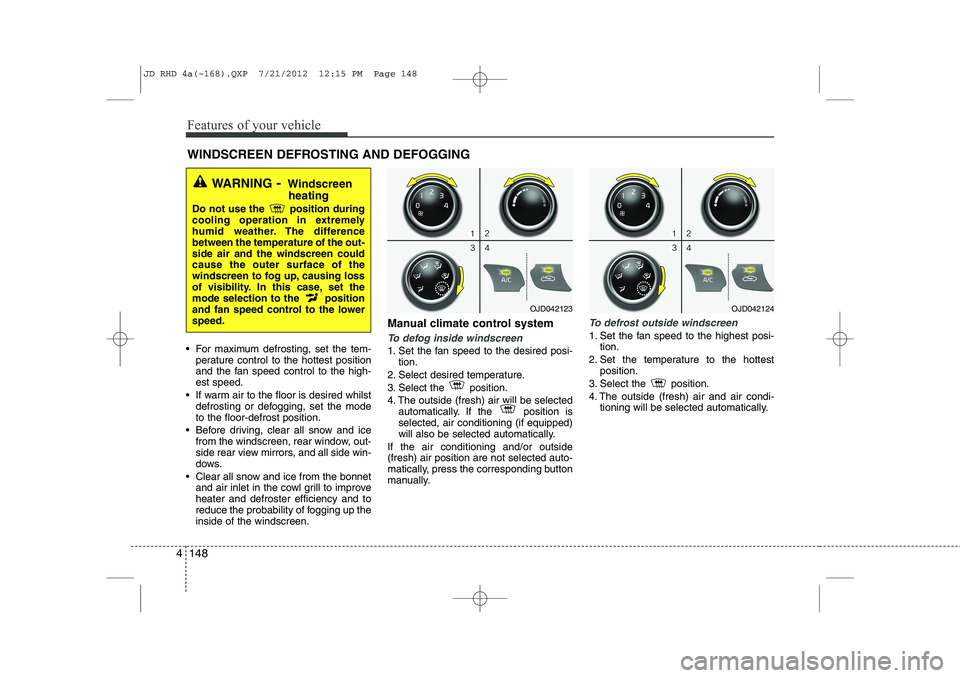
reduce the probability of fogging up theinside of the windscreen. Manual climate control systemTo defog inside windscreen
1. Set the fan speed to the desired posi-
tion.
2. Select desired temperature.
3. Select the position.
4. The outside (fresh) air will be selected automatically. If the position is selected, air conditioning (if equipped)
will also be selected automatically.
If the air conditioning and/or outside(fresh) air position are not selected auto-
matically, press the corresponding button
manually.
To defrost outside windscreen
1. Set the fan speed to the highest posi- tion.
2. Set the temperature to the hottest position.
3. Select the position.
4. The outside (fresh) air and air condi- tioning will be selected automatically.
WINDSCREEN DEFROSTING AND DEFOGGING
WARNING - Windscreen
heating
Do not use the position during
cooling operation in extremely
humid weather. The differencebetween the temperature of the out-side air and the windscreen couldcause the outer surface of the
windscreen to fog up, causing loss
of visibility. In this case, set the
mode selection to the position
and fan speed control to the lowerspeed.
OJD042123OJD042124
JD RHD 4a(~168).QXP 7/21/2012 12:15 PM Page 148
Page 812 of 1168
4 149
Features of your vehicle
Automatic climate control system
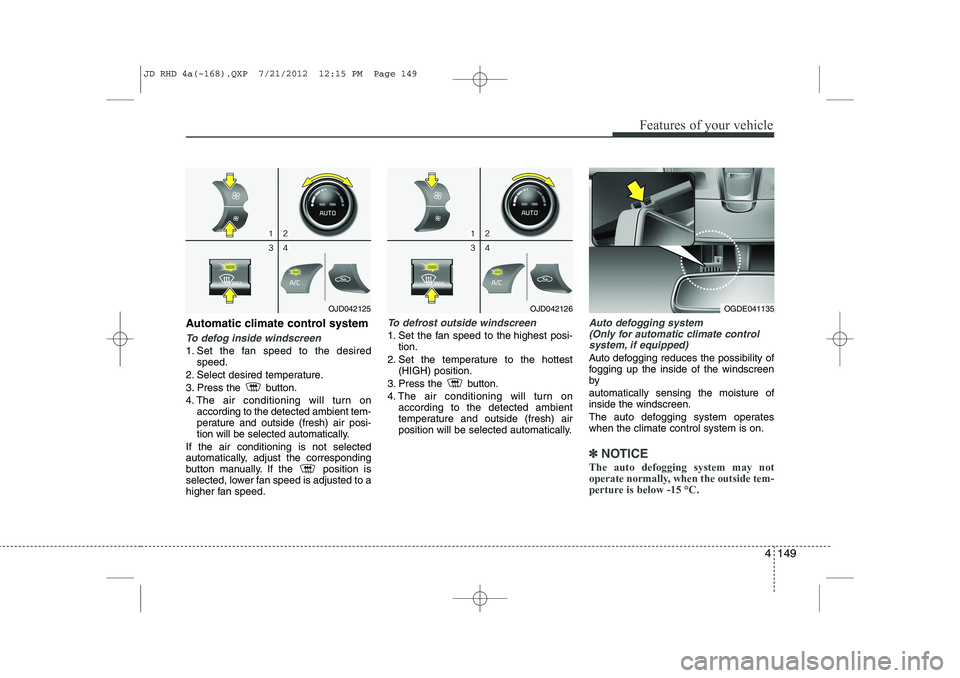
To defog inside windscreen
1. Set the fan speed to the desiredspeed.
2. Select desired temperature.
3. Press the button.
4. The air conditioning will turn on according to the detected ambient tem-
perature and outside (fresh) air posi-
tion will be selected automatically.
If the air conditioning is not selected
automatically, adjust the corresponding
button manually. If the position is
selected, lower fan speed is adjusted to a
higher fan speed.
To defrost outside windscreen
1. Set the fan speed to the highest posi- tion.
2. Set the temperature to the hottest (HIGH) position.
3. Press the button.
4. The air conditioning will turn on according to the detected ambient
temperature and outside (fresh) air
position will be selected automatically.
Auto defogging system
(Only for automatic climate control
system, if equipped)
Auto defogging reduces the possibility of
fogging up the inside of the windscreenby automatically sensing the moisture of inside the windscreen.
The auto defogging system operates when the climate control system is on.
✽✽ NOTICE
The auto defogging system may not
operate normally, when the outside tem-
perture is below -15 °C.
OJD042125OJD042126OGDE041135
JD RHD 4a(~168).QXP 7/21/2012 12:15 PM Page 149
Page 813 of 1168
Features of your vehicle
150
4
This indicator illuminates
when the auto defoggingsystem senses the moistureof inside the windscreen and
operates.
If more moisture is in the vehicle, higher
steps operate as follow.
Step 1 : Operating the air conditioning
Step 2 : Outside air position
Step 3 : Blowing air flow toward the wind- screen
Step 4 : Increasing air flow toward the windscreen
If your vehicle is equipped with the auto
defogging system, it is automatically acti-
vated when the conditions are met.
However, if you would like to cancel the
auto defogging system, press the front
defroster button 4 times within 2 seconds
whilst pressing the AUTO button. The
indicator will blink 3 times to notify you
that the system is cancelled. To use the
auto defogging system again, follow the
procedures mentioned above.
If the battery has been disconnected or
discharged, it resets to the auto defog-
ging status.✽✽ NOTICE
If the A/C off is manually selected whilst the auto defogging system is on, the auto
defogging indicator will blink 3 times to
give notice that the A/C off can not beselected.
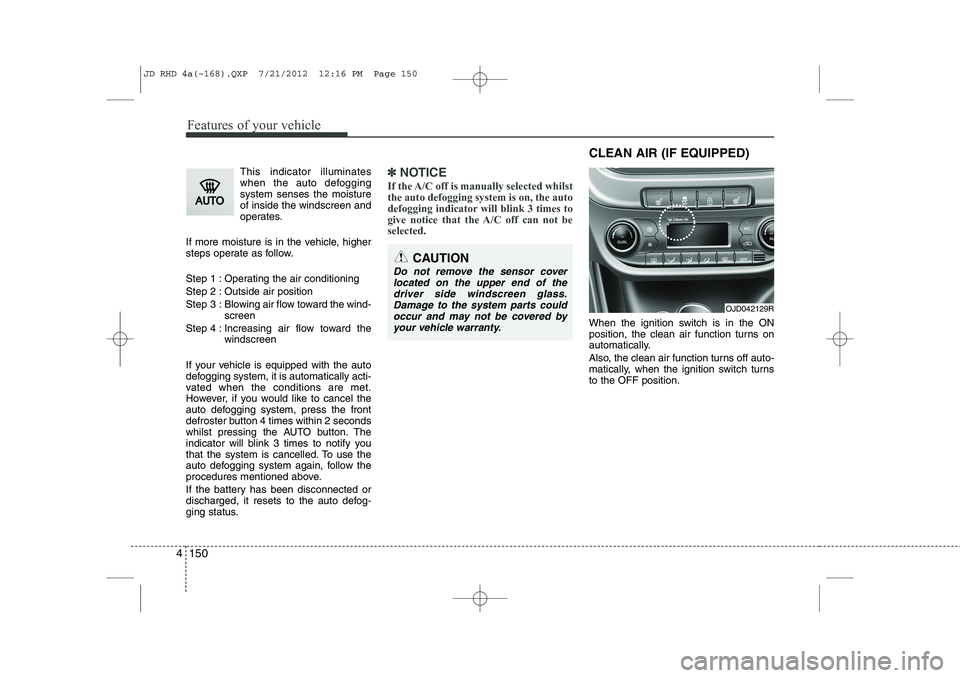
When the ignition switch is in the ON
position, the clean air function turns on
automatically.
Also, the clean air function turns off auto-
matically, when the ignition switch turnsto the OFF position.
CAUTION
Do not remove the sensor cover located on the upper end of thedriver side windscreen glass.Damage to the system parts could occur and may not be covered by
your vehicle warranty.
OJD042129R
CLEAN AIR (IF EQUIPPED)
JD RHD 4a(~168).QXP 7/21/2012 12:16 PM Page 150
Page 815 of 1168
Features of your vehicle
152
4
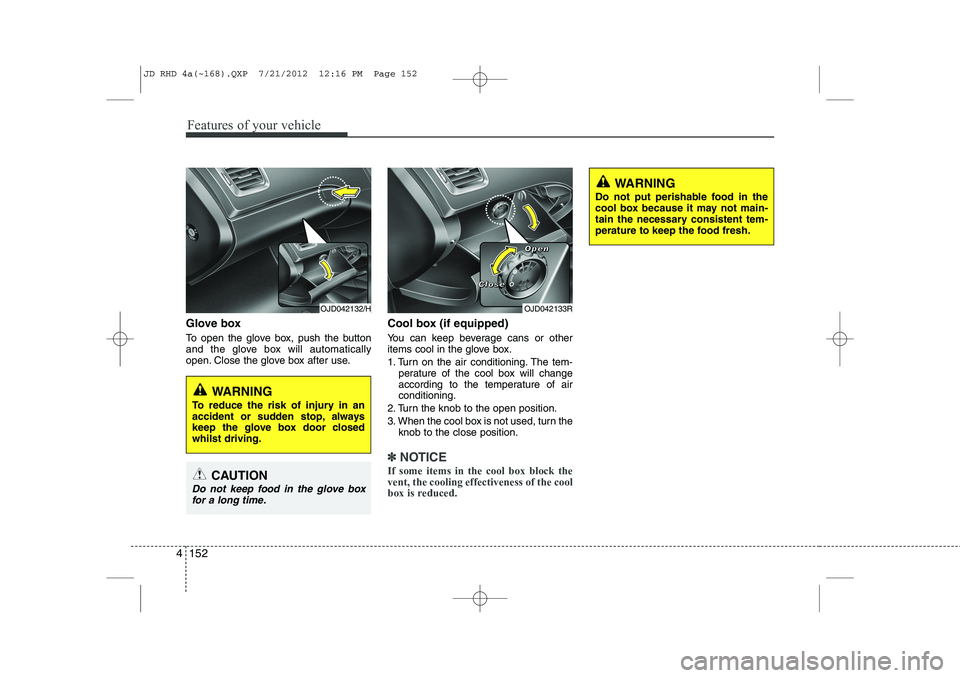
Glove box
To open the glove box, push the button
and the glove box will automatically
open. Close the glove box after use. Cool box (if equipped)
You can keep beverage cans or other
items cool in the glove box.
1. Turn on the air conditioning. The tem-
perature of the cool box will change
according to the temperature of airconditioning.
2. Turn the knob to the open position.
3. When the cool box is not used, turn the knob to the close position.
✽✽ NOTICE
If some items in the cool box block the vent, the cooling effectiveness of the cool
box is reduced.
OJD042133R
WARNING
Do not put perishable food in the
cool box because it may not main-
tain the necessary consistent tem-
perature to keep the food fresh.
OJD042132/H
WARNING
To reduce the risk of injury in an
accident or sudden stop, always
keep the glove box door closedwhilst driving.
CAUTION
Do not keep food in the glove box for a long time.
CCCClllloooosssseeee
OOOOppppeeeennnn
JD RHD 4a(~168).QXP 7/21/2012 12:16 PM Page 152
Page 821 of 1168
Features of your vehicle
158
4
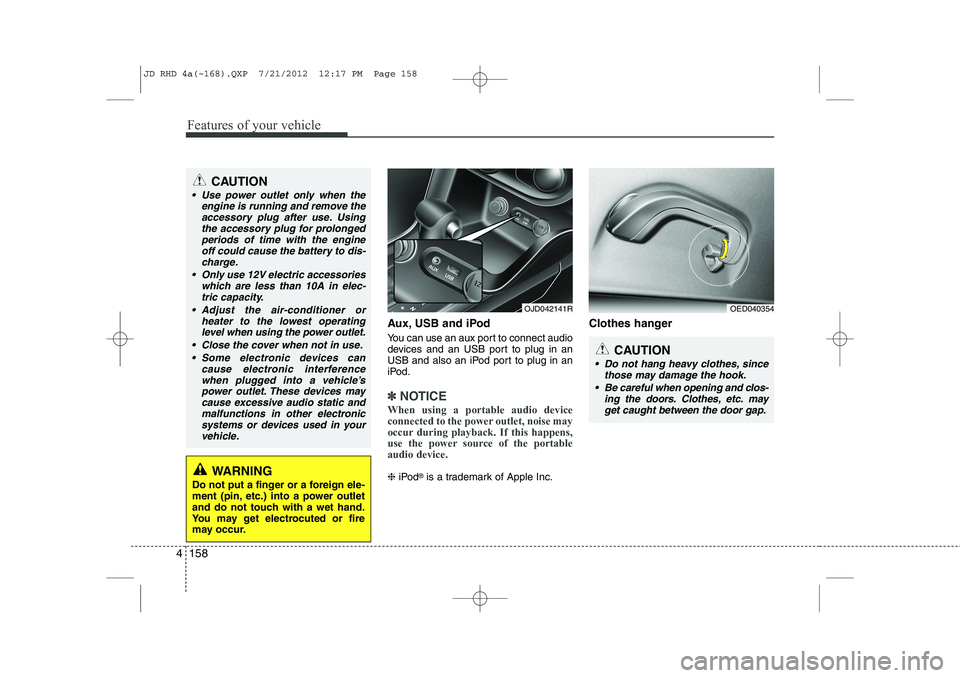
Aux, USB and iPod
You can use an aux port to connect audio
devices and an USB port to plug in an
USB and also an iPod port to plug in an
iPod.
✽✽
NOTICE
When using a portable audio device
connected to the power outlet, noise may
occur during playback. If this happens,
use the power source of the portableaudio device.
❈ iPod ®
is a trademark of Apple Inc. Clothes hanger
OED040354
CAUTION
Do not hang heavy clothes, since
those may damage the hook.
Be careful when opening and clos- ing the doors. Clothes, etc. mayget caught between the door gap.
OJD042141R
WARNING
Do not put a finger or a foreign ele-
ment (pin, etc.) into a power outlet
and do not touch with a wet hand.
You may get electrocuted or fire
may occur.
CAUTION
Use power outlet only when the engine is running and remove the
accessory plug after use. Usingthe accessory plug for prolongedperiods of time with the engine off could cause the battery to dis-
charge.
Only use 12V electric accessories which are less than 10A in elec-tric capacity.
Adjust the air-conditioner or heater to the lowest operatinglevel when using the power outlet.
Close the cover when not in use. Some electronic devices can cause electronic interference
when plugged into a vehicle’spower outlet. These devices maycause excessive audio static and malfunctions in other electronic
systems or devices used in yourvehicle.
JD RHD 4a(~168).QXP 7/21/2012 12:17 PM Page 158
Page 836 of 1168
4 173
Features of your vehicle
CAUTION
Operating the device whilst driv-ing could lead to accidents due to
a lack of attention to external sur- roundings. First park the vehiclebefore operating the device.
Adjust the volume to levels that allow the driver to hear soundsfrom outside of the vehicle. Driving in a state where external sounds cannot be heard may lead
to accidents.
Pay attention to the volume set- ting when turning the device on.A sudden output of extreme vol-
ume upon turning the device oncould lead to hearing impairment. (Adjust the volume to a suitablelevels before turning off the
device.)
If you want to change the position of device installation, pleaseinquire with your place of pur-chase or service maintenance
centre. Technical expertise isrequired to install or disassemble the device.
(Continued)
WARNING
Do not stare at the screen whilstdriving. Staring at the screen for
prolonged periods of time couldlead to traffic accidents.
Do not disassemble, assemble, or modify the audio system. Such
acts could result in accidents, fire, or electric shock.
Using the phone whilst driving may lead to a lack of attention of trafficconditions and increase the likeli-
bonnet of accidents. Use the phone feature after parking thevehicle.
Heed caution not to spill water or introduce foreign objects into thedevice. Such acts could lead tosmoke, fire, or product malfunc-tion.
Please refrain from use if the screen is blank or no sound canbe heard as these signs may indi-cate product malfunction.Continued use in such conditions
could lead to accidents(fires,electric shock) or product mal-functions.
(Continued)
(Continued) Do not touch the antenna during thunder or lightening as suchacts may lead to lightninginduced electric shock.
Do not stop or park in parking- restricted areas to operate theproduct. Such acts could lead to traffic accidents.
Use the system with the vehicle ignition turned on. Prolonged usewith the ignition turned off could result in battery discharge.
JD RHD 4b(169~).QXP 7/21/2012 1:00 PM Page 173
Page 942 of 1168
517
Driving your vehicle
Auto start
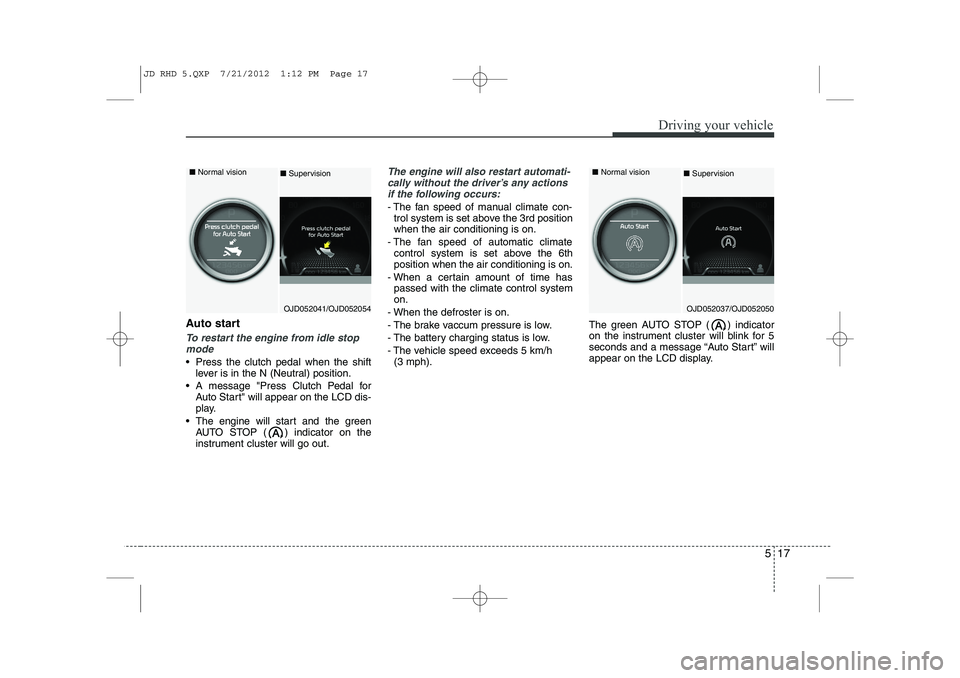
To restart the engine from idle stopmode
Press the clutch pedal when the shift lever is in the N (Neutral) position.
A message "Press Clutch Pedal for Auto Start" will appear on the LCD dis-
play.
The engine will start and the green AUTO STOP ( ) indicator on the
instrument cluster will go out.
The engine will also restart automati-
cally without the driver’s any actions if the following occurs:
- The fan speed of manual climate con- trol system is set above the 3rd position when the air conditioning is on.
- The fan speed of automatic climate control system is set above the 6thposition when the air conditioning is on.
- When a certain amount of time has passed with the climate control systemon.
- When the defroster is on.
- The brake vaccum pressure is low.
- The battery charging status is low.
- The vehicle speed exceeds 5 km/h (3 mph). The green AUTO STOP ( ) indicator
on the instrument cluster will blink for 5
seconds and a message “Auto Start” will
appear on the LCD display.
OJD052041/OJD052054
■
Normal vision
■Supervision
OJD052037/OJD052050
■
Normal vision
■ Supervision
JD RHD 5.QXP 7/21/2012 1:12 PM Page 17
Page 957 of 1168
Driving your vehicle
32
5
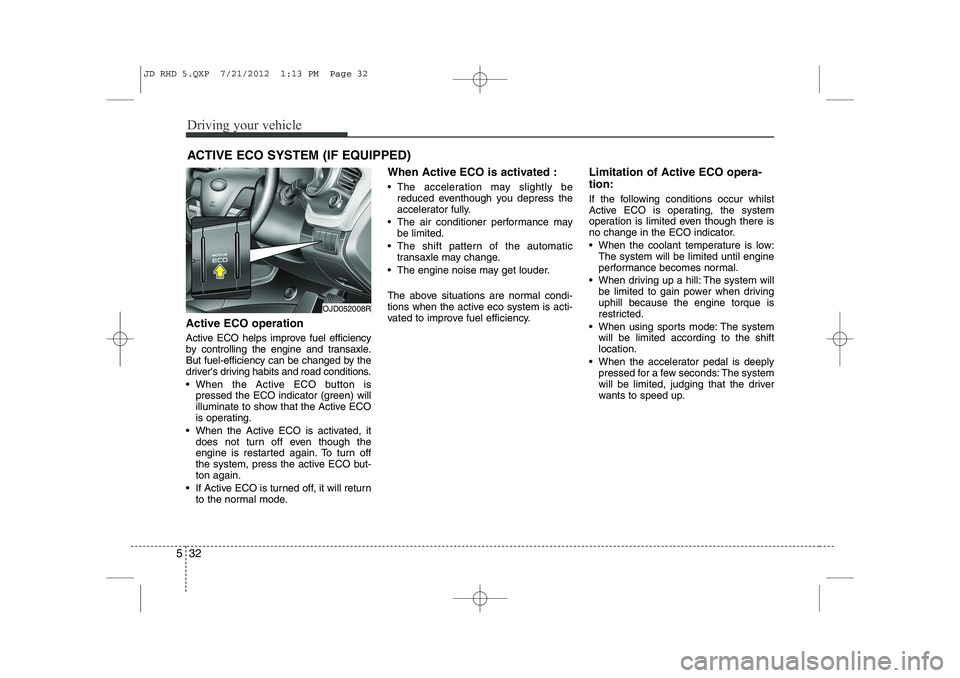
Active ECO operation
Active ECO helps improve fuel efficiency
by controlling the engine and transaxle.
But fuel-efficiency can be changed by the
driver's driving habits and road conditions.
When the Active ECO button is
pressed the ECO indicator (green) will
illuminate to show that the Active ECO
is operating.
When the Active ECO is activated, it does not turn off even though the
engine is restarted again. To turn off
the system, press the active ECO but-ton again.
If Active ECO is turned off, it will return to the normal mode. When Active ECO is activated :
The acceleration may slightly be
reduced eventhough you depress the
accelerator fully.
The air conditioner performance may be limited.
The shift pattern of the automatic transaxle may change.
The engine noise may get louder.
The above situations are normal condi-
tions when the active eco system is acti-
vated to improve fuel efficiency. Limitation of Active ECO opera- tion:
If the following conditions occur whilst
Active ECO is operating, the system
operation is limited even though there is
no change in the ECO indicator.
When the coolant temperature is low:
The system will be limited until engine
performance becomes normal.
When driving up a hill: The system will be limited to gain power when drivinguphill because the engine torque is
restricted.
When using sports mode: The system will be limited according to the shiftlocation.
When the accelerator pedal is deeply pressed for a few seconds: The system
will be limited, judging that the driver
wants to speed up.
ACTIVE ECO SYSTEM (IF EQUIPPED)
OJD052008R
JD RHD 5.QXP 7/21/2012 1:13 PM Page 32
Page 987 of 1168
Driving your vehicle
62
5
ECONOMICAL OPERATION
Your vehicle's fuel economy depends
mainly on your style of driving, where you
drive and when you drive.
Each of these factors affects how many
kilometers (miles) you can get from a
litre (gallon) of fuel. To operate your vehi-
cle as economically as possible, use the
following driving suggestions to help
save money in both fuel and repairs:
Drive smoothly. Accelerate at a moder- ate rate. Do not make "jack-rabbit"
starts or full-throttle shifts and maintain
a steady cruising speed. Do not race
between stoplights. Try to adjust your
speed to the traffic so you do not have
to change speeds unnecessarily. Avoid
heavy traffic whenever possible.
Always maintain a safe distance from
other vehicles so you can avoid unnec-
essary braking. This also reduces
brake wear.
Drive at a moderate speed. The faster you drive, the more fuel your vehicle
uses. Driving at a moderate speed,
especially on the highway, is one of the
most effective ways to reduce fuel con-sumption. Do not "ride" the brake or clutch pedal.
This can increase fuel consumption
and also increase wear on these com-
ponents. In addition, driving with your
foot resting on the brake pedal may
cause the brakes to overheat, which
reduces their effectiveness and may
lead to more serious consequences.
Take care of your tyres. Keep them inflated to the recommended pressure.
Incorrect inflation, either too much or
too little, results in unnecessary tyre
wear. Check the tyre pressures at leastonce a month.
Be sure that the wheels are aligned correctly. Improper alignment can
result from hitting curbs or driving too
fast over irregular surfaces. Poor align-
ment causes faster tyre wear and may
also result in other problems as well as
greater fuel consumption. Keep your vehicle in good condition.
For better fuel economy and reduced
maintenance costs, maintain your vehi-cle in accordance with the mainte-
nance schedule. If you drive your vehi-
cle in severe conditions, more frequentmaintenance is required.
Keep your vehicle clean. For maximum service, your vehicle should be kept
clean and free of corrosive materials. It
is especially important that mud, dirt,
ice, etc. not be allowed to accumulate
on the underside of the vehicle. This
extra weight can result in increased
fuel consumption and also contributeto corrosion.
Travel lightly. Do not carry unnecessary weight in your vehicle. Weight reduces
fuel economy.
Do not let the engine idle longer than necessary. If you are waiting (and not
in traffic), turn off your engine and
restart only when you're ready to go.
JD RHD 5.QXP 7/21/2012 1:15 PM Page 62
Page 988 of 1168
563
Driving your vehicle
Remember, your vehicle does notrequire extended warm-up. After the
engine has started, allow the engine to
run for 10 to 20 seconds prior to plac-
ing the vehicle in gear. In very cold
weather, however, give your engine a
slightly longer warm-up period.
Do not "lug" or "over-rev" the engine. Lugging is driving too slowly in too
high a gear resulting engine bucking. If
this happens, shift to a lower gear.
Over-revving is racing the engine
beyond its safe limit. This can be avoid-
ed by shifting at the recommended
speeds.
Use your air conditioning sparingly. The air conditioning system is operat-
ed by engine power so your fuel econ-
omy is reduced when you use it.
Open windows at high speeds can reduce fuel economy.
Fuel economy is less in crosswinds and headwinds. To help offset some of
this loss, slow down when driving in
these conditions. Keeping a vehicle in good operating con-
dition is important both for economy and
safety. We recommend in general that the
vehicle be serviced by an authorised Kia
dealer.
WARNING
- Engine off dur-
ing motion
Never turn the engine off to coast
down hills or anytime the vehicle is
in motion. The power steering and
power brakes will not function
properly without the engine run-
ning. Instead, keep the engine on
and downshift to an appropriate
gear for engine braking effect. In
addition, turning off the ignition
whilst driving could engage the
steering wheel lock (if equipped)
resulting in loss of vehicle steering
which could cause serious injuryor death.
JD RHD 5.QXP 7/21/2012 1:15 PM Page 63