warning KIA CEED 2013 Owners Manual
[x] Cancel search | Manufacturer: KIA, Model Year: 2013, Model line: CEED, Model: KIA CEED 2013Pages: 1168, PDF Size: 48.01 MB
Page 763 of 1168
Features of your vehicle
100
4
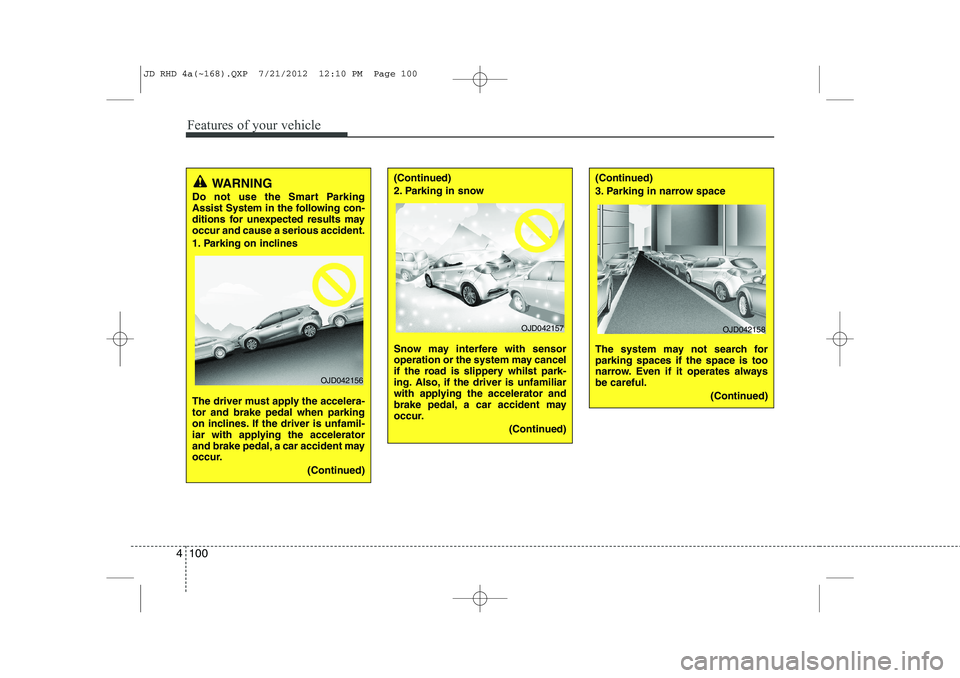
WARNING
Do not use the Smart Parking
Assist System in the following con-
ditions for unexpected results mayoccur and cause a serious accident.
1. Parking on inclines
The driver must apply the accelera- tor and brake pedal when parking
on inclines. If the driver is unfamil-
iar with applying the accelerator
and brake pedal, a car accident may
occur.
(Continued)
OJD042156
(Continued)
2. Parking in snow
Snow may interfere with sensor
operation or the system may cancel
if the road is slippery whilst park-
ing. Also, if the driver is unfamiliar
with applying the accelerator and
brake pedal, a car accident may
occur.(Continued)(Continued)
3. Parking in narrow space
The system may not search for parking spaces if the space is too
narrow. Even if it operates alwaysbe careful.(Continued)
OJD042157OJD042158
JD RHD 4a(~168).QXP 7/21/2012 12:10 PM Page 100
Page 766 of 1168
4 103
Features of your vehicle
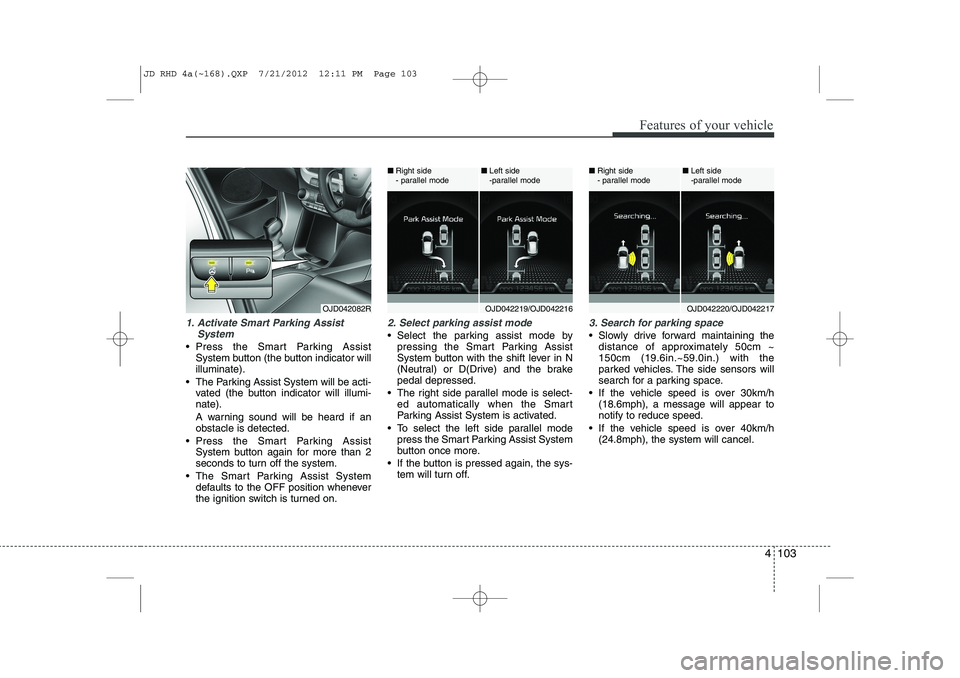
1. Activate Smart Parking AssistSystem
Press the Smart Parking AssistSystem button (the button indicator will illuminate).
The Parking Assist System will be acti- vated (the button indicator will illumi-nate).
A warning sound will be heard if an obstacle is detected.
Press the Smart Parking Assist System button again for more than 2
seconds to turn off the system.
The Smart Parking Assist System defaults to the OFF position whenever
the ignition switch is turned on.
2. Select parking assist mode
Select the parking assist mode bypressing the Smart Parking Assist
System button with the shift lever in N
(Neutral) or D(Drive) and the brakepedal depressed.
The right side parallel mode is select- ed automatically when the Smart
Parking Assist System is activated.
To select the left side parallel mode press the Smart Parking Assist System
button once more.
If the button is pressed again, the sys- tem will turn off.
3. Search for parking space
Slowly drive forward maintaining thedistance of approximately 50cm ~ 150cm (19.6in.~59.0in.) with the
parked vehicles. The side sensors will
search for a parking space.
If the vehicle speed is over 30km/h (18.6mph), a message will appear tonotify to reduce speed.
If the vehicle speed is over 40km/h (24.8mph), the system will cancel.
OJD042082ROJD042219/OJD042216
■
Right side
- parallel mode ■
Left side
-parallel modeOJD042220/OJD042217
■
Right side
- parallel mode ■
Left side
-parallel mode
JD RHD 4a(~168).QXP 7/21/2012 12:11 PM Page 103
Page 769 of 1168
Features of your vehicle
106
4
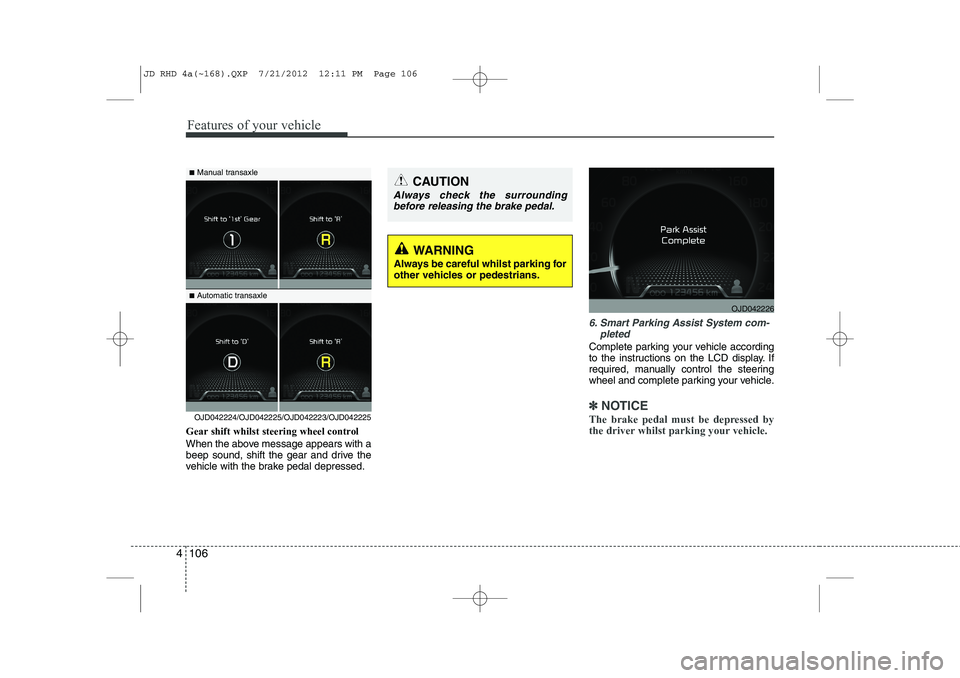
Gear shift whilst steering wheel control
When the above message appears with a
beep sound, shift the gear and drive the
vehicle with the brake pedal depressed.
6. Smart Parking Assist System com-
pleted
Complete parking your vehicle according
to the instructions on the LCD display. If
required, manually control the steering
wheel and complete parking your vehicle.
✽✽NOTICE
The brake pedal must be depressed by
the driver whilst parking your vehicle.OJD042224/OJD042225/OJD042223/OJD042225
WARNING
Always be careful whilst parking for
other vehicles or pedestrians.
■ Manual transaxle
■ Automatic transaxleCAUTION
Always check the surrounding
before releasing the brake pedal.
OJD042226
JD RHD 4a(~168).QXP 7/21/2012 12:11 PM Page 106
Page 770 of 1168
4 107
Features of your vehicle
The system may be cancelled in the below conditions:
Ignoring the gear shift message anddrive the vehicle approximately 150cm (59in).
The front and rear Parking Assist System warning sound (distance from
object is within 30cm: continuous
beep) is heard at the same time.
6 minutes have passed since the vehi- cle has been controlled by the Smart
Parking Assist System.
The shift lever is changed to the P (Park) or R (Reverse) position whilst
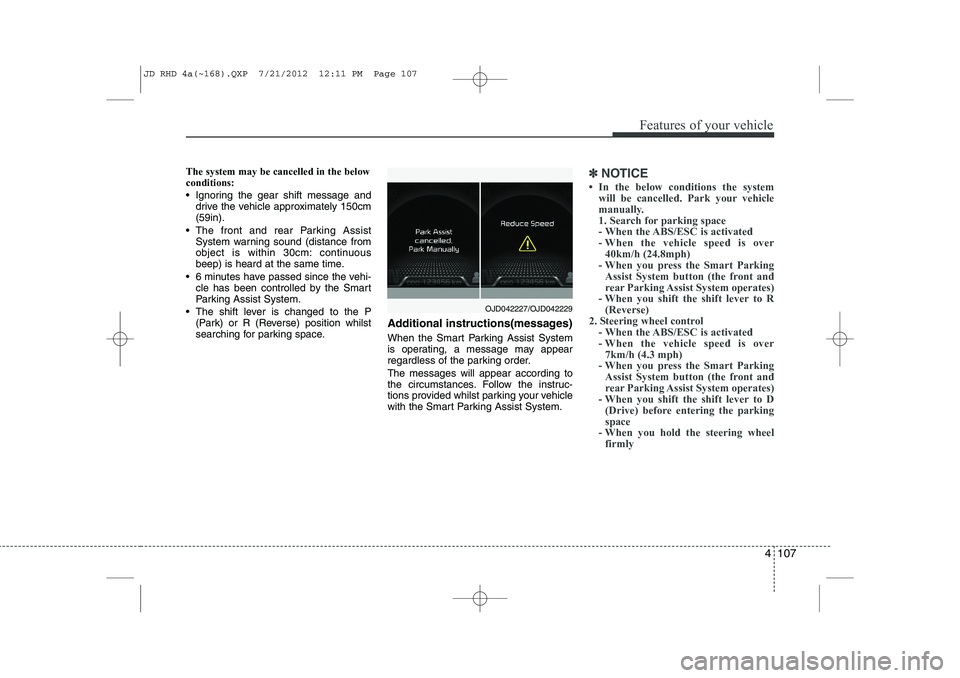
searching for parking space. Additional instructions(messages)
When the Smart Parking Assist System
is operating, a message may appear
regardless of the parking order. The messages will appear according to
the circumstances. Follow the instruc-
tions provided whilst parking your vehicle
with the Smart Parking Assist System.✽✽
NOTICE
Page 772 of 1168
4 109
Features of your vehicle
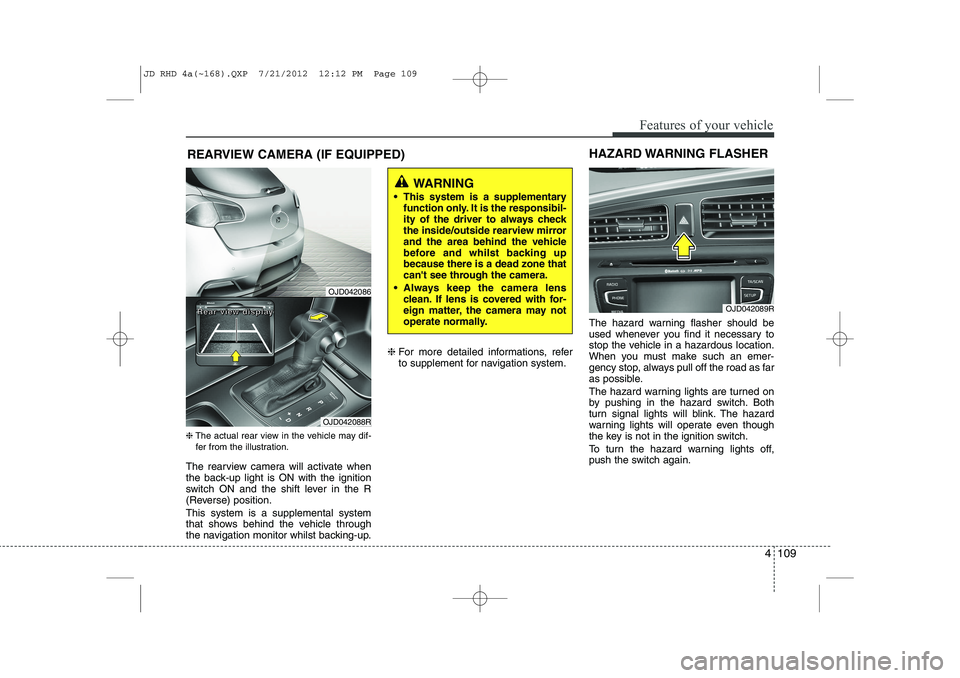
REARVIEW CAMERA (IF EQUIPPED)
❈ The actual rear view in the vehicle may dif-
fer from the illustration.
The rearview camera will activate when
the back-up light is ON with the ignition
switch ON and the shift lever in the R
(Reverse) position. This system is a supplemental system
that shows behind the vehicle through
the navigation monitor whilst backing-up. ❈
For more detailed informations, refer
to supplement for navigation system. The hazard warning flasher should be
used whenever you find it necessary to
stop the vehicle in a hazardous location.
When you must make such an emer-
gency stop, always pull off the road as far
as possible.
The hazard warning lights are turned on
by pushing in the hazard switch. Both
turn signal lights will blink. The hazard
warning lights will operate even though
the key is not in the ignition switch.
To turn the hazard warning lights off,
push the switch again.
OJD042089R
HAZARD WARNING FLASHER
WARNING
This system is a supplementary function only. It is the responsibil-
ity of the driver to always check
the inside/outside rearview mirror
and the area behind the vehicle
before and whilst backing upbecause there is a dead zone that
can't see through the camera.
Always keep the camera lens clean. If lens is covered with for-
eign matter, the camera may not
operate normally.
OJD042086
OJD042088R
RRRReeeeaaaarrrr vvvviiiieeeewwww ddddiiiissssppppllllaaaayyyy
JD RHD 4a(~168).QXP 7/21/2012 12:12 PM Page 109
Page 776 of 1168
4 113
Features of your vehicle
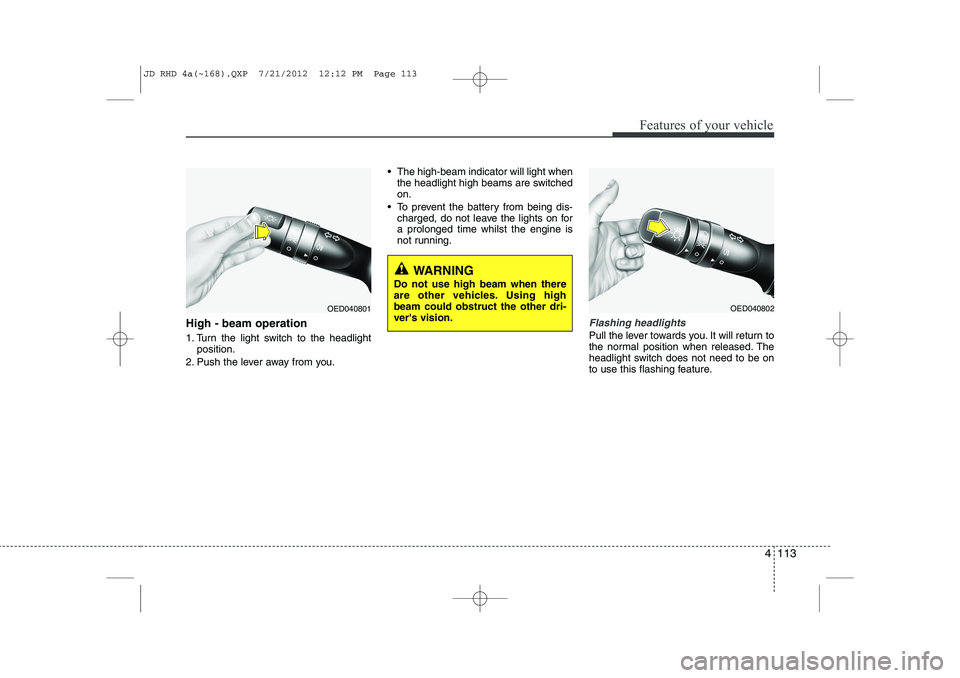
High - beam operation
1. Turn the light switch to the headlightposition.
2. Push the lever away from you. The high-beam indicator will light when
the headlight high beams are switched on.
To prevent the battery from being dis- charged, do not leave the lights on fora prolonged time whilst the engine is
not running.Flashing headlights
Pull the lever towards you. It will return to
the normal position when released. The
headlight switch does not need to be on
to use this flashing feature.
WARNING
Do not use high beam when there
are other vehicles. Using highbeam could obstruct the other dri-ver's vision.
OED040801OED040802
JD RHD 4a(~168).QXP 7/21/2012 12:12 PM Page 113
Page 779 of 1168
Features of your vehicle
116
4
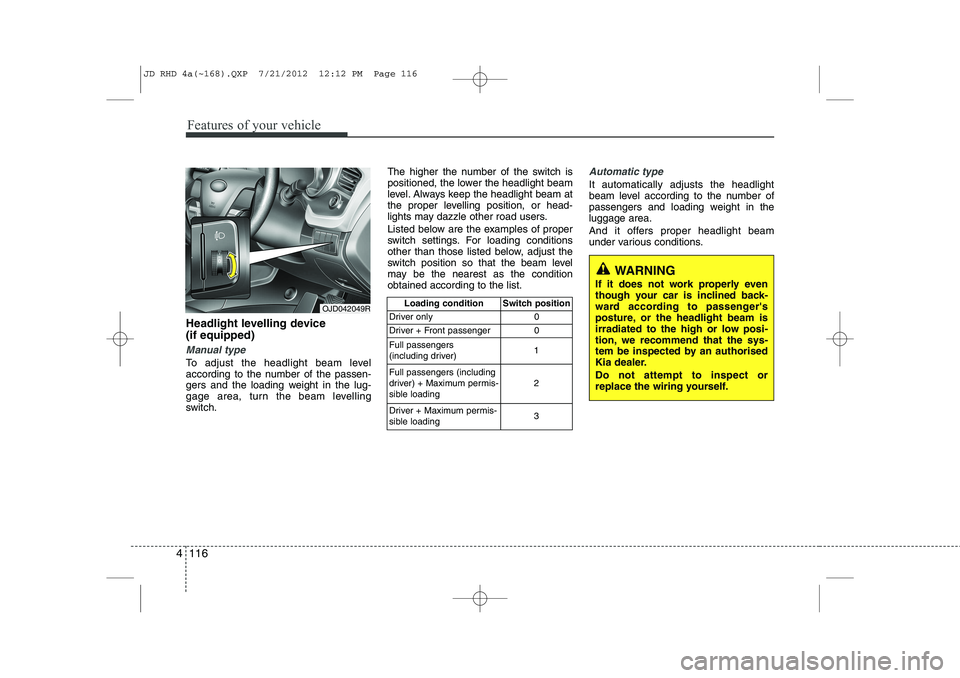
Headlight levelling device (if equipped)
Manual type
To adjust the headlight beam level
according to the number of the passen-
gers and the loading weight in the lug-
gage area, turn the beam levelling
switch. The higher the number of the switch is
positioned, the lower the headlight beam
level. Always keep the headlight beam at
the proper levelling position, or head-
lights may dazzle other road users.
Listed below are the examples of proper
switch settings. For loading conditions
other than those listed below, adjust the
switch position so that the beam level
may be the nearest as the conditionobtained according to the list.
Automatic type
It automatically adjusts the headlight
beam level according to the number of
passengers and loading weight in theluggage area.
And it offers proper headlight beam
under various conditions.
OJD042049R
Loading condition Switch position
Driver only 0
Driver + Front passenger 0 Full passengers
(including driver) 1
Full passengers (including
driver) + Maximum permis-
sible loading 2
Driver + Maximum permis-
sible loading 3
WARNING
If it does not work properly even
though your car is inclined back-
ward according to passenger's
posture, or the headlight beam is
irradiated to the high or low posi-
tion, we recommend that the sys-
tem be inspected by an authorised
Kia dealer. Do not attempt to inspect or
replace the wiring yourself.
JD RHD 4a(~168).QXP 7/21/2012 12:12 PM Page 116
Page 783 of 1168
Features of your vehicle
120
4
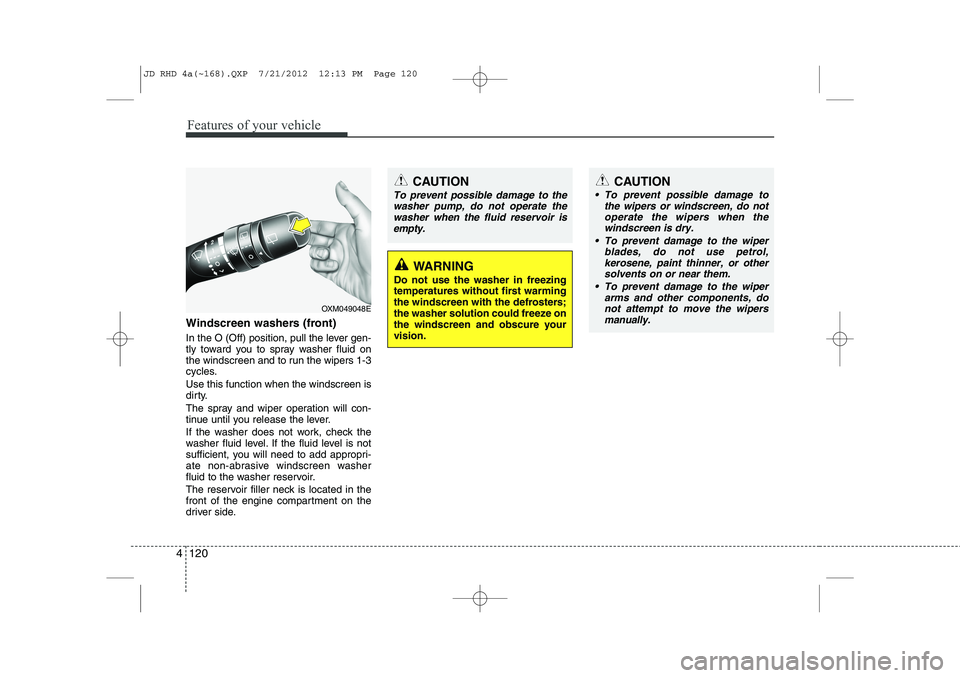
Windscreen washers (front)
In the O (Off) position, pull the lever gen-
tly toward you to spray washer fluid on
the windscreen and to run the wipers 1-3
cycles. Use this function when the windscreen is
dirty.
The spray and wiper operation will con-
tinue until you release the lever.
If the washer does not work, check the
washer fluid level. If the fluid level is not
sufficient, you will need to add appropri-
ate non-abrasive windscreen washer
fluid to the washer reservoir.
The reservoir filler neck is located in the
front of the engine compartment on the
driver side.
OXM049048E
WARNING
Do not use the washer in freezing
temperatures without first warming
the windscreen with the defrosters;
the washer solution could freeze on
the windscreen and obscure yourvision.
CAUTION
To prevent possible damage to the wipers or windscreen, do notoperate the wipers when the
windscreen is dry.
To prevent damage to the wiper blades, do not use petrol,
kerosene, paint thinner, or othersolvents on or near them.
To prevent damage to the wiper arms and other components, do
not attempt to move the wipersmanually.
CAUTION
To prevent possible damage to the
washer pump, do not operate the
washer when the fluid reservoir isempty.
JD RHD 4a(~168).QXP 7/21/2012 12:13 PM Page 120
Page 785 of 1168
Features of your vehicle
122
4
Interior lamp AUTO cut
When all entrances are closed, if you
lock the vehicle by using the transmit-
ter or the smart key, all interior lamp
will be off after a few seconds.
If you do not operate anything in the vehicle after turning off the engine, the
lights will turn off after 20 minutes. Map lamp
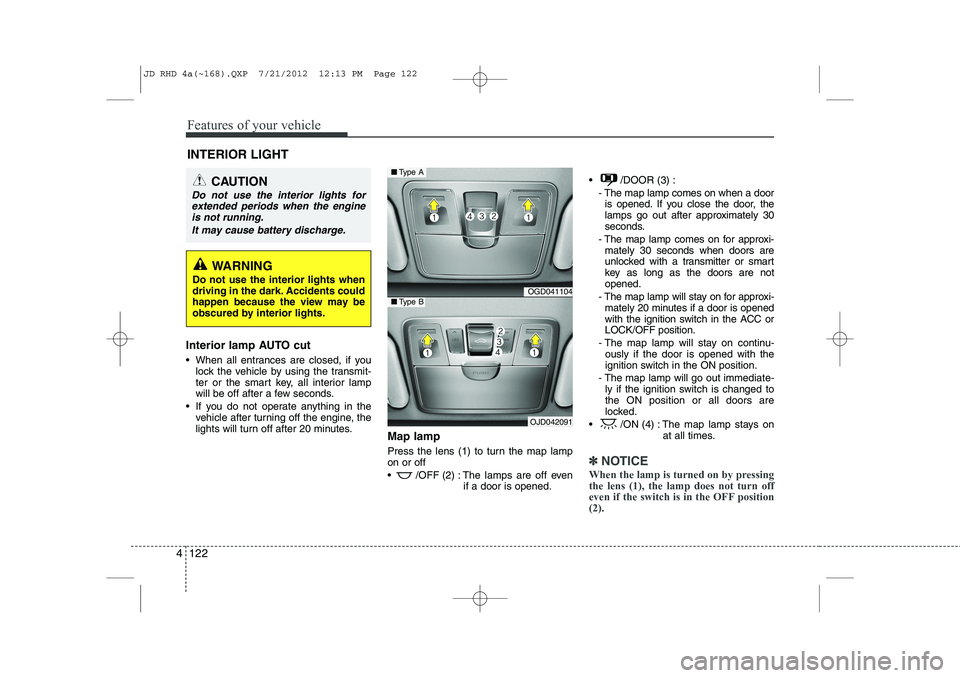
Press the lens (1) to turn the map lamp on or off
/OFF (2) : The lamps are off even
if a door is opened. /DOOR (3) :
- The map lamp comes on when a dooris opened. If you close the door, the
lamps go out after approximately 30
seconds.
- The map lamp comes on for approxi- mately 30 seconds when doors are
unlocked with a transmitter or smart
key as long as the doors are notopened.
- The map lamp will stay on for approxi- mately 20 minutes if a door is opened
with the ignition switch in the ACC orLOCK/OFF position.
- The map lamp will stay on continu- ously if the door is opened with the
ignition switch in the ON position.
- The map lamp will go out immediate- ly if the ignition switch is changed tothe ON position or all doors are
locked.
/ON (4) : The map lamp stays on at all times.
✽✽NOTICE
When the lamp is turned on by pressing the lens (1), the lamp does not turn off
even if the switch is in the OFF position(2).
INTERIOR LIGHT
CAUTION
Do not use the interior lights for extended periods when the engine
is not running.
It may cause battery discharge.
WARNING
Do not use the interior lights when
driving in the dark. Accidents could
happen because the view may be
obscured by interior lights.
OGD041104
OJD042091
■ Type A
■Type B
JD RHD 4a(~168).QXP 7/21/2012 12:13 PM Page 122
Page 794 of 1168
4 131
Features of your vehicle
Recirculated air position With the recirculated airposition selected, air from the passenger
compartment will be
drawn through the heat-ing system and heatedor cooled according to
the function selected.
Outside (fresh) air position With the outside (fresh)air position selected, air
enters the vehicle fromoutside and is heated orcooled according to thefunction selected.
✽✽ NOTICE
Prolonged operation of the heater in the
recirculated air position (without airconditioning selected) may cause fogging
of the windscreen and side windows and
the air within the passenger compart-ment may become stale.
In addition, prolonged use of the air con-
ditioning with the recirculated air posi-
tion selected will result in excessively dry
air in the passenger compartment.
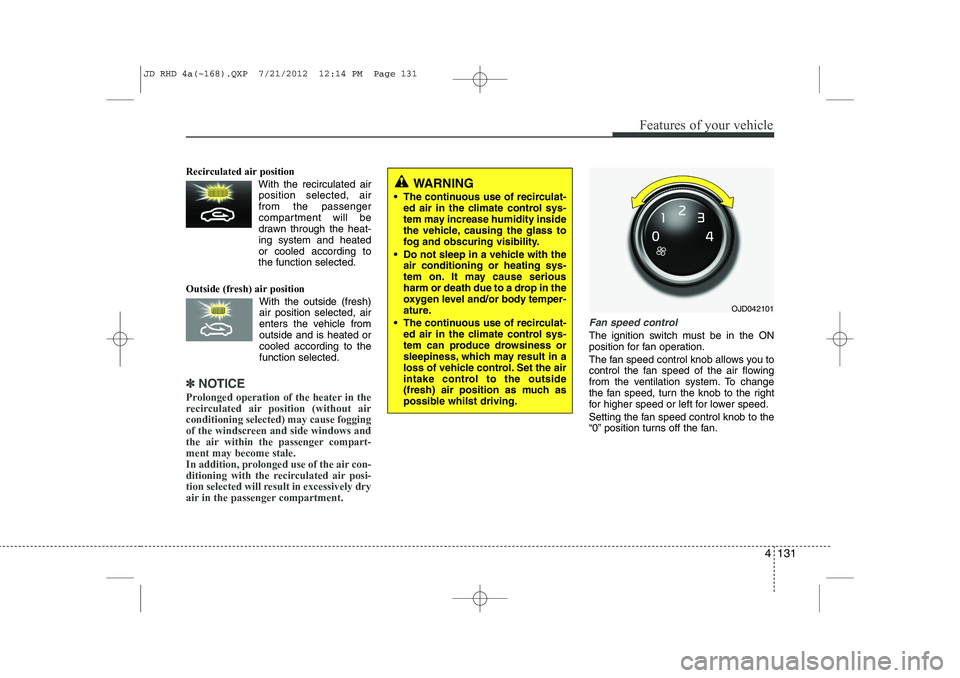
Fan speed control
The ignition switch must be in the ON
position for fan operation.
The fan speed control knob allows you to
control the fan speed of the air flowing
from the ventilation system. To change
the fan speed, turn the knob to the right
for higher speed or left for lower speed.
Setting the fan speed control knob to the
“0” position turns off the fan.
WARNING
The continuous use of recirculat- ed air in the climate control sys-
tem may increase humidity inside
the vehicle, causing the glass to
fog and obscuring visibility.
Do not sleep in a vehicle with the air conditioning or heating sys-
tem on. It may cause serious
harm or death due to a drop in the
oxygen level and/or body temper-
ature.
The continuous use of recirculat- ed air in the climate control sys-
tem can produce drowsiness or
sleepiness, which may result in a
loss of vehicle control. Set the air
intake control to the outside
(fresh) air position as much as
possible whilst driving.
OJD042101
JD RHD 4a(~168).QXP 7/21/2012 12:14 PM Page 131