cooling KIA CEED 2013 Owner's Guide
[x] Cancel search | Manufacturer: KIA, Model Year: 2013, Model line: CEED, Model: KIA CEED 2013Pages: 1168, PDF Size: 48.01 MB
Page 574 of 1168
I3
Index
Before driving . . . . . . . . . . . . . . . . . . . . . . . . . . . . . . . . 5-4
Bottle holders . . . . . . . . . . . . . . . . . . . . . . . . . . . . . . 4-156
Brake system . . . . . . . . . . . . . . . . . . . . . . . . . . . . . . . . 5-33
Anti-lock brake system (ABS) . . . . . . . . . . . . . . . . . 5-41
Electric parking brake . . . . . . . . . . . . . . . . . . . . . . . 5-37
Electronic stability control (ESC) . . . . . . . . . . . . . . 5-44
Emergency Stop Signal (ESS) . . . . . . . . . . . . . . . . . 5-48
Hill-start assist control (HAC) . . . . . . . . . . . . . . . . 5-48
Power brakes. . . . . . . . . . . . . . . . . . . . . . . . . . . . . . . 5-33
Parking brakes (Hand type) . . . . . . . . . . . . . . . . . . 5-33
Vehicle stability management . . . . . . . . . . . . . . . . . 5-47
Brakes/clutch fluid . . . . . . . . . . . . . . . . . . . . . . . . . . . 7-40
Bulb replacement . . . . . . . . . . . . . . . . . . . . . . . . . . . . 7-82
Bulb wattage . . . . . . . . . . . . . . . . . . . . . . . . . . . . . . . . . 8-4
Button start/stop, see engine start/stop button . . . . . 5-9
Calender. . . . . . . . . . . . . . . . . . . . . . . . . . . . . . . . . . . . 4-88
Camera (Rear view) . . . . . . . . . . . . . . . . . . . . . . . . . 4-109
Capacities (Lubricants) . . . . . . . . . . . . . . . . . . . . . . . . 8-6
Care Exterior care . . . . . . . . . . . . . . . . . . . . . . . . . . . . . . . 7-98
Interior care . . . . . . . . . . . . . . . . . . . . . . . . . . . . . . 7-103
Tire care. . . . . . . . . . . . . . . . . . . . . . . . . . . . . . . . . . . 7-53
Cargo area cover . . . . . . . . . . . . . . . . . . . . . . . . . . . . 4-160
Cargo security screen . . . . . . . . . . . . . . . . . . . . . . . . 4-163
Center console storage . . . . . . . . . . . . . . . . . . . . . . . 4-151 Central door lock switch . . . . . . . . . . . . . . . . . . . . . . 4-18
Certification label . . . . . . . . . . . . . . . . . . . . . . . . . . . . . 8-9 Chains
Tire chains . . . . . . . . . . . . . . . . . . . . . . . . . . . . . . . . . 5-68
Changing tires . . . . . . . . . . . . . . . . . . . . . . . . . . . . . . . 6-10
Checking tire inflation pressure . . . . . . . . . . . . . . . . 7-55
Child restraint system . . . . . . . . . . . . . . . . . . . . . . . . 3-29 ISOFIX system . . . . . . . . . . . . . . . . . . . . . . . . . . . . . 3-35
Seat belt . . . . . . . . . . . . . . . . . . . . . . . . . . . . . . . . . . . 3-31
Tether anchor system . . . . . . . . . . . . . . . . . . . . . . . . 3-34
Child-protector rear door lock . . . . . . . . . . . . . . . . . 4-21
Cigarette lighter . . . . . . . . . . . . . . . . . . . . . . . . . . . . 4-154
Clean air . . . . . . . . . . . . . . . . . . . . . . . . . . . . . . . . . . 4-150
Climate control air filter. . . . . . . . . . . . . 4-134, 146, 7-45
Clock . . . . . . . . . . . . . . . . . . . . . . . . . . . . . . . . . . . . . . 4-88
Clothes hanger . . . . . . . . . . . . . . . . . . . . . . . . . . . . . 4-158Combined instrument, see instrument cluster (Normal vision) . . . . . . . . . . . . . . . . . . . . . . . . . . . . . 4-46
Combined instrument, see instrument cluster (Super vision) . . . . . . . . . . . . . . . . . . . . . . . . . . . . . . 4-59
Compact spare tire . . . . . . . . . . . . . . . . . . . . . . . . . . . 6-15
Compact spare tire replacement . . . . . . . . . . . . . . . . 7-58
Cool box . . . . . . . . . . . . . . . . . . . . . . . . . . . . . . . . . . . 4-152
Coolant . . . . . . . . . . . . . . . . . . . . . . . . . . . . . . . . . . . . . 7-37
Cooling fluid, see engine coolant . . . . . . . . . . . . . . . . 7-37
Crankcase emission control system. . . . . . . . . . . . . 7-104
Cruise control system . . . . . . . . . . . . . . . . . . . . . . . . . 5-51
C
JD eng Index.qxp 7/21/2012 11:45 AM Page 3
Page 791 of 1168
Features of your vehicle
128
4
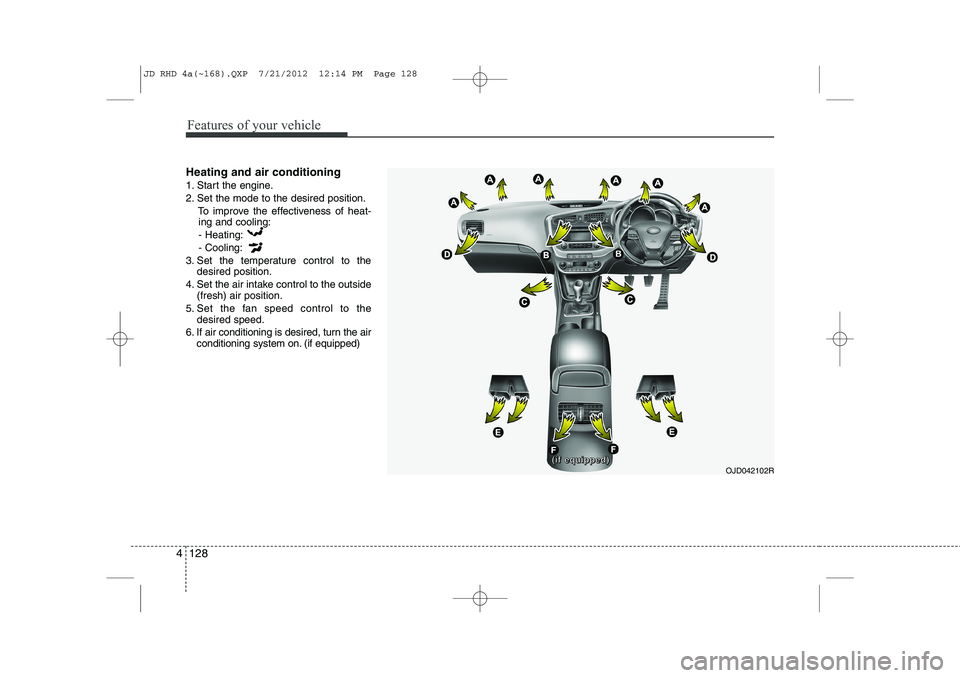
Heating and air conditioning
1. Start the engine.
2. Set the mode to the desired position.
To improve the effectiveness of heat-ing and cooling:
- Heating:- Cooling:
3. Set the temperature control to the desired position.
4. Set the air intake control to the outside (fresh) air position.
5. Set the fan speed control to the desired speed.
6. If air conditioning is desired, turn the air conditioning system on. (if equipped)
OJD042102R((((iiiiffff eeeeqqqquuuuiiiippppppppeeeedddd))))
JD RHD 4a(~168).QXP 7/21/2012 12:14 PM Page 128
Page 795 of 1168
Features of your vehicle
132
4
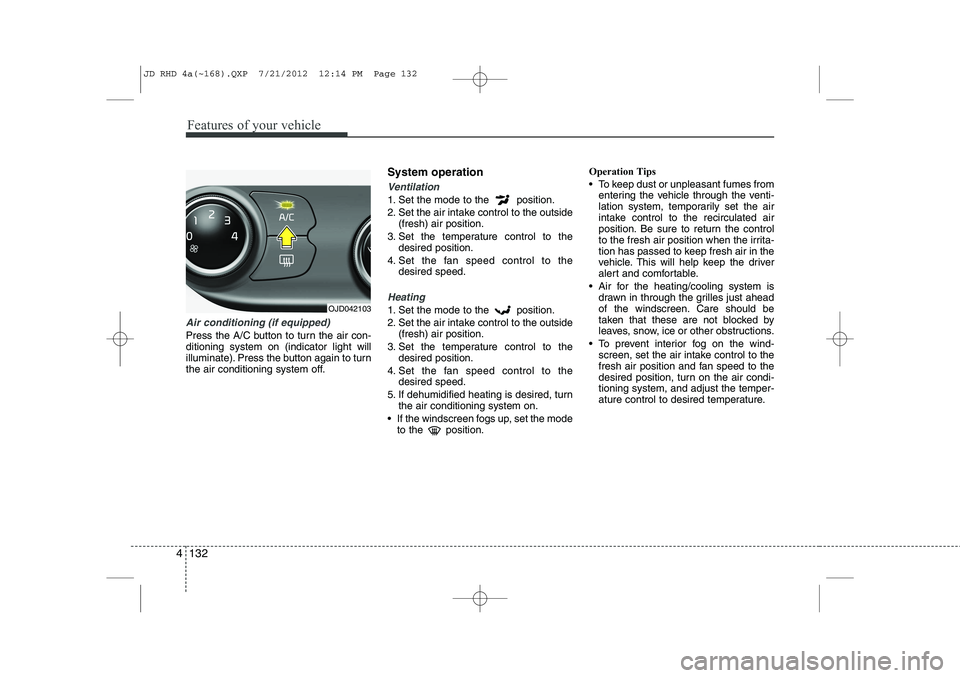
Air conditioning (if equipped)
Press the A/C button to turn the air con- ditioning system on (indicator light will
illuminate). Press the button again to turn
the air conditioning system off. System operation
Ventilation
1. Set the mode to the position.
2. Set the air intake control to the outside
(fresh) air position.
3. Set the temperature control to the desired position.
4. Set the fan speed control to the desired speed.
Heating
1. Set the mode to the position.
2. Set the air intake control to the outside(fresh) air position.
3. Set the temperature control to the desired position.
4. Set the fan speed control to the desired speed.
5. If dehumidified heating is desired, turn the air conditioning system on.
If the windscreen fogs up, set the mode to the position. Operation Tips
To keep dust or unpleasant fumes from
entering the vehicle through the venti-
lation system, temporarily set the air
intake control to the recirculated air
position. Be sure to return the control
to the fresh air position when the irrita-
tion has passed to keep fresh air in the
vehicle. This will help keep the driver
alert and comfortable.
Air for the heating/cooling system is drawn in through the grilles just ahead
of the windscreen. Care should be
taken that these are not blocked by
leaves, snow, ice or other obstructions.
To prevent interior fog on the wind- screen, set the air intake control to the
fresh air position and fan speed to the
desired position, turn on the air condi-tioning system, and adjust the temper-
ature control to desired temperature.OJD042103
JD RHD 4a(~168).QXP 7/21/2012 12:14 PM Page 132
Page 797 of 1168
Features of your vehicle
134
4
Air conditioning system operation tips
If the vehicle has been parked in direct
sunlight during hot weather, open the
windows for a short time to let the hot
air inside the vehicle escape.
Use air conditioning to reduce humidi- ty and moisture inside the vehicle on
rainy or humid days.
During air conditioning system opera- tion, you may occasionally notice aslight change in engine speed as the
air conditioning compressor cycles.
This is a normal system operation
characteristic.
Use the air conditioning system every month only for a few minutes to ensure
maximum system performance. When using the air conditioning sys-
tem, you may notice clear water drip-
ping (or even puddling) on the ground
under the passenger side of the vehi-
cle. This is a normal system operation
characteristic.
Operating the air conditioning system in the recirculated air position provides
maximum cooling, however, continual
operation in this mode may cause the
air inside the vehicle to become stale.
During cooling operation, you may occasionally notice a misty air flow
because of rapid cooling and humid air
intake. This is a normal system opera-
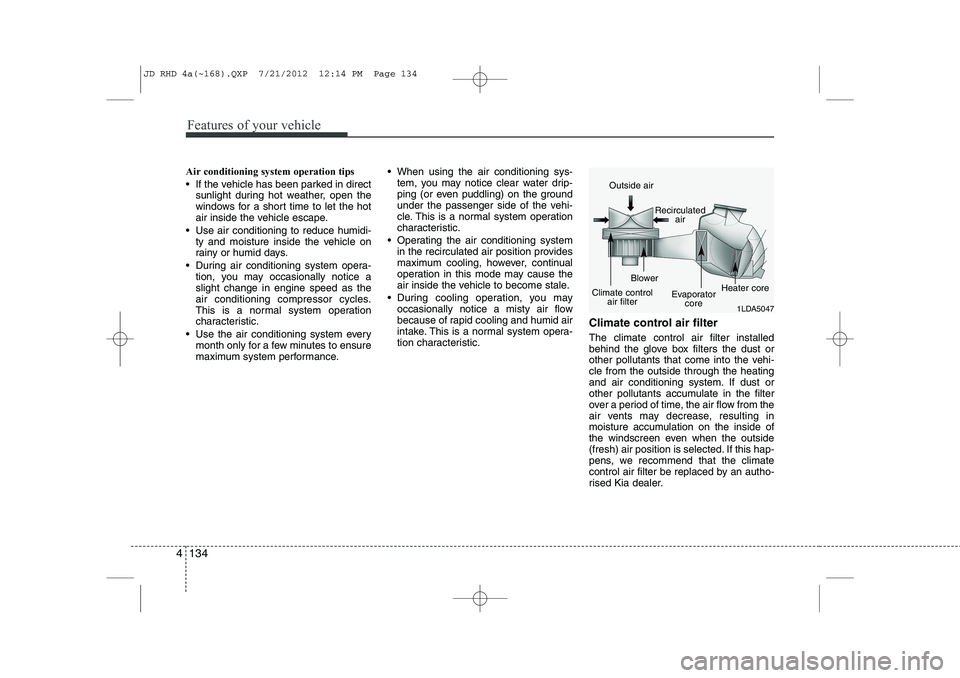
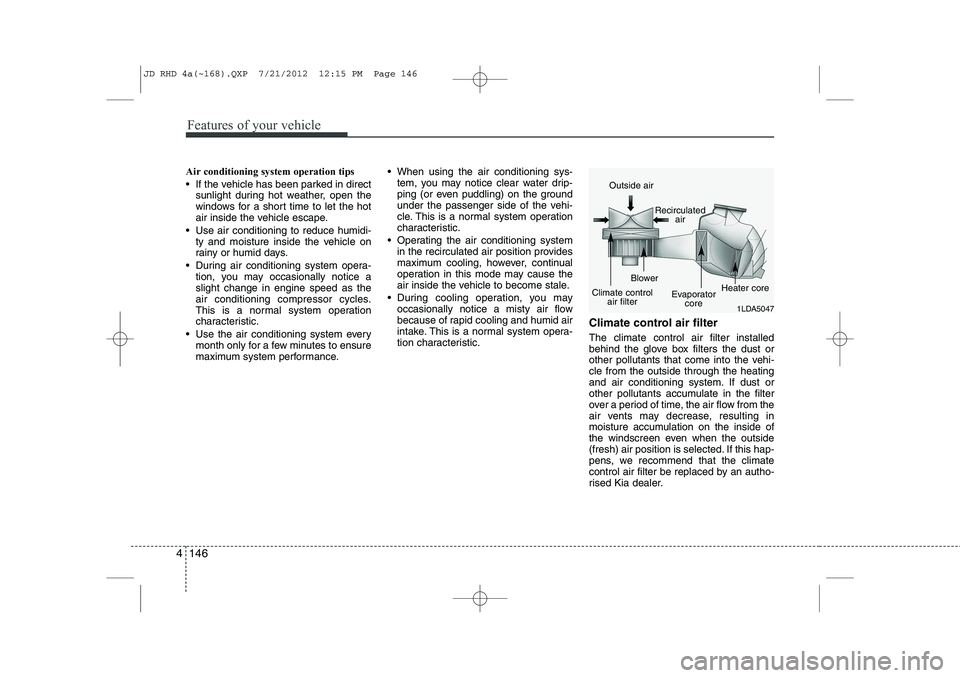
tion characteristic. Climate control air filter The climate control air filter installed
behind the glove box filters the dust or
other pollutants that come into the vehi-cle from the outside through the heating
and air conditioning system. If dust or
other pollutants accumulate in the filter
over a period of time, the air flow from the
air vents may decrease, resulting in
moisture accumulation on the inside of
the windscreen even when the outside
(fresh) air position is selected. If this hap-
pens, we recommend that the climate
control air filter be replaced by an autho-
rised Kia dealer.
1LDA5047
Outside air
Recirculatedair
Climate control air filter Blower
Evaporatorcore Heater core
JD RHD 4a(~168).QXP 7/21/2012 12:14 PM Page 134
Page 800 of 1168
4 137
Features of your vehicle
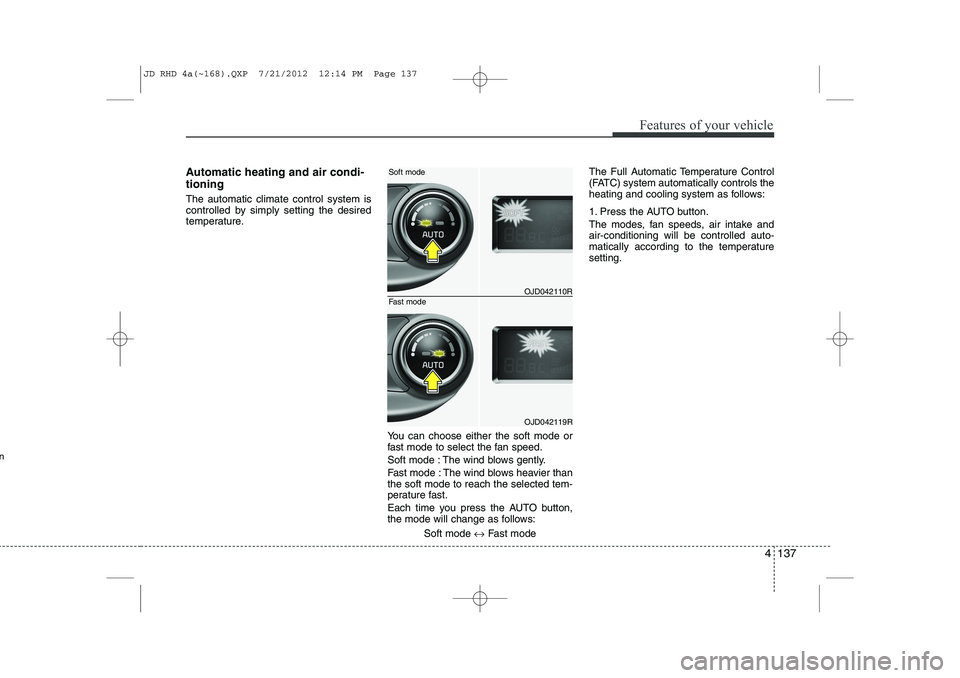
Automatic heating and air condi- tioning The automatic climate control system is
controlled by simply setting the desired
temperature.You can choose either the soft mode or
fast mode to select the fan speed.
Soft mode : The wind blows gently.
Fast mode : The wind blows heavier than the soft mode to reach the selected tem-
perature fast.
Each time you press the AUTO button,
the mode will change as follows:Soft mode ↔Fast mode The Full Automatic Temperature Control
(FATC) system automatically controls the
heating and cooling system as follows:
1. Press the AUTO button.
The modes, fan speeds, air intake and air-conditioning will be controlled auto-
matically according to the temperaturesetting.
OJD042110R
OJD042119R
Soft mode
Fast mode
n
JD RHD 4a(~168).QXP 7/21/2012 12:14 PM Page 137
Page 802 of 1168
4 139
Features of your vehicle
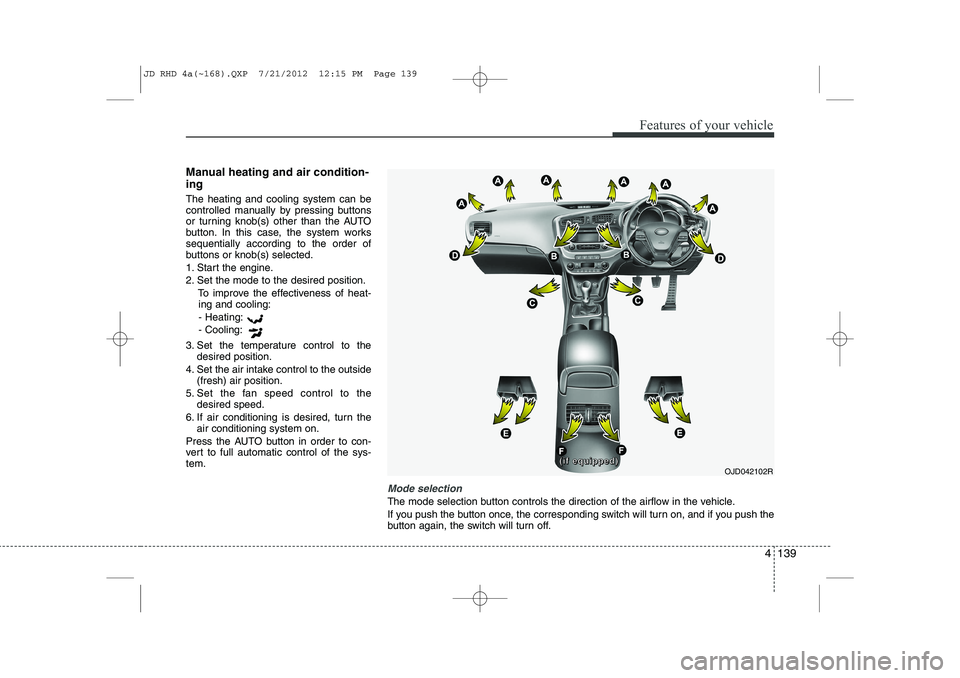
Manual heating and air condition- ing The heating and cooling system can be
controlled manually by pressing buttons
or turning knob(s) other than the AUTO
button. In this case, the system workssequentially according to the order of
buttons or knob(s) selected.
1. Start the engine.
2. Set the mode to the desired position.To improve the effectiveness of heat-ing and cooling:
- Heating:- Cooling:
3. Set the temperature control to the desired position.
4. Set the air intake control to the outside (fresh) air position.
5. Set the fan speed control to the desired speed.
6. If air conditioning is desired, turn the air conditioning system on.
Press the AUTO button in order to con-
vert to full automatic control of the sys-tem.
Mode selection
The mode selection button controls the direction of the airflow in the vehicle.
If you push the button once, the corresponding switch will turn on, and if you push the
button again, the switch will turn off.
OJD042102R((((iiiiffff eeeeqqqquuuuiiiippppppppeeeedddd))))
JD RHD 4a(~168).QXP 7/21/2012 12:15 PM Page 139
Page 804 of 1168
4 141
Features of your vehicle
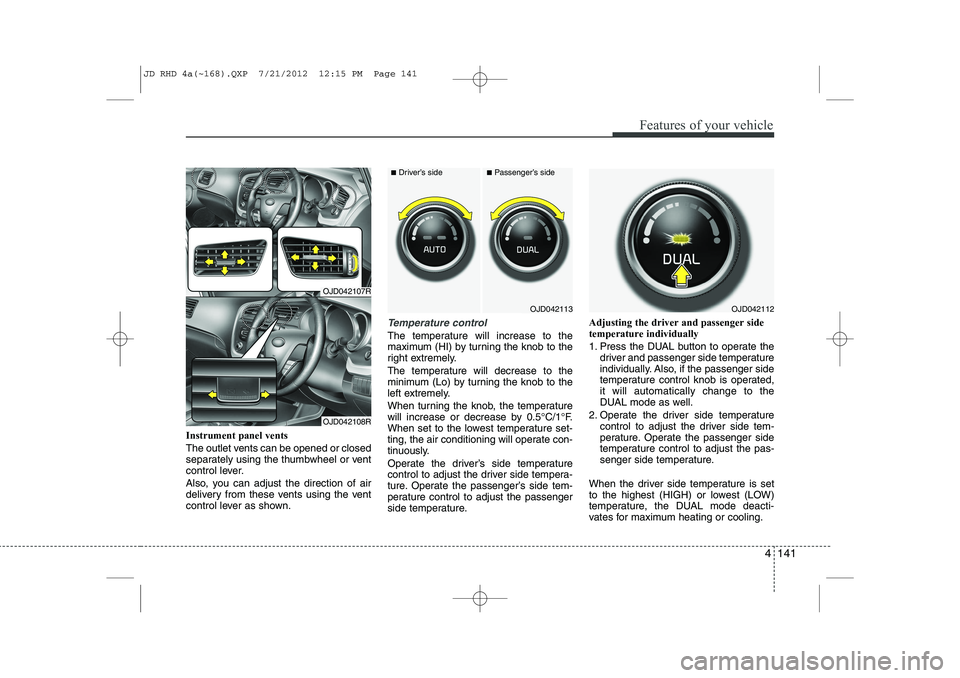
Instrument panel vents
The outlet vents can be opened or closed
separately using the thumbwheel or vent
control lever.
Also, you can adjust the direction of air
delivery from these vents using the vent
control lever as shown.
Temperature control
The temperature will increase to the
maximum (HI) by turning the knob to the
right extremely.
The temperature will decrease to the
minimum (Lo) by turning the knob to the
left extremely.
When turning the knob, the temperature
will increase or decrease by 0.5°C/1°F.
When set to the lowest temperature set-
ting, the air conditioning will operate con-
tinuously.
Operate the driver’s side temperature
control to adjust the driver side tempera-
ture. Operate the passenger’s side tem-
perature control to adjust the passenger
side temperature.Adjusting the driver and passenger sidetemperature individually
1. Press the DUAL button to operate the
driver and passenger side temperature
individually. Also, if the passenger side
temperature control knob is operated,it will automatically change to the
DUAL mode as well.
2. Operate the driver side temperature control to adjust the driver side tem-
perature. Operate the passenger side
temperature control to adjust the pas-
senger side temperature.
When the driver side temperature is set
to the highest (HIGH) or lowest (LOW)
temperature, the DUAL mode deacti-
vates for maximum heating or cooling.
OJD042113
■ Driver’s side■Passenger’s side
OJD042112
OJD042107R
OJD042108R
JD RHD 4a(~168).QXP 7/21/2012 12:15 PM Page 141
Page 807 of 1168
Features of your vehicle
144
4
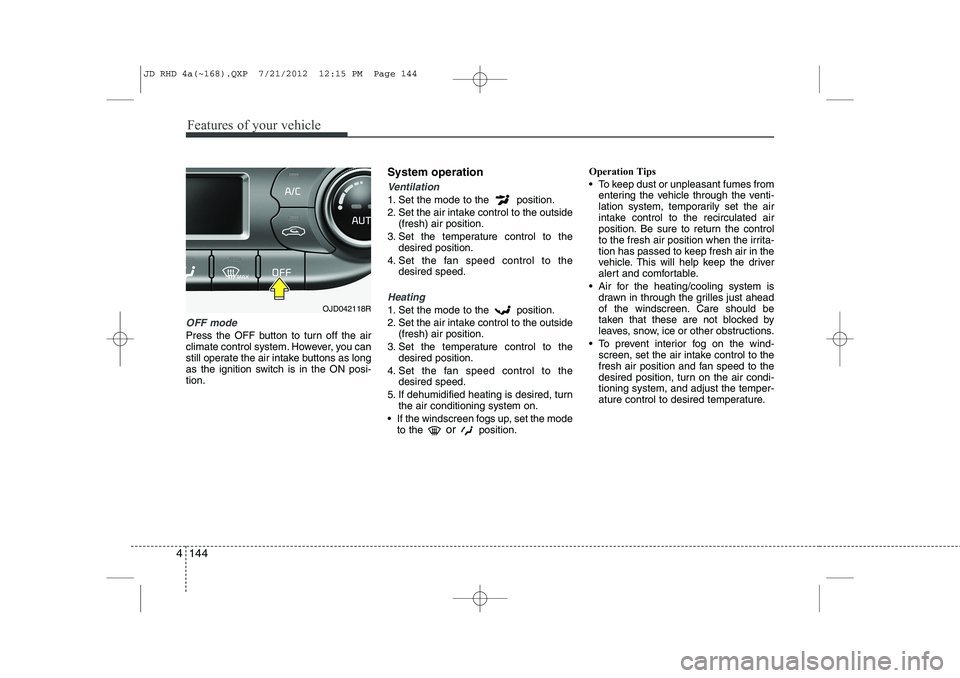
OFF mode
Press the OFF button to turn off the air
climate control system. However, you can
still operate the air intake buttons as long
as the ignition switch is in the ON posi-tion. System operation
Ventilation
1. Set the mode to the position.
2. Set the air intake control to the outside
(fresh) air position.
3. Set the temperature control to the desired position.
4. Set the fan speed control to the desired speed.
Heating
1. Set the mode to the position.
2. Set the air intake control to the outside(fresh) air position.
3. Set the temperature control to the desired position.
4. Set the fan speed control to the desired speed.
5. If dehumidified heating is desired, turn the air conditioning system on.
If the windscreen fogs up, set the mode to the or
position. Operation Tips
To keep dust or unpleasant fumes from
entering the vehicle through the venti-
lation system, temporarily set the air
intake control to the recirculated air
position. Be sure to return the control
to the fresh air position when the irrita-
tion has passed to keep fresh air in the
vehicle. This will help keep the driver
alert and comfortable.
Air for the heating/cooling system is drawn in through the grilles just ahead
of the windscreen. Care should be
taken that these are not blocked by
leaves, snow, ice or other obstructions.
To prevent interior fog on the wind- screen, set the air intake control to the
fresh air position and fan speed to the
desired position, turn on the air condi-tioning system, and adjust the temper-
ature control to desired temperature.OJD042118R
JD RHD 4a(~168).QXP 7/21/2012 12:15 PM Page 144
Page 809 of 1168
Features of your vehicle
146
4
Air conditioning system operation tips
If the vehicle has been parked in direct
sunlight during hot weather, open the
windows for a short time to let the hot
air inside the vehicle escape.
Use air conditioning to reduce humidi- ty and moisture inside the vehicle on
rainy or humid days.
During air conditioning system opera- tion, you may occasionally notice aslight change in engine speed as the
air conditioning compressor cycles.
This is a normal system operation
characteristic.
Use the air conditioning system every month only for a few minutes to ensure
maximum system performance. When using the air conditioning sys-
tem, you may notice clear water drip-
ping (or even puddling) on the ground
under the passenger side of the vehi-
cle. This is a normal system operation
characteristic.
Operating the air conditioning system in the recirculated air position provides
maximum cooling, however, continual
operation in this mode may cause the
air inside the vehicle to become stale.
During cooling operation, you may occasionally notice a misty air flow
because of rapid cooling and humid air
intake. This is a normal system opera-
tion characteristic. Climate control air filter The climate control air filter installed
behind the glove box filters the dust or
other pollutants that come into the vehi-cle from the outside through the heating
and air conditioning system. If dust or
other pollutants accumulate in the filter
over a period of time, the air flow from the
air vents may decrease, resulting in
moisture accumulation on the inside of
the windscreen even when the outside
(fresh) air position is selected. If this hap-
pens, we recommend that the climate
control air filter be replaced by an autho-
rised Kia dealer.
1LDA5047
Outside air
Recirculatedair
Climate control air filter Blower
Evaporatorcore Heater core
JD RHD 4a(~168).QXP 7/21/2012 12:15 PM Page 146
Page 811 of 1168
Features of your vehicle
148
4
For maximum defrosting, set the tem-
perature control to the hottest position
and the fan speed control to the high-est speed.
If warm air to the floor is desired whilst defrosting or defogging, set the modeto the floor-defrost position.
Before driving, clear all snow and ice from the windscreen, rear window, out-
side rear view mirrors, and all side win-
dows.
Clear all snow and ice from the bonnet and air inlet in the cowl grill to improveheater and defroster efficiency and to
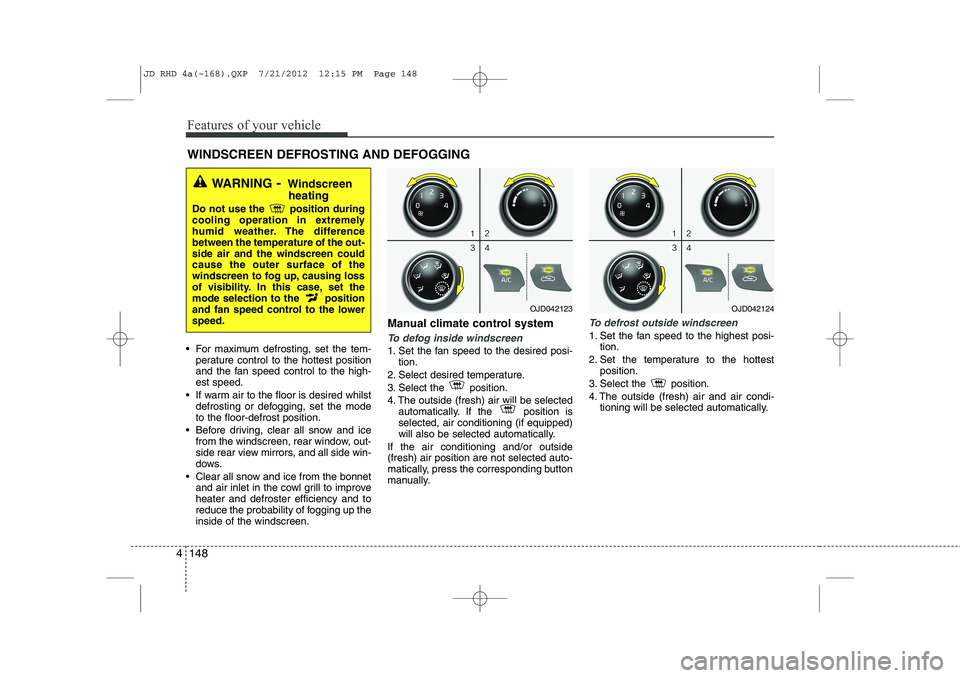
reduce the probability of fogging up theinside of the windscreen. Manual climate control systemTo defog inside windscreen
1. Set the fan speed to the desired posi-
tion.
2. Select desired temperature.
3. Select the position.
4. The outside (fresh) air will be selected automatically. If the position is selected, air conditioning (if equipped)
will also be selected automatically.
If the air conditioning and/or outside(fresh) air position are not selected auto-
matically, press the corresponding button
manually.
To defrost outside windscreen
1. Set the fan speed to the highest posi- tion.
2. Set the temperature to the hottest position.
3. Select the position.
4. The outside (fresh) air and air condi- tioning will be selected automatically.
WINDSCREEN DEFROSTING AND DEFOGGING
WARNING - Windscreen
heating
Do not use the position during
cooling operation in extremely
humid weather. The differencebetween the temperature of the out-side air and the windscreen couldcause the outer surface of the
windscreen to fog up, causing loss
of visibility. In this case, set the
mode selection to the position
and fan speed control to the lowerspeed.
OJD042123OJD042124
JD RHD 4a(~168).QXP 7/21/2012 12:15 PM Page 148