warning KIA CEED 2013 Owners Manual
[x] Cancel search | Manufacturer: KIA, Model Year: 2013, Model line: CEED, Model: KIA CEED 2013Pages: 1168, PDF Size: 48.01 MB
Page 964 of 1168
539
Driving your vehicle
EPB (electric parking brake) may be automatically applied when:
The EPB is overheated
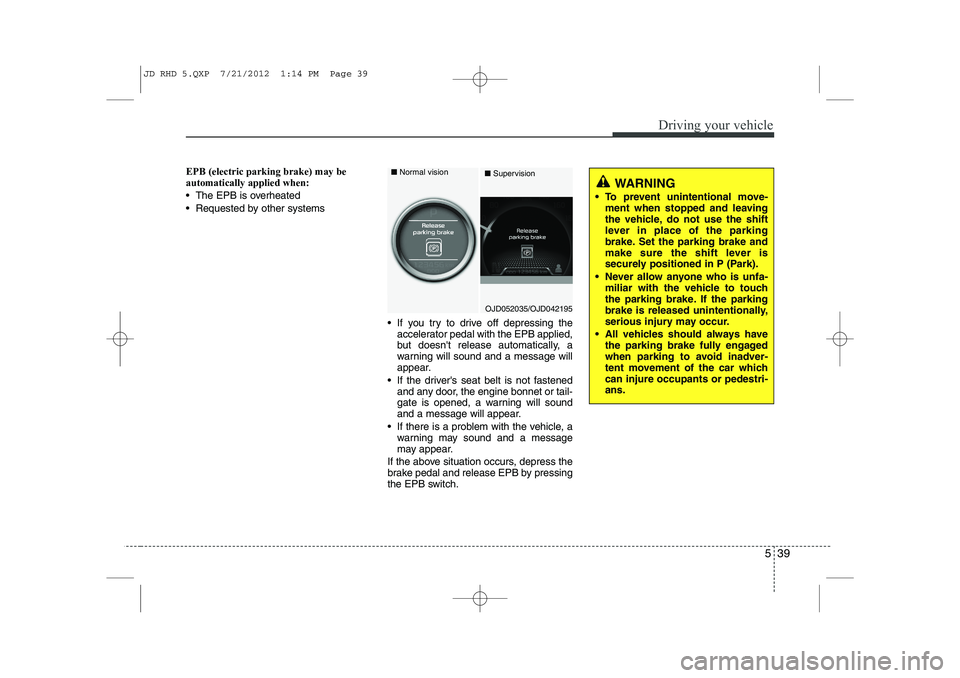
Requested by other systems If you try to drive off depressing theaccelerator pedal with the EPB applied,
but doesn't release automatically, a
warning will sound and a message will
appear.
If the driver's seat belt is not fastened and any door, the engine bonnet or tail-
gate is opened, a warning will sound
and a message will appear.
If there is a problem with the vehicle, a warning may sound and a message
may appear.
If the above situation occurs, depress the
brake pedal and release EPB by pressing
the EPB switch.
WARNING
To prevent unintentional move- ment when stopped and leaving
the vehicle, do not use the shift
lever in place of the parking
brake. Set the parking brake and
make sure the shift lever is
securely positioned in P (Park).
Never allow anyone who is unfa- miliar with the vehicle to touch
the parking brake. If the parking
brake is released unintentionally,
serious injury may occur.
All vehicles should always have the parking brake fully engaged
when parking to avoid inadver-
tent movement of the car whichcan injure occupants or pedestri-ans.
OJD052035/OJD042195
■
Normal vision
■Supervision
JD RHD 5.QXP 7/21/2012 1:14 PM Page 39
Page 965 of 1168
Driving your vehicle
40
5
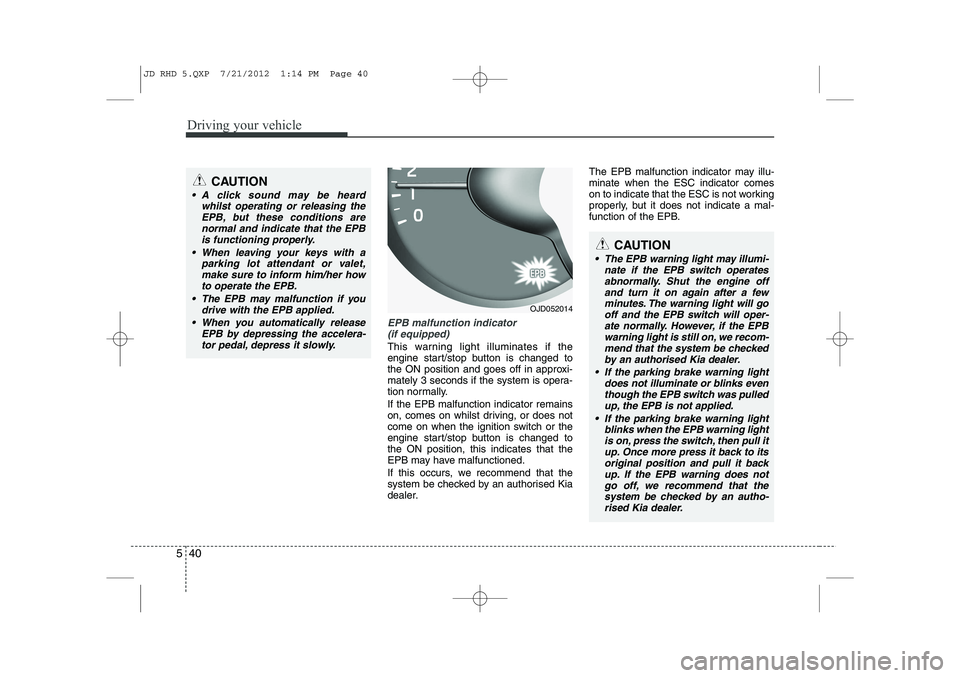
EPB malfunction indicator
(if equipped)
This warning light illuminates if the
engine start/stop button is changed to
the ON position and goes off in approxi-
mately 3 seconds if the system is opera-
tion normally. If the EPB malfunction indicator remains
on, comes on whilst driving, or does not
come on when the ignition switch or the
engine start/stop button is changed tothe ON position, this indicates that the
EPB may have malfunctioned.
If this occurs, we recommend that the
system be checked by an authorised Kia
dealer. The EPB malfunction indicator may illu-minate when the ESC indicator comes
on to indicate that the ESC is not working
properly, but it does not indicate a mal-
function of the EPB.
CAUTION
A click sound may be heard
whilst operating or releasing the
EPB, but these conditions arenormal and indicate that the EPBis functioning properly.
When leaving your keys with a parking lot attendant or valet,make sure to inform him/her howto operate the EPB.
The EPB may malfunction if you drive with the EPB applied.
When you automatically release EPB by depressing the accelera-tor pedal, depress it slowly.
OJD052014
CAUTION
The EPB warning light may illumi- nate if the EPB switch operates
abnormally. Shut the engine off and turn it on again after a fewminutes. The warning light will go off and the EPB switch will oper-
ate normally. However, if the EPB warning light is still on, we recom-mend that the system be checked
by an authorised Kia dealer.
If the parking brake warning light does not illuminate or blinks eventhough the EPB switch was pulled up, the EPB is not applied.
If the parking brake warning light blinks when the EPB warning lightis on, press the switch, then pull it up. Once more press it back to its original position and pull it back
up. If the EPB warning does not go off, we recommend that thesystem be checked by an autho- rised Kia dealer.
JD RHD 5.QXP 7/21/2012 1:14 PM Page 40
Page 966 of 1168
541
Driving your vehicle
Emergency braking
If there is a problem with the brake pedal
whilst driving, emergency braking is pos-
sible by pulling up and holding the EPB
switch. Braking is possible only whilst you
are holding the EPB switch.
✽✽NOTICE
During emergency braking by the EPB, the parking brake warning light willilluminate to indicate that the system isoperating.
When the EPB (electric parking brake) does not release
If the EPB does not release normally, we
recommend that you take your vehicle to
an authorised Kia dealer by loading the
vehicle on a flatbed tow truck and have
the system checked. Anti-lock brake system (ABS)
WARNING
Do not operate the parking brake
whilst the vehicle is moving except
in an emergency situation.
CAUTION
If you continuously notice a noise or burning smell when the EPB is used for emergency braking, we recom-mend that the system be checkedby an authorised Kia dealer.
WARNING
ABS (or ESC) will not prevent acci-
dents due to improper or danger-
ous driving manoeuvres. Even
though vehicle control is improved
during emergency braking, always
maintain a safe distance between
you and objects ahead. Vehicle
speeds should always be reduced
during extreme road conditions.
The braking distance for vehicle
equipped with an anti-lock braking
system (or Electronic Stability
`Control) may be longer than for
those without it in the following
road conditions.
During these conditions the vehicle should be driven at reducedspeeds:
Rough, gravel or snow-covered roads.
With tyre chains installed.
On roads where the road surface is pitted or has different surface height.
(Continued)
JD RHD 5.QXP 7/21/2012 1:14 PM Page 41
Page 968 of 1168
543
Driving your vehicle
✽✽NOTICE
When you jump start your vehicle
because of a drained battery, the engine
may not run as smoothly and the ABSwarning light may turn on at the same
time. This happens because of the lowbattery voltage. It does not mean yourABS is malfunctioning.
Page 969 of 1168
Driving your vehicle
44
5
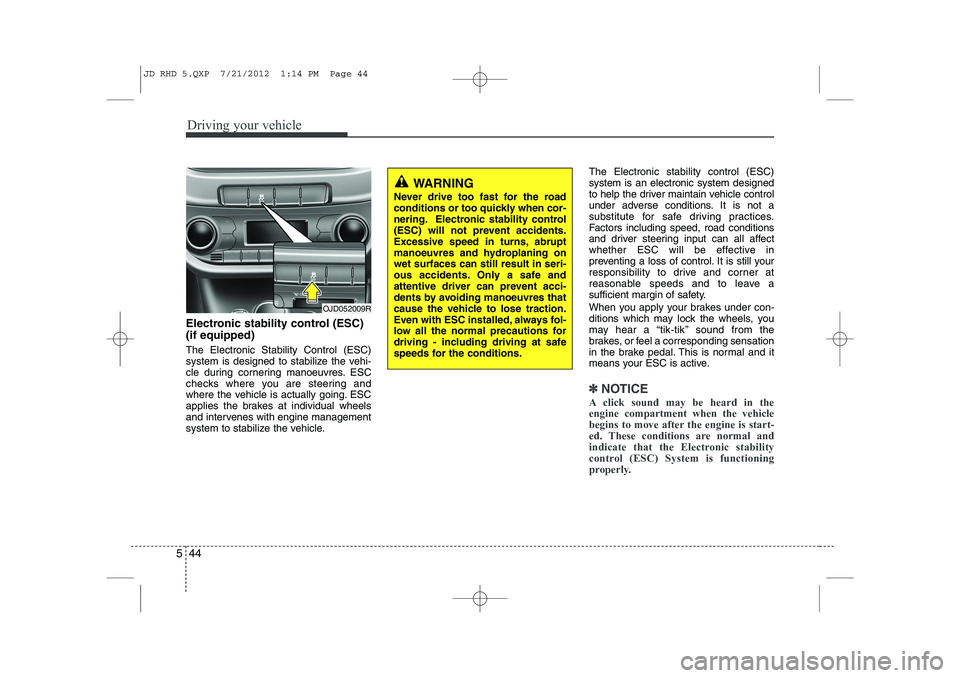
Electronic stability control (ESC) (if equipped) The Electronic Stability Control (ESC)
system is designed to stabilize the vehi-
cle during cornering manoeuvres. ESC
checks where you are steering and
where the vehicle is actually going. ESC
applies the brakes at individual wheels
and intervenes with engine management
system to stabilize the vehicle. The Electronic stability control (ESC)system is an electronic system designed
to help the driver maintain vehicle control
under adverse conditions. It is not a
substitute for safe driving practices.
Factors including speed, road conditions
and driver steering input can all affect
whether ESC will be effective in
preventing a loss of control. It is still your
responsibility to drive and corner at
reasonable speeds and to leave a
sufficient margin of safety.
When you apply your brakes under con-
ditions which may lock the wheels, you
may hear a “tik-tik’’ sound from the
brakes, or feel a corresponding sensation
in the brake pedal. This is normal and it
means your ESC is active.
✽✽
NOTICE
A click sound may be heard in the engine compartment when the vehicle
begins to move after the engine is start-
ed. These conditions are normal and
indicate that the Electronic stability
control (ESC) System is functioning
properly.
WARNING
Never drive too fast for the road
conditions or too quickly when cor-
nering. Electronic stability control
(ESC) will not prevent accidents.
Excessive speed in turns, abrupt
manoeuvres and hydroplaning onwet surfaces can still result in seri-
ous accidents. Only a safe and
attentive driver can prevent acci-
dents by avoiding manoeuvres that
cause the vehicle to lose traction.
Even with ESC installed, always fol-
low all the normal precautions for
driving - including driving at safe
speeds for the conditions.
OJD052009R
JD RHD 5.QXP 7/21/2012 1:14 PM Page 44
Page 972 of 1168
547
Driving your vehicle
Vehicle stability management (VSM) (if equipped)
This system provides further enhance-
ments to vehicle stability and steering
responses when a vehicle is driving on a
slippery road or a vehicle detected
changes in coefficient of friction between
right wheels and left wheels when brak-ing.
VSM operation
When the VSM is operating:
ESC (Electronic Stability Control) ( )light will blink.
The steering wheel may be controlled.
When the vehicle stability management
is operating properly, you can feel a slight
pulsation in the vehicle. This is only the
effect of brake control and indicates noth-
ing unusual.
The VSM does not operate when:
Driving on bank road such as gradient or incline
Driving rearward
ESC OFF indicator light ( ) remains on the instrument cluster
EPS (Electronic Power Steering) indi- cator light remains on the instrument cluster
VSM operation off
If you press the ESC OFF button to turn
off the ESC, the VSM will also cancel and
the ESC OFF indicator light ( ) illumi-
nates.
To turn on the VSM, press the button
again. The ESC OFF indicator light goesout.
Malfunction indicator
The VSM can be deactivated even if you
don’t cancel the VSM operation by press-
ing the ESC OFF button. It indicates thata malfunction has been detected some-
where in the EPS (Electronic Power
Steering) system or VSM system. If the
ESC indicator light ( ) or EPS warning
light remains on, we recommend that the
system be checked by an authorised Kia
dealer.
✽✽ NOTICE
Page 974 of 1168
549
Driving your vehicle
Good braking practices Check to be sure the parking brake is
not engaged and that the parking
brake indicator light is out before driv-
ing away.
Driving through water may get the brakes wet. They can also get wet
when the vehicle is washed. Wet
brakes can be dangerous! Your vehicle
will not stop as quickly if the brakes are
wet. Wet brakes may cause the vehicle
to pull to one side.
To dry the brakes, apply the brakes
lightly until the braking action returns to
normal, taking care to keep the vehicle
under control at all times. If the braking
action does not return to normal, stop
as soon as it is safe to do so and we
recommend that you call an authorised
Kia dealer.
Do not coast down hills with the vehicle out of gear. This is extremely haz-
ardous. Keep the vehicle in gear at all
times, use the brakes to slow down,
then shift to a lower gear so that
engine braking will help you maintain a
safe speed. Do not "ride" the brake pedal. Resting
your foot on the brake pedal whilst driv-ing can be dangerous because it can
result in the brakes overheating and
losing their effectiveness. It also
increases the wear of the brake com-
ponents.
If a tyre goes flat whilst you are driving, apply the brakes gently and keep the
vehicle pointed straight ahead whilst
you slow down. When you are moving
slowly enough for it to be safe to do so,
pull off the road and stop in a safe
place.
If your vehicle is equipped with an automatic transaxle, do not let your
vehicle creep forward. To avoid creep-
ing forward, keep your foot firmly on
the brake pedal when the vehicle isstopped.
WARNING
Whenever you leave or park your vehicle, always set the parking
brake as far as possible and fully
engage the vehicle's transaxle
into the P (Park) position. If the
parking brake is not fully
engaged, the vehicle may move
inadvertently and injure yourself
and others.
All vehicles should always have the parking brake fully engaged
when parking to avoid inadver-
tent movement of the vehicle
which can injure occupants orpedestrians.
JD RHD 5.QXP 7/21/2012 1:14 PM Page 49
Page 981 of 1168
Driving your vehicle
56
5
You can set the speed limit when you do
not want to drive over a specific speed.
If you drive over the preset speed limit,
the warning system operates (set speed
limit will blink and chime will sound) until
the vehicle speed returns within thespeed limit.
✽✽
NOTICE
Whilst speed limit control is in opera-
tion, the cruise control system cannot beactivated.
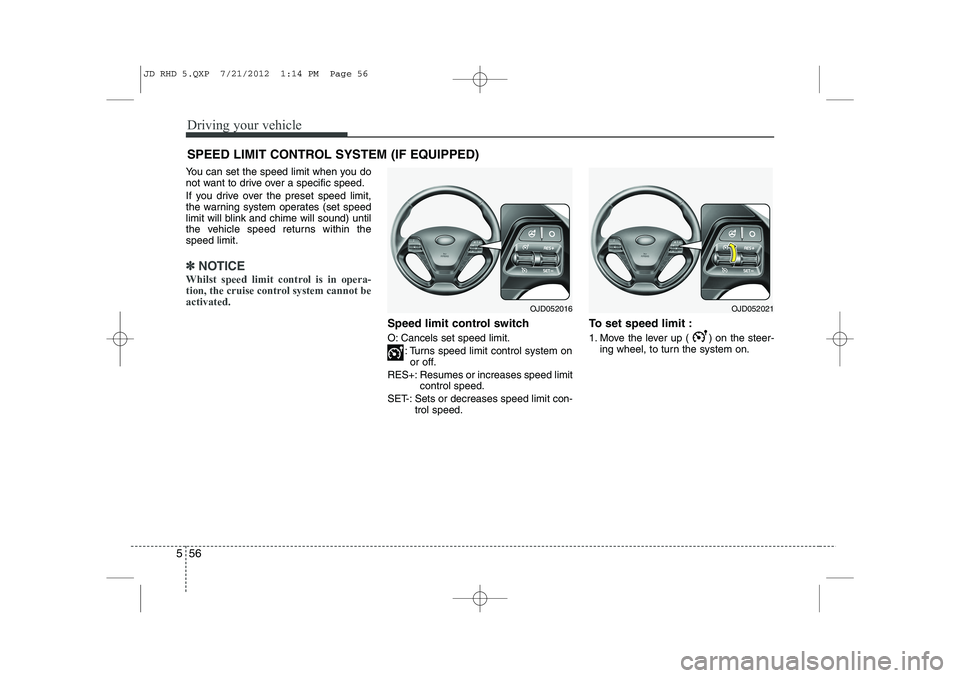
Speed limit control switch
O: Cancels set speed limit.
: Turns speed limit control system onor off.
RES+: Resumes or increases speed limit control speed.
SET-: Sets or decreases speed limit con- trol speed. To set speed limit :
1. Move the lever up ( ) on the steer-
ing wheel, to turn the system on.
SPEED LIMIT CONTROL SYSTEM (IF EQUIPPED)
OJD052021OJD052016
JD RHD 5.QXP 7/21/2012 1:14 PM Page 56
Page 984 of 1168
559
Driving your vehicle
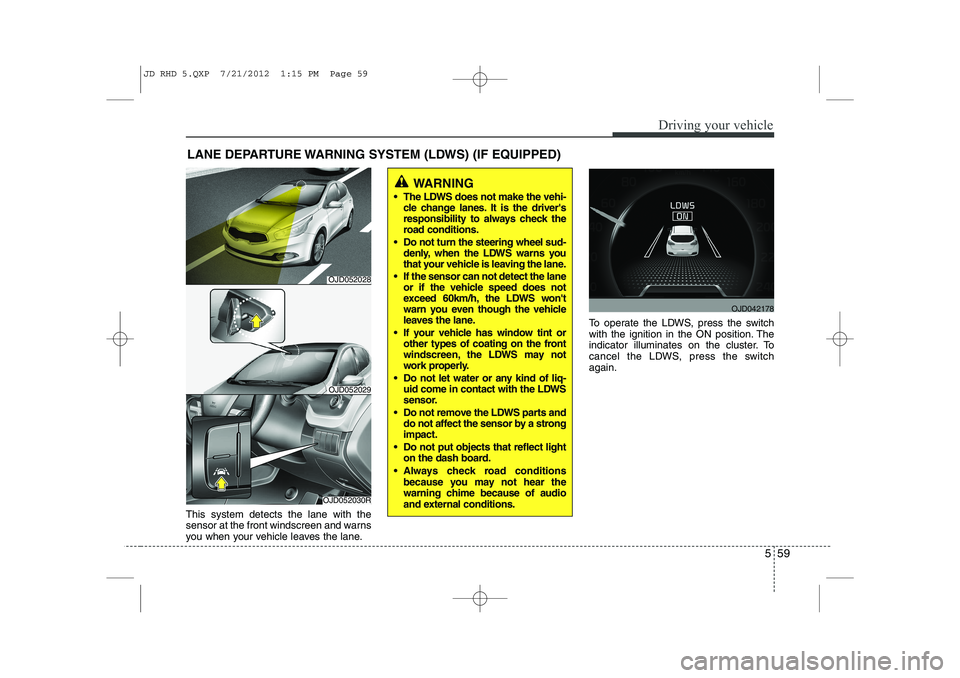
This system detects the lane with the
sensor at the front windscreen and warns
you when your vehicle leaves the lane.To operate the LDWS, press the switch
with the ignition in the ON position. The
indicator illuminates on the cluster. To
cancel the LDWS, press the switchagain.
LANE DEPARTURE WARNING SYSTEM (LDWS) (IF EQUIPPED)
WARNING
The LDWS does not make the vehi- cle change lanes. It is the driver's
responsibility to always check the
road conditions.
Do not turn the steering wheel sud- denly, when the LDWS warns you
that your vehicle is leaving the lane.
If the sensor can not detect the lane or if the vehicle speed does not
exceed 60km/h, the LDWS won't
warn you even though the vehicle
leaves the lane.
If your vehicle has window tint or other types of coating on the front
windscreen, the LDWS may not
work properly.
Do not let water or any kind of liq- uid come in contact with the LDWS
sensor.
Do not remove the LDWS parts and do not affect the sensor by a strongimpact.
Do not put objects that reflect light on the dash board.
Always check road conditions because you may not hear the
warning chime because of audio
and external conditions.
OJD052030R
OJD052029
OJD042178
OJD052028
JD RHD 5.QXP 7/21/2012 1:15 PM Page 59
Page 985 of 1168
Driving your vehicle
60
5
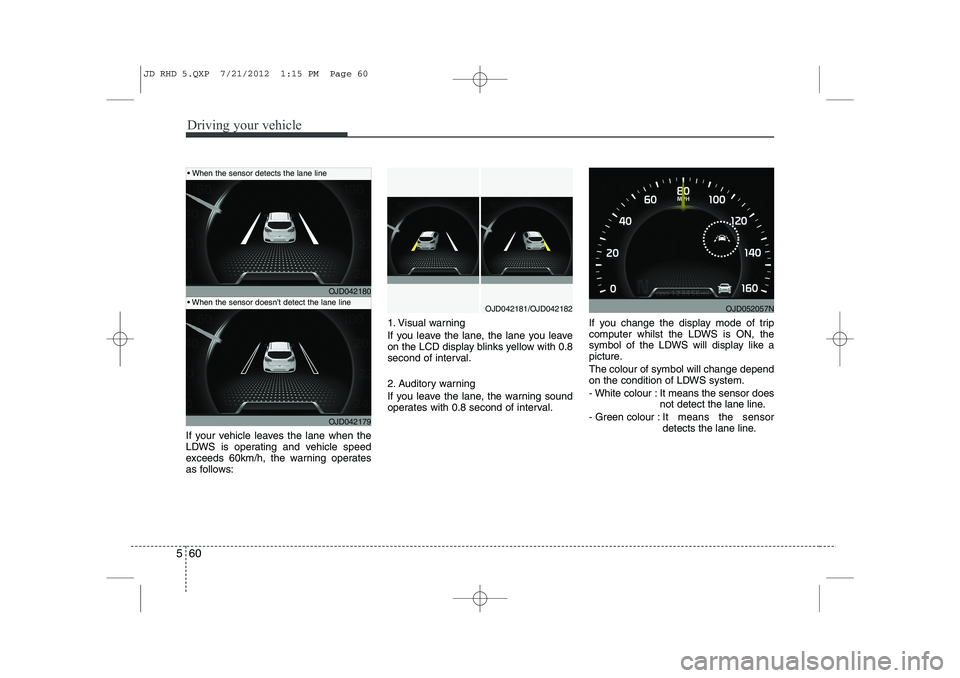
If your vehicle leaves the lane when the
LDWS is operating and vehicle speed
exceeds 60km/h, the warning operates
as follows: 1. Visual warning
If you leave the lane, the lane you leave
on the LCD display blinks yellow with 0.8
second of interval.
2. Auditory warning
If you leave the lane, the warning sound
operates with 0.8 second of interval.
If you change the display mode of trip
computer whilst the LDWS is ON, the
symbol of the LDWS will display like a
picture. The colour of symbol will change depend
on the condition of LDWS system.
- White colour : It means the sensor does
not detect the lane line.
- Green colour : It means the sensor
detects the lane line.
OJD042180
OJD042179
OJD042181/OJD042182
When the sensor detects the lane line
When the sensor doesn’t detect the lane lineOJD052057N
JD RHD 5.QXP 7/21/2012 1:15 PM Page 60