Auto stop start KIA CEED 2013 Owners Manual
[x] Cancel search | Manufacturer: KIA, Model Year: 2013, Model line: CEED, Model: KIA CEED 2013Pages: 1168, PDF Size: 48.01 MB
Page 24 of 1168

Safety system of your vehicle
8
3
Driver position memory system
(if equipped, for automatic seat)
A driver position memory system is pro-
vided to store and recall the driver seat
position with a simple button operation.
By saving the desired position into the
system memory, different drivers can
reposition the driver seat based upon
their driving preference. If the battery is
disconnected, the position memory will
be erased and the driving position shouldbe restored in the system.
Storing positions into memory using
the buttons on the door
Storing driver’s seat positions
1. Shift the shift lever into P or N (for Automatic transaxle) or Neutral (for
manual transaxle) while the engine
start/stop button is ON or ignition
switch ON.
2. Adjust the driver’s seat comfortable for the driver.
3. Press SET button on the control panel. The system will beep once.
4. Press one of the memory buttons (1 or 2) within 5 seconds after pressing the
SET button. The system will beep
twice when memory has been suc-cessfully stored.
WARNING
Never attempt to operate the driver
position memory system while the
vehicle is moving.
This could result in loss of control, and an accident causing death,
serious injury, or property damage.
OJD032054
JD eng 3.QXP 7/17/2012 11:06 AM Page 8
Page 25 of 1168
39
Safety system of your vehicle
Recalling positions from memory
1. Shift the shift lever into P or N (forAutomatic transaxle) or Neutral (for
manual transaxle) while the engine
start/stop button is ON or ignition
switch ON.
2. To recall the position in the memory, press the desired memory button (1 or
2). The system will beep once, then the
driver’s seat will automatically adjust tothe stored position.
Adjusting the control switch for the dri-
ver’s seat while the system is recalling
the stored position will cause the move-
ment to stop and move in the direction
that the control switch is moved.Easy access function (if equipped)
The system will move the driver's seat
automatically as follows:
Without smart key system - It will move the driver’s seat rearwardwhen the ignition key is removed and
front driver’s door is opened.
- It will move the driver’s seat forward when the ignition key is inserted.
With smart key system - It will move the driver’s seat rearwardwhen the engine start/stop button ischanged to the OFF position and front
driver’s door is opened.
- It will move the driver’s seat forward when the engine start/stop button is
changed to the ACC or START posi-tion.
You can activate or deactivate this feature.
Refer to "User settings" in section 4.
WARNING
Use caution when recalling the
adjustment memory while sitting in
the vehicle. Push the seat position
control switch to the desired posi-
tion immediately if the seat moves
too far in any direction.
JD eng 3.QXP 7/17/2012 11:06 AM Page 9
Page 84 of 1168
45
Features of your vehicle
Vehicles with smart key system
Whenever the engine start/stop button is changed to the ON position, the immobi-
lizer system checks and verifies if the key
is valid or not.
If the key is valid, the engine will start.
If the key is invalid, the engine will not
start.
To deactivate the immobilizer system
Change the engine start/stop button to the ON position.
To activate the immobilizer system
Change the engine start/stop button to
the OFF position. The immobilizer sys-
tem activates automatically. Without a
valid smart key for your vehicle, the
engine will not start.
✽✽NOTICE
When starting the engine, do not use the
key with other immobilizer keys around.Otherwise the engine may not start or
may stop soon after it starts. Keep each
key separate in order to avoid a startingmalfuntioin. ✽
✽
NOTICE
If you need additional keys or lose your
keys, we recommend that you consult an
authorized Kia dealer.
CAUTION
The transponder in your ignition key is an important part of the
immobilizer system. It is designed to give years of trouble-free service,however you should avoid expo- sure to moisture, static electricity
and rough handling. Immobilizer system malfunction could occur.
CAUTION
Do not change, alter or adjust theimmobilizer system because it could cause the immobilizer sys-tem to malfunction. We recommend
that the system be serviced by anauthorized Kia dealer.
Malfunctions caused by improperalterations, adjustments or modifi- cations to the immobilizer system
are not covered by your vehicle manufacturer warranty.
WARNING
In order to prevent theft of your vehi-
cle, do not leave spare keys any-
where in your vehicle. Your immobi-
lizer password is a customer unique
password and should be kept confi-
dential. Do not leave this number
anywhere in your vehicle.
CAUTION
Do not put metal accessories near the ignition switch.
The engine may not start becausethe metal accessories may interrupt the transponder signal from nor-mally transmitting.
JD eng 4a(~168).qxp 7/17/2012 10:15 AM Page 5
Page 99 of 1168
Features of your vehicle
20
4
Deadlocks (if equipped)
Some vehicles are equipped with a
deadlock system. Deadlocks preventopening of a door from either inside or
outside the vehicle once the deadlocks
have been activated providing an addi-
tional measure of vehicle security.
To lock the vehicle using the deadlock
function, the doors must be locked by
using the transmitter or smart key. To
unlock the vehicle, the transmitter or
smart key must be used again. Door lock/unlock features
Impact sensing door unlock system
All doors will automatically unlock when
an impact causes the air bags to deploy.
Speed sensing door lock system
(if equipped)
All doors will automatically lock after the
vehicle speed exceeds 15 km/h.
Engine off door unlock system
(if equipped)
All doors will automatically unlock: Without smart key system
When the key is removed from the igni-
tion switch. With smart key system
When the engine start/stop button is in the OFF position.
Shift lever door lock/unlock system
All doors will automatically lock when the shift lever is moved out of P (Park).
All doors will automatically unlock when the shift lever is moved into P
(Park).
You can activate or deactivate the auto
door lock/unlock features in the vehicle.
Refer to "User setting" in this section.
WARNING
Do not lock the doors with the
transmitter or the smart key with
anybody left in the vehicle. The pas-
senger in the vehicle cannot unlock
the doors with the door lock button.
For example, if the door is locked
with the transmitter, the passenger
in the vehicle cannot unlock the
door without the transmitter.
JD eng 4a(~168).qxp 7/17/2012 10:16 AM Page 20
Page 153 of 1168
Features of your vehicle
74
4
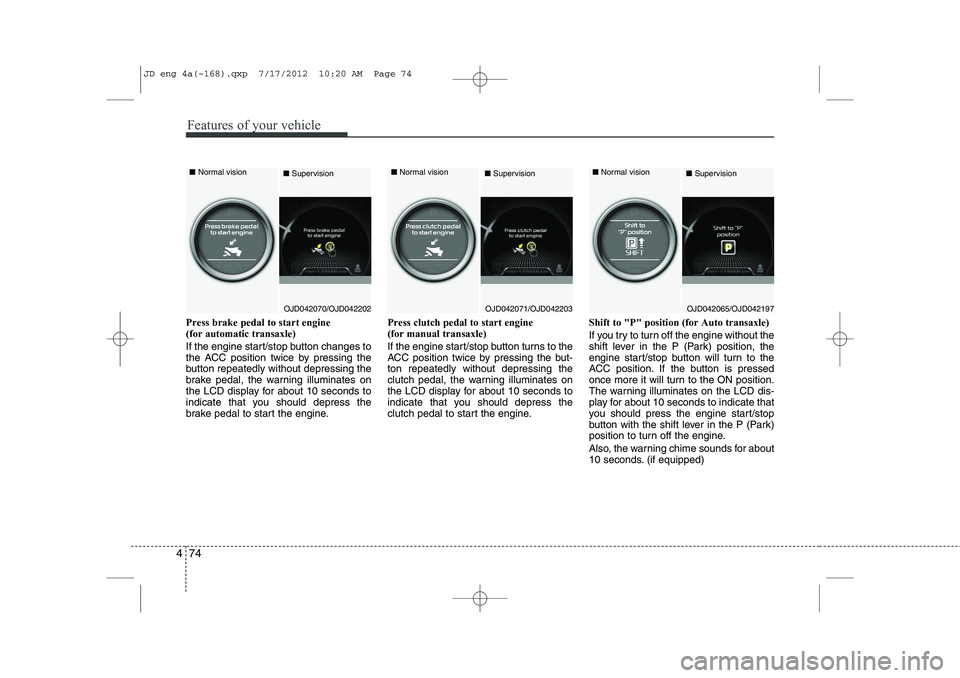
Press brake pedal to start engine (for automatic transaxle)
If the engine start/stop button changes to
the ACC position twice by pressing the
button repeatedly without depressing the
brake pedal, the warning illuminates on
the LCD display for about 10 seconds to
indicate that you should depress the
brake pedal to start the engine. Press clutch pedal to start engine (for manual transaxle)
If the engine start/stop button turns to the
ACC position twice by pressing the but-ton repeatedly without depressing the
clutch pedal, the warning illuminates on
the LCD display for about 10 seconds to
indicate that you should depress the
clutch pedal to start the engine.
Shift to "P" position (for Auto transaxle)
If you try to turn off the engine without the
shift lever in the P (Park) position, the
engine start/stop button will turn to the
ACC position. If the button is pressed
once more it will turn to the ON position.
The warning illuminates on the LCD dis-
play for about 10 seconds to indicate that
you should press the engine start/stop
button with the shift lever in the P (Park)
position to turn off the engine.
Also, the warning chime sounds for about
10 seconds. (if equipped)
OJD042070/OJD042202
■
Normal vision
■SupervisionOJD042071/OJD042203
■
Normal vision
■SupervisionOJD042065/OJD042197
■
Normal vision
■Supervision
JD eng 4a(~168).qxp 7/17/2012 10:20 AM Page 74
Page 162 of 1168
483
Features of your vehicle
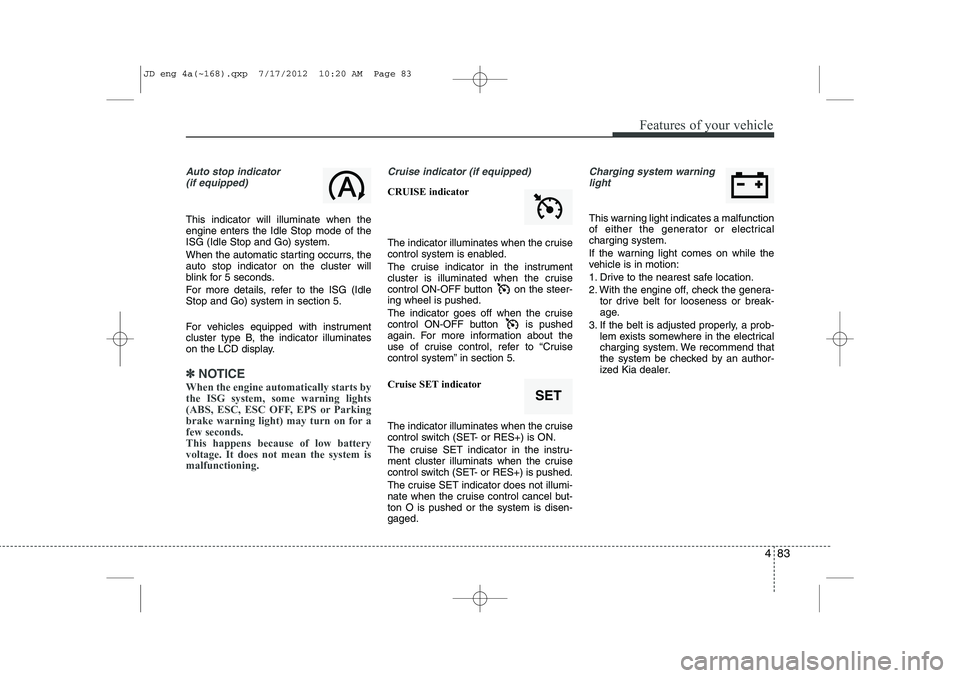
Auto stop indicator(if equipped)
This indicator will illuminate when the engine enters the Idle Stop mode of theISG (Idle Stop and Go) system.
When the automatic starting occurrs, the auto stop indicator on the cluster will
blink for 5 seconds.
For more details, refer to the ISG (Idle Stop and Go) system in section 5.
For vehicles equipped with instrument
cluster type B, the indicator illuminates
on the LCD display.
✽✽ NOTICE
When the engine automatically starts by
the ISG system, some warning lights
(ABS, ESC, ESC OFF, EPS or Parking
brake warning light) may turn on for afew seconds. This happens because of low batteryvoltage. It does not mean the system ismalfunctioning.
Cruise indicator (if equipped)
CRUISE indicator
The indicator illuminates when the cruise
control system is enabled.
The cruise indicator in the instrument
cluster is illuminated when the cruise
control ON-OFF button on the steer-ing wheel is pushed.
The indicator goes off when the cruise
control ON-OFF button is pushed
again. For more information about the
use of cruise control, refer to “Cruise
control system” in section 5. Cruise SET indicator
The indicator illuminates when the cruise
control switch (SET- or RES+) is ON.
The cruise SET indicator in the instru-
ment cluster illuminats when the cruise
control switch (SET- or RES+) is pushed.
The cruise SET indicator does not illumi-
nate when the cruise control cancel but-ton O is pushed or the system is disen-gaged.
Charging system warning light
This warning light indicates a malfunction
of either the generator or electricalcharging system.
If the warning light comes on while the
vehicle is in motion:
1. Drive to the nearest safe location.
2. With the engine off, check the genera- tor drive belt for looseness or break-
age.
3. If the belt is adjusted properly, a prob- lem exists somewhere in the electrical
charging system. We recommend that
the system be checked by an author-
ized Kia dealer.
SET
JD eng 4a(~168).qxp 7/17/2012 10:20 AM Page 83
Page 198 of 1168
4 119
Features of your vehicle
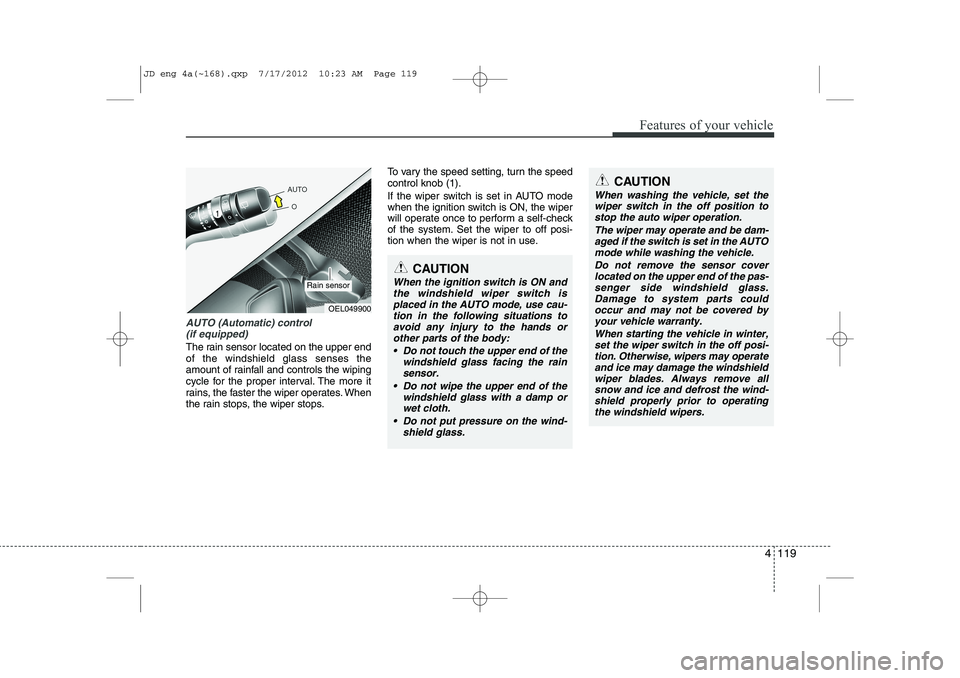
AUTO (Automatic) control (if equipped)
The rain sensor located on the upper end of the windshield glass senses the
amount of rainfall and controls the wiping
cycle for the proper interval. The more it
rains, the faster the wiper operates. When
the rain stops, the wiper stops. To vary the speed setting, turn the speedcontrol knob (1).
If the wiper switch is set in AUTO mode
when the ignition switch is ON, the wiper
will operate once to perform a self-check
of the system. Set the wiper to off posi-
tion when the wiper is not in use.
CAUTION
When the ignition switch is ON and
the windshield wiper switch isplaced in the AUTO mode, use cau-
tion in the following situations toavoid any injury to the hands orother parts of the body:
Do not touch the upper end of the windshield glass facing the rain
sensor.
Do not wipe the upper end of the windshield glass with a damp orwet cloth.
Do not put pressure on the wind- shield glass.
OEL049900
Rain sensor
CAUTION
When washing the vehicle, set thewiper switch in the off position to
stop the auto wiper operation.
The wiper may operate and be dam-aged if the switch is set in the AUTOmode while washing the vehicle.
Do not remove the sensor coverlocated on the upper end of the pas- senger side windshield glass.Damage to system parts could occur and may not be covered by
your vehicle warranty.
When starting the vehicle in winter,set the wiper switch in the off posi-tion. Otherwise, wipers may operate
and ice may damage the windshieldwiper blades. Always remove all snow and ice and defrost the wind-shield properly prior to operating
the windshield wipers.
JD eng 4a(~168).qxp 7/17/2012 10:23 AM Page 119
Page 277 of 1168
Features of your vehicle
198
4
Bluetooth®Wireless Technology
AUDIO
Before using
Bluetooth®Wireless
Technology
audio features
Bluetooth®Wireless Technology audio
may not be supported depending on
the compatibility of your
Bluetooth®
Wireless Technologymobile phone.
In order to use
Bluetooth®Wireless
Technologyaudio, you must first pair and
connect the Bluetooth®Wireless
Technologymobile phone.
Bluetooth®Wireless Technologyaudio
can be used only when the [Audio
Streaming] of Phone is turned .
❈ Setting
Bluetooth®Wireless TechnologyAudio Streaming : Press the
key Select [Phone] through the tune
knob or key Select [Audio
Streaming] through the TUNE
knob Set
/
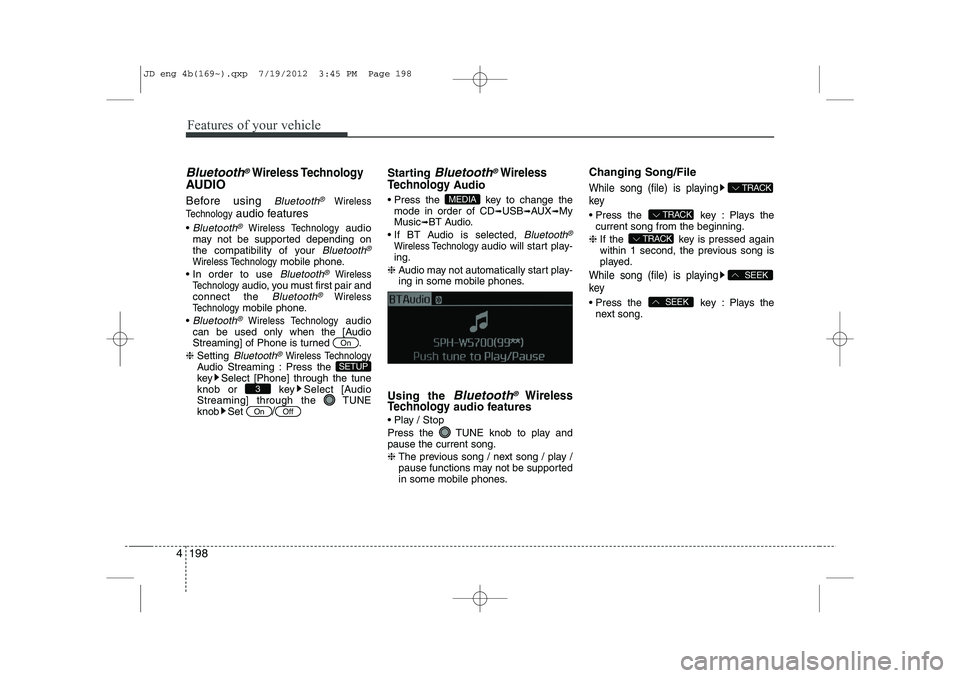
Starting Bluetooth®Wireless
Technology
Audio
Press the key to change the mode in order of CD ➟USB ➟AUX ➟My
Music ➟BT Audio.
If BT Audio is selected,
Bluetooth®
Wireless Technology audio will start play-
ing.
❈ Audio may not automatically start play-
ing in some mobile phones.
Using the
Bluetooth®Wireless
Technologyaudio features
Play / Stop
Press the TUNE knob to play and pause the current song. ❈ The previous song / next song / play /
pause functions may not be supported
in some mobile phones. Changing Song/File
While song (file) is playing key
Press the key : Plays the
current song from the beginning.
❈ If the key is pressed again
within 1 second, the previous song is
played.
While song (file) is playing key
Press the key : Plays the
next song.SEEK
SEEK
TRACK
TRACK
TRACK
MEDIA
OffOn
3
SETUP
On
JD eng 4b(169~).qxp 7/19/2012 3:45 PM Page 198
Page 291 of 1168
Features of your vehicle
212
4
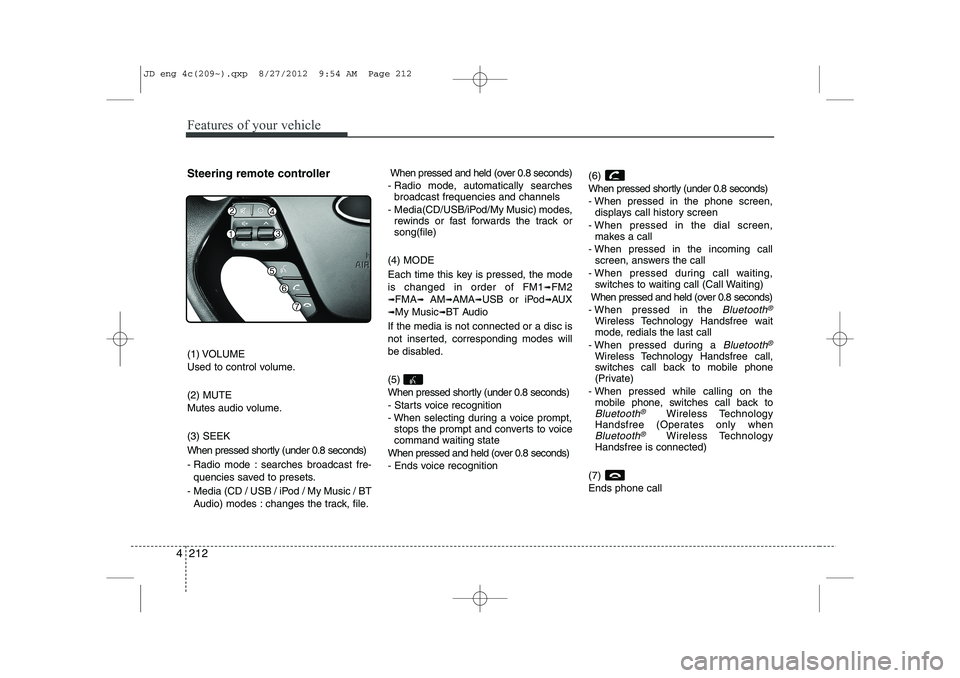
Steering remote controller
(1) VOLUME
Used to control volume. (2) MUTE
Mutes audio volume. (3) SEEK
When pressed shortly (under 0.8 seconds)
- Radio mode : searches broadcast fre-
quencies saved to presets.
- Media (CD / USB / iPod / My Music / BT Audio) modes : changes the track, file. When pressed and held (over 0.8 seconds)
- Radio mode, automatically searches broadcast frequencies and channels
- Media(CD/USB/iPod/My Music) modes, rewinds or fast forwards the track or song(file)
(4) MODE
Each time this key is pressed, the mode is changed in order of FM1
➟FM2
➟FMA➟AM➟AMA➟USB or iPod➟AUX
➟My Music➟BT Audio
If the media is not connected or a disc is
not inserted, corresponding modes will
be disabled. (5)
When pressed shortly (under 0.8 seconds)
- Starts voice recognition
- When selecting during a voice prompt, stops the prompt and converts to voice
command waiting state
When pressed and held (over 0.8 seconds)
- Ends voice recognition (6)
When pressed shortly (under 0.8 seconds)
- When pressed in the phone screen,
displays call history screen
- When pressed in the dial screen, makes a call
- When pressed in the incoming call screen, answers the call
- When pressed during call waiting, switches to waiting call (Call Waiting)
When pressed and held (over 0.8 seconds)
- When pressed in the Bluetooth®
Wireless Technology Handsfree wait
mode, redials the last call
- When pressed during a
Bluetooth®
Wireless Technology Handsfree call,
switches call back to mobile phone
(Private)
- When pressed while calling on the mobile phone, switches call back to
Bluetooth®Wireless Technology
Handsfree (Operates only when
Bluetooth®Wireless Technology
Handsfree is connected)
(7) Ends phone call
JD eng 4c(209~).qxp 8/27/2012 9:54 AM Page 212
Page 349 of 1168
Driving your vehicle
8
5
Starting the diesel engine
To start the diesel engine when the engine is cold, it has to be pre-heated
before starting the engine and then have
to be warmed up before starting to drive.
1. Make sure the parking brake is
applied.
2. Manual Transaxle - Depress the
clutch pedal fully and shift the
transaxle into Neutral. Keep the clutch
pedal and brake pedal depressed
while turning the ignition switch to the
start position.
Automatic Transaxle - Place the
transaxle shift lever in P(park).
Depress the brake pedal fully.
You can also start the engine when the
shift lever is in the N(neutral) position.
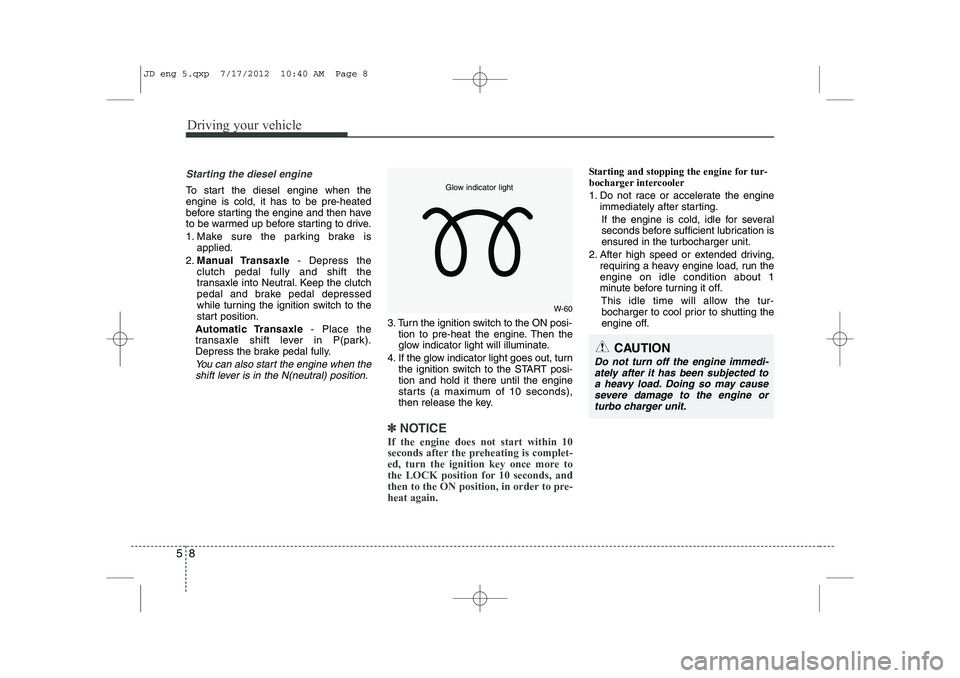
3. Turn the ignition switch to the ON posi- tion to pre-heat the engine. Then the
glow indicator light will illuminate.
4. If the glow indicator light goes out, turn the ignition switch to the START posi-tion and hold it there until the engine
starts (a maximum of 10 seconds),
then release the key.
✽✽
NOTICE
If the engine does not start within 10
seconds after the preheating is complet-
ed, turn the ignition key once more to
the LOCK position for 10 seconds, and
then to the ON position, in order to pre-heat again.
Starting and stopping the engine for tur-
bocharger intercooler
1. Do not race or accelerate the engine immediately after starting.
If the engine is cold, idle for several
seconds before sufficient lubrication isensured in the turbocharger unit.
2. After high speed or extended driving, requiring a heavy engine load, run theengine on idle condition about 1
minute before turning it off.
This idle time will allow the tur-bocharger to cool prior to shutting the
engine off.
W-60
Glow indicator light
CAUTION
Do not turn off the engine immedi-
ately after it has been subjected to a heavy load. Doing so may causesevere damage to the engine or
turbo charger unit.
JD eng 5.qxp 7/17/2012 10:40 AM Page 8