power steering KIA CEED 2013 Owners Manual
[x] Cancel search | Manufacturer: KIA, Model Year: 2013, Model line: CEED, Model: KIA CEED 2013Pages: 1168, PDF Size: 48.01 MB
Page 9 of 1168
Introduction
6
1
* : if equipped ❈ For more detailed explanations, refer
to section 4, “Instrument cluster”.
Charging system warning light
Glow indicator (Diesel only)
Fuel filter warning light (Diesel only)Engine coolant temperature
warning light
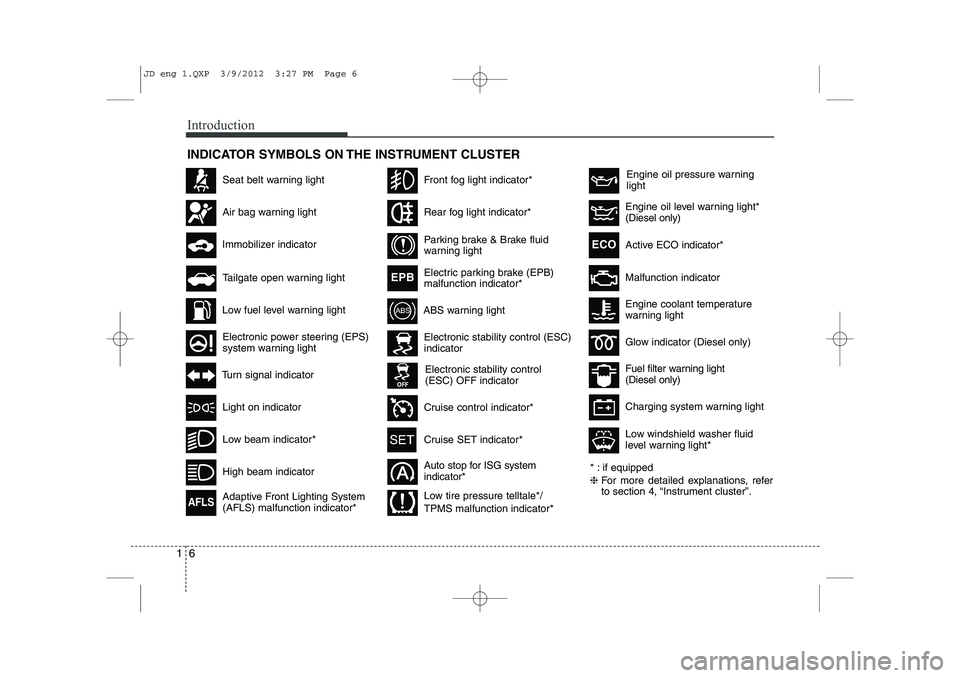
INDICATOR SYMBOLS ON THE INSTRUMENT CLUSTER
Seat belt warning light
High beam indicator
Light on indicator
Turn signal indicator
ABS warning light
Air bag warning light
Low fuel level warning light
Electronic stability control (ESC) indicator
Electronic stability control (ESC) OFF indicator
Immobilizer indicator
Low beam indicator*
Tailgate open warning light
Electronic power steering (EPS)
system warning light
Adaptive Front Lighting System (AFLS) malfunction indicator*
AFLS
Front fog light indicator*
Rear fog light indicator*
Parking brake & Brake fluid
warning light
Electric parking brake (EPB) malfunction indicator*
EPB
Active ECO
indicator*ECO
Auto stop for ISG system indicator*
Cruise control indicator*
Cruise SET indicator*
Engine oil pressure warning light
Malfunction indicator
Engine oil level warning light* (Diesel only)
Low tire pressure telltale*/ TPMS malfunction indicator* Low windshield washer fluid
level warning light*
JD eng 1.QXP 3/9/2012 3:27 PM Page 6
Page 13 of 1168
Your vehicle at a glance
4
2
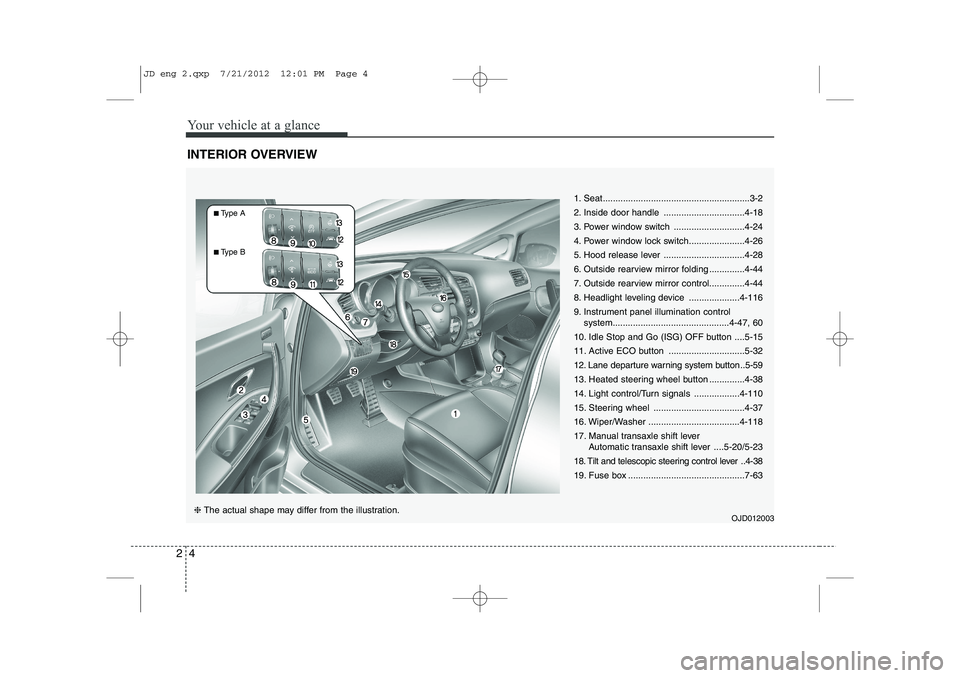
INTERIOR OVERVIEW
1. Seat..........................................................3-2
2. Inside door handle ................................4-18
3. Power window switch ............................4-24
4. Power window lock switch......................4-26
5. Hood release lever ................................4-28
6. Outside rearview mirror folding ..............4-44
7. Outside rearview mirror control..............4-44
8. Headlight leveling device ....................4-116
9. Instrument panel illumination control
system..............................................4-47, 60
10. Idle Stop and Go (ISG) OFF button ....5-15
11. Active ECO button ..............................5-32
12. Lane departure warning system button ..5-59
13. Heated steering wheel button ..............4-38
14. Light control/Turn signals ..................4-110
15. Steering wheel ....................................4-37
16. Wiper/Washer ....................................4-118
17. Manual transaxle shift lever Automatic transaxle shift lever ....5-20/5-23
18. Tilt and telescopic steering control lever ..4-38
19. Fuse box ..............................................7-63
OJD012003
❈ The actual shape may differ from the illustration.
■Type A
■ Type B
JD eng 2.qxp 7/21/2012 12:01 PM Page 4
Page 14 of 1168
25
Your vehicle at a glance
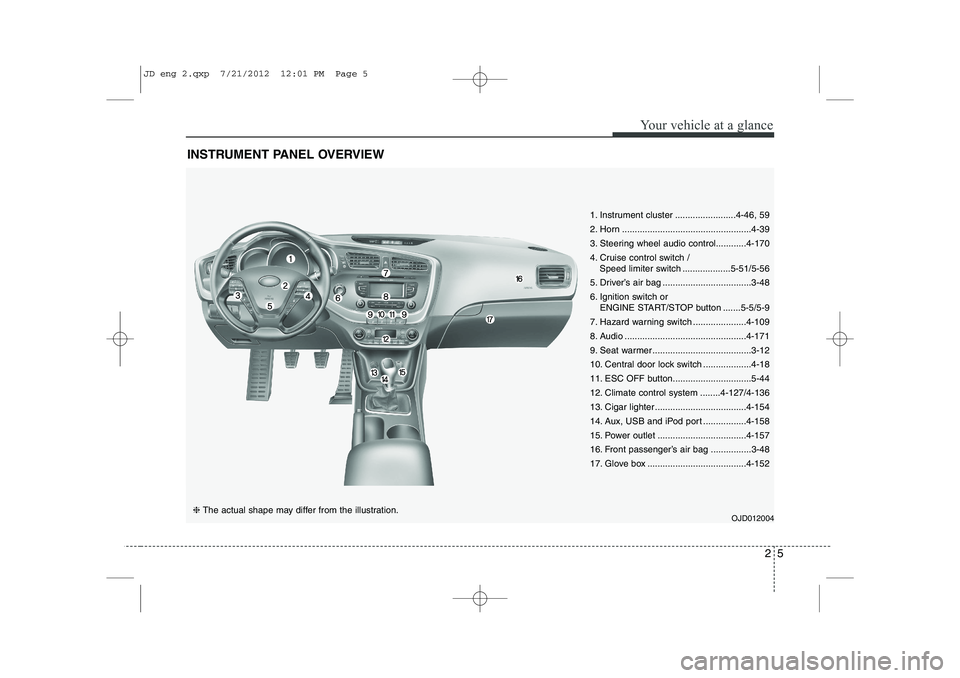
INSTRUMENT PANEL OVERVIEW
OJD012004❈ The actual shape may differ from the illustration.
1. Instrument cluster ........................4-46, 59
2. Horn ...................................................4-39
3. Steering wheel audio control............4-170
4. Cruise control switch /
Speed limiter switch ...................5-51/5-56
5. Driver’s air bag ...................................3-48
6. Ignition switch or ENGINE START/STOP button .......5-5/5-9
7. Hazard warning switch .....................4-109
8. Audio ................................................4-171
9. Seat warmer .......................................3-12
10. Central door lock switch ...................4-18
11. ESC OFF button...............................5-44
12. Climate control system ........4-127/4-136
13. Cigar lighter ....................................4-154
14. Aux, USB and iPod port .................4-158
15. Power outlet ...................................4-157
16. Front passenger’s air bag ................3-48
17. Glove box .......................................4-152
JD eng 2.qxp 7/21/2012 12:01 PM Page 5
Page 22 of 1168
Safety system of your vehicle
6
3
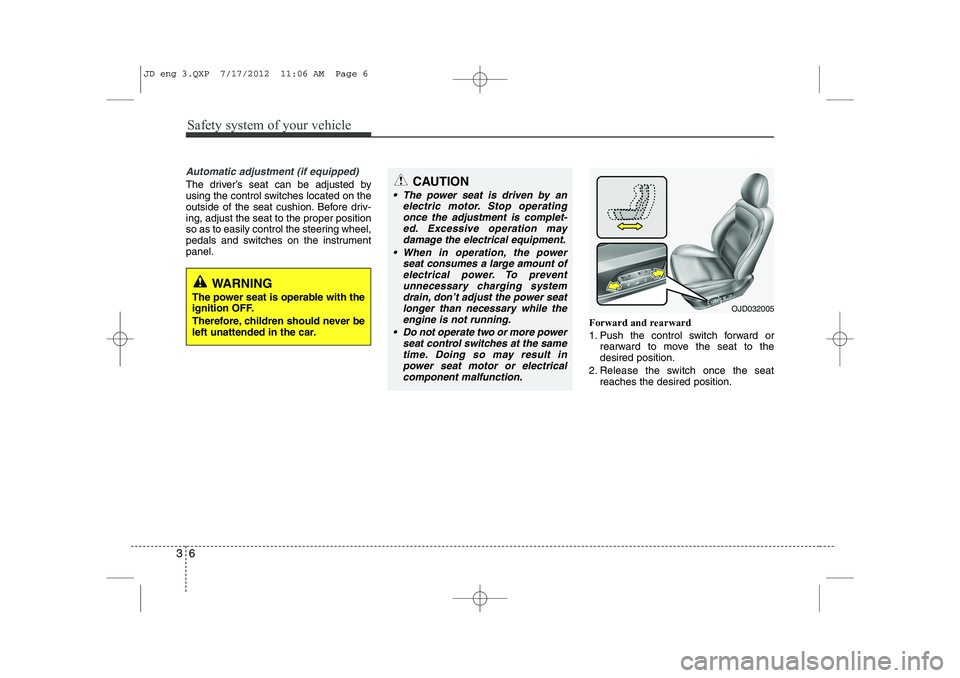
Automatic adjustment (if equipped)
The driver’s seat can be adjusted by
using the control switches located on the
outside of the seat cushion. Before driv-ing, adjust the seat to the proper position
so as to easily control the steering wheel,
pedals and switches on the instrumentpanel.
Forward and rearward
1. Push the control switch forward orrearward to move the seat to the desired position.
2. Release the switch once the seat reaches the desired position.
WARNING
The power seat is operable with the
ignition OFF.
Therefore, children should never be
left unattended in the car.
CAUTION
The power seat is driven by an electric motor. Stop operating
once the adjustment is complet- ed. Excessive operation maydamage the electrical equipment.
When in operation, the power seat consumes a large amount ofelectrical power. To preventunnecessary charging system drain, don’t adjust the power seat
longer than necessary while the engine is not running.
Do not operate two or more power seat control switches at the same
time. Doing so may result inpower seat motor or electrical component malfunction.
OJD032005
JD eng 3.QXP 7/17/2012 11:06 AM Page 6
Page 116 of 1168
437
Features of your vehicle
STEERING WHEEL
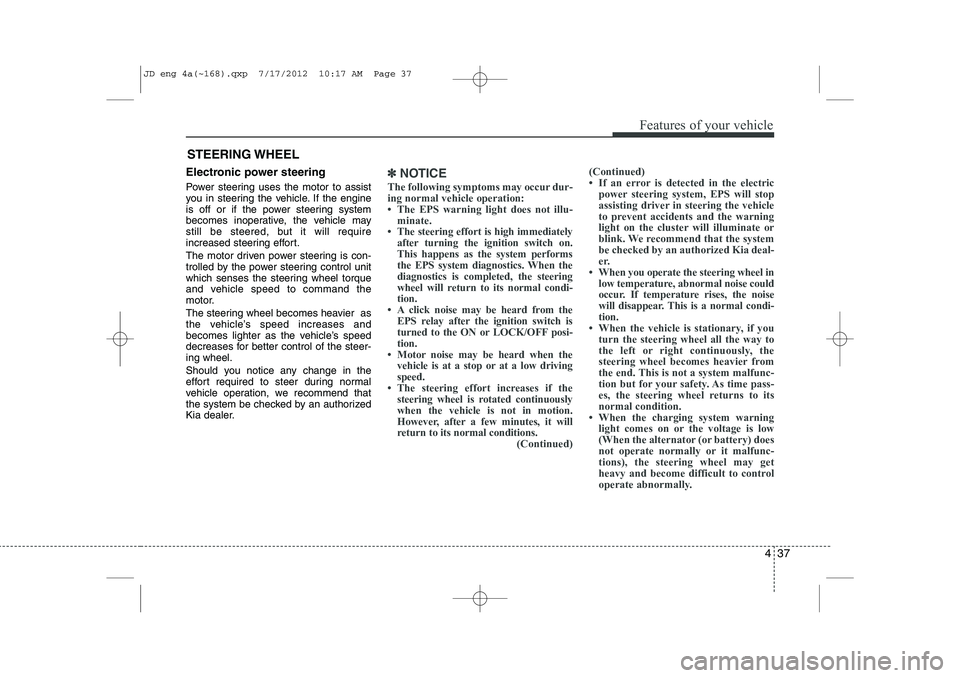
Electronic power steering
Power steering uses the motor to assist
you in steering the vehicle. If the engine
is off or if the power steering system
becomes inoperative, the vehicle may
still be steered, but it will require
increased steering effort.
The motor driven power steering is con-
trolled by the power steering control unit
which senses the steering wheel torque
and vehicle speed to command the
motor.
The steering wheel becomes heavier as
the vehicle’s speed increases and
becomes lighter as the vehicle’s speed
decreases for better control of the steer-ing wheel.
Should you notice any change in the
effort required to steer during normal
vehicle operation, we recommend that
the system be checked by an authorized
Kia dealer.✽✽NOTICE
The following symptoms may occur dur- ing normal vehicle operation:
Page 120 of 1168
441
Features of your vehicle
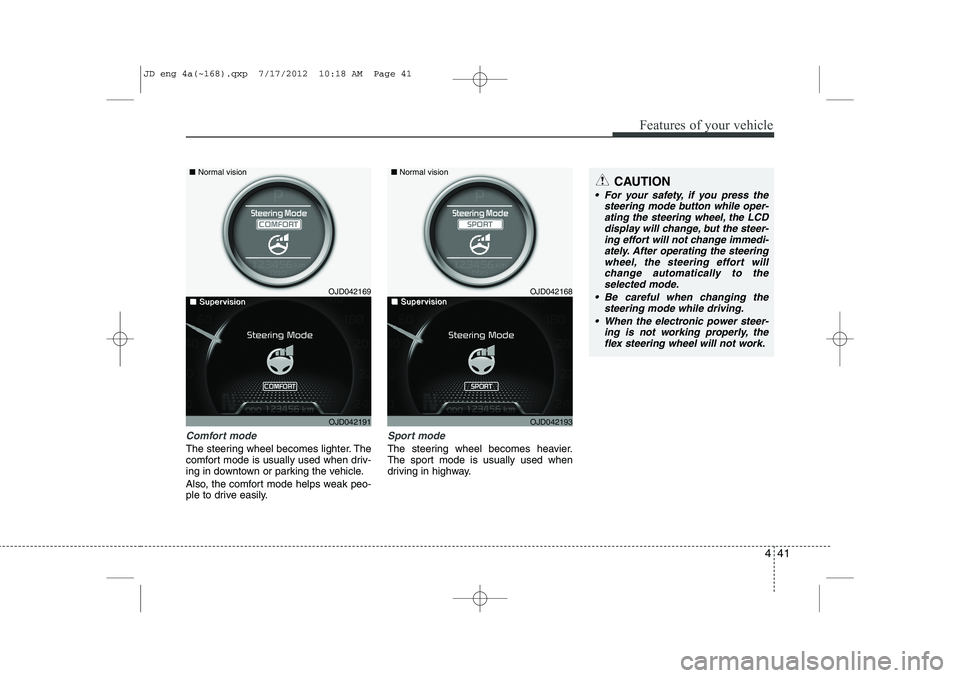
Comfort mode
The steering wheel becomes lighter. The
comfort mode is usually used when driv-
ing in downtown or parking the vehicle.
Also, the comfort mode helps weak peo-
ple to drive easily.
Sport mode
The steering wheel becomes heavier.
The sport mode is usually used when
driving in highway.
CAUTION
For your safety, if you press thesteering mode button while oper-
ating the steering wheel, the LCDdisplay will change, but the steer-ing effort will not change immedi- ately. After operating the steering
wheel, the steering effort will change automatically to theselected mode.
Be careful when changing the steering mode while driving.
When the electronic power steer- ing is not working properly, theflex steering wheel will not work.
OJD042169
OJD042191
■
Normal vision
■■SuperSupervisionvisionOJD042168
OJD042193
■Normal vision
■■SuperSupervisionvision
JD eng 4a(~168).qxp 7/17/2012 10:18 AM Page 41
Page 158 of 1168
479
Features of your vehicle
EPS (Electronic PowerSteering) system warninglight (if equipped)
This indicator light comes on after the
ignition key is turned to the ON positionand then it will go out. This light also comes on when the EPS
has some problems. If it comes on while
driving, we recommend that the system
be checked by an authorized Kia dealer.
Turn signal indicator lights
The blinking green arrows on the instru-
ment panel show the direction indicated
by the turn signals. If the arrow comes on
but does not blink, blinks more rapidly
than normal, or does not illuminate at all,
a malfunction in the turn signal system is
indicated. Your dealer should be consult-
ed for repairs.
Light on indicator
The indicator illuminates when the tail lights or headlights are ON.
Low Beam Indicator Light
(if equipped)
This indicator light illuminates when the headlights are on.
High beam indicator
This indicator illuminates when the head- lights are on and in the high beam posi-
tion or when the turn signal lever is pulled
into the Flash-to-Pass position.
JD eng 4a(~168).qxp 7/17/2012 10:20 AM Page 79
Page 350 of 1168
59
Driving your vehicle
ENGINE START/STOP BUTTON (IF EQUIPPED)
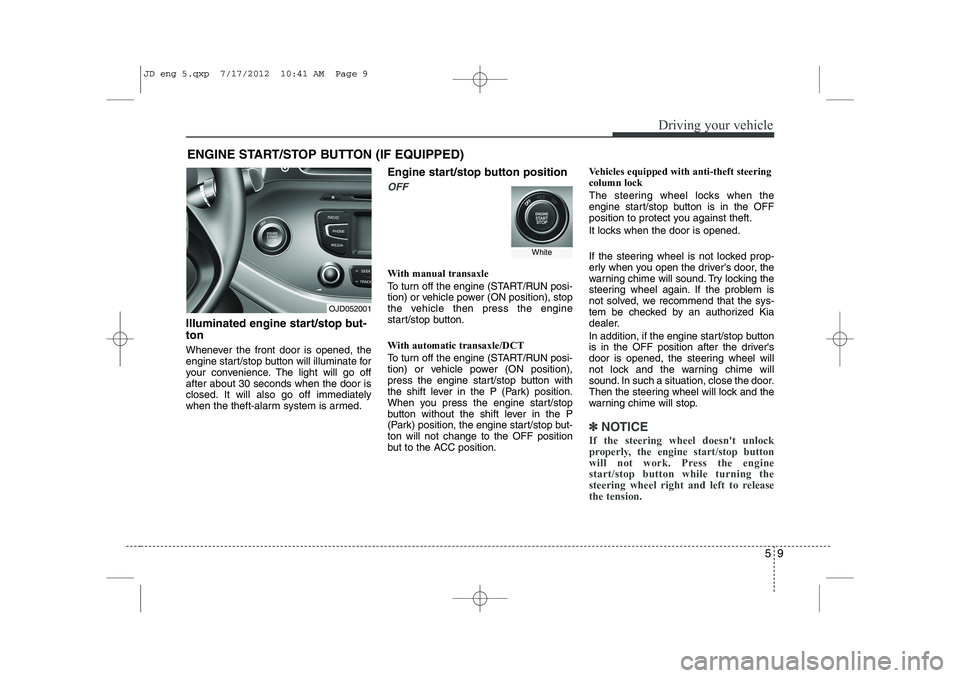
Illuminated engine start/stop but- ton
Whenever the front door is opened, the
engine start/stop button will illuminate for
your convenience. The light will go offafter about 30 seconds when the door is
closed. It will also go off immediately
when the theft-alarm system is armed. Engine start/stop button position
OFF
With manual transaxle
To turn off the engine (START/RUN posi-
tion) or vehicle power (ON position), stop
the vehicle then press the engine
start/stop button.
With automatic transaxle/DCT
To turn off the engine (START/RUN posi-
tion) or vehicle power (ON position),
press the engine start/stop button with
the shift lever in the P (Park) position.
When you press the engine start/stop
button without the shift lever in the P
(Park) position, the engine start/stop but-ton will not change to the OFF position
but to the ACC position.Vehicles equipped with anti-theft steeringcolumn lock
The steering wheel locks when the
engine start/stop button is in the OFF
position to protect you against theft.
It locks when the door is opened.
If the steering wheel is not locked prop-
erly when you open the driver's door, the
warning chime will sound. Try locking the
steering wheel again. If the problem is
not solved, we recommend that the sys-
tem be checked by an authorized Kia
dealer.
In addition, if the engine start/stop button
is in the OFF position after the driver's
door is opened, the steering wheel will
not lock and the warning chime will
sound. In such a situation, close the door.
Then the steering wheel will lock and the
warning chime will stop.
✽✽
NOTICE
If the steering wheel doesn't unlock
properly, the engine start/stop button
will not work. Press the enginestart/stop button while turning the
steering wheel right and left to releasethe tension.
OJD052001
White
JD eng 5.qxp 7/17/2012 10:41 AM Page 9
Page 351 of 1168
Driving your vehicle
10
5
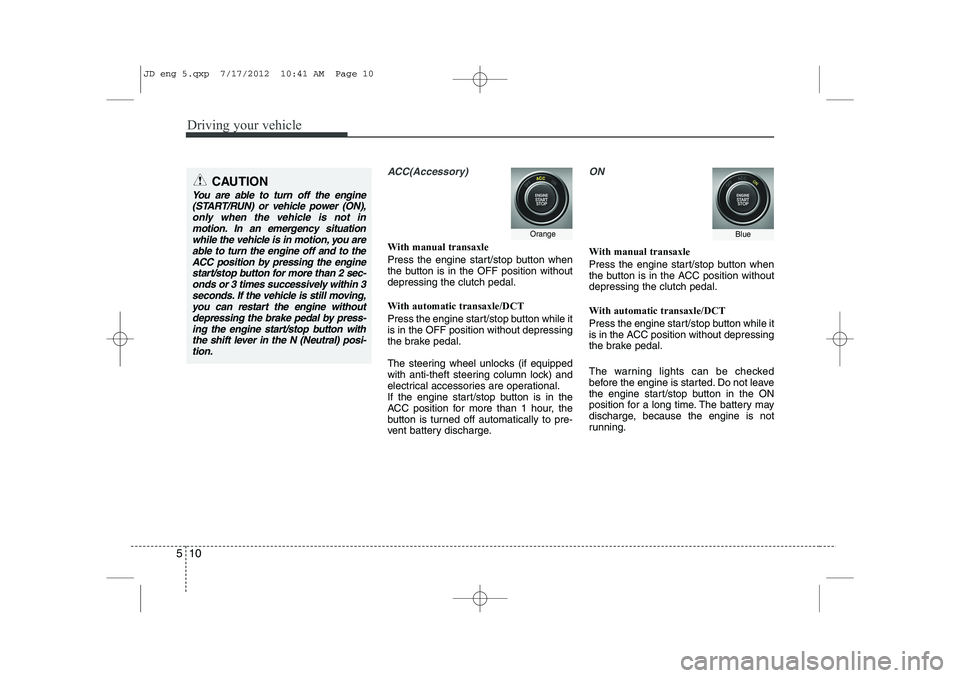
ACC(Accessory)
With manual transaxle
Press the engine start/stop button when
the button is in the OFF position withoutdepressing the clutch pedal.
With automatic transaxle/DCT
Press the engine start/stop button while it is in the OFF position without depressing
the brake pedal.
The steering wheel unlocks (if equipped
with anti-theft steering column lock) and
electrical accessories are operational.
If the engine start/stop button is in the
ACC position for more than 1 hour, the
button is turned off automatically to pre-
vent battery discharge.
ON
With manual transaxle
Press the engine start/stop button when
the button is in the ACC position withoutdepressing the clutch pedal.
With automatic transaxle/DCT
Press the engine start/stop button while it
is in the ACC position without depressing
the brake pedal.
The warning lights can be checked
before the engine is started. Do not leave
the engine start/stop button in the ON
position for a long time. The battery may
discharge, because the engine is not
running.
CAUTION
You are able to turn off the engine
(START/RUN) or vehicle power (ON),
only when the vehicle is not inmotion. In an emergency situation while the vehicle is in motion, you areable to turn the engine off and to the
ACC position by pressing the engine start/stop button for more than 2 sec-onds or 3 times successively within 3
seconds. If the vehicle is still moving,you can restart the engine without depressing the brake pedal by press-ing the engine start/stop button with
the shift lever in the N (Neutral) posi-tion.
OrangeBlue
JD eng 5.qxp 7/17/2012 10:41 AM Page 10
Page 374 of 1168
533
Driving your vehicle
Power brakes
Your vehicle has power-assisted brakes
that adjust automatically through normal
usage.
In the event that the power-assisted
brakes lose power because of a stalled
engine or some other reason, you can
still stop your vehicle by applying greater
force to the brake pedal than you nor-
mally would. The stopping distance, how-
ever, will be longer.
When the engine is not running, the
reserve brake power is partially depleted
each time the brake pedal is applied. Do
not pump the brake pedal when the
power assist has been interrupted.
Pump the brake pedal only when neces-
sary to maintain steering control on slip-
pery surfaces.BRAKE SYSTEM (Continued)
Always, confirm the position of
the brake and accelerator pedal
before driving. If you don't checkthe position of the accelerator
and brake pedal before driving,
you may depress the accelerator
instead of the brake pedal. It maycause a serious accident.WARNING - Brakes
Do not drive with your foot rest- ing on the brake pedal. This will create abnormal high brake tem-
peratures, excessive brake lining
and pad wear, and increasedstopping distances.
When descending a long or steep hill, shift to a lower gear and
avoid continuous application of
the brakes. Continuous brakeapplication will cause the brakes
to overheat and could result in a
temporary loss of braking per-
formance.
Wet brakes may impair the vehi- cle’s ability to sefely slow down;
the vehicle may also pull to oneside when the brakes are applied.
Applying the brakes lightly will
indicate whether they have been
affected in this way. Always test
your brakes in this fashion after
driving through deep water. To
dry the brakes, apply them lightly
while maintaining a safe forward
speed until brake performancereturns to normal.
(Continued)
JD eng 5.qxp 7/17/2012 10:42 AM Page 33