battery KIA CEED 2014 Owners Manual
[x] Cancel search | Manufacturer: KIA, Model Year: 2014, Model line: CEED, Model: KIA CEED 2014Pages: 1206, PDF Size: 50.15 MB
Page 827 of 1206
4 143
Features of your vehicle
Adjusting the driver and passenger side temperature equally
1. Press the DUAL button again to deac-tivate DUAL mode. The passenger
side temperature will be set to the
same temperature as the driver side.
2. Operate the driver side temperature control button. The driver and passen-
ger side temperature will be adjusted
equally.
Temperature conversion
You can switch the temperature mode
between Centigrade to Fahrenheit as
follows:
Whilst pressing the DUAL button, press
the Face-Level selection button for 3
seconds or more.
The display will change from Centigrade
to Fahrenheit, or from Fahrenheit to
Centigrade.
✽✽ NOTICE
If the battery has been discharged or
disconnected, the temperature mode
display will reset to Centigrade.
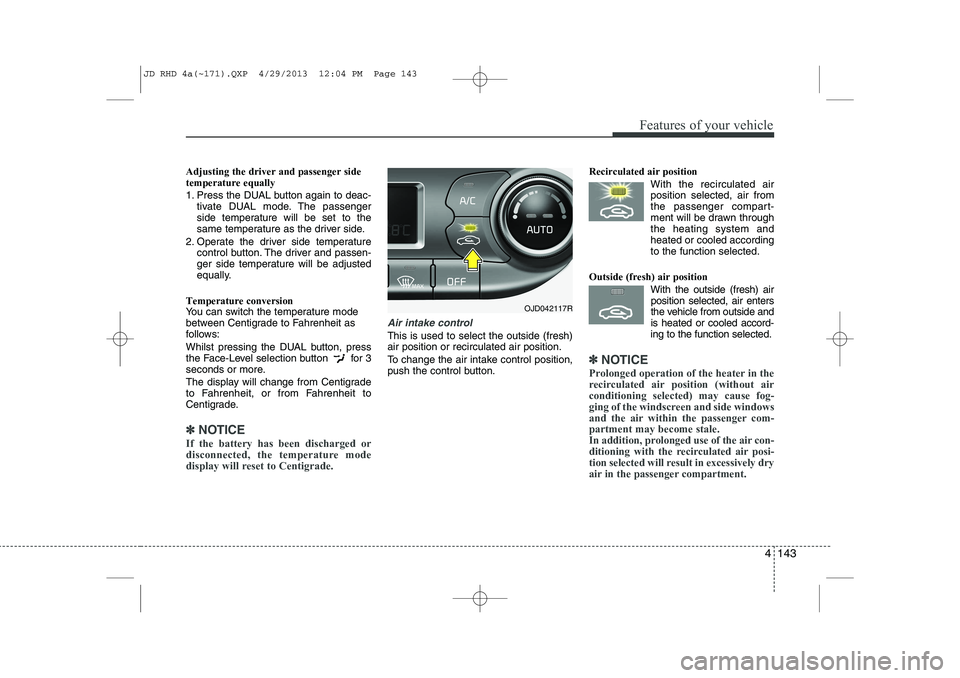
Air intake control
This is used to select the outside (fresh) air position or recirculated air position.
To change the air intake control position,
push the control button. Recirculated air position
With the recirculated airposition selected, air from
the passenger compart-
ment will be drawn throughthe heating system andheated or cooled according
to the function selected.
Outside (fresh) air position With the outside (fresh) airposition selected, air enters
the vehicle from outside andis heated or cooled accord-
ing to the function selected.
✽✽ NOTICE
Prolonged operation of the heater in the
recirculated air position (without airconditioning selected) may cause fog-
ging of the windscreen and side windows
and the air within the passenger com-partment may become stale.
In addition, prolonged use of the air con-
ditioning with the recirculated air posi-
tion selected will result in excessively dry
air in the passenger compartment.
OJD042117R
JD RHD 4a(~171).QXP 4/29/2013 12:04 PM Page 143
Page 835 of 1206
4 151
Features of your vehicle
This indicator illuminates
when the auto defoggingsystem senses the moistureof inside the windscreen and
operates.
If more moisture is in the vehicle, higher
steps operate as follow.
Step 1 : Operating the air conditioning
Step 2 : Outside air position
Step 3 : Blowing air flow toward the wind- screen
Step 4 : Increasing air flow toward the windscreen
If your vehicle is equipped with the auto
defogging system, it is automatically acti-
vated when the conditions are met.
However, if you would like to cancel the
auto defogging system, press the front
defroster button 4 times within 2 seconds
whilst pressing the AUTO button. The
indicator will blink 3 times to notify you
that the system is cancelled. To use the
auto defogging system again, follow the
procedures mentioned above.
If the battery has been disconnected or
discharged, it resets to the auto defog-
ging status.✽✽ NOTICE
If the A/C off is manually selected whilst the auto defogging system is on, the auto
defogging indicator will blink 3 times to
give notice that the A/C off can not beselected.
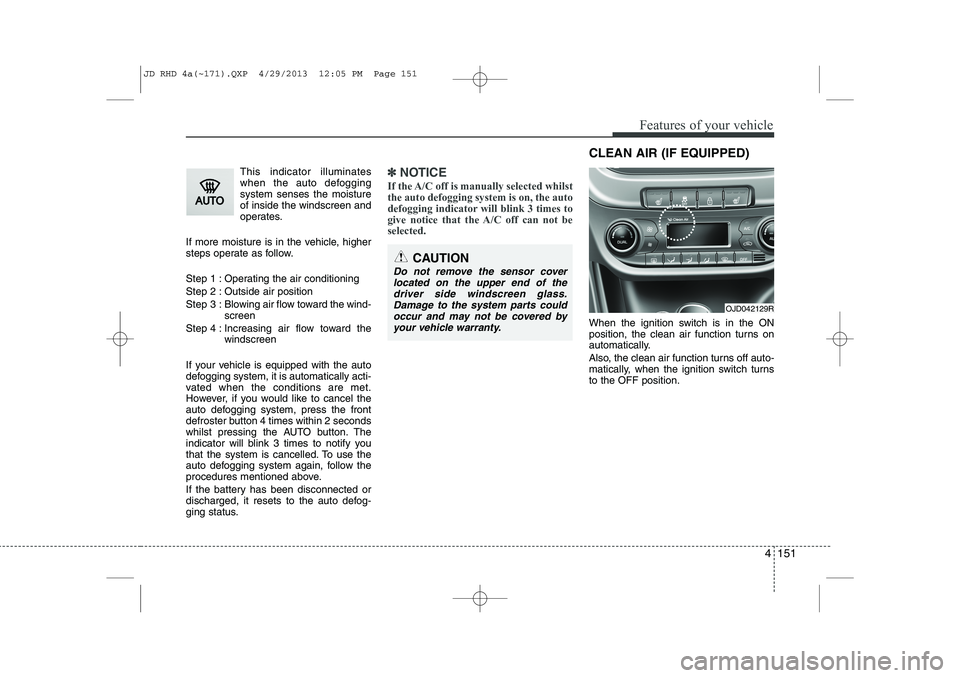
When the ignition switch is in the ON
position, the clean air function turns on
automatically.
Also, the clean air function turns off auto-
matically, when the ignition switch turnsto the OFF position.
CAUTION
Do not remove the sensor cover located on the upper end of thedriver side windscreen glass.Damage to the system parts could occur and may not be covered by
your vehicle warranty.
OJD042129R
CLEAN AIR (IF EQUIPPED)
JD RHD 4a(~171).QXP 4/29/2013 12:05 PM Page 151
Page 843 of 1206
4 159
Features of your vehicle
✽✽NOTICE
Close the vanity mirror cover securely
and return the sunvisor to its original
position after use.
❈ To learn how to use the vanity mirror
lamp, refer to "Interior light" in this sec- tion.
CAUTION - Vanity mirror
lamp (if equipped)
Always have the switch in the off position when the vanity mirror lamp is not in use. If the sunvisor isclosed without the lamp off, it maydischarge the battery or damage
the sunvisor.
WARNING
For your safety, do not obstruct your
vision when using the sunvisor.
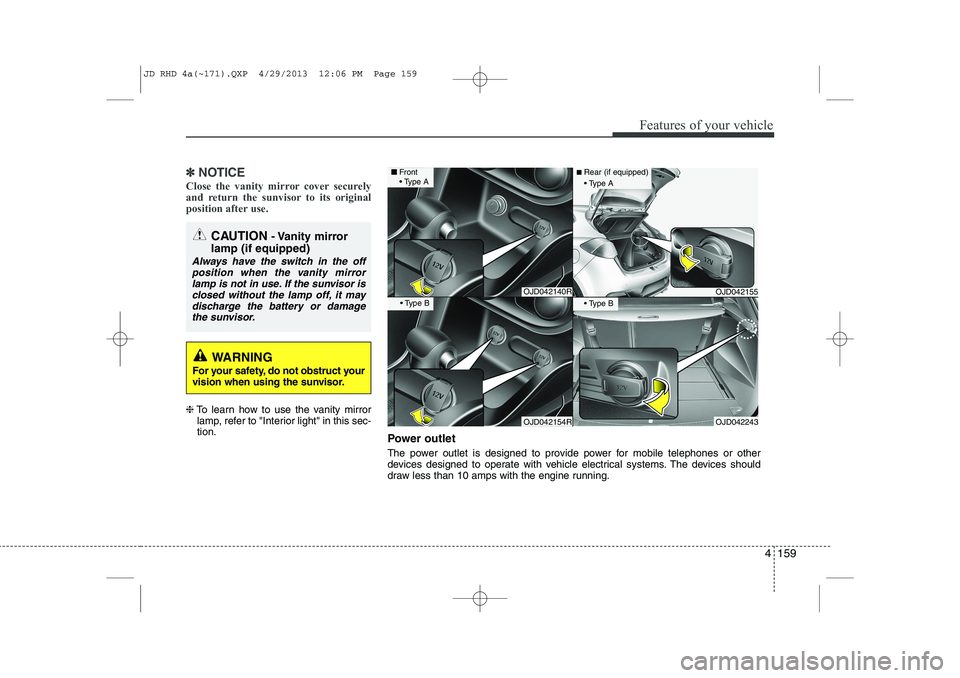
Power outlet
The power outlet is designed to provide power for mobile telephones or other
devices designed to operate with vehicle electrical systems. The devices should
draw less than 10 amps with the engine running.
OJD042140R
OJD042154R
■ Front
Type A
Type B
OJD042155
OJD042243
■Rear (if equipped)
Type A
Type B
JD RHD 4a(~171).QXP 4/29/2013 12:06 PM Page 159
Page 844 of 1206
Features of your vehicle
160
4
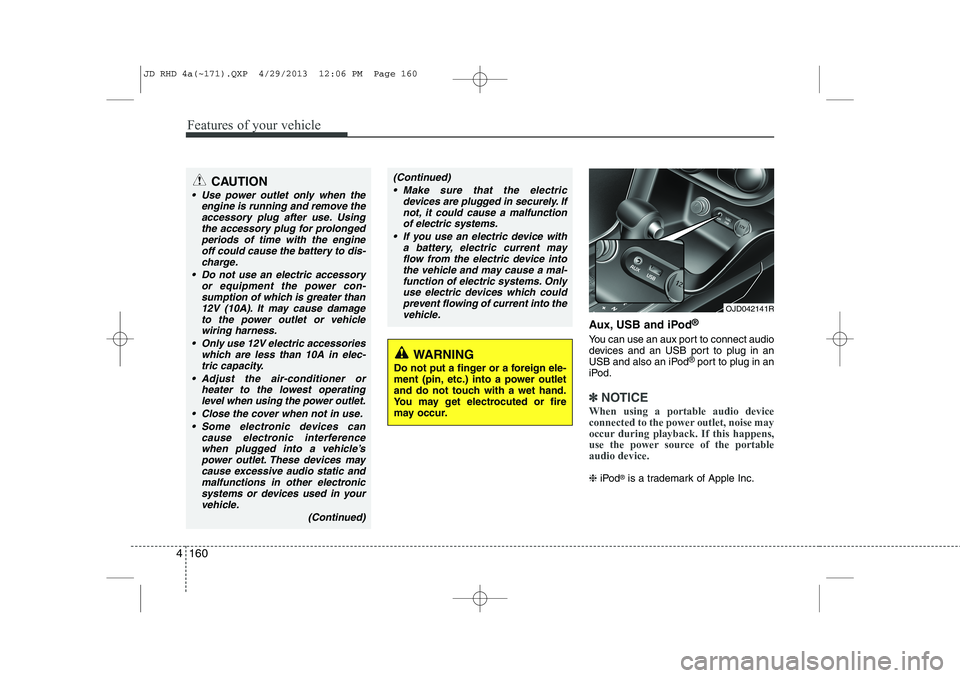
Aux, USB and iPod ®
You can use an aux port to connect audio
devices and an USB port to plug in an
USB and also an iPod ®
port to plug in an
iPod.
✽✽ NOTICE
When using a portable audio device
connected to the power outlet, noise may
occur during playback. If this happens,
use the power source of the portableaudio device.
❈ iPod ®
is a trademark of Apple Inc.
OJD042141R
WARNING
Do not put a finger or a foreign ele-
ment (pin, etc.) into a power outlet
and do not touch with a wet hand.
You may get electrocuted or fire
may occur.
CAUTION
Use power outlet only when the engine is running and remove the
accessory plug after use. Usingthe accessory plug for prolongedperiods of time with the engine off could cause the battery to dis-
charge.
Do not use an electric accessory or equipment the power con-sumption of which is greater than
12V (10A). It may cause damageto the power outlet or vehiclewiring harness.
Only use 12V electric accessories which are less than 10A in elec-tric capacity.
Adjust the air-conditioner or heater to the lowest operatinglevel when using the power outlet.
Close the cover when not in use. Some electronic devices can cause electronic interferencewhen plugged into a vehicle’spower outlet. These devices may cause excessive audio static and
malfunctions in other electronicsystems or devices used in your vehicle.
(Continued)
(Continued) Make sure that the electric devices are plugged in securely. Ifnot, it could cause a malfunctionof electric systems.
If you use an electric device with a battery, electric current mayflow from the electric device into the vehicle and may cause a mal-
function of electric systems. Only use electric devices which couldprevent flowing of current into thevehicle.
JD RHD 4a(~171).QXP 4/29/2013 12:06 PM Page 160
Page 860 of 1206
Features of your vehicle
176
4
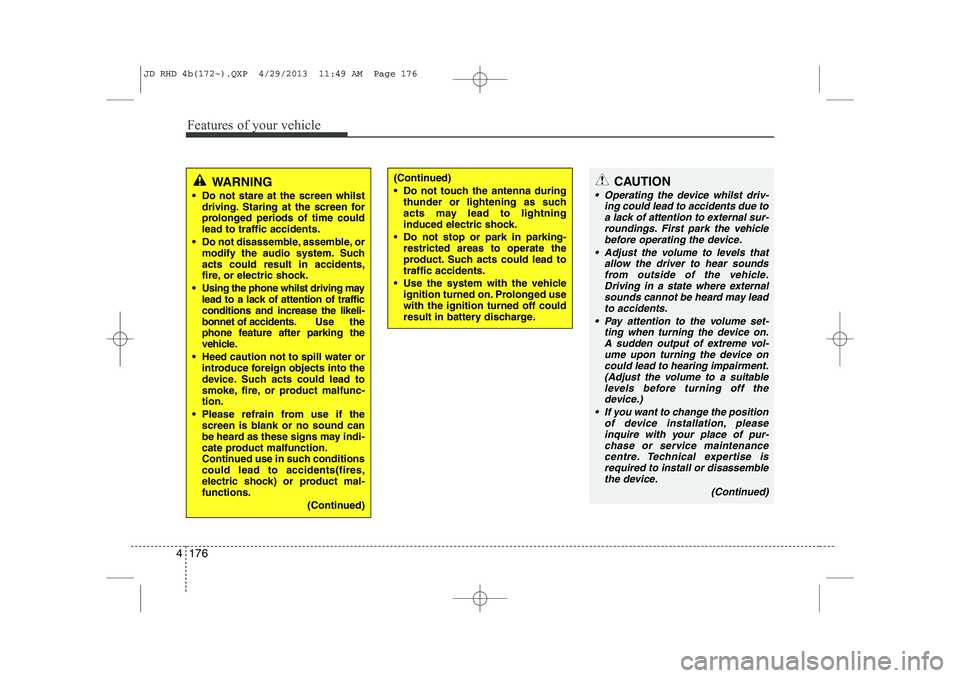
CAUTION
Operating the device whilst driv-
ing could lead to accidents due to
a lack of attention to external sur- roundings. First park the vehiclebefore operating the device.
Adjust the volume to levels that allow the driver to hear soundsfrom outside of the vehicle. Driving in a state where external sounds cannot be heard may lead
to accidents.
Pay attention to the volume set- ting when turning the device on.A sudden output of extreme vol-
ume upon turning the device oncould lead to hearing impairment. (Adjust the volume to a suitablelevels before turning off the
device.)
If you want to change the position of device installation, pleaseinquire with your place of pur-chase or service maintenance
centre. Technical expertise isrequired to install or disassemble the device.
(Continued)
WARNING
Do not stare at the screen whilst driving. Staring at the screen for
prolonged periods of time couldlead to traffic accidents.
Do not disassemble, assemble, or modify the audio system. Suchacts could result in accidents,
fire, or electric shock.
Using the phone whilst driving may lead to a lack of attention of trafficconditions and increase the likeli-
bonnet of accidents. Use the
phone feature after parking the
vehicle.
Heed caution not to spill water or introduce foreign objects into the
device. Such acts could lead to
smoke, fire, or product malfunc-tion.
Please refrain from use if the screen is blank or no sound can
be heard as these signs may indi-
cate product malfunction.
Continued use in such conditionscould lead to accidents(fires,
electric shock) or product mal-functions.
(Continued)(Continued)
Do not touch the antenna duringthunder or lightening as such
acts may lead to lightning
induced electric shock.
Do not stop or park in parking- restricted areas to operate the
product. Such acts could lead totraffic accidents.
Use the system with the vehicle ignition turned on. Prolonged usewith the ignition turned off could
result in battery discharge.
JD RHD 4b(172~).QXP 4/29/2013 11:49 AM Page 176
Page 861 of 1206
4 177
Features of your vehicle
(Continued) Turn on the car ignition before using this device. Do not operatethe audio system for long periods of time with the ignition turned off
as such operations may lead to battery discharge.
Do not subject the device to severe shock or impact. Direct
pressure onto the front side ofthe monitor may cause damage to the LCD or touch screen.
When cleaning the device, make sure to turn off the device anduse a dry and smooth cloth.Never use tough materials, chem- ical cloths, or solvents (alcohol,
benzene, thinners, etc.) as suchmaterials may damage the devicepanel or cause colour/qualitydeterioration
Do not place beverages close to the audio system. Spilling bever-ages may lead to system mal-function.
(Continued)(Continued) In case of product malfunction, please contact your place of pur-chase or After Service centre.
Placing the audio system within an electromagnetic environmentmay result in noise interference.
JD RHD 4b(172~).QXP 4/29/2013 11:49 AM Page 177
Page 873 of 1206

4 189
Features of your vehicle
Bluetooth®Wireless Technology
System Off
This feature is used when you do not wish to use the
Bluetooth®Wireless
Technologysystem.
Select [Bluetooth®Wireless Technology
System Off] Set through TUNE knob
❈ If a phone is already connected, dis- connect the currently connected phone
and turn the
Bluetooth®Wireless
Technologysystem off.
Using the
Bluetooth®Wireless
Technology System
To use
Bluetooth®Wireless Technologywhen the system is currently off, follow
these next steps.
Turning On
Bluetooth®Wireless
Technologythrough the Key
Press the key Screen Guidance
❈ Moves to the screen where Bluetooth®
Wireless Technology functions can be
used and displays guidance. Turning On
Bluetooth®Wireless
Technologythrough the Key
Press the key Select [Phone]
through TUNE knob or key
➀ A screen asking whether to turn onBluetooth®Wireless Technologywill be
displayed.
➁ On the screen, select to turn on
Bluetooth®Wireless Technologyand
display guidance.
❈ If the
Bluetooth®Wireless Technologysystem is turned on, the system will
automatically try to connect the mostrecently connected
Bluetooth®
Wireless Technologymobile phone.
Bluetooth®Wireless Technology con-
nection may become intermittently dis-
connected in some mobile phones. Follow
these next steps to try again.
1) Turn the Bluetooth®Wireless Technologyfunction within the mobile phone
ON/OFF and try to connect again.
2) Turn the mobile phone power ON/OFF and try to connect again.
3) Completely remove the mobile phone
battery, reboot, and then try to connectagain.
4) Reboot the audio system and try to con-
nect again
5) Delete all paired devices in your mobile phone and the audio system and pair
again for use.
YES
3
SETUP
SETUP
PHONE
PHONE
JD RHD 4b(172~).QXP 4/29/2013 11:49 AM Page 189
Page 882 of 1206
![KIA CEED 2014 Owners Manual Features of your vehicle
198
4
All Random
Press the key Set [ A.RDM] through the TUNEknob or
key.
Plays all songs within the currently play-
ing category in random order.
Information
Press the](/img/2/57942/w960_57942-881.png "KIA CEED 2014 Owners Manual Features of your vehicle
198
4
All Random
Press the key Set [ A.RDM] through the TUNEknob or
key.
Plays all songs within the currently play-
ing category in random order.
Information
Press the")
Features of your vehicle
198
4
All Random
Press the key Set [ A.RDM] through the TUNEknob or
key.
Plays all songs within the currently play-
ing category in random order.
Information
Press the key Set [ Info] through the
TUNEknob or
key.
Displays information of the current song.
Search
Press the key Set [ Search] through the TUNEknob or
key.
Some iPod models may not support communication protocol and files may
not properly play.
Supported iPod models:
- iPod Mini ®
- iPod 4th(Photo) ~ 6th(Classic) genera- tion
- iPod Nano ®
1st~4th generation
- iPod Touch ®
1st~2nd generation The order of search or playback of
songs in the iPod can be different from the order searched in the audio system.
If the iPod is disabled due to its own malfunction, reset the iPod. (Reset:
Refer to iPod manual)
An iPod may not operate normally on low battery.
Some iPod devices, such as the iPhone, can be connected through the
-interface. The device must have audio
Bluetooth®Wireless Technology capa-
bility (such as for stereo headphone
Bluetooth®Wireless Technology ). The
device can play, but it will not be con-
trolled by the audio system.
To use iPod features within the audio, use the cable provided upon purchasing an
iPod device.
Skipping or improper operation may occur depending on the characteristics of your
iPod/Phone device.
If your iPhone is connected to both the
Bluetooth®Wireless Technology and
USB, the sound may not be properly
played. In your iPhone, select the Dockconnector or
Bluetooth®Wireless
Technology to change the sound output
(source). When connecting iPod with the iPod
Power Cable, insert the connector to the
multimedia socket completely. If not
inserted completely, communications
between iPod and audio may be inter-
rupted.
When adjusting the sound effects of the iPod and the audio system, the sound
effects of both devices will overlap and
might reduce or distort the quality of thesound.
Deactivate (turn off) the equalizer func- tion of an iPod when adjusting the audio
system’s volume, and turn off the
equalizer of the audio system whenusing the equaliz
er of an iPod.
When not using iPod with car audio, detach the iPod cable from iPod. Otherwise, iPod
may remain in accessory mode, and may
not work properly.
5
MENU
4
MENU
3
MENU
JD RHD 4b(172~).QXP 4/29/2013 11:50 AM Page 198
Page 893 of 1206

4 209
Features of your vehicle
Audio CD Audio CD
Track Audio CD song order
Reading Media Reading Media
Not supported Not supported file format
Empty iPod Empty iPod, iPod don't have
playable data
Communication ErrorCommunication error between
audio and iPod or usb
Delete Delete the paired phone or files
in MY MUSIC
Del.All Delete all files
Del.Sel Select files to delete
Return Return menu
List List files or paired phones
Select Files Select Files
Memory is full, Memory is full, Delete
files
Over 6000 files. can Over 6000 files. can not be
copied
Over 1000 same files Over 1000 same files can not
be copied
System will automatiSystem will automatically
switchoff after 1 hour with igni-
tion off
Battery discharge Battery discharge
Start the engine
Setup Setup
Display Setup display mode
Mode Pop up This function is used to select
popup menu on or off
Scroll text This function is used to display characters longer than the LCD
text displays
Song Info Setup display information being
played
Folder/File Display Folder/file name, file
currently being played
Album/Artist/Song Display Album/Artist/Song
name, file currently being played
Sound Setup sound mode
Audio Settings Setup Audio settings that con- sist BASS,Middle,Treble,Fader
and Balance
PowerBass This function is used to improve
bass sound quality
Speed Dependent Vol.Automatically adjust the volume
according to the car speed
Volume Dialogue Adjust volume level of Dialogue Bass Bass is sound of low frequency.
It can be adjusted sound by
user
Middle Middle is sound of middle fre- quency. It can be adjusted
sound by user
Treble
Treble is sound of high frequency. It
can be adjusted sound by user
cally switchoff after 1 hour with ignition off
Delete files not be copied
can not be copied
Start the engine
JD RHD 4b(172~).QXP 4/29/2013 11:50 AM Page 209
Page 955 of 1206
Driving your vehicle
6
5
Ignition switch position
LOCK
The steering wheel locks to protect
against theft. The ignition key can be
removed only in the LOCK position.
When turning the ignition switch to the
LOCK position, push the key inward at
the ACC position and turn the key towardthe LOCK position.
ACC (Accessory)
The steering wheel is unlocked and elec-
trical accessories are operative.
✽✽
NOTICE
If difficulty is experienced turning the
ignition switch to the ACC position, turnthe key whilst turning the steering wheel
right and left to release the tension.
ON
The warning lights can be checked
before the engine is started. This is the
normal running position after the engine
is started.
Do not leave the ignition switch ON if the engine is not running to prevent battery
discharge.
START
Turn the ignition key to the START posi-
tion to start the engine. The engine will
crank until you release the key; then it
returns to the ON position. The brake
warning lamp can be checked in thisposition.
WARNING - Ignition key
Never turn the ignition switch to LOCK or ACC whilst the vehicle is
moving. This would result in loss of
directional control and braking
function, which could cause anaccident.
The anti-theft steering column lock (if equipped) is not a substitute for
the parking brake. Before leaving
the driver’s seat, always make sure
the shift lever is engaged in 1 st
gear
for the manual transaxle or P (Park)
for the automatic transaxle, set the
parking brake fully and shut the
engine off. Unexpected and sud-
den vehicle movement may occur ifthese precautions are not taken.
Never reach for the ignition switch, or any other controls through the
steering wheel whilst the vehicle is
in motion. The presence of yourhand or arm in this area could
cause a loss of vehicle control, an
accident and serious bodily injuryor death.
Do not place any movable objects around the driver’s seat as they
may move whilst driving, interferewith the driver and lead to an acci-dent.
JD RHD 5.QXP 4/29/2013 11:25 AM Page 6