steering KIA CEED 2014 Owner's Manual
[x] Cancel search | Manufacturer: KIA, Model Year: 2014, Model line: CEED, Model: KIA CEED 2014Pages: 1206, PDF Size: 50.15 MB
Page 158 of 1206
477
Features of your vehicle
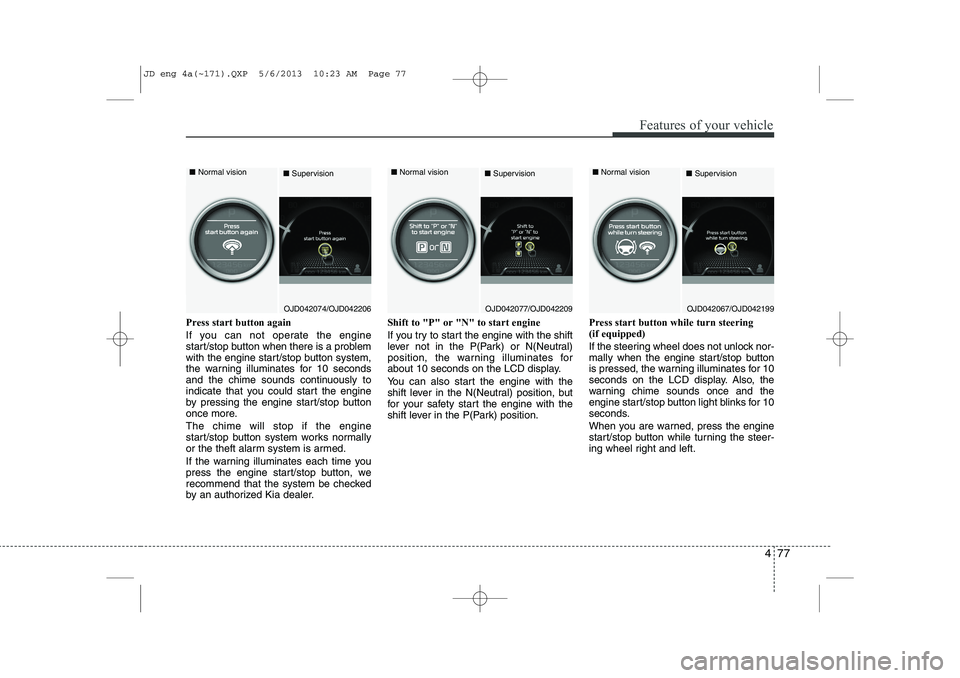
Press start button again
If you can not operate the engine
start/stop button when there is a problem
with the engine start/stop button system,
the warning illuminates for 10 seconds
and the chime sounds continuously to
indicate that you could start the engine
by pressing the engine start/stop button
once more. The chime will stop if the engine
start/stop button system works normally
or the theft alarm system is armed.
If the warning illuminates each time you
press the engine start/stop button, we
recommend that the system be checked
by an authorized Kia dealer.Shift to "P" or "N" to start engine
If you try to start the engine with the shift
lever not in the P(Park) or N(Neutral)
position, the warning illuminates for
about 10 seconds on the LCD display.
You can also start the engine with the
shift lever in the N(Neutral) position, but
for your safety start the engine with the
shift lever in the P(Park) position.
Press start button while turn steering (if equipped)
If the steering wheel does not unlock nor-
mally when the engine start/stop button
is pressed, the warning illuminates for 10
seconds on the LCD display. Also, the
warning chime sounds once and the
engine start/stop button light blinks for 10
seconds.
When you are warned, press the engine
start/stop button while turning the steer-
ing wheel right and left.
OJD042074/OJD042206
■
Normal vision
■SupervisionOJD042077/OJD042209
■
Normal vision
■SupervisionOJD042067/OJD042199
■
Normal vision
■Supervision
JD eng 4a(~171).QXP 5/6/2013 10:23 AM Page 77
Page 159 of 1206
Features of your vehicle
78
4
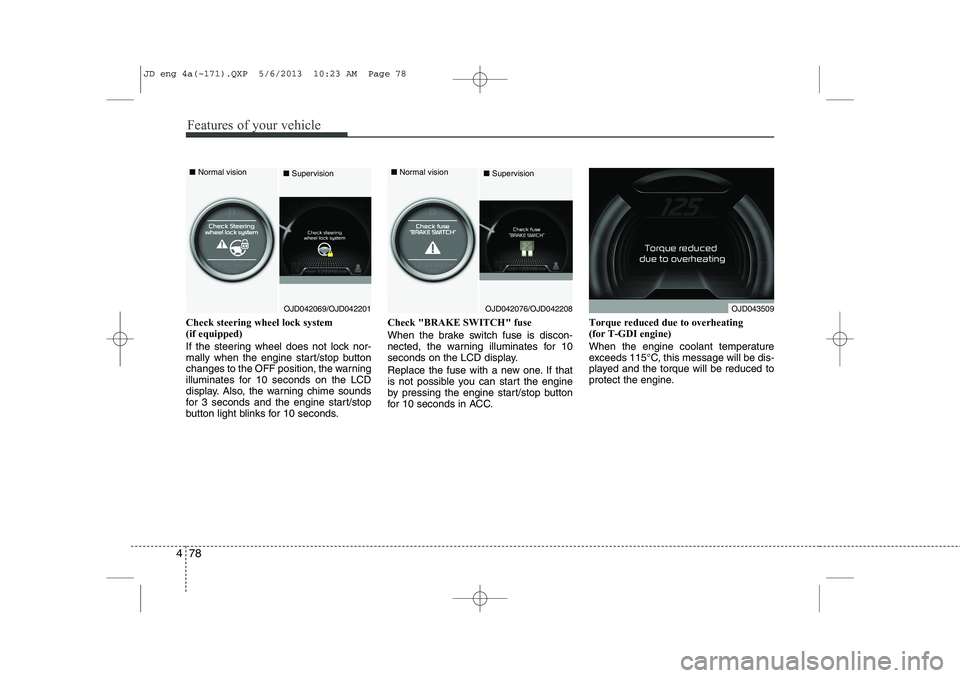
Check steering wheel lock system (if equipped)
If the steering wheel does not lock nor-
mally when the engine start/stop button
changes to the OFF position, the warning
illuminates for 10 seconds on the LCD
display. Also, the warning chime sounds
for 3 seconds and the engine start/stop
button light blinks for 10 seconds. Check "BRAKE SWITCH" fuse
When the brake switch fuse is discon-
nected, the warning illuminates for 10
seconds on the LCD display.
Replace the fuse with a new one. If that
is not possible you can start the engine
by pressing the engine start/stop button
for 10 seconds in ACC.
Torque reduced due to overheating(for T-GDI engine)
When the engine coolant temperature
exceeds 115°C, this message will be dis-
played and the torque will be reduced to
protect the engine.
OJD042069/OJD042201
■
Normal vision
■SupervisionOJD042076/OJD042208
■
Normal vision
■SupervisionOJD043509
JD eng 4a(~171).QXP 5/6/2013 10:23 AM Page 78
Page 162 of 1206
481
Features of your vehicle
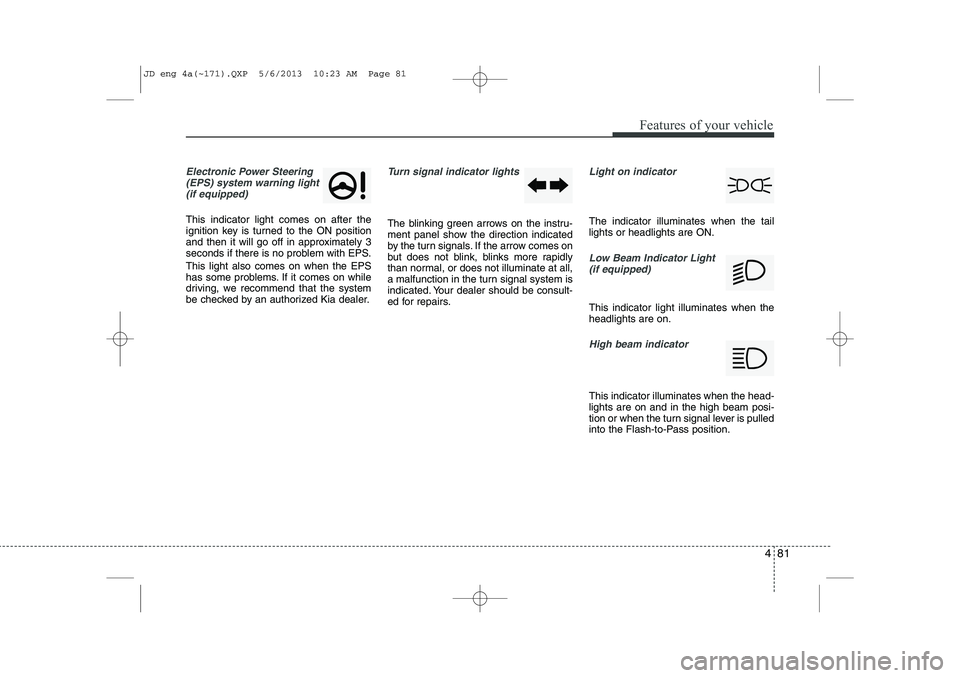
Electronic Power Steering(EPS) system warning light(if equipped)
This indicator light comes on after the
ignition key is turned to the ON position
and then it will go off in approximately 3
seconds if there is no problem with EPS. This light also comes on when the EPS
has some problems. If it comes on while
driving, we recommend that the system
be checked by an authorized Kia dealer.
Turn signal indicator lights
The blinking green arrows on the instru-
ment panel show the direction indicated
by the turn signals. If the arrow comes on
but does not blink, blinks more rapidly
than normal, or does not illuminate at all,
a malfunction in the turn signal system is
indicated. Your dealer should be consult-
ed for repairs.
Light on indicator
The indicator illuminates when the tail lights or headlights are ON.
Low Beam Indicator Light
(if equipped)
This indicator light illuminates when the headlights are on.
High beam indicator
This indicator illuminates when the head- lights are on and in the high beam posi-
tion or when the turn signal lever is pulled
into the Flash-to-Pass position.
JD eng 4a(~171).QXP 5/6/2013 10:23 AM Page 81
Page 165 of 1206
Features of your vehicle
84
4
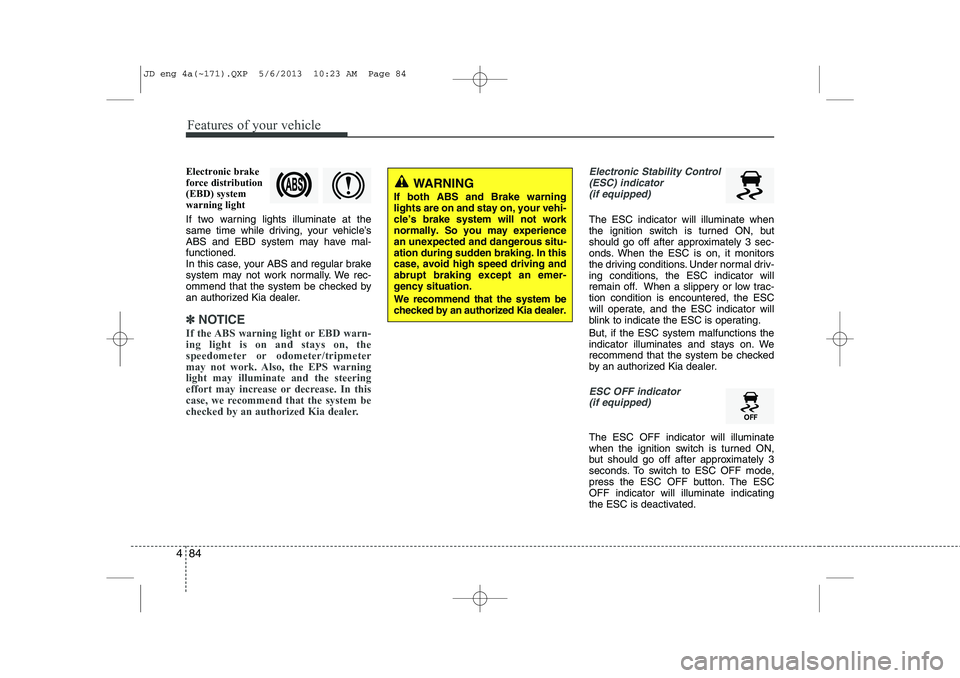
Electronic brake force distribution(EBD) systemwarning light
If two warning lights illuminate at the
same time while driving, your vehicle’s
ABS and EBD system may have mal-functioned.
In this case, your ABS and regular brake
system may not work normally. We rec-
ommend that the system be checked by
an authorized Kia dealer.
✽✽
NOTICE
If the ABS warning light or EBD warn- ing light is on and stays on, the
speedometer or odometer/tripmeter
may not work. Also, the EPS warninglight may illuminate and the steering
effort may increase or decrease. In this
case, we recommend that the system be
checked by an authorized Kia dealer.
Electronic Stability Control (ESC) indicator(if equipped)
The ESC indicator will illuminate when
the ignition switch is turned ON, but
should go off after approximately 3 sec-
onds. When the ESC is on, it monitors
the driving conditions. Under normal driv-
ing conditions, the ESC indicator will
remain off. When a slippery or low trac-tion condition is encountered, the ESC
will operate, and the ESC indicator will
blink to indicate the ESC is operating. But, if the ESC system malfunctions the
indicator illuminates and stays on. We
recommend that the system be checked
by an authorized Kia dealer.
ESC OFF indicator (if equipped)
The ESC OFF indicator will illuminate
when the ignition switch is turned ON,
but should go off after approximately 3
seconds. To switch to ESC OFF mode,
press the ESC OFF button. The ESCOFF indicator will illuminate indicating
the ESC is deactivated.
WARNING
If both ABS and Brake warning lights are on and stay on, your vehi-cle’s brake system will not worknormally. So you may experiencean unexpected and dangerous situ-ation during sudden braking. In thiscase, avoid high speed driving andabrupt braking except an emer-gency situation. We recommend that the system be checked by an authorized Kia dealer.
JD eng 4a(~171).QXP 5/6/2013 10:23 AM Page 84
Page 181 of 1206

Features of your vehicle
100
4
The Smart Parking Assist System helps
drivers park their vehicle by using sen-
sors to measure parallel parking spaces,
control the steering wheel to semi-auto-
matically park the car and provide
instruction on the LCD display to help
through parking.
✽✽
NOTICE
Page 185 of 1206

Features of your vehicle
104
4
How the system works
1. Activate the Smart Parking Assist
System
2. Select parking assist mode
3. Search for parking space (slowly move forward.)
4. Search complete (automatic search by sensor.)
5. Steering wheel control
(1) Shift according to the instruction on the LCD display.
(2) Drive slowly with the brake pedal applied.
6. Smart Parking Assist System com- plete
7. If necessary, manually adjust position of vehicle.
✽✽ NOTICE
Page 187 of 1206
Features of your vehicle
106
4
✽✽
NOTICE
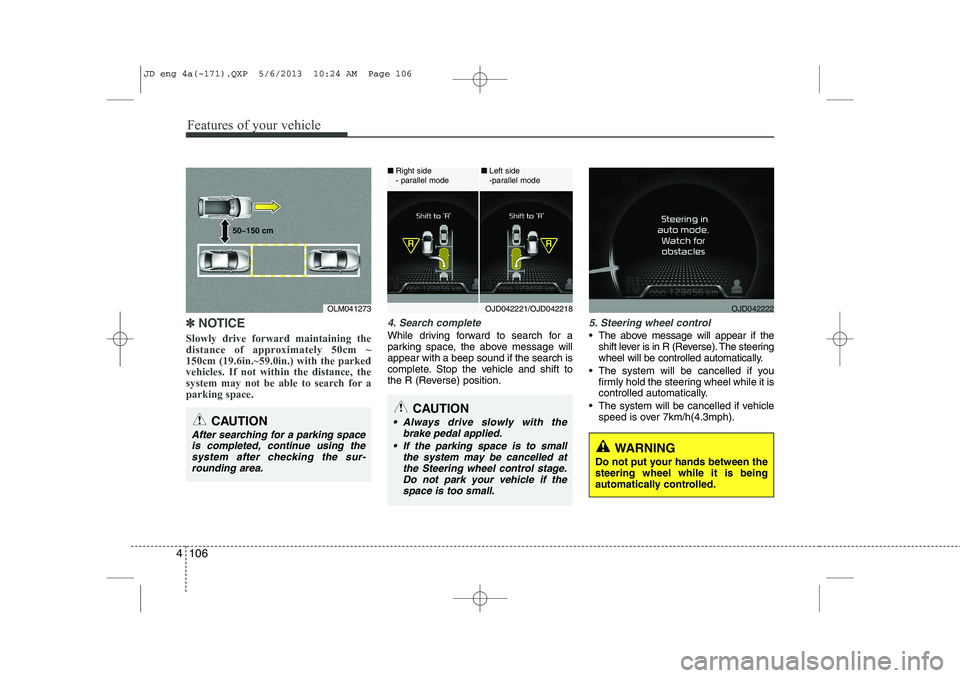
Slowly drive forward maintaining the
distance of approximately 50cm ~150cm (19.6in.~59.0in.) with the parkedvehicles. If not within the distance, the
system may not be able to search for aparking space.4. Search complete
While driving forward to search for a
parking space, the above message willappear with a beep sound if the search is
complete. Stop the vehicle and shift to
the R (Reverse) position.
5. Steering wheel control
The above message will appear if the shift lever is in R (Reverse). The steering
wheel will be controlled automatically.
The system will be cancelled if you firmly hold the steering wheel while it is
controlled automatically.
The system will be cancelled if vehicle speed is over 7km/h(4.3mph).
CAUTION
After searching for a parking space
is completed, continue using the system after checking the sur-rounding area.
OLM041273
50~150 cm
CAUTION
Always drive slowly with the
brake pedal applied.
If the parking space is to small the system may be cancelled atthe Steering wheel control stage.Do not park your vehicle if thespace is too small.
OJD042221/OJD042218
■
Right side
- parallel mode ■
Left side
-parallel modeOJD042222
WARNING
Do not put your hands between the steering wheel while it is being
automatically controlled.
JD eng 4a(~171).QXP 5/6/2013 10:24 AM Page 106
Page 189 of 1206
Features of your vehicle
108
4
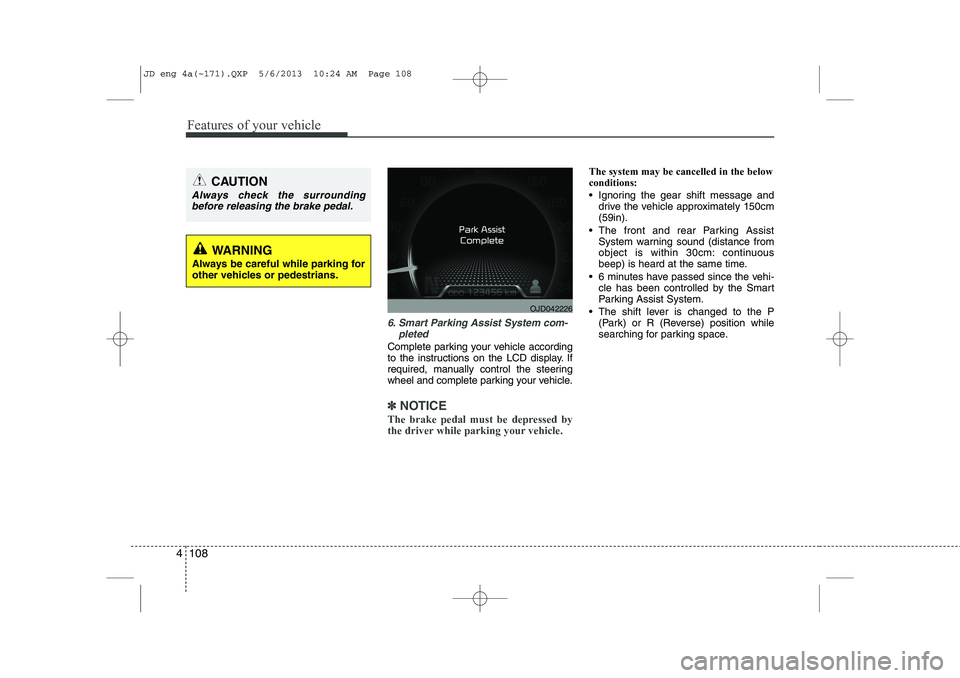
6. Smart Parking Assist System com-
pleted
Complete parking your vehicle according
to the instructions on the LCD display. If
required, manually control the steering
wheel and complete parking your vehicle.
✽✽NOTICE
The brake pedal must be depressed by
the driver while parking your vehicle.
The system may be cancelled in the below conditions:
Ignoring the gear shift message and drive the vehicle approximately 150cm (59in).
The front and rear Parking Assist System warning sound (distance from
object is within 30cm: continuous
beep) is heard at the same time.
6 minutes have passed since the vehi- cle has been controlled by the Smart
Parking Assist System.
The shift lever is changed to the P (Park) or R (Reverse) position while
searching for parking space.
WARNING
Always be careful while parking for
other vehicles or pedestrians.
CAUTION
Always check the surrounding before releasing the brake pedal.
OJD042226
JD eng 4a(~171).QXP 5/6/2013 10:24 AM Page 108
Page 192 of 1206

4 111
Features of your vehicle
Battery saver function
The purpose of this feature is to pre-vent the battery from being dis-
charged. The system automatically
turns off the parking lights when the
driver removes the ignition key (Smart
key : turns off the engine) and opens
the driver- side door.
With this feature, the parking lights will be turned off automatically if the driver
parks on the side of road at night.
If necessary, to keep the lights on
when the ignition key is removed, per-
form the following :
1) Open the driver-side door.
2) Turn the parking lights OFF and ON again using the light switch on the
steering column. Headlamp delay function (if equipped) The headlamps (and/or taillights) remain
on for same minutes (Type A: 20 minutes,
Type B: 5 minutes) after the ignition key
is removed or turned to the ACC or
LOCK position. However, if the driver’sdoor is opened and closed, the head-
lights are turned off after 15 seconds.
The headlights can be turned off by
pressing the lock button on the transmit-
ter or smart key twice or turning off the
light switch from the headlight or Autolight position.
You can activate or deactivate the head-
lamp delay fuction. Refer to “User setting”
in this chapter.
Headlight (Headlamp) welcome function (if equipped)
When the headlight switch is in the ON or
AUTO position and all doors (and tail-
gate) are closed and locked, if you press
the door unlock button on the transmitter
or smart key, the headlights will come on
for about 15 seconds.
If the headlight switch is in the AUTO
position, the function can only operate atnight.
At this time, if you press the door unlock
button again or door lock button on the
transmitter or smart key, the headlights
will turn off immediately.
You can activate or deactivate the head-
lamp welcome fuction. Refer to “User set-
ting” in this chapter.
✽✽
NOTICE
There can be turned on front fog light and the fail light when you turn on the
headlight switch ON. In this case we rec-ommend that you the system checked by
an authorized Kia dealer.
LIGHTING
CAUTION
If the driver gets out of the vehicle through other doors (except driver’sdoor), the battery saver functiondoes not operate and the headlamp
delay function does not turn offautomatically. Therefore, it causes the battery to be discharged. In this case, make sure to turn off the lampbefore getting out of the vehicle.
JD eng 4a(~171).QXP 5/6/2013 10:25 AM Page 111
Page 193 of 1206
Features of your vehicle
112
4
Static bending light (if equipped)
While driving the corner, for your sight
and safety, the static bending light turns
on automatically. The system will operate
automatically as follows:
When vehicle speed is under 10km/h
and steering wheel angle approximate-
ly 80 degrees.
When vehicle speed is over 10km/h and steering wheel angle approximate-
ly 35 degrees.
When the vehicle is at a standstill.
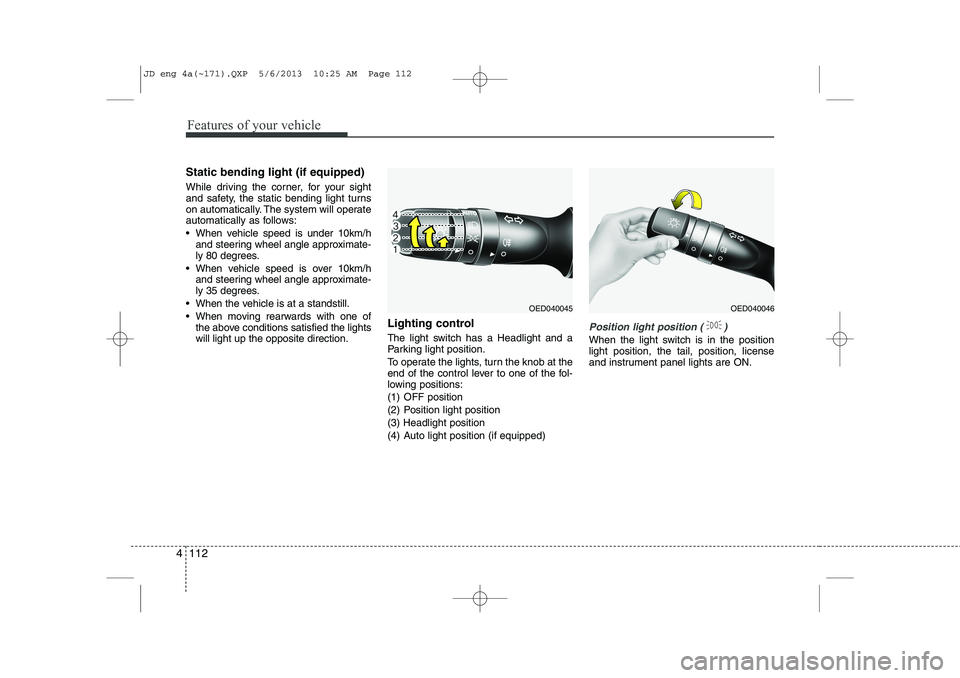
When moving rearwards with one of the above conditions satisfied the lights will light up the opposite direction. Lighting control
The light switch has a Headlight and a
Parking light position.
To operate the lights, turn the knob at the
end of the control lever to one of the fol-
lowing positions:
(1) OFF position
(2) Position light position(3) Headlight position
(4) Auto light position (if equipped)
Position light position ( )
When the light switch is in the position light position, the tail, position, license
and instrument panel lights are ON.
OED040045OED040046
JD eng 4a(~171).QXP 5/6/2013 10:25 AM Page 112