steering wheel KIA CEED 2014 Owner's Manual
[x] Cancel search | Manufacturer: KIA, Model Year: 2014, Model line: CEED, Model: KIA CEED 2014Pages: 1206, PDF Size: 50.15 MB
Page 158 of 1206
477
Features of your vehicle
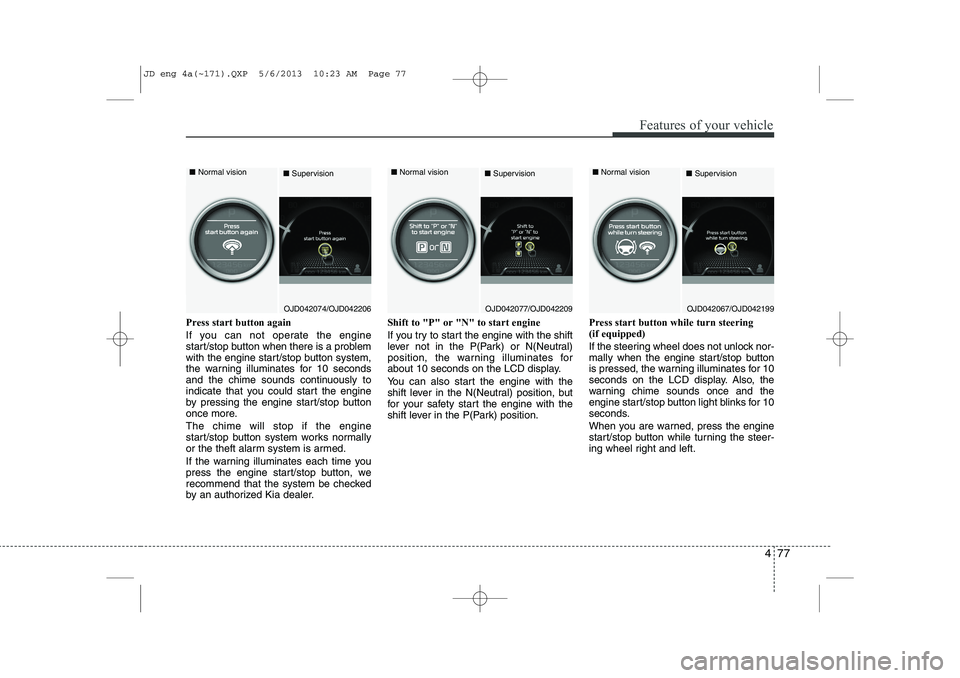
Press start button again
If you can not operate the engine
start/stop button when there is a problem
with the engine start/stop button system,
the warning illuminates for 10 seconds
and the chime sounds continuously to
indicate that you could start the engine
by pressing the engine start/stop button
once more. The chime will stop if the engine
start/stop button system works normally
or the theft alarm system is armed.
If the warning illuminates each time you
press the engine start/stop button, we
recommend that the system be checked
by an authorized Kia dealer.Shift to "P" or "N" to start engine
If you try to start the engine with the shift
lever not in the P(Park) or N(Neutral)
position, the warning illuminates for
about 10 seconds on the LCD display.
You can also start the engine with the
shift lever in the N(Neutral) position, but
for your safety start the engine with the
shift lever in the P(Park) position.
Press start button while turn steering (if equipped)
If the steering wheel does not unlock nor-
mally when the engine start/stop button
is pressed, the warning illuminates for 10
seconds on the LCD display. Also, the
warning chime sounds once and the
engine start/stop button light blinks for 10
seconds.
When you are warned, press the engine
start/stop button while turning the steer-
ing wheel right and left.
OJD042074/OJD042206
■
Normal vision
■SupervisionOJD042077/OJD042209
■
Normal vision
■SupervisionOJD042067/OJD042199
■
Normal vision
■Supervision
JD eng 4a(~171).QXP 5/6/2013 10:23 AM Page 77
Page 159 of 1206
Features of your vehicle
78
4
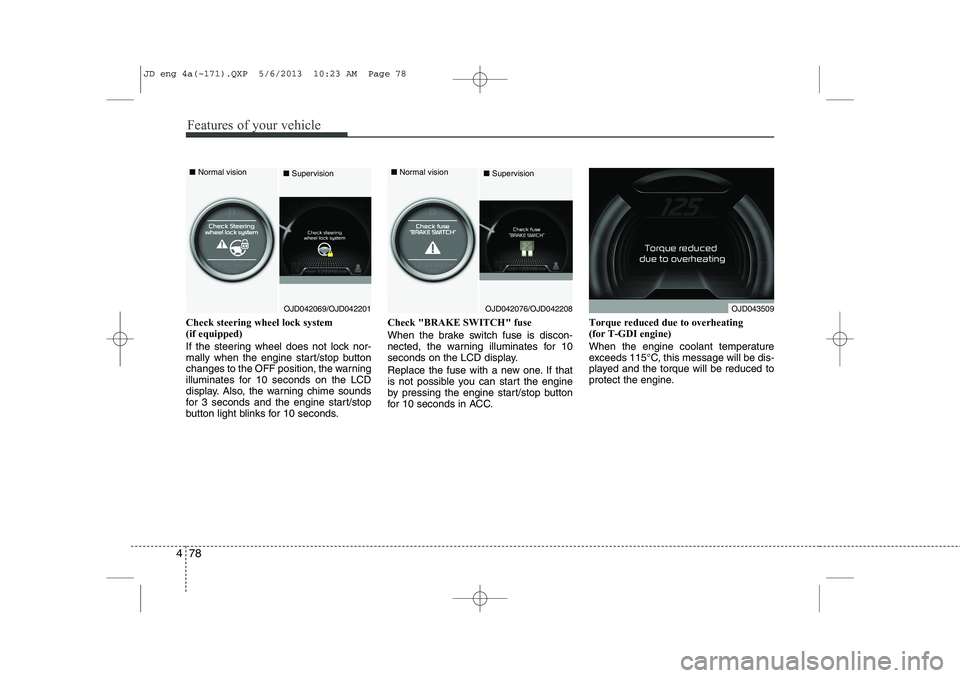
Check steering wheel lock system (if equipped)
If the steering wheel does not lock nor-
mally when the engine start/stop button
changes to the OFF position, the warning
illuminates for 10 seconds on the LCD
display. Also, the warning chime sounds
for 3 seconds and the engine start/stop
button light blinks for 10 seconds. Check "BRAKE SWITCH" fuse
When the brake switch fuse is discon-
nected, the warning illuminates for 10
seconds on the LCD display.
Replace the fuse with a new one. If that
is not possible you can start the engine
by pressing the engine start/stop button
for 10 seconds in ACC.
Torque reduced due to overheating(for T-GDI engine)
When the engine coolant temperature
exceeds 115°C, this message will be dis-
played and the torque will be reduced to
protect the engine.
OJD042069/OJD042201
■
Normal vision
■SupervisionOJD042076/OJD042208
■
Normal vision
■SupervisionOJD043509
JD eng 4a(~171).QXP 5/6/2013 10:23 AM Page 78
Page 181 of 1206

Features of your vehicle
100
4
The Smart Parking Assist System helps
drivers park their vehicle by using sen-
sors to measure parallel parking spaces,
control the steering wheel to semi-auto-
matically park the car and provide
instruction on the LCD display to help
through parking.
✽✽
NOTICE
Page 185 of 1206

Features of your vehicle
104
4
How the system works
1. Activate the Smart Parking Assist
System
2. Select parking assist mode
3. Search for parking space (slowly move forward.)
4. Search complete (automatic search by sensor.)
5. Steering wheel control
(1) Shift according to the instruction on the LCD display.
(2) Drive slowly with the brake pedal applied.
6. Smart Parking Assist System com- plete
7. If necessary, manually adjust position of vehicle.
✽✽ NOTICE
Page 187 of 1206
Features of your vehicle
106
4
✽✽
NOTICE
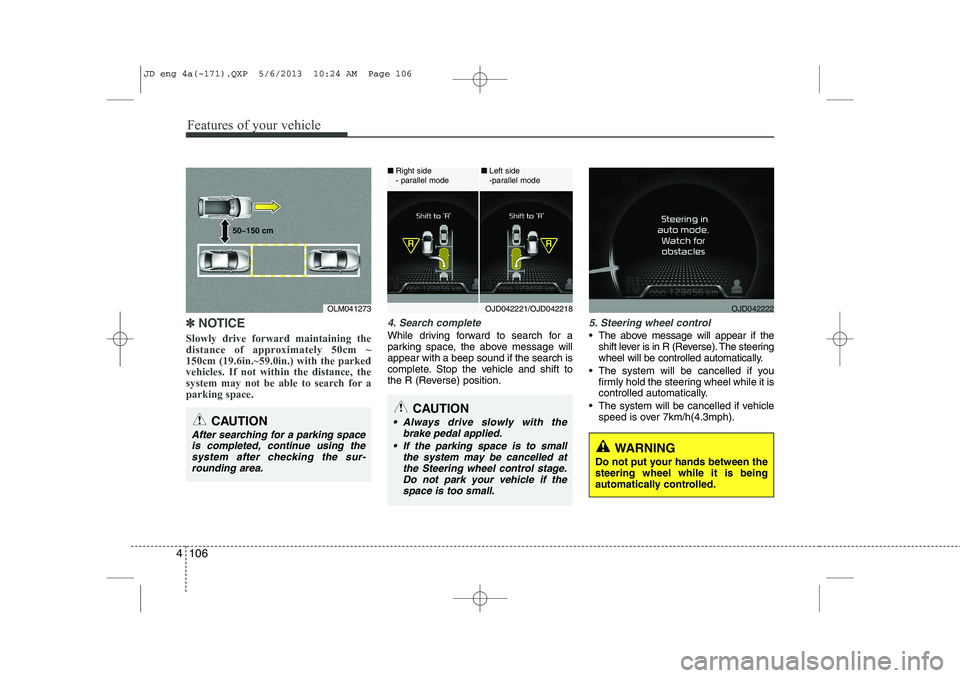
Slowly drive forward maintaining the
distance of approximately 50cm ~150cm (19.6in.~59.0in.) with the parkedvehicles. If not within the distance, the
system may not be able to search for aparking space.4. Search complete
While driving forward to search for a
parking space, the above message willappear with a beep sound if the search is
complete. Stop the vehicle and shift to
the R (Reverse) position.
5. Steering wheel control
The above message will appear if the shift lever is in R (Reverse). The steering
wheel will be controlled automatically.
The system will be cancelled if you firmly hold the steering wheel while it is
controlled automatically.
The system will be cancelled if vehicle speed is over 7km/h(4.3mph).
CAUTION
After searching for a parking space
is completed, continue using the system after checking the sur-rounding area.
OLM041273
50~150 cm
CAUTION
Always drive slowly with the
brake pedal applied.
If the parking space is to small the system may be cancelled atthe Steering wheel control stage.Do not park your vehicle if thespace is too small.
OJD042221/OJD042218
■
Right side
- parallel mode ■
Left side
-parallel modeOJD042222
WARNING
Do not put your hands between the steering wheel while it is being
automatically controlled.
JD eng 4a(~171).QXP 5/6/2013 10:24 AM Page 106
Page 189 of 1206
Features of your vehicle
108
4
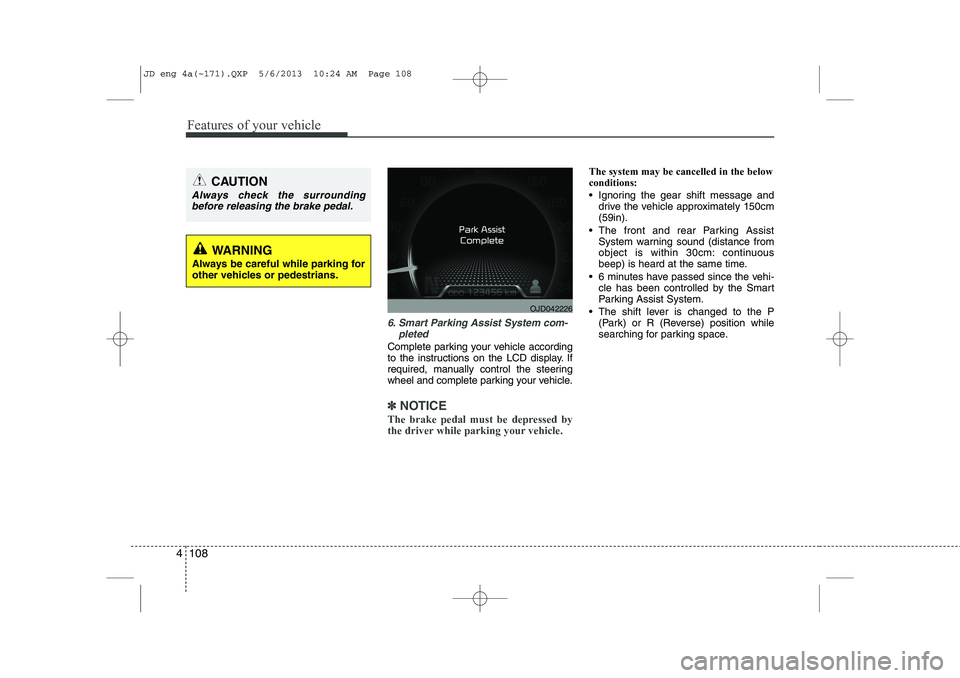
6. Smart Parking Assist System com-
pleted
Complete parking your vehicle according
to the instructions on the LCD display. If
required, manually control the steering
wheel and complete parking your vehicle.
✽✽NOTICE
The brake pedal must be depressed by
the driver while parking your vehicle.
The system may be cancelled in the below conditions:
Ignoring the gear shift message and drive the vehicle approximately 150cm (59in).
The front and rear Parking Assist System warning sound (distance from
object is within 30cm: continuous
beep) is heard at the same time.
6 minutes have passed since the vehi- cle has been controlled by the Smart
Parking Assist System.
The shift lever is changed to the P (Park) or R (Reverse) position while
searching for parking space.
WARNING
Always be careful while parking for
other vehicles or pedestrians.
CAUTION
Always check the surrounding before releasing the brake pedal.
OJD042226
JD eng 4a(~171).QXP 5/6/2013 10:24 AM Page 108
Page 193 of 1206
Features of your vehicle
112
4
Static bending light (if equipped)
While driving the corner, for your sight
and safety, the static bending light turns
on automatically. The system will operate
automatically as follows:
When vehicle speed is under 10km/h
and steering wheel angle approximate-
ly 80 degrees.
When vehicle speed is over 10km/h and steering wheel angle approximate-
ly 35 degrees.
When the vehicle is at a standstill.
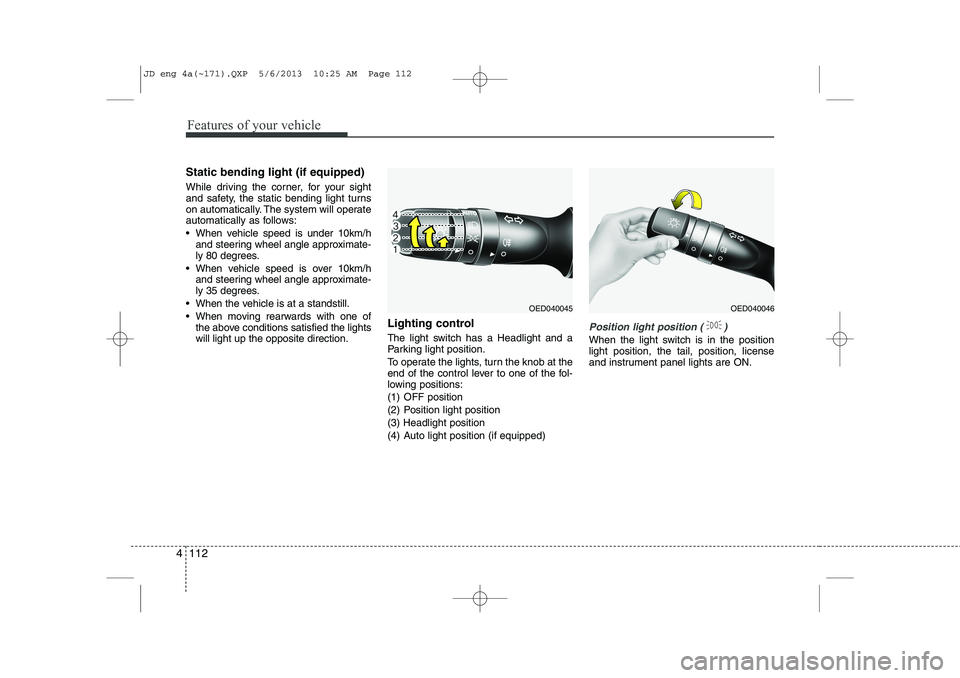
When moving rearwards with one of the above conditions satisfied the lights will light up the opposite direction. Lighting control
The light switch has a Headlight and a
Parking light position.
To operate the lights, turn the knob at the
end of the control lever to one of the fol-
lowing positions:
(1) OFF position
(2) Position light position(3) Headlight position
(4) Auto light position (if equipped)
Position light position ( )
When the light switch is in the position light position, the tail, position, license
and instrument panel lights are ON.
OED040045OED040046
JD eng 4a(~171).QXP 5/6/2013 10:25 AM Page 112
Page 254 of 1206
4 173
Features of your vehicle
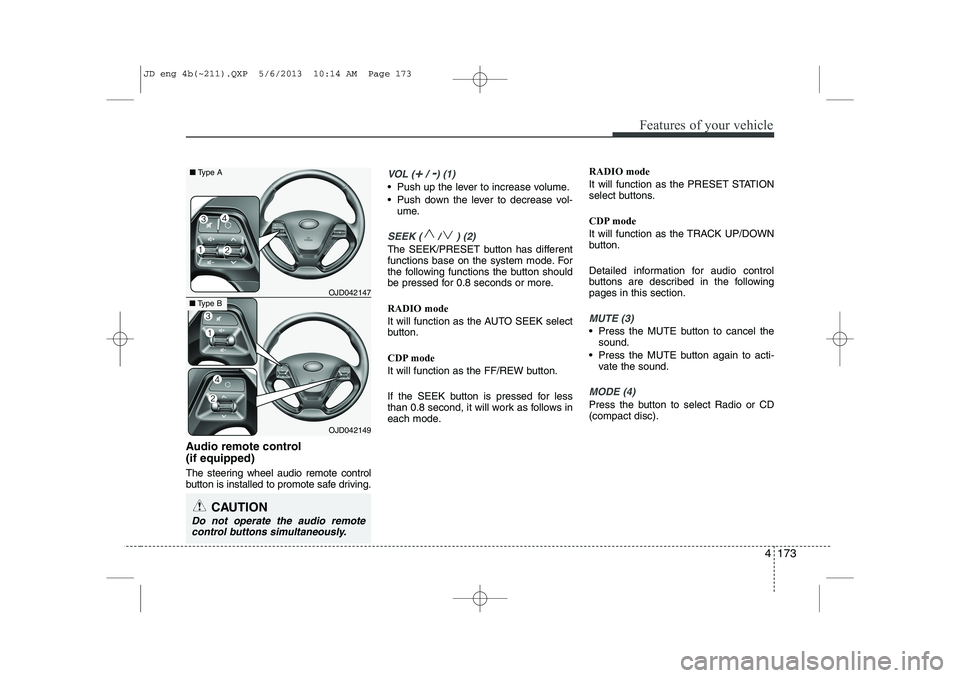
Audio remote control (if equipped)
The steering wheel audio remote control
button is installed to promote safe driving.
VOL (+/ -) (1)
• Push up the lever to increase volume.
Push down the lever to decrease vol-ume.
SEEK ( / ) (2)
The SEEK/PRESET button has different
functions base on the system mode. For
the following functions the button should
be pressed for 0.8 seconds or more. RADIO mode
It will function as the AUTO SEEK select
button.
CDP mode
It will function as the FF/REW button.
If the SEEK button is pressed for less
than 0.8 second, it will work as follows in
each mode. RADIO mode
It will function as the PRESET STATION
select buttons.
CDP mode
It will function as the TRACK UP/DOWN
button.
Detailed information for audio control
buttons are described in the followingpages in this section.
MUTE (3)
Press the MUTE button to cancel the
sound.
Press the MUTE button again to acti- vate the sound.
MODE (4)
Press the button to select Radio or CD (compact disc).
CAUTION
Do not operate the audio remote
control buttons simultaneously.
OJD042149
■ Type B OJD042147
■
Type A
JD eng 4b(~211).QXP 5/6/2013 10:14 AM Page 173
Page 287 of 1206
Features of your vehicle
206
4
VOICE COMMAND (if equipped)
The voice recognition feature of this
product supports recognition of the
commands listed within this user’s
manual.
While using voice recognition, operating the steering remote control or the device
will terminate voice recognition and allow
you to manually operate desired func-
tions.
Position of the microphone is above the head of the driver’s seat.
Voice recognition may not function properly due to outside noise. The fol-
lowing conditions can affect the per-
formance of Voice Recognition:
- When the windows and sunroof are open
- When the heating/cooling system is on
- When passing a tunnel
- When driving on rugged and uneven roads
After downloading
Bluetooth®Wireless
Technology phone book, the system
requires some times to convert the
phone book into voice information.
During this time, voice recognition may
not operate properly. Upon inputting your phone book, spe-
cial symbols and numbers cannot be
recognized by voice. For example, “#
John Doe%&” will be recognized as“John Doe”. Starting Voice Command
To start voice command, shortly press
the key on the steering wheel
remote controller.
If voice command is in [Normal Mode], then the system will say “Please say a
command. Beep”
❈ If voice command is in [Expert Mode],
then the system will only say a “Beep-”
❈ Setting Voice command [Normal
Mode]/[Expert Mode]:
Press the key Select [ System]
through the TUNE knob or key
Select [Prompt Feedback] through the
TUNE knob Set [Normal Mode]/[ExpertMode]
Say the voice command.
For proper voice recognition, say the
voice command after the guidance
message and the “Beep” sound.
4
SETUP
JD eng 4b(~211).QXP 5/6/2013 10:15 AM Page 206
Page 288 of 1206
4 207
Features of your vehicle
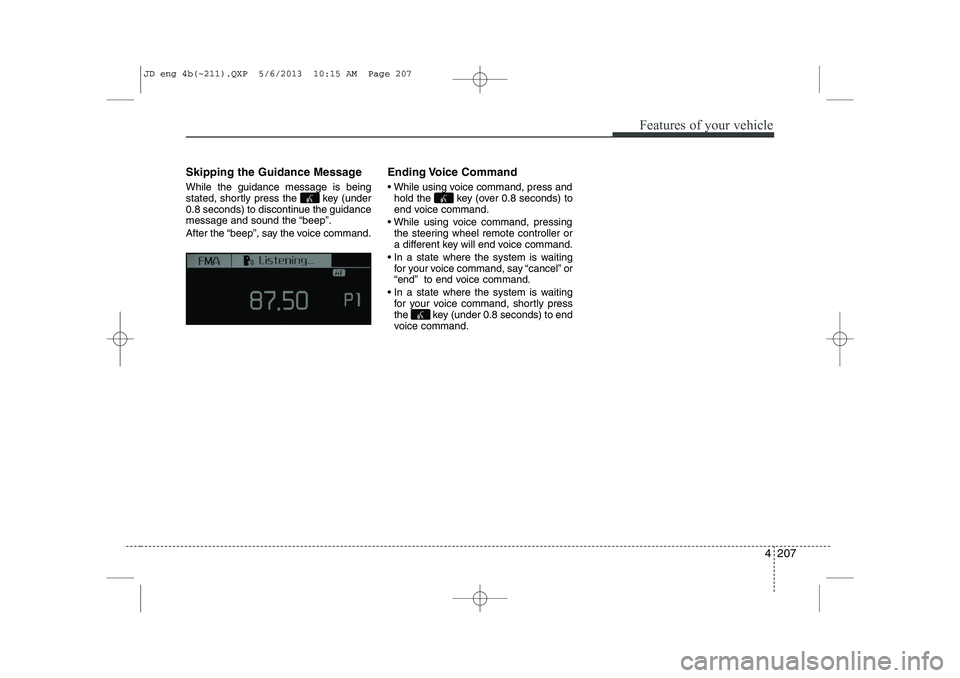
Skipping the Guidance Message While the guidance message is being
stated, shortly press the key (under
0.8 seconds) to discontinue the guidance
message and sound the “beep”.
After the “beep”, say the voice command.Ending Voice Command
While using voice command, press and
hold the key (over 0.8 seconds) to
end voice command.
While using voice command, pressing the steering wheel remote controller or
a different key will end voice command.
In a state where the system is waiting for your voice command, say “cancel” or
“end” to end voice command.
In a state where the system is waiting for your voice command, shortly press
the key (under 0.8 seconds) to end
voice command.
JD eng 4b(~211).QXP 5/6/2013 10:15 AM Page 207