steering wheel KIA CEED 2014 Manual PDF
[x] Cancel search | Manufacturer: KIA, Model Year: 2014, Model line: CEED, Model: KIA CEED 2014Pages: 1206, PDF Size: 50.15 MB
Page 682 of 1206
363
Safety system of your vehicle
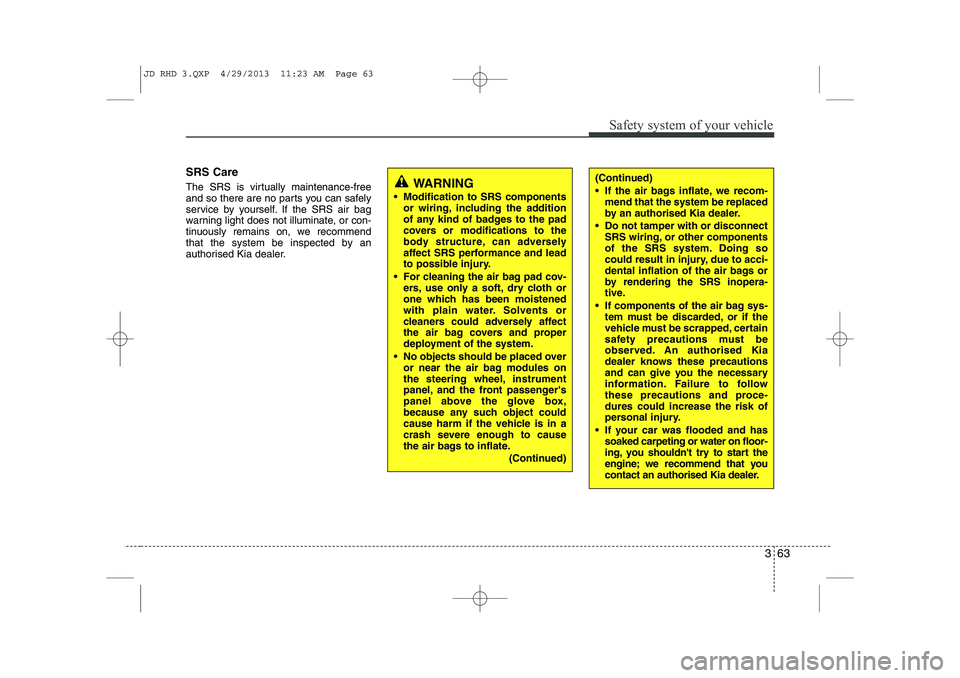
SRS Care
The SRS is virtually maintenance-free
and so there are no parts you can safely
service by yourself. If the SRS air bag
warning light does not illuminate, or con-
tinuously remains on, we recommend
that the system be inspected by an
authorised Kia dealer.
WARNING
Modification to SRS components or wiring, including the addition
of any kind of badges to the pad
covers or modifications to the
body structure, can adversely
affect SRS performance and lead
to possible injury.
For cleaning the air bag pad cov- ers, use only a soft, dry cloth or
one which has been moistened
with plain water. Solvents or
cleaners could adversely affect
the air bag covers and proper
deployment of the system.
No objects should be placed over or near the air bag modules on
the steering wheel, instrument
panel, and the front passenger's
panel above the glove box,
because any such object could
cause harm if the vehicle is in a
crash severe enough to cause
the air bags to inflate.
(Continued)(Continued)
If the air bags inflate, we recom-mend that the system be replaced
by an authorised Kia dealer.
Do not tamper with or disconnect SRS wiring, or other components
of the SRS system. Doing so
could result in injury, due to acci-
dental inflation of the air bags or
by rendering the SRS inopera-
tive.
If components of the air bag sys- tem must be discarded, or if the
vehicle must be scrapped, certain
safety precautions must be
observed. An authorised Kia
dealer knows these precautions
and can give you the necessary
information. Failure to follow
these precautions and proce-dures could increase the risk of
personal injury.
If your car was flooded and has soaked carpeting or water on floor-
ing, you shouldn't try to start the
engine; we recommend that you
contact an authorised Kia dealer.
JD RHD 3.QXP 4/29/2013 11:23 AM Page 63
Page 721 of 1206

437
Features of your vehicle
Electronic power steering
Power steering uses the motor to assist
you in steering the vehicle. If the engine
is off or if the power steering system
becomes inoperative, the vehicle may
still be steered, but it will require
increased steering effort.
The electronic power steering is con-
trolled by the power steering control unit
which senses the steering wheel torque
and vehicle speed to command the
motor.
The steering effort becomes heavier as
the vehicle’s speed increases and
becomes lighter as the vehicle’s speed
decreases for better control of the steer-ing wheel.
Should you notice any change in the
effort required to steer during normal
vehicle operation, we recommend that
the system be checked by an authorised
Kia dealer.✽✽NOTICE
The following symptoms may occur dur- ing normal vehicle operation:
Page 722 of 1206
Features of your vehicle
38
4
Tilt & telescopic steering
A tilt steering wheel allows you to adjust
the steering wheel before you drive. You
can also raise it to give your legs more
room when you exit and enter the vehicle.
The steering wheel should be positioned
so that it is comfortable for you to drive,
whilst permitting you to see the instru-
ment panel warning lights and gauges.
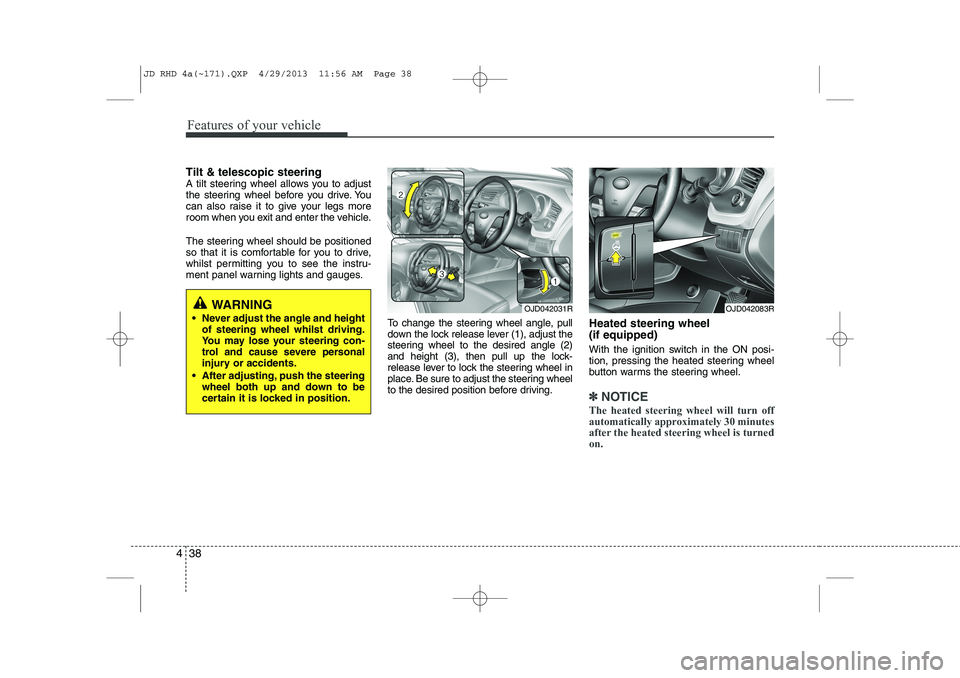
To change the steering wheel angle, pull
down the lock release lever (1), adjust the
steering wheel to the desired angle (2)
and height (3), then pull up the lock-
release lever to lock the steering wheel in
place. Be sure to adjust the steering wheel
to the desired position before driving.Heated steering wheel (if equipped)
With the ignition switch in the ON posi-
tion, pressing the heated steering wheel
button warms the steering wheel.
✽✽
NOTICE
The heated steering wheel will turn off
automatically approximately 30 minutes
after the heated steering wheel is turnedon.
WARNING
Never adjust the angle and height of steering wheel whilst driving.
You may lose your steering con-
trol and cause severe personal
injury or accidents.
After adjusting, push the steering wheel both up and down to be
certain it is locked in position.OJD042031ROJD042083R
JD RHD 4a(~171).QXP 4/29/2013 11:56 AM Page 38
Page 723 of 1206
439
Features of your vehicle
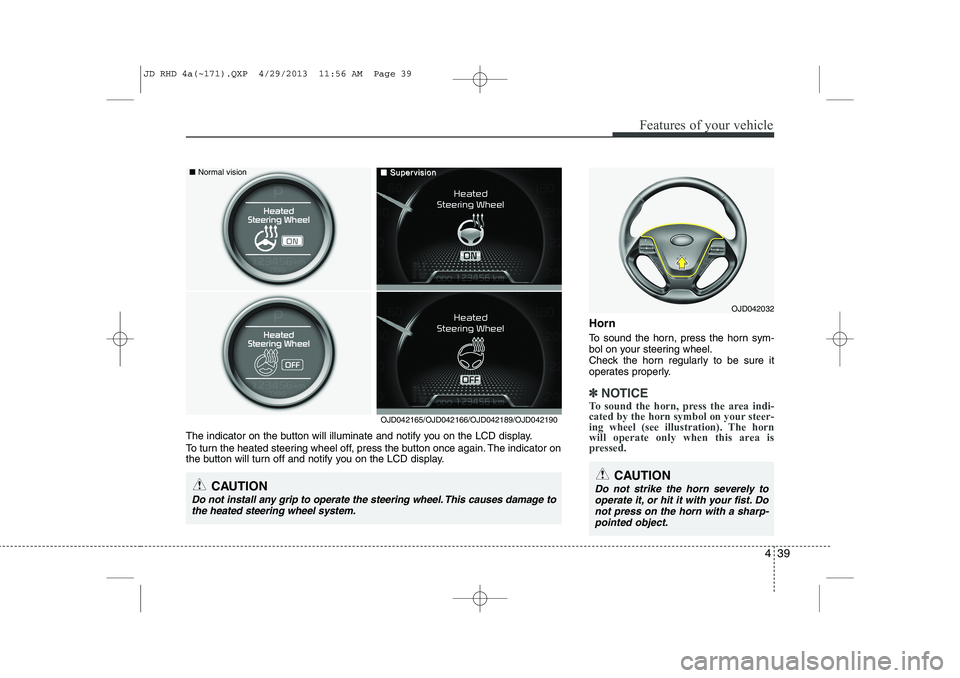
Horn
To sound the horn, press the horn sym-
bol on your steering wheel.
Check the horn regularly to be sure it
operates properly.
✽✽NOTICE
To sound the horn, press the area indi-
cated by the horn symbol on your steer-
ing wheel (see illustration). The horn
will operate only when this area is
pressed.
OJD042032
CAUTION
Do not strike the horn severely to operate it, or hit it with your fist. Do not press on the horn with a sharp-pointed object.
OJD042165/OJD042166/OJD042189/OJD042190
The indicator on the button will illuminate and notify you on the LCD display.
To turn the heated steering wheel off, press the button once again. The indicator on
the button will turn off and notify you on the LCD display.
CAUTION
Do not install any grip to operate the steering wheel. This causes damage to the heated steering wheel system.
■ Normal vision■■SuperSupervisionvision
JD RHD 4a(~171).QXP 4/29/2013 11:56 AM Page 39
Page 724 of 1206
Features of your vehicle
40
4
Flex steering wheel (if equipped)
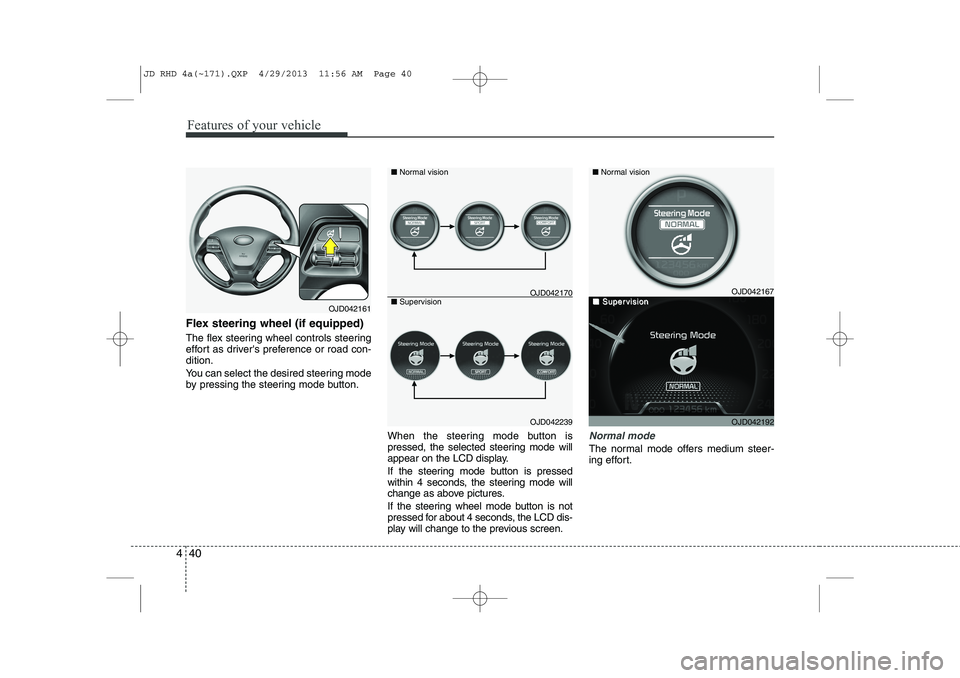
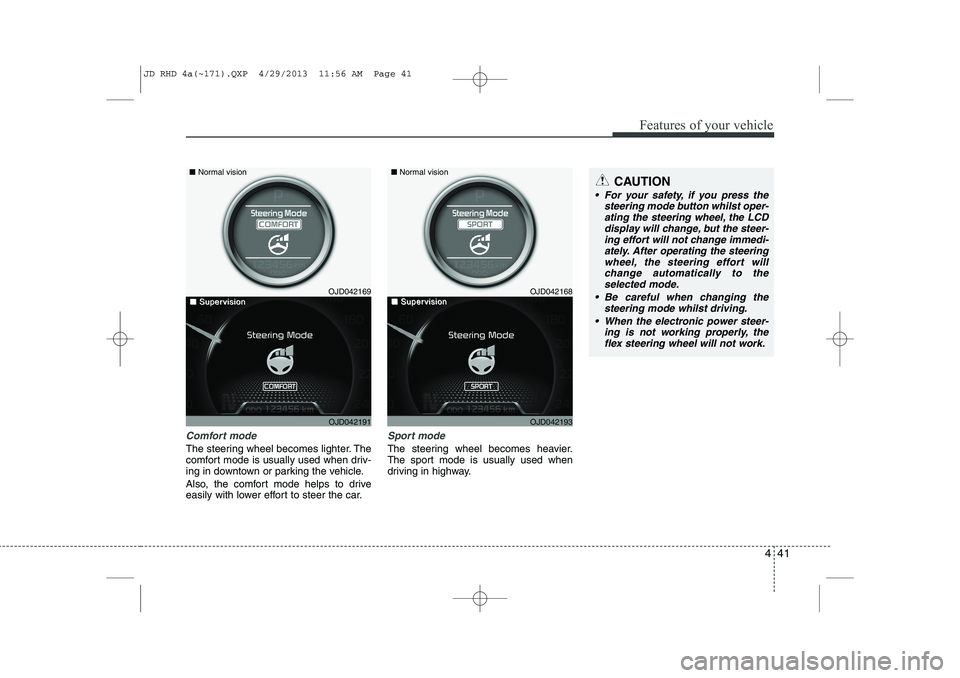
The flex steering wheel controls steering
effort as driver's preference or road con-dition.
You can select the desired steering mode
by pressing the steering mode button.
When the steering mode button is
pressed, the selected steering mode will
appear on the LCD display.
If the steering mode button is pressed
within 4 seconds, the steering mode will
change as above pictures.
If the steering wheel mode button is not
pressed for about 4 seconds, the LCD dis-
play will change to the previous screen.
Normal mode
The normal mode offers medium steer-
ing effort.
OJD042161
OJD042239
■
Normal vision
■ Supervision
OJD042167
OJD042192
■ Normal vision
■■SuperSupervisionvisionOJD042170
JD RHD 4a(~171).QXP 4/29/2013 11:56 AM Page 40
Page 725 of 1206
441
Features of your vehicle
Comfort mode
The steering wheel becomes lighter. The
comfort mode is usually used when driv-
ing in downtown or parking the vehicle.
Also, the comfort mode helps to drive
easily with lower effort to steer the car.
Sport mode
The steering wheel becomes heavier.
The sport mode is usually used when
driving in highway.
CAUTION
For your safety, if you press thesteering mode button whilst oper-
ating the steering wheel, the LCDdisplay will change, but the steer-ing effort will not change immedi- ately. After operating the steering
wheel, the steering effort will change automatically to theselected mode.
Be careful when changing the steering mode whilst driving.
When the electronic power steer- ing is not working properly, theflex steering wheel will not work.
OJD042169
OJD042191
■
Normal vision
■■SuperSupervisionvisionOJD042168
OJD042193
■Normal vision
■■SuperSupervisionvision
JD RHD 4a(~171).QXP 4/29/2013 11:56 AM Page 41
Page 734 of 1206

Features of your vehicle
50
4
Double clutch transmission (DS mode) shift indicator(if equipped)
The indicator displays which Double clutch
transmission shift lever is selected.
In DS mode, the “SPORTS” indicator dis-
plays in cluster. For more detailed informa-
tion about DS mode, refer to the chapter 5. Speed limiter indicator (if equipped) The indicator illuminates when the speed
limit control system is enabled by move
the lever up on the steering wheel.
The indicator goes off when the lever
up again to deactivate the system.
If there is a problem with the speed limit
control system, the “---” indicator will blink.
If this occurs, we recommend that the
system be checked by an authorised Kia
dealer.
For more details, refer to “Speed limit
control system” in section 5.The speed limiter indicators illuminates
on the LCD display.
OJD052031ROJD042234
* DCT : Double clutch transmission
CAUTION - DCT
When the problem of gear system
occurs, the transaxle indicator
will blink. For your safety, we rec-ommend that you contact anauthorised Kia dealer and havethe system checked.
When the clutch is overheated, the safe protection mode oper-ates. According to the safe protec-tion mode, the transaxle indicator
blinks with buzzer sound. The buzzer beeps 3 times. In this time,the LCD warning about safe pro- tection mode also displays. In this
condition, the driving may not be smoothly. If you ignore this warn- ing, the driving condition is get-
ting worse and the system may have problem. To return the nor-mal driving condition, apply the foot brake and stop the vehicle for
few minutes before driving off.
JD RHD 4a(~171).QXP 4/29/2013 11:57 AM Page 50
Page 750 of 1206

Features of your vehicle
66
4
Speed limiter indicator (if equipped) The indicator illuminates when the speed
limit control system is enabled by move
the lever up on the steering wheel.
The indicator goes off when the lever
up again to deactivate the system.
If there is a problem with the speed limit
control system, the “---” indicator will blink.
If this occurs, we recommend that the
system be checked by an authorised Kia
dealer.
For more details, refer to “Speed limit
control system” in section 5.The speed limiter indicators illuminates
on the LCD display. Odometer (km or mi.) The odometer indicates the total dis-
tance the vehicle has been driven.
You will also find the odometer useful to
determine when periodic maintenance
should be performed.Trip computer
The trip computer is a microcomputer-
controlled driver information system that
displays information related to driving
when the ignition switch is in the ONposition.
OJD042172OJD052043N
OJD043504
■
Type B
■Type A
OJD042173
JD RHD 4a(~171).QXP 4/29/2013 11:58 AM Page 66
Page 757 of 1206

473
Features of your vehicle
LCD display information
Sunroof open
If driver removes the ignition key (Smart
key : turns off the engine) and opens the
driver-side door when the sunroof is not
fully closed, warning message will appear
on the LCD display. Also, the warning
chime sounds for approximately 7 sec-
onds.
Illumination intensity
The illumination intensity of the instru-
ment panel is shown when adjusting it
with the illumination control switch.
For more details, refer to “Instrument
panel illumination” in section 4.
Turn on "FUSE SWITCH" (mode switch)
The notice appears to inform the driver to
turn on the fuse switch in the instrument
panel under the steering wheel.
For more details, refer to “Fuses” in sec- tion 7.
OJD042078/OJD042215
■
Normal vision
■SupervisionOJD042079/OJD042214
■
Normal vision
■SupervisionOJD042240/OJD042188
■
Normal vision
■Supervision
JD RHD 4a(~171).QXP 4/29/2013 11:59 AM Page 73
Page 758 of 1206

Features of your vehicle
74
4
Parking assist warning (if equipped)
Displays the area an obstacle is detected
whilst moving forward or rearward.
For more details, refer to “Parking assist
system” in section 4.
Align steering wheel (if equipped)
If you start the engine when the steering
wheel is turned 90 degrees to the left (or
right) after a couple of seconds, “Align
steering wheel” illuminates on the LCD
display for 5 seconds.
Turn the steering wheel to the right (or left)
and make it turned to the left (or right) less
than 30 degrees.
For vehicle’s equipped with smart
key system
Key not in vehicle
If the smart key is not in the vehicle and
if any door is opened or closed with the
engine start/stop button in the ACC, ON,
or START position, the warning illumi-
nates on the LCD display. Also, the chime
sounds for 5 seconds when the smart
key is not in the vehicle and the door isclosed.
Always have the smart key with you.
OJD042163/OJD042196
■
Normal vision
■SupervisionOJD042164/OJD042211
■
Normal vision
■SupervisionOJD042073/OJD042205
■
Normal vision
■Supervision
JD RHD 4a(~171).QXP 4/29/2013 11:59 AM Page 74