ECO mode KIA CEED 2017 User Guide
[x] Cancel search | Manufacturer: KIA, Model Year: 2017, Model line: CEED, Model: KIA CEED 2017Pages: 653, PDF Size: 54.59 MB
Page 152 of 653

Features of your vehicle
68
4
Speed limiter indicator (if equipped) The indicator illuminates when the speed
limit control system is enabled by move
the lever up on the steering wheel.
The indicator goes off when the lever
up again to deactivate the system.
If there is a problem with the speed limit
control system, the “---” indicator will blink.
If this occurs, we recommend that the
system be checked by an authorized Kia
dealer.
For more details, refer to “Speed limit
control system” in chapter 5. The speed limiter indicators illuminates
on the LCD display. Odometer (km or mi.) The odometer indicates the total dis-
tance the vehicle has been driven.
You will also find the odometer useful to
determine when periodic maintenance
should be performed.
CAUTION
- DCT
When the problem of gear system
occurs, the transaxle indicator
will blink. For your safety, we rec-ommend that you contact anauthorized Kia dealer and have the system checked.
When the clutch is overheated, the safe protection mode oper-ates. According to the safe protec- tion mode, the transaxle indicator
blinks with buzzer sound. Thebuzzer beeps 3 times. In this time,the LCD warning about safe pro-tection mode also displays. In this
condition, the driving may not be smoothly. If you ignore this warn-ing, the driving condition is get-ting worse and the system may
have problem. To return the nor-mal driving condition, apply thefoot brake and stop the vehicle forfew minutes before driving off.
❈ DCT : Dual clutch transmission
OJD056043
OJD043504
■ Type B
■Type A
OJD045173
Page 153 of 653

469
Features of your vehicle
Trip computer
The trip computer is a microcomputer-
controlled driver information system that
displays information related to driving
when the ignition switch is in the ONposition.Press the button for less than 1 sec-
ond to select any group as follows :
OJD042172
Engine coolant temperature gauge*
User setting mode
Service mode
LANE DEPARTURE WARNING
SYSTEM*
Trip mode
* : if equipped
Trip mode A
Trip mode B
Driving information mode
Press the▼button for less than 1
second to select in Trip mode group
as follows :
Page 154 of 653
Features of your vehicle
70
4
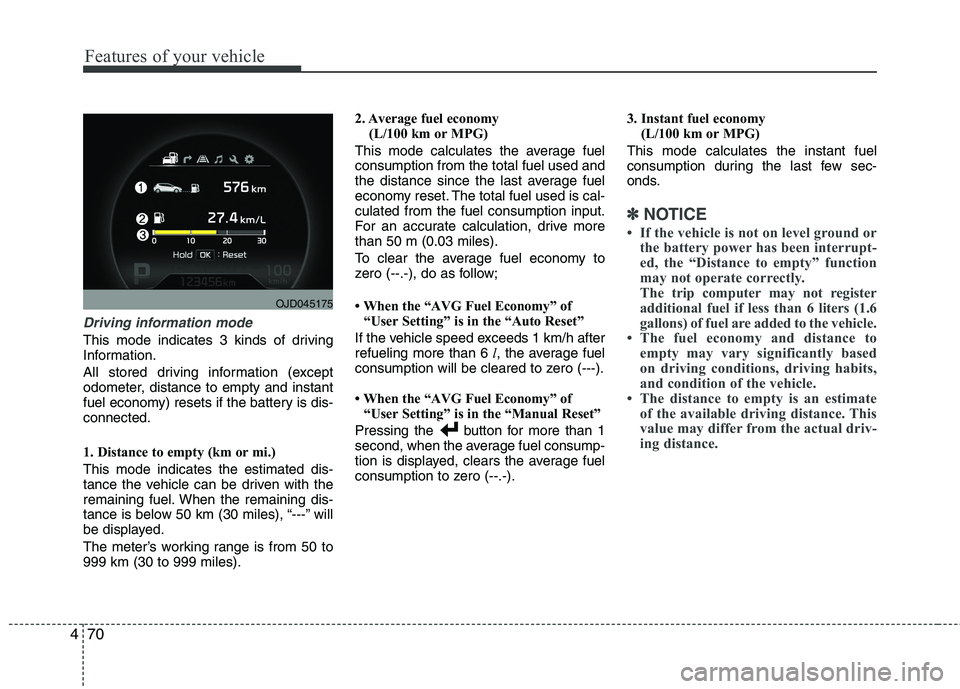
Driving information mode
This mode indicates 3 kinds of driving
Information.
All stored driving information (except
odometer, distance to empty and instant
fuel economy) resets if the battery is dis-connected.
1. Distance to empty (km or mi.) This mode indicates the estimated dis-
tance the vehicle can be driven with the
remaining fuel. When the remaining dis-
tance is below 50 km (30 miles), “---” will
be displayed.
The meter’s working range is from 50 to 999 km (30 to 999 miles). 2. Average fuel economy
(L/100 km or MPG)
This mode calculates the average fuelconsumption from the total fuel used and
the distance since the last average fuel
economy reset. The total fuel used is cal-culated from the fuel consumption input.
For an accurate calculation, drive morethan 50 m (0.03 miles).
To clear the average fuel economy to
zero (--.-), do as follow;
When the “AVG Fuel Economy” of “User Setting” is in the “Auto Reset”
If the vehicle speed exceeds 1 km/h after refueling more than 6 l, the average fuel
consumption will be cleared to zero (---).
When the “AVG Fuel Economy” of “User Setting” is in the “Manual Reset”
Pressing the button for more than 1
second, when the average fuel consump-
tion is displayed, clears the average fuel
consumption to zero (--.-). 3. Instant fuel economy
(L/100 km or MPG)
This mode calculates the instant fuel
consumption during the last few sec-
onds.
✽✽ NOTICE
If the vehicle is not on level ground or the battery power has been interrupt-
ed, the “Distance to empty” function
may not operate correctly.
The trip computer may not register
additional fuel if less than 6 liters (1.6
gallons) of fuel are added to the vehicle.
The fuel economy and distance to empty may vary significantly based
on driving conditions, driving habits,
and condition of the vehicle.
The distance to empty is an estimate of the available driving distance. This
value may differ from the actual driv-
ing distance.
OJD045175
Page 155 of 653

471
Features of your vehicle
Trip mode (A, B)
This mode indicates 3 kinds of driving
Information.
All stored driving information (except
odometer, distance to empty and instant
fuel economy) resets if the battery is dis-connected.1. Tripmeter (km or mi.) This mode indicates the distance of indi-
vidual trips selected since the last trip-meter reset.
The meter's working range is from 0.0 to 9999.9 km (0.0 to 9999.9 miles).
Pressing the button for more than 1
second, clears the tripmeter to zero (0.0).
2. Average speed (km/h or MPH)
This mode calculates the average speed
of the vehicle since the last averagespeed reset.
Even if the vehicle is not in motion, the
average speed keeps going while the
engine is running.
Pressing the button for more than 1
second, when the average speed is dis-
played, clears the average speed to zero(---).3. Elapsed time
This mode indicates the total time trav-
eled since the last driving time reset.
Even if the vehicle is not in motion, the
driving time keeps going while the engine
is running.
The meter’s working range is from 0:00~99:59.
Pressing the button for more than 1
second, when the driving time is being
displayed, clears the driving time to zero(0:00).
OJD045174
Page 156 of 653

Features of your vehicle
72
4
Lane Departure Warning System
(LDWS) Mode (if equipped)
This mode displays the state of the Lane
Departure Warning System (LDWS).
For more details, refer to “Lane departure
warning system” in chapter 5.
Service mode
This mode calculates when you need a
scheduled maintenance service (mileage
or days)
If you want to see the service mode when
other modes are displayed, press the button less than 1 second. If you do not have your vehicle servicedaccording to the scheduled maintenance
service on the LCD display, this LCD dis-
play will show the elapsed mileage or days.
OJD045180LOUM044258LOUM044259L
Page 157 of 653

473
Features of your vehicle
If you want to reset the maintenance
schedule, when the service required mes-
sage is displayed :
- Press the button more than 5 sec-onds.
- " : Reset" will be shown on the LCD display.
- Press the button again more than 1 second.
If you do not press the button within
5 seconds, " : Reset" will disappear.
If you want to change the interval of the
maintenance service schedule, we rec-
ommend that you consult an authorized
Kia dealer.✽✽ NOTICE
If you reset the maintenance schedule, when the displayed service schedule
has not elapsed or elapsed without
actual vehicle service, the displayed
service schedule on the LCD display
might not be match the actual service
schedule anymore.
You should comply with the displayed
service schedule on the LCD display
for the maintenance of your vehicle.
If the battery is disconnected or dis-
charged, the displayed service sched-
ule might not match the actual service
schedule.
If service mode is not activated, the LCD
display shows, like the above picture.
In this case, we recommend that you
consult an authorized Kia dealer.
OUM044260L
Page 171 of 653
487
Features of your vehicle
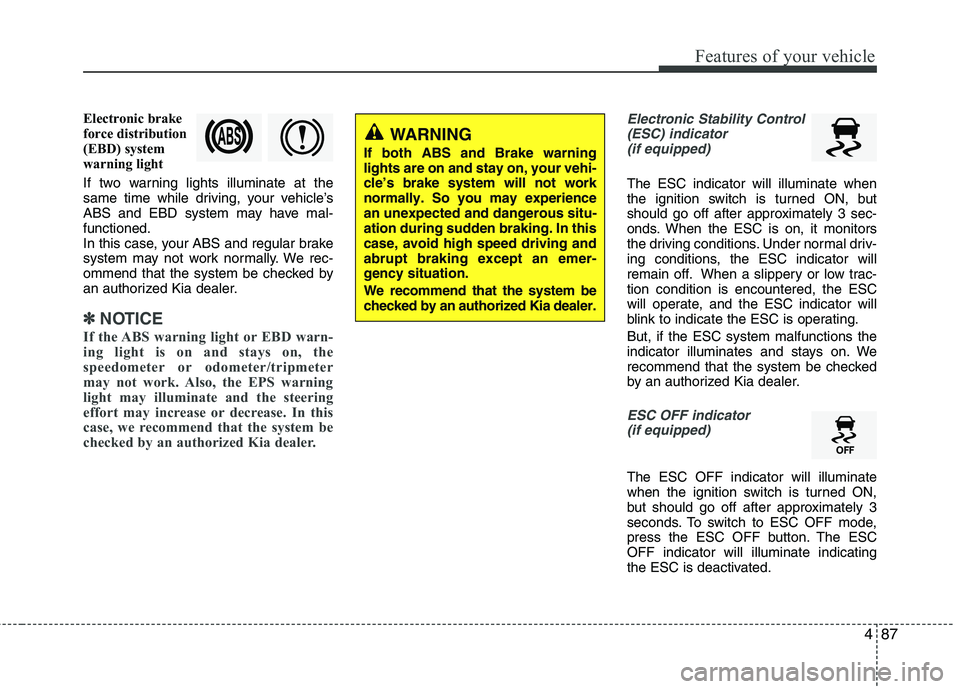
Electronic brake
force distribution
(EBD) system
warning light
If two warning lights illuminate at the
same time while driving, your vehicle’s
ABS and EBD system may have mal-functioned.
In this case, your ABS and regular brake
system may not work normally. We rec-
ommend that the system be checked by
an authorized Kia dealer.
✽✽NOTICE
If the ABS warning light or EBD warn-
ing light is on and stays on, the
speedometer or odometer/tripmeter
may not work. Also, the EPS warning
light may illuminate and the steering
effort may increase or decrease. In this
case, we recommend that the system be
checked by an authorized Kia dealer.
Electronic Stability Control (ESC) indicator (if equipped)
The ESC indicator will illuminate when
the ignition switch is turned ON, but
should go off after approximately 3 sec-
onds. When the ESC is on, it monitors
the driving conditions. Under normal driv-
ing conditions, the ESC indicator will
remain off. When a slippery or low trac-tion condition is encountered, the ESC
will operate, and the ESC indicator will
blink to indicate the ESC is operating. But, if the ESC system malfunctions the
indicator illuminates and stays on. We
recommend that the system be checked
by an authorized Kia dealer.
ESC OFF indicator (if equipped)
The ESC OFF indicator will illuminate
when the ignition switch is turned ON,
but should go off after approximately 3
seconds. To switch to ESC OFF mode,
press the ESC OFF button. The ESCOFF indicator will illuminate indicating
the ESC is deactivated.
WARNING
If both ABS and Brake warning lights are on and stay on, your vehi-cle’s brake system will not worknormally. So you may experiencean unexpected and dangerous situ-ation during sudden braking. In thiscase, avoid high speed driving andabrupt braking except an emer-gency situation. We recommend that the system be checked by an authorized Kia dealer.
Page 172 of 653

Features of your vehicle
88
4
Auto stop indicator
(if equipped)
This indicator will illuminate when the engine enters the Idle Stop mode of theISG (Idle Stop and Go) system.
When the automatic starting occurrs, the auto stop indicator on the cluster will
blink for 5 seconds.
For more details, refer to the ISG (Idle Stop and Go) system in chapter 5.
For vehicles equipped with instrument
cluster type B, the indicator illuminates
on the LCD display.
✽✽ NOTICE
When the engine automatically starts by
the ISG system, some warning lights
(ABS, ESC, ESC OFF, EPS or Parking
brake warning light) may turn on for a
few seconds.
This happens because of low battery
voltage. It does not mean the system is
malfunctioning.
Cruise indicator (if equipped)
CRUISE indicator
The indicator illuminates when the cruise
control system is enabled.
The cruise indicator in the instrument
cluster is illuminated when the cruise
control ON-OFF button on the steer-ing wheel is pushed.
The indicator goes off when the cruise
control ON-OFF button is pushed
again. For more information about the
use of cruise control, refer to “Cruise
control system” in chapter 5.
Cruise SET indicator
The indicator illuminates when the cruise
control switch (SET- or RES+) is ON.
The cruise SET indicator in the instru-
ment cluster illuminats when the cruise
control switch (SET- or RES+) is pushed.
The cruise SET indicator does not illumi-
nate when the cruise control cancel but-ton O is pushed or the system is disen-gaged.
Charging system warning light
This warning light indicates a malfunction
of either the generator or electricalcharging system.
If the warning light comes on while the
vehicle is in motion:
1. Drive to the nearest safe location.
2. With the engine off, check the genera- tor drive belt for looseness or break-
age.
3. If the belt is adjusted properly, a prob- lem exists somewhere in the electrical
charging system. We recommend that
the system be checked by an author-
ized Kia dealer.
SET
Page 177 of 653
493
Features of your vehicle
LCD DISPLAY WARNINGS AND INDICATORS (INSTRUMENT PANEL DISPLAY)Calendar / Clock / Outside ambi-
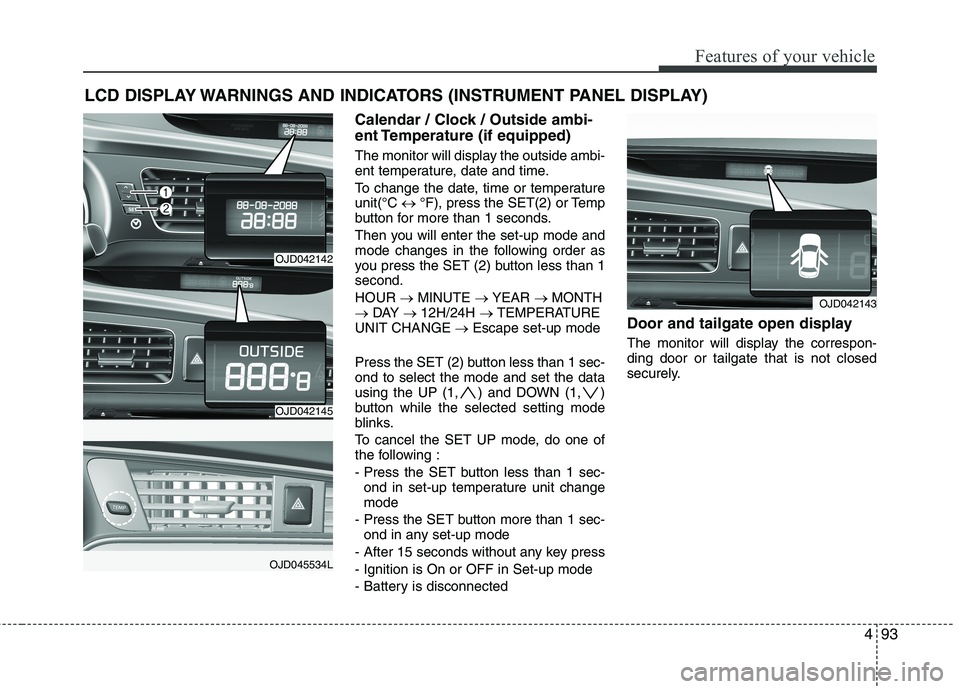
ent Temperature (if equipped)
The monitor will display the outside ambi-
ent temperature, date and time.
To change the date, time or temperature unit(°C °F), press the SET(2) or Temp
button for more than 1 seconds.
Then you will enter the set-up mode and
mode changes in the following order as
you press the SET (2) button less than 1second. HOUR MINUTE YEAR MONTH
DAY 12H/24H TEMPERATURE
UNIT CHANGE Escape set-up mode
Press the SET (2) button less than 1 sec- ond to select the mode and set the data
using the UP (1, ) and DOWN (1, )
button while the selected setting mode
blinks.
To cancel the SET UP mode, do one of
the following :
- Press the SET button less than 1 sec- ond in set-up temperature unit change mode
- Press the SET button more than 1 sec- ond in any set-up mode
- After 15 seconds without any key press
- Ignition is On or OFF in Set-up mode
- Battery is disconnected Door and tailgate open display
The monitor will display the correspon- ding door or tailgate that is not closed
securely.
OJD042143
OJD042142
OJD042145
OJD045534L
Page 193 of 653

4109
Features of your vehicle
How the system works
(Parking mode)
1. Activate the Smart Parking AssistSystem
The shift lever should be placed in D
(Drive) or N(Neutral).
2. Select parking assist mode
3. Search for parking space (slowly move forward.)
4. Search complete (automatic search by sensor.)
5. Steering wheel control (1) Shift according to the instruction on the LCD display.
(2) Drive slowly with the brake pedal applied.
6. Smart Parking Assist System complete
7. If necessary, manually adjust position of vehicle.
✽✽ NOTICE
Before activating the system check if the conditions are possible to use the
system.
For your safety, always apply the
brake pedal except for when driving.
1. Activate Smart Parking Assist
System
Press the Smart Parking AssistSystem button (the button indicator will illuminate).
The Parking Assist System will be acti- vated (the button indicator will illumi-nate).
A warning sound will be heard if an obstacle is detected.
Press the Smart Parking Assist System button again for more than 2
seconds to turn off the system.
The Smart Parking Assist System defaults to the OFF position whenever
the ignition switch is turned on.
OJD042082
(Continued)
8. Leaving a parking space near a wall
When leaving a parking space that
is narrow and near a wall, the sys-
tem may not work properly. When
leaving a parking space similar to
the above picture, the driver must
watch out for obstacles while leav-ing.
OJD045533