light KIA CERATO 2005 Workshop Manual
[x] Cancel search | Manufacturer: KIA, Model Year: 2005, Model line: CERATO, Model: KIA CERATO 2005Pages: 318, PDF Size: 58.49 MB
Page 157 of 318
445
1 23456789
Driving your vehicle
Sedimentor level warning (diesel
engine only)
The light comes on if water in the
sedimentor is accumulated more
than normal. Drain water if the light is
turned on. Driving with the light on
may damage the engine.Safety belt warning chime
If the driver's seat belt is not fastened
when the ignition key is turned “ON”
or if it is disconnected after the key is
ON, the safety belt warning chime
will sound for approximately 6 sec-
onds.
Door ajar warning chime (if equipped) If a door is opened with the ignition
switch ON, the warning chime willsound.Key reminder warning chime
If the driver’s door is opened and the
ignition key is left in the ignition
switch in the LOCK or ACC position,
the key reminder warning chime will
sound. This is to prevent you from
locking your keys in the vehicle.
Overspeed warning chime (if equipped)
If you drive with the speed of 120
km/h or more, the overspeed warn-
ing chime will sound. This is to pre-
vent you from driving your vehicle
with overspeed.
Page 158 of 318
Driving your vehicle
46
4
1 23456789
Battery saver function
The purpose of this feature is to
prevent the battery from being dis-
charged. The system automatically
turns off the small light when the
driver removes the ignition key and
opens the driver- side door.
With this feature, the parklight will be turned off automatically if the
driver parks on the side of road atnight.
If necessary, to keep the lights on
when the ignition key is removed,
perform the following :
1) Open the driver-side door.
2) Turn the parklights OFF and ON again using the light switch on the
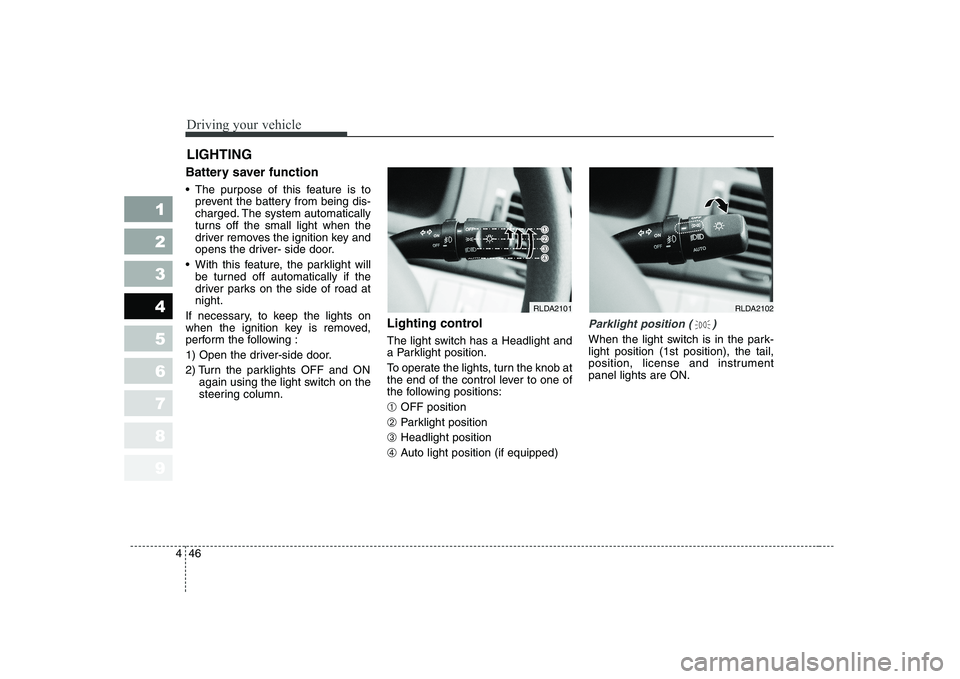
steering column. Lighting control
The light switch has a Headlight and
a Parklight position.
To operate the lights, turn the knob at
the end of the control lever to one of
the following positions: ➀
OFF position
➁ Parklight position
➂ Headlight position
➃ Auto light position (if equipped)
Parklight position ( )
When the light switch is in the park- light position (1st position), the tail,
position, license and instrumentpanel lights are ON.
LIGHTING
RLDA2102RLDA2101
Page 159 of 318
447
1 23456789
Driving your vehicle
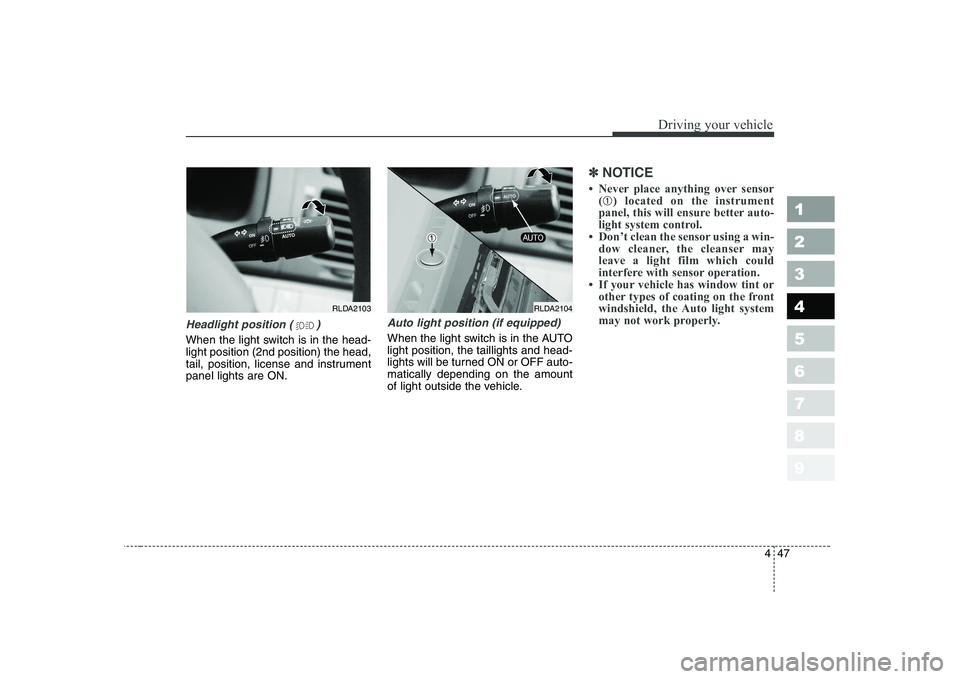
Headlight position ( )
When the light switch is in the head- light position (2nd position) the head,
tail, position, license and instrumentpanel lights are ON.
Auto light position (if equipped)
When the light switch is in the AUTO light position, the taillights and head-
lights will be turned ON or OFF auto-matically depending on the amount
of light outside the vehicle.
✽✽NOTICE
Page 160 of 318
Driving your vehicle
48
4
1 23456789
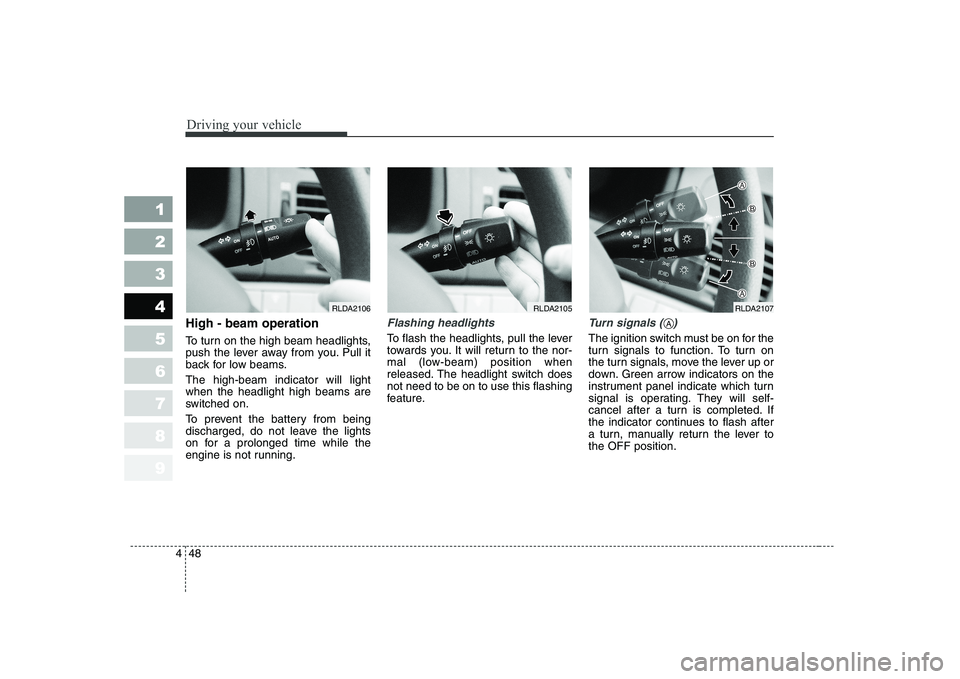
High - beam operation
To turn on the high beam headlights,
push the lever away from you. Pull it
back for low beams. The high-beam indicator will light when the headlight high beams are
switched on.
To prevent the battery from being
discharged, do not leave the lights
on for a prolonged time while the
engine is not running.Flashing headlights
To flash the headlights, pull the lever
towards you. It will return to the nor-
mal (low-beam) position when
released. The headlight switch doesnot need to be on to use this flashing
feature.
Turn signals ( )
The ignition switch must be on for the
turn signals to function. To turn on
the turn signals, move the lever up or
down. Green arrow indicators on the
instrument panel indicate which turn
signal is operating. They will self-
cancel after a turn is completed. If
the indicator continues to flash after
a turn, manually return the lever tothe OFF position.
RLDA2105RLDA2107RLDA2106
A
Page 161 of 318
449
1 23456789
Driving your vehicle
Lane change signals ( )
To signal a lane change, move the
turn signal lever slightly and hold it in
position. The lever will return to theOFF position when released.
If an indicator stays on and does not
flash or if it flashes abnormally, one
of the turn signal bulbs may be
burned out and will require replace-ment.
✽✽
NOTICE
If an indicator flash is abnormally
quick or slow, bulb may be burned
out or have a poor electrical con-
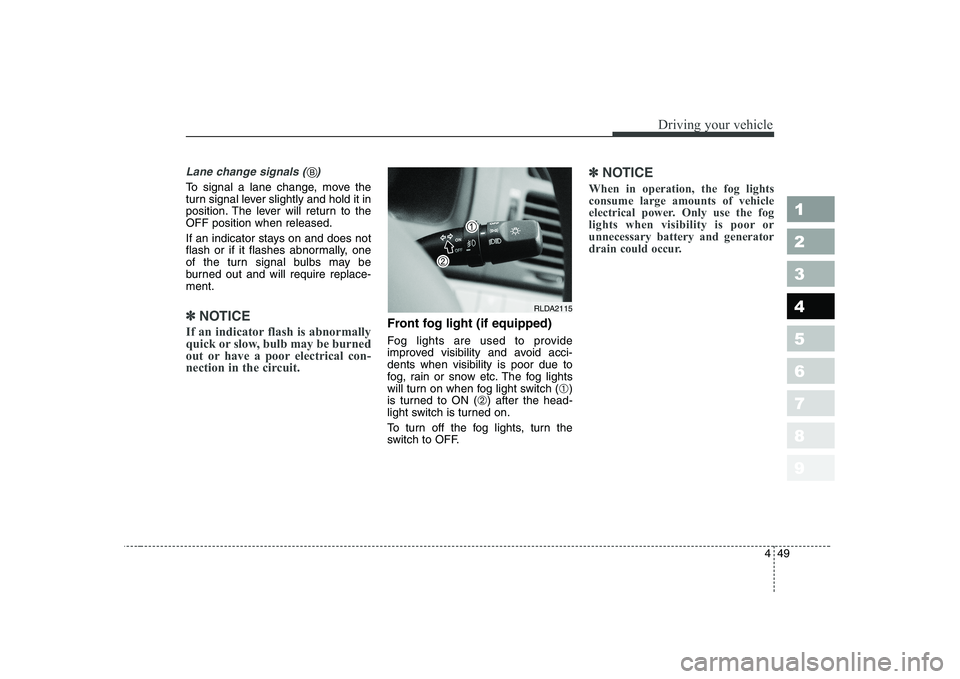
nection in the circuit.Front fog light (if equipped)
Fog lights are used to provide
improved visibility and avoid acci-dents when visibility is poor due to
fog, rain or snow etc. The fog lights
will turn on when fog light switch ( ➀)
is turned to ON ( ➁) after the head-
light switch is turned on.
To turn off the fog lights, turn the
switch to OFF.
✽✽
NOTICE
When in operation, the fog lights consume large amounts of vehicle
electrical power. Only use the fog
lights when visibility is poor orunnecessary battery and generator
drain could occur.
RLDA2115
B
Page 162 of 318
Driving your vehicle
50
4
1 23456789
Daytime running light (if equipped)
Daytime Running Lights (DRL) can
make it easier for others to see the
front of your vehicle during the day.
DRL can be helpful in many different
driving conditions, and it is especial-
ly helpful after dawn and before sun-set.
The DRL system will make your low-
beam headlights turn OFF when:
1. The headlight switch is ON.
2. The parklight switch is ON.
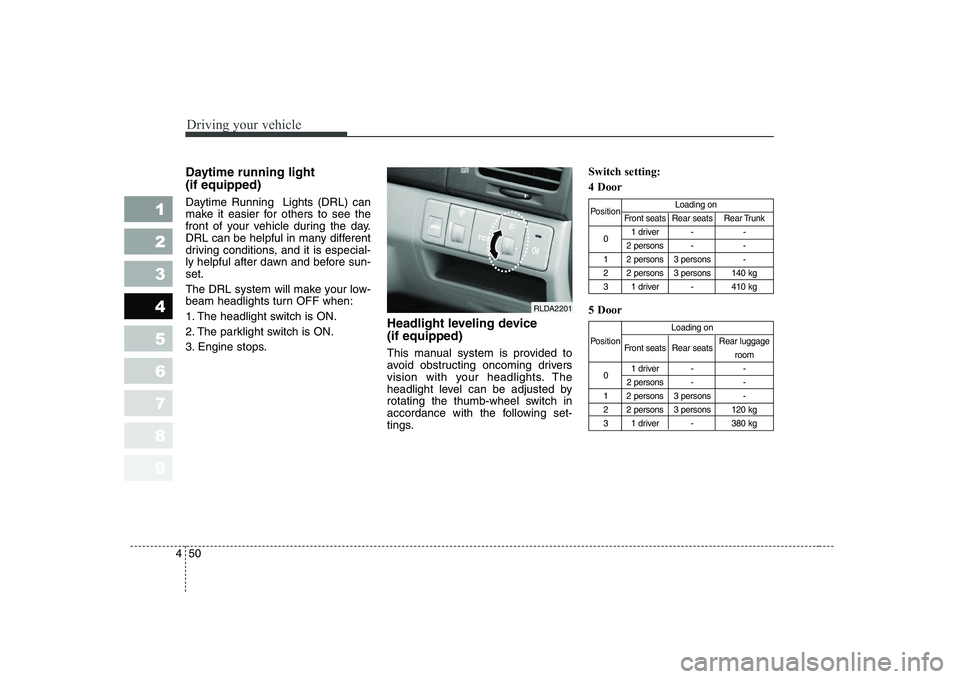
3. Engine stops. Headlight leveling device (if equipped)
This manual system is provided to
avoid obstructing oncoming drivers
vision with your headlights. The
headlight level can be adjusted by
rotating the thumb-wheel switch in
accordance with the following set-
tings.Switch setting: 4 Door 5 Door
Position
Loading on
Front seats Rear seats Rear Trunk
0 1 driver - -
2 persons - -
1 2 persons 3 persons -
2 2 persons 3 persons 140 kg
3 1 driver - 410 kg
Loading on
Position Front seats Rear seats Rear luggage
room
0 1 driver - -
2 persons - -
1 2 persons 3 persons -
2 2 persons 3 persons 120 kg
3 1 driver - 380 kg
RLDA2201
Page 163 of 318
451
1 23456789
Driving your vehicle
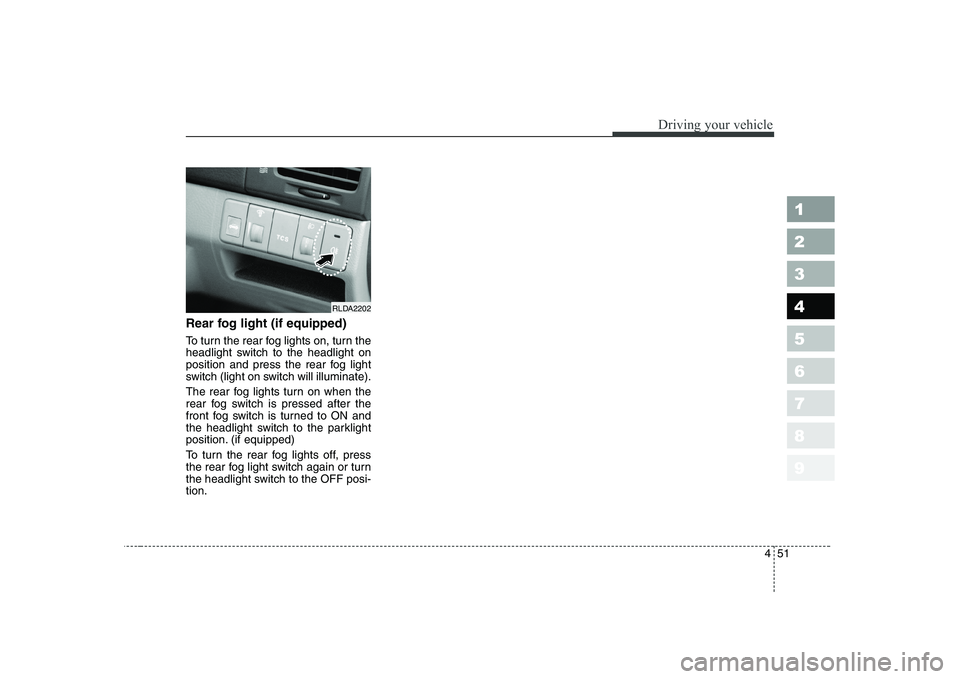
Rear fog light (if equipped)
To turn the rear fog lights on, turn the
headlight switch to the headlight on
position and press the rear fog light
switch (light on switch will illuminate).
The rear fog lights turn on when the
rear fog switch is pressed after the
front fog switch is turned to ON and
the headlight switch to the parklight
position. (if equipped)
To turn the rear fog lights off, press
the rear fog light switch again or turn
the headlight switch to the OFF posi-tion.
RLDA2202
Page 164 of 318
Driving your vehicle
52
4
1 23456789
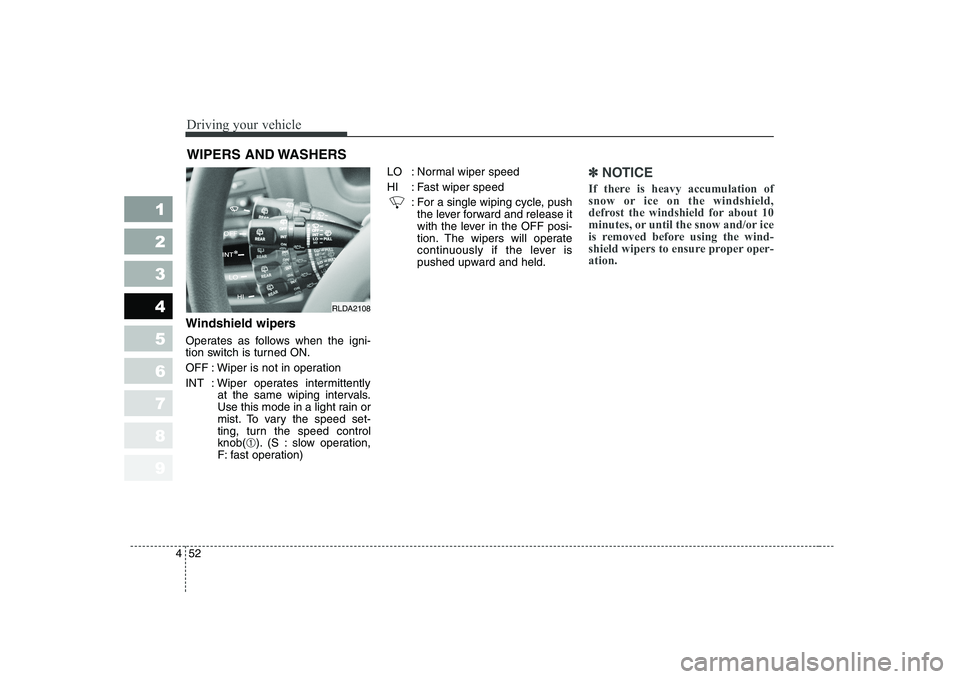
Windshield wipers
Operates as follows when the igni-
tion switch is turned ON.
OFF : Wiper is not in operation
INT : Wiper operates intermittently
at the same wiping intervals.
Use this mode in a light rain or
mist. To vary the speed set-
ting, turn the speed controlknob(➀). (S : slow operation,
F: fast operation) LO : Normal wiper speed
HI : Fast wiper speed
: For a single wiping cycle, pushthe lever forward and release it
with the lever in the OFF posi-
tion. The wipers will operate
continuously if the lever is
pushed upward and held.
✽✽ NOTICE
If there is heavy accumulation of
snow or ice on the windshield,
defrost the windshield for about 10
minutes, or until the snow and/or ice
is removed before using the wind-
shield wipers to ensure proper oper-ation.
WIPERS AND WASHERS
RLDA2108
Page 168 of 318
Driving your vehicle
56
4
1 23456789
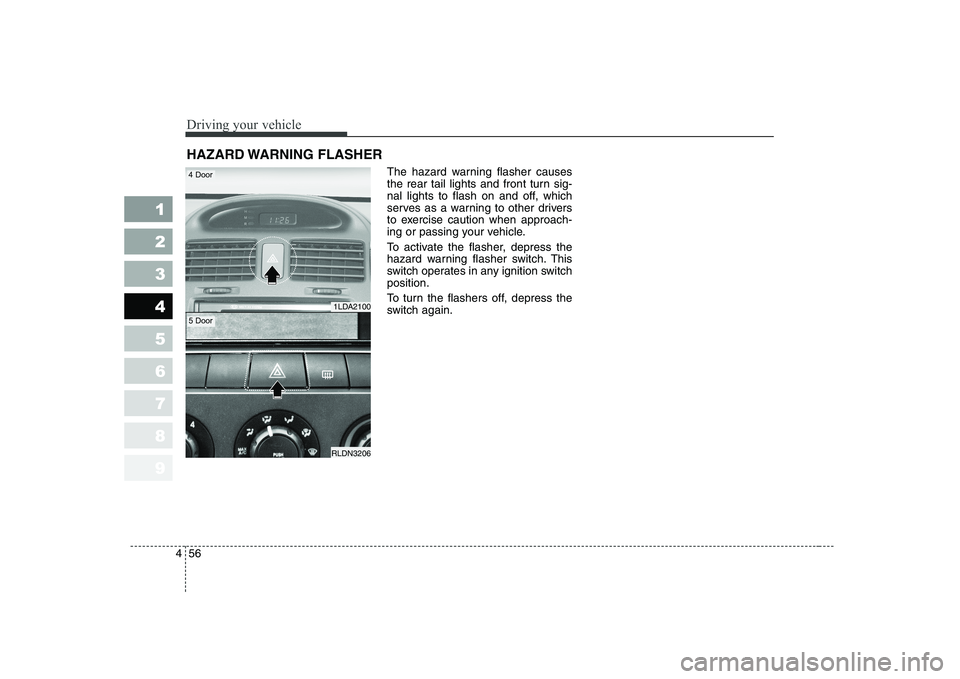
The hazard warning flasher causes
the rear tail lights and front turn sig-
nal lights to flash on and off, which
serves as a warning to other drivers
to exercise caution when approach-
ing or passing your vehicle.
To activate the flasher, depress the
hazard warning flasher switch. This
switch operates in any ignition switchposition.
To turn the flashers off, depress the
switch again.
HAZARD WARNING FLASHER
1LDA2100
RLDN3206
4 Door
5 Door
Page 173 of 318
461
1 23456789
Driving your vehicle
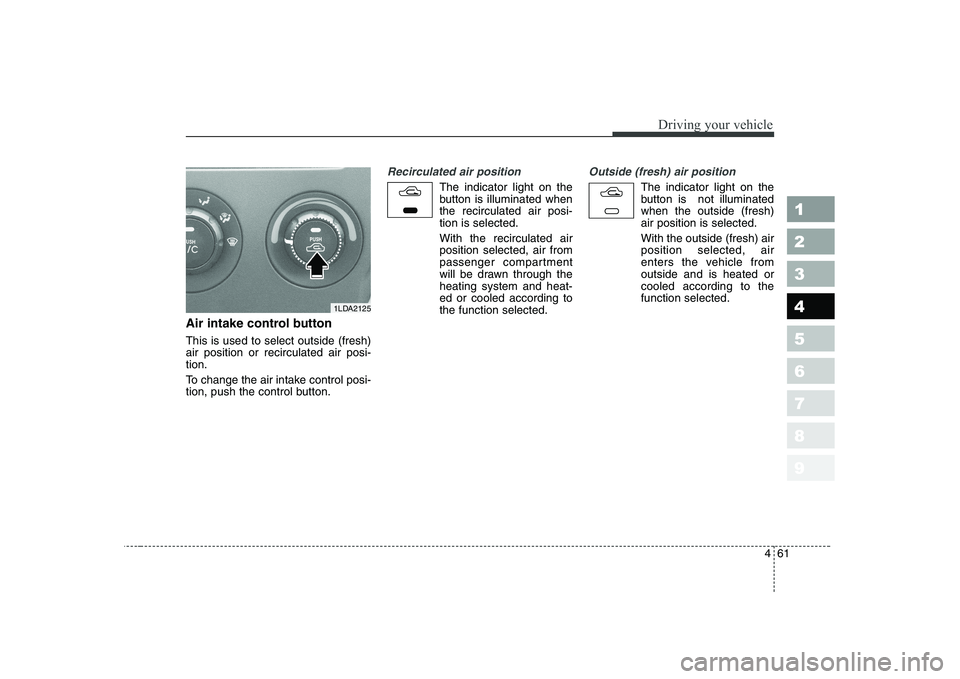
Air intake control button This is used to select outside (fresh) air position or recirculated air posi-tion.
To change the air intake control posi-
tion, push the control button.
Recirculated air position
The indicator light on the
button is illuminated whenthe recirculated air posi-tion is selected. With the recirculated air position selected, air from
passenger compartment
will be drawn through theheating system and heat-ed or cooled according tothe function selected.
Outside (fresh) air position
The indicator light on the
button is not illuminatedwhen the outside (fresh)air position is selected. With the outside (fresh) air position selected, air
enters the vehicle fromoutside and is heated orcooled according to thefunction selected.
1LDA2125