ignition KIA CERATO 2006 Owner's Manual
[x] Cancel search | Manufacturer: KIA, Model Year: 2006, Model line: CERATO, Model: KIA CERATO 2006Pages: 315, PDF Size: 11.29 MB
Page 83 of 315
Knowing your vehicle
72
3
1 23456789
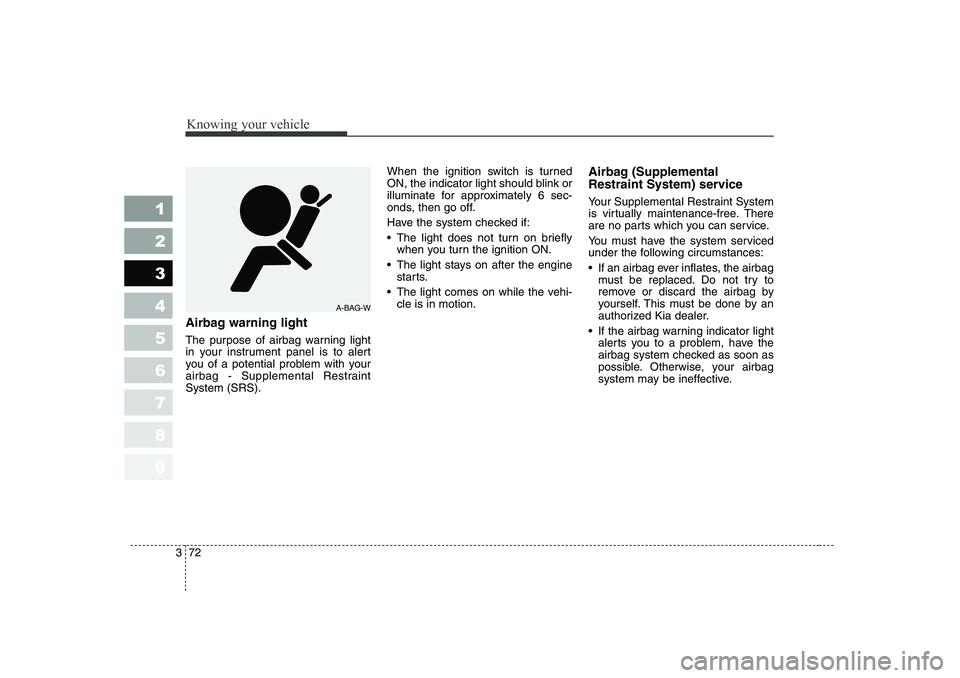
Airbag warning light
The purpose of airbag warning light
in your instrument panel is to alert
you of a potential problem with your
airbag - Supplemental RestraintSystem (SRS). When the ignition switch is turned
ON, the indicator light should blink or
illuminate for approximately 6 sec-
onds, then go off.
Have the system checked if:
The light does not turn on briefly
when you turn the ignition ON.
The light stays on after the engine starts.
The light comes on while the vehi- cle is in motion. Airbag (Supplemental
Restraint System) service
Your Supplemental Restraint System
is virtually maintenance-free. There
are no parts which you can service.
You must have the system serviced
under the following circumstances:
If an airbag ever inflates, the airbag
must be replaced. Do not try to
remove or discard the airbag by
yourself. This must be done by an
authorized Kia dealer.
If the airbag warning indicator light alerts you to a problem, have the
airbag system checked as soon as
possible. Otherwise, your airbag
system may be ineffective.
A-BAG-W
Page 96 of 315
385
1 23456789
Knowing your vehicle
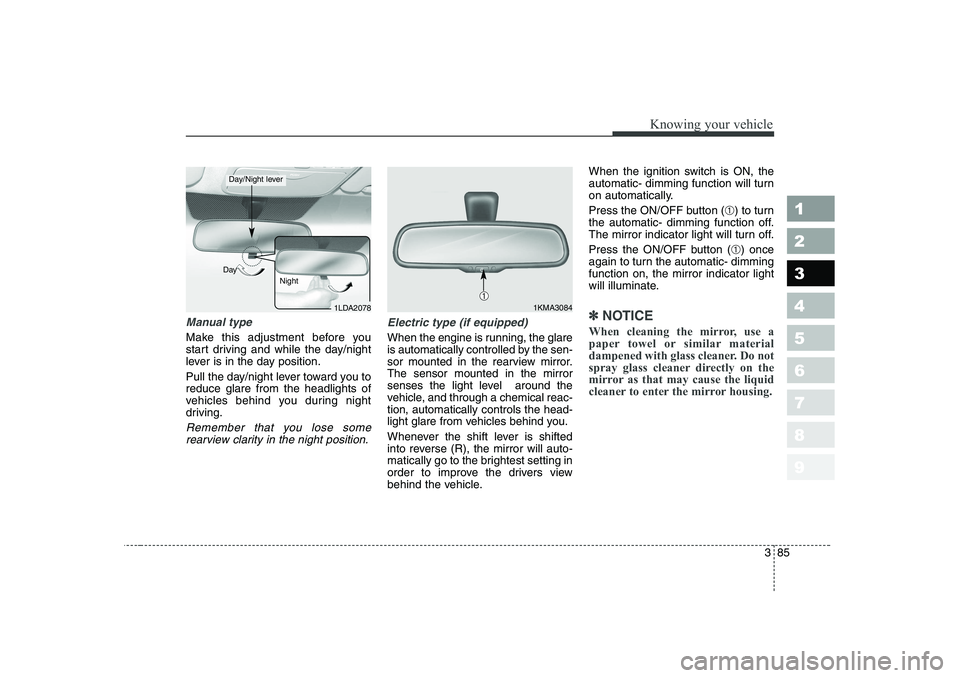
Manual type
Make this adjustment before you
start driving and while the day/night
lever is in the day position.
Pull the day/night lever toward you to reduce glare from the headlights of
vehicles behind you during night
driving.
Remember that you lose somerearview clarity in the night position.
Electric type (if equipped)
When the engine is running, the glare
is automatically controlled by the sen-
sor mounted in the rearview mirror.The sensor mounted in the mirror
senses the light level around the
vehicle, and through a chemical reac-tion, automatically controls the head-
light glare from vehicles behind you.
Whenever the shift lever is shifted
into reverse (R), the mirror will auto-
matically go to the brightest setting in
order to improve the drivers view
behind the vehicle. When the ignition switch is ON, the
automatic- dimming function will turn
on automatically.
Press the ON/OFF button (
➀) to turn
the automatic- dimming function off.
The mirror indicator light will turn off.
Press the ON/OFF button ( ➀) once
again to turn the automatic- dimming function on, the mirror indicator light
will illuminate.
✽✽ NOTICE
When cleaning the mirror, use a
paper towel or similar material
dampened with glass cleaner. Do not
spray glass cleaner directly on the
mirror as that may cause the liquid
cleaner to enter the mirror housing.1LDA2078
Day
Night
Day/Night lever
1KMA3084➀
Page 97 of 315
Knowing your vehicle
86
3
1 23456789
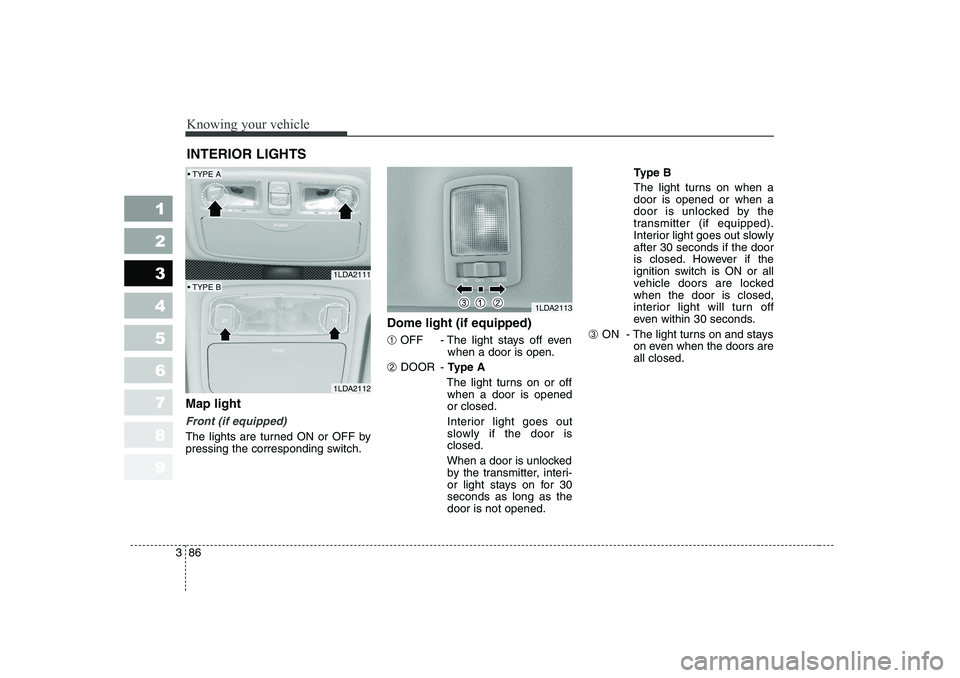
Map light
Front (if equipped)
The lights are turned ON or OFF by
pressing the corresponding switch. Dome light (if equipped) ➀
OFF - The light stays off even
when a door is open.
➁ DOOR -
Type A
The light turns on or off when a door is opened or closed.
Interior light goes out
slowly if the door isclosed.
When a door is unlocked by the transmitter, interi-
or light stays on for 30seconds as long as thedoor is not opened. Type B
The light turns on when adoor is opened or when a
door is unlocked by the
transmitter (if equipped).
Interior light goes out slowlyafter 30 seconds if the door
is closed. However if the
ignition switch is ON or all
vehicle doors are lockedwhen the door is closed,
interior light will turn off
even within 30 seconds.
➂ ON - The light turns on and stays
on even when the doors areall closed.
INTERIOR LIGHTS
1LDA2111
1LDA2112
1LDA2113
TYPE A
TYPE B
Page 106 of 315
395
1 23456789
Knowing your vehicle
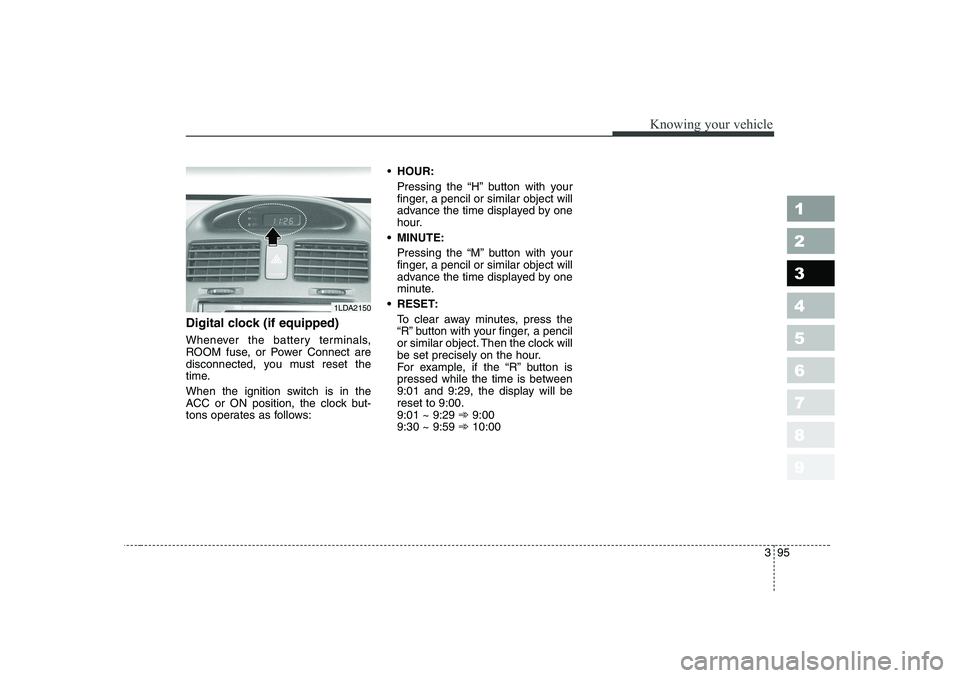
Digital clock (if equipped)
Whenever the battery terminals,
ROOM fuse, or Power Connect are
disconnected, you must reset the
time.
When the ignition switch is in the
ACC or ON position, the clock but-
tons operates as follows:
HOUR:
Pressing the “H” button with your
finger, a pencil or similar object will
advance the time displayed by one
hour.
MINUTE: Pressing the “M” button with your
finger, a pencil or similar object will
advance the time displayed by one
minute.
RESET: To clear away minutes, press the
“R” button with your finger, a pencil
or similar object. Then the clock will
be set precisely on the hour.
For example, if the “R” button is
pressed while the time is between
9:01 and 9:29, the display will bereset to 9:00.9:01 ~ 9:29 ➾9:00
9:30 ~ 9:59 ➾10:00
1LDA2150
Page 107 of 315
Knowing your vehicle
96
3
1 23456789
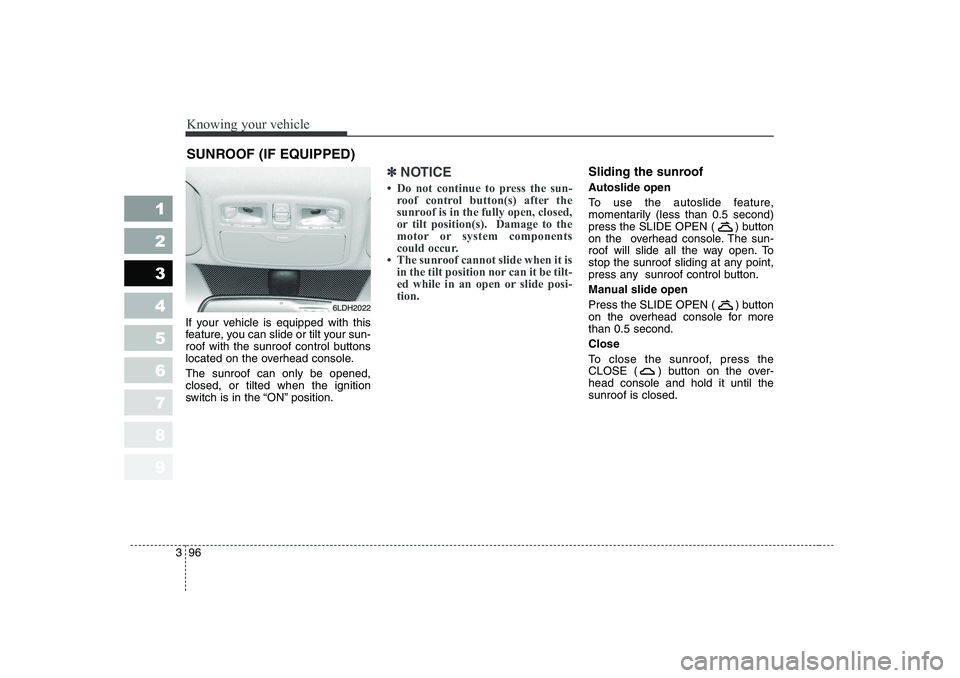
If your vehicle is equipped with this
feature, you can slide or tilt your sun-
roof with the sunroof control buttons
located on the overhead console. The sunroof can only be opened, closed, or tilted when the ignition
switch is in the “ON” position.
✽✽
NOTICE
Page 109 of 315
Knowing your vehicle
98
3
1 23456789
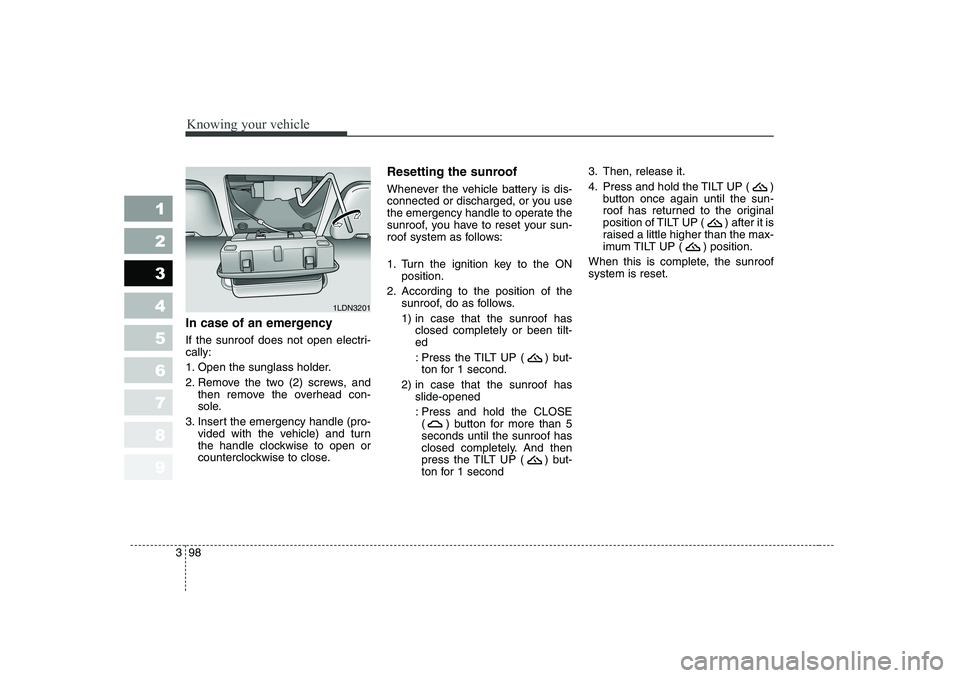
In case of an emergency
If the sunroof does not open electri- cally:
1. Open the sunglass holder.
2. Remove the two (2) screws, and
then remove the overhead con-
sole.
3. Insert the emergency handle (pro- vided with the vehicle) and turn
the handle clockwise to open or
counterclockwise to close. Resetting the sunroof
Whenever the vehicle battery is dis-
connected or discharged, or you use
the emergency handle to operate the
sunroof, you have to reset your sun-
roof system as follows:
1. Turn the ignition key to the ON
position.
2. According to the position of the sunroof, do as follows.
1) in case that the sunroof hasclosed completely or been tilt- ed
: Press the TILT UP ( ) but- ton for 1 second.
2) in case that the sunroof has slide-opened
: Press and hold the CLOSE ( ) button for more than 5seconds until the sunroof has
closed completely. And then
press the TILT UP ( ) but-
ton for 1 second 3. Then, release it.
4. Press and hold the TILT UP ( )
button once again until the sun-
roof has returned to the original
position of TILT UP ( ) after it is
raised a little higher than the max-
imum TILT UP ( ) position.
When this is complete, the sunroofsystem is reset.
1LDN3201
Page 112 of 315
3 101
1 23456789
Knowing your vehicle
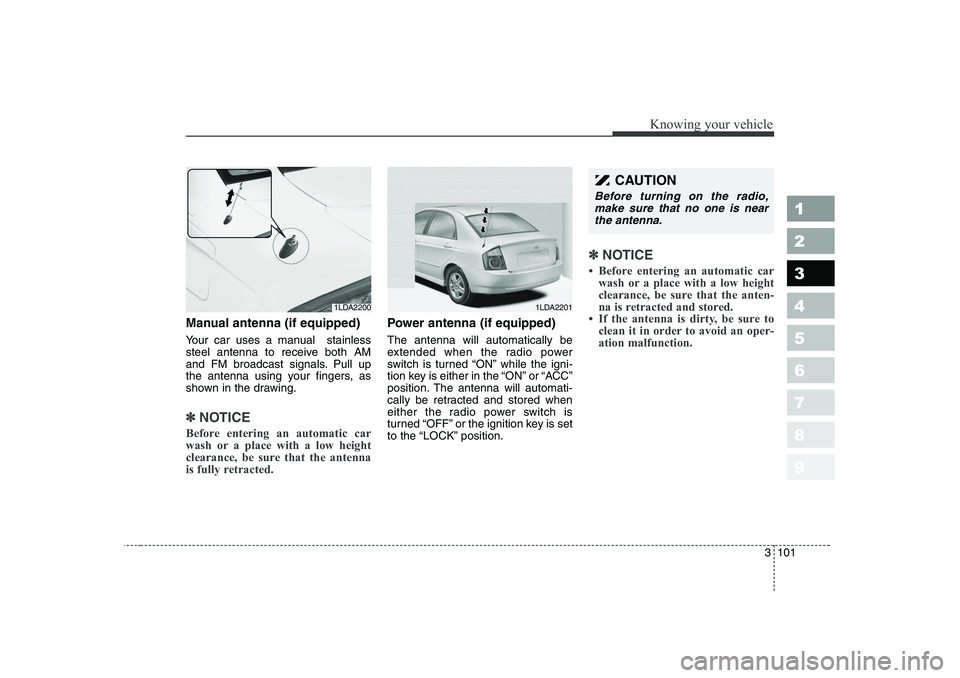
Manual antenna (if equipped)
Your car uses a manual stainless
steel antenna to receive both AM
and FM broadcast signals. Pull up
the antenna using your fingers, as
shown in the drawing.
✽✽NOTICE
Before entering an automatic car
wash or a place with a low height
clearance, be sure that the antenna
is fully retracted.
Power antenna (if equipped) The antenna will automatically be
extended when the radio power
switch is turned “ON” while the igni-
tion key is either in the “ON” or “ACC”
position. The antenna will automati-
cally be retracted and stored when
either the radio power switch is
turned “OFF” or the ignition key is set
to the “LOCK” position.
✽✽ NOTICE
Page 113 of 315
1 23456789Ignition switch / 4-2
Starting the engine / 4-4Manual transaxle / 4-7Automatic transaxle / 4-8Brake system / 4-15
Steering wheel / 4-22
Cruise control / 4-25
Traction control system / 4-30
Instrument cluster / 4-33Gauges / 4-34
Warnings and indicators / 4-38Lighting / 4-46
Wipers and washers / 4-52
Defroster / 4-55
Hazard warning flasher / 4-56
Manual climate control system / 4-57
Automatic climate control system / 4-66
Windshield defrosting and defogging / 4-79Theft-alarm system / 4-84
Driving your vehicle
Page 114 of 315
Driving your vehicle
2
4
1 23456789
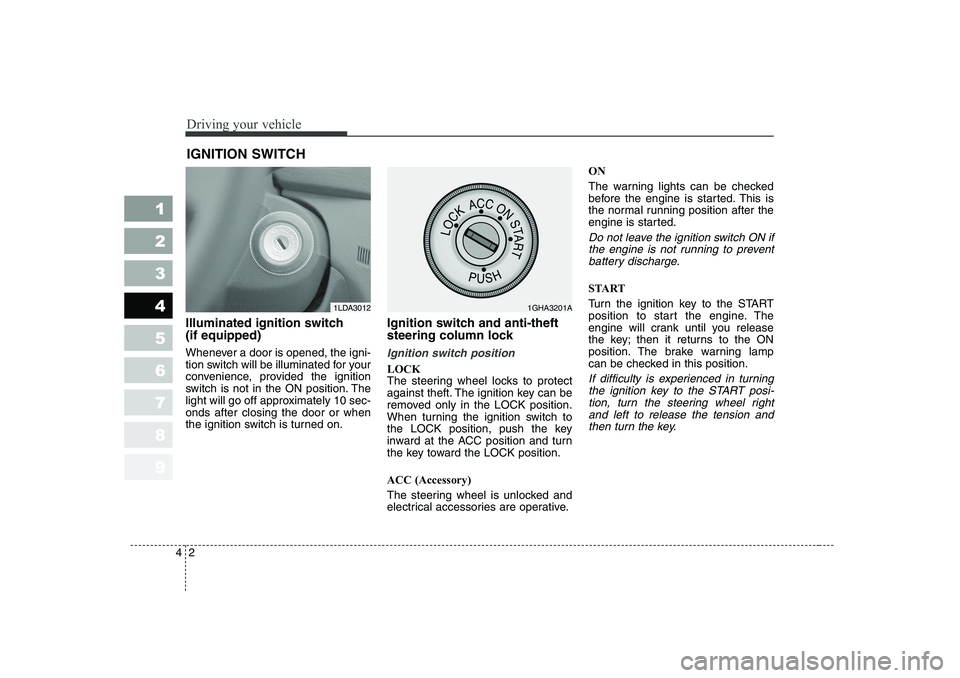
Illuminated ignition switch (if equipped)
Whenever a door is opened, the igni-
tion switch will be illuminated for your
convenience, provided the ignition
switch is not in the ON position. The
light will go off approximately 10 sec-onds after closing the door or when
the ignition switch is turned on. Ignition switch and anti-theft
steering column lock
Ignition switch position
LOCK
The steering wheel locks to protect
against theft. The ignition key can be
removed only in the LOCK position.
When turning the ignition switch to
the LOCK position, push the key
inward at the ACC position and turn
the key toward the LOCK position. ACC (Accessory)
The steering wheel is unlocked and
electrical accessories are operative.ON
The warning lights can be checked
before the engine is started. This is
the normal running position after the
engine is started.
Do not leave the ignition switch ON if
the engine is not running to preventbattery discharge.
START
Turn the ignition key to the START
position to start the engine. The
engine will crank until you release
the key; then it returns to the ON
position. The brake warning lamp
can be checked in this position.
If difficulty is experienced in turning the ignition key to the START posi-tion, turn the steering wheel rightand left to release the tension and then turn the key.
IGNITION SWITCH
1LDA30121GHA3201A
Page 115 of 315
43
1 23456789
Driving your vehicle
WARNING - Ignition key
• Never turn the ignition switch to LOCK or ACC while the
vehicle is moving. This wouldresult in loss of directional
control and braking function,
which could cause an immedi-ate accident.
The anti-theft steering column lock is not a substitute for the
parking brake. Before leaving
the driver’s seat, always make
sure the shift lever is engagedin 1 st
gear for manual transaxle
or P (Park) for automatic
transaxle, set the parking
brake fully and shut the
engine off. Unexpected and
sudden vehicle movement
may occur if these precau-tions are not taken.
(Continued)(Continued)
Never reach for the ignitionswitch, or any other controls
through the steering wheel
while the vehicle is in motion.
The presence of your hand orarm in this area could cause a
loss of vehicle control, an
accident and serious bodily
injury or death.
Do not place any movable objects around the driver’s
seat as they may move while
driving, interfere with the driv-er and lead to an accident.