radio KIA CERATO 2008 User Guide
[x] Cancel search | Manufacturer: KIA, Model Year: 2008, Model line: CERATO, Model: KIA CERATO 2008Pages: 327, PDF Size: 42.19 MB
Page 124 of 327
Knowing your vehicle
114
3
1 23456789
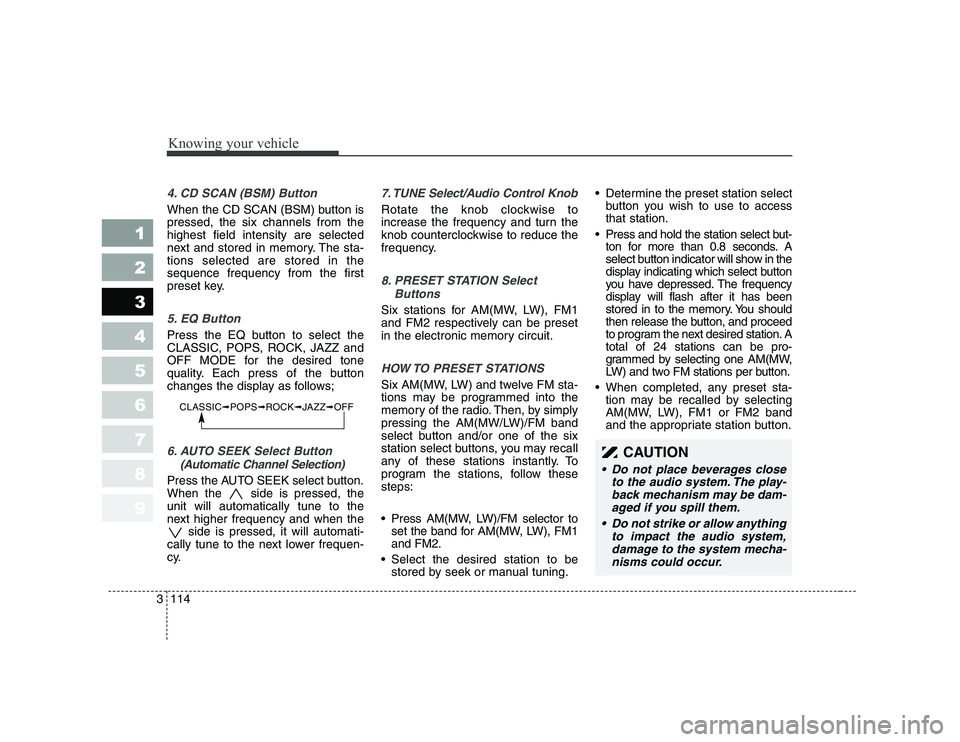
4. CD SCAN (BSM) Button
When the CD SCAN (BSM) button is pressed, the six channels from thehighest field intensity are selected
next and stored in memory. The sta-tions selected are stored in thesequence frequency from the first
preset key.
5. EQ Button
Press the EQ button to select the
CLASSIC, POPS, ROCK, JAZZ and
OFF MODE for the desired tone
quality. Each press of the button
changes the display as follows;
6. AUTO SEEK Select Button
(Automatic Channel Selection)
Press the AUTO SEEK select button.
When the side is pressed, theunit will automatically tune to the
next higher frequency and when the side is pressed, it will automati-
cally tune to the next lower frequen-
cy.
7. TUNE Select/Audio Control Knob
Rotate the knob clockwise to
increase the frequency and turn the
knob counterclockwise to reduce the
frequency.
8. PRESET STATION Select
Buttons
Six stations for AM(MW, LW), FM1
and FM2 respectively can be preset
in the electronic memory circuit.
HOW TO PRESET STATIONS
Six AM(MW, LW) and twelve FM sta-
tions may be programmed into the
memory of the radio. Then, by simply
pressing the AM(MW/LW)/FM band
select button and/or one of the six
station select buttons, you may recall
any of these stations instantly. To
program the stations, follow thesesteps:
Press AM(MW, LW)/FM selector toset the band for AM(MW, LW), FM1 and FM2.
Select the desired station to be stored by seek or manual tuning. Determine the preset station select
button you wish to use to accessthat station.
Press and hold the station select but- ton for more than 0.8 seconds. A
select button indicator will show in the
display indicating which select button
you have depressed. The frequency
display will flash after it has been
stored in to the memory. You should
then release the button, and proceed
to program the next desired station. Atotal of 24 stations can be pro-
grammed by selecting one AM(MW,
LW) and two FM stations per button.
When completed, any preset sta- tion may be recalled by selecting
AM(MW, LW), FM1 or FM2 band
and the appropriate station button.
CLASSIC ➟POPS ➟ROCK ➟JAZZ ➟OFF
CAUTION
Do not place beverages close
to the audio system. The play-back mechanism may be dam-aged if you spill them.
Do not strike or allow anything to impact the audio system,damage to the system mecha-nisms could occur.
Page 126 of 327
Knowing your vehicle
116
3
1 23456789
1. AUDIO/MP3 CD or AUX Select
Button
AUDIO/MP3 CD Select
Insert the CD with the label facingupward.
Insert the CD to start CD playback, during radio operation or cassette
tape playblack.
If you press the CD/AUX button while a disc is in the CD deck, the
CD player will begin playing even if
the radio or cassette player is beingused.
The CD/AUX player can be used
when the ignition switch is in either
the “ON” or “ACC” position.
Push the CD/AUX button to turn on
that function without pushing the
Power ON-OFF control knob.
✽✽ NOTICE
Page 130 of 327
Knowing your vehicle
120
3
1 23456789
LD 600 UR
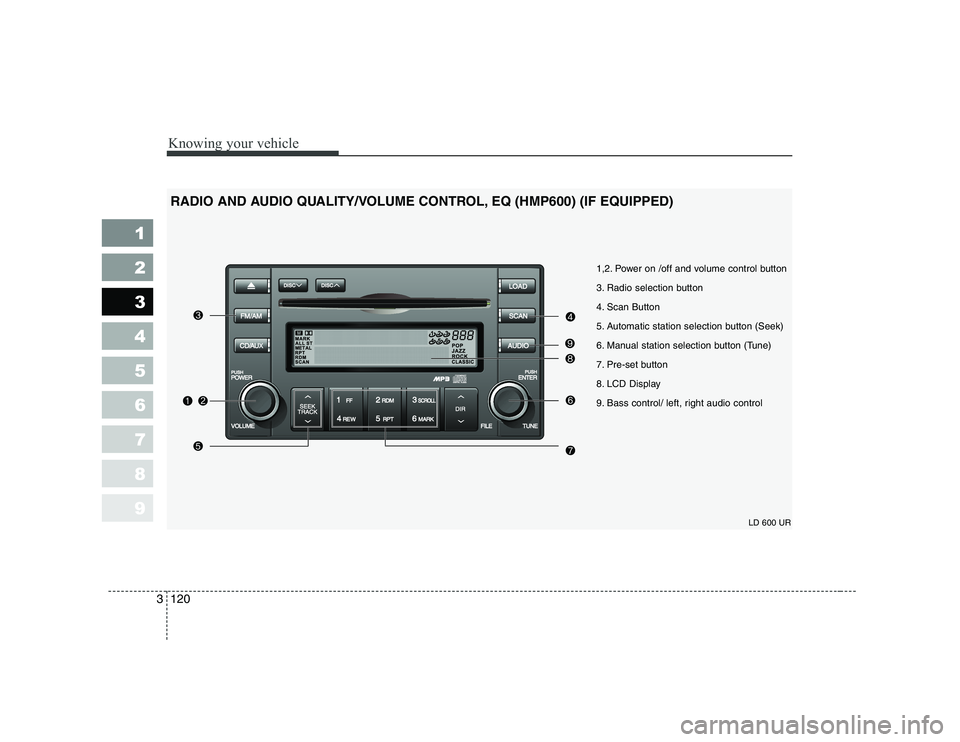
1,2. Power on /off and volume control button
3. Radio selection button
4. Scan Button
5. Automatic station selection button (Seek)
6. Manual station selection button (Tune)
7. Pre-set button
8. LCD Display
9. Bass control/ left, right audio control
RADIO AND AUDIO QUALITY/VOLUME CONTROL, EQ (HMP600) (IF EQUIPPED)
Page 131 of 327
1. Power on/off and volumecontrol button
When the ignition switch is on ACC
or ON, push this button to power on.
Push this button again to power off.
2. Volume control button
Rotate this button clockwise to vol-
ume up and anti-clockwise to volume
down.
3. Radio selection button (FM/AM)
Push [FM/AM] button for FM or AM
radio. Each press will changeFM1 ➟FM2 ➟AM ➟FM1 and repeats.
4. Scan button
Push this button to automatically
select available stations and remains
for 5 seconds from current station.
Push again to stay on current station.BSM button
Push [BSM] button to start automatic
search from current station. The sta-
tions are memorized in 1~6 pre-set
buttons from smallest station.Number 1 pre-set station will be on
after the search and memory.
5. Automatic station selection button (Seek)
Push [seek ] button, to increase
the band and [seek ] button to
decrease the band. It automatically
finds available station. If the station is
already memorized in pre-set memo-
ry, it will show the pre-set number.
6. Manual station selection button (Tune)
Rotate this tune button clockwise 1
click to increase band 1 step and
anti-clockwise to decrease.
Regular export
FM: Move by 0.1MHz (87.5 ➟87.6 ➟87.7····87.7 ➟87.6
➟ 87.5) AM: Move by 9 KHz
(531 ➟540 ➟549····549 ➟540 ➟531)
North America export (Columbian
units FM move by 0.1 MHz)
FM: Move by 0.2MHz
(87.5 ➟87.7 ➟87.9····87.9 ➟87.7
➟ 87.5)
AM: Move by 10 KHz
(530 ➟
540 ➟550····550 ➟540 ➟530)
7. Pre-set button (1~6)
Push these buttons to listen to mem-
orized stations. Push pre-set button
for more than 1.5 seconds (with a
beep) to memorize current station.
8. LCD display It indicates FM1/FM2/AM along with current band, pre-set channel, FMstereo with "ST".
3121
Knowing your vehicle
1 23456789
Page 134 of 327
![KIA CERATO 2008 User Guide Knowing your vehicle
124
3
1 23456789
1. CD loading slot
Push [LOAD] button to open CD slot.
Please face printed side upward and
gently push in. This CDC supports
only 12 cm CDs.
2. CD load button](/img/2/57951/w960_57951-133.png "KIA CERATO 2008 User Guide Knowing your vehicle
124
3
1 23456789
1. CD loading slot
Push [LOAD] button to open CD slot.
Please face printed side upward and
gently push in. This CDC supports
only 12 cm CDs.
2. CD load button")
Knowing your vehicle
124
3
1 23456789
1. CD loading slot
Push [LOAD] button to open CD slot.
Please face printed side upward and
gently push in. This CDC supports
only 12 cm CDs.
2. CD load button
Pressing the "LODE" button opens
an empty tray of lowest order in the
CDC deck. When a CD is loaded, the
slot closes and the CD plays. To load
CDs in all empty slots, press the
"LOAD" button for more than 1.5 sec-
onds. Be sure to insert only one CD
into slot at a time. Then, lastly loaded
CD is played. IF you do not load CDs
or press any button for 10 seconds
after pressing the "LOAD" button, the
LOAD function will be canceled.
3. CD eject button
Push button to eject the CD dur-
ing CD playback. Push this button formore than 1.5 seconds to eject all
the CDs. If CD number 3 is currently
playing, ejecting order is 3,4,5,6,1,2. 4. LCD display It indicates location of CD in CD
deck. When loading and ejecting CD,
corresponding CD indicator number
blinks.
5. CD/AUX selection button
CD Select
When power is off while CD is loaded
or radio/AUX is playing, push [CD]
button to play CDC. When there is no
available CD, "no disc" message will
be indicated for 2 seconds and
returns to previous mode.
AUX-IN Select
When the AUX device (such as
portable MP3 players) is connect-
ed to vehicle's AUX-IN terminal,
you can switch to AUX-IN mode by
pressing CD/AUX button.
With a CD loaded and AUX device connected at the same time, this
button switches between AUX-IN
mode and CD mode. AUX 3.5mm STEREO MINI PLUG
✽✽
NOTICE