reset KIA CERATO 2008 User Guide
[x] Cancel search | Manufacturer: KIA, Model Year: 2008, Model line: CERATO, Model: KIA CERATO 2008Pages: 327, PDF Size: 42.19 MB
Page 169 of 327
Driving your vehicle
34
4
1 23456789
Mode
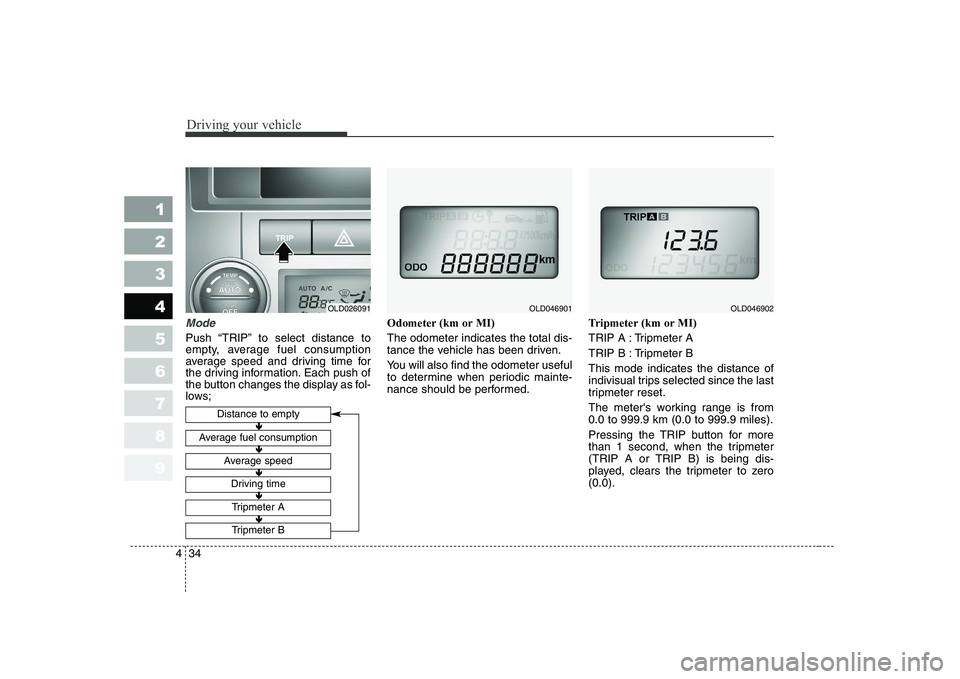
Push “TRIP” to select distance to
empty, average fuel consumption
average speed and driving time for
the driving information. Each push of
the button changes the display as fol-
lows; Odometer (km or MI) The odometer indicates the total dis-
tance the vehicle has been driven.
You will also find the odometer useful
to determine when periodic mainte-
nance should be performed.
Tripmeter (km or MI)
TRIP A : Tripmeter A
TRIP B : Tripmeter BThis mode indicates the distance of
indivisual trips selected since the last
tripmeter reset.
The meter's working range is from 0.0 to 999.9 km (0.0 to 999.9 miles).
Pressing the TRIP button for more
than 1 second, when the tripmeter
(TRIP A or TRIP B) is being dis-
played, clears the tripmeter to zero(0.0).
Distance to empty
Average fuel consumption
Average speed
Driving time
Tripmeter A
Tripmeter B
OLD046901OLD046902
Ð
Ð Ð
Ð Ð
Ð Ð
Ð Ð
Ð
OLD026091
Page 171 of 327
Driving your vehicle
36
4
1 23456789
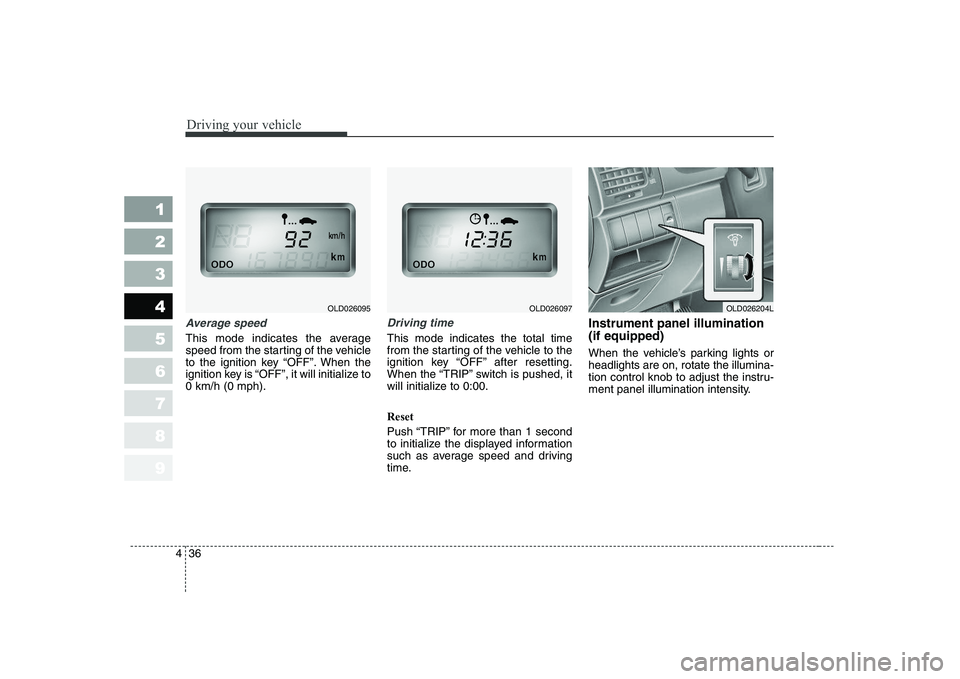
Average speed
This mode indicates the average
speed from the starting of the vehicle
to the ignition key “OFF”. When the
ignition key is “OFF”, it will initialize to0 km/h (0 mph).
Driving time
This mode indicates the total time
from the starting of the vehicle to the
ignition key “OFF” after resetting.
When the “TRIP” switch is pushed, it
will initialize to 0:00. Reset
Push “TRIP” for more than 1 second
to initialize the displayed information
such as average speed and driving
time. Instrument panel illumination (if equipped)
When the vehicle’s parking lights or headlights are on, rotate the illumina-
tion control knob to adjust the instru-
ment panel illumination intensity.
OLD026204LOLD026097OLD026095
Page 201 of 327
Driving your vehicle
66
4
1 23456789
Manual operation The heating and cooling system can
be controlled manually as well by
pushing buttons other than the AUTO
button. In this case, the system
works sequentially according to the
order of buttons selected.
When pressing any button except
AUTO button while automatic opera-
tion, the functions of the buttons notselected will be controlled automati-
cally.
Press the AUTO button in order to
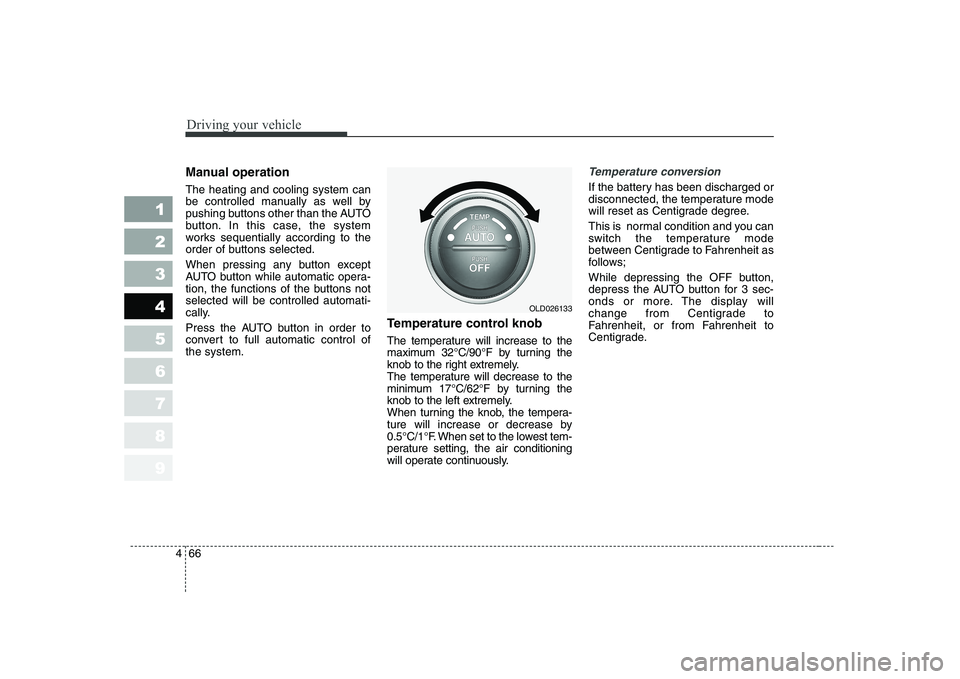
convert to full automatic control ofthe system. Temperature control knob
The temperature will increase to the
maximum 32°C/90°F by turning the
knob to the right extremely.
The temperature will decrease to the
minimum 17°C/62°F by turning the
knob to the left extremely.
When turning the knob, the tempera-
ture will increase or decrease by
0.5°C/1°F. When set to the lowest tem-
perature setting, the air conditioning
will operate continuously.Temperature conversion
If the battery has been discharged or
disconnected, the temperature mode
will reset as Centigrade degree.
This is normal condition and you can
switch the temperature mode
between Centigrade to Fahrenheit as
follows;
While depressing the OFF button,
depress the AUTO button for 3 sec-
onds or more. The display will
change from Centigrade to
Fahrenheit, or from Fahrenheit to
Centigrade.
OLD026133
Page 213 of 327
Driving your vehicle
78
4
1 23456789
Then the indicator light in the air
intake control button will blink 3 times
with 0.5 second of interval. It indi-
cates that the defogging logic is can-
celed or returned to the programmed
status.
If the battery has been discharged or
disconnected, it is reset as the defog
logic status.Automatic climate control system
To reduce the probability of fogging up inside of the windshield, the air
intake control is set to outside (fresh)
air position automatically if any of fol-
lowing occur.
The ignition switch is turned on.
The OFF button is pushed.
The mode is selected to the or
position.
In this case, the air conditioning will
automatically operate if the mode is
selected to the or .
If you don’t want the air-conditioning or outside (fresh) air position, press
the corresponding button to cancel
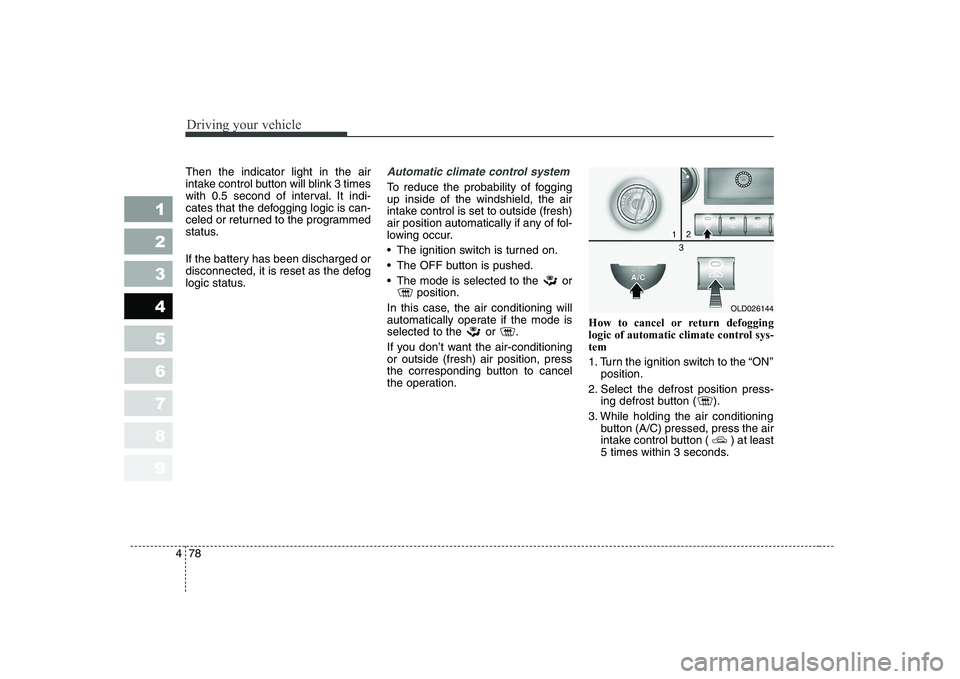
the operation. How to cancel or return defogging
logic of automatic climate control sys-tem
1. Turn the ignition switch to the “ON”
position.
2. Select the defrost position press- ing defrost button ( ).
3. While holding the air conditioning button (A/C) pressed, press the air
intake control button ( ) at least
5 times within 3 seconds.
OLD026144
Page 214 of 327
479
1 23456789
Driving your vehicle
The A/C display blinks 3 times with
0.5 second of interval. It indicates
that the defogging logic is canceled
or returned to the programmed sta-
tus.
If the battery has been discharged or
disconnected, it is reset as the defog
logic status.
Page 298 of 327
735
Maintenance
1 23456789
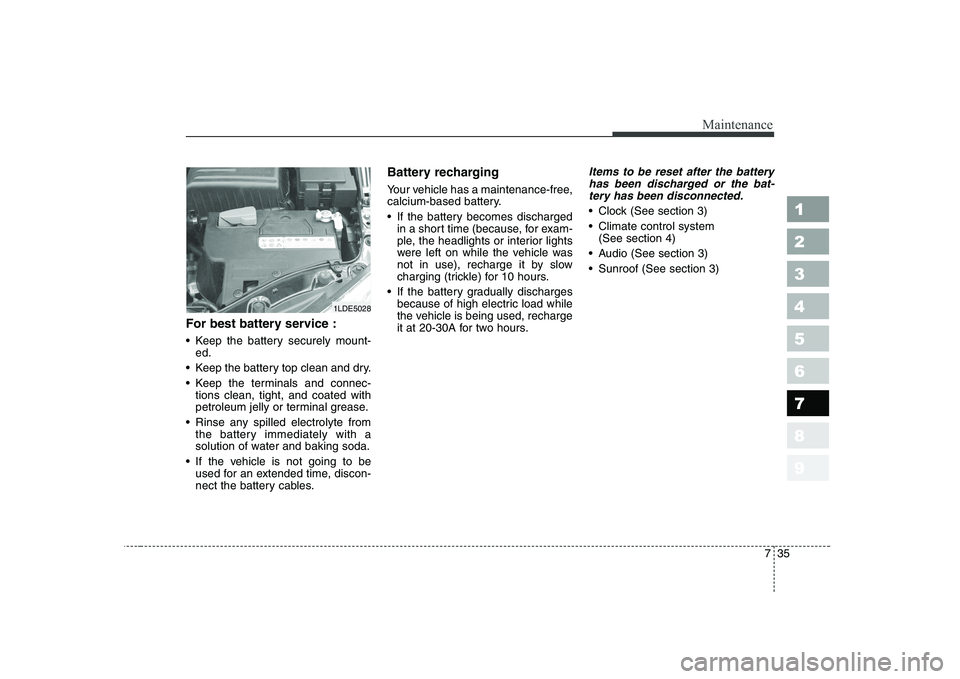
For best battery service :
Keep the battery securely mount-ed.
Keep the battery top clean and dry.
Keep the terminals and connec- tions clean, tight, and coated with
petroleum jelly or terminal grease.
Rinse any spilled electrolyte from the battery immediately with a
solution of water and baking soda.
If the vehicle is not going to be used for an extended time, discon-
nect the battery cables. Battery recharging
Your vehicle has a maintenance-free,
calcium-based battery.
If the battery becomes discharged
in a short time (because, for exam-
ple, the headlights or interior lights
were left on while the vehicle was
not in use), recharge it by slow
charging (trickle) for 10 hours.
If the battery gradually discharges because of high electric load while
the vehicle is being used, recharge
it at 20-30A for two hours.
Items to be reset after the battery
has been discharged or the bat-tery has been disconnected.
Clock (See section 3)
Climate control system (See section 4)
Audio (See section 3)
Sunroof (See section 3)
1LDE5028
Page 302 of 327
739
Maintenance
1 23456789
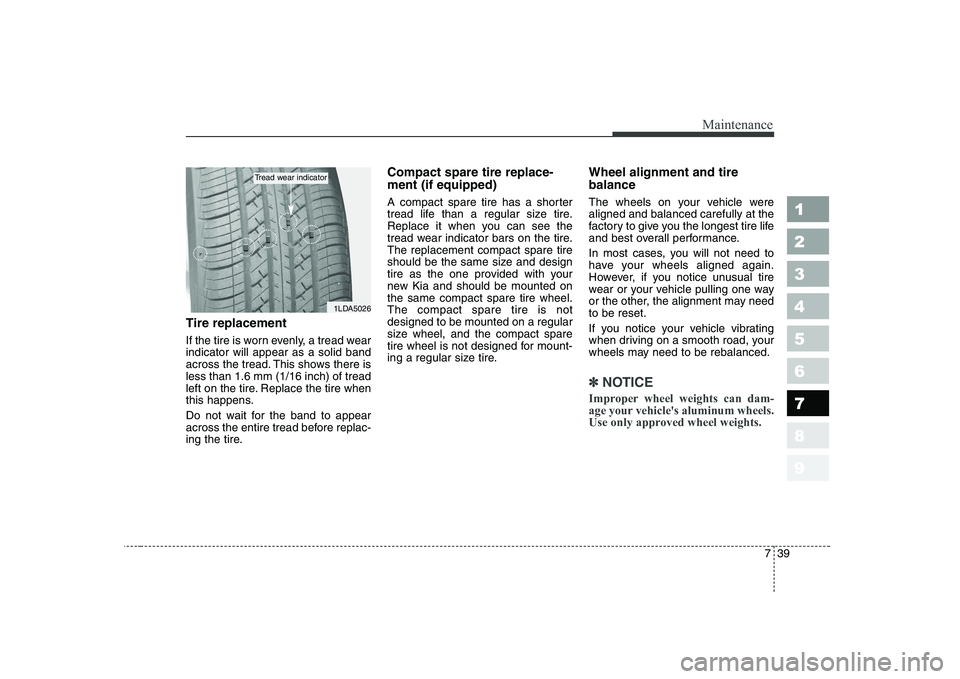
Tire replacement
If the tire is worn evenly, a tread wear indicator will appear as a solid band
across the tread. This shows there isless than 1.6 mm (1/16 inch) of tread
left on the tire. Replace the tire when
this happens.
Do not wait for the band to appear
across the entire tread before replac-
ing the tire.Compact spare tire replace- ment (if equipped)
A compact spare tire has a shorter
tread life than a regular size tire.
Replace it when you can see the
tread wear indicator bars on the tire.The replacement compact spare tire
should be the same size and design
tire as the one provided with your
new Kia and should be mounted onthe same compact spare tire wheel.The compact spare tire is notdesigned to be mounted on a regular
size wheel, and the compact spare
tire wheel is not designed for mount-
ing a regular size tire.
Wheel alignment and tire balance
The wheels on your vehicle were aligned and balanced carefully at the
factory to give you the longest tire life
and best overall performance.
In most cases, you will not need to
have your wheels aligned again.
However, if you notice unusual tire
wear or your vehicle pulling one way
or the other, the alignment may needto be reset.
If you notice your vehicle vibrating
when driving on a smooth road, your
wheels may need to be rebalanced.
✽✽
NOTICE
Improper wheel weights can dam-
age your vehicle's aluminum wheels.
Use only approved wheel weights.
1LDA5026
Tread wear indicator