speed KIA Cerato 2011 1.G User Guide
[x] Cancel search | Manufacturer: KIA, Model Year: 2011, Model line: Cerato, Model: KIA Cerato 2011 1.GPages: 342, PDF Size: 7.23 MB
Page 106 of 342
Features of your vehicle
32
4
D130100AHM
Power steering (if equipped)
Power steering uses energy from the
engine to assist you in steering the vehi-
cle. If the engine is off or if the power
steering system becomes inoperative,
the vehicle may still be steered, but it will
require increased steering effort.
Should you notice any change in the
effort required to steer during normal
vehicle operation, have the power steer-
ing checked by an authorized KIA dealer.
✽ ✽
NOTICE
• If the power steering drive belt breaks
or if the power steering pump mal-
functions, the steering effort will
greatly increase.
• If the vehicle is parked for extended periods outside in cold weather (below
-10°C/14°F), the power steering may
require increased effort when the
engine is first started. This is caused
by increased fluid viscosity due to the
cold weather and does not indicate a
malfunction.
When this happens, increase the
engine RPM by depressing the accel-
erator until the RPM reaches 1,500
rpm then release or let the engine idle
for two or three minutes to warm up
the fluid.
D130200ATD
Electric power steering
(if equipped)
Power steering uses the motor to assist
you in steering the vehicle. If the engine
is off or if the power steering system
becomes inoperative, the vehicle may
still be steered, but it will require
increased steering effort.
The motor driven power steering is con-
trolled by the power steering control unit
which senses the steering wheel torque
and vehicle speed to command the
motor.
The steering wheel becomes heavier as
the vehicle’s speed increases and
becomes lighter as the vehicle’s speed
decreases for better control of the steer-
ing wheel.
Should you notice any change in the
effort required to steer during normal
vehicle operation, have the power steer-
ing checked by an authorized KIA dealer.
STEERING WHEEL
CAUTION
Never hold the steering wheel to the
extreme right or left for more than 5seconds with the engine running. Holding the steering wheel for morethan 5 seconds in either positionmay cause damage to the powersteering pump.
Page 107 of 342
433
Features of your vehicle
✽
✽NOTICE
The following symptoms may occur dur-
ing normal vehicle operation:
• The EPS warning light does not illu-
minate.
• The steering wheel becomes heavier after turning the ignition switch on.
This happens as the system performs
the EPS system diagnostics. When the
diagnostics is completed, the steering
wheel will return to its normal condi-
tion.
• Click noise may be heard from the EPS relay after the ignition switch is
turned to the ON or LOCK position.
• Motor noise may be heard when the vehicle is at a stop or at a low driving
speed.
• If the Electric Power Steering System does not operate normally, the warn-
ing light will illuminate on the instru-
ment cluster. The steering wheel may
become difficult to control or operate
abnormally. Take your vehicle to an
authorized KIA dealer and have the
vehicle checked as soon as possible.
• When you operate the steering wheel in low temperature, abnormal noise
could occur. If temperature rises, the
noise will disappear. This is a normal
condition.
D130300AFD
Tilt steering (if equipped)
Tilt steering allows you to adjust the
steering wheel before you drive. You can
also raise it to give your legs more room
when you exit and enter the vehicle.
The steering wheel should be positioned
so that it is comfortable for you to drive,
while permitting you to see the instru-
ment panel warning lights and gauges.
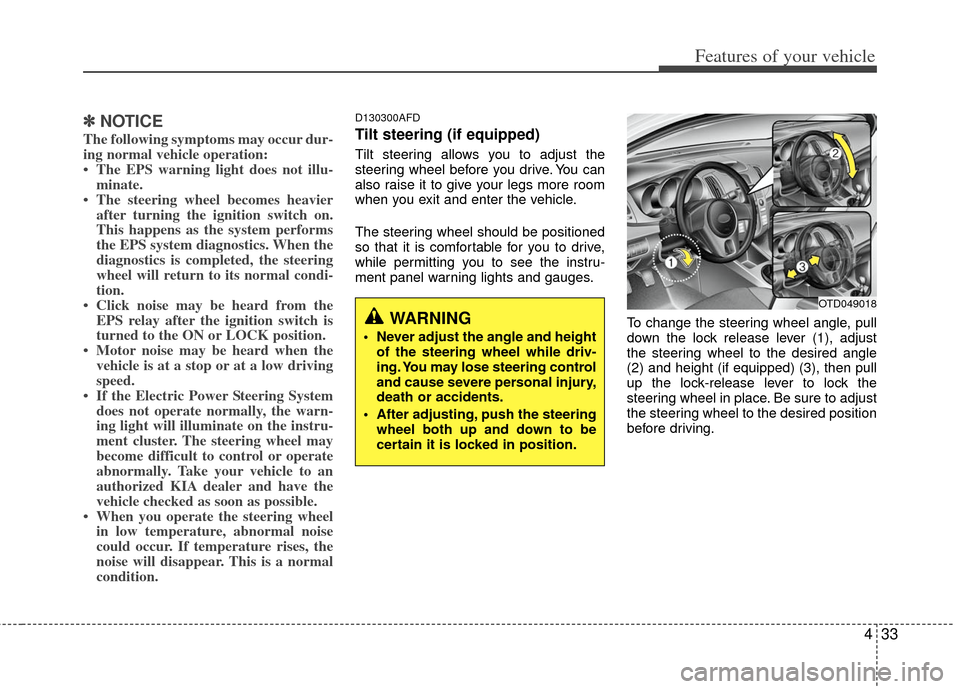
To change the steering wheel angle, pull
down the lock release lever (1), adjust
the steering wheel to the desired angle
(2) and height (if equipped) (3), then pull
up the lock-release lever to lock the
steering wheel in place. Be sure to adjust
the steering wheel to the desired position
before driving.
WARNING
Never adjust the angle and heightof the steering wheel while driv-
ing. You may lose steering control
and cause severe personal injury,
death or accidents.
After adjusting, push the steering wheel both up and down to be
certain it is locked in position.
OTD049018
Page 113 of 342
439
Features of your vehicle
INSTRUMENT CLUSTER
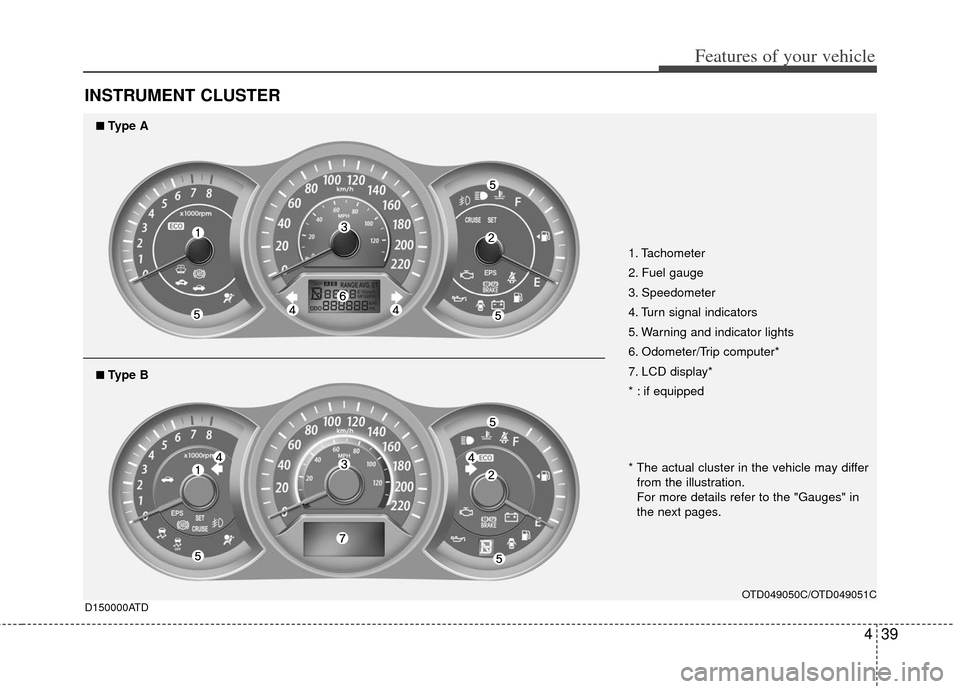
1. Tachometer
2. Fuel gauge
3. Speedometer
4. Turn signal indicators
5. Warning and indicator lights
6. Odometer/Trip computer*
7. LCD display*
* : if equipped
OTD049050C/OTD049051C
D150000ATD
■
■Type A
* The actual cluster in the vehicle may differ
from the illustration.
For more details refer to the "Gauges" in
the next pages.
■
■Type B
Page 114 of 342
Features of your vehicle
40
4
D150100ATD-EU
Instrument panel illumination
(if equipped)
When the vehicle’s parking lights or
headlights are on, rotate the illumination
control knob to adjust the brightness of
the instrument panel illumination.
The brightness of the instrument panel
(Type B) illumination can be adjusted by
rotating the control knob when the igni-
tion switch is in ON position.
Gauges
D150201AHM
Speedometer
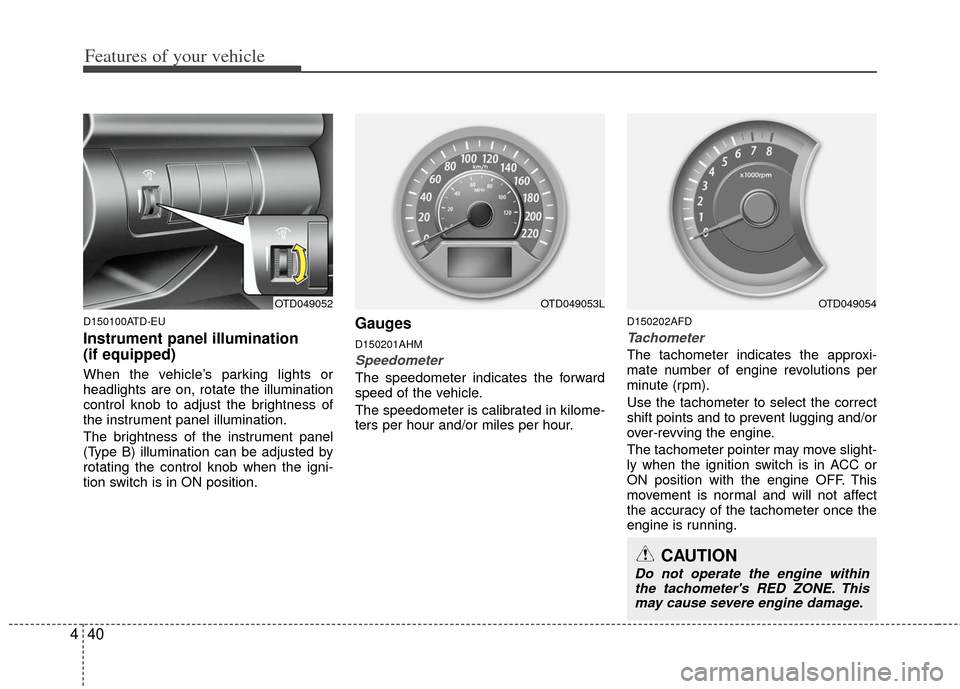
The speedometer indicates the forward
speed of the vehicle.
The speedometer is calibrated in kilome-
ters per hour and/or miles per hour.
D150202AFD
Tachometer
The tachometer indicates the approxi-
mate number of engine revolutions per
minute (rpm).
Use the tachometer to select the correct
shift points and to prevent lugging and/or
over-revving the engine.
The tachometer pointer may move slight-
ly when the ignition switch is in ACC or
ON position with the engine OFF. This
movement is normal and will not affect
the accuracy of the tachometer once the
engine is running.
OTD049052OTD049053L
CAUTION
Do not operate the engine within
the tachometer's RED ZONE. Thismay cause severe engine damage.
OTD049054
Page 116 of 342
Features of your vehicle
42
4
✽
✽
NOTICE
It is forbidden to alter the odometer of
all vehicles with the intent to change the
mileage registered on the odometer. The
alteration may void your warranty cov-
erage.
D150206ATD-EU
Trip computer (Tripmeter) /
ECO mode (if equipped)
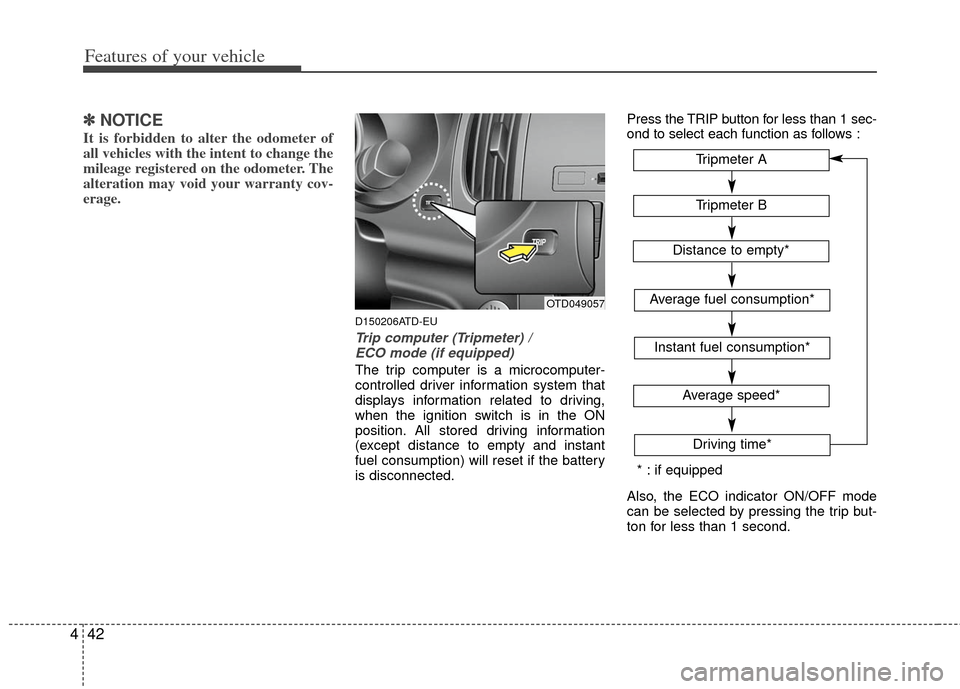
The trip computer is a microcomputer-
controlled driver information system that
displays information related to driving,
when the ignition switch is in the ON
position. All stored driving information
(except distance to empty and instant
fuel consumption) will reset if the battery
is disconnected. Press the TRIP button for less than 1 sec-
ond to select each function as follows :
Also, the ECO indicator ON/OFF mode
can be selected by pressing the trip but-
ton for less than 1 second.
OTD049057
Tripmeter B
Average fuel consumption*
Instant fuel consumption*
Average speed*
Driving time*
Tripmeter A
Distance to empty*
* : if equipped
Page 118 of 342
Features of your vehicle
44
4
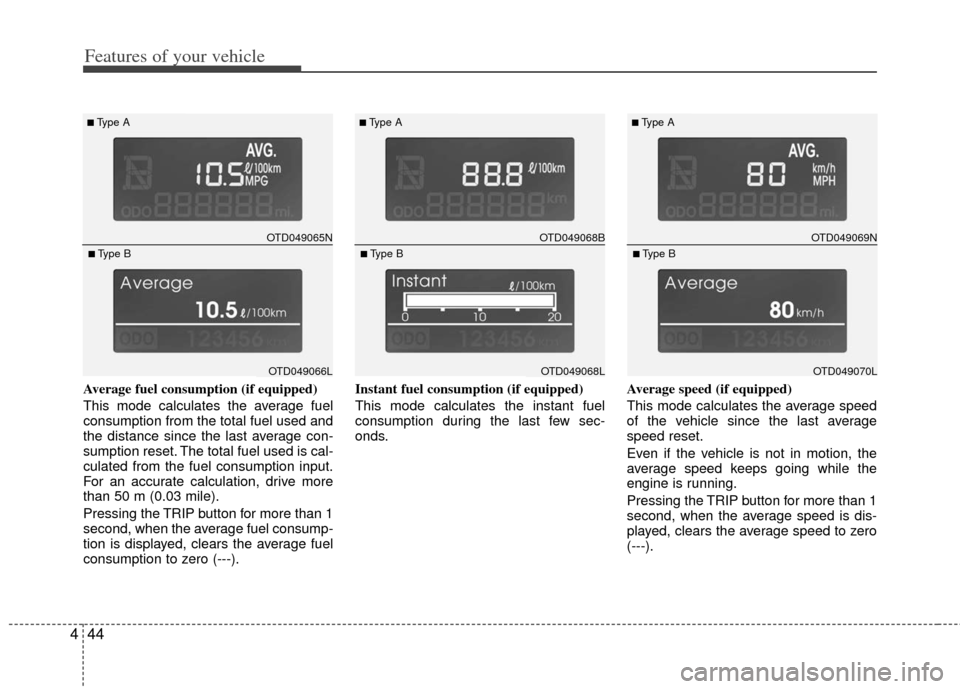
Average fuel consumption (if equipped)
This mode calculates the average fuel
consumption from the total fuel used and
the distance since the last average con-
sumption reset. The total fuel used is cal-
culated from the fuel consumption input.
For an accurate calculation, drive more
than 50 m (0.03 mile).
Pressing the TRIP button for more than 1
second, when the average fuel consump-
tion is displayed, clears the average fuel
consumption to zero (---). Instant fuel consumption (if equipped)
This mode calculates the instant fuel
consumption during the last few sec-
onds.
Average speed (if equipped)
This mode calculates the average speed
of the vehicle since the last average
speed reset.
Even if the vehicle is not in motion, the
average speed keeps going while the
engine is running.
Pressing the TRIP button for more than 1
second, when the average speed is dis-
played, clears the average speed to zero
(---).
OTD049065N
■Type A
OTD049066L
■Type B
OTD049068B
■Type A
OTD049068L
■Type B
OTD049069N
■Type A
OTD049070L
■Type B
Page 121 of 342
447
Features of your vehicle
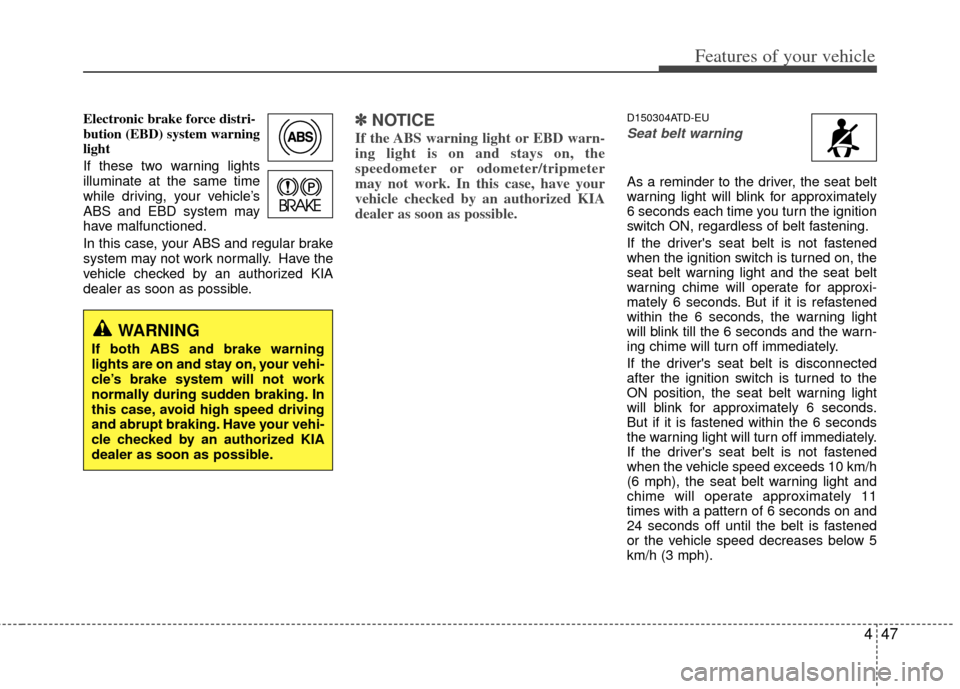
Electronic brake force distri-
bution (EBD) system warning
light
If these two warning lights
illuminate at the same time
while driving, your vehicle’s
ABS and EBD system may
have malfunctioned.
In this case, your ABS and regular brake
system may not work normally. Have the
vehicle checked by an authorized KIA
dealer as soon as possible.✽ ✽NOTICE
If the ABS warning light or EBD warn-
ing light is on and stays on, the
speedometer or odometer/tripmeter
may not work. In this case, have your
vehicle checked by an authorized KIA
dealer as soon as possible.
D150304ATD-EU
Seat belt warning
As a reminder to the driver, the seat belt
warning light will blink for approximately
6 seconds each time you turn the ignition
switch ON, regardless of belt fastening.
If the driver's seat belt is not fastened
when the ignition switch is turned on, the
seat belt warning light and the seat belt
warning chime will operate for approxi-
mately 6 seconds. But if it is refastened
within the 6 seconds, the warning light
will blink till the 6 seconds and the warn-
ing chime will turn off immediately.
If the driver's seat belt is disconnected
after the ignition switch is turned to the
ON position, the seat belt warning light
will blink for approximately 6 seconds.
But if it is fastened within the 6 seconds
the warning light will turn off immediately.
If the driver's seat belt is not fastened
when the vehicle speed exceeds 10 km/h
(6 mph), the seat belt warning light and
chime will operate approximately 11
times with a pattern of 6 seconds on and
24 seconds off until the belt is fastened
or the vehicle speed decreases below 5
km/h (3 mph).
WARNING
If both ABS and brake warning
lights are on and stay on, your vehi-
cle’s brake system will not work
normally during sudden braking. In
this case, avoid high speed driving
and abrupt braking. Have your vehi-
cle checked by an authorized KIA
dealer as soon as possible.
Page 137 of 342
463
Features of your vehicle
WIPERS AND WASHERS
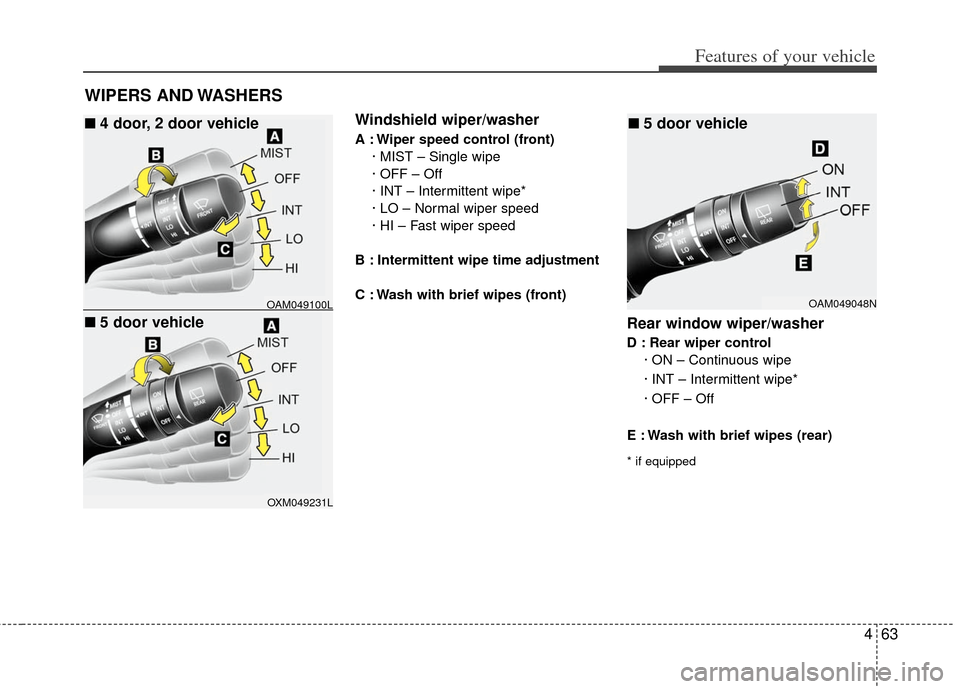
Windshield wiper/washer
A : Wiper speed control (front)· MIST – Single wipe
· OFF – Off
· INT – Intermittent wipe*
· LO – Normal wiper speed
· HI – Fast wiper speed
B : Intermittent wipe time adjustment
C : Wash with brief wipes (front)
Rear window wiper/washer
D : Rear wiper control · ON – Continuous wipe
· INT – Intermittent wipe*
· OFF – Off
E : Wash with brief wipes (rear)
* if equipped
OAM049100L
OXM049231L
■
■4 door, 2 door vehicle
■
■5 door vehicle
OAM049048N
■
■5 door vehicle
Page 138 of 342
Features of your vehicle
64
4
D200100ATD
Windshield wipers
Operates as follows when the ignition
switch is turned ON.
MIST : For a single wiping cycle, move the
lever upward and release it. The
wipers will operate continuously if
the lever is held in this position.
OFF : Wiper is not in operation
INT : Wiper operates intermittently at the same wiping intervals. Use this
mode in a light rain or mist. To vary
the speed setting, turn the speed
control knob.
LO : Normal wiper speed
HI : Fast wiper speed
✽ ✽ NOTICE
If there is heavy accumulation of snow
or ice on the windshield, defrost the
windshield for about 10 minutes, or
until the snow and/or ice is removed
before using the windshield wipers to
ensure proper operation.
D200200ASA
Windshield washers
In the OFF position, pull the lever gently
toward you to spray washer fluid on the
windshield and to run the wipers 1-3
cycles.
Use this function when the windshield is
dirty.
The spray and wiper operation will con-
tinue until you release the lever. If the
washer does not work, check the washer
fluid level.
If the fluid level is not sufficient, you will
need to add appropriate non-abrasive
windshield washer fluid to the washer
reservoir.
The reservoir filler neck is located in the
front of the engine compartment on the
passenger side.
CAUTION
To prevent possible damage to the
washer pump, do not operate thewasher when the fluid reservoir is empty.
WARNING
Do not use the washer in freezing
temperatures without first warming
the windshield with the defrosters;
the washer solution could freeze on
the windshield and obscure your
vision.
Page 143 of 342
469
Features of your vehicle
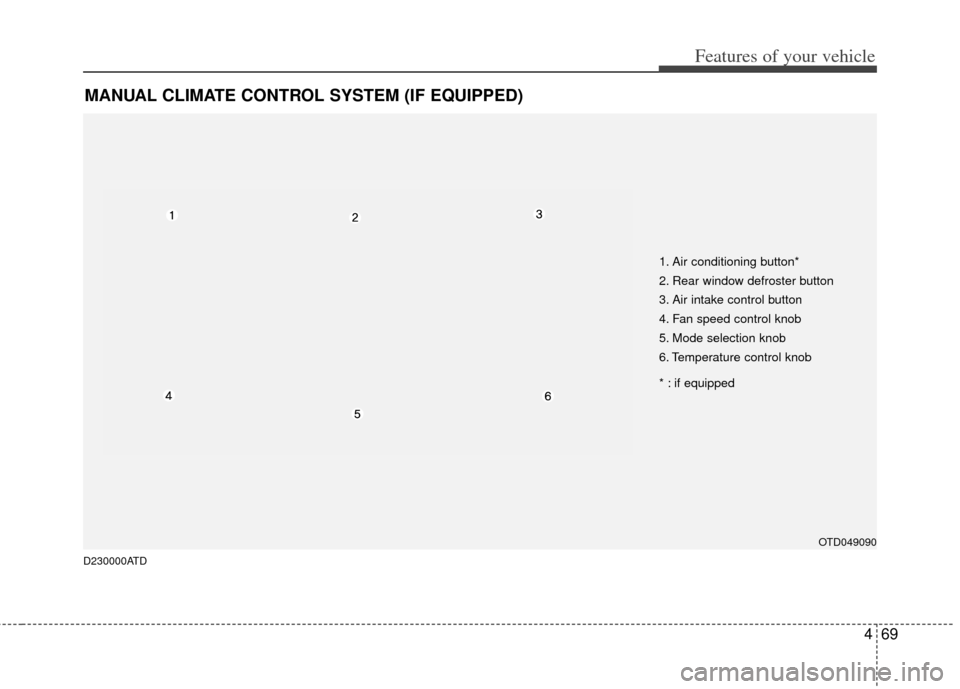
MANUAL CLIMATE CONTROL SYSTEM (IF EQUIPPED)
OTD049090
D230000ATD
1. Air conditioning button*
2. Rear window defroster button
3. Air intake control button
4. Fan speed control knob
5. Mode selection knob
6. Temperature control knob
* : if equipped