Indicator light KIA Cerato 2011 1.G Owner's Guide
[x] Cancel search | Manufacturer: KIA, Model Year: 2011, Model line: Cerato, Model: KIA Cerato 2011 1.GPages: 342, PDF Size: 7.23 MB
Page 148 of 342
Features of your vehicle
74
4
D230104AUN
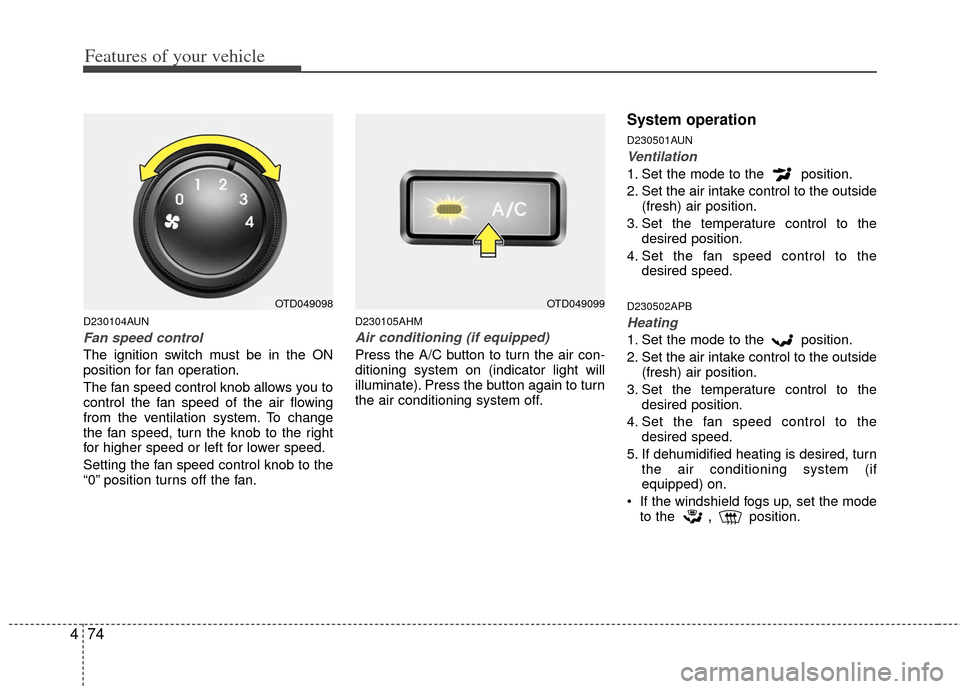
Fan speed control
The ignition switch must be in the ON
position for fan operation.
The fan speed control knob allows you to
control the fan speed of the air flowing
from the ventilation system. To change
the fan speed, turn the knob to the right
for higher speed or left for lower speed.
Setting the fan speed control knob to the
“0” position turns off the fan.
D230105AHM
Air conditioning (if equipped)
Press the A/C button to turn the air con-
ditioning system on (indicator light will
illuminate). Press the button again to turn
the air conditioning system off.
System operation
D230501AUN
Ventilation
1. Set the mode to the position.
2. Set the air intake control to the outside
(fresh) air position.
3. Set the temperature control to the desired position.
4. Set the fan speed control to the desired speed.
D230502APB
Heating
1. Set the mode to the position.
2. Set the air intake control to the outside(fresh) air position.
3. Set the temperature control to the desired position.
4. Set the fan speed control to the desired speed.
5. If dehumidified heating is desired, turn the air conditioning system (if
equipped) on.
If the windshield fogs up, set the mode to the
,position.
OTD049098OTD049099
Page 157 of 342
483
Features of your vehicle
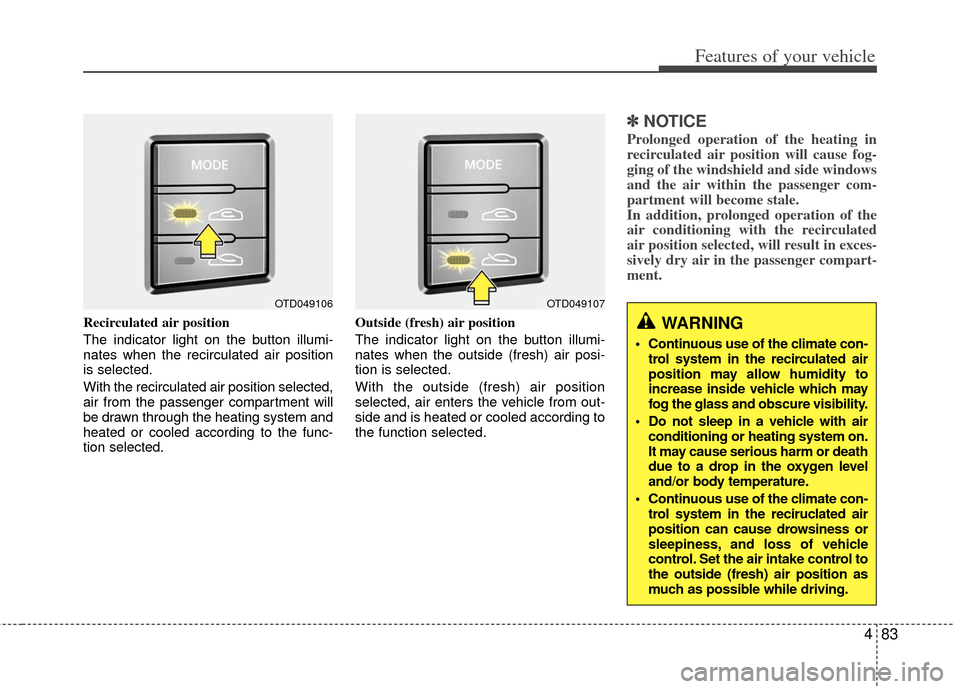
Recirculated air position
The indicator light on the button illumi-
nates when the recirculated air position
is selected.
With the recirculated air position selected,
air from the passenger compartment will
be drawn through the heating system and
heated or cooled according to the func-
tion selected.Outside (fresh) air position
The indicator light on the button illumi-
nates when the outside (fresh) air posi-
tion is selected.
With the outside (fresh) air position
selected, air enters the vehicle from out-
side and is heated or cooled according to
the function selected.
✽ ✽
NOTICE
Prolonged operation of the heating in
recirculated air position will cause fog-
ging of the windshield and side windows
and the air within the passenger com-
partment will become stale.
In addition, prolonged operation of the
air conditioning with the recirculated
air position selected, will result in exces-
sively dry air in the passenger compart-
ment.
WARNING
Continuous use of the climate con-
trol system in the recirculated air
position may allow humidity to
increase inside vehicle which may
fog the glass and obscure visibility.
Do not sleep in a vehicle with air conditioning or heating system on.
It may cause serious harm or death
due to a drop in the oxygen level
and/or body temperature.
Continuous use of the climate con- trol system in the reciruclated air
position can cause drowsiness or
sleepiness, and loss of vehicle
control. Set the air intake control to
the outside (fresh) air position as
much as possible while driving.
OTD049106OTD049107
Page 158 of 342
Features of your vehicle
84
4
D240205ATD
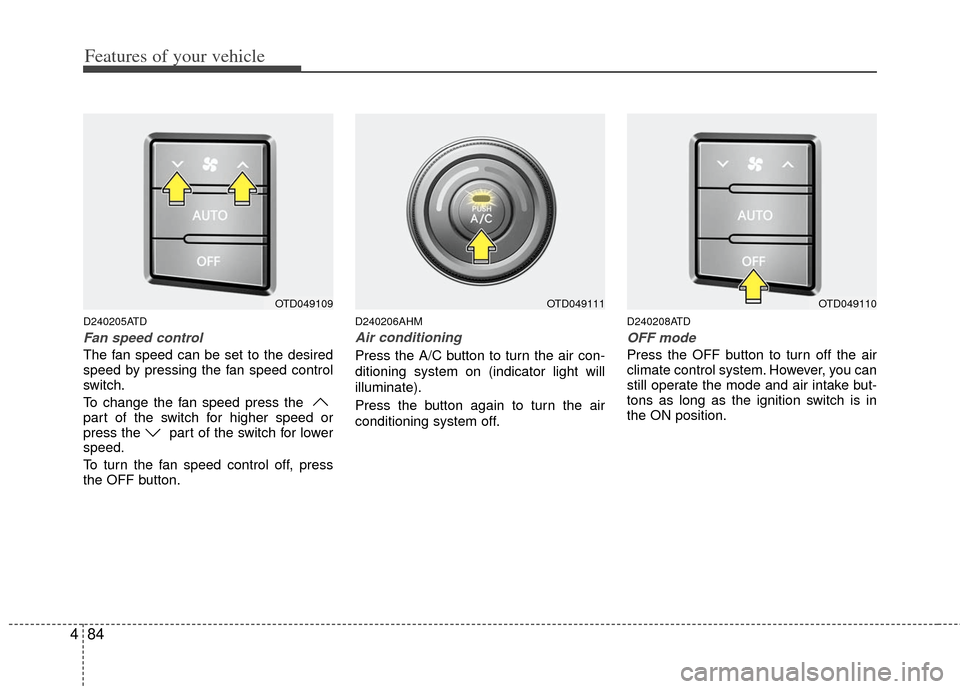
Fan speed control
The fan speed can be set to the desired
speed by pressing the fan speed control
switch.
To change the fan speed press the
part of the switch for higher speed or
press the part of the switch for lower
speed.
To turn the fan speed control off, press
the OFF button.
D240206AHM
Air conditioning
Press the A/C button to turn the air con-
ditioning system on (indicator light will
illuminate).
Press the button again to turn the air
conditioning system off.
D240208ATD
OFF mode
Press the OFF button to turn off the air
climate control system. However, you can
still operate the mode and air intake but-
tons as long as the ignition switch is in
the ON position.
OTD049109OTD049111OTD049110
Page 161 of 342
487
Features of your vehicle
D250300AHM
Defogging logic
To reduce the probability of fogging up
inside of the windshield, the air intake or
air conditioning are controlled automati-
cally according to certain conditions such
as or position. To cancel or
return to the defogging logic, do the fol-
lowings.
D250301AUN
Manual climate control system
1. Turn the ignition switch to the ON posi-tion.
2. Turn the mode selection knob to the defrost position ( ).
3. Push the air intake control button at least 5 times within 3 seconds.
The indicator light in the air intake control
button will blink 3 times with 0.5 second
of interval. It indicates that the defogging
logic is canceled or returned to the pro-
grammed status.
If the battery has been discharged or dis-
connected, it resets to the defog logic
status.
D250302AHM-EE
Automatic climate control system
1. Turn the ignition switch to the ON posi- tion.
2. Select the defroster position pressing the defroster button ( ).
3. While pressing the air conditioning button (A/C), press the air intake con-
trol button ( ) at least 5 times with-
in 3 seconds.
The A/C display blinks 3 times with 0.5
second of interval. It indicates that the
defogging logic is canceled or returned to
the programmed status.
If the battery has been discharged or dis-
connected, it resets to the defog logic
status.
Page 181 of 342
4107
Features of your vehicle
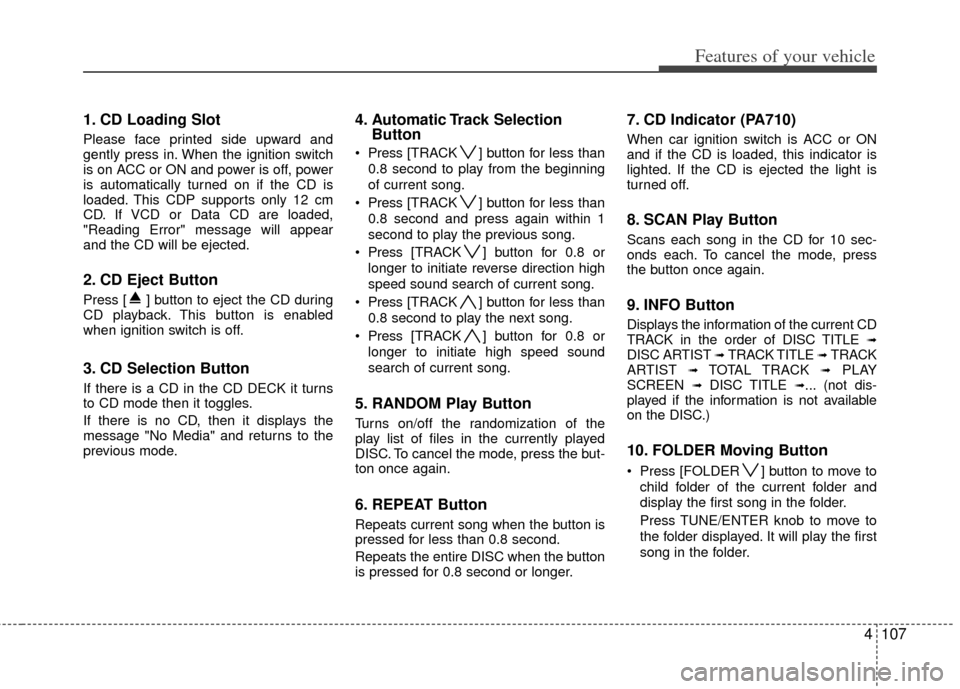
1. CD Loading Slot
Please face printed side upward and
gently press in. When the ignition switch
is on ACC or ON and power is off, power
is automatically turned on if the CD is
loaded. This CDP supports only 12 cm
CD. If VCD or Data CD are loaded,
"Reading Error" message will appear
and the CD will be ejected.
2. CD Eject Button
Press [ ] button to eject the CD during
CD playback. This button is enabled
when ignition switch is off.
3. CD Selection Button
If there is a CD in the CD DECK it turns
to CD mode then it toggles.
If there is no CD, then it displays the
message "No Media" and returns to the
previous mode.
4. Automatic Track SelectionButton
Press [TRACK ] button for less than
0.8 second to play from the beginning
of current song.
Press [TRACK ] button for less than
0.8 second and press again within 1
second to play the previous song.
Press [TRACK ] button for 0.8 or
longer to initiate reverse direction high
speed sound search of current song.
Press [TRACK ] button for less than
0.8 second to play the next song.
Press [TRACK ] button for 0.8 or
longer to initiate high speed sound
search of current song.
5. RANDOM Play Button
Turns on/off the randomization of the
play list of files in the currently played
DISC. To cancel the mode, press the but-
ton once again.
6. REPEAT Button
Repeats current song when the button is
pressed for less than 0.8 second.
Repeats the entire DISC when the button
is pressed for 0.8 second or longer.
7. CD Indicator (PA710)
When car ignition switch is ACC or ON
and if the CD is loaded, this indicator is
lighted. If the CD is ejected the light is
turned off.
8. SCAN Play Button
Scans each song in the CD for 10 sec-
onds each. To cancel the mode, press
the button once again.
9. INFO Button
Displays the information of the current CD
TRACK in the order of DISC TITLE ➟DISC ARTIST ➟ TRACK TITLE ➟ TRACK
ARTIST ➟ TOTAL TRACK ➟PLAY
SCREEN ➟ DISC TITLE ➟... (not dis-
played if the information is not available
on the DISC.)
10. FOLDER Moving Button
Press [FOLDER ] button to move to
child folder of the current folder and
display the first song in the folder.
Press TUNE/ENTER knob to move to
the folder displayed. It will play the first
song in the folder.
Page 213 of 342
57
Driving your vehicle
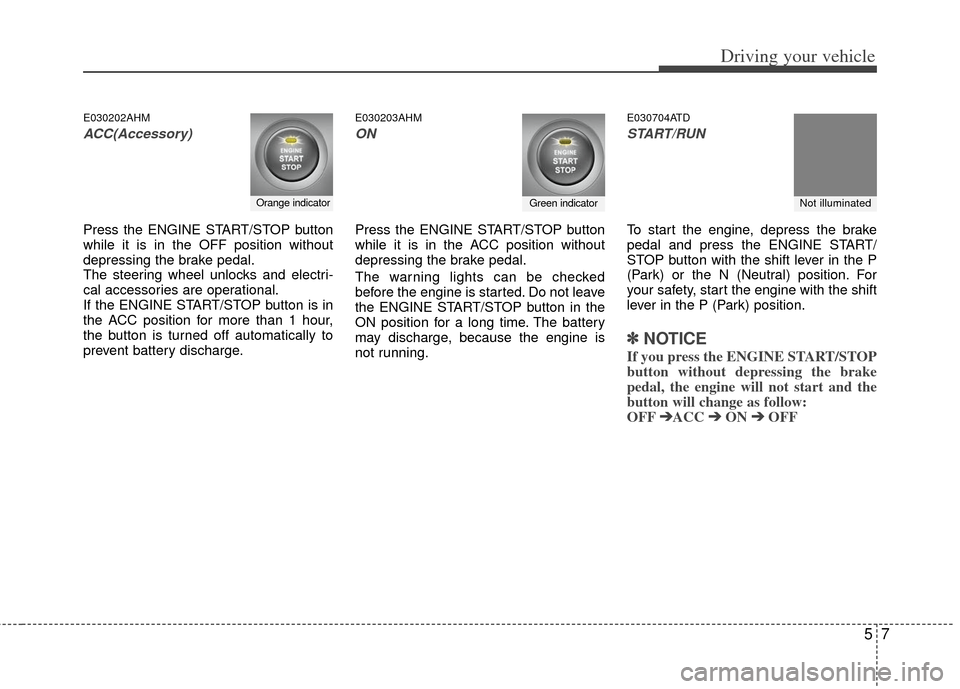
E030202AHM
ACC(Accessory)
Press the ENGINE START/STOP button
while it is in the OFF position without
depressing the brake pedal.
The steering wheel unlocks and electri-
cal accessories are operational.
If the ENGINE START/STOP button is in
the ACC position for more than 1 hour,
the button is turned off automatically to
prevent battery discharge.
E030203AHM
ON
Press the ENGINE START/STOP button
while it is in the ACC position without
depressing the brake pedal.
The warning lights can be checked
before the engine is started. Do not leave
the ENGINE START/STOP button in the
ON position for a long time. The battery
may discharge, because the engine is
not running.
E030704ATD
START/RUN
To start the engine, depress the brake
pedal and press the ENGINE START/
STOP button with the shift lever in the P
(Park) or the N (Neutral) position. For
your safety, start the engine with the shift
lever in the P (Park) position.
✽ ✽
NOTICE
If you press the ENGINE START/STOP
button without depressing the brake
pedal, the engine will not start and the
button will change as follow:
OFF ➔ ➔
ACC ➔
➔
ON ➔
➔
OFF
Orange indicatorGreen indicatorNot illuminated
Page 222 of 342
Driving your vehicle
16
5
For smooth operation, depress the brake
pedal when shifting from N (Neutral) to aforward or reverse gear.E060101ATD-EU
Transaxle ranges
The indicator light in the instrument clus-
ter displays the shift lever position when
the ignition switch is in the ON position.
P (Park)
Always come to a complete stop before
shifting into P (Park). This position locks
the transaxle and prevents the front
wheels from rotating.
WARNING- Automatic transaxle
Always check the surrounding
areas near your vehicle for peo-
ple, especially children, before
shifting a shift lever into D (Drive)
or R (Reverse).
Before leaving the driver’s seat, always make sure the shift lever
is in the P (Park) position; then
set the parking brake fully and
shut the engine off. Unexpected
and sudden vehicle movement
can occur if these precautions
are not followed in the order iden-
tified.
CAUTION
To avoid damage to your transaxle, do not accelerate theengine in R (Reverse) or any for-ward gear position with thebrakes on.
When stopped on an upgrade, do not hold the vehicle with enginepower. Use the service brake orthe parking brake.
Do not shift from N (Neutral) or P (Park) into D (Drive), or R(Reverse) when the engine isabove idle speed.
Page 230 of 342
Driving your vehicle
24
5
E070102AHM
Disc brakes wear indicator
When your brake pads are worn and new
pads are required, you will hear a high-
pitched warning sound from your front
brakes or rear brakes (if equipped). You
may hear this sound come and go or it
may occur whenever you depress the
brake pedal.
Please remember that some driving con-
ditions or climates may cause a brake
squeal when you first apply (or lightly
apply) the brakes. This is normal and
does not indicate a problem with your
brakes.
E070106APB
Rear drum brakes (if equipped)
Your rear drum brakes do not have wear
indicators. Therefore, have the rear brake
linings inspected if you hear a rubbing
noise. Also have your rear brakes
inspected each time you change or
rotate your tires and when you have the
front brakes replaced.
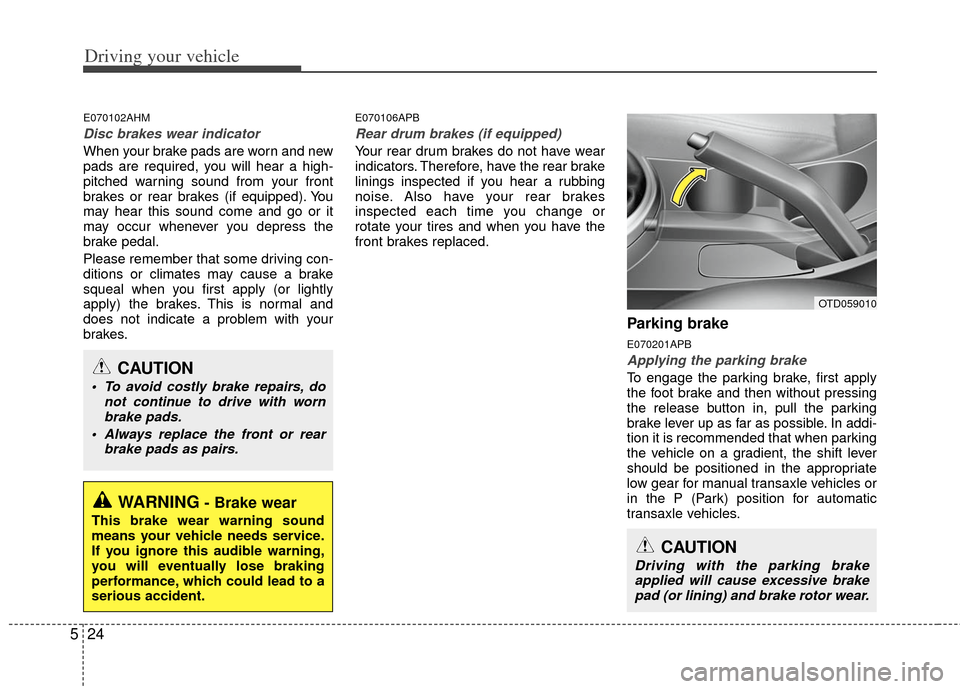
Parking brake
E070201APB
Applying the parking brake
To engage the parking brake, first apply
the foot brake and then without pressing
the release button in, pull the parking
brake lever up as far as possible. In addi-
tion it is recommended that when parking
the vehicle on a gradient, the shift lever
should be positioned in the appropriate
low gear for manual transaxle vehicles or
in the P (Park) position for automatic
transaxle vehicles.
WARNING- Brake wear
This brake wear warning sound
means your vehicle needs service.
If you ignore this audible warning,
you will eventually lose braking
performance, which could lead to a
serious accident.
CAUTION
To avoid costly brake repairs, do
not continue to drive with wornbrake pads.
Always replace the front or rear brake pads as pairs.
CAUTION
Driving with the parking brakeapplied will cause excessive brakepad (or lining) and brake rotor wear.
OTD059010
Page 235 of 342

529
Driving your vehicle
E070501AUN-EU
ESC operation
ESC ON conditionON, ESC and ESC OFF indi-
cator lights illuminate for
approximately 3 seconds,
then ESC is turned on.
for at least half a second after
turning the ignition ON to turn
ESC off. (ESC OFF indicator
will illuminate). To turn the
ESC on, press the ESC OFF
button (ESC OFF indicator
light will go off).
you may hear a slight ticking
sound. This is the ESC per-
forming an automatic system
self-check and does not indi-
cate a problem. When operating
When the ESC is in operation,
ESC indicator light blinks.
Control is operating properly,
you can feel a slight pulsation
in the vehicle. This is only the
effect of brake control and
indicates nothing unusual.
or slippery road, pressing the
accelerator pedal may not
cause the engine rpm (revo-
lutions per minute) to
increase.
E070502AUN-EU
ESC operation off
ESC OFF state
press the ESC OFF button
(ESC OFF indicator light illu-
minates).
to LOCK position when ESC
is off, ESC remains off. Upon
restarting the engine, the
ESC will automatically turn
on again.
-
Page 236 of 342
Driving your vehicle
30
5
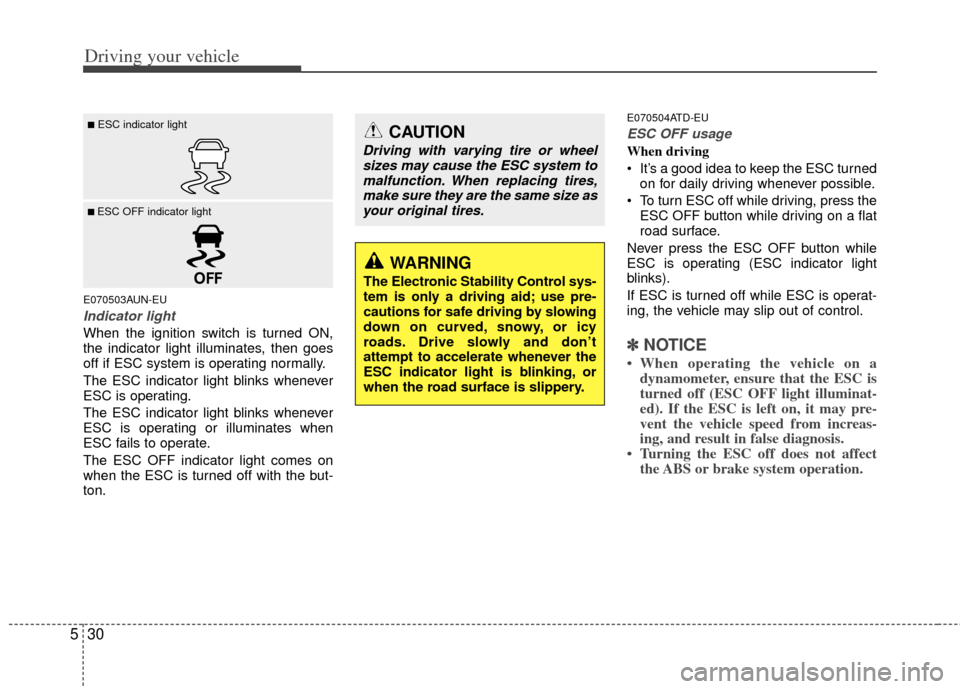
E070503AUN-EU
Indicator light
When the ignition switch is turned ON,
the indicator light illuminates, then goes
off if ESC system is operating normally.
The ESC indicator light blinks whenever
ESC is operating.
The ESC indicator light blinks whenever
ESC is operating or illuminates when
ESC fails to operate.
The ESC OFF indicator light comes on
when the ESC is turned off with the but-
ton.
E070504ATD-EU
ESC OFF usage
When driving
It’s a good idea to keep the ESC turned
on for daily driving whenever possible.
To turn ESC off while driving, press the ESC OFF button while driving on a flat
road surface.
Never press the ESC OFF button while
ESC is operating (ESC indicator light
blinks).
If ESC is turned off while ESC is operat-
ing, the vehicle may slip out of control.
✽ ✽ NOTICE
• When operating the vehicle on a
dynamometer, ensure that the ESC is
turned off (ESC OFF light illuminat-
ed). If the ESC is left on, it may pre-
vent the vehicle speed from increas-
ing, and result in false diagnosis.
• Turning the ESC off does not affect the ABS or brake system operation.
■ESC indicator light
■ ESC OFF indicator light
CAUTION
Driving with varying tire or wheel
sizes may cause the ESC system tomalfunction. When replacing tires,make sure they are the same size asyour original tires.
WARNING
The Electronic Stability Control sys-
tem is only a driving aid; use pre-
cautions for safe driving by slowing
down on curved, snowy, or icy
roads. Drive slowly and don’t
attempt to accelerate whenever the
ESC indicator light is blinking, or
when the road surface is slippery.