Température KIA Cerato 2012 1.G User Guide
[x] Cancel search | Manufacturer: KIA, Model Year: 2012, Model line: Cerato, Model: KIA Cerato 2012 1.GPages: 353, PDF Size: 7.3 MB
Page 153 of 353
475
Features of your vehicle
Operation Tips
To prevent dust or unpleasant fumesfrom entering the vehicle through the
ventilation system, temporarily set the
air intake control to the recirculated air
position. Be sure to return the control
to the fresh air position when the irrita-
tion has passed to keep fresh air in the
vehicle. This will help keep the driver
alert and comfortable.
Air for the heating/cooling system is drawn in through the grilles just ahead
of the windshield. Care should be
taken that these are not blocked by
leaves, snow, ice or other obstructions.
To prevent interior fog on the wind- shield, set the air intake control to the
fresh air position and fan speed to the
desired position, turn on the air condi-
tioning system, and adjust the temper-
ature control to desired temperature.D230503ATD
Air conditioning (if equipped)
All KIA Air Conditioning Systems are
filled with environmentally friendly
R-134a refrigerant which does not dam-
age the ozone layer.
1. Start the engine. Push the air condi- tioning button.
2. Set the mode to the position.
3. Set the air intake control to the recir- culated air position. However, pro-
longed operation of the reticulated air
position will excessively dry the air. In
this case, change the air position.
4. Adjust the fan speed control and tem- perature control to maintain maximum
comfort.
When maximum cooling is desired, set the temperature control to the extreme
left position, set the mode control to
the MAX A/C position, then set the fan
speed control to the highest speed.
✽ ✽ NOTICE
• While using the air conditioning sys-
tem, monitor the temperature gauge
closely while driving up hills or in
heavy traffic when outside tempera-
tures are high. Air conditioning sys-
tem operation may cause engine over-
heating. Continue to use the blower
fan but turn the air conditioning sys-
tem off if the temperature gauge indi-
cates engine overheating.
• While opening the windows in humid weather air conditioning may create
water droplets inside the vehicle.
Since excessive water droplets may
cause damage to electrical equipment,
air conditioning should only be used
with the windows closed.
Page 156 of 353
Features of your vehicle
78
4
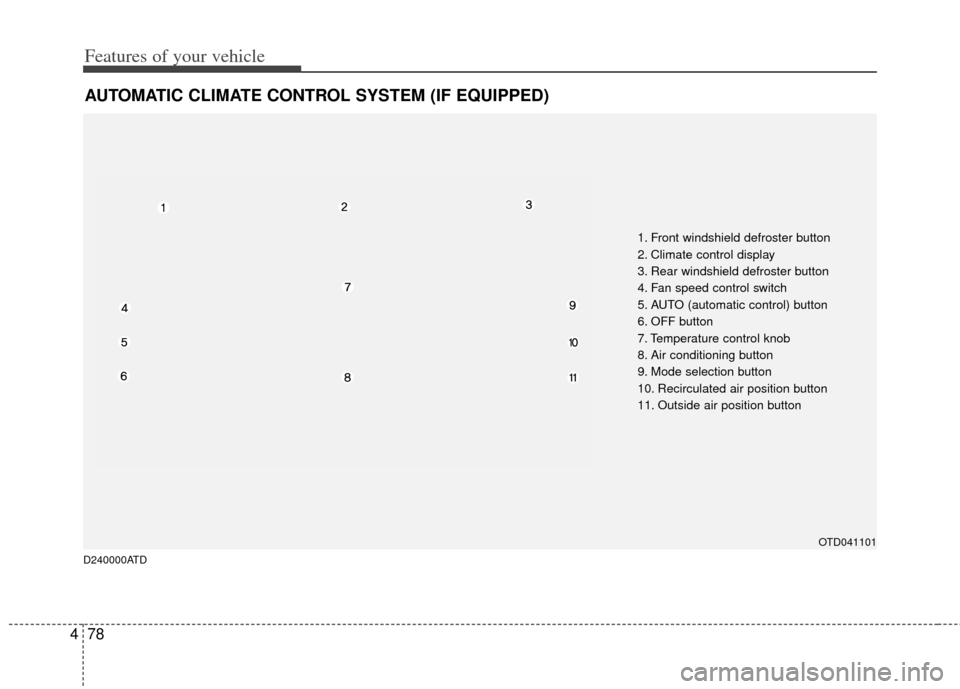
AUTOMATIC CLIMATE CONTROL SYSTEM (IF EQUIPPED)
OTD041101
1. Front windshield defroster button
2. Climate control display
3. Rear windshield defroster button
4. Fan speed control switch
5. AUTO (automatic control) button
6. OFF button
7. Temperature control knob
8. Air conditioning button
9. Mode selection button
10. Recirculated air position button
11. Outside air position button
D240000ATD
Page 157 of 353
479
Features of your vehicle
D240100ATD-EU
Automatic heating and air condi-
tioning
The automatic climate control system is
controlled by simply setting the desired
temperature.
The Full Automatic Temperature Control
(FATC) system automatically controls the
heating and cooling system as follows;
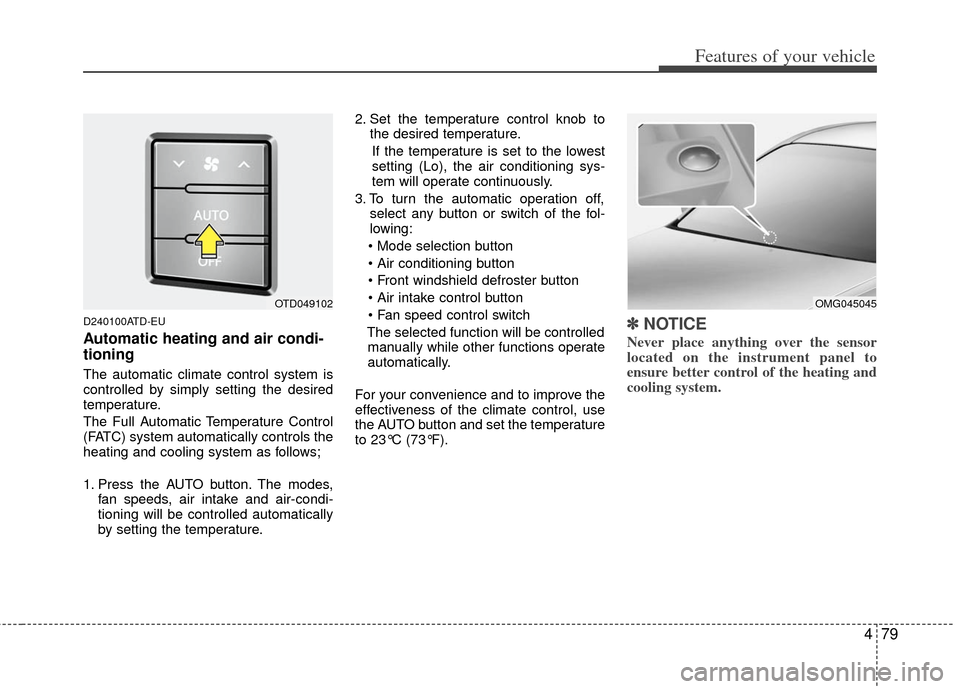
1. Press the AUTO button. The modes,fan speeds, air intake and air-condi-
tioning will be controlled automatically
by setting the temperature. 2. Set the temperature control knob to
the desired temperature.
If the temperature is set to the lowest
setting (Lo), the air conditioning sys-
tem will operate continuously.
3. To turn the automatic operation off, select any button or switch of the fol-
lowing:
The selected function will be controlled manually while other functions operate
automatically.
For your convenience and to improve the
effectiveness of the climate control, use
the AUTO button and set the temperature
to 23°C (73°F).
✽ ✽ NOTICE
Never place anything over the sensor
located on the instrument panel to
ensure better control of the heating and
cooling system.
OMG045045OTD049102
Page 158 of 353
Features of your vehicle
80
4
D240200ATD
Manual heating and air condition-
ing
The heating and cooling system can be
controlled manually by pushing buttons
other than the AUTO button. In this case,
the system works sequentially according
to the order of buttons selected.
1. Start the engine.
2. Set the mode to the desired position.
To improve the effectiveness of heat-ing and cooling :
- Heating:
- Cooling:
3. Set the temperature control to the desired position.
4. Set the air intake control to the outside (fresh) air or recirculated air position.
5. Set the fan speed control to the desired speed.
6. If air conditioning is desired, turn the air conditioning system on.
Press the AUTO button in order to con-
vert to full automatic control of the sys-
tem.
D240201ATD
Mode selection
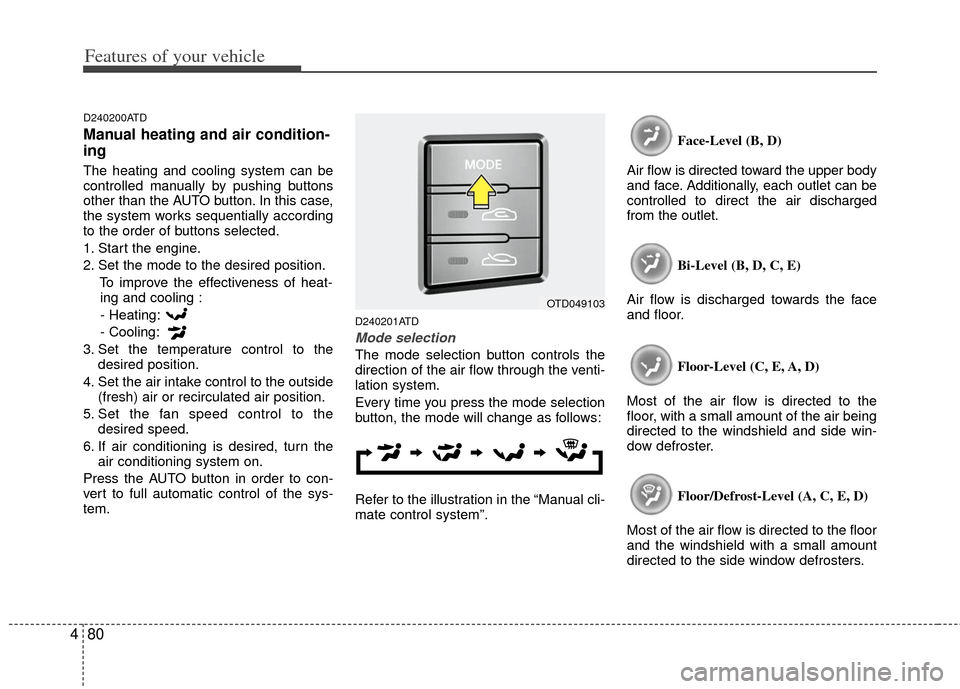
The mode selection button controls the
direction of the air flow through the venti-
lation system.
Every time you press the mode selection
button, the mode will change as follows:
Refer to the illustration in the “Manual cli-
mate control system”. Face-Level (B, D)
Air flow is directed toward the upper body
and face. Additionally, each outlet can be
controlled to direct the air discharged
from the outlet.
Bi-Level (B, D, C, E)
Air flow is discharged towards the face
and floor.
Floor-Level (C, E, A, D)
Most of the air flow is directed to the
floor, with a small amount of the air being
directed to the windshield and side win-
dow defroster.
Floor/Defrost-Level (A, C, E, D)
Most of the air flow is directed to the floor
and the windshield with a small amount
directed to the side window defrosters.
OTD049103
Page 159 of 353
481
Features of your vehicle
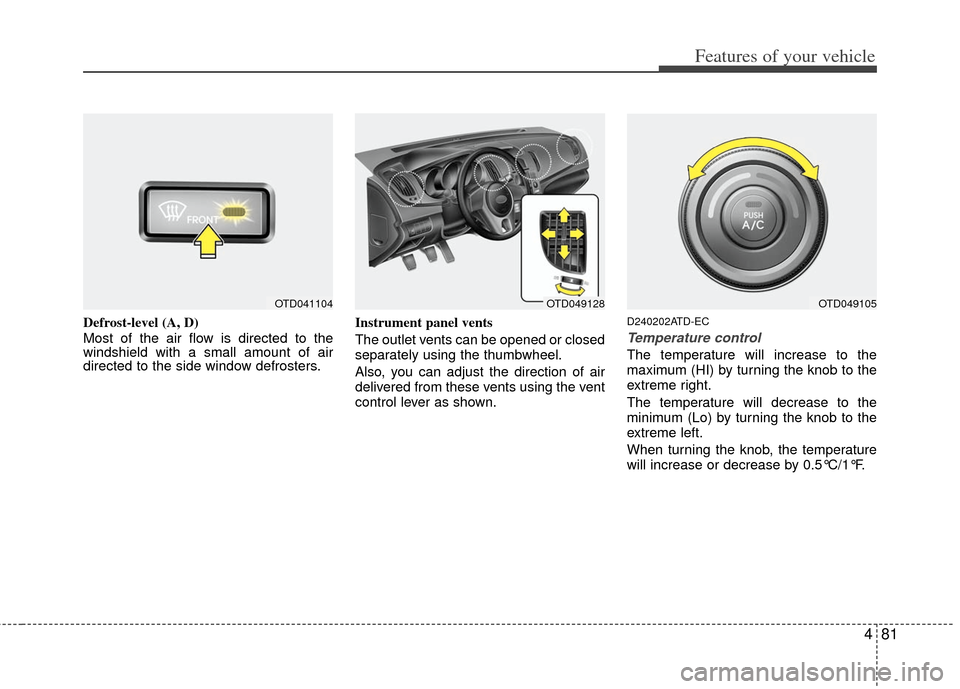
Defrost-level (A, D)
Most of the air flow is directed to the
windshield with a small amount of air
directed to the side window defrosters.Instrument panel vents
The outlet vents can be opened or closed
separately using the thumbwheel.
Also, you can adjust the direction of air
delivered from these vents using the vent
control lever as shown.D240202ATD-EC
Temperature control
The temperature will increase to the
maximum (HI) by turning the knob to the
extreme right.
The temperature will decrease to the
minimum (Lo) by turning the knob to the
extreme left.
When turning the knob, the temperature
will increase or decrease by 0.5°C/1°F.
OTD049128OTD049105OTD041104
Page 160 of 353
Features of your vehicle
82
4
Temperature conversion
You can switch the temperature mode
between Fahrenheit to Centigrade as fol-
lows:
While pressing the OFF button, press the
AUTO button for 3 seconds or more.
The display will change from Fahrenheit
to Centigrade, or from Centigrade to
Fahrenheit.
If the battery has been discharged or dis-
connected, the temperature mode dis-
play will reset to Centigrade.
D240207AUN
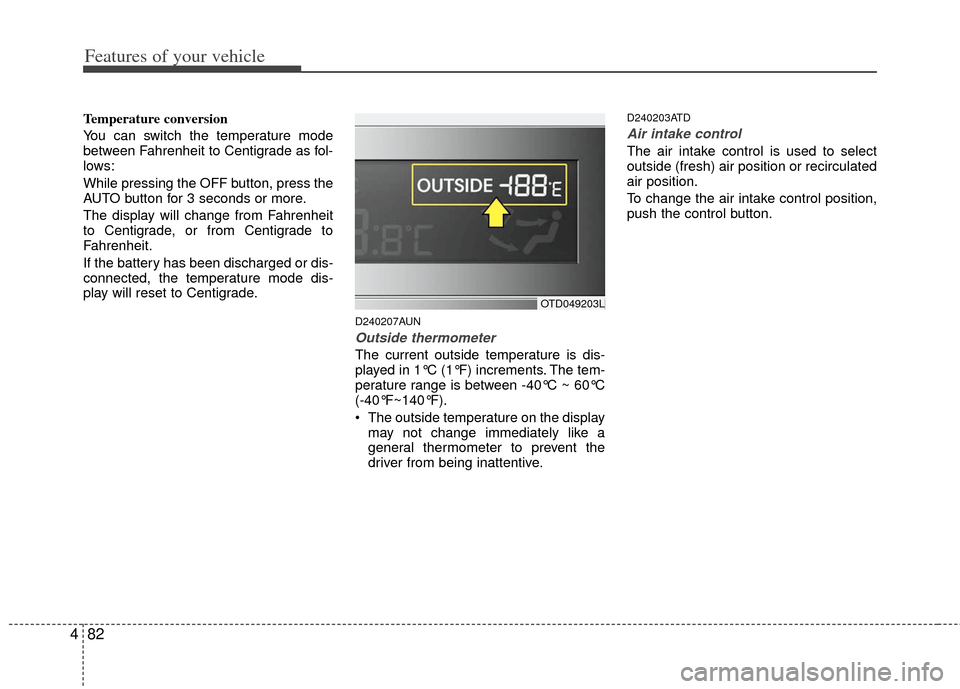
Outside thermometer
The current outside temperature is dis-
played in 1°C (1°F) increments. The tem-
perature range is between -40°C ~ 60°C
(-40°F~140°F).
The outside temperature on the display
may not change immediately like a
general thermometer to prevent the
driver from being inattentive.
D240203ATD
Air intake control
The air intake control is used to select
outside (fresh) air position or recirculated
air position.
To change the air intake control position,
push the control button.
OTD049203L
Page 161 of 353
483
Features of your vehicle
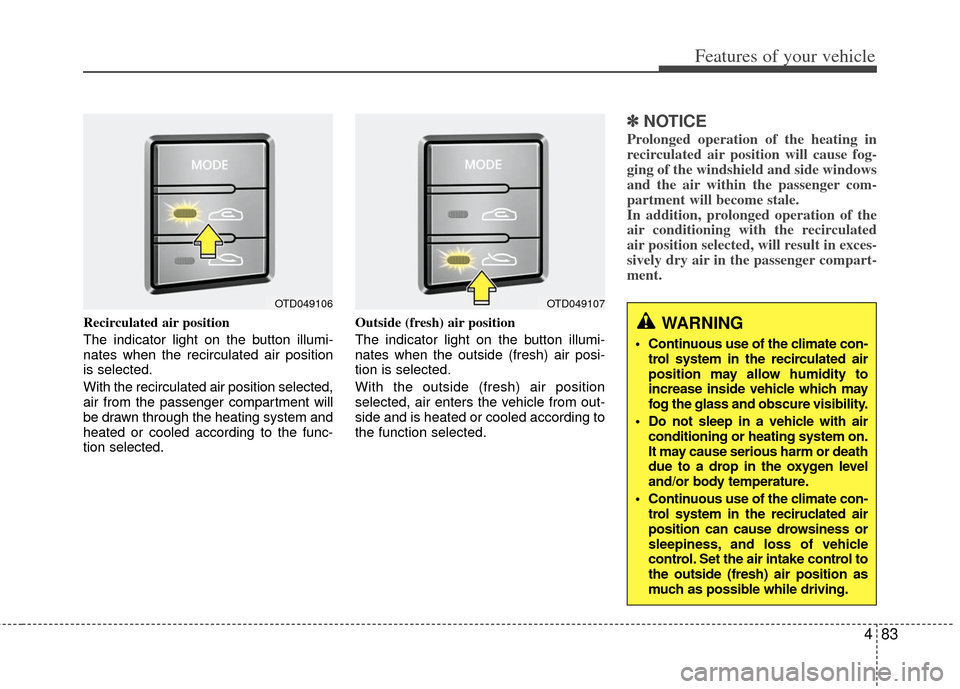
Recirculated air position
The indicator light on the button illumi-
nates when the recirculated air position
is selected.
With the recirculated air position selected,
air from the passenger compartment will
be drawn through the heating system and
heated or cooled according to the func-
tion selected.Outside (fresh) air position
The indicator light on the button illumi-
nates when the outside (fresh) air posi-
tion is selected.
With the outside (fresh) air position
selected, air enters the vehicle from out-
side and is heated or cooled according to
the function selected.
✽ ✽
NOTICE
Prolonged operation of the heating in
recirculated air position will cause fog-
ging of the windshield and side windows
and the air within the passenger com-
partment will become stale.
In addition, prolonged operation of the
air conditioning with the recirculated
air position selected, will result in exces-
sively dry air in the passenger compart-
ment.
WARNING
Continuous use of the climate con-
trol system in the recirculated air
position may allow humidity to
increase inside vehicle which may
fog the glass and obscure visibility.
Do not sleep in a vehicle with air conditioning or heating system on.
It may cause serious harm or death
due to a drop in the oxygen level
and/or body temperature.
Continuous use of the climate con- trol system in the reciruclated air
position can cause drowsiness or
sleepiness, and loss of vehicle
control. Set the air intake control to
the outside (fresh) air position as
much as possible while driving.
OTD049106OTD049107
Page 163 of 353
485
Features of your vehicle
WINDSHIELD DEFROSTING AND DEFOGGING
D250000AUN For maximum defrosting, set the tem-perature control to the extreme
right/hot position and the fan speed
control to the highest speed.
If warm air to the floor is desired while defrosting or defogging, set the mode
to the floor-defrost position.
Before driving, clear all snow and ice from the windshield, rear window, out-
side rear view mirrors, and all side win-
dows.
Clear all snow and ice from the hood and air inlet in the cowl grill to improve
heater and defroster efficiency and to
reduce the probability of fogging up
the inside of the windshield.
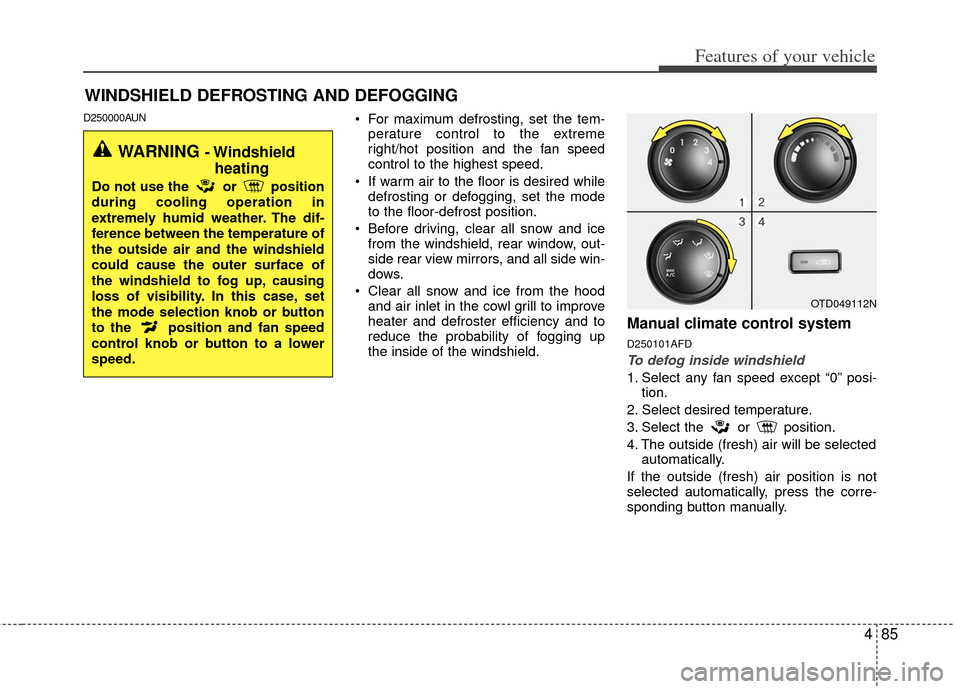
Manual climate control system
D250101AFD
To defog inside windshield
1. Select any fan speed except “0” posi- tion.
2. Select desired temperature.
3. Select the or position.
4. The outside (fresh) air will be selected automatically.
If the outside (fresh) air position is not
selected automatically, press the corre-
sponding button manually.
OTD049112N
WARNING - Windshield heating
Do not use the or position
during cooling operation in
extremely humid weather. The dif-
ference between the temperature of
the outside air and the windshield
could cause the outer surface of
the windshield to fog up, causing
loss of visibility. In this case, set
the mode selection knob or button
to the position and fan speed
control knob or button to a lower
speed.
Page 164 of 353
Features of your vehicle
86
4
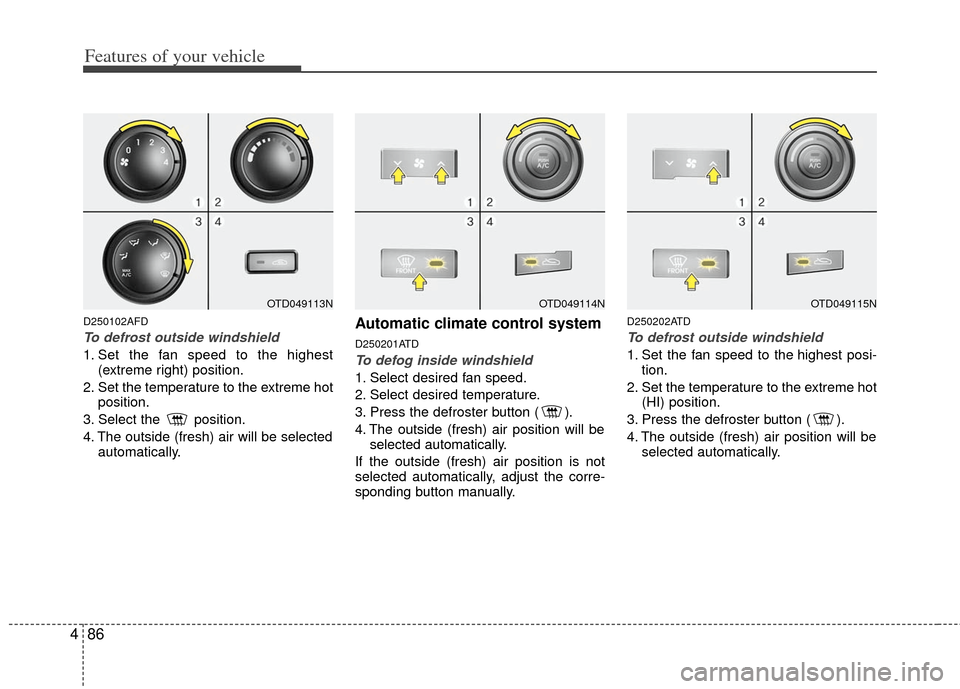
D250102AFD
To defrost outside windshield
1. Set the fan speed to the highest
(extreme right) position.
2. Set the temperature to the extreme hot position.
3. Select the position.
4. The outside (fresh) air will be selected automatically.
Automatic climate control system
D250201ATD
To defog inside windshield
1. Select desired fan speed.
2. Select desired temperature.
3. Press the defroster button ( ).
4. The outside (fresh) air position will beselected automatically.
If the outside (fresh) air position is not
selected automatically, adjust the corre-
sponding button manually.
D250202ATD
To defrost outside windshield
1. Set the fan speed to the highest posi- tion.
2. Set the temperature to the extreme hot (HI) position.
3. Press the defroster button ( ).
4. The outside (fresh) air position will be selected automatically.
OTD049114NOTD049115NOTD049113N
Page 166 of 353
Features of your vehicle
88
4
D270000AHM
These compartments can be used to
store small items.
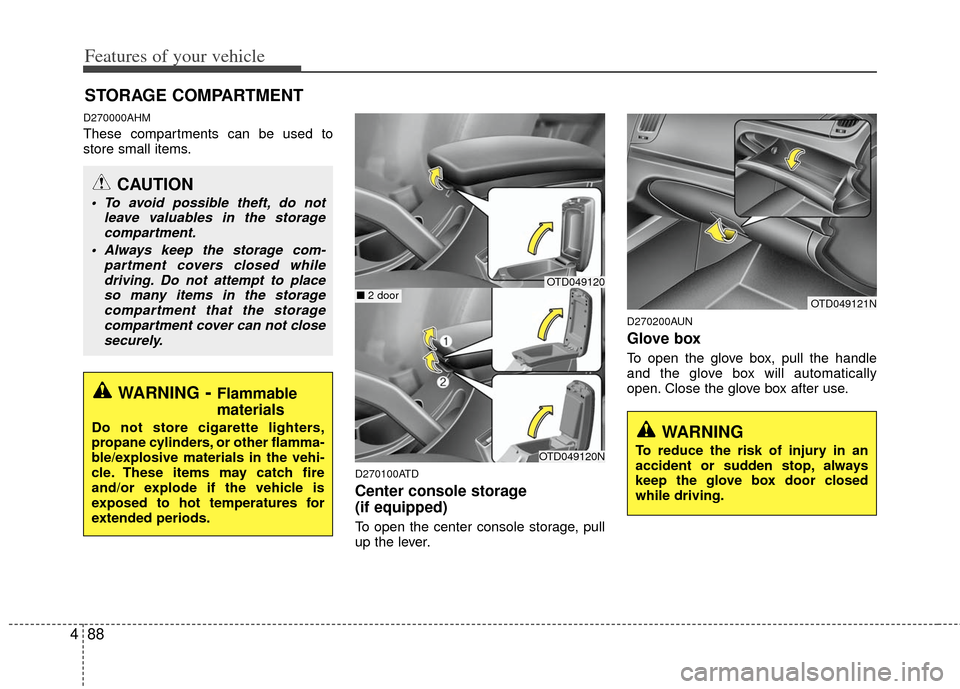
D270100ATD
Center console storage
(if equipped)
To open the center console storage, pull
up the lever.
D270200AUN
Glove box
To open the glove box, pull the handle
and the glove box will automatically
open. Close the glove box after use.
STORAGE COMPARTMENT
WARNING- Flammable
materials
Do not store cigarette lighters,
propane cylinders, or other flamma-
ble/explosive materials in the vehi-
cle. These items may catch fire
and/or explode if the vehicle is
exposed to hot temperatures for
extended periods.
CAUTION
To avoid possible theft, do not
leave valuables in the storagecompartment.
Always keep the storage com- partment covers closed whiledriving. Do not attempt to placeso many items in the storagecompartment that the storagecompartment cover can not close securely.
OTD049121N
WARNING
To reduce the risk of injury in an
accident or sudden stop, always
keep the glove box door closed
while driving.OTD049120N
■ 2 doorOTD049120