engine battery KIA Cerato 2012 1.G Owner's Manual
[x] Cancel search | Manufacturer: KIA, Model Year: 2012, Model line: Cerato, Model: KIA Cerato 2012 1.GPages: 353, PDF Size: 7.3 MB
Page 5 of 353

Index
2I
Air cleaner ··················\
··················\
··················\
···············7-31
Airbag-supplemental restraint system ··················\
·········3-35
Appearance care··················\
··················\
··················\
·······7-59
Audio system ··················\
··················\
··················\
···········4-94
Automatic climate control system ··················\
···············4-78
Automatic transaxle ··················\
··················\
··················\
·5-15
Automatic transaxle fluid ··················\
··················\
··········7-30
Battery··················\
··················\
··················\
··················\
····7-34
Before driving ··················\
··················\
··················\
············5-3
Brake system··················\
··················\
··················\
············5-23
Brake/clutch fluid ··················\
··················\
··················\
····7-28
Bulb wattage ··················\
··················\
··················\
··············8-2
Child restraint system ··················\
··················\
················3-27
Climate control air filter ··················\
··················\
············7-32
Cruise control system ··················\
··················\
················5-33
Defroster ··················\
··················\
··················\
··················\
4-67
Dimensions ··················\
··················\
··················\
················8-2
Door locks··················\
··················\
··················\
················4-12Economical operation ··················\
··················\
················5-37
Emergency starting ··················\
··················\
··················\
····6-4
Emission control system ··················\
··················\
············7-65
Engine compartment ··················\
··················\
·············2-4/7-2
Engine coolant ··················\
··················\
··················\
·········7-25
Engine number ··················\
··················\
··················\
···········8-7
Engine oil ··················\
··················\
··················\
·················7-24\
ENGINE START/STOP button ··················\
··················\
···5-6
Explanation of scheduled maintenance items ···············7-21
Fuel filler lid ··················\
··················\
··················\
············4-25
Fuel requirements ··················\
··················\
··················\
······1-3
Fuses ··················\
··················\
··················\
··················\
······7-50
Hazard warning flasher ··················\
··················\
··············4-58
Hood··················\
··················\
··················\
··················\
·······4-23
How to use this manual ··················\
··················\
···············1-2
If the engine overheats··················\
··················\
·················6-6
If the engine will not start ··················\
··················\
···········6-3
If you have a flat tire ··················\
··················\
··················\
·6-7
AE
F
H
I
B
C
D
Page 16 of 353
Your vehicle at a glance
42
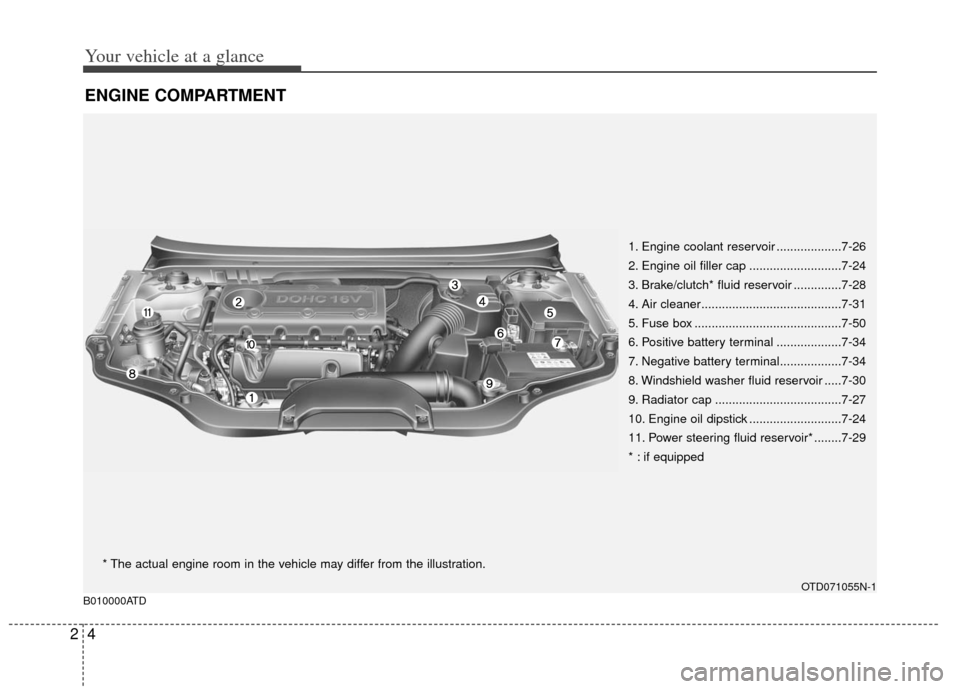
ENGINE COMPARTMENT
1. Engine coolant reservoir ...................7-26
2. Engine oil filler cap ...........................7-24
3. Brake/clutch* fluid reservoir ..............7-28
4. Air cleaner.........................................7-31
5. Fuse box ...........................................7-50
6. Positive battery terminal ...................7-34
7. Negative battery terminal..................7-34
8. Windshield washer fluid reservoir .....7-30
9. Radiator cap .....................................7-27
10. Engine oil dipstick ...........................7-24
11. Power steering fluid reservoir* ........7-29
* : if equipped
OTD071055N-1
B010000ATD
* The actual engine room in the vehicle may differ from the illustration.
Page 57 of 353
341
Safety features of your vehicle
C040300ATD
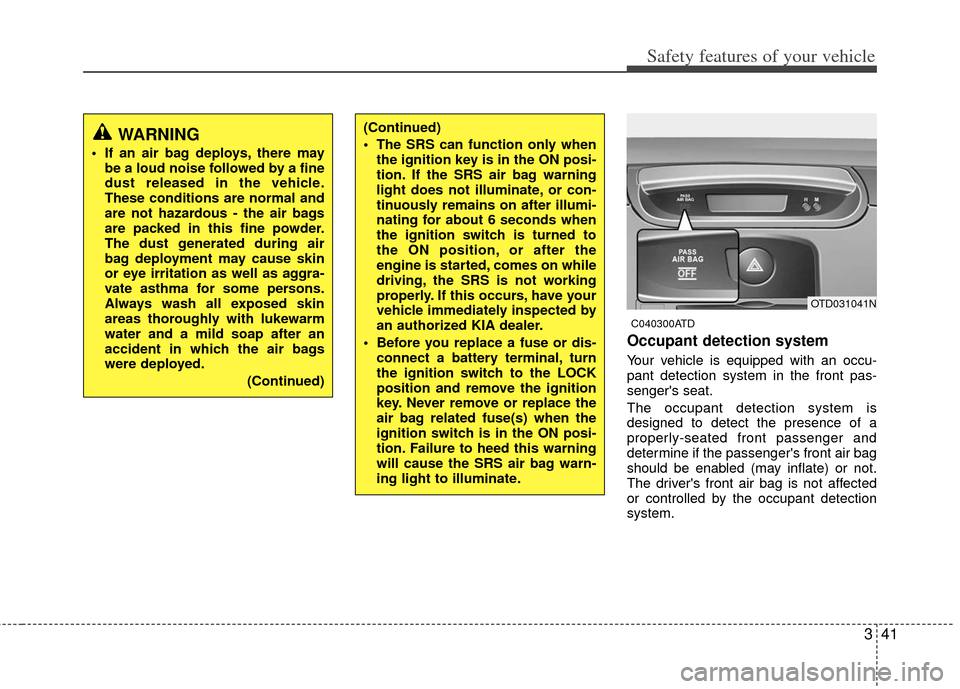
Occupant detection system
Your vehicle is equipped with an occu-
pant detection system in the front pas-
senger's seat.
The occupant detection system is
designed to detect the presence of a
properly-seated front passenger and
determine if the passenger's front air bag
should be enabled (may inflate) or not.
The driver's front air bag is not affected
or controlled by the occupant detection
system.
(Continued)
The SRS can function only whenthe ignition key is in the ON posi-
tion. If the SRS air bag warning
light does not illuminate, or con-
tinuously remains on after illumi-
nating for about 6 seconds when
the ignition switch is turned to
the ON position, or after the
engine is started, comes on while
driving, the SRS is not working
properly. If this occurs, have your
vehicle immediately inspected by
an authorized KIA dealer.
Before you replace a fuse or dis- connect a battery terminal, turn
the ignition switch to the LOCK
position and remove the ignition
key. Never remove or replace the
air bag related fuse(s) when the
ignition switch is in the ON posi-
tion. Failure to heed this warning
will cause the SRS air bag warn-
ing light to illuminate.WARNING
If an air bag deploys, there maybe a loud noise followed by a fine
dust released in the vehicle.
These conditions are normal and
are not hazardous - the air bags
are packed in this fine powder.
The dust generated during air
bag deployment may cause skin
or eye irritation as well as aggra-
vate asthma for some persons.
Always wash all exposed skin
areas thoroughly with lukewarm
water and a mild soap after an
accident in which the air bags
were deployed.
(Continued)
OTD031041N
Page 123 of 353
445
Features of your vehicle
Driving time (if equipped)
This mode indicates the total time trav-
eled since the last driving time reset.
Even if the vehicle is not in motion, the
driving time keeps going while the engine
is running.
The meter’s working range is from
0:00~99:59.
Pressing the TRIP button for more than 1
second, when the driving time is being
displayed, clears the driving time to zero
(0:00).
✽ ✽NOTICE
• If the vehicle is not on level ground or
the battery power has been interrupt-
ed, the “Distance to empty” function
may not operate correctly.
The trip computer may not register
additional fuel if less than 1.6 gallons
(6 liters) of fuel are added to the vehi-
cle.
• The fuel consumption and distance to empty values may vary significantly
based on driving conditions, driving
habits, and condition of the vehicle.
• The distance to empty value is an esti- mate of the available driving distance.
This value may differ from the actual
driving distance available.
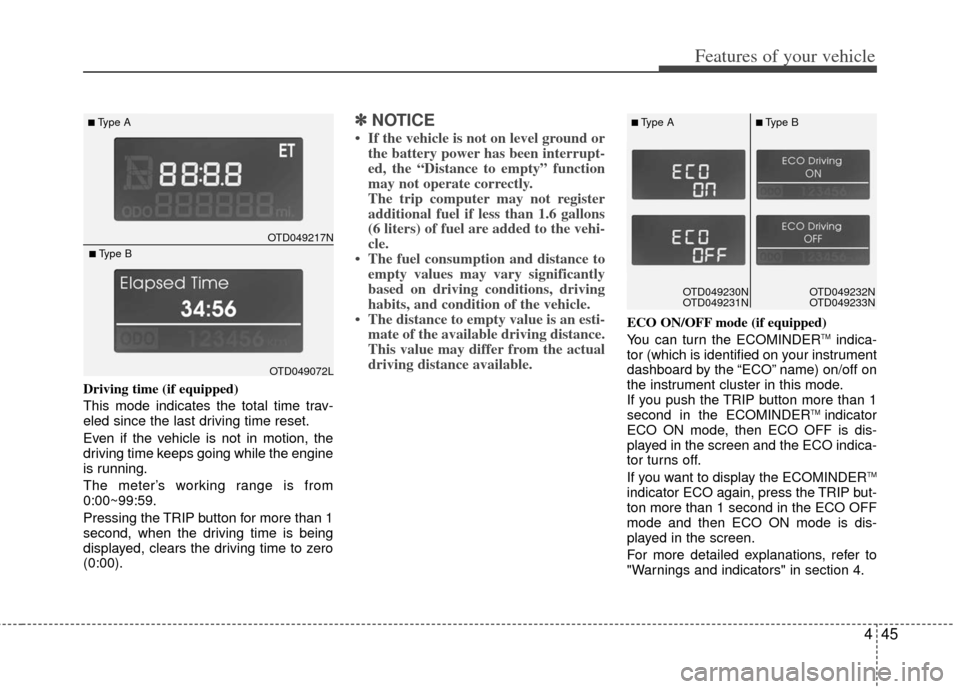
ECO ON/OFF mode (if equipped)
You can turn the ECOMINDERTMindica-
tor (which is identified on your instrument
dashboard by the “ECO” name) on/off on
the instrument cluster in this mode.
If you push the TRIP button more than 1
second in the ECOMINDER
TM indicator
ECO ON mode, then ECO OFF is dis-
played in the screen and the ECO indica-
tor turns off.
If you want to display the ECOMINDER
TM
indicator ECO again, press the TRIP but-
ton more than 1 second in the ECO OFF
mode and then ECO ON mode is dis-
played in the screen.
For more detailed explanations, refer to
"Warnings and indicators" in section 4.
OTD049217N
■Type A
OTD049072L
■Type B
OTD049230N
OTD049231NOTD049230N
OTD049231N
■Type A■Type B
OTD049232N
OTD049233N
Page 129 of 353
451
Features of your vehicle
D150317ATD-EU
Immobilizer indicator
If any of the following occurs in a vehicle
equipped with the smart key, the immobi-
lizer indicator illuminates, blinks or goes
off.
When the smart key is in the vehicle, ifthe ENGINE START/STOP button is in
the ACC or ON position, the indicator
will illuminate for a few minutes to indi-
cate that you are able to start the
engine. However, when the smart key
is not in the vehicle, if the ENGINE
START/STOP button is pressed, the
indicator will blink for a few minutes to
indicate that you are not be able to
start the engine.
When the ENGINE START/STOP but- ton changes to the ON position from
the ACC position without the smart key
in the vehicle, the indicator blinks for a
few minutes to indicate that you are not
be able to start the engine. When the battery is weak, if the
ENGINE START/STOP button is
pressed, the indicator will blink and you
are not able to start the engine.
However, you are able to start the
engine by inserting the smart key in
the smart key holder. If the smart key
system related parts have a problem,
the indicator will blink.
D150318ATD
Low fuel level warning light
This warning light indicates the fuel tank
is nearly empty. When it comes on, you
should add fuel as soon as possible.
Driving with the fuel level warning light on
or with the fuel level below “E” can cause
the engine to misfire and damage the
catalytic converter (if equipped).
Page 132 of 353
Features of your vehicle
54
4
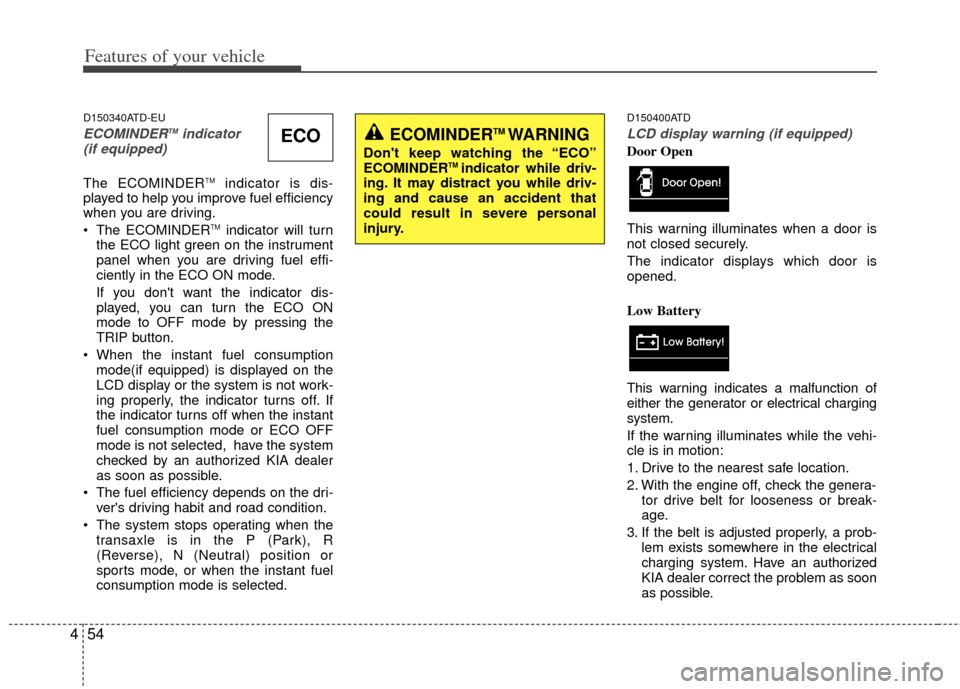
D150340ATD-EU
ECOMINDERTMindicator
(if equipped)
The ECOMINDERTMindicator is dis-
played to help you improve fuel efficiency
when you are driving.
The ECOMINDER
TMindicator will turn
the ECO light green on the instrument
panel when you are driving fuel effi-
ciently in the ECO ON mode.
If you don't want the indicator dis-
played, you can turn the ECO ON
mode to OFF mode by pressing the
TRIP button.
When the instant fuel consumption mode(if equipped) is displayed on the
LCD display or the system is not work-
ing properly, the indicator turns off. If
the indicator turns off when the instant
fuel consumption mode or ECO OFF
mode is not selected, have the system
checked by an authorized KIA dealer
as soon as possible.
The fuel efficiency depends on the dri- ver's driving habit and road condition.
The system stops operating when the transaxle is in the P (Park), R
(Reverse), N (Neutral) position or
sports mode, or when the instant fuel
consumption mode is selected.
D150400ATD
LCD display warning (if equipped)
Door Open
This warning illuminates when a door is
not closed securely.
The indicator displays which door is
opened.
Low Battery
This warning indicates a malfunction of
either the generator or electrical charging
system.
If the warning illuminates while the vehi-
cle is in motion:
1. Drive to the nearest safe location.
2. With the engine off, check the genera- tor drive belt for looseness or break-
age.
3. If the belt is adjusted properly, a prob- lem exists somewhere in the electrical
charging system. Have an authorized
KIA dealer correct the problem as soon
as possible.ECOECOMINDERTM WARNING
Don't keep watching the “ECO”
ECOMINDERTM indicator while driv-
ing. It may distract you while driv-
ing and cause an accident that
could result in severe personal
injury.
Page 133 of 353
455
Features of your vehicle
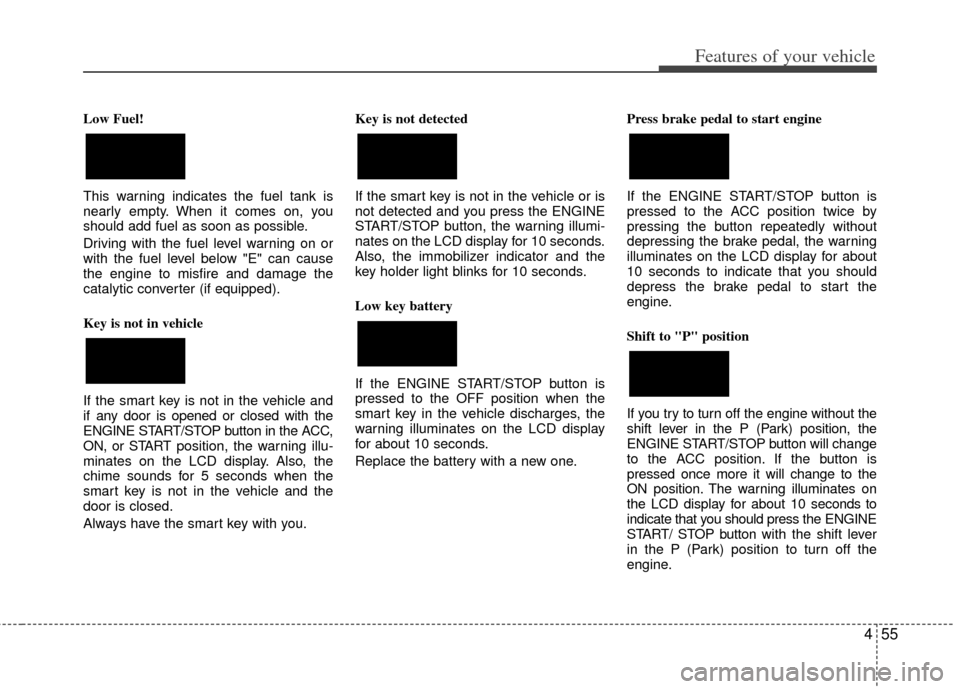
Low Fuel!
This warning indicates the fuel tank is
nearly empty. When it comes on, you
should add fuel as soon as possible.
Driving with the fuel level warning on or
with the fuel level below "E" can cause
the engine to misfire and damage the
catalytic converter (if equipped).
Key is not in vehicle
If the smart key is not in the vehicle and
if any door is opened or closed with the
ENGINE START/STOP button in the ACC,
ON, or START position, the warning illu-
minates on the LCD display. Also, the
chime sounds for 5 seconds when the
smart key is not in the vehicle and the
door is closed.
Always have the smart key with you. Key is not detected
If the smart key is not in the vehicle or is
not detected and you press the ENGINE
START/STOP button, the warning illumi-
nates on the LCD display for 10 seconds.
Also, the immobilizer indicator and the
key holder light blinks for 10 seconds.
Low key battery
If the ENGINE START/STOP button is
pressed to the OFF position when the
smart key in the vehicle discharges, the
warning illuminates on the LCD display
for about 10 seconds.
Replace the battery with a new one.
Press brake pedal to start engine
If the ENGINE START/STOP button is
pressed to the ACC position twice by
pressing the button repeatedly without
depressing the brake pedal, the warning
illuminates on the LCD display for about
10 seconds to indicate that you should
depress the brake pedal to start the
engine.
Shift to "P" position
If you try to turn off the engine without the
shift lever in the P (Park) position, the
ENGINE START/STOP button will change
to the ACC position. If the button is
pressed once more it will change to the
ON position. The warning illuminates on
the LCD display for about 10 seconds to
indicate that you should press the ENGINE
START/ STOP button with the shift lever
in the P (Park) position to turn off the
engine.
Page 139 of 353
461
Features of your vehicle
D190500AUN
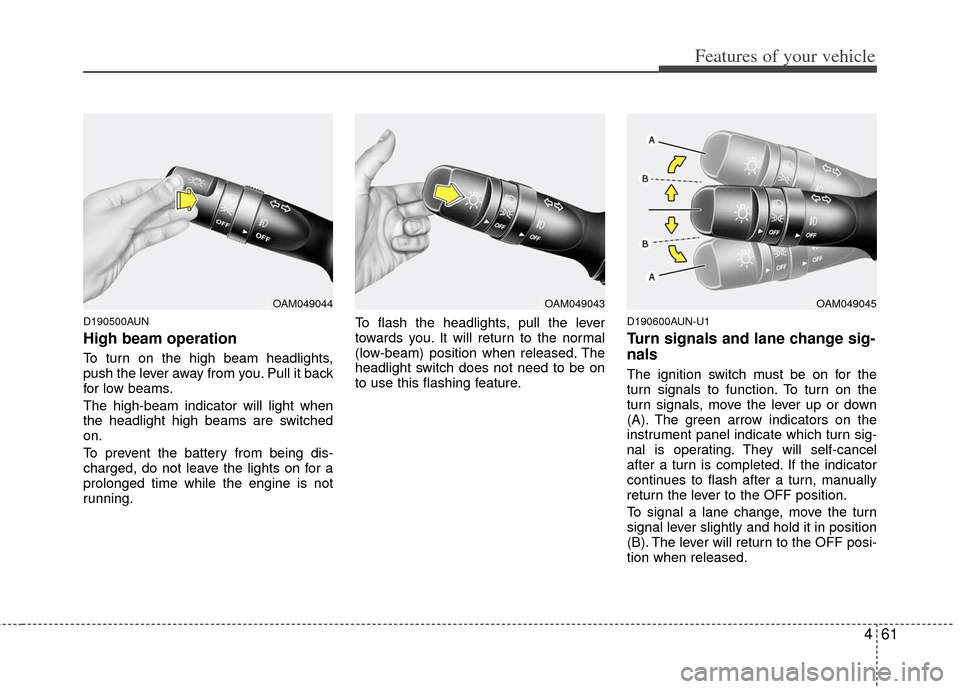
High beam operation
To turn on the high beam headlights,
push the lever away from you. Pull it back
for low beams.
The high-beam indicator will light when
the headlight high beams are switched
on.
To prevent the battery from being dis-
charged, do not leave the lights on for a
prolonged time while the engine is not
running.To flash the headlights, pull the lever
towards you. It will return to the normal
(low-beam) position when released. The
headlight switch does not need to be on
to use this flashing feature.
D190600AUN-U1
Turn signals and lane change sig-
nals
The ignition switch must be on for the
turn signals to function. To turn on the
turn signals, move the lever up or down
(A). The green arrow indicators on the
instrument panel indicate which turn sig-
nal is operating. They will self-cancel
after a turn is completed. If the indicator
continues to flash after a turn, manually
return the lever to the OFF position.
To signal a lane change, move the turn
signal lever slightly and hold it in position
(B). The lever will return to the OFF posi-
tion when released.
OAM049044OAM049043OAM049045
Page 144 of 353
Features of your vehicle
66
4
D210000AEN
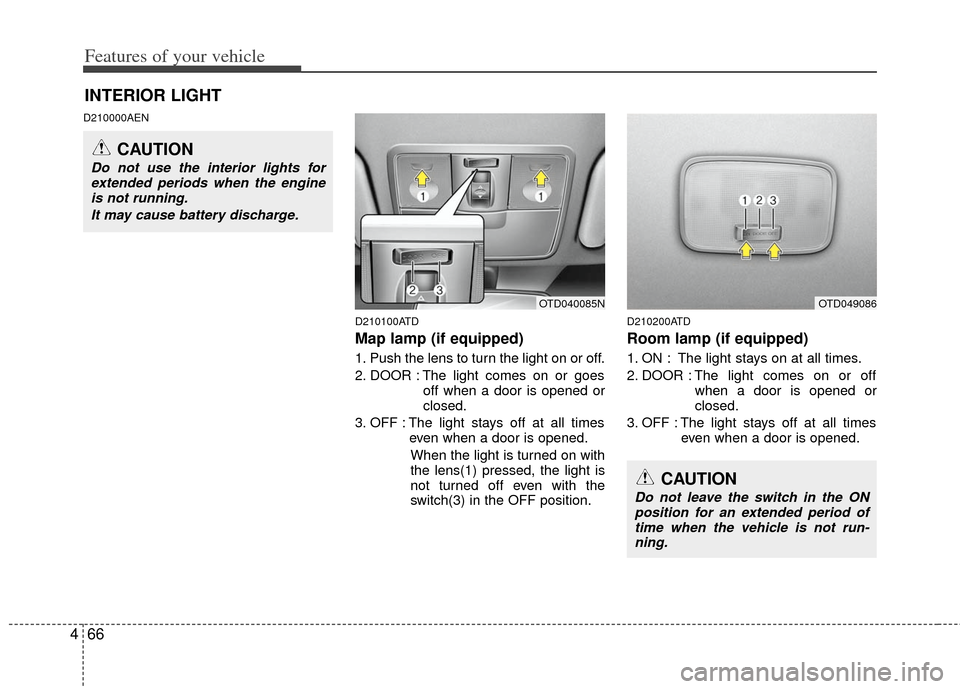
D210100ATD
Map lamp (if equipped)
1. Push the lens to turn the light on or off.
2. DOOR : The light comes on or goesoff when a door is opened or
closed.
3. OFF : The light stays off at all times even when a door is opened.
When the light is turned on with
the lens(1) pressed, the light is
not turned off even with the
switch(3) in the OFF position.
D210200ATD
Room lamp (if equipped)
1. ON : The light stays on at all times.
2. DOOR : The light comes on or off when a door is opened or
closed.
3. OFF : The light stays off at all times even when a door is opened.
INTERIOR LIGHT
CAUTION
Do not use the interior lights forextended periods when the engineis not running.
It may cause battery discharge.
OTD049086OTD040085N
CAUTION
Do not leave the switch in the ONposition for an extended period oftime when the vehicle is not run- ning.
Page 169 of 353
491
Features of your vehicle
D280500AEN
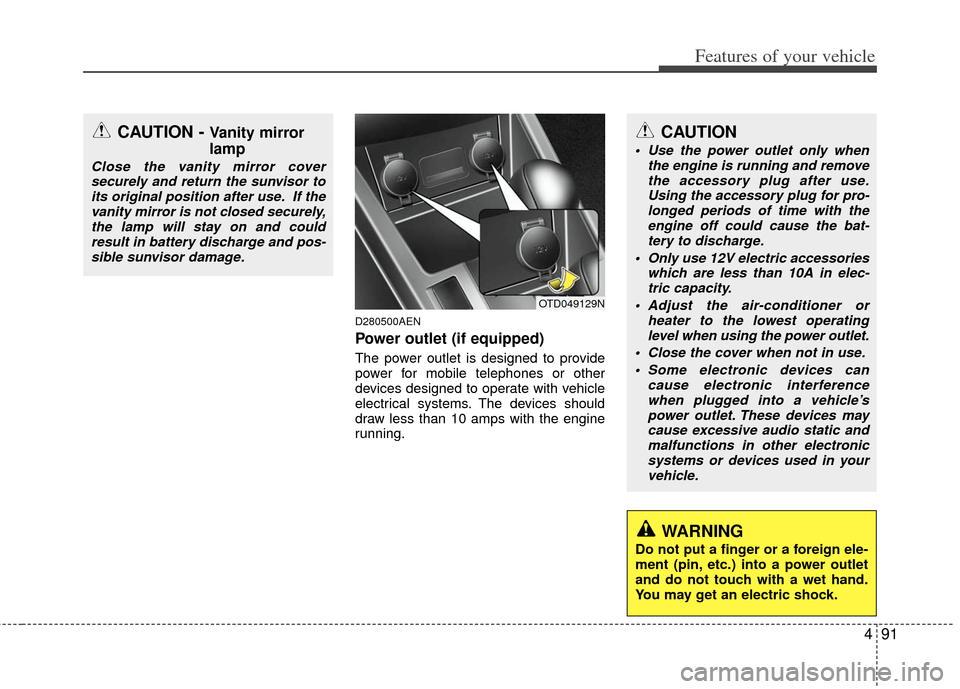
Power outlet (if equipped)
The power outlet is designed to provide
power for mobile telephones or other
devices designed to operate with vehicle
electrical systems. The devices should
draw less than 10 amps with the engine
running.
CAUTION - Vanity mirror
lamp
Close the vanity mirror coversecurely and return the sunvisor toits original position after use. If thevanity mirror is not closed securely,the lamp will stay on and could result in battery discharge and pos-sible sunvisor damage.
OTD049129N
CAUTION
Use the power outlet only when the engine is running and removethe accessory plug after use. Using the accessory plug for pro-longed periods of time with theengine off could cause the bat- tery to discharge.
Only use 12V electric accessories which are less than 10A in elec-tric capacity.
Adjust the air-conditioner or heater to the lowest operatinglevel when using the power outlet.
Close the cover when not in use. Some electronic devices can cause electronic interferencewhen plugged into a vehicle’s power outlet. These devices maycause excessive audio static and malfunctions in other electronicsystems or devices used in yourvehicle.
WARNING
Do not put a finger or a foreign ele-
ment (pin, etc.) into a power outlet
and do not touch with a wet hand.
You may get an electric shock.