Front light KIA Cerato 2013 2.G User Guide
[x] Cancel search | Manufacturer: KIA, Model Year: 2013, Model line: Cerato, Model: KIA Cerato 2013 2.GPages: 353, PDF Size: 7.3 MB
Page 63 of 353
347
Safety features of your vehicle
C040400AAM-EU
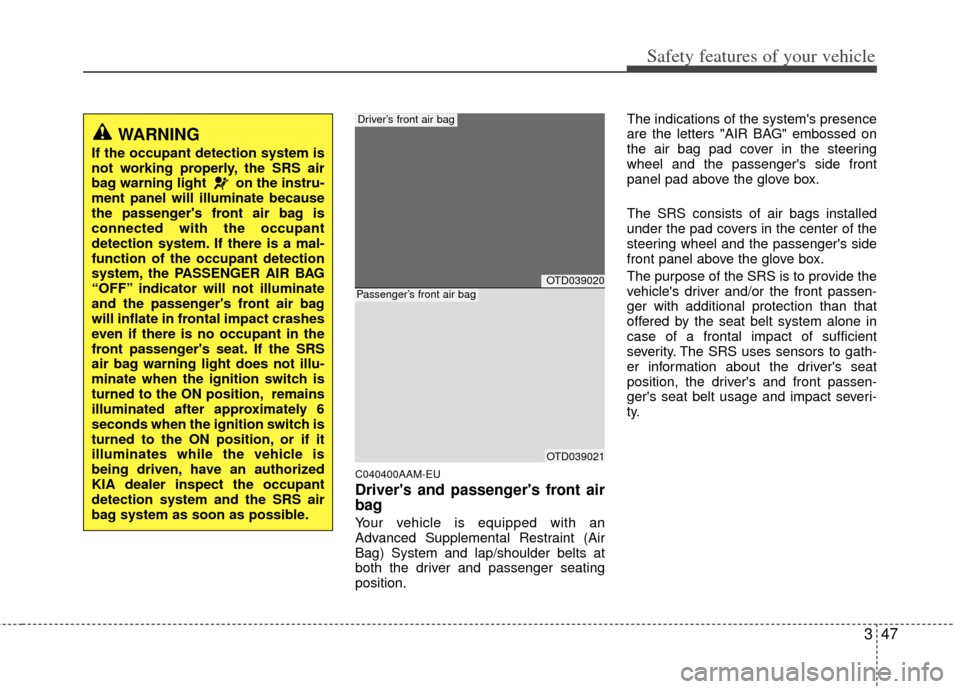
Driver's and passenger's front air
bag
Your vehicle is equipped with an
Advanced Supplemental Restraint (Air
Bag) System and lap/shoulder belts at
both the driver and passenger seating
position.The indications of the system's presence
are the letters "AIR BAG" embossed on
the air bag pad cover in the steering
wheel and the passenger's side front
panel pad above the glove box.
The SRS consists of air bags installed
under the pad covers in the center of the
steering wheel and the passenger's side
front panel above the glove box.
The purpose of the SRS is to provide the
vehicle's driver and/or the front passen-
ger with additional protection than that
offered by the seat belt system alone in
case of a frontal impact of sufficient
severity. The SRS uses sensors to gath-
er information about the driver's seat
position, the driver's and front passen-
ger's seat belt usage and impact severi-
ty.
WARNING
If the occupant detection system is
not working properly, the SRS air
bag warning light on the instru-
ment panel will illuminate because
the passenger's front air bag is
connected with the occupant
detection system. If there is a mal-
function of the occupant detection
system, the PASSENGER AIR BAG
“OFF” indicator will not illuminate
and the passenger's front air bag
will inflate in frontal impact crashes
even if there is no occupant in the
front passenger's seat. If the SRS
air bag warning light does not illu-
minate when the ignition switch is
turned to the ON position, remains
illuminated after approximately 6
seconds when the ignition switch is
turned to the ON position, or if it
illuminates while the vehicle is
being driven, have an authorized
KIA dealer inspect the occupant
detection system and the SRS air
bag system as soon as possible.
OTD039020
OTD039021
Driver’s front air bag
Passenger’s front air bag
Page 64 of 353
Safety features of your vehicle
48
3
The driver's seat track position sensor (if
equipped), which is installed on the seat
track, determine if the seat is fore or aft
of a reference position. The seat belt
buckle sensors determine if the driver
and front passenger's seat belts are fas-
tened. These sensors provide the ability to con-
trol the SRS deployment based on how
close the driver's seat is to the steering
wheel, whether or not the seat belts are
fastened, and how severe the impact is.
The advanced SRS offers the ability to
control the air bag inflation with two lev-
els. A first stage level is provided for mod-
erate-severity impacts. A second stage
level is provided for more severe impacts.
The passenger’s front air bag is designed
to help reduce the injury of children sit-
ting close to the instrument panel in low
speed collisions. However, children are
safer if they are restraint in the rear seat.
According to the impact severity, seating
position and seat belt usage, the SRSCM
(SRS Control Module) controls the air
bag inflation. Failure to properly wear
seat belts can increase the risk or sever-
ity of injury in an accident.
Additionally, your vehicle is equipped
with an occupant detection system in the
front passenger's seat. The occupant
detection system detects the presence of
a passenger in the front passenger's seat
and will turn off the front passenger's air
bag under certain conditions. For more
detail, see "Occupant detection system"
in this section.
WARNING
If a seat track position sensor (if
equipped) or an occupant detection
system is not working properly, the
SRS air bag warning light on the
instrument panel will illuminate
because the SRS air bag warning
light is connected with the seat
track position sensor and the occu-
pant detection system. If the SRS
air bag warning light does not illu-
minate when the ignition switch is
turned to the ON position, remains
illuminated after approximately 6
seconds when the ignition switch is
turned to the ON position, or if it
illuminates while the vehicle is
being driven, have an authorized
KIA dealer inspect the advanced
SRS air bag system as soon as
possible.
WARNING
Modification to the seat structure
can adversely affect the seat
track position sensor (if
equipped) and cause the air bag
to deploy at a different level than
should be provided.
Do not place any objects under- neath the front seats as they
could damage the seat track
position sensor or interfere with
the occupant detection system.
Do not place any objects that may cause magnetic fields near the
front seat. These may cause a
malfunction of the seat track
position sensor.
Page 66 of 353
Safety features of your vehicle
50
3
(Continued)
No objects should be placed over
or near the air bag modules on
the steering wheel, instrument
panel, and the front passenger's
panel above the glove box,
because any such object could
cause harm if the vehicle is in a
crash severe enough to cause
the air bags to deploy.
Never place covers, blankets or aftermarket seat warmers on the
passenger seat as these may
interfere with the occupant detec-
tion system.
Do not tamper with or disconnect SRS wiring or other components
of the SRS system. Doing so
could result in injury, due to acci-
dental deployment of the air bags
or by rendering the SRS inopera-
tive.
(Continued)(Continued)
If the SRS air bag warning lightremains illuminated while the
vehicle is being driven, have an
authorized KIA dealer inspect the
air bag system as soon as possi-
ble.
Air bags can only be used once – have an authorized KIA dealer
replace the air bag immediately
after deployment.
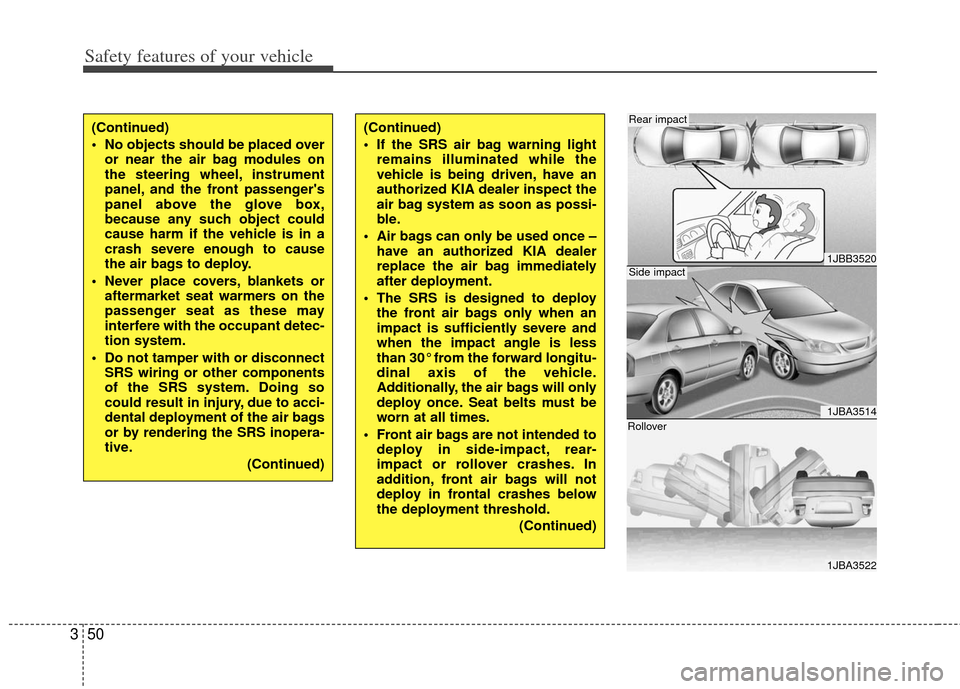
The SRS is designed to deploy the front air bags only when an
impact is sufficiently severe and
when the impact angle is less
than 30° from the forward longitu-
dinal axis of the vehicle.
Additionally, the air bags will only
deploy once. Seat belts must be
worn at all times.
Front air bags are not intended to deploy in side-impact, rear-
impact or rollover crashes. In
addition, front air bags will not
deploy in frontal crashes below
the deployment threshold.
(Continued)
1JBB3520
1JBA3514
1JBA3522
Side impact
Rear impact
Rollover
Page 76 of 353
Safety features of your vehicle
60
3
C041100ATD
SRS Care
The SRS is virtually maintenance-free
and so there are no parts you can safely
service by yourself. If the SRS air bag
warning light does not illuminate, or con-
tinuously remains on, have your vehicle
immediately inspected by an authorized
KIA dealer.
Any work on the SRS system, such as
removing, installing, repairing, or any
work on the steering wheel must be per-
formed by an authorized KIA dealer.
Improper handling of the SRS system
may result in serious personal injury.
WARNING
Modification to SRS components
or wiring, including the addition
of any kind of badges to the pad
covers or modifications to the
body structure, can adversely
affect SRS performance and lead
to possible injury.
For cleaning the air bag pad cov- ers, use only a soft, dry cloth or
one which has been moistened
with plain water. Solvents or
cleaners could adversely affect
the air bag covers and proper
deployment of the system.
No objects should be placed over or near the air bag modules on
the steering wheel, instrument
panel, and the front passenger's
panel above the glove box,
because any such object could
cause harm if the vehicle is in a
crash severe enough to cause
the air bags to inflate.
(Continued)
(Continued)
If the air bags inflate, they mustbe replaced by an authorized KIA
dealer.
Do not tamper with or disconnect SRS wiring, or other components
of the SRS system. Doing so
could result in injury, due to acci-
dental inflation of the air bags or
by rendering the SRS inopera-
tive.
If components of the air bag sys- tem must be discarded, or if the
vehicle must be scrapped, certain
safety precautions must be
observed. An authorized KIA
dealer knows these precautions
and can give you the necessary
information. Failure to follow
these precautions and proce-
dures could increase the risk of
personal injury.
If your vehicle was flooded and has soaked carpeting or water on
the floor, you shouldn't try to
start the engine; have the vehicle
towed to an authorized KIA deal-
er.
Page 84 of 353
Features of your vehicle
64
D040000ABK
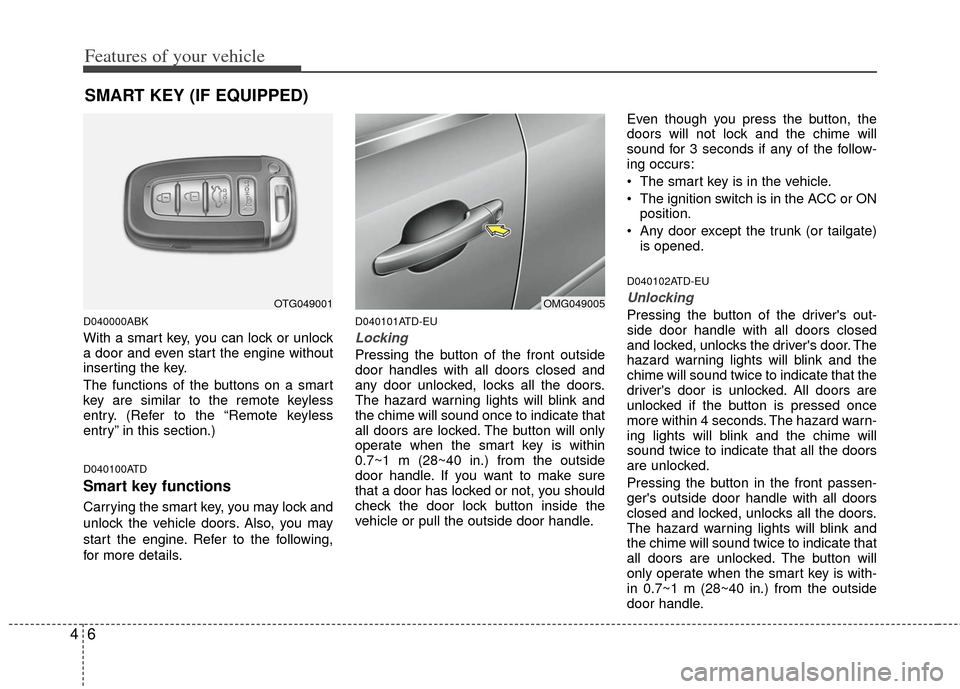
With a smart key, you can lock or unlock
a door and even start the engine without
inserting the key.
The functions of the buttons on a smart
key are similar to the remote keyless
entry. (Refer to the “Remote keyless
entry” in this section.)
D040100ATD
Smart key functions
Carrying the smart key, you may lock and
unlock the vehicle doors. Also, you may
start the engine. Refer to the following,
for more details.
D040101ATD-EU
Locking
Pressing the button of the front outside
door handles with all doors closed and
any door unlocked, locks all the doors.
The hazard warning lights will blink and
the chime will sound once to indicate that
all doors are locked. The button will only
operate when the smart key is within
0.7~1 m (28~40 in.) from the outside
door handle. If you want to make sure
that a door has locked or not, you should
check the door lock button inside the
vehicle or pull the outside door handle.Even though you press the button, the
doors will not lock and the chime will
sound for 3 seconds if any of the follow-
ing occurs:
The smart key is in the vehicle.
The ignition switch is in the ACC or ON
position.
Any door except the trunk (or tailgate) is opened.
D040102ATD-EU
Unlocking
Pressing the button of the driver's out-
side door handle with all doors closed
and locked, unlocks the driver's door. The
hazard warning lights will blink and the
chime will sound twice to indicate that the
driver's door is unlocked. All doors are
unlocked if the button is pressed once
more within 4 seconds. The hazard warn-
ing lights will blink and the chime will
sound twice to indicate that all the doors
are unlocked.
Pressing the button in the front passen-
ger's outside door handle with all doors
closed and locked, unlocks all the doors.
The hazard warning lights will blink and
the chime will sound twice to indicate that
all doors are unlocked. The button will
only operate when the smart key is with-
in 0.7~1 m (28~40 in.) from the outside
door handle.
SMART KEY (IF EQUIPPED)
OTG049001OMG049005
Page 99 of 353
421
Features of your vehicle
D080100ATD
Power windows
The ignition switch must be in the ON
position for power windows to operate.
Each door has a power window switch
that controls the door’s window. The driv-
er has a power window lock switch which
can block the operation of passenger
windows.
The power windows can be operated for
approximately 30 seconds after the igni-
tion key is removed or turned to the ACC
or LOCK position. However, if the front
doors are opened, the power windows
cannot be operated even within the 30
second period.
✽ ✽NOTICE
While driving with the rear windows
down or with the sunroof (if equipped)
in an open (or partially open) position,
your vehicle may demonstrate a wind
buffeting or pulsation noise. This noise
is a normal occurrence and can be
reduced or eliminated by taking the fol-
lowing actions. If the noise occurs with
one or both of the rear windows down,
partially lower both front windows
approximately one inch. If you experi-
ence the noise with the sunroof open,
slightly reduce the size of the sunroof
opening.
D080101AUN
Window opening and closing
(if equipped)
The driver’s door has a master power
window switch that controls all the win-
dows in the vehicle.
To open or close a window, press down
or pull up the front portion of the corre-
sponding switch to the first detent posi-
tion (5).
D080102AAM
Auto down window (if equipped) (Driver’s window)
Pressing the power window switch
momentarily to the second detent posi-
tion (6) completely lowers the driver’s
window even when the switch is
released. To stop the window at the
desired position while the window is in
operation, momentarily pull up the switch
to the opposite direction of the window
movement.
D080104AAM
Power window lock button (if equipped)
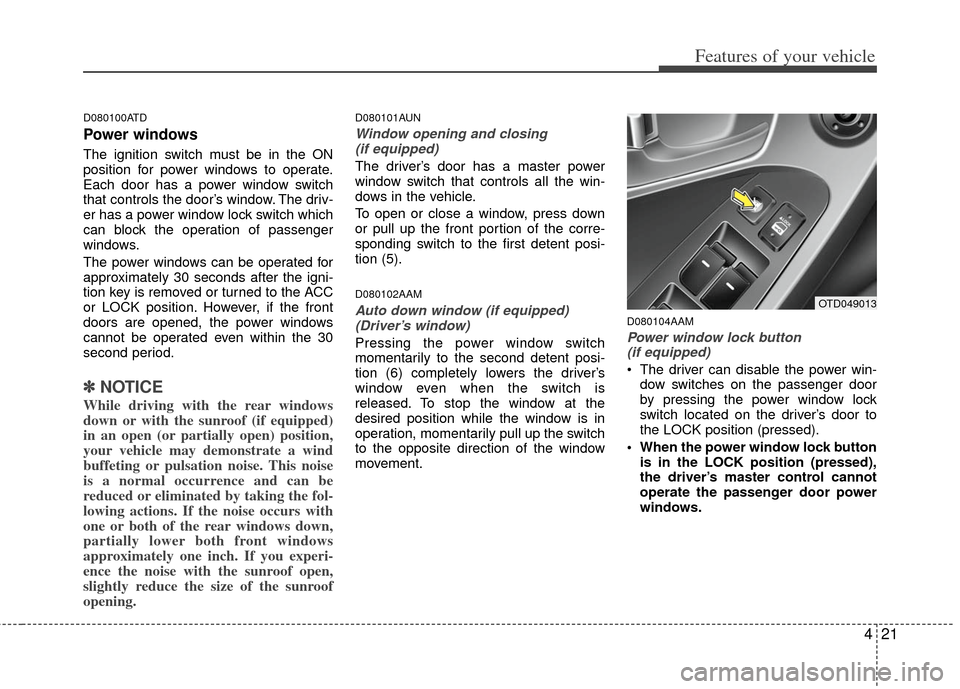
The driver can disable the power win-
dow switches on the passenger door
by pressing the power window lock
switch located on the driver’s door to
the LOCK position (pressed).
When the power window lock button is in the LOCK position (pressed),
the driver’s master control cannot
operate the passenger door power
windows.
OTD049013
Page 101 of 353
423
Features of your vehicle
D090100TD
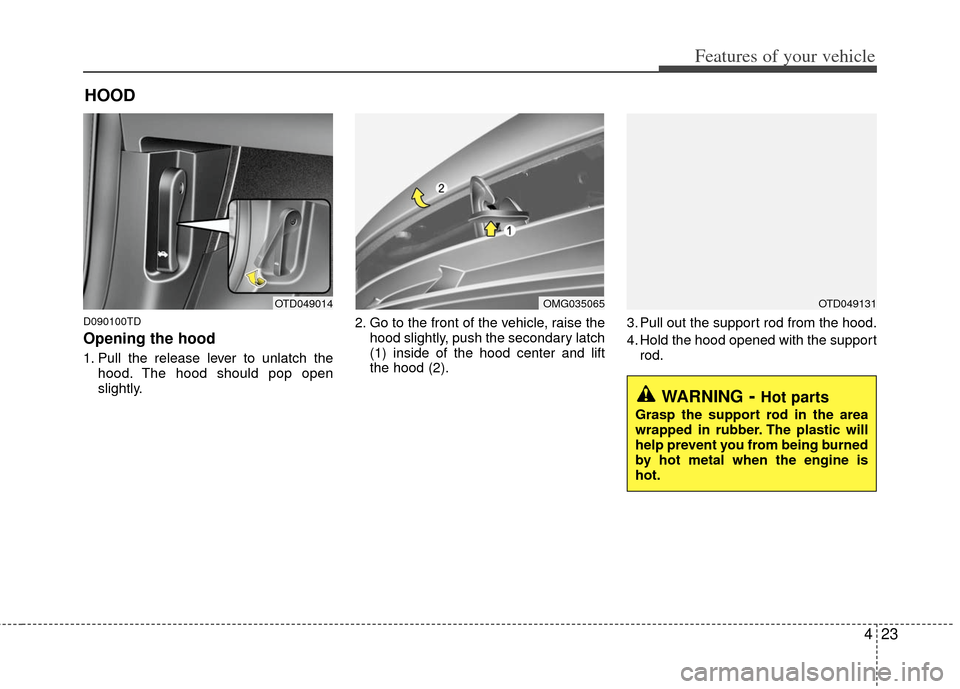
Opening the hood
1. Pull the release lever to unlatch thehood. The hood should pop open
slightly. 2. Go to the front of the vehicle, raise the
hood slightly, push the secondary latch
(1) inside of the hood center and lift
the hood (2). 3. Pull out the support rod from the hood.
4. Hold the hood opened with the support
rod.
HOOD
OTD049014OMG035065OTD049131
WARNING- Hot parts
Grasp the support rod in the area
wrapped in rubber. The plastic will
help prevent you from being burned
by hot metal when the engine is
hot.
Page 127 of 353
449
Features of your vehicle
D150308ATD
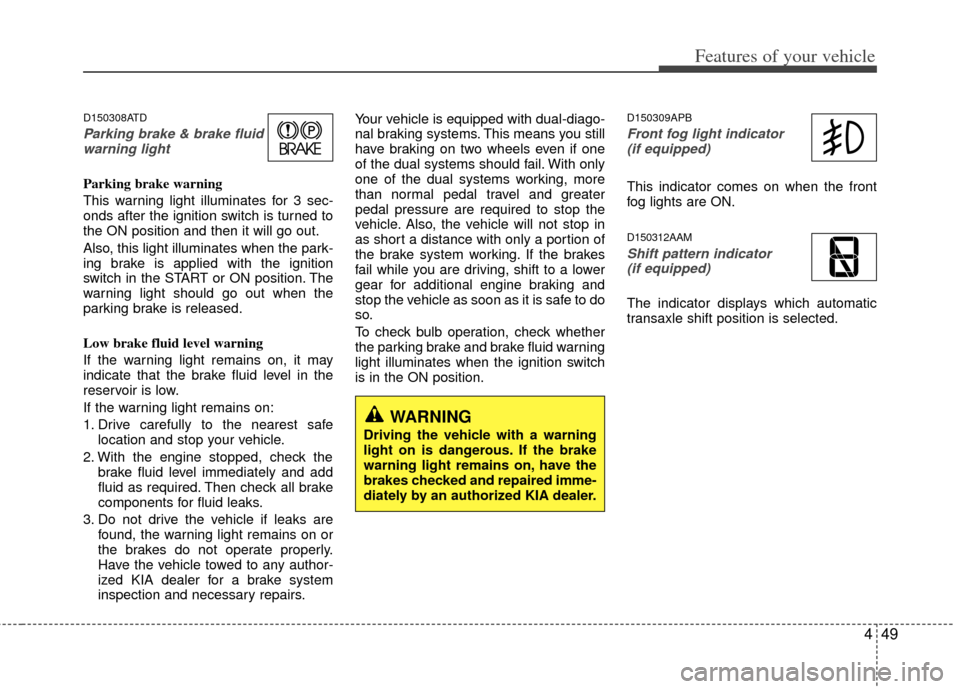
Parking brake & brake fluidwarning light
Parking brake warning
This warning light illuminates for 3 sec-
onds after the ignition switch is turned to
the ON position and then it will go out.
Also, this light illuminates when the park-
ing brake is applied with the ignition
switch in the START or ON position. The
warning light should go out when the
parking brake is released.
Low brake fluid level warning
If the warning light remains on, it may
indicate that the brake fluid level in the
reservoir is low.
If the warning light remains on:
1. Drive carefully to the nearest safe location and stop your vehicle.
2. With the engine stopped, check the brake fluid level immediately and add
fluid as required. Then check all brake
components for fluid leaks.
3. Do not drive the vehicle if leaks are found, the warning light remains on or
the brakes do not operate properly.
Have the vehicle towed to any author-
ized KIA dealer for a brake system
inspection and necessary repairs. Your vehicle is equipped with dual-diago-
nal braking systems. This means you still
have braking on two wheels even if one
of the dual systems should fail. With only
one of the dual systems working, more
than normal pedal travel and greater
pedal pressure are required to stop the
vehicle. Also, the vehicle will not stop in
as short a distance with only a portion of
the brake system working. If the brakes
fail while you are driving, shift to a lower
gear for additional engine braking and
stop the vehicle as soon as it is safe to do
so.
To check bulb operation, check whether
the parking brake and brake fluid warning
light illuminates when the ignition switch
is in the ON position.
D150309APB
Front fog light indicator
(if equipped)
This indicator comes on when the front
fog lights are ON.
D150312AAM
Shift pattern indicator (if equipped)
The indicator displays which automatic
transaxle shift position is selected.
WARNING
Driving the vehicle with a warning
light on is dangerous. If the brake
warning light remains on, have the
brakes checked and repaired imme-
diately by an authorized KIA dealer.
Page 138 of 353
Features of your vehicle
60
4
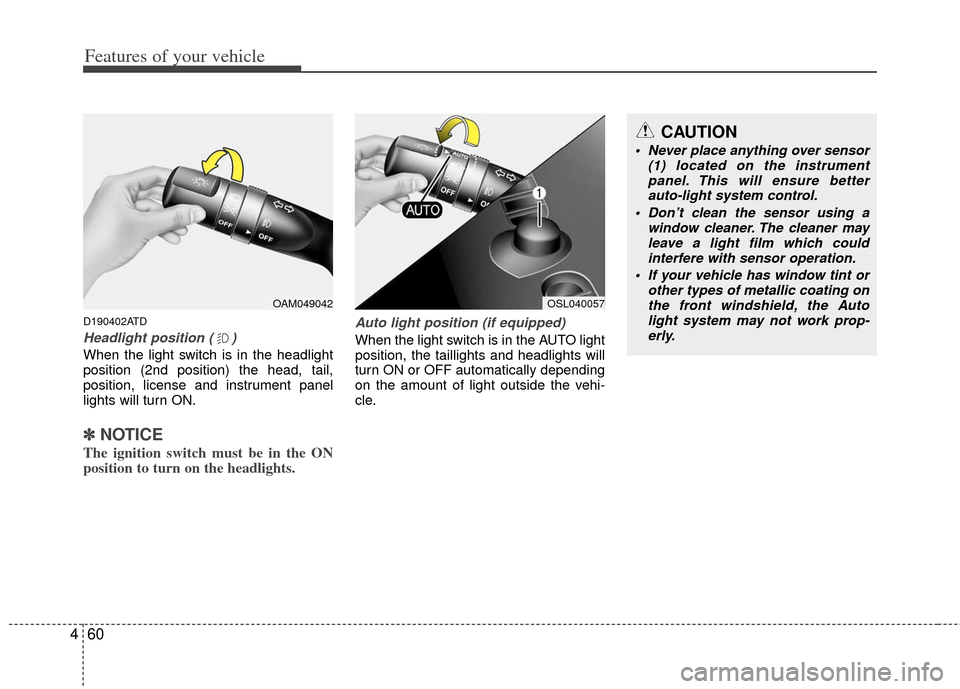
D190402ATD
Headlight position ( )
When the light switch is in the headlight
position (2nd position) the head, tail,
position, license and instrument panel
lights will turn ON.
✽ ✽
NOTICE
The ignition switch must be in the ON
position to turn on the headlights.
Auto light position (if equipped)
When the light switch is in the AUTO light
position, the taillights and headlights will
turn ON or OFF automatically depending
on the amount of light outside the vehi-
cle.
OAM049042OSL040057
CAUTION
Never place anything over sensor
(1) located on the instrumentpanel. This will ensure better auto-light system control.
Don’t clean the sensor using a window cleaner. The cleaner mayleave a light film which could interfere with sensor operation.
If your vehicle has window tint or other types of metallic coating onthe front windshield, the Auto light system may not work prop-erly.
Page 140 of 353
Features of your vehicle
62
4
If an indicator stays on and does not
flash or if it flashes abnormally, one of the
turn signal bulbs may be burned out and
will require replacement.
✽ ✽
NOTICE
If an indicator flash is abnormally quick
or slow, a bulb may be burned out or
have a poor electrical connection in the
circuit.
D190700ATD-EU
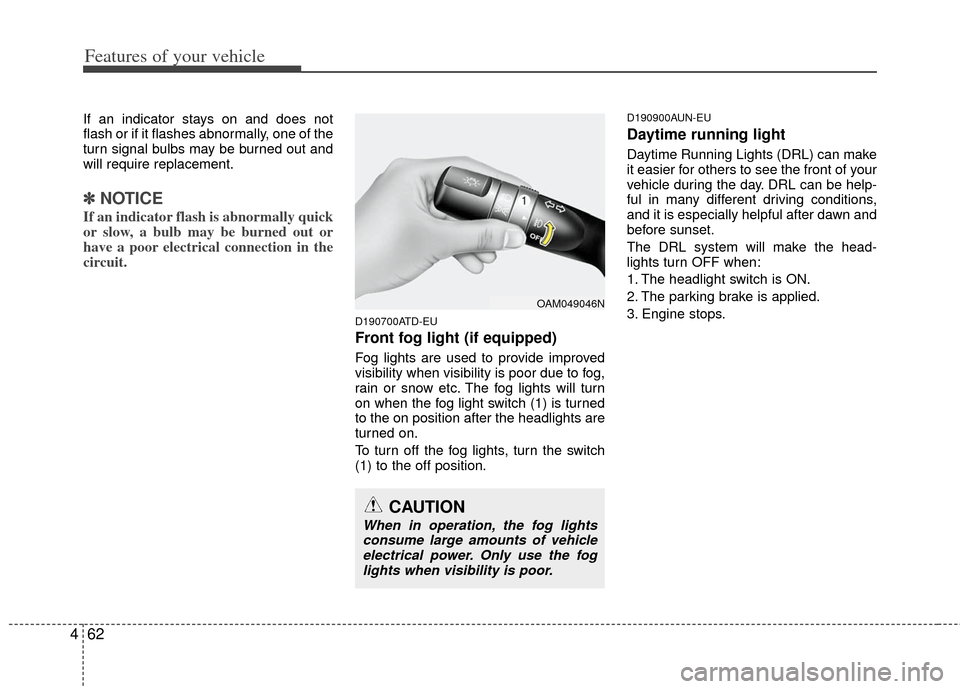
Front fog light (if equipped)
Fog lights are used to provide improved
visibility when visibility is poor due to fog,
rain or snow etc. The fog lights will turn
on when the fog light switch (1) is turned
to the on position after the headlights are
turned on.
To turn off the fog lights, turn the switch
(1) to the off position.
D190900AUN-EU
Daytime running light
Daytime Running Lights (DRL) can make
it easier for others to see the front of your
vehicle during the day. DRL can be help-
ful in many different driving conditions,
and it is especially helpful after dawn and
before sunset.
The DRL system will make the head-
lights turn OFF when:
1. The headlight switch is ON.
2. The parking brake is applied.
3. Engine stops.
OAM049046N
CAUTION
When in operation, the fog lights
consume large amounts of vehicle electrical power. Only use the foglights when visibility is poor.