lcd display KIA Cerato 2014 2.G User Guide
[x] Cancel search | Manufacturer: KIA, Model Year: 2014, Model line: Cerato, Model: KIA Cerato 2014 2.GPages: 446, PDF Size: 7.32 MB
Page 142 of 446
473
Features of your vehicle
Automatic reset
To make the average fuel economy
be reset automatically whenever refu-
eling, select the "Auto Reset" mode in
User Setting menu of the LCD display
(Refer to "LCD Display").
Under "Auto Reset" mode, the aver-
age fuel economy will be cleared to
zero (---) when the vehicle speed
exceeds 1 km/h after refueling more
than 6 liters (1.6 gallons).
✽ ✽NOTICE
The average fuel economy is not dis-
played for more accurate calculation
if the vehicle does not drive more
than 10 seconds or 50 meters (0.03
miles) since the ignition switch or
Engine Start/Stop button is turned
to ON.
Instant Fuel Economy (3)
This mode displays the instant fuel
economy during the last few sec-
onds when the vehicle speed is
more than 10 km/h (6.2 MPH).
- Fuel economy range: 0 ~ 30L/100km or 0 ~ 50 MPG
Trip A/B
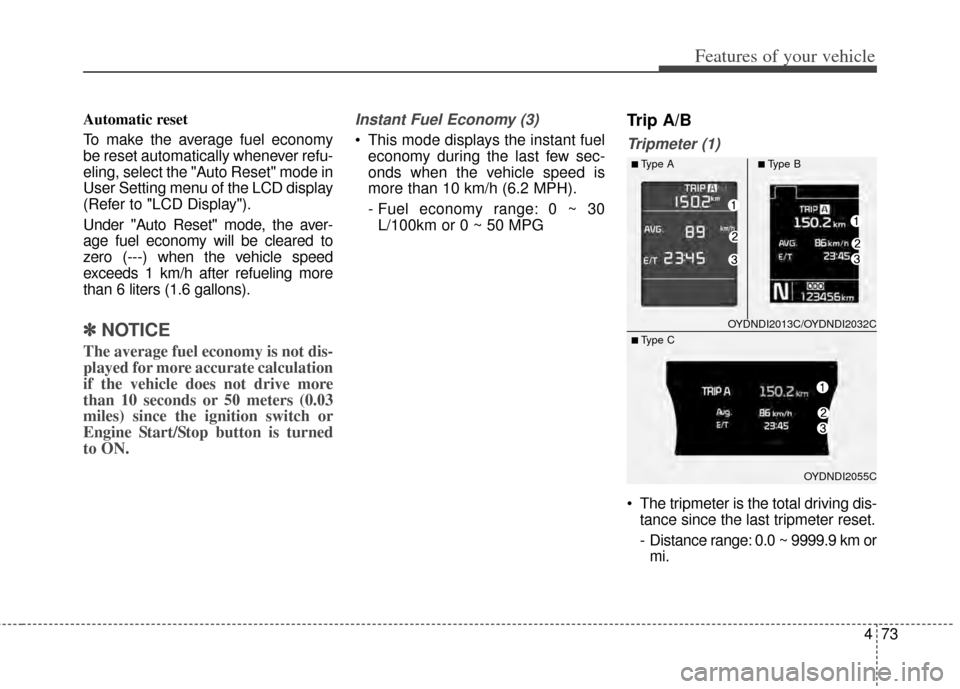
Tripmeter (1)
The tripmeter is the total driving dis- tance since the last tripmeter reset.
- Distance range: 0.0 ~ 9999.9 km ormi.
OYDNDI2013C/OYDNDI2032C
OYDNDI2055C
■Type A■Type B
■ Type C
Page 210 of 446
4141
Features of your vehicle
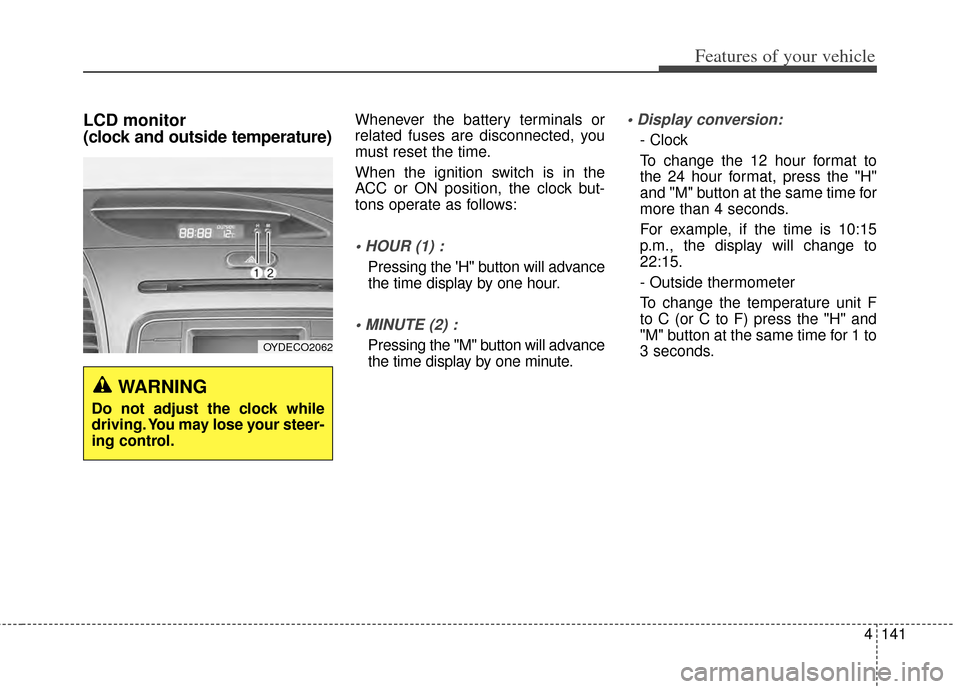
LCD monitor
(clock and outside temperature)Whenever the battery terminals or
related fuses are disconnected, you
must reset the time.
When the ignition switch is in the
ACC or ON position, the clock but-
tons operate as follows:
Pressing the 'H" button will advance
the time display by one hour.
Pressing the "M" button will advance
the time display by one minute.
- Clock
To change the 12 hour format to
the 24 hour format, press the "H"
and "M" button at the same time for
more than 4 seconds.
For example, if the time is 10:15
p.m., the display will change to
22:15.
- Outside thermometer
To change the temperature unit F
to C (or C to F) press the "H" and
"M" button at the same time for 1 to
3 seconds.
WARNING
Do not adjust the clock while
driving. You may lose your steer-
ing control.
OYDECO2062
Page 279 of 446
511
Driving your vehicle
Starting the engine with a
smart key (if equipped)
1.Carry the smart key or leave itinside the vehicle.
2.Make sure the parking brake is firmly applied
3.Place the transaxle shift lever in P (Park).
4.Press the ENGINE START/STOP button while depressing the brake
pedal.
5.In extremely cold weather (below 0°F / -18°C) or after the vehicle has
not been operated for several days,
let the engine warm up without
depressing the accelerator. Whether the engine is cold or warm,
it should be started without depress-
ing the accelerator.
Even if the smart key is in the vehi-
cle, but is far away from you, the
engine may not start.
When the ENGINE START/STOP button is in the ACC position or
above, if any door is opened, the
system checks for the smart key. If
the smart key is not in the vehi-
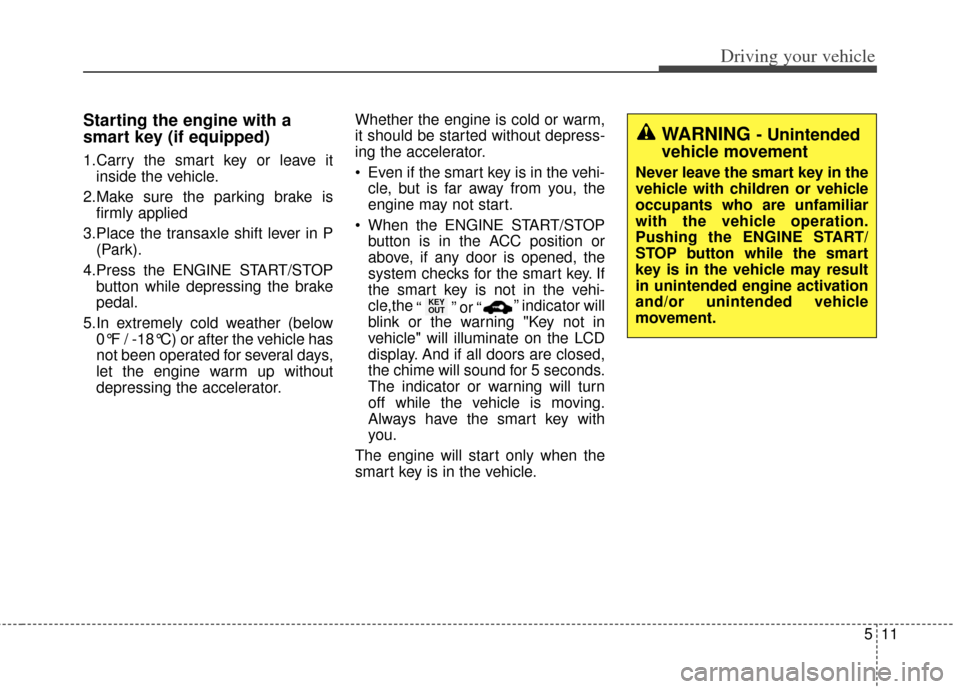
cle,the “ ” or “ ” indicator will
blink or the warning "Key not in
vehicle" will illuminate on the LCD
display. And if all doors are closed,
the chime will sound for 5 seconds.
The indicator or warning will turn
off while the vehicle is moving.
Always have the smart key with
you.
The engine will start only when the
smart key is in the vehicle.
KEY
OUT
WARNING - Unintended
vehicle movement
Never leave the smart key in the
vehicle with children or vehicle
occupants who are unfamiliar
with the vehicle operation.
Pushing the ENGINE START/
STOP button while the smart
key is in the vehicle may result
in unintended engine activation
and/or unintended vehicle
movement.
Page 442 of 446

Index
4I
Fuses . . . . . . . . . . . . . . . . . . . . . . . . . . . . . . . . . . . . \
. . . 7-58Engine compartment fuse panel . . . . . . . . . . . . . . . . 7-64
Engine compartment fuse replacement . . . . . . . . . . 7-61
Engine room (Battery terminal cover) . . . . . . . . . . . 7-65
Fuse/relay panel description. . . . . . . . . . . . . . . . . . . 7-63
Instrument panel fuse replacement . . . . . . . . . . . . . 7-59
Hood . . . . . . . . . . . . . . . . . . . . . . . . . . . . . . . . . . . . \
. . . 4-29 Closing the hood . . . . . . . . . . . . . . . . . . . . . . . . . . . 4-30
Opening the hood . . . . . . . . . . . . . . . . . . . . . . . . . . . 4-29
How to use this manual . . . . . . . . . . . . . . . . . . . . . . . . . 1-2
If the engine will not start . . . . . . . . . . . . . . . . . . . . . . . 6-4 If engine doesn't turn over or turns over slowly . . . . 6-4
If engine turns over normally but does not start . . . . 6-4
If you have a flat tire (with spare tire) . . . . . . . . . . . . . 6-14 Changing tires . . . . . . . . . . . . . . . . . . . . . . . . . . . . . 6-15
Jack and tools . . . . . . . . . . . . . . . . . . . . . . . . . . . . . . 6-14
Removing and storing the spare tire . . . . . . . . . . . 6-15
If you have a flat tire (with tire mobility kit) . . . . . . . . . 6-8 Components of the TireMobilityKit. . . . . . . . . . . . . 6-10
Introduction . . . . . . . . . . . . . . . . . . . . . . . . . . . . . . . . 6-8
Notes on the safe use of the Tire Mobility Kit . . . . . 6-9
Using the Tire Mobility Kit . . . . . . . . . . . . . . . . . . . 6-11 In case of an emergency while driving . . . . . . . . . . . . . . 6-3
If engine stalls while driving . . . . . . . . . . . . . . . . . . . 6-3
If the engine stalls at a crossroad or crossing . . . . . . 6-3
If you have a flat tire while driving . . . . . . . . . . . . . . 6-3
Instrument cluster . . . . . . . . . . . . . . . . . . . . . . . . . . . . . 4-52 Gauges . . . . . . . . . . . . . . . . . . . . . . . . . . . . . . . . . . . 4-\
54
Instrument Cluster Control. . . . . . . . . . . . . . . . . . . . 4-53
LCD Display Control . . . . . . . . . . . . . . . . . . . . . . . . 4-54
Transaxle Shift Indicator . . . . . . . . . . . . . . . . . . . . . 4-57
Instrument panel overview . . . . . . . . . . . . . . . . . . . . . . . 2-5
Interior features. . . . . . . . . . . . . . . . . . . . . . . . . . . . . . 4-135 Ashtray . . . . . . . . . . . . . . . . . . . . . . . . . . . . . . . . . . 4-13\
5
Cigarette lighter . . . . . . . . . . . . . . . . . . . . . . . . . . . 4-135
Climate control seat . . . . . . . . . . . . . . . . . . . . . . . . 4-139
Clothes hanger . . . . . . . . . . . . . . . . . . . . . . . . . . . . 4-142
Cup holder . . . . . . . . . . . . . . . . . . . . . . . . . . . . . . . 4-136
Floor mat anchor(s) . . . . . . . . . . . . . . . . . . . . . . . . 4-142
LCD monitor . . . . . . . . . . . . . . . . . . . . . . . . . . . . . 4-141
Navigation system . . . . . . . . . . . . . . . . . . . . . . . . . 4-143
Power outlet . . . . . . . . . . . . . . . . . . . . . . . . . . . . . . 4-140
Seat warmer . . . . . . . . . . . . . . . . . . . . . . . . . . . . . . 4-137
Sliding armrest . . . . . . . . . . . . . . . . . . . . . . . . . . . . 4-136
Sunvisor . . . . . . . . . . . . . . . . . . . . . . . . . . . . . . . . . 4-137
Interior light . . . . . . . . . . . . . . . . . . . . . . . . . . . . . . . . 4-101 Automatict turn off function . . . . . . . . . . . . . . . . . 4-101
Glove box lamp . . . . . . . . . . . . . . . . . . . . . . . . . . . 4-103
Map lamp . . . . . . . . . . . . . . . . . . . . . . . . . . . . . . . . 4-101
Room lamp . . . . . . . . . . . . . . . . . . . . . . . . . . . . . . . 4-102
H
I
Page 443 of 446
I5
Index
Trunk room lamp . . . . . . . . . . . . . . . . . . . . . . . . . . 4-103
Vanity mirror lamp . . . . . . . . . . . . . . . . . . . . . . . . . 4-104
Interior overview. . . . . . . . . . . . . . . . . . . . . . . . . . . . . . . 2-4
Key positions . . . . . . . . . . . . . . . . . . . . . . . . . . . . . . . . . 5-5
Keys . . . . . . . . . . . . . . . . . . . . . . . . . . . . . . . . . . . . \
. . . . 4-4 Key operations . . . . . . . . . . . . . . . . . . . . . . . . . . . . . . 4-4
Record your key number . . . . . . . . . . . . . . . . . . . . . . 4-4
LCD display . . . . . . . . . . . . . . . . . . . . . . . . . . . . . . . . . 4-58 A/V Mode. . . . . . . . . . . . . . . . . . . . . . . . . . . . . . . . . 4-63
LCD Modes . . . . . . . . . . . . . . . . . . . . . . . . . . . . . . . 4-58
Service Mode . . . . . . . . . . . . . . . . . . . . . . . . . . . . . . 4-59
Turn By Turn Mode . . . . . . . . . . . . . . . . . . . . . . . . . 4-63
User Settings Mode . . . . . . . . . . . . . . . . . . . . . . . . . 4-60
Warning Messages . . . . . . . . . . . . . . . . . . . . . . . . . . 4-64
Lighting. . . . . . . . . . . . . . . . . . . . . . . . . . . . . . . . . . . . \
. 4-93 Battery saver function . . . . . . . . . . . . . . . . . . . . . . . 4-93
Daytime running light . . . . . . . . . . . . . . . . . . . . . . . 4-94
Front fog light . . . . . . . . . . . . . . . . . . . . . . . . . . . . . 4-98
Headlamp escort function . . . . . . . . . . . . . . . . . . . . 4-93
High - beam operation . . . . . . . . . . . . . . . . . . . . . . . 4-96
Lighting control . . . . . . . . . . . . . . . . . . . . . . . . . . . . 4-94
Turn signals and lane change signals . . . . . . . . . . . . 4-97 Maintenance services . . . . . . . . . . . . . . . . . . . . . . . . . . . 7-4
Owner maintenance precautions . . . . . . . . . . . . . . . . 7-5
Owner’s responsibility . . . . . . . . . . . . . . . . . . . . . . . . 7-4
Manual climate control system. . . . . . . . . . . . . . . . . . 4-107 Climate control air filter. . . . . . . . . . . . . . . . . . . . . 4-115
Heating and air conditioning . . . . . . . . . . . . . . . . . 4-108
Refrigerant and compressor lubricant . . . . . . . . . . 4-116
System operation . . . . . . . . . . . . . . . . . . . . . . . . . . 4-113
Manual transaxle. . . . . . . . . . . . . . . . . . . . . . . . . . . . . . 5-13 Manual transaxle operation . . . . . . . . . . . . . . . . . . . 5-13
Mirrors . . . . . . . . . . . . . . . . . . . . . . . . . . . . . . . . . . . . \
. 4-43 Inside rearview mirror . . . . . . . . . . . . . . . . . . . . . . . 4-43
Outside rearview mirror . . . . . . . . . . . . . . . . . . . . . . 4-48
Owner maintenance . . . . . . . . . . . . . . . . . . . . . . . . . . . . 7-6 Owner maintenance schedule. . . . . . . . . . . . . . . . . . . 7-6
Parking assist system . . . . . . . . . . . . . . . . . . . . . . . . . . 4-86 Non-operational conditions . . . . . . . . . . . . . . . . . . . 4-89
Operation . . . . . . . . . . . . . . . . . . . . . . . . . . . . . . . . . 4-87
Self-diagnosis . . . . . . . . . . . . . . . . . . . . . . . . . . . . . . 4-91
K
L
M
O
P