sol KIA Cerato 2014 2.G User Guide
[x] Cancel search | Manufacturer: KIA, Model Year: 2014, Model line: Cerato, Model: KIA Cerato 2014 2.GPages: 446, PDF Size: 7.32 MB
Page 103 of 446
Features of your vehicle
34
4
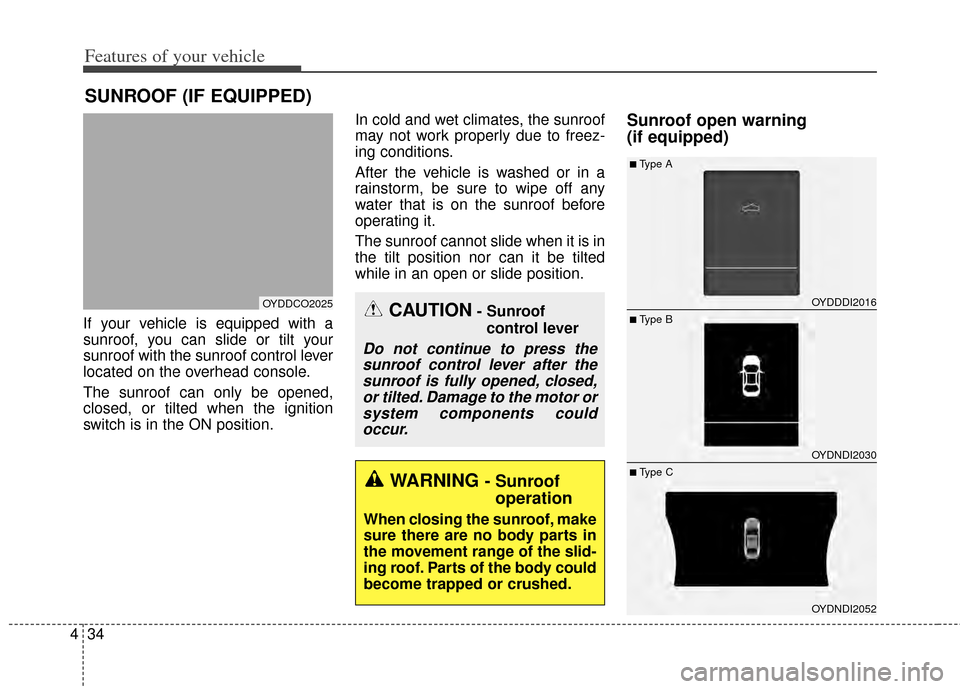
If your vehicle is equipped with a
sunroof, you can slide or tilt your
sunroof with the sunroof control lever
located on the overhead console.
The sunroof can only be opened,
closed, or tilted when the ignition
switch is in the ON position. In cold and wet climates, the sunroof
may not work properly due to freez-
ing conditions.
After the vehicle is washed or in a
rainstorm, be sure to wipe off any
water that is on the sunroof before
operating it.
The sunroof cannot slide when it is in
the tilt position nor can it be tilted
while in an open or slide position.
Sunroof open warning
(if equipped)
SUNROOF (IF EQUIPPED)
CAUTION- Sunroof
control lever
Do not continue to press thesunroof control lever after thesunroof is fully opened, closed,or tilted. Damage to the motor orsystem components couldoccur.
OYDDCO2025OYDDDI2016
OYDNDI2030
OYDNDI2052
■ Type B
■Type A
■ Type CWARNING - Sunroof operation
When closing the sunroof, make
sure there are no body parts in
the movement range of the slid-
ing roof. Parts of the body could
become trapped or crushed.
Page 109 of 446
Features of your vehicle
40
4
Heated steering wheel
(if equipped)
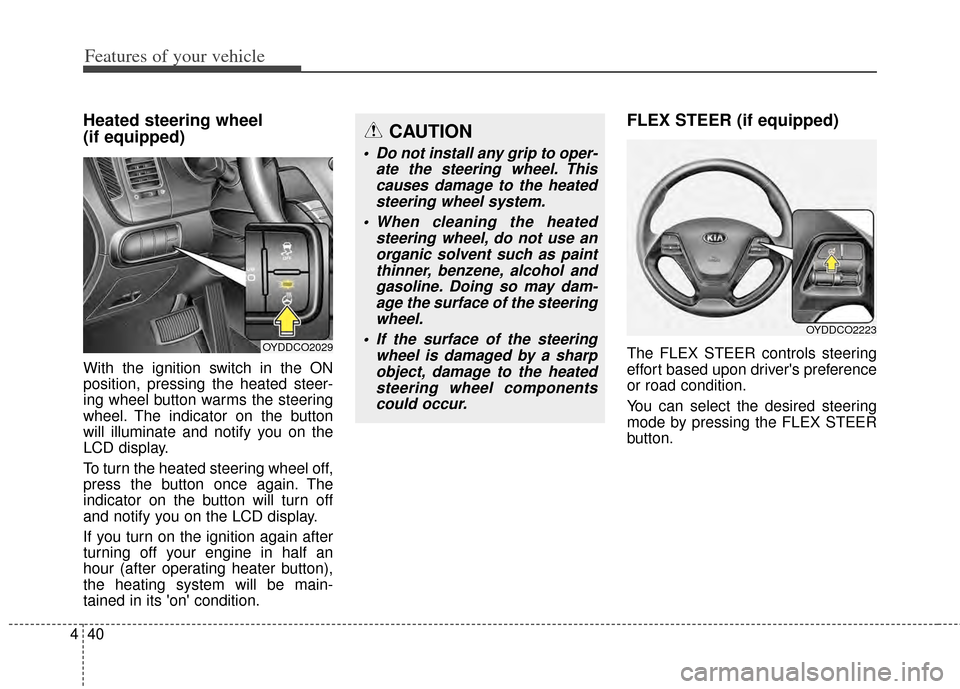
With the ignition switch in the ON
position, pressing the heated steer-
ing wheel button warms the steering
wheel. The indicator on the button
will illuminate and notify you on the
LCD display.
To turn the heated steering wheel off,
press the button once again. The
indicator on the button will turn off
and notify you on the LCD display.
If you turn on the ignition again after
turning off your engine in half an
hour (after operating heater button),
the heating system will be main-
tained in its 'on' condition.
FLEX STEER (if equipped)
The FLEX STEER controls steering
effort based upon driver's preference
or road condition.
You can select the desired steering
mode by pressing the FLEX STEER
button.
CAUTION
Do not install any grip to oper-
ate the steering wheel. Thiscauses damage to the heatedsteering wheel system.
When cleaning the heated steering wheel, do not use anorganic solvent such as paintthinner, benzene, alcohol andgasoline. Doing so may dam-age the surface of the steeringwheel.
If the surface of the steering wheel is damaged by a sharpobject, damage to the heatedsteering wheel componentscould occur.
OYDDCO2029
OYDDCO2223
Page 148 of 446
479
Features of your vehicle
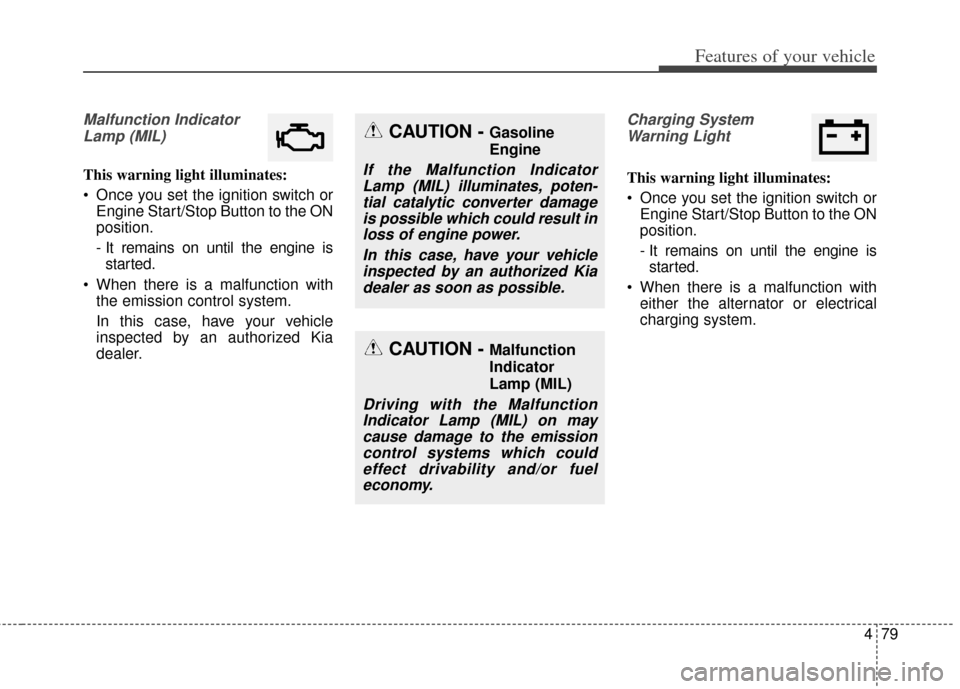
Malfunction IndicatorLamp (MIL)
This warning light illuminates:
Once you set the ignition switch or Engine Start/Stop Button to the ON
position.
- It remains on until the engine isstarted.
When there is a malfunction with the emission control system.
In this case, have your vehicle
inspected by an authorized Kia
dealer.
Charging System
Warning Light
This warning light illuminates:
Once you set the ignition switch or Engine Start/Stop Button to the ON
position.
- It remains on until the engine isstarted.
When there is a malfunction with either the alternator or electrical
charging system.
CAUTION - Malfunction
Indicator
Lamp (MIL)
Driving with the MalfunctionIndicator Lamp (MIL) on maycause damage to the emissioncontrol systems which couldeffect drivability and/or fueleconomy.
CAUTION - Gasoline
Engine
If the Malfunction IndicatorLamp (MIL) illuminates, poten-tial catalytic converter damageis possible which could result inloss of engine power.
In this case, have your vehicleinspected by an authorized Kiadealer as soon as possible.
Page 161 of 446
Features of your vehicle
92
4
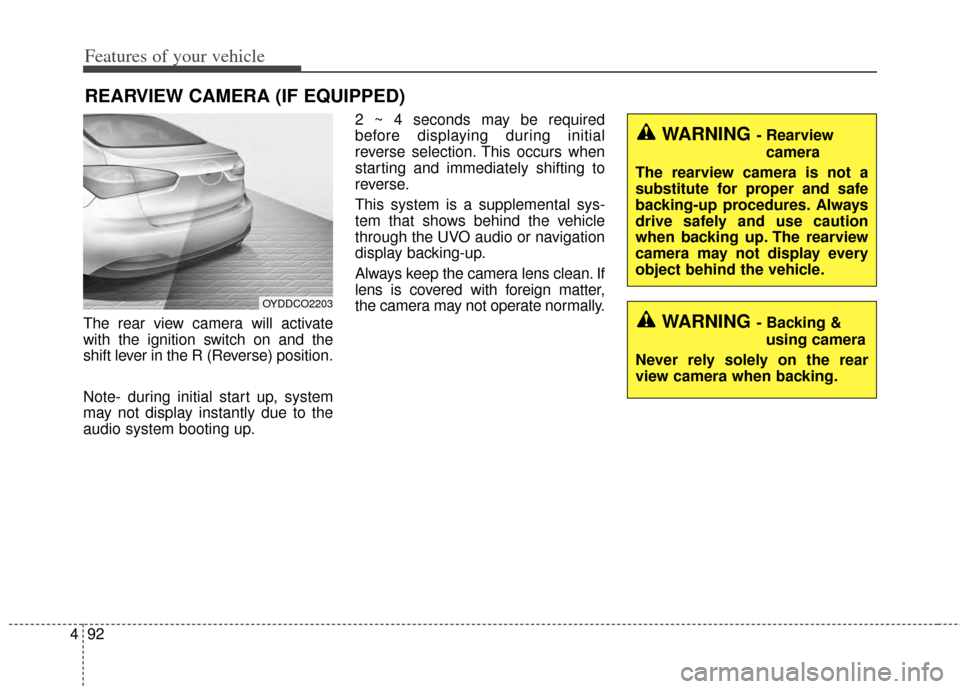
The rear view camera will activate
with the ignition switch on and the
shift lever in the R (Reverse) position.
Note- during initial start up, system
may not display instantly due to the
audio system booting up. 2 ~ 4 seconds may be required
before displaying during initial
reverse selection. This occurs when
starting and immediately shifting to
reverse.
This system is a supplemental sys-
tem that shows behind the vehicle
through the UVO audio or navigation
display backing-up.
Always keep the camera lens clean. If
lens is covered with foreign matter,
the camera may not operate normally.
REARVIEW CAMERA (IF EQUIPPED)
OYDDCO2203
WARNING - Rearview
camera
The rearview camera is not a
substitute for proper and safe
backing-up procedures. Always
drive safely and use caution
when backing up. The rearview
camera may not display every
object behind the vehicle.
WARNING - Backing & using camera
Never rely solely on the rear
view camera when backing.
Page 169 of 446
Features of your vehicle
100
4
The reservoir filler neck is located in
the front of the engine compartment
on the passenger side.
CAUTION - Washer pump
To prevent possible damage to
the washer pump, do not oper-ate the washer when the fluidreservoir is empty.
WARNING - Obscured
visibility
Do not use the washer in freez-
ing temperatures without first
warming the windshield with
the defrosters; the washer solu-
tion could freeze on the wind-
shield and obscure your vision.
CAUTION - Wipers & windshields
To prevent possible damage to the wipers or windshield,do not operate the wiperswhen the windshield is dry.
To prevent damage to the wiper blades, do not use gaso-line, kerosene, paint thinner,or other solvents on or nearthem.
To prevent damage to the wiper arms and other compo-nents, do not attempt to movethe wipers manually.
Page 201 of 446
Features of your vehicle
132
4
These compartments can be used to
store small items.
To avoid possible theft, do not leave
valuables in the storage compartment.
Always keep the storage compart-
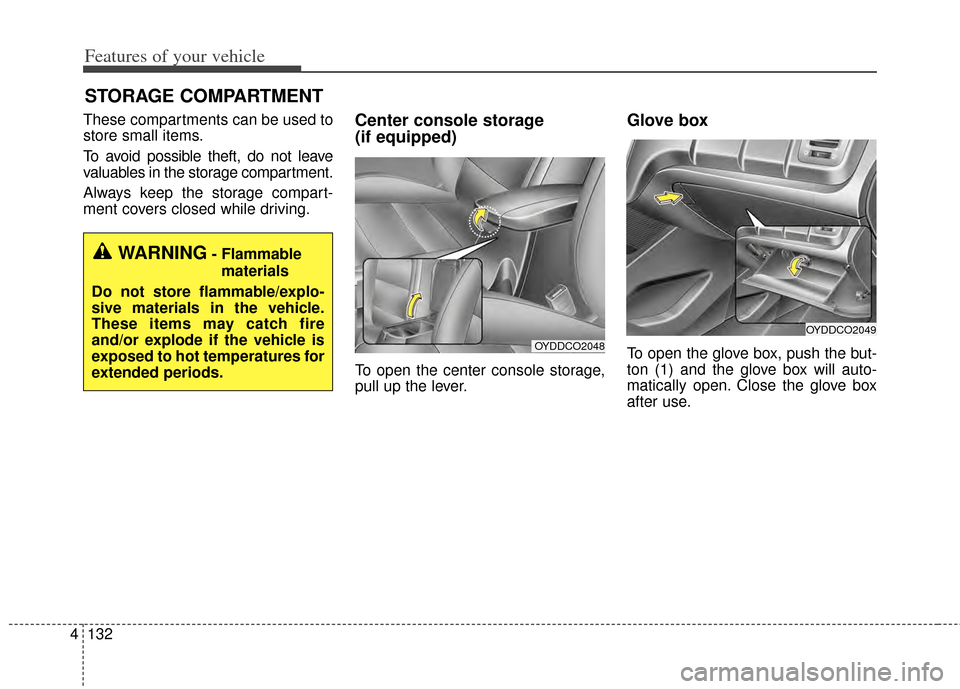
ment covers closed while driving.Center console storage
(if equipped)
To open the center console storage,
pull up the lever.
Glove box
To open the glove box, push the but-
ton (1) and the glove box will auto-
matically open. Close the glove box
after use.
STORAGE COMPARTMENT
WARNING- Flammable
materials
Do not store flammable/explo-
sive materials in the vehicle.
These items may catch fire
and/or explode if the vehicle is
exposed to hot temperatures for
extended periods.
OYDDCO2049
OYDDCO2048
Page 207 of 446
Features of your vehicle
138
4
The seat warmer is provided to warm
the front seats during cold weather.
With the ignition switch in the ON
position, push either of the switches
to warm the driver's seat or the front
passenger's seat.
During mild weather or under condi-
tions where the operation of the seat
warmer is not needed, keep the
switches in the OFF position.
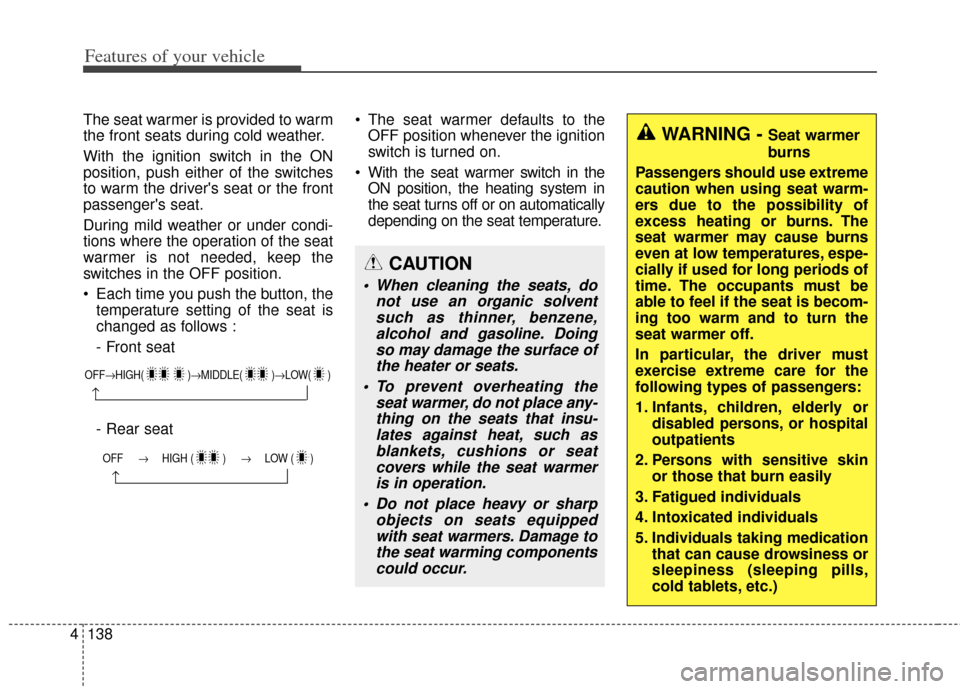
Each time you push the button, the
temperature setting of the seat is
changed as follows :
- Front seat
- Rear seat The seat warmer defaults to the
OFF position whenever the ignition
switch is turned on.
With the seat warmer switch in the ON position, the heating system in
the seat turns off or on automatically
depending on the seat temperature.
OFF→ HIGH( )→ MIDDLE( )→LOW( )
→
OFF → HIGH ( ) → LOW ( )
→
CAUTION
When cleaning the seats, do
not use an organic solventsuch as thinner, benzene,alcohol and gasoline. Doingso may damage the surface ofthe heater or seats.
To prevent overheating the seat warmer, do not place any-thing on the seats that insu-lates against heat, such asblankets, cushions or seatcovers while the seat warmeris in operation.
Do not place heavy or sharp objects on seats equippedwith seat warmers. Damage tothe seat warming componentscould occur.
WARNING - Seat warmer
burns
Passengers should use extreme
caution when using seat warm-
ers due to the possibility of
excess heating or burns. The
seat warmer may cause burns
even at low temperatures, espe-
cially if used for long periods of
time. The occupants must be
able to feel if the seat is becom-
ing too warm and to turn the
seat warmer off.
In particular, the driver must
exercise extreme care for the
following types of passengers:
1. Infants, children, elderly or disabled persons, or hospital
outpatients
2. Persons with sensitive skin or those that burn easily
3. Fatigued individuals
4. Intoxicated individuals
5. Individuals taking medication that can cause drowsiness or
sleepiness (sleeping pills,
cold tablets, etc.)
Page 208 of 446
4139
Features of your vehicle
Climate control seat
(if equipped)
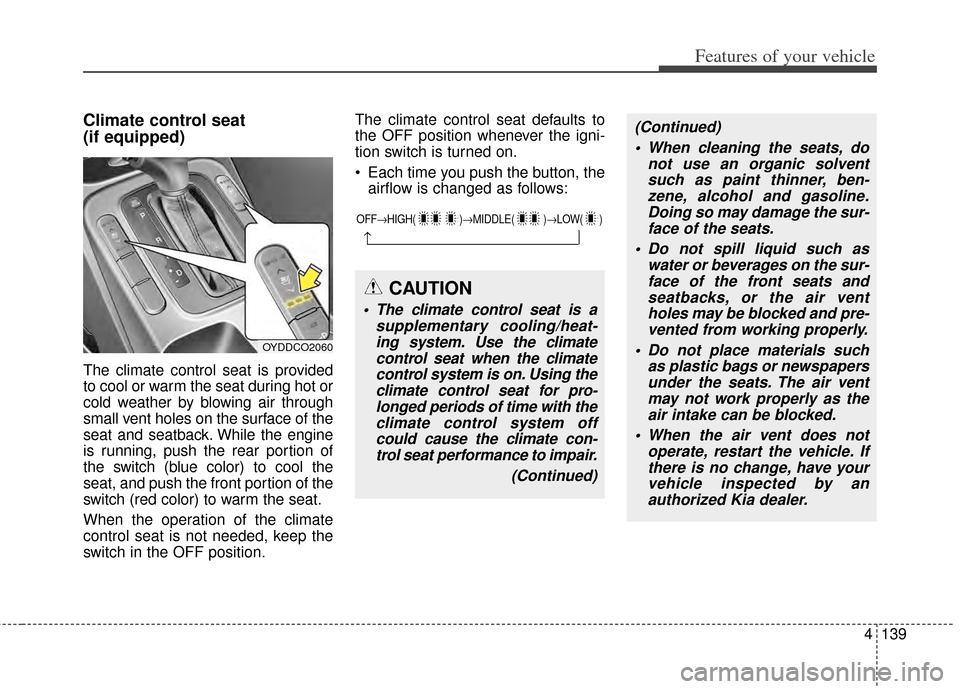
The climate control seat is provided
to cool or warm the seat during hot or
cold weather by blowing air through
small vent holes on the surface of the
seat and seatback. While the engine
is running, push the rear portion of
the switch (blue color) to cool the
seat, and push the front portion of the
switch (red color) to warm the seat.
When the operation of the climate
control seat is not needed, keep the
switch in the OFF position.The climate control seat defaults to
the OFF position whenever the igni-
tion switch is turned on.
Each time you push the button, the
airflow is changed as follows:
OYDDCO2060
OFF→ HIGH( )→ MIDDLE( )→LOW( )
→
CAUTION
The climate control seat is a
supplementary cooling/heat-ing system. Use the climatecontrol seat when the climatecontrol system is on. Using theclimate control seat for pro-longed periods of time with theclimate control system offcould cause the climate con-trol seat performance to impair.
(Continued)
(Continued) When cleaning the seats, do not use an organic solventsuch as paint thinner, ben-zene, alcohol and gasoline.Doing so may damage the sur-face of the seats.
Do not spill liquid such as water or beverages on the sur-face of the front seats andseatbacks, or the air ventholes may be blocked and pre-vented from working properly.
Do not place materials such as plastic bags or newspapersunder the seats. The air ventmay not work properly as theair intake can be blocked.
When the air vent does not operate, restart the vehicle. Ifthere is no change, have yourvehicle inspected by anauthorized Kia dealer.
Page 221 of 446
Features of your vehicle
152
4
(Continued)
If you want to change the posi- tion of device installation,please inquire with your placeof purchase or service mainte-nance center. Technical expert-ise is required to install or dis-assemble the device.
Turn on the car ignition before using this device. Do not oper-ate the audio system for longperiods of time with the igni-tion turned off as such opera-tions may lead to battery dis-charge.
Do not subject the device to severe shock or impact. Directpressure onto the front side ofthe monitor may cause dam-age to the LCD or touchscreen.
(Continued)(Continued) When cleaning the device, make sure to turn off thedevice and use a dry andsmooth cloth. Never usetough materials, chemicalcloths, or solvents (alcohol,benzene, thinners, etc.) assuch materials may damagethe device panel or causecolor/quality deterioration
Do not place beverages close to the audio system. Spillingbeverages may lead to systemmalfunction.
In case of product malfunction, please contact your place of pur-chase or After Service center.
Placing the audio system within an electromagneticenvironment may result innoise interference.CAUTION
Prevent caustic solutions suchas perfume and cosmetic oilfrom contacting the dashboardbecause they may cause dam-age or discoloration.
Page 237 of 446
Features of your vehicle
168
4
Satellite Radio channels:
SIRIUS
™Satellite Radio has over
130 channels, including 69 channels
of 100% commercial-free music, plus
sports, news, talk and entertainment
available nationwide in your vehicle.
For more information and a complete
list of SIRIUS
™Satellite Radio chan-
nels, visit sirius.com in the United
States, sirius-canada.ca in Canada,
or call SIRIUS
™at 1-888-539-7474.
Satellite Radio reception factors:
To receive the satellite signal, your
vehicle has been equipped with a
satellite radio antenna located on the
roof of your vehicle. The vehicle roof
provides the best location for an unob-
structed, open view of the sky, a
requirement of a satellite radio system.
Like AM/FM, there are several factors
that can affect satellite radio reception
performance:
Antenna obstructions: For optimal reception performance, keep the
antenna clear of snow and ice build-
up and keep luggage and other
material as far away from the anten-
na as possible.
Terrain: Hills, mountains, tall build- ings, bridges, tunnels, freeway over- passes, parking garages, dense
tree foliage and thunderstorms can
interfere with your reception.
SIRIUS
™Satellite Radio service:
SIRIUS
™Satellite Radio is a sub-
scription-based satellite radio service
that broadcasts music, sports, news
and entertainment programming to
radio receivers, which are available for
installation in motor vehicles or factory
installed, as well as for the home,
portable and wireless devices, and
through an Internet connection on per-
sonal computer.
Vehicles that are equipped with a
factory installed SIRIUS
™Satellite
Radio system include:
Hardware and an introductory trial subscription term, which begins on
the date of sale or lease of the vehi-
cle.
For a small upgrade fee, access to SIRIUS
™music channels, and other
select channels over the Internet
using any computer connected to
the Internet (U.S. customers only).
For information on extended sub-
scription terms, contact SIRIUS
™
at 1-888-539-7474. NOTE:
SiriusXM service requires a sub-
scription, sold separately, after 3-
month trial included with vehicle
purchase. If you decide to contin-
ue your SiriusXM service at the
end of your trial subscription, the
plan you choose will automatical-
ly renew and bill at then-current
rates until you call Sirius XM at 1-
866-635-2349 to cancel. See our
Customer Agreement for com-
plete terms at www.siriusxm.com.
Programming subject to change.
Sirius satellite service is available
only to those at least 18 and older
in the 48 contiguous USA, D.C.,
and PR (with coverage limita-
tions). Traffic information not
available in all markets. See sir-
iusxm.com/traffic for details.
Sirius, XM and all related marks
and logos are trademarks of Sirius
XM Radio Inc.
SIRIUS™Satellite Radio information