Esc KIA Cerato 2015 2.G Owner's Manual
[x] Cancel search | Manufacturer: KIA, Model Year: 2015, Model line: Cerato, Model: KIA Cerato 2015 2.GPages: 452, PDF Size: 7.85 MB
Page 1 of 452
Kia, THE COMPANY
Thank you for becoming the owner of a new Kia vehicle.
As a global car manufacturer focused on building high-quality vehi-
cles with exceptional value, Kia Motors is dedicated to providing you
with a customer service experience that exceeds your expectations.
All information contained in this Owner’s Manual is accurate at the
time of publication. However, Kia reserves the right to make changes
at any time so that our policy of continual product improvement can
be carried out.
This manual applies to all models of this vehicle and includes descrip-
tions and explanations of optional as well as standard equipment. As a
result, you may encounter material in this manual that is not applica-
ble to your specific Kia vehicle.Drive safely and enjoy your Kia!
Page 2 of 452
i
Thank you for choosing a Kia vehicle.
When you require service, remember that your Kia dealer
knows your vehicle best. Your dealer has factory-trained tech-
nicians, recommended special tools and genuine Kia replace-
ment parts. It is dedicated to your complete customer satisfac-
tion.
Because subsequent owners require this important information
as well, this publication should remain with the vehicle if it is
sold.
This manual will familiarize you with operational, mainte-
nance and safety information about your new vehicle. It is sup-
plemented by a Warranty and Consumer Information manual
that provides important information on all warranties regarding
your vehicle.
We urge you to read these publications carefully and follow the
recommendations to help assure enjoyable and safe operation
of your new vehicle.
Kia offers a great variety of options, components and features
for its various models. Therefore, some of the equipment
described in this manual, along with the various illustrations,
may not be applicable to your particular vehicle.
The information and specifications provided in this manual
were accurate at the time of printing. Kia reserves the right to
discontinue or change specifications or design at any time
without notice and without incurring any obligation. If you
have questions, always check with your Kia dealer.
We assure you of our continuing interest in your motoring
pleasure and satisfaction in your Kia vehicle.
© 2014 Kia Canada Inc.
All rights reserved. Reproduction by any means, electronic or
mechanical, including photocopying, recording, or by any
information storage and retrieval system or translation in
whole or part is not permitted without written authorization
from Kia Canada Inc..
Printed in Korea
Foreword
Page 13 of 452
Your vehicle at a glance
42
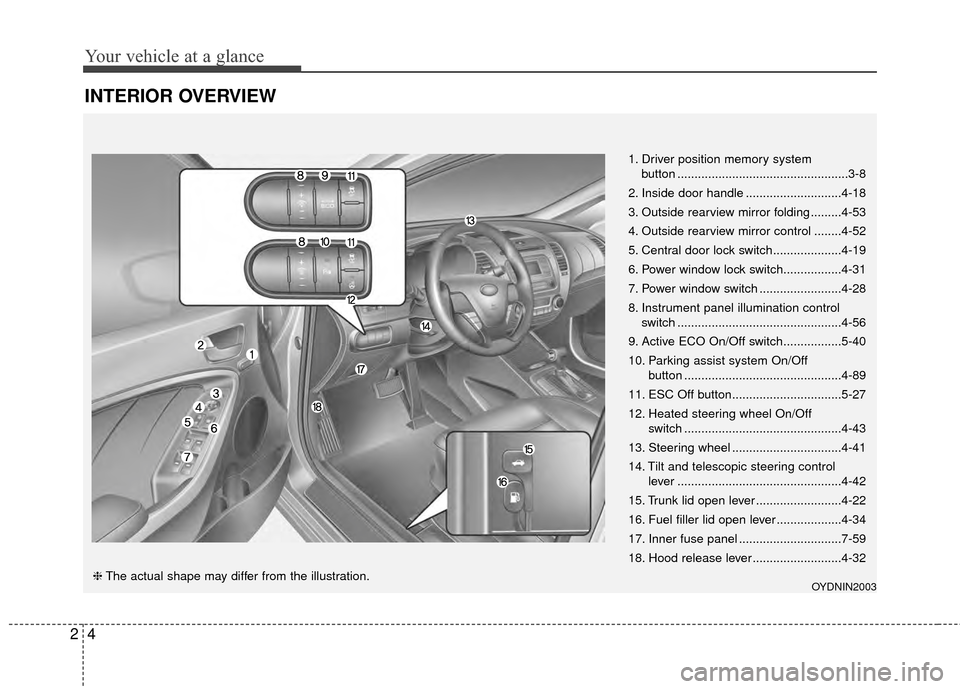
INTERIOR OVERVIEW
1. Driver position memory systembutton ..................................................3-8
2. Inside door handle ............................4-18
3. Outside rearview mirror folding .........4-53
4. Outside rearview mirror control ........4-52
5. Central door lock switch....................4-19
6. Power window lock switch.................4-31
7. Power window switch ........................4-28
8. Instrument panel illumination control switch ................................................4-56
9. Active ECO On/Off switch.................5-40
10. Parking assist system On/Off button ..............................................4-89
11. ESC Off button................................5-27
12. Heated steering wheel On/Off switch ..............................................4-43
13. Steering wheel ................................4-41
14. Tilt and telescopic steering control lever ................................................4-42
15. Trunk lid open lever .........................4-22
16. Fuel filler lid open lever ...................4-34
17. Inner fuse panel ..............................7-59
18. Hood release lever ..........................4-32
OYDNIN2003❈ The actual shape may differ from the illustration.
Page 43 of 452
Safety features of your vehicle
28
3
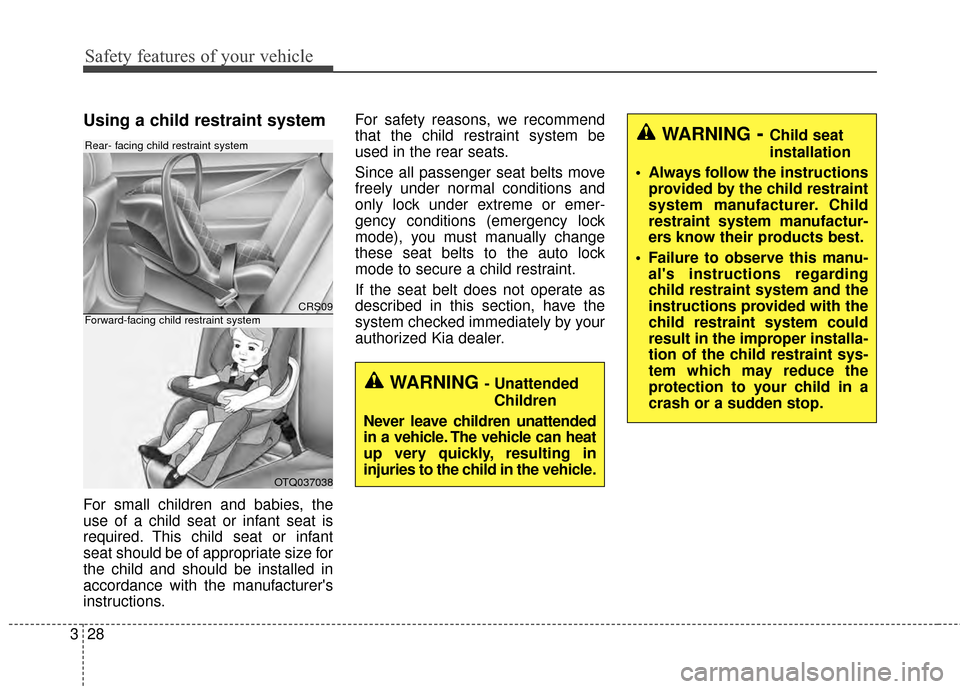
Using a child restraint system
For small children and babies, the
use of a child seat or infant seat is
required. This child seat or infant
seat should be of appropriate size for
the child and should be installed in
accordance with the manufacturer's
instructions. For safety reasons, we recommend
that the child restraint system be
used in the rear seats.
Since all passenger seat belts move
freely under normal conditions and
only lock under extreme or emer-
gency conditions (emergency lock
mode), you must manually change
these seat belts to the auto lock
mode to secure a child restraint.
If the seat belt does not operate as
described in this section, have the
system checked immediately by your
authorized Kia dealer.
CRS09
OTQ037038
Rear- facing child restraint system
Forward-facing child restraint system
WARNING - Unattended
Children
Never leave children unattended
in a vehicle. The vehicle can heat
up very quickly, resulting in
injuries to the child in the vehicle.
WARNING- Child seat
installation
Always follow the instructions provided by the child restraint
system manufacturer. Child
restraint system manufactur-
ers know their products best.
Failure to observe this manu- al's instructions regarding
child restraint system and the
instructions provided with the
child restraint system could
result in the improper installa-
tion of the child restraint sys-
tem which may reduce the
protection to your child in a
crash or a sudden stop.
Page 86 of 452
415
Features of your vehicle
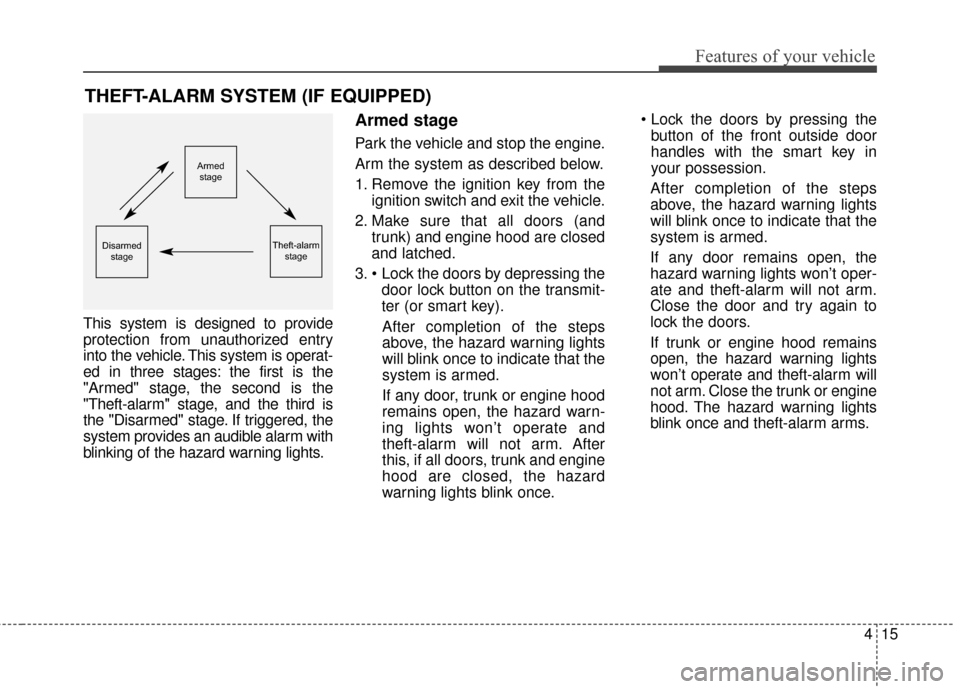
This system is designed to provide
protection from unauthorized entry
into the vehicle. This system is operat-
ed in three stages: the first is the
"Armed" stage, the second is the
"Theft-alarm" stage, and the third is
the "Disarmed" stage. If triggered, the
system provides an audible alarm with
blinking of the hazard warning lights.
Armed stage
Park the vehicle and stop the engine.
Arm the system as described below.
1. Remove the ignition key from theignition switch and exit the vehicle.
2. Make sure that all doors (and trunk) and engine hood are closed
and latched.
3. door lock button on the transmit-
ter (or smart key).
After completion of the steps
above, the hazard warning lights
will blink once to indicate that the
system is armed.
If any door, trunk or engine hood
remains open, the hazard warn-
ing lights won’t operate and
theft-alarm will not arm. After
this, if all doors, trunk and engine
hood are closed, the hazard
warning lights blink once.
button of the front outside door
handles with the smart key in
your possession.
After completion of the steps
above, the hazard warning lights
will blink once to indicate that the
system is armed.
If any door remains open, the
hazard warning lights won’t oper-
ate and theft-alarm will not arm.
Close the door and try again to
lock the doors.
If trunk or engine hood remains
open, the hazard warning lights
won’t operate and theft-alarm will
not arm. Close the trunk or engine
hood. The hazard warning lights
blink once and theft-alarm arms.
THEFT-ALARM SYSTEM (IF EQUIPPED)
Armed stage
Theft-alarm stageDisarmedstage
Page 91 of 452
Features of your vehicle
20
4
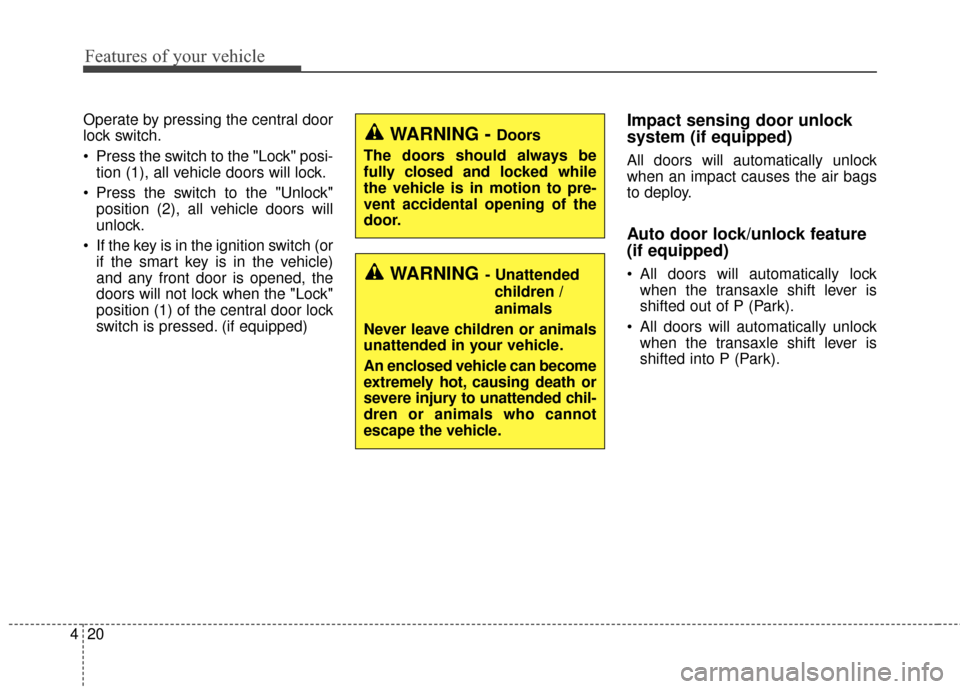
Operate by pressing the central door
lock switch.
Press the switch to the "Lock" posi-
tion (1), all vehicle doors will lock.
Press the switch to the "Unlock" position (2), all vehicle doors will
unlock.
If the key is in the ignition switch (or if the smart key is in the vehicle)
and any front door is opened, the
doors will not lock when the "Lock"
position (1) of the central door lock
switch is pressed. (if equipped)Impact sensing door unlock
system (if equipped)
All doors will automatically unlock
when an impact causes the air bags
to deploy.
Auto door lock/unlock feature
(if equipped)
All doors will automatically lockwhen the transaxle shift lever is
shifted out of P (Park).
All doors will automatically unlock when the transaxle shift lever is
shifted into P (Park).WARNING- Unattended
children /
animals
Never leave children or animals
unattended in your vehicle.
An enclosed vehicle can become
extremely hot, causing death or
severe injury to unattended chil-
dren or animals who cannot
escape the vehicle.
WARNING - Doors
The doors should always be
fully closed and locked while
the vehicle is in motion to pre-
vent accidental opening of the
door.
Page 113 of 452
Features of your vehicle
42
4
Tilt and telescoping steering
Tilt steering allows you to adjust the
steering wheel before you drive. You
can also raise it to give your legs
more room when you exit and enter
the vehicle.
The steering wheel should be posi-
tioned so that it is comfortable for
you to drive, while permitting you to
see the instrument panel warning
lights and gauges.
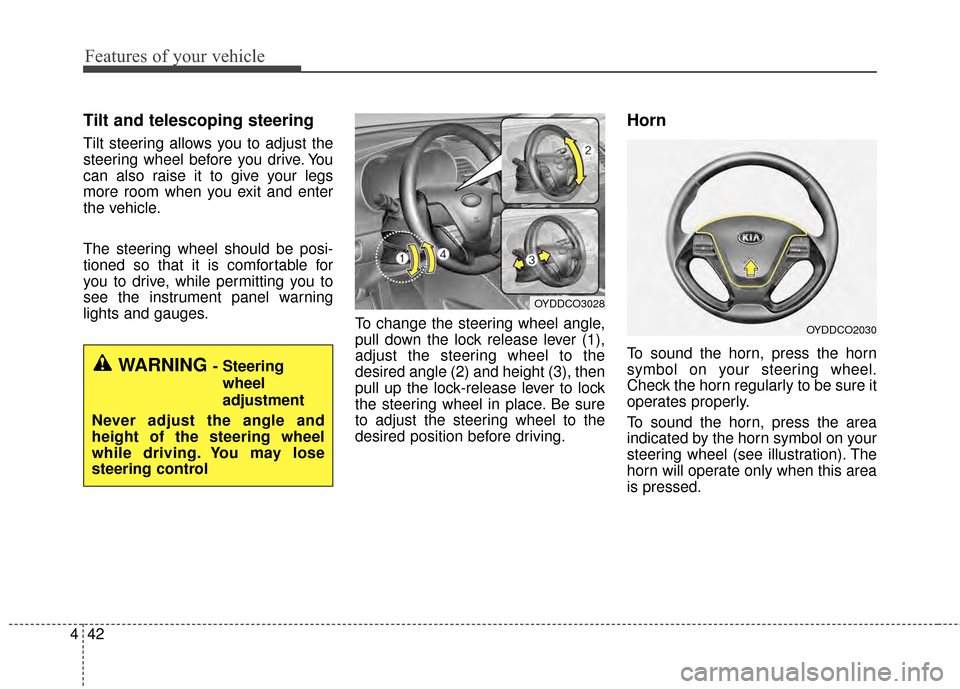
To change the steering wheel angle,
pull down the lock release lever (1),
adjust the steering wheel to the
desired angle (2) and height (3), then
pull up the lock-release lever to lock
the steering wheel in place. Be sure
to adjust the steering wheel to the
desired position before driving.
Horn
To sound the horn, press the horn
symbol on your steering wheel.
Check the horn regularly to be sure it
operates properly.
To sound the horn, press the area
indicated by the horn symbol on your
steering wheel (see illustration). The
horn will operate only when this area
is pressed.WARNING - Steering
wheel
adjustment
Never adjust the angle and
height of the steering wheel
while driving. You may lose
steering control
OYDDCO3028
OYDDCO2030
Page 121 of 452
Features of your vehicle
50
4
Erasing programmed Homelink®
buttons
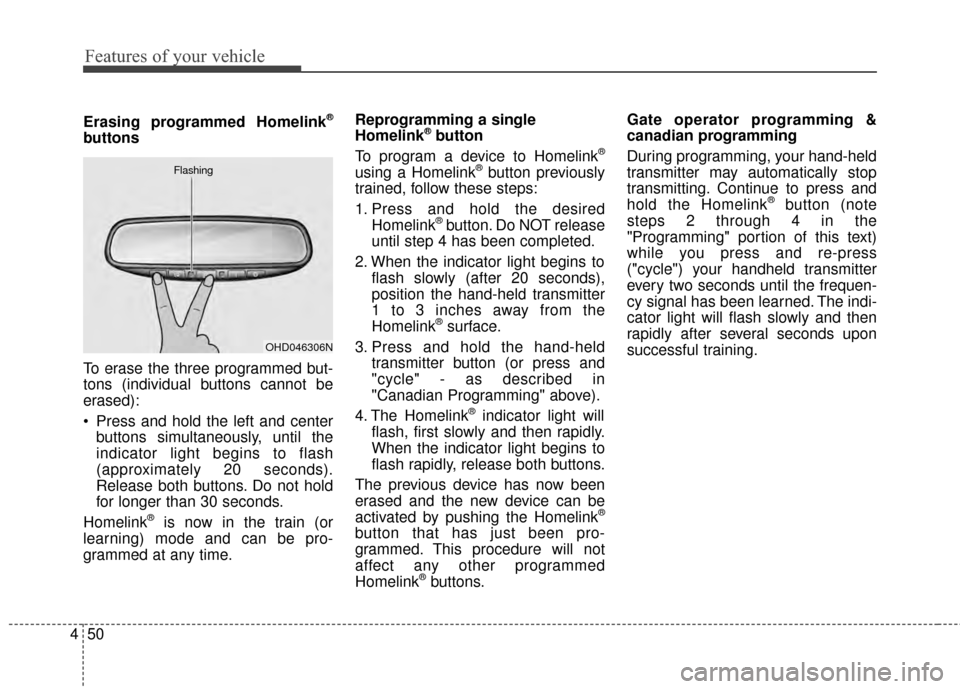
To erase the three programmed but-
tons (individual buttons cannot be
erased):
Press and hold the left and center
buttons simultaneously, until the
indicator light begins to flash
(approximately 20 seconds).
Release both buttons. Do not hold
for longer than 30 seconds.
Homelink
®is now in the train (or
learning) mode and can be pro-
grammed at any time. Reprogramming a single
Homelink
®button
To program a device to Homelink®
using a Homelink®button previously
trained, follow these steps:
1. Press and hold the desired Homelink
®button. Do NOT release
until step 4 has been completed.
2. When the indicator light begins to flash slowly (after 20 seconds),
position the hand-held transmitter
1 to 3 inches away from the
Homelink
®surface.
3. Press and hold the hand-held transmitter button (or press and
"cycle" - as described in
"Canadian Programming" above).
4. The Homelink
®indicator light will
flash, first slowly and then rapidly.
When the indicator light begins to
flash rapidly, release both buttons.
The previous device has now been
erased and the new device can be
activated by pushing the Homelink
®
button that has just been pro-
grammed. This procedure will not
affect any other programmed
Homelink
®buttons. Gate operator programming &
canadian programming
During programming, your hand-held
transmitter may automatically stop
transmitting. Continue to press and
hold the Homelink
®button (note
steps 2 through 4 in the
"Programming" portion of this text)
while you press and re-press
("cycle") your handheld transmitter
every two seconds until the frequen-
cy signal has been learned. The indi-
cator light will flash slowly and then
rapidly after several seconds upon
successful training.
OHD046306N
Flashing
Page 134 of 452
463
Features of your vehicle
User Settings Mode
Description
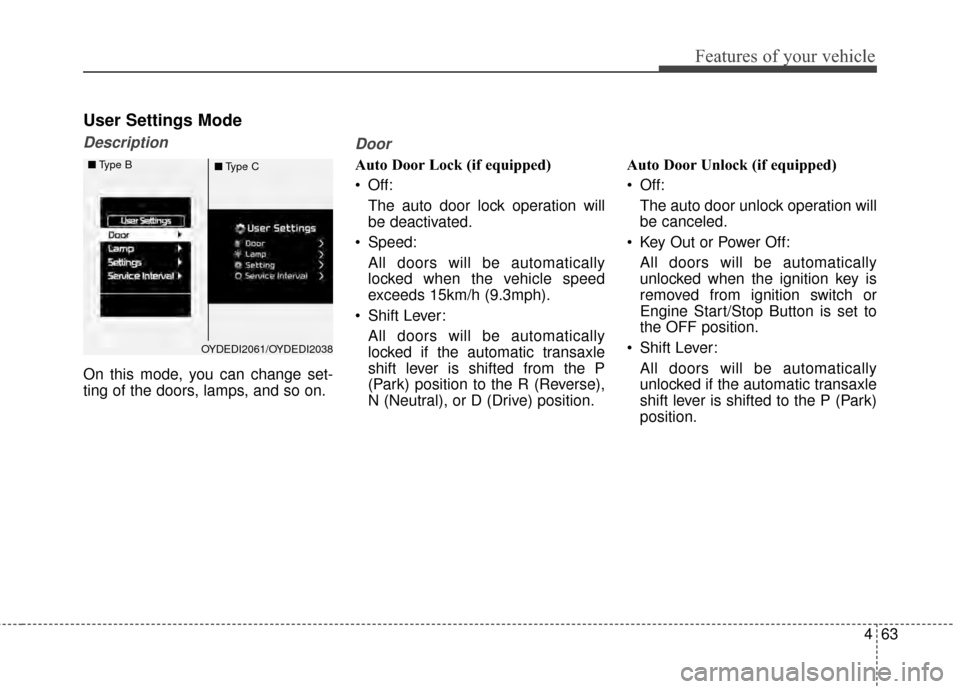
On this mode, you can change set-
ting of the doors, lamps, and so on.
Door
Auto Door Lock (if equipped)
Off:The auto door lock operation will
be deactivated.
Speed: All doors will be automatically
locked when the vehicle speed
exceeds 15km/h (9.3mph).
Shift Lever: All doors will be automatically
locked if the automatic transaxle
shift lever is shifted from the P
(Park) position to the R (Reverse),
N (Neutral), or D (Drive) position. Auto Door Unlock (if equipped)
Off:
The auto door unlock operation will
be canceled.
Key Out or Power Off: All doors will be automatically
unlocked when the ignition key is
removed from ignition switch or
Engine Start/Stop Button is set to
the OFF position.
Shift Lever: All doors will be automatically
unlocked if the automatic transaxle
shift lever is shifted to the P (Park)
position.
OYDEDI2061/OYDEDI2038
■
Type B
■Type C
Page 145 of 452
Features of your vehicle
74
4
Overview
Description
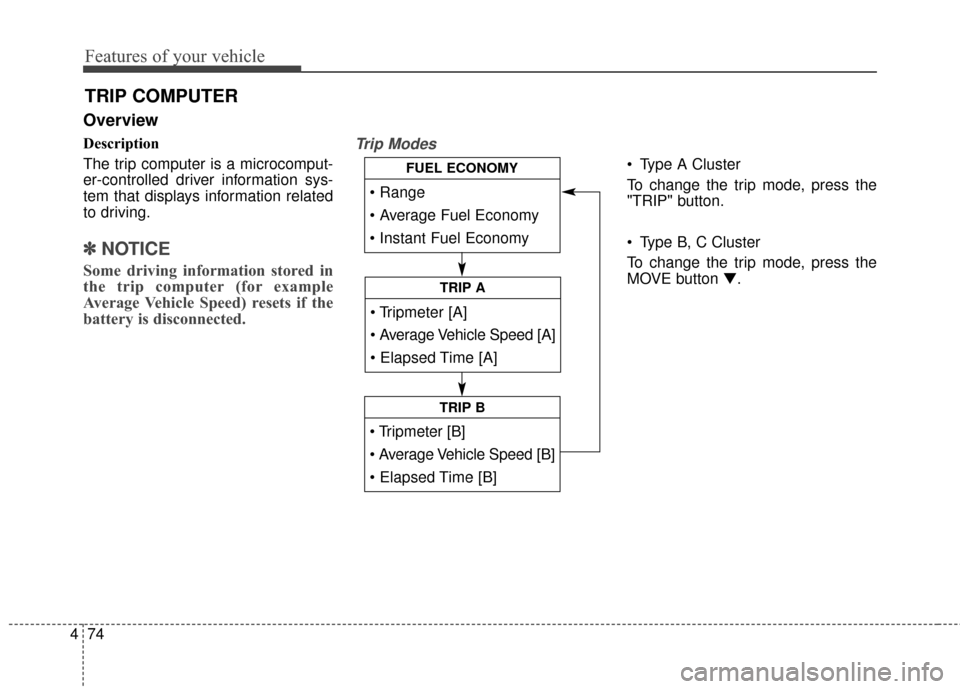
The trip computer is a microcomput-
er-controlled driver information sys-
tem that displays information related
to driving.
✽ ✽
NOTICE
Some driving information stored in
the trip computer (for example
Average Vehicle Speed) resets if the
battery is disconnected.
Trip Modes
Type A Cluster
To change the trip mode, press the
"TRIP" button.
Type B, C Cluster
To change the trip mode, press the
MOVE button ▼.
TRIP COMPUTER
Average Vehicle Speed [A]
TRIP A
TRIP B
FUEL ECONOMY