all KIA EV6 2022 Navigation System Quick Reference Guide
[x] Cancel search | Manufacturer: KIA, Model Year: 2022, Model line: EV6, Model: KIA EV6 2022Pages: 380, PDF Size: 13.49 MB
Page 315 of 380

9-77
Configuring the user profile settings (Type1)
(if equipped)
You can additionally set profiles for each driver after First Run Setup.
1 On the All Menus screen, press Setup >
User Profile.
2 Press the user to change its profile.
The User Profile Settings screen appears.
A
Press Menu >
Search for Settings or press
and enter a keyword to search for a
setting item. You can also search for a setting item by voice.
A
Press Change User to switch to another user's profile.
A
When you log in as guest, you cannot set the profile items additionally. To set a different
profile, select another user.
Profile Settings
You can specify the details and operation environment for a registered user.
Name
You can specify the name of the user to display on the profile.
Profile Image
You can specify the image to display on the user profile.
Link UVO Account
You can use various services and convenient management features when linked to the
registered UVO service.
A
Subscribe to UVO to check the function.
> See "Subscribing to the service."
Page 316 of 380

9-78
Link Bluetooth Devices
You can connect any registered Bluetooth device. > See "Connecting a Bluetooth device."
Reset User Account
You can initialize all account settings.
Configuring the user profile settings (Type2)
You can additionally set profiles for each driver after First Run Setup.
1 On the All Menus screen, press Setup >
User Profile.
2 Press the user to change its profile.
The User Profile Settings screen appears.
A
Press
>
Search for Settings or press and enter a keyword to search for a
setting item. You can also search for a setting item by voice.
A
Press Change User to switch to another user's profile.
A
When you log in as guest, you cannot set the profile items additionally. To set a different
profile, select another user.
Profile Settings
You can specify the details and operation environment for a registered user.
Name
You can specify the name of the user to display on the profile.
Profile Image
You can specify the image to display on the user profile.
Page 317 of 380

9-79
Link Kia Connect Account
You can use various services and convenient management features when linked to the
registered Kia Connect service.
A
Subscribe to Kia Connect to check the function.
> See "Subscribing to the service."
Link Bluetooth Devices
You can connect any registered Bluetooth device. > See "Connecting a Bluetooth device."
Delete Profile (if equipped)
All stored data and profile settings will be lost and the system will be reset.
Configuring the general system settings
(Type1)
You can configure general settings for date, time, language, and the like. You can also check
information of the system.
1 On the All Menus screen, press Setup >
General.
The general settings screen appears.
2 Configure the settings required:
A
Press Menu >
Search for Settings or press and enter a keyword to search for a
setting item. You can also search for a setting item by voice.
SW Info/Update
You can see the versions of system components. You can also update the system to the latest
version.
A
For details on how to update the system software: > see "How to Update the Map and
Software for your Infotainment System."
Page 318 of 380

9-80
System Info
You can check the system storage space. You can also use your smartphone to access the
online user's manual of the system, or initialize all system settings to default values.
Storage
You can check the storage space of the system memory where voice memos can be saved.
User's Manual on Web (QR Code)
You can access the online user's manual of the system by scanning the QR code with your
smartphone.
Reset
You can initialize all system settings including general settings and navigation settings.
A
You can also initialize all settings of the login profile.
Page 319 of 380

9-81
My Data
You can import location data from a USB device to the system, or export the data on the
system to a USB device.
A
When importing or exporting the location data, you can use only the USB device
formatted in exFAT, FAT16/32 or NTFS.
Import Address Book from USB Device
You can import the location data on a USB device to the system.
A
The previous location data on the system is to be deleted.
A
While importing from a navigation system that uses a different coordinate system, the
locations may appear differently.
Export Address Book to USB Device
You can export the location data on the system to a USB device.
A
The location data on the USB device is deleted.
Date/Time
You can set the system date and time automatically or manually. You can also set the time
display mode.
Page 320 of 380

9-82
GPS Time
After receiving the time from GPS, it sets the system date and time automatically.
A
To manually set the date and time, uncheck GPS Time, press the current date and time
below GPS Time, and then set the date and time.
24 Hours
The system time is displayed in the 24-hour format.
Daylight Saving Time
Displays the system time in the format of Daylight Saving Time.
Language
You can set the system display language.
A
Once the language has been changed, it takes a while to apply the new language to the
system. The notification pop-up window appears as soon as the new language is applied
to the system. When you wait a while or press anywhere outside the pop-up window, the
window automatically disappears.
A
When you change the system language, it does not affect the display of other unique
data such as MP3 music file name.
A
Depending on the system language, the Bluetooth phone message view and voice
recognition may not be supported.
Page 322 of 380
9-84
Configuring the general system settings
(Type2)
You can configure general settings for date, time, language, and the like. You can also check
information of the system.
1 On the All Menus screen, press Setup >
General.
The general settings screen appears.
2 Configure the settings required:
A
Press >
Search for Settings or press and enter a keyword to search for a
setting item. You can also search for a setting item by voice.
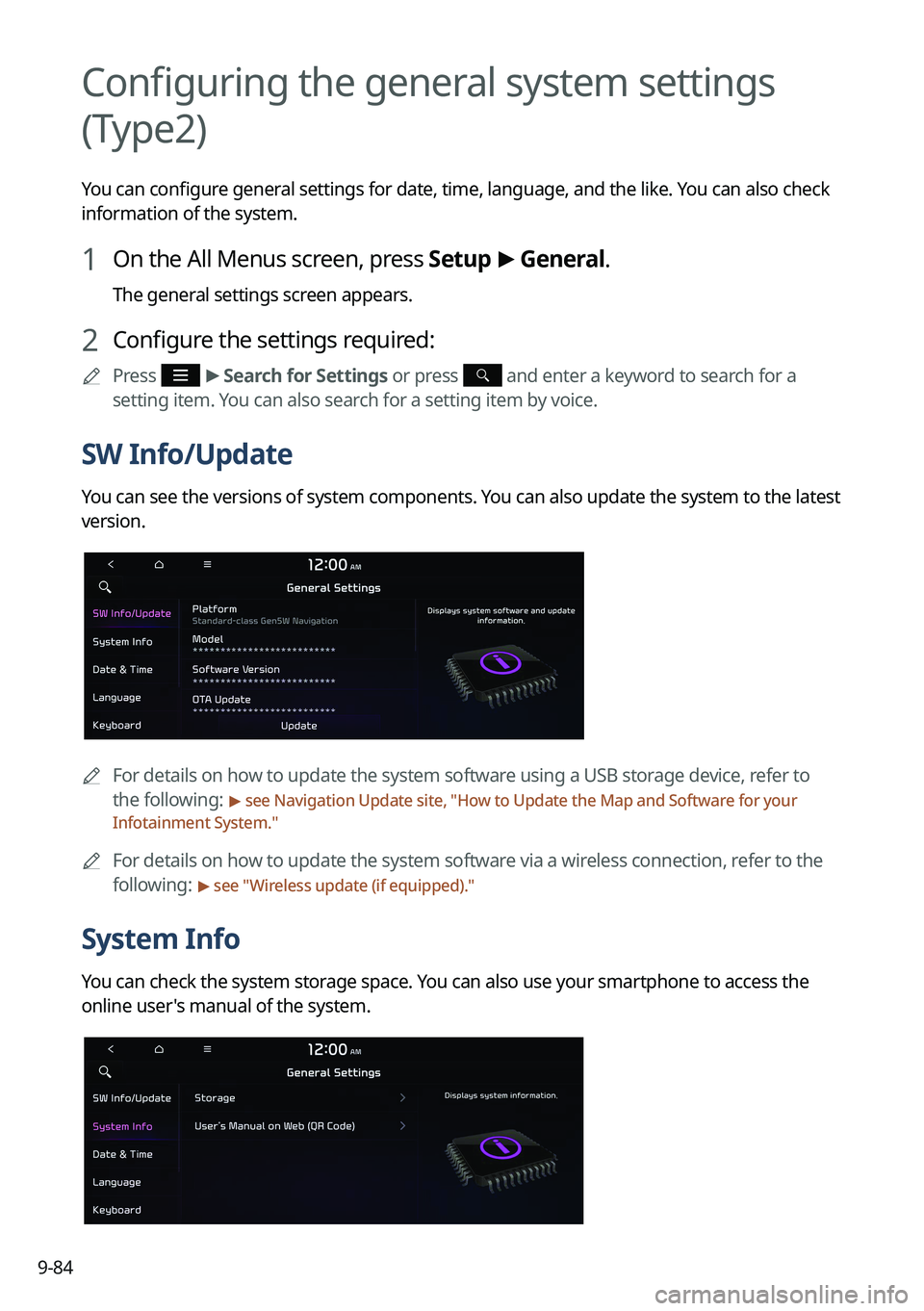
SW Info/Update
You can see the versions of system components. You can also update the system to the latest
version.
A
For details on how to update the system software using a USB storage device, refer to
the following:
> see Navigation Update site, "How to Update the Map and Software for your
Infotainment System."
A
For details on how to update the system software via a wireless connection, refer to the
following:
> see " Wireless update (if equipped)."
System Info
You can check the system storage space. You can also use your smartphone to access the
online user's manual of the system.
Page 324 of 380

9-86
Date & Time
You can set the system date and time automatically or manually. You can also set the time
display mode.
GPS Time
After receiving the time from GPS, it sets the system date and time automatically.
A
To manually set the date and time, uncheck GPS Time, press the current date and time
below GPS Time, and then set the date and time.
Time Format
Change the system time display format.
Daylight Saving Time
Displays the system time in the format of Daylight Saving Time.
Page 325 of 380
9-87
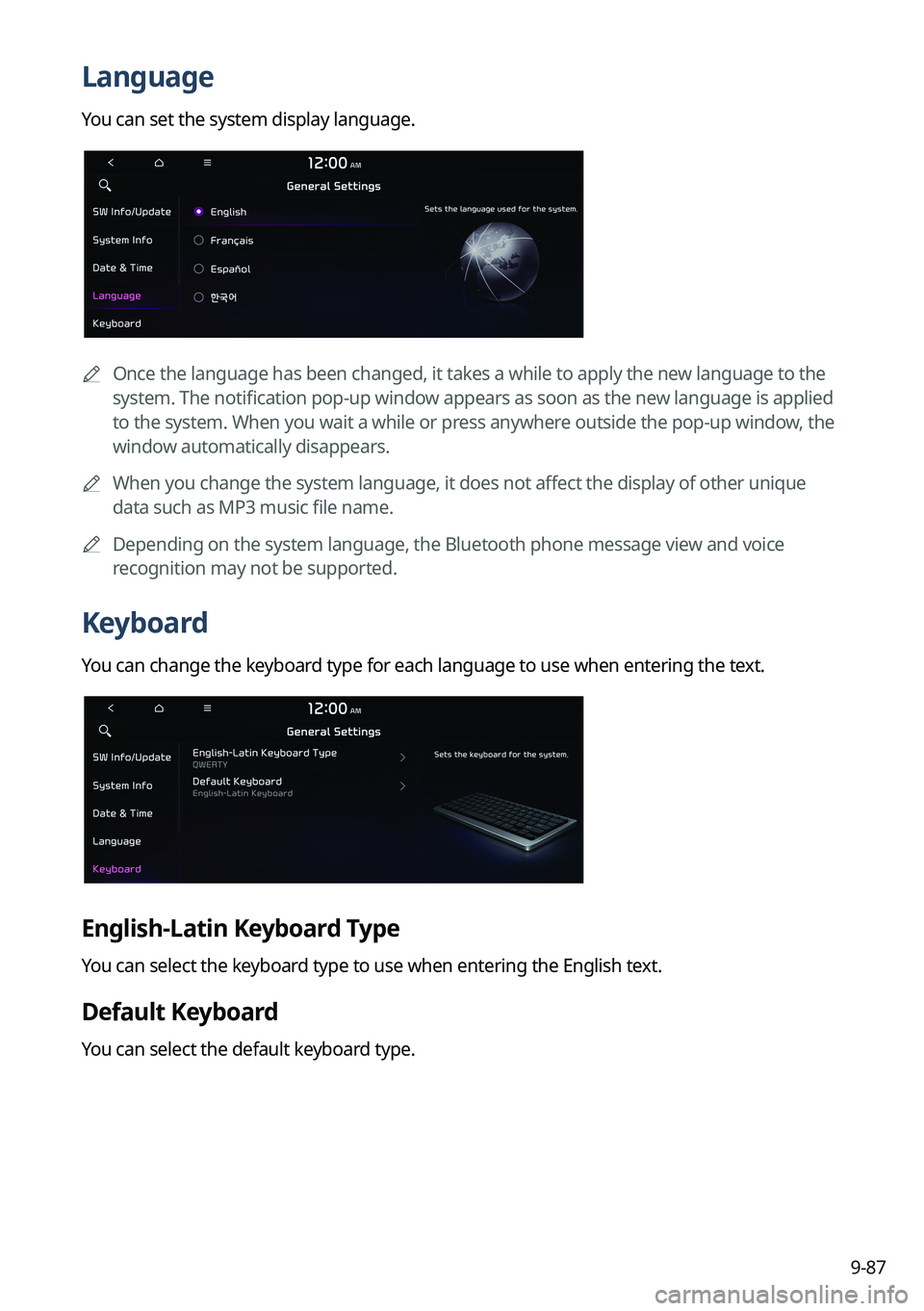
Language
You can set the system display language.
A
Once the language has been changed, it takes a while to apply the new language to the
system. The notification pop-up window appears as soon as the new language is applied
to the system. When you wait a while or press anywhere outside the pop-up window, the
window automatically disappears.
A
When you change the system language, it does not affect the display of other unique
data such as MP3 music file name.
A
Depending on the system language, the Bluetooth phone message view and voice
recognition may not be supported.
Keyboard
You can change the keyboard type for each language to use when entering the text.
English-Latin Keyboard Type
You can select the keyboard type to use when entering the English text.
Default Keyboard
You can select the default keyboard type.
Page 327 of 380
9-89
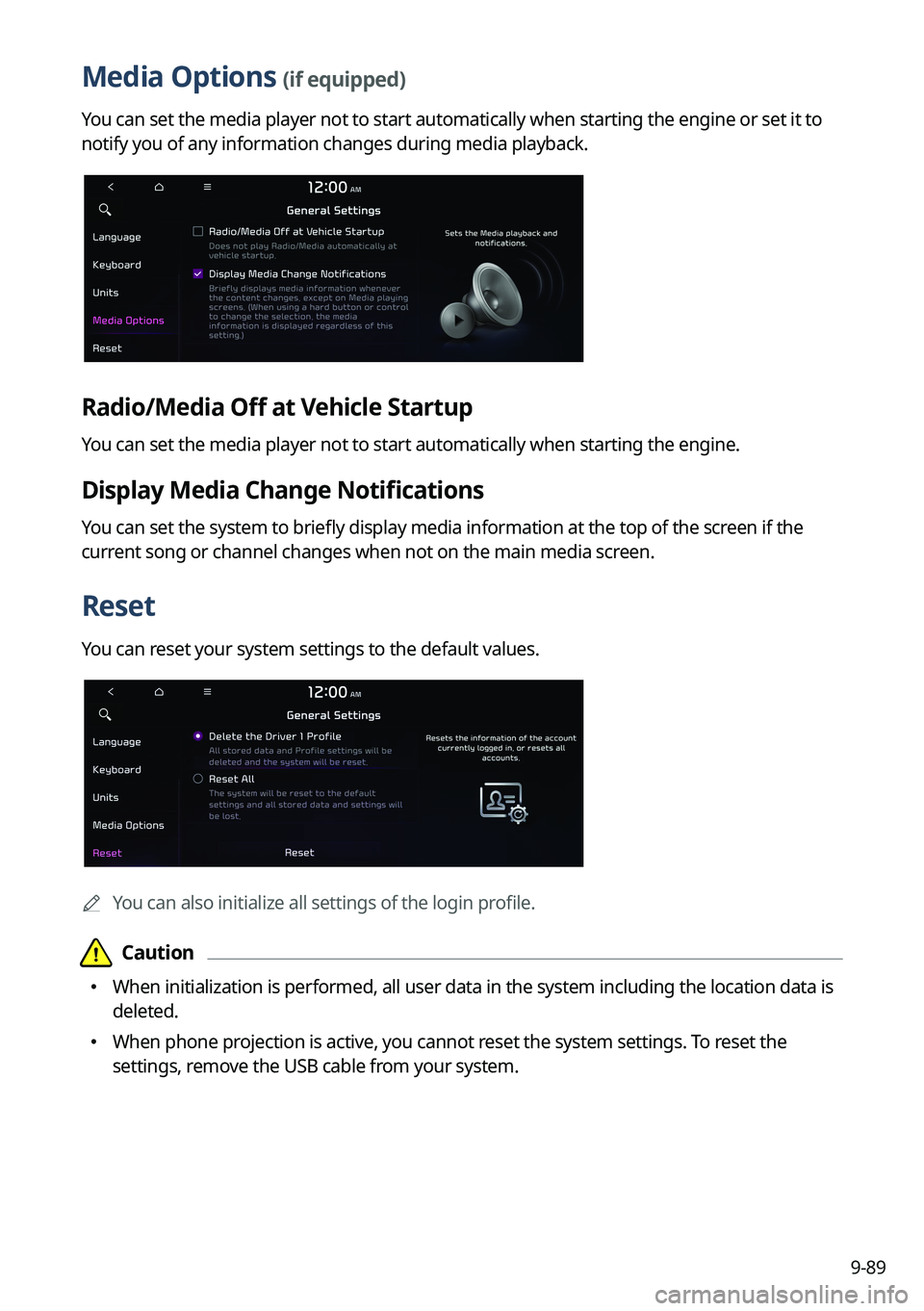
Media Options (if equipped)
You can set the media player not to start automatically when starting the engine or set it to
notify you of any information changes during media playback.
Radio/Media Off at Vehicle Startup
You can set the media player not to start automatically when starting the engine.
Display Media Change Notifications
You can set the system to briefly display media information at the top of the screen if the
current song or channel changes when not on the main media screen.
Reset
You can reset your system settings to the default values.
A
You can also initialize all settings of the login profile.