lock KIA Forte 2012 1.G Workshop Manual
[x] Cancel search | Manufacturer: KIA, Model Year: 2012, Model line: Forte, Model: KIA Forte 2012 1.GPages: 353, PDF Size: 7.3 MB
Page 177 of 353
499
Features of your vehicle
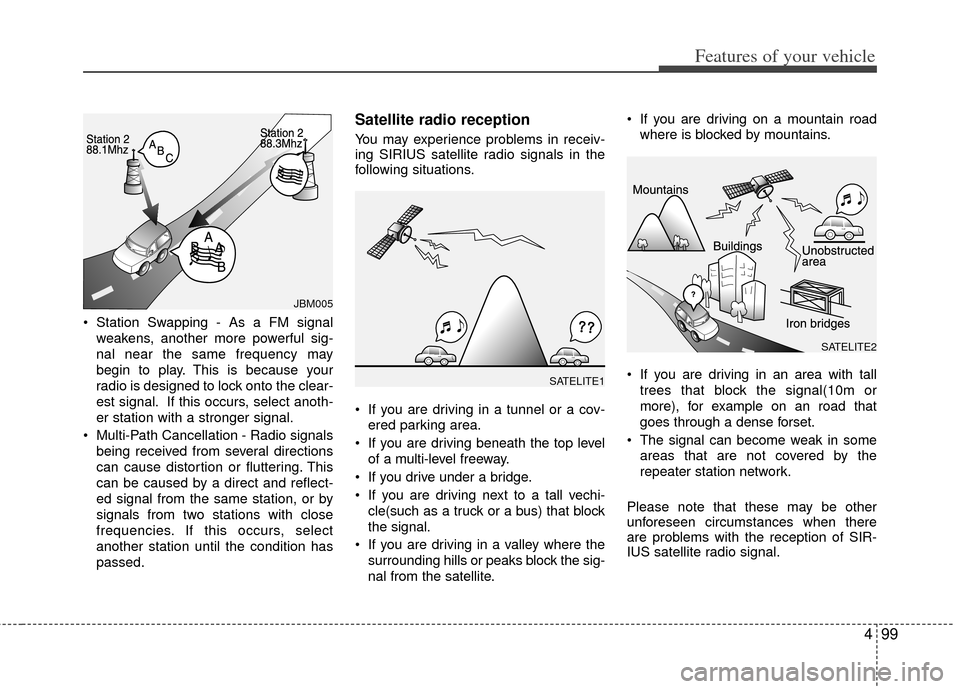
Station Swapping - As a FM signalweakens, another more powerful sig-
nal near the same frequency may
begin to play. This is because your
radio is designed to lock onto the clear-
est signal. If this occurs, select anoth-
er station with a stronger signal.
Multi-Path Cancellation - Radio signals being received from several directions
can cause distortion or fluttering. This
can be caused by a direct and reflect-
ed signal from the same station, or by
signals from two stations with close
frequencies. If this occurs, select
another station until the condition has
passed.
Satellite radio reception
You may experience problems in receiv-
ing SIRIUS satellite radio signals in the
following situations.
If you are driving in a tunnel or a cov-ered parking area.
If you are driving beneath the top level of a multi-level freeway.
If you drive under a bridge.
If you are driving next to a tall vechi- cle(such as a truck or a bus) that block
the signal.
If you are driving in a valley where the surrounding hills or peaks block the sig-
nal from the satellite. If you are driving on a mountain road
where is blocked by mountains.
If you are driving in an area with tall trees that block the signal(10m or
more), for example on an road that
goes through a dense forset.
The signal can become weak in some areas that are not covered by the
repeater station network.
Please note that these may be other
unforeseen circumstances when there
are problems with the reception of SIR-
IUS satellite radio signal.
SATELITE1
SATELITE2
JBM005
Page 181 of 353
4103
Features of your vehicle
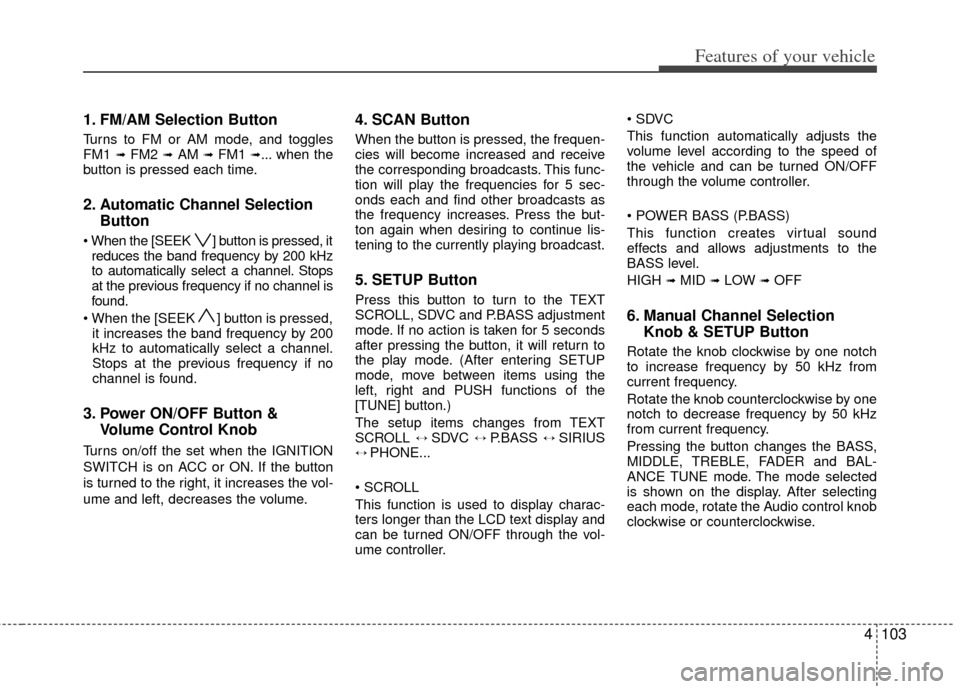
1. FM/AM Selection Button
Turns to FM or AM mode, and toggles
FM1 ➟ FM2 ➟AM ➟ FM1 ➟... when the
button is pressed each time.
2. Automatic Channel Selection Button
] button is pressed, it
reduces the band frequency by 200 kHz
to automatically select a channel. Stops
at the previous frequency if no channel is
found.
] button is pressed, it increases the band frequency by 200
kHz to automatically select a channel.
Stops at the previous frequency if no
channel is found.
3. Power ON/OFF Button & Volume Control Knob
Turns on/off the set when the IGNITION
SWITCH is on ACC or ON. If the button
is turned to the right, it increases the vol-
ume and left, decreases the volume.
4. SCAN Button
When the button is pressed, the frequen-
cies will become increased and receive
the corresponding broadcasts. This func-
tion will play the frequencies for 5 sec-
onds each and find other broadcasts as
the frequency increases. Press the but-
ton again when desiring to continue lis-
tening to the currently playing broadcast.
5. SETUP Button
Press this button to turn to the TEXT
SCROLL, SDVC and P.BASS adjustment
mode. If no action is taken for 5 seconds
after pressing the button, it will return to
the play mode. (After entering SETUP
mode, move between items using the
left, right and PUSH functions of the
[TUNE] button.)
The setup items changes from TEXT
SCROLL
↔ SDVC ↔ P.BASS ↔ SIRIUS↔ PHONE...
This function is used to display charac-
ters longer than the LCD text display and
can be turned ON/OFF through the vol-
ume controller.
This function automatically adjusts the
volume level according to the speed of
the vehicle and can be turned ON/OFF
through the volume controller.
This function creates virtual sound
effects and allows adjustments to the
BASS level.
HIGH
➟MID ➟LOW ➟OFF
6. Manual Channel Selection
Knob & SETUP Button
Rotate the knob clockwise by one notch
to increase frequency by 50 kHz from
current frequency.
Rotate the knob counterclockwise by one
notch to decrease frequency by 50 kHz
from current frequency.
Pressing the button changes the BASS,
MIDDLE, TREBLE, FADER and BAL-
ANCE TUNE mode. The mode selected
is shown on the display. After selecting
each mode, rotate the Audio control knob
clockwise or counterclockwise.
Page 182 of 353
Features of your vehicle
104
4
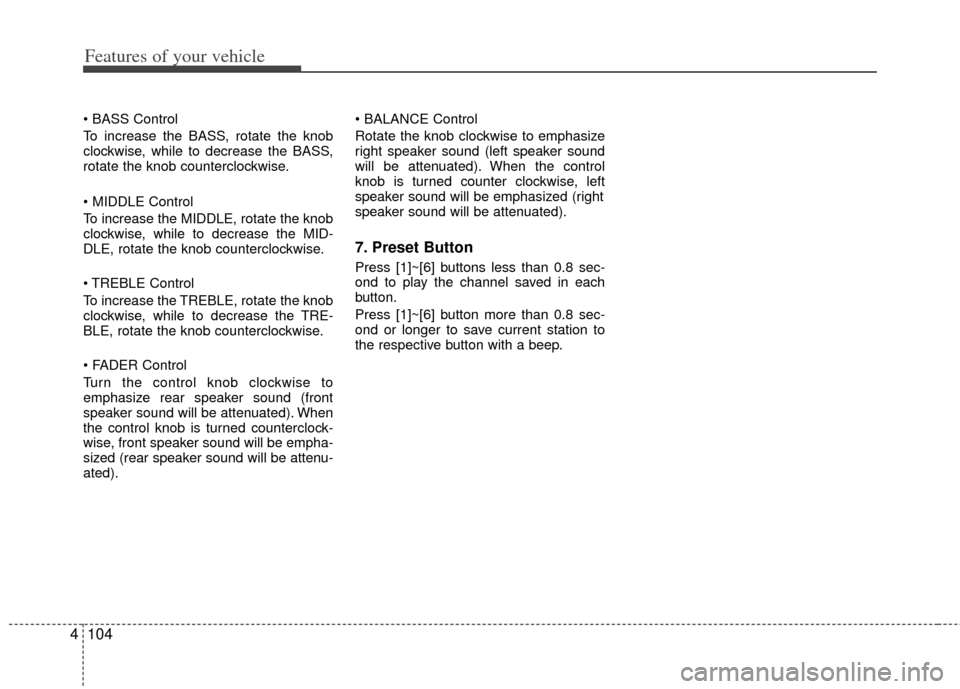
To increase the BASS, rotate the knob
clockwise, while to decrease the BASS,
rotate the knob counterclockwise.
To increase the MIDDLE, rotate the knob
clockwise, while to decrease the MID-
DLE, rotate the knob counterclockwise.
Control
To increase the TREBLE, rotate the knob
clockwise, while to decrease the TRE-
BLE, rotate the knob counterclockwise.
Turn the control knob clockwise to
emphasize rear speaker sound (front
speaker sound will be attenuated). When
the control knob is turned counterclock-
wise, front speaker sound will be empha-
sized (rear speaker sound will be attenu-
ated).
Rotate the knob clockwise to emphasize
right speaker sound (left speaker sound
will be attenuated). When the control
knob is turned counter clockwise, left
speaker sound will be emphasized (right
speaker sound will be attenuated).
7. Preset Button
Press [1]~[6] buttons less than 0.8 sec-
ond to play the channel saved in each
button.
Press [1]~[6] button more than 0.8 sec-
ond or longer to save current station to
the respective button with a beep.
Page 186 of 353
![KIA Forte 2012 1.G Workshop Manual Features of your vehicle
108
4
Press [FOLDER ] button to move to
parent folder of the current folder and
display the first song in the folder.
Press TUNE/ENTER knob to move to
the folder displayed.
1](/img/2/2932/w960_2932-185.png "KIA Forte 2012 1.G Workshop Manual Features of your vehicle
108
4
Press [FOLDER ] button to move to
parent folder of the current folder and
display the first song in the folder.
Press TUNE/ENTER knob to move to
the folder displayed.
1")
Features of your vehicle
108
4
Press [FOLDER ] button to move to
parent folder of the current folder and
display the first song in the folder.
Press TUNE/ENTER knob to move to
the folder displayed.
11. SEARCH Knob & ENTER Button
Turn this button clockwise to display
songs after current song.
Also, turn this button counterclockwise to
display songs before current song.
To listen to the displayed song, press the
button to skip to the song and play.
Pressing the button changes the BASS,
MIDDLE, TREBLE, FADER and BAL-
ANCE TUNE mode. The mode selected
is shown on the display. After selecting
each mode, rotate the Audio control knob
clockwise or counterclockwise.
To increase the BASS, rotate the knob
clockwise, while to decrease the BASS,
rotate the knob counterclockwise.
To increase the MIDDLE, rotate the knob
clockwise, while to decrease the MID-
DLE, rotate the knob counterclockwise.
Control
To increase the TREBLE, rotate the knob
clockwise, while to decrease the TRE-
BLE, rotate the knob counterclockwise.
Turn the control knob clockwise to empha-
size rear speaker sound (front speaker
sound will be attenuated). When the con-
trol knob is turned counterclockwise, front
speaker sound will be emphasized (rear
speaker sound will be attenuated).
Rotate the knob clockwise to emphasize
right speaker sound (left speaker sound
will be attenuated). When the control
knob is turned counter clockwise, left
speaker sound will be emphasized (right
speaker sound will be attenuated).
12. DISC Selection Button (PA760)
Press [DISC ] button to change disc
to the previous disc.
Press [DISC ] button to change disc to the next disc.
13. CD LOAD Button (PA760)
Press [LO AD] button to load CDs into
available CDC slots (from 1~6).
Press [LOAD] button for 2 seconds or
longer to load into all available decks. The
last CD will play. Idle status for 10 sec-
onds will terminate the loading process.
Page 189 of 353
4111
Features of your vehicle
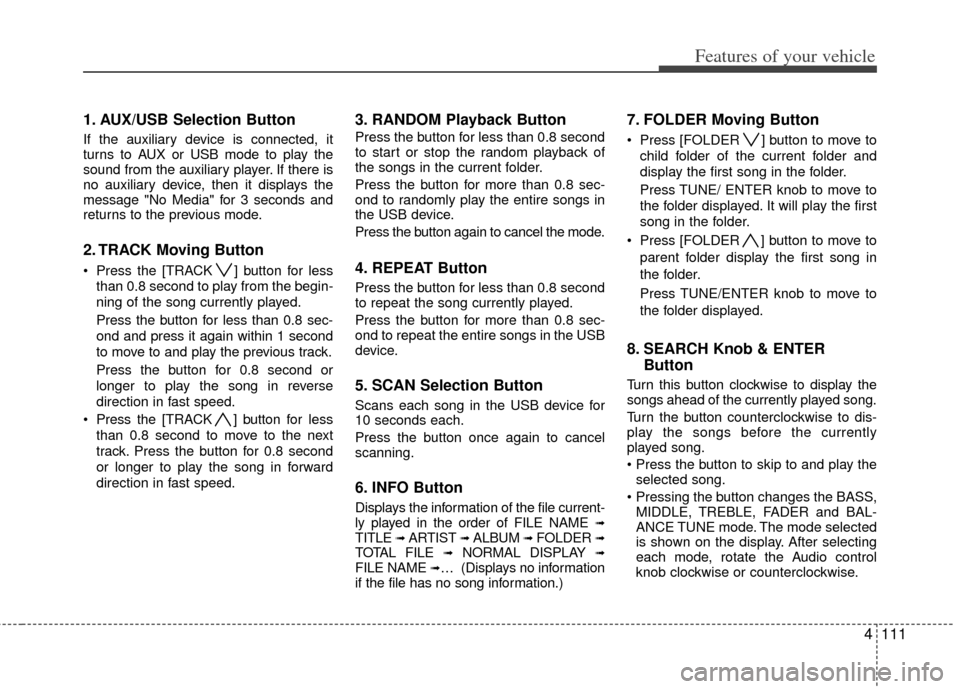
1. AUX/USB Selection Button
If the auxiliary device is connected, it
turns to AUX or USB mode to play the
sound from the auxiliary player. If there is
no auxiliary device, then it displays the
message "No Media" for 3 seconds and
returns to the previous mode.
2. TRACK Moving Button
Press the [TRACK ] button for lessthan 0.8 second to play from the begin-
ning of the song currently played.
Press the button for less than 0.8 sec-
ond and press it again within 1 second
to move to and play the previous track.
Press the button for 0.8 second or
longer to play the song in reverse
direction in fast speed.
Press the [TRACK ] button for less
than 0.8 second to move to the next
track. Press the button for 0.8 second
or longer to play the song in forward
direction in fast speed.
3. RANDOM Playback Button
Press the button for less than 0.8 second
to start or stop the random playback of
the songs in the current folder.
Press the button for more than 0.8 sec-
ond to randomly play the entire songs in
the USB device.
Press the button again to cancel the mode.
4. REPEAT Button
Press the button for less than 0.8 second
to repeat the song currently played.
Press the button for more than 0.8 sec-
ond to repeat the entire songs in the USB
device.
5. SCAN Selection Button
Scans each song in the USB device for
10 seconds each.
Press the button once again to cancel
scanning.
6. INFO Button
Displays the information of the file current-
ly played in the order of FILE NAME ➟TITLE ➟ ARTIST ➟ ALBUM ➟ FOLDER ➟TOTAL FILE ➟NORMAL DISPLAY ➟FILE NAME ➟… (Displays no information
if the file has no song information.)
7. FOLDER Moving Button
Press [FOLDER ] button to move to
child folder of the current folder and
display the first song in the folder.
Press TUNE/ ENTER knob to move to
the folder displayed. It will play the first
song in the folder.
Press [FOLDER ] button to move to parent folder display the first song in
the folder.
Press TUNE/ENTER knob to move to
the folder displayed.
8. SEARCH Knob & ENTER Button
Turn this button clockwise to display the
songs ahead of the currently played song.
Turn the button counterclockwise to dis-
play the songs before the currently
played song.
selected song.
MIDDLE, TREBLE, FADER and BAL-
ANCE TUNE mode. The mode selected
is shown on the display. After selecting
each mode, rotate the Audio control
knob clockwise or counterclockwise.
Page 194 of 353
Features of your vehicle
116
4
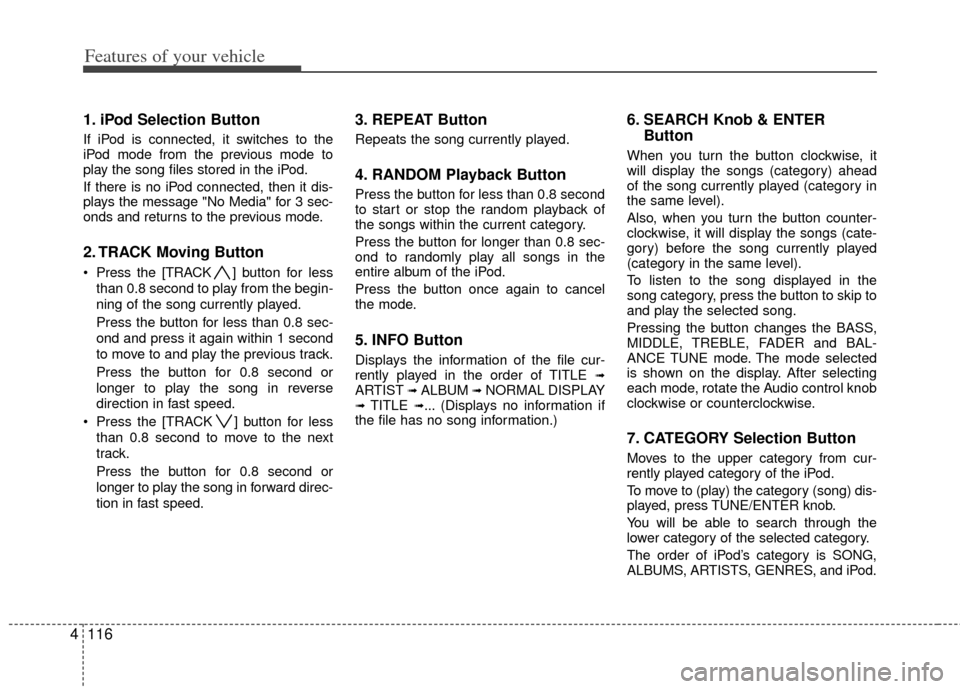
1. iPod Selection Button
If iPod is connected, it switches to the
iPod mode from the previous mode to
play the song files stored in the iPod.
If there is no iPod connected, then it dis-
plays the message "No Media" for 3 sec-
onds and returns to the previous mode.
2. TRACK Moving Button
Press the [TRACK ] button for less
than 0.8 second to play from the begin-
ning of the song currently played.
Press the button for less than 0.8 sec-
ond and press it again within 1 second
to move to and play the previous track.
Press the button for 0.8 second or
longer to play the song in reverse
direction in fast speed.
Press the [TRACK ] button for less than 0.8 second to move to the next
track.
Press the button for 0.8 second or
longer to play the song in forward direc-
tion in fast speed.
3. REPEAT Button
Repeats the song currently played.
4. RANDOM Playback Button
Press the button for less than 0.8 second
to start or stop the random playback of
the songs within the current category.
Press the button for longer than 0.8 sec-
ond to randomly play all songs in the
entire album of the iPod.
Press the button once again to cancel
the mode.
5. INFO Button
Displays the information of the file cur-
rently played in the order of TITLE ➟ARTIST ➟ALBUM ➟NORMAL DISPLAY➟TITLE ➟... (Displays no information if
the file has no song information.)
6. SEARCH Knob & ENTER Button
When you turn the button clockwise, it
will display the songs (category) ahead
of the song currently played (category in
the same level).
Also, when you turn the button counter-
clockwise, it will display the songs (cate-
gory) before the song currently played
(category in the same level).
To listen to the song displayed in the
song category, press the button to skip to
and play the selected song.
Pressing the button changes the BASS,
MIDDLE, TREBLE, FADER and BAL-
ANCE TUNE mode. The mode selected
is shown on the display. After selecting
each mode, rotate the Audio control knob
clockwise or counterclockwise.
7. CATEGORY Selection Button
Moves to the upper category from cur-
rently played category of the iPod.
To move to (play) the category (song) dis-
played, press TUNE/ENTER knob.
You will be able to search through the
lower category of the selected category.
The order of iPod’s category is SONG,
ALBUMS, ARTISTS, GENRES, and iPod.
Page 213 of 353
53
Driving your vehicle
E020100AUN
Before entering vehicle
• Be sure that all windows, outside mir-ror(s), and outside lights are clean.
Check the condition of the tires.
Check under the vehicle for any sign of leaks.
Be sure there are no obstacles behind you if you intend to back up.
E020200AUN
Necessary inspections
Fluid levels, such as engine oil, engine
coolant, brake fluid, and washer fluid
should be checked on a regular basis,
with the exact interval depending on the
fluid. Further details are provided in
Section 7, “Maintenance”.
E020300AHM
Before starting
Close and lock all doors.
Position the seat so that all controls areeasily reached.
Adjust the inside and outside rearview mirrors.
Be sure that all lights work.
Check all gauges.
Check the operation of warning lights when the ignition switch is turned to
the ON position.
Release the parking brake and make sure the brake warning light goes out.
For safe operation, be sure you are famil-
iar with your vehicle and its equipment.
BEFORE DRIVING
WARNING
All passengers must be properly
belted whenever the vehicle is mov-
ing. Refer to “Seat belts” in section
3 for more information on their
proper use.
WARNING
Always check the surrounding areas
near your vehicle for people, espe-
cially children, before putting a vehi-
cle into D (Drive) or R (Reverse).
WARNING
Driving while distracted can result
in a loss of vehicle control, that
may lead to an accident, severe
personal injury, and death. The dri-
ver's primary responsibility is in
the safe and legal operation of a
vehicle, and use of any handheld
devices, other equipment, or vehi-
cle systems which take the driver's
eyes, attention and focus away
from the safe operation of a vehicle
or which are not permissible by law
should never be used during oper-
ation of the vehicle.
Page 214 of 353
Driving your vehicle
45
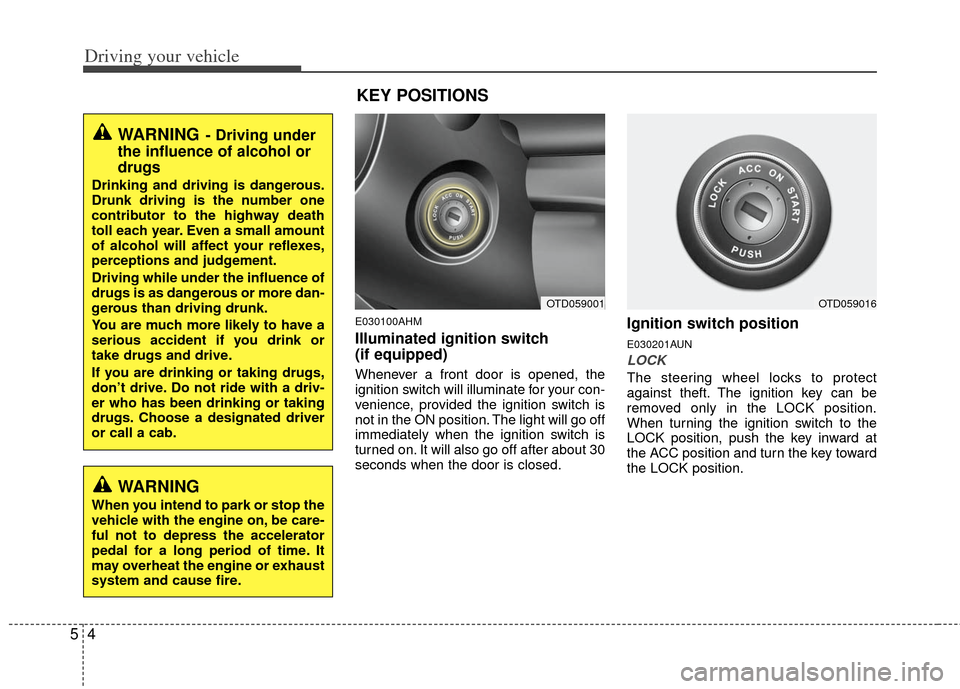
E030100AHM
Illuminated ignition switch
(if equipped)
Whenever a front door is opened, the
ignition switch will illuminate for your con-
venience, provided the ignition switch is
not in the ON position. The light will go off
immediately when the ignition switch is
turned on. It will also go off after about 30
seconds when the door is closed.
Ignition switch position
E030201AUN
LOCK
The steering wheel locks to protect
against theft. The ignition key can be
removed only in the LOCK position.
When turning the ignition switch to the
LOCK position, push the key inward at
the ACC position and turn the key toward
the LOCK position.
OTD059001OTD059016
WARNING- Driving under
the influence of alcohol or
drugs
Drinking and driving is dangerous.
Drunk driving is the number one
contributor to the highway death
toll each year. Even a small amount
of alcohol will affect your reflexes,
perceptions and judgement.
Driving while under the influence of
drugs is as dangerous or more dan-
gerous than driving drunk.
You are much more likely to have a
serious accident if you drink or
take drugs and drive.
If you are drinking or taking drugs,
don’t drive. Do not ride with a driv-
er who has been drinking or taking
drugs. Choose a designated driver
or call a cab.
WARNING
When you intend to park or stop the
vehicle with the engine on, be care-
ful not to depress the accelerator
pedal for a long period of time. It
may overheat the engine or exhaust
system and cause fire.
KEY POSITIONS
Page 215 of 353
55
Driving your vehicle
E030202AUN
ACC (Accessory)
The steering wheel is unlocked and elec-
trical accessories are operative.
✽ ✽NOTICE
If difficulty is experienced turning the
ignition switch to the ACC position, turn
the key while turning the steering wheel
right and left to release the tension.
E030203AUN
ON
The warning lights can be checked
before the engine is started. This is the
normal running position after the engine
is started.
Do not leave the ignition switch ON if the
engine is not running to prevent batterydischarge.
E030204APB
START
Turn the ignition switch to the START
position to start the engine. The engine
will crank until you release the key; then
it returns to the ON position. The brake
warning light can be checked in this posi-
tion.
E030205APB
WARNING- Ignition switch
Never turn the ignition switch to LOCK or ACC while the vehicle is
moving. This would result in loss
of directional control and braking
function, which could cause an
accident.
The anti-theft steering column lock is not a substitute for the
parking brake. Before leaving the
driver’s seat, always make sure
the shift lever is engaged in 1st
gear for the manual transaxle or
P (Park) for the automatic
transaxle, set the parking brake
fully and shut the engine off.
Unexpected and sudden vehicle
movement may occur if these
precautions are not taken.
Never reach for the ignition switch, or any other controls
through the steering wheel while
the vehicle is in motion. The pres-
ence of your hand or arm in this
area could cause a loss of vehicle
control, an accident and serious
bodily injury or death.
(Continued)
(Continued)
Do not place any movable objectsaround the driver’s seat as they
may move while driving, interfere
with the driver and lead to an
accident.
Page 216 of 353
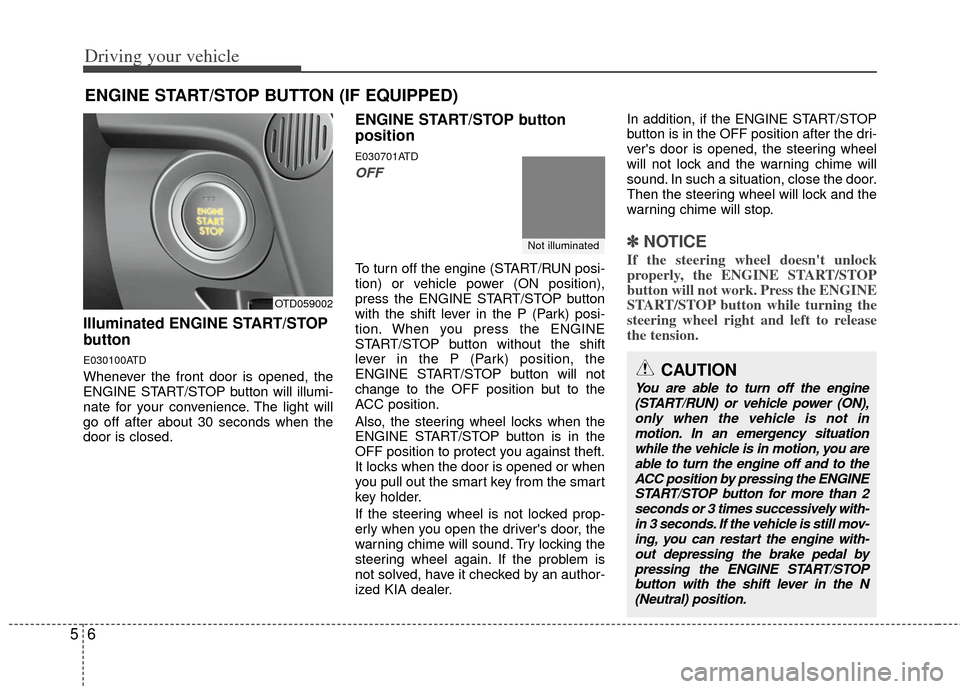
Driving your vehicle
65
Illuminated ENGINE START/STOP
button
E030100ATD
Whenever the front door is opened, the
ENGINE START/STOP button will illumi-
nate for your convenience. The light will
go off after about 30 seconds when the
door is closed.
ENGINE START/STOP button
position
E030701ATD
OFF
To turn off the engine (START/RUN posi-
tion) or vehicle power (ON position),
press the ENGINE START/STOP button
with the shift lever in the P (Park) posi-
tion. When you press the ENGINE
START/STOP button without the shift
lever in the P (Park) position, the
ENGINE START/STOP button will not
change to the OFF position but to the
ACC position.
Also, the steering wheel locks when the
ENGINE START/STOP button is in the
OFF position to protect you against theft.
It locks when the door is opened or when
you pull out the smart key from the smart
key holder.
If the steering wheel is not locked prop-
erly when you open the driver's door, the
warning chime will sound. Try locking the
steering wheel again. If the problem is
not solved, have it checked by an author-
ized KIA dealer. In addition, if the ENGINE START/STOP
button is in the OFF position after the dri-
ver's door is opened, the steering wheel
will not lock and the warning chime will
sound. In such a situation, close the door.
Then the steering wheel will lock and the
warning chime will stop.
✽ ✽
NOTICE
If the steering wheel doesn't unlock
properly, the ENGINE START/STOP
button will not work. Press the ENGINE
START/STOP button while turning the
steering wheel right and left to release
the tension.
ENGINE START/STOP BUTTON (IF EQUIPPED)
OTD059002
Not illuminated
CAUTION
You are able to turn off the engine
(START/RUN) or vehicle power (ON), only when the vehicle is not inmotion. In an emergency situationwhile the vehicle is in motion, you areable to turn the engine off and to the ACC position by pressing the ENGINESTART/STOP button for more than 2 seconds or 3 times successively with-in 3 seconds. If the vehicle is still mov- ing, you can restart the engine with-out depressing the brake pedal by pressing the ENGINE START/STOPbutton with the shift lever in the N(Neutral) position.