door lock KIA Forte 2014 2.G Owner's Manual
[x] Cancel search | Manufacturer: KIA, Model Year: 2014, Model line: Forte, Model: KIA Forte 2014 2.GPages: 446, PDF Size: 7.32 MB
Page 3 of 446

ii
1
2
3
4
5
6
7
8I
IntroductionHow to use this manual / Fuel requirements / Vehicle break-in process
Your vehicle at a glance
Exterior overview / Interior overview / Instrument panel overview / Engi\
ne compartment
Safety features of your vehicle
Seats / Seat belts / Child restraint system / Air bag
Features of your vehicleKeys / Door locks / Tailgate / Windows / Hood / Fuel filler lid / Panoramic sunroof / Steering wheel / Mirrors/ Instrument cluster / Lighting / Wipers & Washers / Climate control system / Audio system / Etc.
Driving your vehicleBefore driving / Engine start/stop button / Transaxle / Brake system / Cruise control system /
Active ECO system / Winter driving / Vehicle load limit / Etc.
What to do in an emergencyRoad warning / Emergency while driving / Emergency starting / Engine overheat / Flat tire / Towing / Etc.
MaintenanceEngine compartment / Maintenance service / Engine oil / Engine coolant /\
Brake fluid / Washer fluid /
Parking brake / Air cleaner / Wiper blades / Battery / Tire and wheels / Fuses / Etc.
Specifications & Consumer information
Index
table of contents
Page 11 of 446
23
Your vehicle at a glance
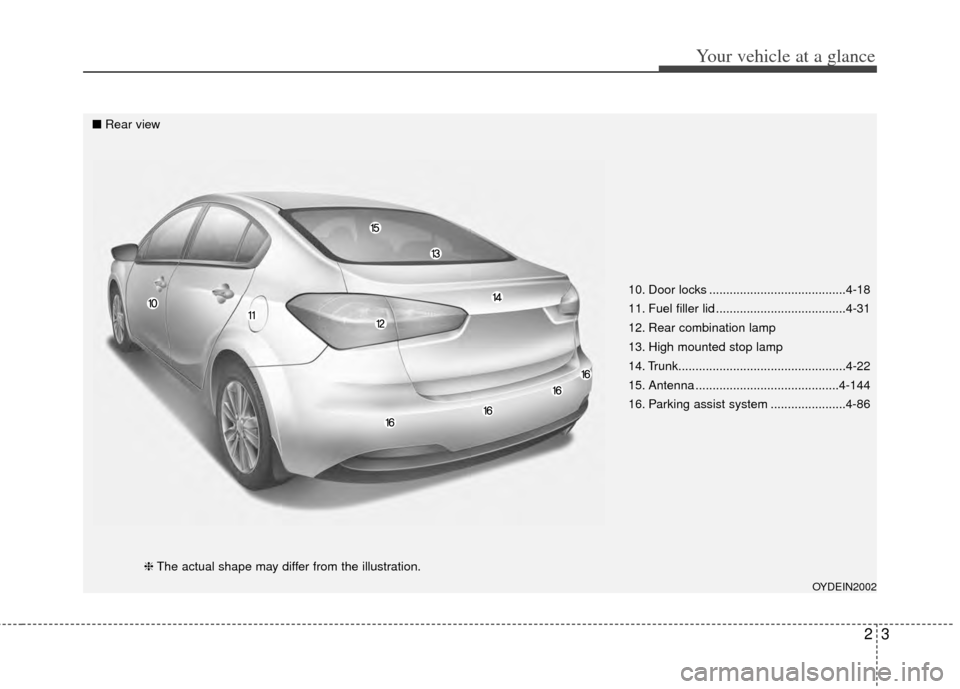
10. Door locks ........................................4-18
11. Fuel filler lid ......................................4-31
12. Rear combination lamp
13. High mounted stop lamp
14. Trunk.................................................4-22
15. Antenna ..........................................4-144
16. Parking assist system ......................4-86
OYDEIN2002
■Rear view
❈The actual shape may differ from the illustration.
Page 12 of 446
Your vehicle at a glance
42
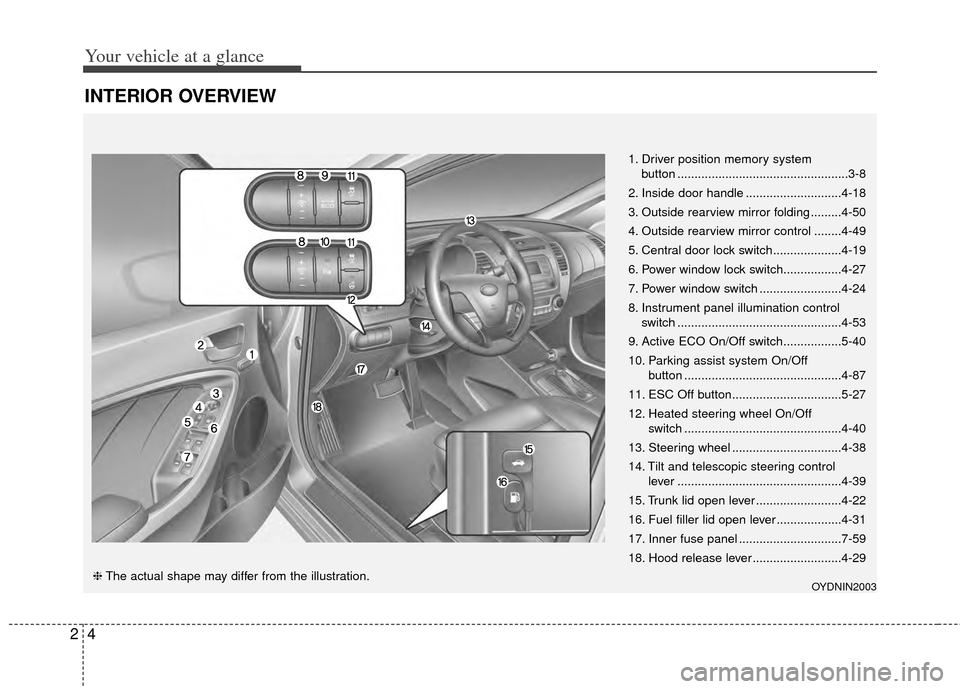
INTERIOR OVERVIEW
1. Driver position memory systembutton ..................................................3-8
2. Inside door handle ............................4-18
3. Outside rearview mirror folding .........4-50
4. Outside rearview mirror control ........4-49
5. Central door lock switch....................4-19
6. Power window lock switch.................4-27
7. Power window switch ........................4-24
8. Instrument panel illumination control switch ................................................4-53
9. Active ECO On/Off switch.................5-40
10. Parking assist system On/Off button ..............................................4-87
11. ESC Off button................................5-27
12. Heated steering wheel On/Off switch ..............................................4-40
13. Steering wheel ................................4-38
14. Tilt and telescopic steering control lever ................................................4-39
15. Trunk lid open lever .........................4-22
16. Fuel filler lid open lever ...................4-31
17. Inner fuse panel ..............................7-59
18. Hood release lever ..........................4-29
OYDNIN2003❈ The actual shape may differ from the illustration.
Page 32 of 446
Safety features of your vehicle
18
3
The seat belt automatically adjusts to
the proper length only after the lap
belt portion is adjusted manually so
that it fits snugly around your hips. If
you lean forward in a slow, easy
motion, the belt will extend and let
you move around. If there is a sud-
den stop or impact, however, the belt
will lock into position. It will also lock
if you try to lean forward too quickly.
If you are unable to pull out the seat
belt from the retractor, firmly pull the
belt out and release it. Then you will
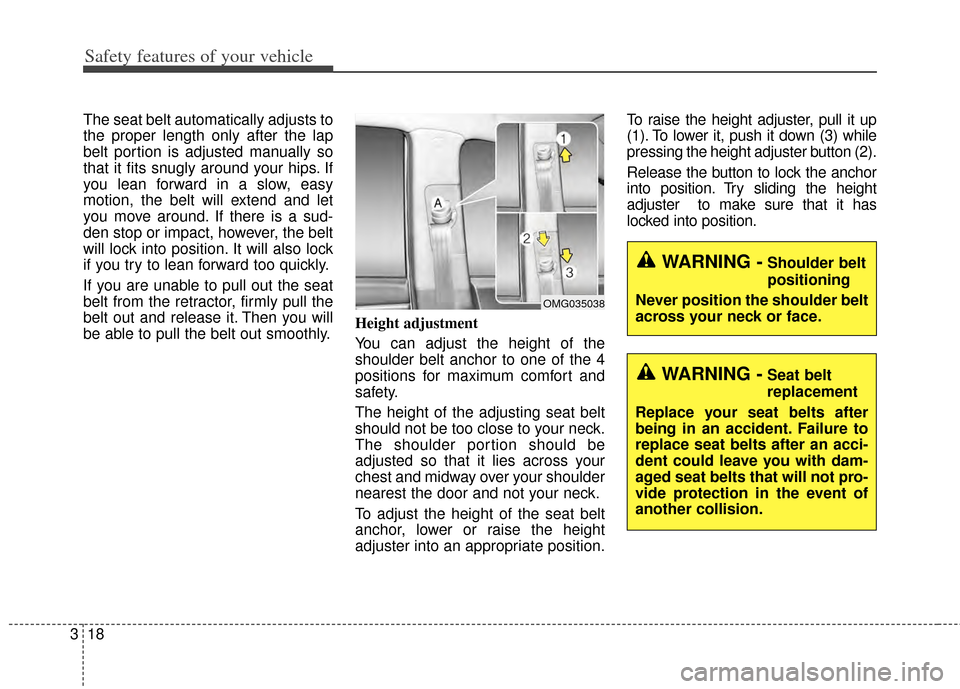
be able to pull the belt out smoothly. Height adjustment
You can adjust the height of the
shoulder belt anchor to one of the 4
positions for maximum comfort and
safety.
The height of the adjusting seat belt
should not be too close to your neck.
The shoulder portion should be
adjusted so that it lies across your
chest and midway over your shoulder
nearest the door and not your neck.
To adjust the height of the seat belt
anchor, lower or raise the height
adjuster into an appropriate position.To raise the height adjuster, pull it up
(1). To lower it, push it down (3) while
pressing the height adjuster button (2).
Release the button to lock the anchor
into position. Try sliding the height
adjuster to make sure that it has
locked into position.
WARNING -Shoulder belt
positioning
Never position the shoulder belt
across your neck or face.
WARNING -Seat belt
replacement
Replace your seat belts after
being in an accident. Failure to
replace seat belts after an acci-
dent could leave you with dam-
aged seat belts that will not pro-
vide protection in the event of
another collision.
OMG035038
Page 70 of 446

Features of your vehicle
Keys . . . . . . . . . . . . . . . . . . . . . . . . . . . . . . . . . . . . \
. . 4-4
• Record your key number . . . . . . . . . . . . . . . . . . . . . . . 4-4
• Key operations . . . . . . . . . . . . . . . . . . . . . . . . . . . . . . . . 4-4
Smart key . . . . . . . . . . . . . . . . . . . . . . . . . . . . . . . . . 4-6
• Smart key function . . . . . . . . . . . . . . . . . . . . . . . . . . . . 4-6
• Precautions . . . . . . . . . . . . . . . . . . . . . . . . . . . . . . . . . . . 4-\
7
Remote keyless entry . . . . . . . . . . . . . . . . . . . . . . . . 4-9
• Remote keyless entry system operations . . . . . . . . . . . 4-9
• Transmitter precautions . . . . . . . . . . . . . . . . . . . . . . . 4-10
• Battery replacement . . . . . . . . . . . . . . . . . . . . . . . . . . 4-11
• Immobilizer system . . . . . . . . . . . . . . . . . . . . . . . . . . 4-12
Theft-alarm system . . . . . . . . . . . . . . . . . . . . . . . . 4-15
• Armed stage . . . . . . . . . . . . . . . . . . . . . . . . . . . . . . . . . 4-15
• Theft-alarm stage . . . . . . . . . . . . . . . . . . . . . . . . . . . . 4-16
• Disarmed stage. . . . . . . . . . . . . . . . . . . . . . . . . . . . . . . 4-16
Door locks . . . . . . . . . . . . . . . . . . . . . . . . . . . . . . . . 4-18
• From outside . . . . . . . . . . . . . . . . . . . . . . . . . . . . . . . . 4-18
• From inside . . . . . . . . . . . . . . . . . . . . . . . . . . . . . . . . . 4-18
• Impact sensing door unlock system . . . . . . . . . . . . . . 4-20
• Auto door lock/unlock feature . . . . . . . . . . . . . . . . . . 4-20
• Speed sensing door lock system . . . . . . . . . . . . . . . . . 4-21
• Child-protector rear door lock. . . . . . . . . . . . . . . . . . 4-21
Trunk . . . . . . . . . . . . . . . . . . . . . . . . . . . . . . . . . . . . \
4-22
• Opening the trunk . . . . . . . . . . . . . . . . . . . . . . . . . . . . 4-22
• Closing the trunk . . . . . . . . . . . . . . . . . . . . . . . . . . . . . 4-23• Emergency trunk safety release . . . . . . . . . . . . . . . . . 4-23
Windows . . . . . . . . . . . . . . . . . . . . . . . . . . . . . . . . . 4-24
• Power windows . . . . . . . . . . . . . . . . . . . . . . . . . . . . . . 4-25
Hood. . . . . . . . . . . . . . . . . . . . . . . . . . . . . . . . . . . . \
. 4-29
• Opening the hood . . . . . . . . . . . . . . . . . . . . . . . . . . . . 4-29
• Closing the hood . . . . . . . . . . . . . . . . . . . . . . . . . . . . . 4-30
Fuel filler lid . . . . . . . . . . . . . . . . . . . . . . . . . . . . . . 4-31
• Opening the fuel filler lid . . . . . . . . . . . . . . . . . . . . . . 4-31
• Closing the fuel filler lid . . . . . . . . . . . . . . . . . . . . . . . 4-31
Sunroof . . . . . . . . . . . . . . . . . . . . . . . . . . . . . . . . . . 4-34\
• Sunroof open warning. . . . . . . . . . . . . . . . . . . . . . . . . 4-34
• Sliding the sunroof . . . . . . . . . . . . . . . . . . . . . . . . . . . 4-35
• Tilting the sunroof . . . . . . . . . . . . . . . . . . . . . . . . . . . . 4-36
• Sunshade . . . . . . . . . . . . . . . . . . . . . . . . . . . . . . . . . . . 4-\
36
• Resetting the sunroof . . . . . . . . . . . . . . . . . . . . . . . . . 4-37
Steering wheel . . . . . . . . . . . . . . . . . . . . . . . . . . . . . 4-38
• Electronic power steering . . . . . . . . . . . . . . . . . . . . . . 4-38
• Tilt & telescopic steering . . . . . . . . . . . . . . . . . . . . . . 4-39
• Horn . . . . . . . . . . . . . . . . . . . . . . . . . . . . . . . . . . . . \
. . . 4-39
• Heated steering wheel . . . . . . . . . . . . . . . . . . . . . . . . . 4-40
• FLEX STEER . . . . . . . . . . . . . . . . . . . . . . . . . . . . . . . 4-40
Mirrors . . . . . . . . . . . . . . . . . . . . . . . . . . . . . . . . . . 4-43\
• Inside rearview mirror . . . . . . . . . . . . . . . . . . . . . . . . 4-43
• Outside rearview mirror. . . . . . . . . . . . . . . . . . . . . . . 4-48
4
Page 73 of 446
Features of your vehicle
44
Record your key number
The key code number
is stamped on the bar
code tag attached to
the key set. Should
you lose your keys,
this number will enable an author-
ized Kia dealer to duplicate the keys
easily. Remove the bar code tag and
store it in a safe place. Also, record
the code number and keep it in a
safe place (not in the vehicle).
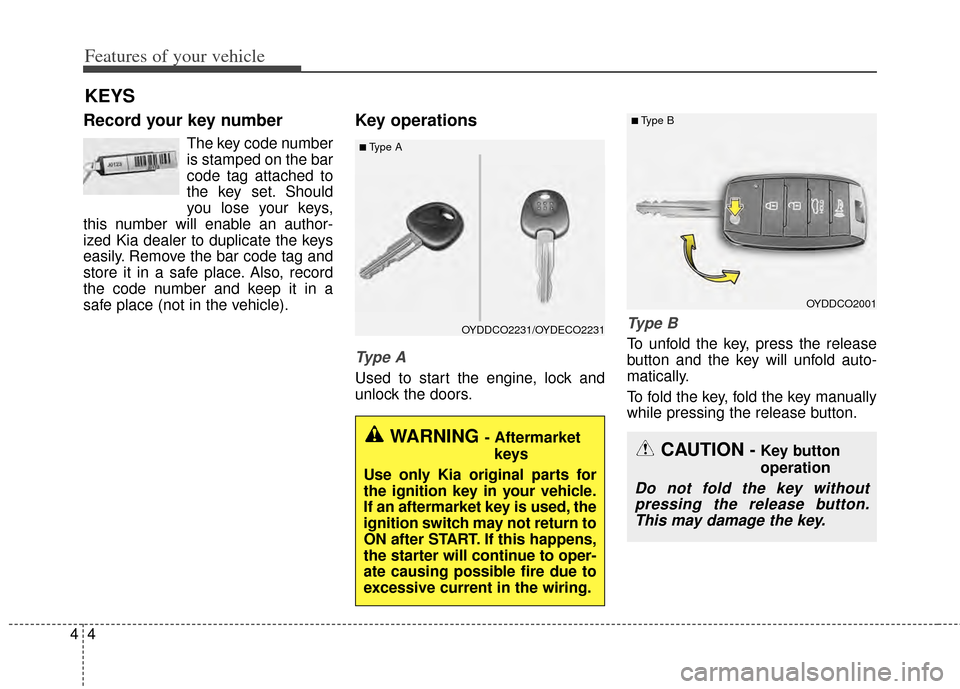
Key operations
Type A
Used to start the engine, lock and
unlock the doors.
Ty p e B
To unfold the key, press the release
button and the key will unfold auto-
matically.
To fold the key, fold the key manually
while pressing the release button.
KEYS
■Type A
OYDDCO2231/OYDECO2231
WARNING - Aftermarket
keys
Use only Kia original parts for
the ignition key in your vehicle.
If an aftermarket key is used, the
ignition switch may not return to
ON after START. If this happens,
the starter will continue to oper-
ate causing possible fire due to
excessive current in the wiring.
OYDDCO2001
■Type B
CAUTION - Key button
operation
Do not fold the key without pressing the release button.This may damage the key.
Page 75 of 446
Features of your vehicle
64
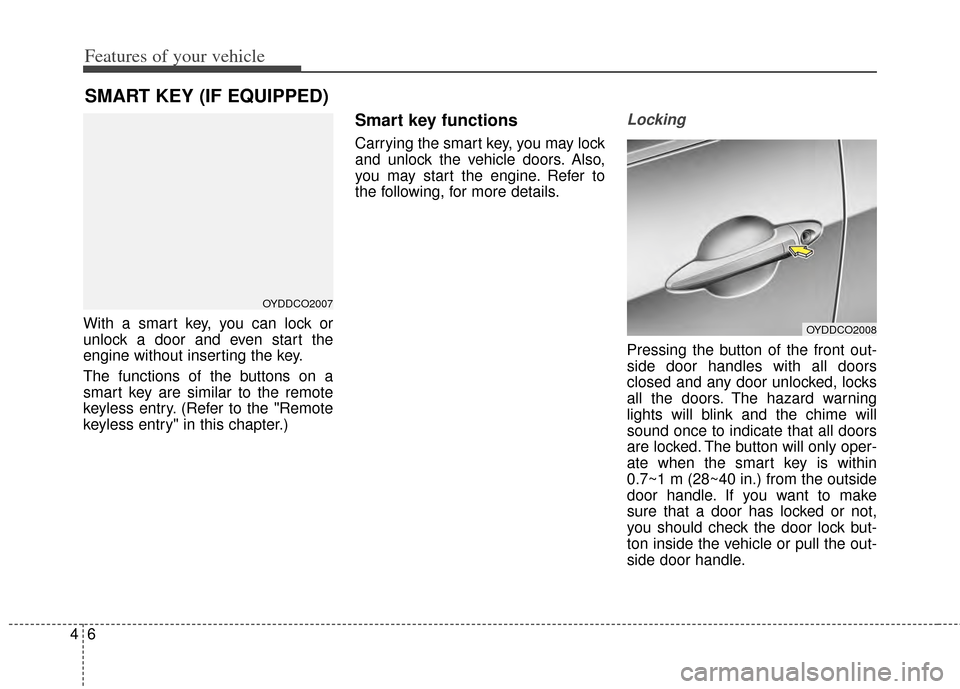
With a smart key, you can lock or
unlock a door and even start the
engine without inserting the key.
The functions of the buttons on a
smart key are similar to the remote
keyless entry. (Refer to the "Remote
keyless entry" in this chapter.)
Smart key functions
Carrying the smart key, you may lock
and unlock the vehicle doors. Also,
you may start the engine. Refer to
the following, for more details.
Locking
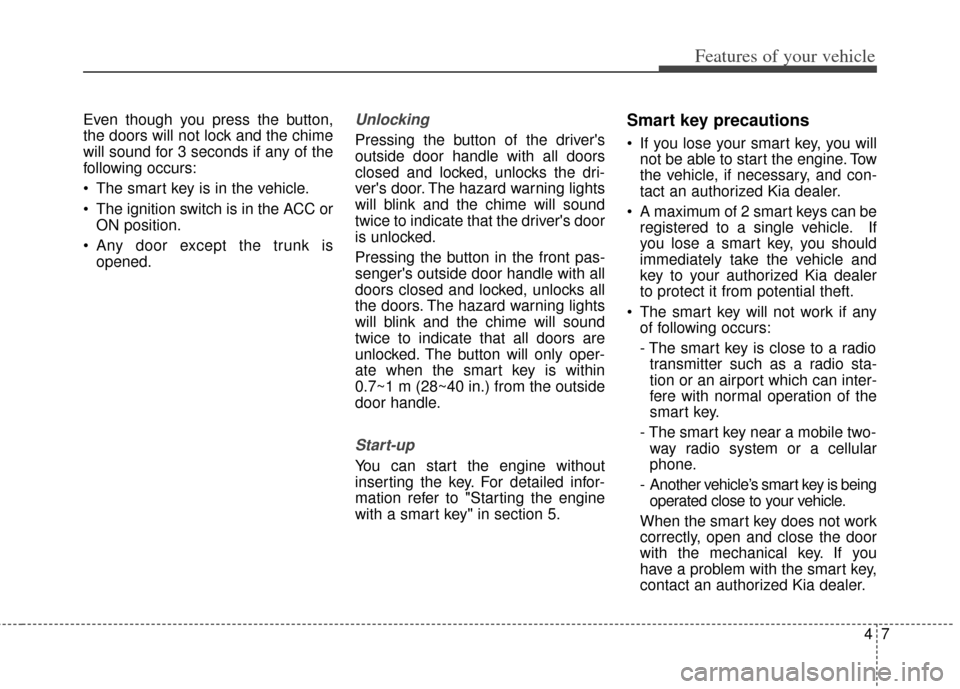
Pressing the button of the front out-
side door handles with all doors
closed and any door unlocked, locks
all the doors. The hazard warning
lights will blink and the chime will
sound once to indicate that all doors
are locked. The button will only oper-
ate when the smart key is within
0.7~1 m (28~40 in.) from the outside
door handle. If you want to make
sure that a door has locked or not,
you should check the door lock but-
ton inside the vehicle or pull the out-
side door handle.
SMART KEY (IF EQUIPPED)
OYDDCO2007
OYDDCO2008
Page 76 of 446
47
Features of your vehicle
Even though you press the button,
the doors will not lock and the chime
will sound for 3 seconds if any of the
following occurs:
• The smart key is in the vehicle.
The ignition switch is in the ACC orON position.
Any door except the trunk is opened.Unlocking
Pressing the button of the driver's
outside door handle with all doors
closed and locked, unlocks the dri-
ver's door. The hazard warning lights
will blink and the chime will sound
twice to indicate that the driver's door
is unlocked.
Pressing the button in the front pas-
senger's outside door handle with all
doors closed and locked, unlocks all
the doors. The hazard warning lights
will blink and the chime will sound
twice to indicate that all doors are
unlocked. The button will only oper-
ate when the smart key is within
0.7~1 m (28~40 in.) from the outside
door handle.
Start-up
You can start the engine without
inserting the key. For detailed infor-
mation refer to "Starting the engine
with a smart key" in section 5.
Smart key precautions
If you lose your smart key, you willnot be able to start the engine. Tow
the vehicle, if necessary, and con-
tact an authorized Kia dealer.
A maximum of 2 smart keys can be registered to a single vehicle. If
you lose a smart key, you should
immediately take the vehicle and
key to your authorized Kia dealer
to protect it from potential theft.
The smart key will not work if any of following occurs:
- The smart key is close to a radiotransmitter such as a radio sta-
tion or an airport which can inter-
fere with normal operation of the
smart key.
- The smart key near a mobile two- way radio system or a cellular
phone.
- Another vehicle’s smart key is being operated close to your vehicle.
When the smart key does not work
correctly, open and close the door
with the mechanical key. If you
have a problem with the smart key,
contact an authorized Kia dealer.
Page 78 of 446
49
Features of your vehicle
REMOTE KEYLESS ENTRY (IF EQUIPPED)
Remote keyless entry system
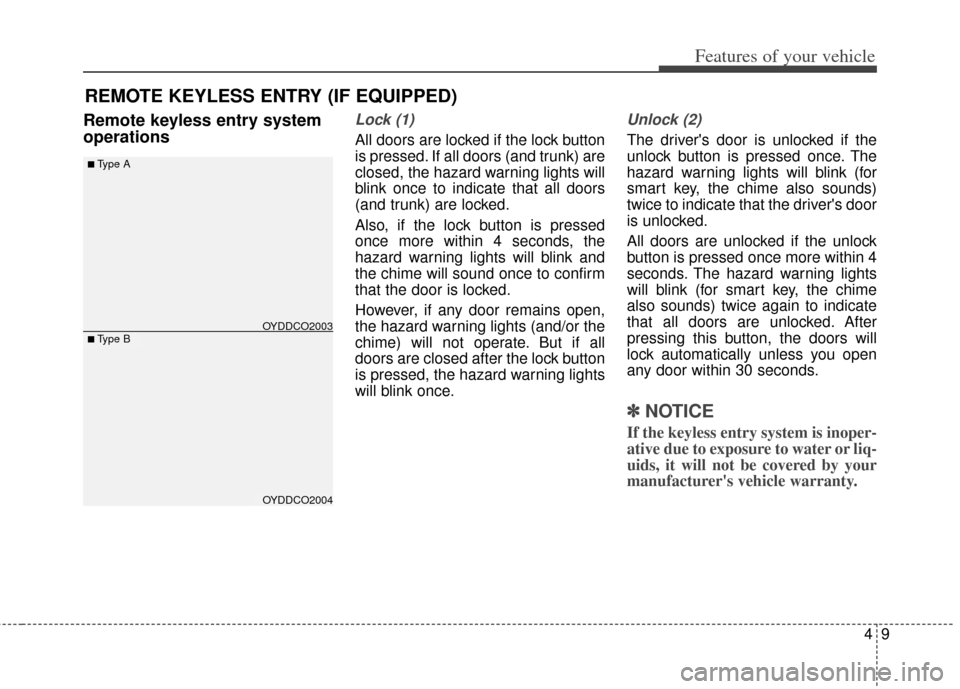
operationsLock (1)
All doors are locked if the lock button
is pressed. If all doors (and trunk) are
closed, the hazard warning lights will
blink once to indicate that all doors
(and trunk) are locked.
Also, if the lock button is pressed
once more within 4 seconds, the
hazard warning lights will blink and
the chime will sound once to confirm
that the door is locked.
However, if any door remains open,
the hazard warning lights (and/or the
chime) will not operate. But if all
doors are closed after the lock button
is pressed, the hazard warning lights
will blink once.
Unlock (2)
The driver's door is unlocked if the
unlock button is pressed once. The
hazard warning lights will blink (for
smart key, the chime also sounds)
twice to indicate that the driver's door
is unlocked.
All doors are unlocked if the unlock
button is pressed once more within 4
seconds. The hazard warning lights
will blink (for smart key, the chime
also sounds) twice again to indicate
that all doors are unlocked. After
pressing this button, the doors will
lock automatically unless you open
any door within 30 seconds.
✽ ✽NOTICE
If the keyless entry system is inoper-
ative due to exposure to water or liq-
uids, it will not be covered by your
manufacturer's vehicle warranty.
OYDDCO2004
■Type B
■Type A
OYDDCO2003
Page 79 of 446
Features of your vehicle
10
4
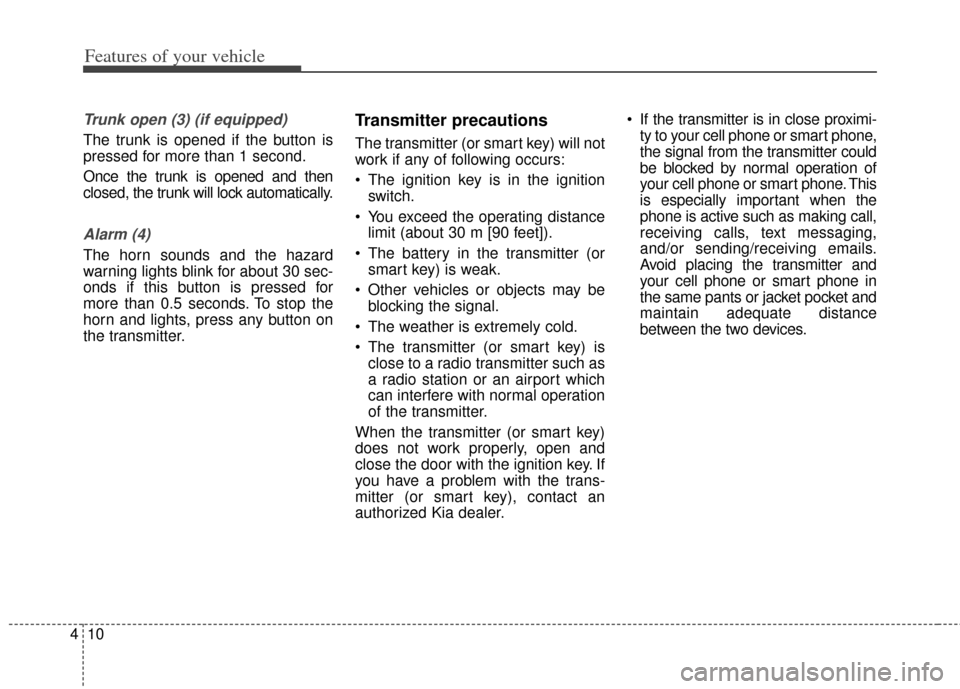
Trunk open (3) (if equipped)
The trunk is opened if the button is
pressed for more than 1 second.
Once the trunk is opened and then
closed, the trunk will lock automatically.
Alarm (4)
The horn sounds and the hazard
warning lights blink for about 30 sec-
onds if this button is pressed for
more than 0.5 seconds. To stop the
horn and lights, press any button on
the transmitter.
Transmitter precautions
The transmitter (or smart key) will not
work if any of following occurs:
The ignition key is in the ignition
switch.
You exceed the operating distance limit (about 30 m [90 feet]).
The battery in the transmitter (or smart key) is weak.
Other vehicles or objects may be blocking the signal.
The weather is extremely cold.
The transmitter (or smart key) is close to a radio transmitter such as
a radio station or an airport which
can interfere with normal operation
of the transmitter.
When the transmitter (or smart key)
does not work properly, open and
close the door with the ignition key. If
you have a problem with the trans-
mitter (or smart key), contact an
authorized Kia dealer. If the transmitter is in close proximi-
ty to your cell phone or smart phone,
the signal from the transmitter could
be blocked by normal operation of
your cell phone or smart phone. This
is especially important when the
phone is active such as making call,
receiving calls, text messaging,
and/or sending/receiving emails.
Avoid placing the transmitter and
your cell phone or smart phone in
the same pants or jacket pocket and
maintain adequate distance
between the two devices.