reset KIA Forte 2015 2.G User Guide
[x] Cancel search | Manufacturer: KIA, Model Year: 2015, Model line: Forte, Model: KIA Forte 2015 2.GPages: 452, PDF Size: 7.85 MB
Page 204 of 452
4133
Features of your vehicle
If the battery has been discharged or
disconnected, it resets to the defog
logic status.Auto defogging system (Only forautomatic climate control system,if equipped)
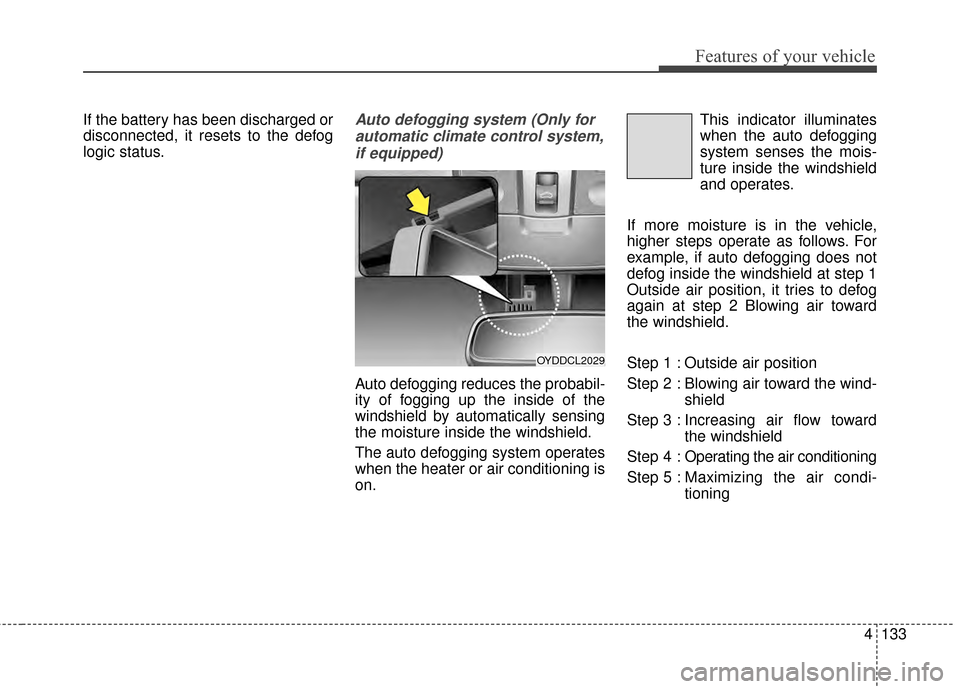
Auto defogging reduces the probabil-
ity of fogging up the inside of the
windshield by automatically sensing
the moisture inside the windshield.
The auto defogging system operates
when the heater or air conditioning is
on. This indicator illuminates
when the auto defogging
system senses the mois-
ture inside the windshield
and operates.
If more moisture is in the vehicle,
higher steps operate as follows. For
example, if auto defogging does not
defog inside the windshield at step 1
Outside air position, it tries to defog
again at step 2 Blowing air toward
the windshield.
Step 1 : Outside air position
Step 2 : Blowing air toward the wind- shield
Step 3 : Increasing air flow toward the windshield
Step 4 : Operating the air conditioning
Step 5 : Maxim izing the air condi-
tioning
OYDDCL2029
Page 205 of 452
Features of your vehicle
134
4
If your vehicle is equipped with the
auto defogging system, it is automat-
ically activated when the conditions
are met. However, if you would like to
cancel the auto defogging system,
press the front defroster button 4
times within 2 seconds while press-
ing the AUTO button. The indicator
will blink 3 times to notify you that the
system is cancelled. To use the auto
defogging system again, follow the
procedures mentioned above.
If the battery has been disconnected
or discharged, it resets to the auto
defogging status.✽ ✽
NOTICE
• When the air conditioning is
turned on by Auto defogging sys-
tem, if you try to turn off the air
conditioning, the indicator will
blink 3 times and the air condi-
tioning will not be turned off.
• For efficiency, do not select recir- culated air position while Auto
defogging system is operating.
CAUTION
Do not remove the sensor cover
located on the upper end of thedriver side windshield glass.Damage to the system partscould occur and may not be cov-ered by your vehicle warranty.
Page 215 of 452
Features of your vehicle
144
4
LCD monitor
(clock and outside temperature)Whenever the battery terminals or
related fuses are disconnected, you
must reset the time.
When the ignition switch is in the
ACC or ON position, the clock but-
tons operate as follows:
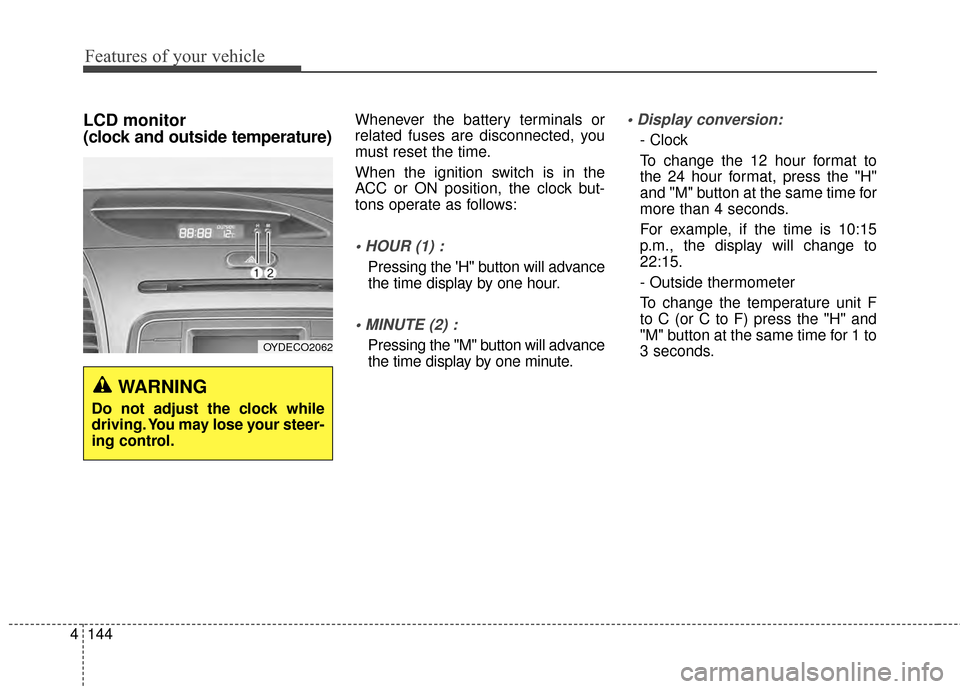
Pressing the 'H" button will advance
the time display by one hour.
Pressing the "M" button will advance
the time display by one minute.
- Clock
To change the 12 hour format to
the 24 hour format, press the "H"
and "M" button at the same time for
more than 4 seconds.
For example, if the time is 10:15
p.m., the display will change to
22:15.
- Outside thermometer
To change the temperature unit F
to C (or C to F) press the "H" and
"M" button at the same time for 1 to
3 seconds.
WARNING
Do not adjust the clock while
driving. You may lose your steer-
ing control.
OYDECO2062
Page 219 of 452
Features of your vehicle
148
4
Steering wheel audio controls
(if equipped)
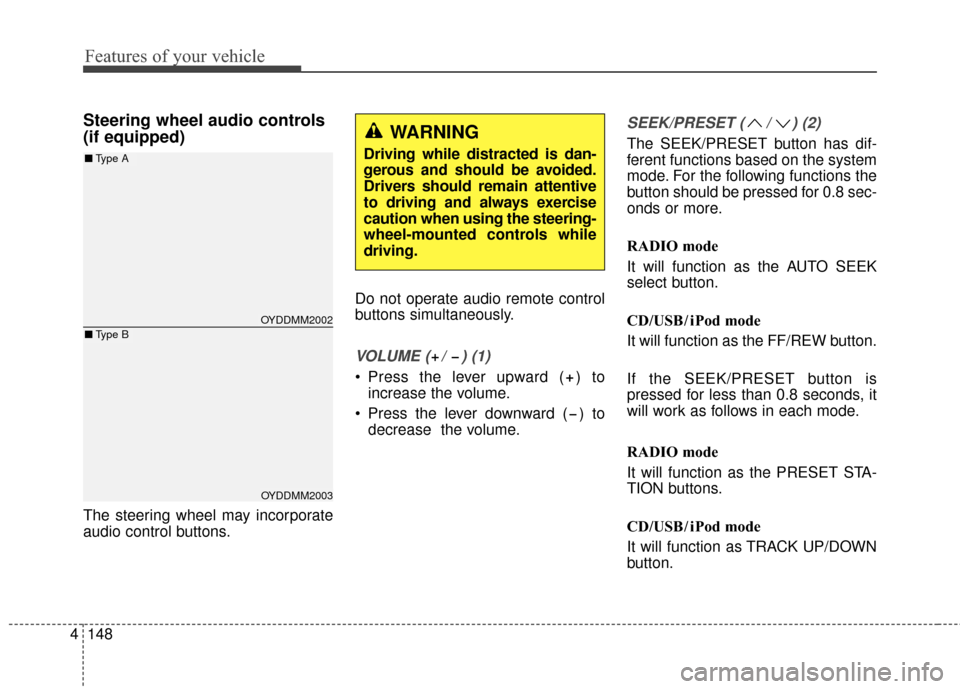
The steering wheel may incorporate
audio control buttons. Do not operate audio remote control
buttons simultaneously.
VOLUME ( / ) (1)
Press the lever upward ( ) to
increase the volume.
Press the lever downward ( ) to decrease the volume.
SEEK/PRESET ( / ) (2)
The SEEK/PRESET button has dif-
ferent functions based on the system
mode. For the following functions the
button should be pressed for 0.8 sec-
onds or more.
RADIO mode
It will function as the AUTO SEEK
select button.
CD/USB/ iPod mode
It will function as the FF/REW button.
If the SEEK/PRESET button is
pressed for less than 0.8 seconds, it
will work as follows in each mode.
RADIO mode
It will function as the PRESET STA-
TION buttons.
CD/USB/ iPod mode
It will function as TRACK UP/DOWN
button.
OYDDMM2002
OYDDMM2003
■ Type A
■Type B
WARNING
Driving while distracted is dan-
gerous and should be avoided.
Drivers should remain attentive
to driving and always exercise
caution when using the steering-
wheel-mounted controls while
driving.
Page 229 of 452
Features of your vehicle
158
4
USING THE iPod®DEVICE
Some iPod®models may not
support communication protocol
and files may not properly play.
Supported iPod
®models:
- iPhone
®3GS/4
-iPod
®touch 1st~4th generation
-iPod
®nano 1st~6th generation
- iPod
®classic
The order of search or playback of songs in the iPod
®can be dif-
ferent from the order searched in
the audio system.
If the iPod
®is disabled due to its
own malfunction, reset the
iPod
®. (Reset: Refer to iPod®
manual)
An iPod
®may not operate nor-
mally on low battery.
(Continued)(Continued)
Some iPod
®devices, such as the
iPhone, can be connected
through the
Bluetooth®Wireless
Technology interface. The device
must have audio
Bluetooth®
Wireless Technology capability
(such as for stereo headphone
Bluetooth®Wireless Technology).
The device can play, but it will not
be controlled by the audio system.
To use iPod
®features within the
audio, use the cable provided
upon purchasing an iPod
®
device.
Skipping or improper operation may occur depending on the char-
acteristics of your iPod
®/Phone
device.
If your iPhone is connected to both the
Bluetooth®Wireless
Technology and USB, the sound
may not be properly played. In
your iPhone, select the Dock con-
nector or
Bluetooth®Wireless
Technology to change the sound
output (source).
(Continued)(Continued)
When connecting iPod
®with the
iPod®Power Cable, insert the
connector to the multimedia
socket completely. If not inserted
completely, communications
between iPod
®and audio may
be interrupted.
When adjusting the sound effects of the iPod
®and the
audio system, the sound effects
of both devices will overlap and
might reduce or distort the qual-
ity of the sound.
Deactivate (turn off) the equaliz- er function of an iPod
®when
adjusting the audio system’s vol-
ume, and turn off the equalizer
of the audio system when using
the equalizer of an iPod
®.
When not using iPod
®with car
audio, detach the iPod®cable
from iPod®. Otherwise, iPod®
may remain in accessory mode,
and may not work properly.
Page 235 of 452
Features of your vehicle
164
4
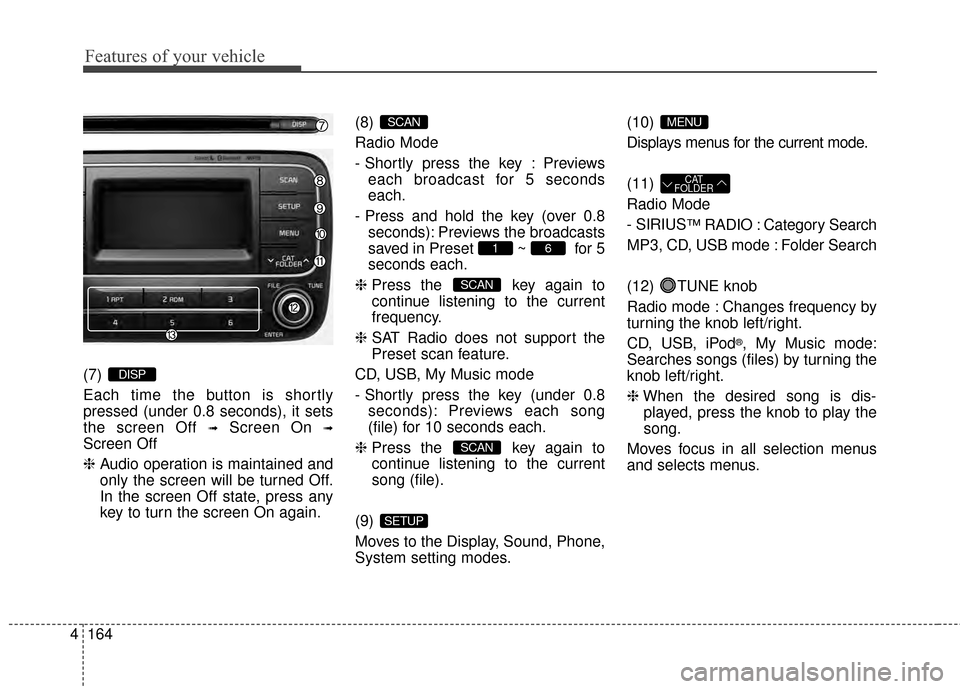
(7)
Each time the button is shortly
pressed (under 0.8 seconds), it sets
the screen Off
➟Screen On ➟
Screen Off
❈ Audio operation is maintained and
only the screen will be turned Off.
In the screen Off state, press any
key to turn the screen On again. (8)
Radio Mode
-
Shortly press the key : Previews
each broadcast for 5 seconds
each.
- Press and hold the key (over 0.8 seconds): Previews the broadcasts
saved in Preset ~ for 5
seconds each.
❈ Press the key again to
continue listening to the current
frequency.
❈ SAT Radio does not support the
Preset scan feature.
CD, USB, My Music mode
- Shortly press the key (under 0.8 seconds): Previews each song
(file) for 10 seconds each.
❈ Press the key again to
continue listening to the current
song (file).
(9)
Moves to the Display, Sound, Phone,
System setting modes. (10)
Displays menus for the current mode.
(11)
Radio Mode
- SIRIUS
™RADIO : Category Search
MP3, CD, USB mode : Folder Search
(12) TUNE knob
Radio mode : Changes frequency by
turning the knob left/right.
CD, USB, iPod
®, My Music mode:
Searches songs (files) by turning the
knob left/right.
❈ When the desired song is dis-
played, press the knob to play the
song.
Moves focus in all selection menus
and selects menus.
CAT
FOLDER
MENU
SETUP
SCAN
SCAN
61
SCAN
DISP
Page 236 of 452
4165
Features of your vehicle
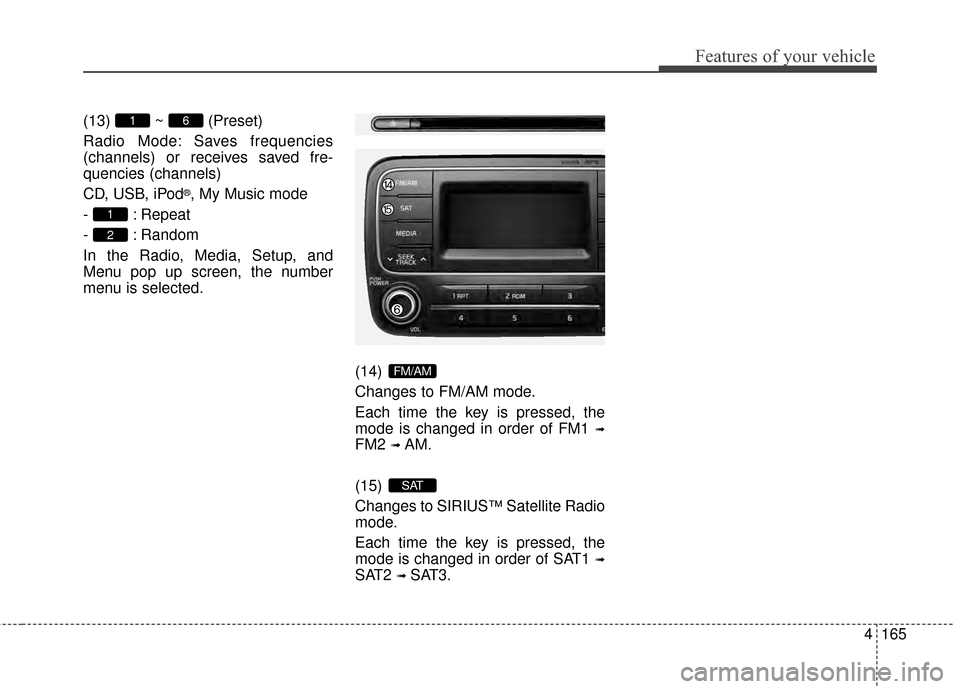
(13) ~ (Preset)
Radio Mode: Saves frequencies
(channels) or receives saved fre-
quencies (channels)
CD, USB, iPod
®, My Music mode
- : Repeat
- : Random
In the Radio, Media, Setup, and
Menu pop up screen, the number
menu is selected.
(14)
Changes to FM/AM mode.
Each time the key is pressed, the
mode is changed in order of FM1
➟
FM2 ➟ AM.
(15)
Changes to SIRIUS
™Satellite Radio
mode.
Each time the key is pressed, the
mode is changed in order of SAT1
➟
SAT2 ➟ SAT3.
SAT
FM/AM
2
1
61
Page 240 of 452
4169
Features of your vehicle
RADIO : FM, AM OR SIRIUS™
Changing RADIO mode (FM,
AM or SIRIUS™)
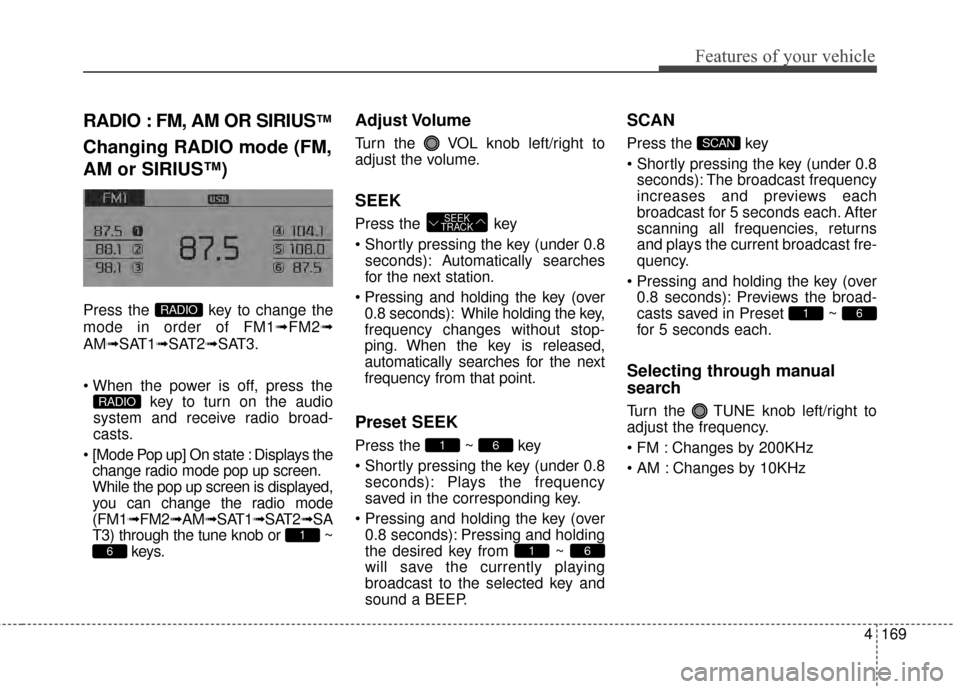
Press the key to change the
mode in order of FM1➟FM2➟
AM➟SAT1➟SAT2➟SAT3.
key to turn on the audio
system and receive radio broad-
casts.
[Mode Pop up] On state : Displays the change radio mode pop up screen.
While the pop up screen is displayed,
you can change the radio mode
(FM1➟ FM2➟AM➟SAT1➟ SAT2➟SA
T3) through the tune knob or ~ keys.
Adjust Volume
Turn the VOL knob left/right to
adjust the volume.
SEEK
Press the key
Shortly pressing the key (under 0.8
seconds): A utomatically searches
for the next station.
Pressing and holding the key (over
0.8 seconds): While holding the key,
frequency changes without stop-
ping. When the key is released,
automatically searches for the next
frequency from that point.
Preset SEEK
Press the ~ key
seconds): Plays the frequency
saved in the corresponding key.
0.8 seconds): Pressing and holding
the desired key from ~
will save the currently playing
broadcast to the selected key and
sound a BEEP.
SCAN
Press the key
seconds): The broadcast frequency
increases and previews each
broadcast for 5 seconds each. After
scanning all frequencies, returns
and plays the current broadcast fre-
quency.
0.8 seconds): Previews the broad-
casts saved in Preset ~
for 5 seconds each.
Selecting through manual
search
Turn the TUNE knob left/right to
adjust the frequency.
Changes by 200KHz
Changes by 10KHz
61
SCAN
61
61
SEEK
TRACK
6
1
RADIO
RADIO
Page 244 of 452
4173
Features of your vehicle
Preset
Press the key ~
Shortly pressing the key (under 0.8seconds): Plays the frequency
saved in the corresponding key.
Pressing and holding the key (over 0.8 seconds): Pressing and holding
the desired key from ~
will save the current broadcast to
the selected key and sound a
BEEP.
✽ ✽ Troubleshooting
1. Antenna Error
If this message is displayed, the
antenna or antenna cable is bro-
ken or unplugged. Please consult
with your Kia dealership.
2. Acquiring Signal If this message is displayed, it
means that the antenna is covered
and that the SIRIUS™ Satellite
Radio signal is not available.
Ensure the antenna is uncovered
and has a clear view of the sky.
Tune
Rotate TUNE knob : Changes
the channel number or scrolls cat-
egory list.
Press TUNE knob : Selects the menu.
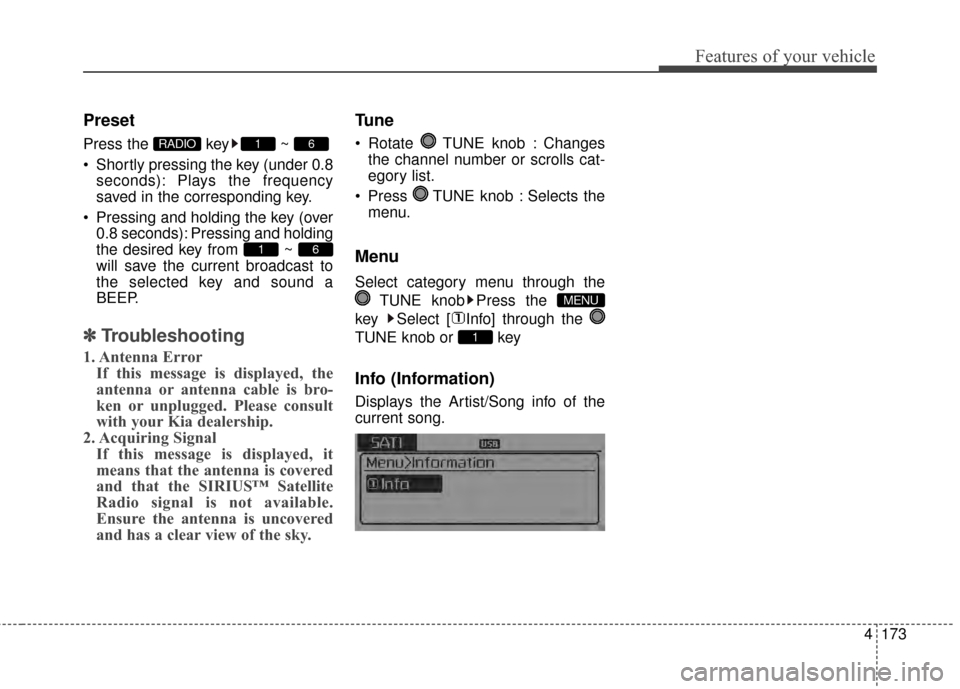
Menu
Select category menu through the
TUNE knob Press the
key Select [ Info] through the
TUNE knob or key
Info (Information)
Displays the Artist/Song info of the
current song.
1
MENU
61
61RADIO
Page 256 of 452
4185
Features of your vehicle
a
Bluetooth®Wireless Technology
device is connected.
Bluetooth®Wireless Technology
Handsfree and Bluetooth audio relat-
ed features are supported.
sible only within devices that support
Handsfree or audio features, such as
a
Bluetooth®Wireless Technology
mobile phone or a Bluetooth audio
device.
Bluetooth®Wireless
Technology device becomes discon-
nected due to being out of communi-
cation range, turning the device OFF,
or a
Bluetooth®Wireless Technology
communication error, corresponding
Bluetooth®Wireless Technology
devices are automatically searched
and reconnected.
to communication errors between the
car Handsfree and the
Bluetooth®
Wireless Technology device, reset the
device by turning off and back on
again. Upon resetting
Bluetooth®
Wireless Technology device, the sys-
tem will be restored.
download request is sent once to the
mobile phone. Some mobile phones
may require confirmation upon receiv-
ing a download request, ensure your
mobile phone accepts the connection.
Refer to your phones user’s manual
for additional information regarding
phone pairing and connections.
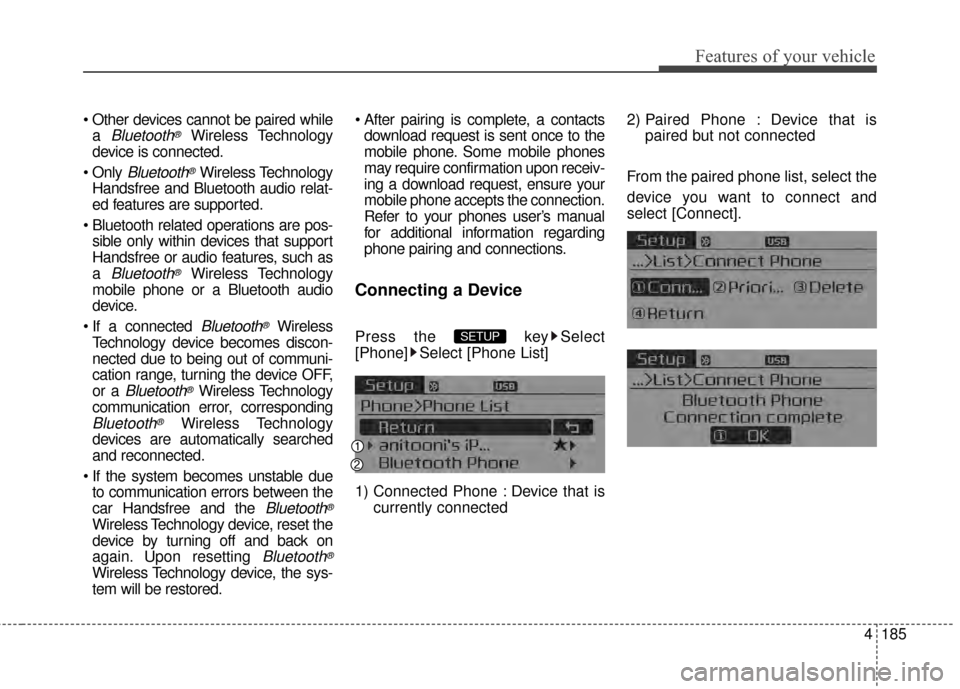
Connecting a Device
Press the key Select
[Phone] Select [Phone List]
1) Connected Phone : Device that is currently connected 2) Paired Phone : Device that is
paired but not connected
From the paired phone list, select the
device you want to connect and
select [Connect].SETUP