warning KIA FORTE 2017 Owners Manual
[x] Cancel search | Manufacturer: KIA, Model Year: 2017, Model line: FORTE, Model: KIA FORTE 2017Pages: 595, PDF Size: 11.5 MB
Page 407 of 595
Driving your vehicle
64 5
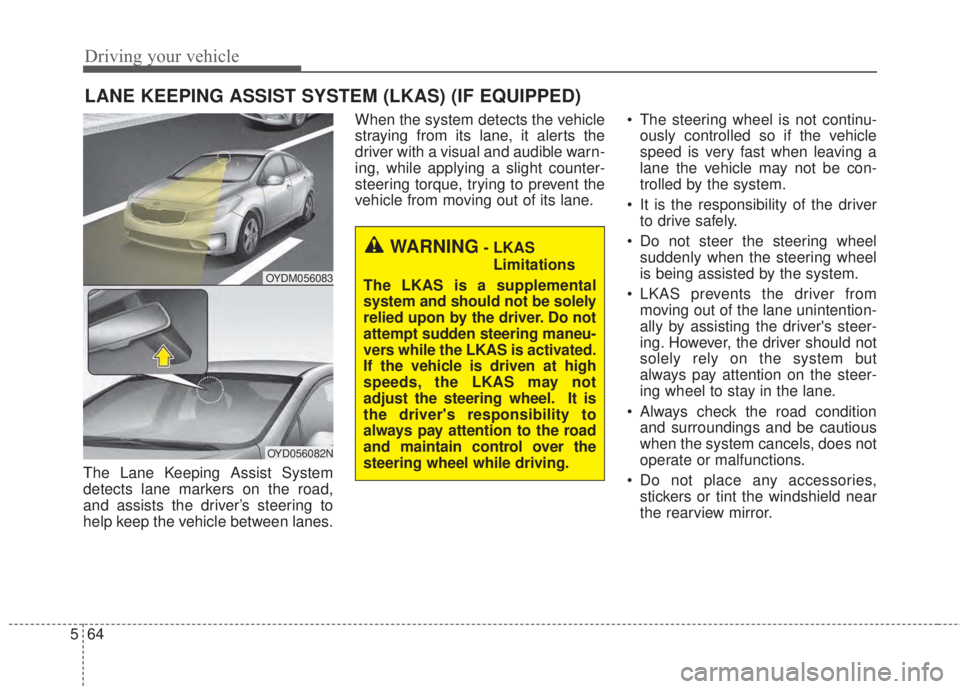
The Lane Keeping Assist System
detects lane markers on the road,
and assists the driver’s steering to
help keep the vehicle between lanes.When the system detects the vehicle
straying from its lane, it alerts the
driver with a visual and audible warn-
ing, while applying a slight counter-
steering torque, trying to prevent the
vehicle from moving out of its lane.• The steering wheel is not continu-
ously controlled so if the vehicle
speed is very fast when leaving a
lane the vehicle may not be con-
trolled by the system.
• It is the responsibility of the driver
to drive safely.
• Do not steer the steering wheel
suddenly when the steering wheel
is being assisted by the system.
• LKAS prevents the driver from
moving out of the lane unintention-
ally by assisting the driver's steer-
ing. However, the driver should not
solely rely on the system but
always pay attention on the steer-
ing wheel to stay in the lane.
• Always check the road condition
and surroundings and be cautious
when the system cancels, does not
operate or malfunctions.
• Do not place any accessories,
stickers or tint the windshield near
the rearview mirror.
LANE KEEPING ASSIST SYSTEM (LKAS) (IF EQUIPPED)
OYDM056083
OYD056082N
WARNING- LKAS
Limitations
The LKAS is a supplemental
system and should not be solely
relied upon by the driver. Do not
attempt sudden steering maneu-
vers while the LKAS is activated.
If the vehicle is driven at high
speeds, the LKAS may not
adjust the steering wheel. It is
the driver's responsibility to
always pay attention to the road
and maintain control over the
steering wheel while driving.
Page 408 of 595
565
Driving your vehicle
• The system detects lane markers
and controls the steering wheel by
a camera, therefore, if the lane
markers are hard to detect, the
system may not work properly.
Please refer to "Driver's Attention".
• Do not remove any LKAS parts or
apply impact.
• Do not place objects on the dash-
board that reflects light such as
mirrors, white paper, etc. The sys-
tem may malfunction if the sunlight
is reflected.
• Loud audio sounds may interfere
with the passenger from hearing
warning chimes.
• Always have your hands on the
steering wheel while the LKAS sys-
tem is activated. If you continue to
drive with your hands off the steering
wheel after the "Hand on" warning,
the system will not control steering
automatically. When system does
not control steering automatically, if
you hold steering wheel, system will
control steering automatically
• If you drive very fast, the vehicle
may stray out of the lane. Always be
cautious when using the system.LKAS operation
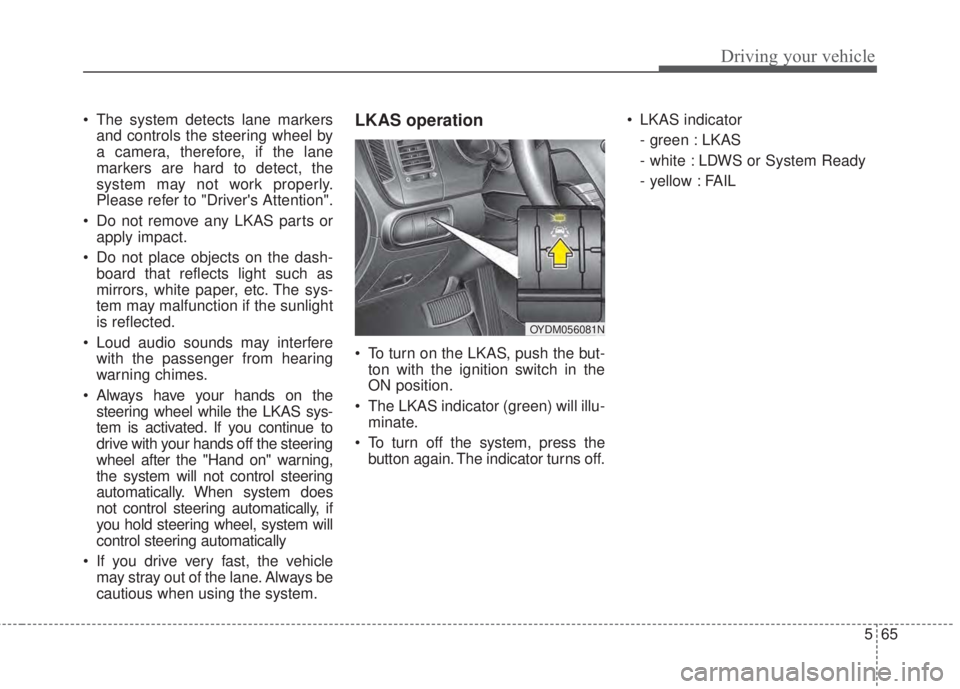
• To turn on the LKAS, push the but-
ton with the ignition switch in the
ON position.
• The LKAS indicator (green) will illu-
minate.
• To turn off the system, press the
button again. The indicator turns off.• LKAS indicator
- green : LKAS
- white : LDWS or System Ready
- yellow : FAIL
OYDM056081N
Page 409 of 595
Driving your vehicle
66 5
LKAS activation
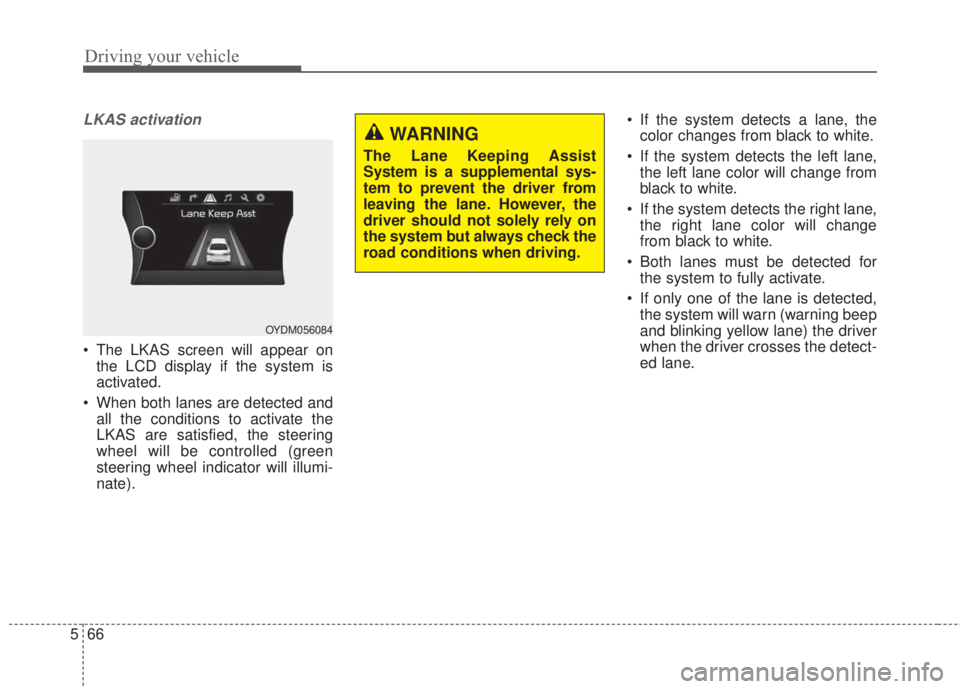
• The LKAS screen will appear on
the LCD display if the system is
activated.
• When both lanes are detected and
all the conditions to activate the
LKAS are satisfied, the steering
wheel will be controlled (green
steering wheel indicator will illumi-
nate).• If the system detects a lane, the
color changes from black to white.
• If the system detects the left lane,
the left lane color will change from
black to white.
• If the system detects the right lane,
the right lane color will change
from black to white.
• Both lanes must be detected for
the system to fully activate.
• If only one of the lane is detected,
the system will warn (warning beep
and blinking yellow lane) the driver
when the driver crosses the detect-
ed lane.
OYDM056084
WARNING
The Lane Keeping Assist
System is a supplemental sys-
tem to prevent the driver from
leaving the lane. However, the
driver should not solely rely on
the system but always check the
road conditions when driving.
Page 410 of 595
567
Driving your vehicle
Warning
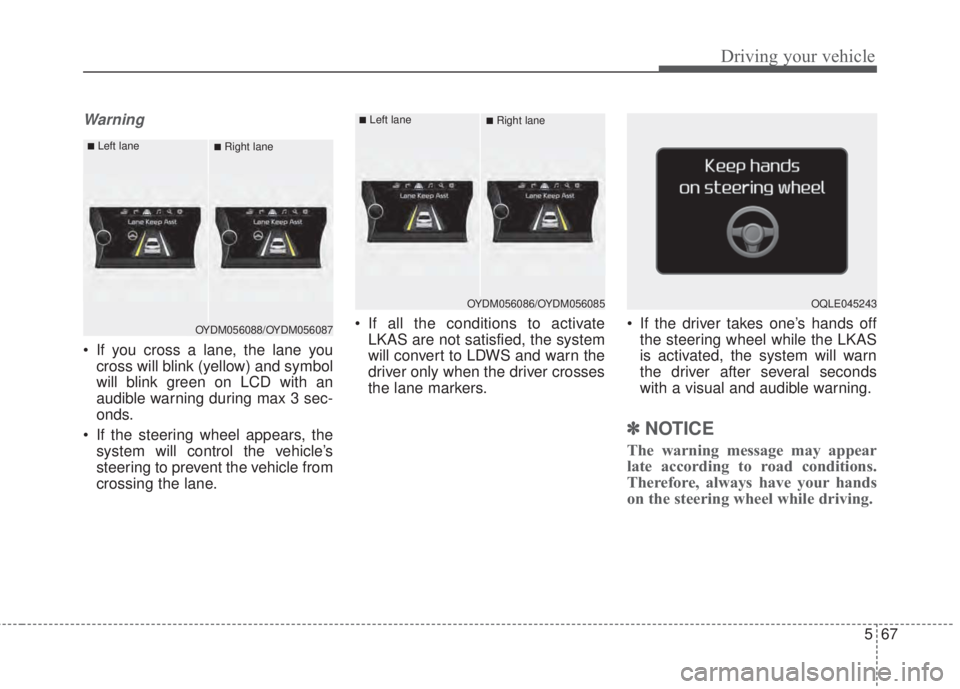
• If you cross a lane, the lane you
cross will blink (yellow) and symbol
will blink green on LCD with an
audible warning during max 3 sec-
onds.
• If the steering wheel appears, the
system will control the vehicle’s
steering to prevent the vehicle from
crossing the lane.• If all the conditions to activate
LKAS are not satisfied, the system
will convert to LDWS and warn the
driver only when the driver crosses
the lane markers.• If the driver takes one’s hands off
the steering wheel while the LKAS
is activated, the system will warn
the driver after several seconds
with a visual and audible warning.
✽NOTICE
The warning message may appear
late according to road conditions.
Therefore, always have your hands
on the steering wheel while driving.
OQLE045243
OYDM056088/OYDM056087
■Left lane■Right lane
OYDM056086/OYDM056085
■Left lane■Right lane
Page 411 of 595
Driving your vehicle
68 5
If the driver still does not have one’s
hand on the steering wheel after sev-
eral seconds, LKAS does not acti-
vate.
While LKAS deactivation, if the driv-
er have one’s hand on the steering
wheel, LKAS activate again.
✽NOTICE
• The driver is responsible for accu-
rate steering.
• Turn off the system and drive the
vehicle personally in below situa-
tions.
- In bad weather
- In bad road condition
- When the steering wheel needs to
be controlled by the driver fre-
quently.
✽NOTICE
• Even though the steering is assist-
ed by the system, the driver may
control the steering.
• The steering wheel may feel heav-
ier when the steering wheel is
assisted by the system than when it
is not.
The system will be cancelled when:
• Vehicle speed is below 56 km/h (35
mph) and over 177 km/h (110 mph).
• Only one lane is detected.
• Always turn on the turn signal to
change lanes. If you change lanes
without the turn signal on, the
steering wheel might be controlled.
• The hazard warning light is on.
• The width of the lane is below 2.6 m
and over 4.5 m.
• ESC(Electronic Stability Control)
and VSM(Vehicle stability manage-
ment) are activated.
• When the system is on or after
changing a lane, drive in the mid-
dle of the lane. If not, the system
will not provide the steering assist
function.
• The steering will not be assisted
when you drive fast on a sharp
curve.
• The steering will not be assisted
when you change lanes fast.
• The steering will not be assisted
when you brake suddenly.
Page 413 of 595
Driving your vehicle
70 5
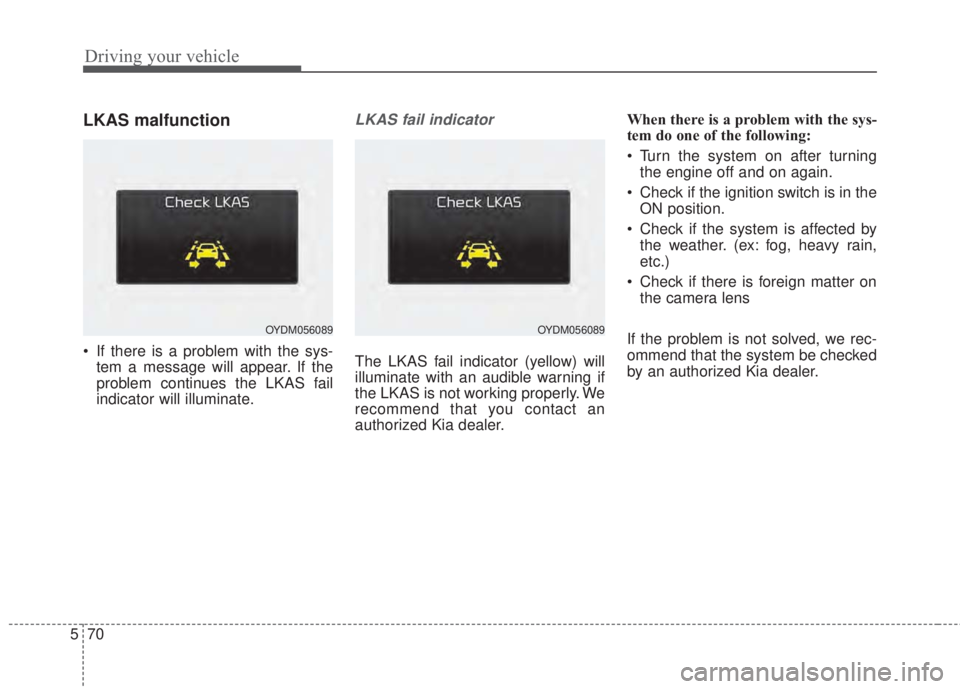
LKAS malfunction
• If there is a problem with the sys-
tem a message will appear. If the
problem continues the LKAS fail
indicator will illuminate.
LKAS fail indicator
The LKAS fail indicator (yellow) will
illuminate with an audible warning if
the LKAS is not working properly. We
recommend that you contact an
authorized Kia dealer.When there is a problem with the sys-
tem do one of the following:
• Turn the system on after turning
the engine off and on again.
• Check if the ignition switch is in the
ON position.
• Check if the system is affected by
the weather. (ex: fog, heavy rain,
etc.)
• Check if there is foreign matter on
the camera lens
If the problem is not solved, we rec-
ommend that the system be checked
by an authorized Kia dealer.
OYDM056089OYDM056089
Page 414 of 595
571
Driving your vehicle
LKAS function change
The driver can change LKAS to Lane
Departure Warning System (LDWS)
or change the LKAS mode between
Standard LKA and Active LKA by
selecting 'User Settings', 'Driving
Assist', and ‘Lane Keeping Assist
System’ on the LCD display. The sys-
tem is automatically set to Standard
LKA.
Lane Departure Warning (LDWS)
• The system can be converted to
LKA to LDW at the User setting
mode.
• Refer to User setting in section 4.
• LDWS alerts the driver with a visu-
al and audible warning when the
system detects the vehicle straying
from its lane.
• If the LDWS is operating the indi-
cator green/white will illuminate.
• The steering wheel will not be con-
trolled.
Standard LKA
• LKAS only starts intervention when
the vehicle is predicted to cross the
line.
• It's useful to a driver who dislikes
frequent intervention by LKAS
• LDW is generated when the vehi-
cle is about to cross the line.
Active LKA
• LKAS operates for a vehicle to
keep the region of lane center
more efficiently.
• The steering assistance is activat-
ed more frequently and earlier than
standard LKA.
• LDW is generated when the vehi-
cle is about to cross the line.
Page 415 of 595
Driving your vehicle
72 5
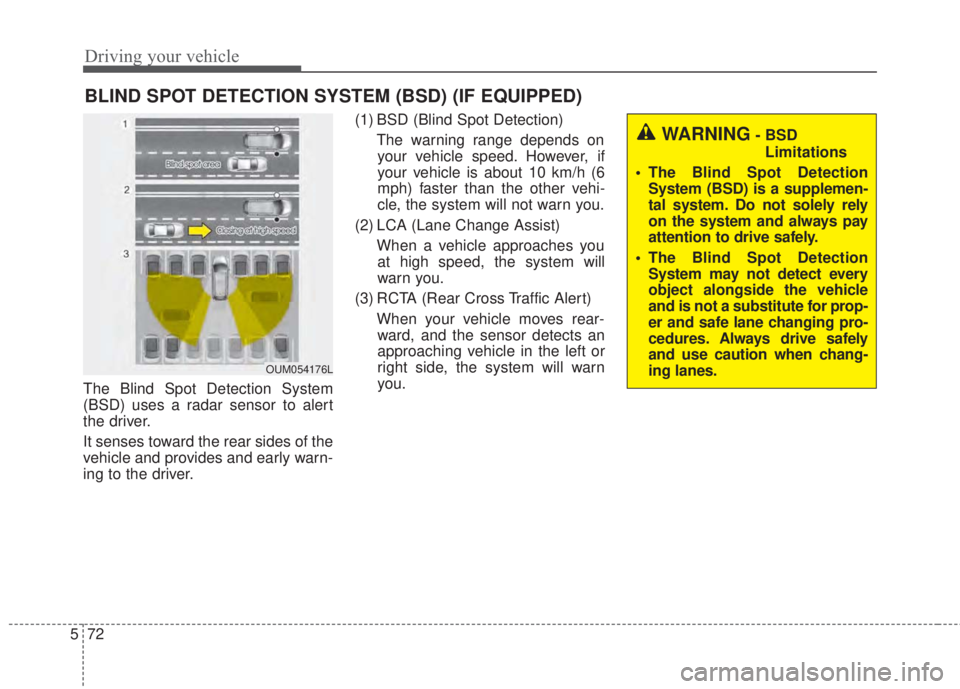
The Blind Spot Detection System
(BSD) uses a radar sensor to alert
the driver.
It senses toward the rear sides of the
vehicle and provides and early warn-
ing to the driver.(1) BSD (Blind Spot Detection)
The warning range depends on
your vehicle speed. However, if
your vehicle is about 10 km/h (6
mph) faster than the other vehi-
cle, the system will not warn you.
(2) LCA (Lane Change Assist)
When a vehicle approaches you
at high speed, the system will
warn you.
(3) RCTA (Rear Cross Traffic Alert)
When your vehicle moves rear-
ward, and the sensor detects an
approaching vehicle in the left or
right side, the system will warn
you.
BLIND SPOT DETECTION SYSTEM (BSD) (IF EQUIPPED)
WARNING- BSD
Limitations
• The Blind Spot Detection
System (BSD) is a supplemen-
tal system. Do not solely rely
on the system and always pay
attention to drive safely.
• The Blind Spot Detection
System may not detect every
object alongside the vehicle
and is not a substitute for prop-
er and safe lane changing pro-
cedures. Always drive safely
and use caution when chang-
ing lanes.
OUM054176L
Page 416 of 595
573
Driving your vehicle
BSD (Blind Spot Detection) /
LCA (Lane Change Assist)
Operating conditions
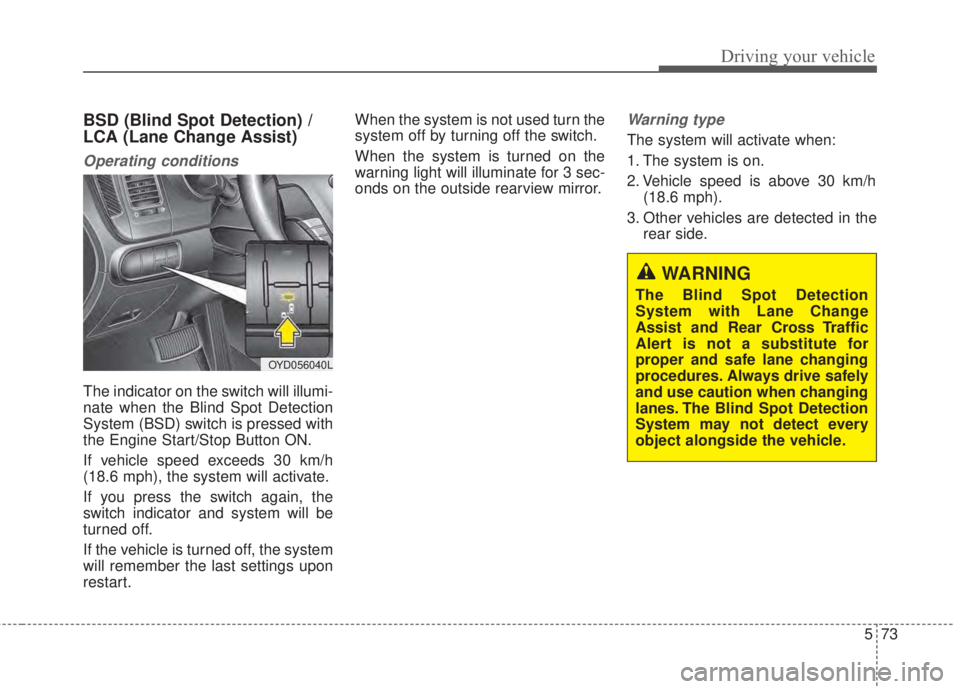
The indicator on the switch will illumi-
nate when the Blind Spot Detection
System (BSD) switch is pressed with
the Engine Start/Stop Button ON.
If vehicle speed exceeds 30 km/h
(18.6 mph), the system will activate.
If you press the switch again, the
switch indicator and system will be
turned off.
If the vehicle is turned off, the system
will remember the last settings upon
restart.When the system is not used turn the
system off by turning off the switch.
When the system is turned on the
warning light will illuminate for 3 sec-
onds on the outside rearview mirror.
Warning type
The system will activate when:
1. The system is on.
2. Vehicle speed is above 30 km/h
(18.6 mph).
3. Other vehicles are detected in the
rear side.
WARNING
The Blind Spot Detection
System with Lane Change
Assist and Rear Cross Traffic
Alert is not a substitute for
proper and safe lane changing
procedures. Always drive safely
and use caution when changing
lanes. The Blind Spot Detection
System may not detect every
object alongside the vehicle.
OYD056040L
Page 417 of 595
Driving your vehicle
74 5
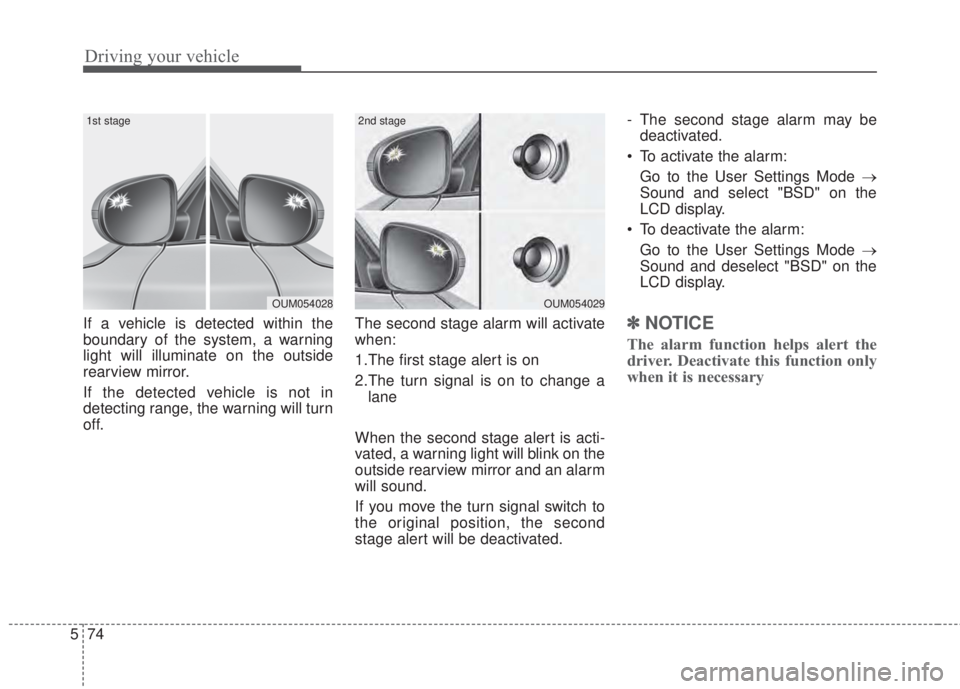
If a vehicle is detected within the
boundary of the system, a warning
light will illuminate on the outside
rearview mirror.
If the detected vehicle is not in
detecting range, the warning will turn
off.The second stage alarm will activate
when:
1.The first stage alert is on
2.The turn signal is on to change a
lane
When the second stage alert is acti-
vated, a warning light will blink on the
outside rearview mirror and an alarm
will sound.
If you move the turn signal switch to
the original position, the second
stage alert will be deactivated.- The second stage alarm may be
deactivated.
• To activate the alarm:
Go to the User Settings Mode →
Sound and select "BSD" on the
LCD display.
• To deactivate the alarm:
Go to the User Settings Mode →
Sound and deselect "BSD" on the
LCD display.✽ NOTICE
The alarm function helps alert the
driver. Deactivate this function only
when it is necessary
OUM054029
2nd stage
OUM054028
1st stage