display KIA FORTE 2017 User Guide
[x] Cancel search | Manufacturer: KIA, Model Year: 2017, Model line: FORTE, Model: KIA FORTE 2017Pages: 595, PDF Size: 11.5 MB
Page 138 of 595
Features of your vehicle
66 4
Average Fuel Economy (2)
• The average fuel economy is cal-
culated by the total driving dis-
tance and fuel consumption since
the last average fuel economy
reset.
- Fuel economy range: 0.0 ~ 99.9
L/100km or MPG
• The average fuel economy can be
reset both manually and automati-
cally.
Manual reset
To clear the average fuel economy
manually, press the RESET button
(Type A : RESET, Type B, C : ) on
the steering wheel for more than 1
second when the average fuel econo-
my is displayed.Automatic reset
To make the average fuel economy
be reset automatically whenever refu-
eling, select the “Auto Reset” mode in
User Setting menu of the LCD win-
dow (Refer to “LCD window”).
Under “Auto Reset” mode, the aver-
age fuel economy will be cleared to
zero (---) when the vehicle speed
exceeds 1.6 km/h (1 mph) after refu-
eling more than 6 liters (1.6 gallons).
✽NOTICE
The average fuel economy is not dis-
played for more accurate calculation
if the vehicle does not drive more
than 10 seconds or 50 meters (0.03
miles) since the ignition switch or
Engine Start/Stop button is turned
to ON.
Instant Fuel Economy (3)
• This mode displays the instant fuel
economy during the last few sec-
onds when the vehicle speed is
more than 10 km/h (6.2 MPH).
- Fuel economy range: 0.0 ~ 99.9
L/100km or 0.0 ~ 99.9 MPG
(Type A), 0.0 ~ 30.0 L/100km or
0.0 ~ 50.0 MPG (Type B, C)
Page 139 of 595
467
Features of your vehicle
Trip A/B
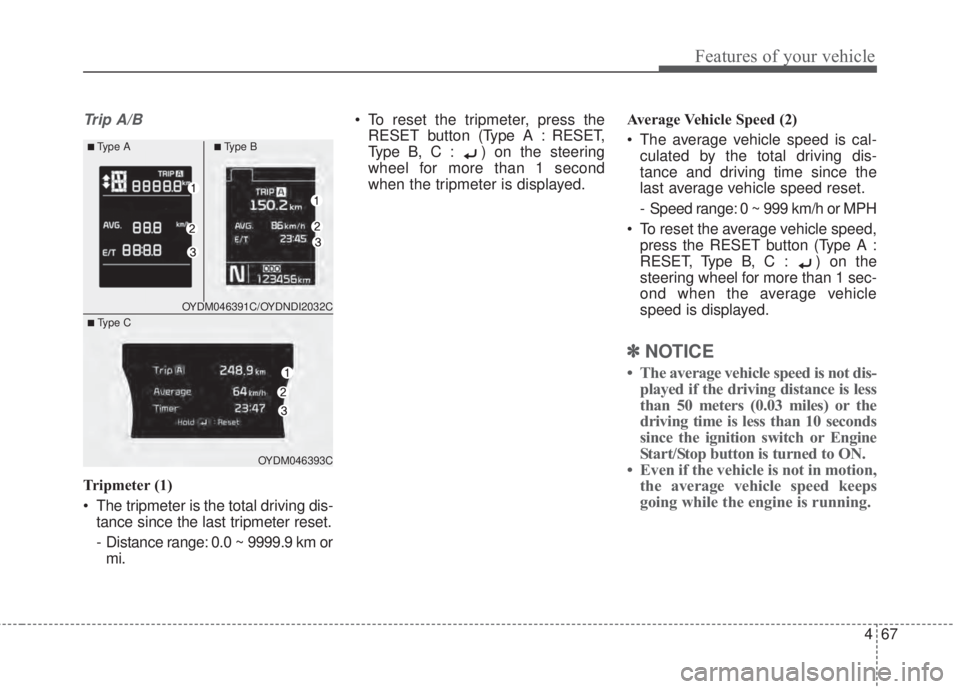
Tripmeter (1)
• The tripmeter is the total driving dis-
tance since the last tripmeter reset.
- Distance range: 0.0 ~ 9999.9 km or
mi.• To reset the tripmeter, press the
RESET button (Type A : RESET,
Type B, C : ) on the steering
wheel for more than 1 second
when the tripmeter is displayed.Average Vehicle Speed (2)
• The average vehicle speed is cal-
culated by the total driving dis-
tance and driving time since the
last average vehicle speed reset.
- Speed range: 0 ~ 999 km/h or MPH
• To reset the average vehicle speed,
press the RESET button (Type A :
RESET, Type B, C : ) on the
steering wheel for more than 1 sec-
ond when the average vehicle
speed is displayed.
✽NOTICE
• The average vehicle speed is not dis-
played if the driving distance is less
than 50 meters (0.03 miles) or the
driving time is less than 10 seconds
since the ignition switch or Engine
Start/Stop button is turned to ON.
• Even if the vehicle is not in motion,
the average vehicle speed keeps
going while the engine is running.
OYDM046391C/OYDNDI2032C
OYDM046393C
■Type A■Ty p e B
■ Type C
Page 140 of 595
Features of your vehicle
68 4
Elapsed Time (3)
• The elapsed time is the total driv-
ing time since the last elapsed time
reset.
- Time range (hh:mm): 00:00 ~ 99:59
• To reset the elapsed time, press
the RESET button (Type A :
RESET, Type B, C : ) on the
steering wheel for more than 1
second when the elapsed time is
displayed.
✽NOTICE
Even if the vehicle is not in motion,
the elapsed time keeps going while
the engine is running.
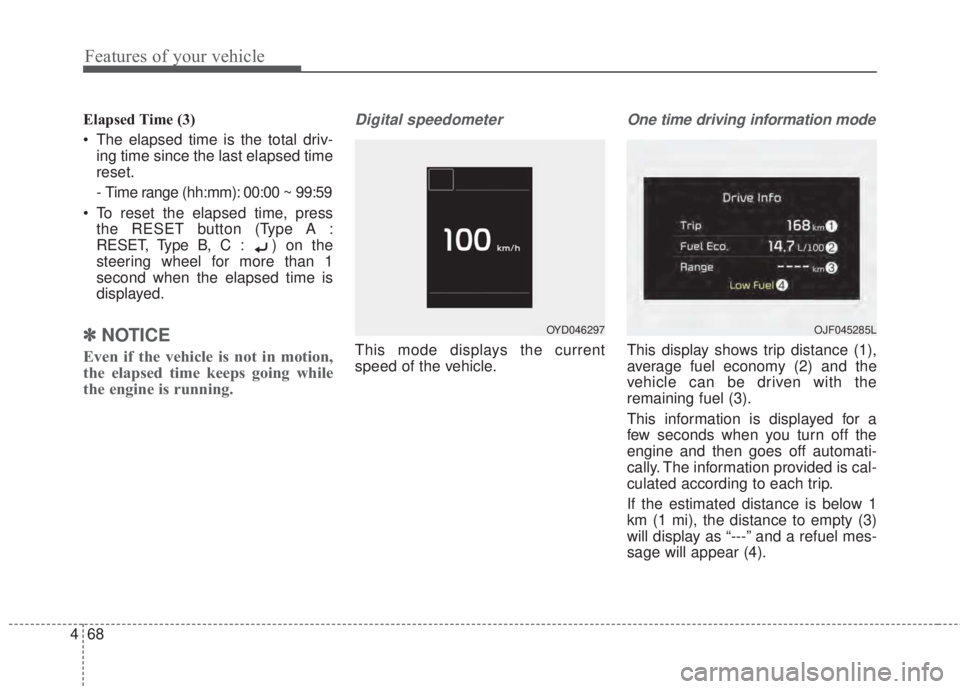
Digital speedometer
This mode displays the current
speed of the vehicle.
One time driving information mode
This display shows trip distance (1),
average fuel economy (2) and the
vehicle can be driven with the
remaining fuel (3).
This information is displayed for a
few seconds when you turn off the
engine and then goes off automati-
cally. The information provided is cal-
culated according to each trip.
If the estimated distance is below 1
km (1 mi), the distance to empty (3)
will display as “---” and a refuel mes-
sage will appear (4).
OYD046297OJF045285L
Page 141 of 595
469
Features of your vehicle
LCD Modes (for Type B, C
instrument cluster)
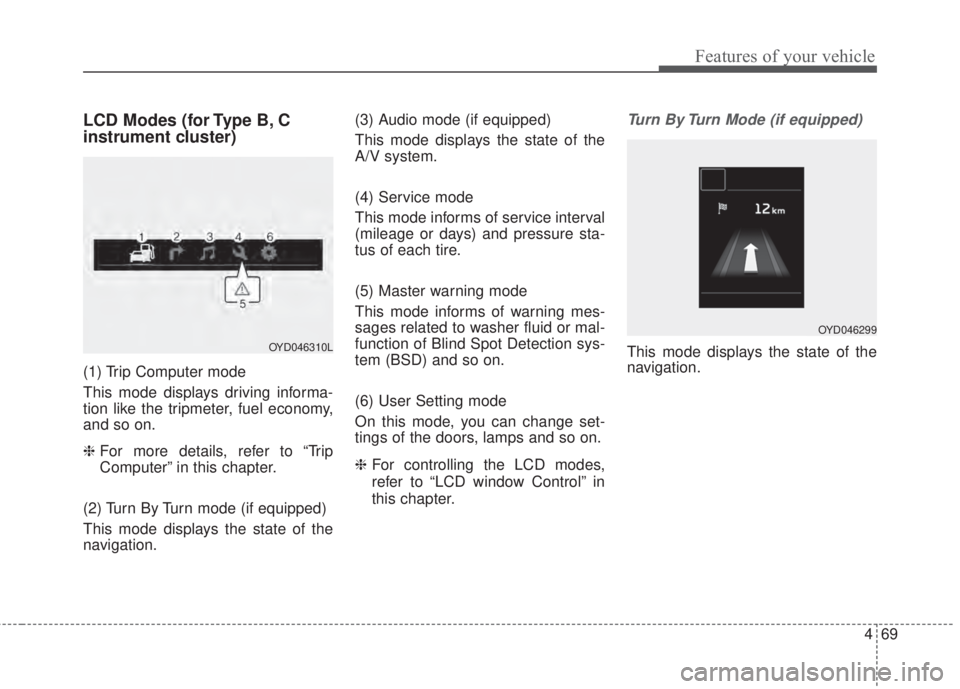
(1) Trip Computer mode
This mode displays driving informa-
tion like the tripmeter, fuel economy,
and so on.
❈ For more details, refer to “Trip
Computer” in this chapter.
(2) Turn By Turn mode (if equipped)
This mode displays the state of the
navigation.(3) Audio mode (if equipped)
This mode displays the state of the
A/V system.
(4) Service mode
This mode informs of service interval
(mileage or days) and pressure sta-
tus of each tire.
(5) Master warning mode
This mode informs of warning mes-
sages related to washer fluid or mal-
function of Blind Spot Detection sys-
tem (BSD) and so on.
(6) User Setting mode
On this mode, you can change set-
tings of the doors, lamps and so on.
❈For controlling the LCD modes,
refer to “LCD window Control” in
this chapter.
Turn By Turn Mode (if equipped)
This mode displays the state of the
navigation.OYD046310L
OYD046299
Page 142 of 595
Features of your vehicle
70 4
A/V Mode (if equipped)
This mode displays the state of the
A/V system.
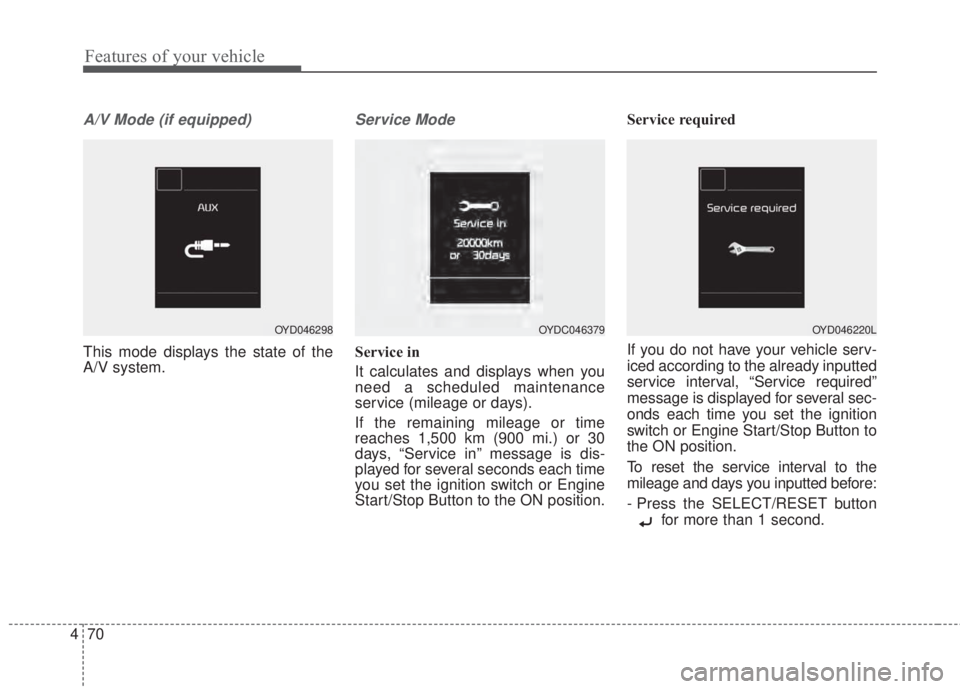
Service Mode
Service in
It calculates and displays when you
need a scheduled maintenance
service (mileage or days).
If the remaining mileage or time
reaches 1,500 km (900 mi.) or 30
days, “Service in” message is dis-
played for several seconds each time
you set the ignition switch or Engine
Start/Stop Button to the ON position.Service required
If you do not have your vehicle serv-
iced according to the already inputted
service interval, “Service required”
message is displayed for several sec-
onds each time you set the ignition
switch or Engine Start/Stop Button to
the ON position.
To reset the service interval to the
mileage and days you inputted before:
- Press the SELECT/RESET button
for more than 1 second.
OYD046298OYDC046379OYD046220L
Page 147 of 595
475
Features of your vehicle
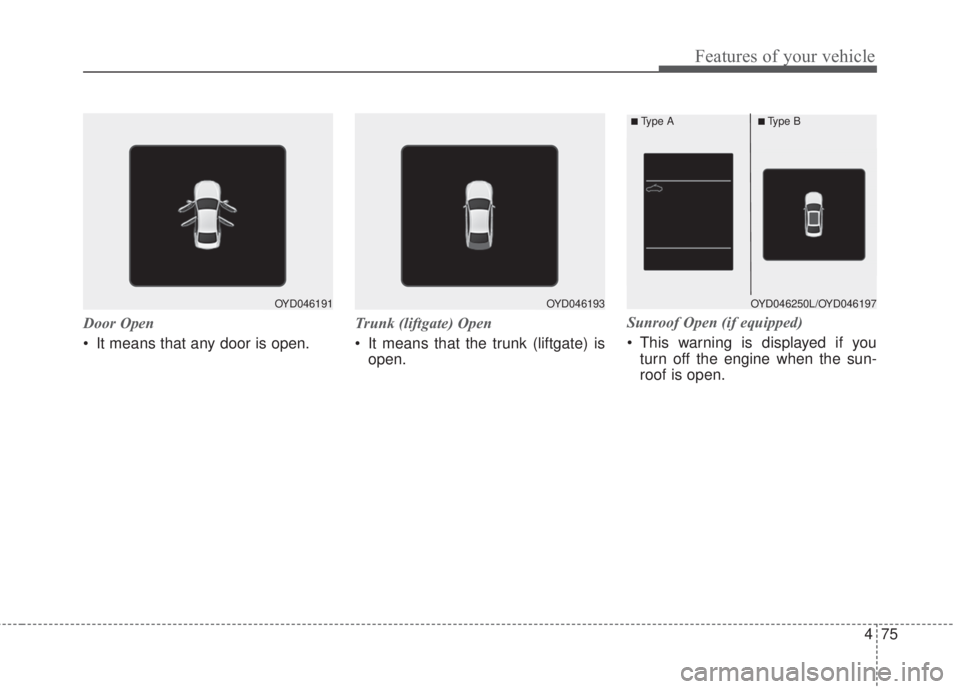
Door Open
• It means that any door is open.Trunk (liftgate) Open
• It means that the trunk (liftgate) is
open.Sunroof Open (if equipped)
• This warning is displayed if you
turn off the engine when the sun-
roof is open.
OYD046191OYD046193OYD046250L/OYD046197
■Type A■Type B
Page 169 of 595
497
Features of your vehicle
Self-diagnosis
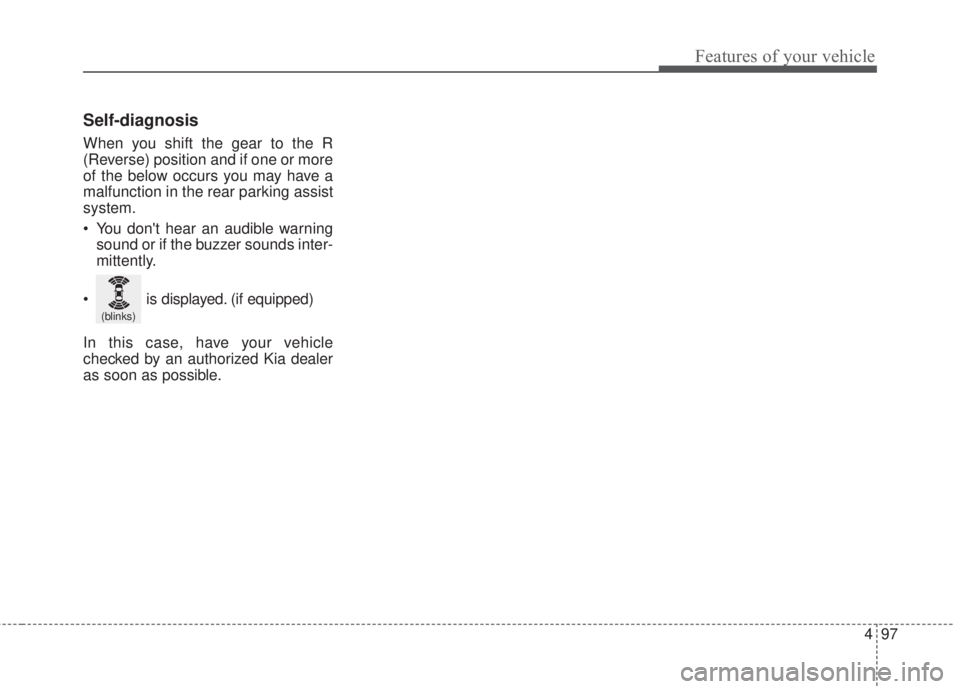
When you shift the gear to the R
(Reverse) position and if one or more
of the below occurs you may have a
malfunction in the rear parking assist
system.
• You don't hear an audible warning
sound or if the buzzer sounds inter-
mittently.
In this case, have your vehicle
checked by an authorized Kia dealer
as soon as possible.
(blinks)
• is displayed. (if equipped)
Page 170 of 595
Features of your vehicle
98 4
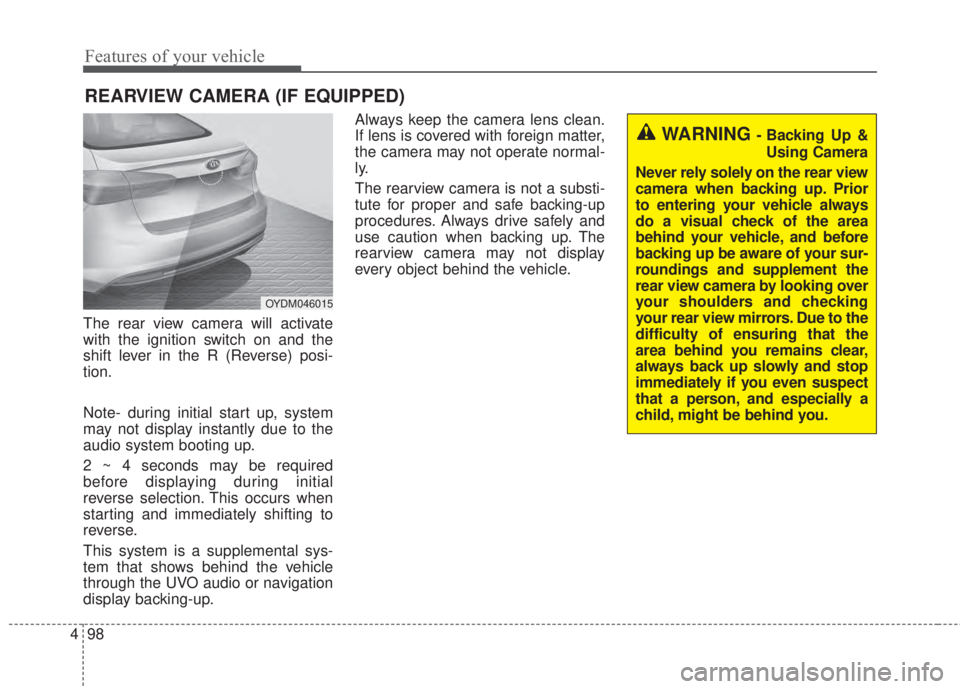
The rear view camera will activate
with the ignition switch on and the
shift lever in the R (Reverse) posi-
tion.
Note- during initial start up, system
may not display instantly due to the
audio system booting up.
2 ~ 4 seconds may be required
before displaying during initial
reverse selection. This occurs when
starting and immediately shifting to
reverse.
This system is a supplemental sys-
tem that shows behind the vehicle
through the UVO audio or navigation
display backing-up.Always keep the camera lens clean.
If lens is covered with foreign matter,
the camera may not operate normal-
ly.
The rearview camera is not a substi-
tute for proper and safe backing-up
procedures. Always drive safely and
use caution when backing up. The
rearview camera may not display
every object behind the vehicle.
REARVIEW CAMERA (IF EQUIPPED)
WARNING - Backing Up &
Using Camera
Never rely solely on the rear view
camera when backing up. Prior
to entering your vehicle always
do a visual check of the area
behind your vehicle, and before
backing up be aware of your sur-
roundings and supplement the
rear view camera by looking over
your shoulders and checking
your rear view mirrors. Due to the
difficulty of ensuring that the
area behind you remains clear,
always back up slowly and stop
immediately if you even suspect
that a person, and especially a
child, might be behind you.
OYDM046015
Page 196 of 595
Features of your vehicle
124 4
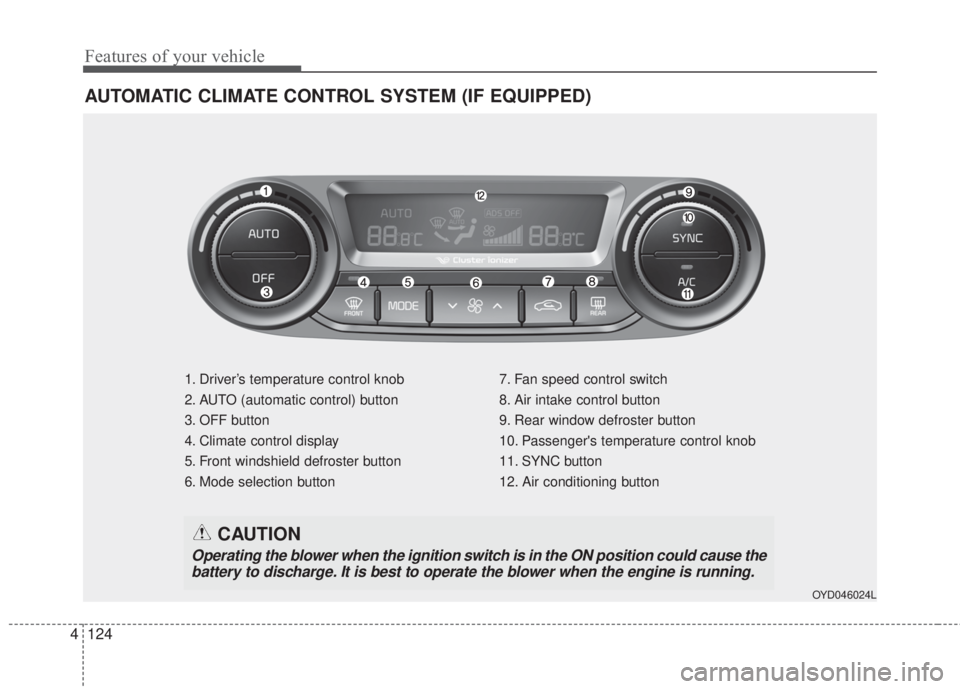
AUTOMATIC CLIMATE CONTROL SYSTEM (IF EQUIPPED)
1. Driver’s temperature control knob
2. AUTO (automatic control) button
3. OFF button
4. Climate control display
5. Front windshield defroster button
6. Mode selection button7. Fan speed control switch
8. Air intake control button
9. Rear window defroster button
10. Passenger's temperature control knob
11. SYNC button
12. Air conditioning button
OYD046024L
CAUTION
Operating the blower when the ignition switch is in the ON position could cause the
battery to discharge. It is best to operate the blower when the engine is running.
Page 197 of 595
4 125
Features of your vehicle
Automatic heating and air con-
ditioning
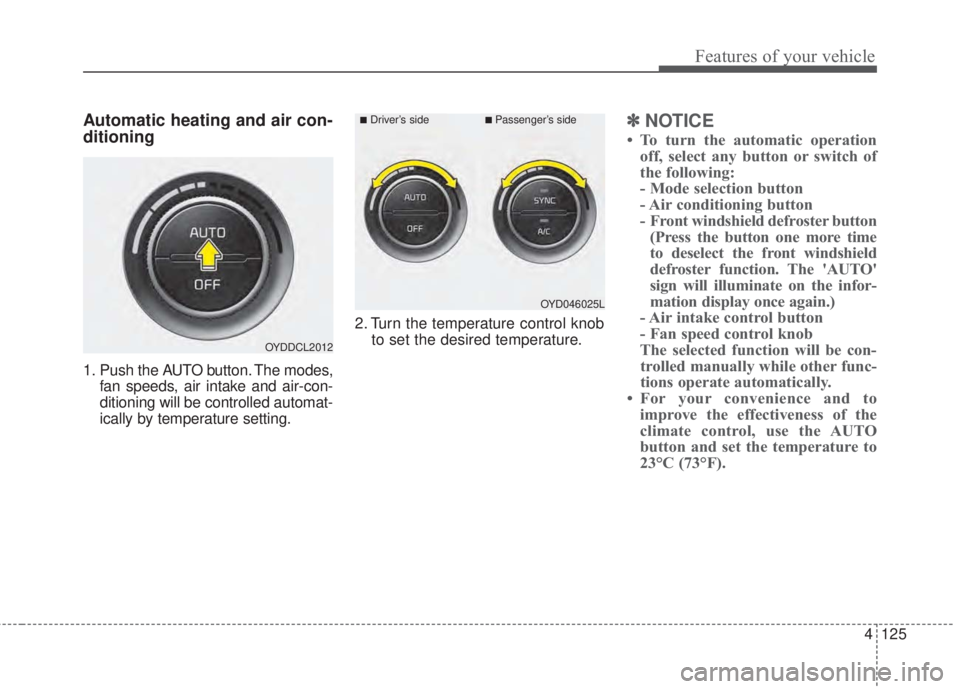
1. Push the AUTO button. The modes,
fan speeds, air intake and air-con-
ditioning will be controlled automat-
ically by temperature setting.2. Turn the temperature control knob
to set the desired temperature.
✽NOTICE
• To turn the automatic operation
off, select any button or switch of
the following:
- Mode selection button
- Air conditioning button
- Front windshield defroster button
(Press the button one more time
to deselect the front windshield
defroster function. The 'AUTO'
sign will illuminate on the infor-
mation display once again.)
- Air intake control button
- Fan speed control knob
The selected function will be con-
trolled manually while other func-
tions operate automatically.
• For your convenience and to
improve the effectiveness of the
climate control, use the AUTO
button and set the temperature to
23°C (73°F).
OYDDCL2012
OYD046025L
■Driver’s side■Passenger’s side