amp KIA FORTE 2018 User Guide
[x] Cancel search | Manufacturer: KIA, Model Year: 2018, Model line: FORTE, Model: KIA FORTE 2018Pages: 584, PDF Size: 15.14 MB
Page 136 of 584
461
Features of your vehicle
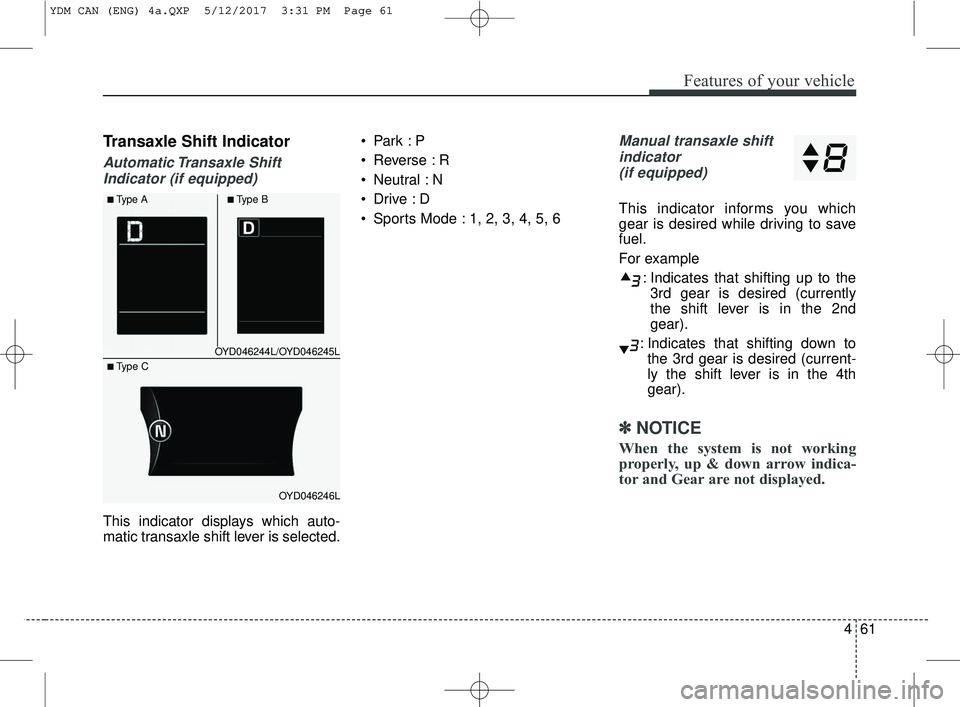
Transaxle Shift Indicator
Automatic Transaxle ShiftIndicator (if equipped)
This indicator displays which auto-
matic transaxle shift lever is selected.
Reverse : R
Neutral : N
Sports Mode : 1, 2, 3, 4, 5, 6
Manual transaxle shift
indicator (if equipped)
This indicator informs you which
gear is desired while driving to save
fuel.
For example
: Indicates that shifting up to the3rd gear is desired (currently
the shift lever is in the 2nd
gear).
: Indicates that shifting down to the 3rd gear is desired (current-
ly the shift lever is in the 4th
gear).
✽ ✽ NOTICE
When the system is not working
properly, up & down arrow indica-
tor and Gear are not displayed.
OYD046244L/OYD046245L
OYD046246L
■Type A■Type B
■ Type C
YDM CAN (ENG) 4a.QXP 5/12/2017 3:31 PM Page 61
Page 137 of 584
Features of your vehicle
62
4
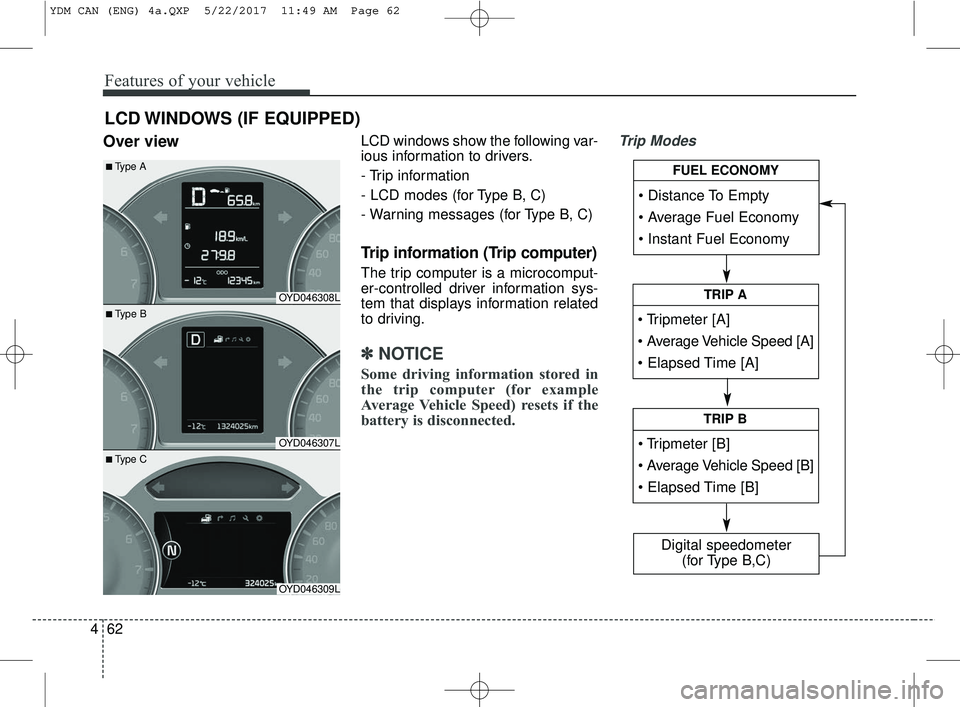
Over viewLCD windows show the following var-
ious information to drivers.
- Trip information
- LCD modes (for Type B, C)
- Warning messages (for Type B, C)
Trip information (Trip computer)
The trip computer is a microcomput-
er-controlled driver information sys-
tem that displays information related
to driving.
✽ ✽
NOTICE
Some driving information stored in
the trip computer (for example
Average Vehicle Speed) resets if the
battery is disconnected.
Trip Modes
LCD WINDOWS (IF EQUIPPED)
• Tripmeter [A]
TRIP A
TRIP B
FUEL ECONOMY
Digital speedometer
(for Type B,C)
OYD046308L
OYD046307L
OYD046309L
■ Type B
■Type A
■ Type C
YDM CAN (ENG) 4a.QXP 5/22/2017 11:49 AM Page 62
Page 142 of 584
467
Features of your vehicle
This information is displayed for a
few seconds when you turn off the
engine and then goes off automati-
cally. The information provided is cal-
culated according to each trip.
If the estimated distance is below 1
km (1 mi), the distance to empty (3)
will display as "---" and a refuel mes-
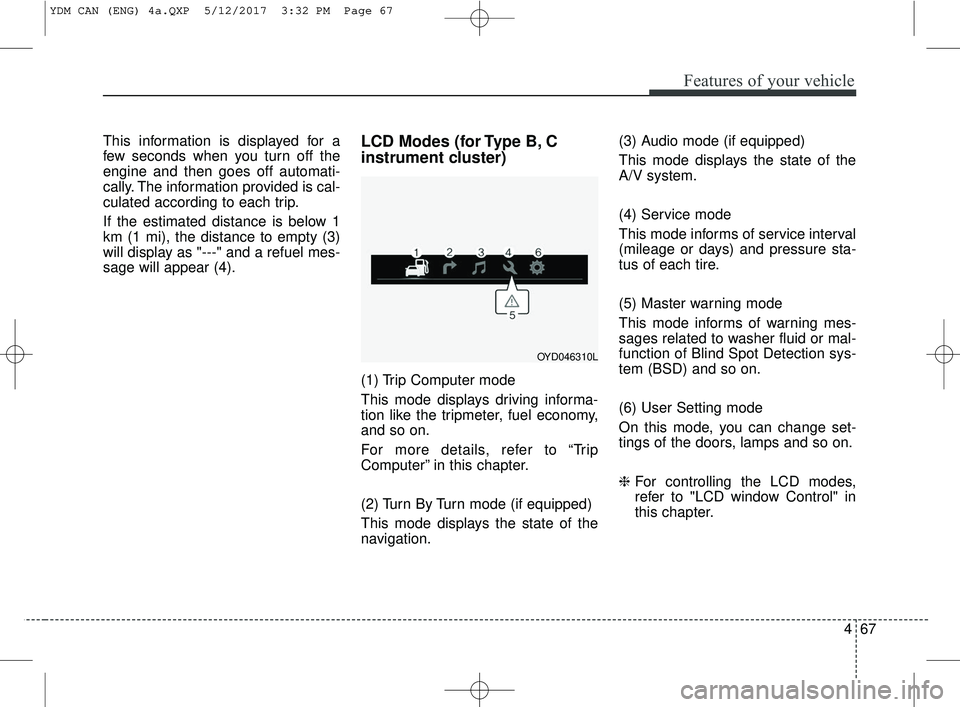
sage will appear (4).LCD Modes (for Type B, C
instrument cluster)
(1) Trip Computer mode
This mode displays driving informa-
tion like the tripmeter, fuel economy,
and so on.
For more details, refer to “Trip
Computer” in this chapter.
(2) Turn By Turn mode (if equipped)
This mode displays the state of the
navigation.(3) Audio mode (if equipped)
This mode displays the state of the
A/V system.
(4) Service mode
This mode informs of service interval
(mileage or days) and pressure sta-
tus of each tire.
(5) Master warning mode
This mode informs of warning mes-
sages related to washer fluid or mal-
function of Blind Spot Detection sys-
tem (BSD) and so on.
(6) User Setting mode
On this mode, you can change set-
tings of the doors, lamps and so on.
❈
For controlling the LCD modes,
refer to "LCD window Control" in
this chapter.
OYD046310L
YDM CAN (ENG) 4a.QXP 5/12/2017 3:32 PM Page 67
Page 145 of 584
Features of your vehicle
70
4
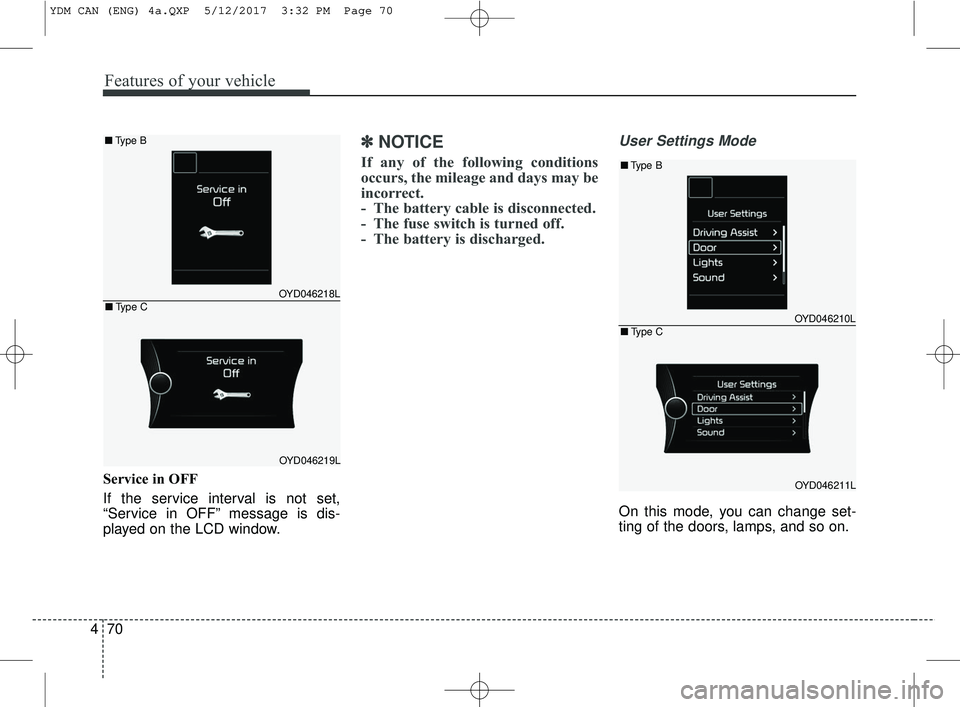
Service in OFF
If the service interval is not set,
“Service in OFF” message is dis-
played on the LCD window.
✽ ✽
NOTICE
If any of the following conditions
occurs, the mileage and days may be
incorrect.
- The battery cable is disconnected.
- The fuse switch is turned off.
- The battery is discharged.
User Settings Mode
On this mode, you can change set-
ting of the doors, lamps, and so on.
OYD046218L
OYD046219L
■ Type B
■Type COYD046210L
OYD046211L
■Type B
■Type C
YDM CAN (ENG) 4a.QXP 5/12/2017 3:32 PM Page 70
Page 148 of 584
473
Features of your vehicle
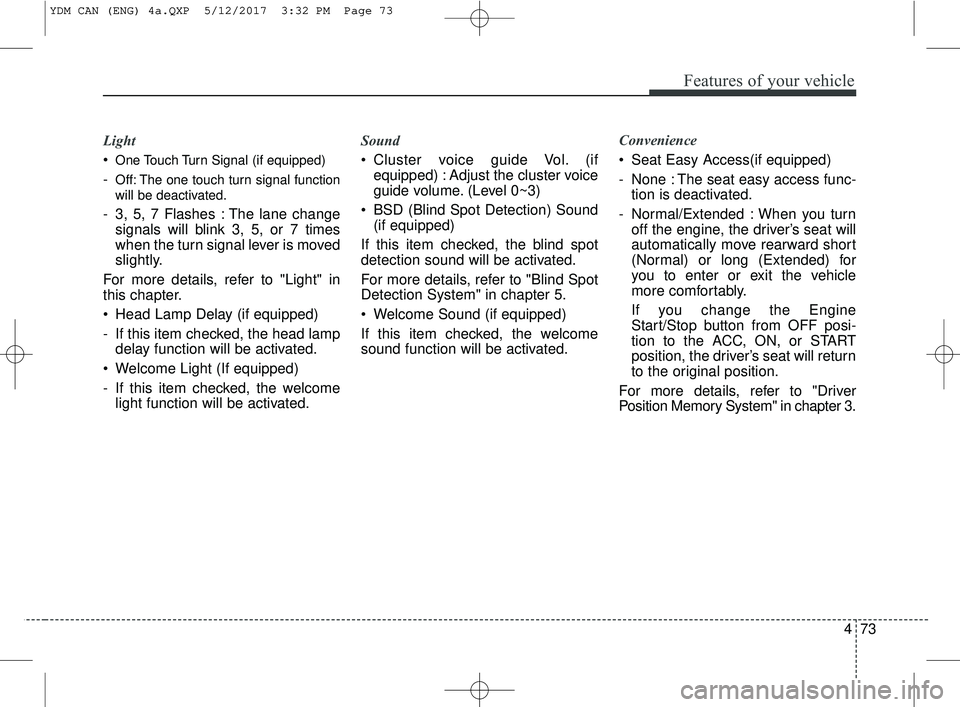
Light
One Touch Turn Signal (if equipped)
-Off: The one touch turn signal function
will be deactivated.
- 3, 5, 7 Flashes : The lane changesignals will blink 3, 5, or 7 times
when the turn signal lever is moved
slightly.
For more details, refer to "Light" in
this chapter.
Head Lamp Delay (if equipped)
- If this item checked, the head lamp delay function will be activated.
Welcome Light (If equipped)
- If this item checked, the welcome light function will be activated. Sound
Cluster voice guide Vol. (if
equipped) : Adjust the cluster voice
guide volume. (Level 0~3)
BSD (Blind Spot Detection) Sound (if equipped)
If this item checked, the blind spot
detection sound will be activated.
For more details, refer to "Blind Spot
Detection System" in chapter 5.
Welcome Sound (if equipped)
If this item checked, the welcome
sound function will be activated. Convenience
Seat Easy Access(if equipped)
- None : The seat easy access func-
tion is deactivated.
- Normal/Extended : When you turn off the engine, the driver’s seat will
automatically move rearward short
(Normal) or long (Extended) for
you to enter or exit the vehicle
more comfortably.
If you change the Engine
Start/Stop button from OFF posi-
tion to the ACC, ON, or START
position, the driver’s seat will return
to the original position.
For more details, refer to "Driver
Position Memory System" in chapter 3.
YDM CAN (ENG) 4a.QXP 5/12/2017 3:32 PM Page 73
Page 159 of 584
Features of your vehicle
84
4
Malfunction Indicator
Lamp (MIL)
This warning light illuminates:
Once you set the ignition switch or Engine Start/Stop Button to the ON
position.
- It remains on until the engine isstarted.
When there is a malfunction with the emission control system.
In this case, have your vehicle
inspected by an authorized Kia
dealer.
Charging System
Warning Light
This warning light illuminates:
Once you set the ignition switch or Engine Start/Stop Button to the ON
position.
- It remains on until the engine isstarted.
When there is a malfunction with either the alternator or electrical
charging system.
CAUTION - Malfunction
Indicator
Lamp (MIL)
Driving with the MalfunctionIndicator Lamp (MIL) on maycause damage to the emissioncontrol systems which couldeffect drivability and/or fueleconomy.
CAUTION - Gasoline
Engine
If the Malfunction IndicatorLamp (MIL) illuminates, poten-tial catalytic converter damageis possible which could result inloss of engine power.
In this case, have your vehicleinspected by an authorized Kiadealer as soon as possible.
YDM CAN (ENG) 4a.QXP 5/12/2017 3:32 PM Page 84
Page 169 of 584
Features of your vehicle
94
4
Battery saver function
The purpose of this feature is to
prevent the battery from being dis-
charged. The system automatically
turns off the parking lights when
the driver removes the ignition key
and opens the driver-side door.
With this feature, the parking lights will turn off automatically if the driv-
er parks on the side of the road at
night.
If necessary, to keep the lights on
when the ignition key is removed,
perform the following:
1) Open the driver-side door.
2) Turn the parking lights OFF and ON again using the light switch
on the steering column.
Headlight escort function
(if equipped)
The headlights (and/or taillights) will
remain on for approximately 20 min-
utes after the ignition key is removed
or turned to the ACC or LOCK posi-
tion. However, if the driver’s door is
opened and closed, the headlights
are turned off after 30 seconds.
The headlights can be turned off by
pressing the lock button on the trans-
mitter (or smart key) twice or turning
off the light switch from the headlight
or Auto light position.
If the driver gets out of the vehicle
through other doors (except driver's
door), the battery saver function
does not operate and the headlight
escort function does not turn off
automatically. Therefore, It causes
the battery to be discharged. In this
case, make sure to turn off the lamp
before getting out of the vehicle.
If the headlights are not working
properly have your vehicle inspected
by an authorized Kia dealer.
Don't attempt to inspect or replace
the wiring yourself to prevent mal-
function.
Daytime running light
Daytime Running Lights (DRL) can
make it easier for others to see the
front of your vehicle during the day.
DRL can be helpful in many different
driving conditions, and it is especially
helpful after dawn and before sunset.
The DRL system turns OFF when:
1. The position lights or headlightsare ON.
2. The parking brake is applied.
3. Engine stops.
LIGHTING
YDM CAN (ENG) 4a.QXP 5/12/2017 3:32 PM Page 94
Page 173 of 584
Features of your vehicle
98
4
If an indicator stays on and does not
flash or if it flashes abnormally, one of
the turn signal bulbs may be burned
out and will require replacement.
If an indicator flash is abnormally
quick or slow, a bulb may be burned
out or have a poor electrical connec-
tion in the circuit.One-touch lane change function
To activate an one-touch lane
change function, move the turn sig-
nal lever slightly and then release it.
The lane change signals will blink 3,
5 or 7 times.
You can choose one-touch lane
change blinking function in "One
touch turn lamp" of "User setting".
Refer to "User setting" in chapter 4.
✽ ✽
NOTICE
If an indicator flash is abnormally
quick or slow, the bulb may be
burned out or have a poor electrical
connection in the circuit.
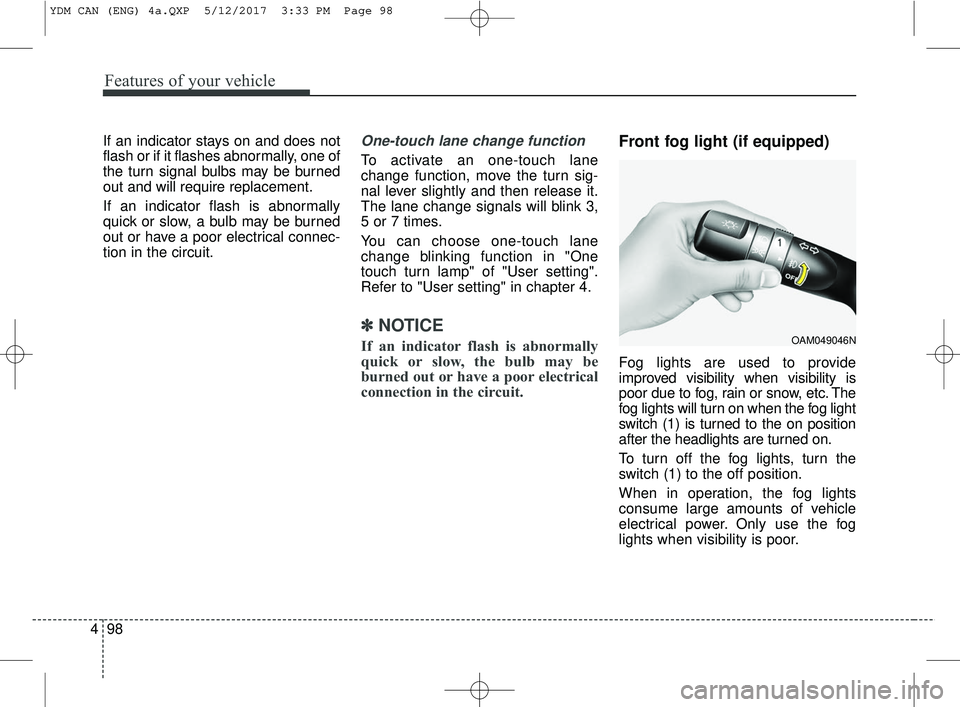
Front fog light (if equipped)
Fog lights are used to provide
improved visibility when visibility is
poor due to fog, rain or snow, etc. The
fog lights will turn on when the fog light
switch (1) is turned to the on position
after the headlights are turned on.
To turn off the fog lights, turn the
switch (1) to the off position.
When in operation, the fog lights
consume large amounts of vehicle
electrical power. Only use the fog
lights when visibility is poor.
OAM049046N
YDM CAN (ENG) 4a.QXP 5/12/2017 3:33 PM Page 98
Page 174 of 584
499
Features of your vehicle
AFLS (Adaptive Front Lighting
System) (if equipped)
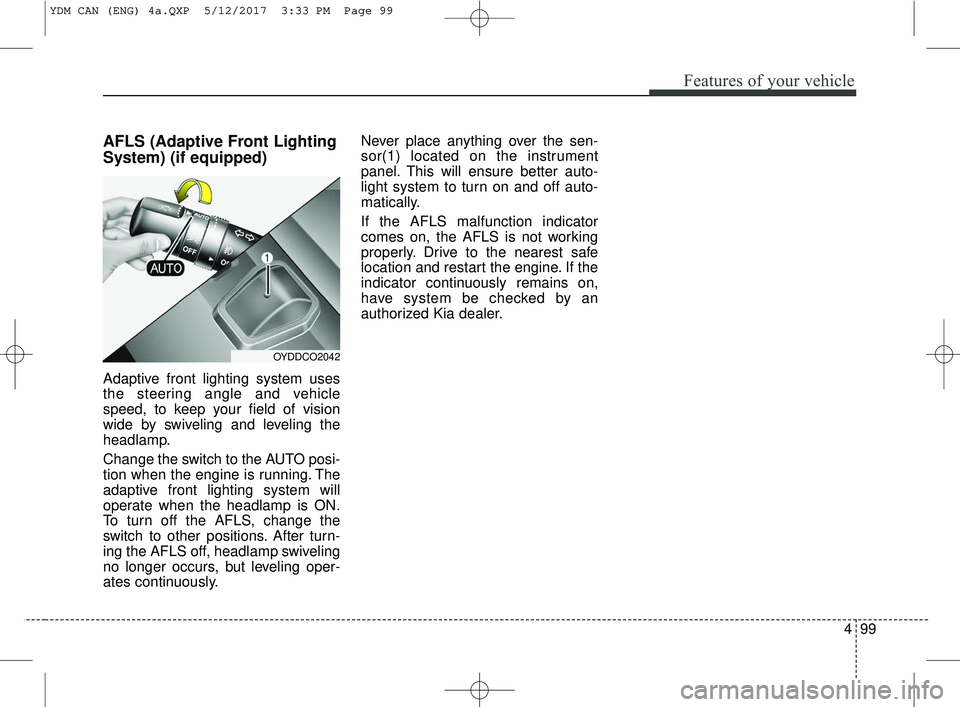
Adaptive front lighting system uses
the steering angle and vehicle
speed, to keep your field of vision
wide by swiveling and leveling the
headlamp.
Change the switch to the AUTO posi-
tion when the engine is running. The
adaptive front lighting system will
operate when the headlamp is ON.
To turn off the AFLS, change the
switch to other positions. After turn-
ing the AFLS off, headlamp swiveling
no longer occurs, but leveling oper-
ates continuously.Never place anything over the sen-
sor(1) located on the instrument
panel. This will ensure better auto-
light system to turn on and off auto-
matically.
If the AFLS malfunction indicator
comes on, the AFLS is not working
properly. Drive to the nearest safe
location and restart the engine. If the
indicator continuously remains on,
have system be checked by an
authorized Kia dealer.
OYDDCO2042
YDM CAN (ENG) 4a.QXP 5/12/2017 3:33 PM Page 99
Page 178 of 584
4103
Features of your vehicle
Do not use the interior lights for
extended periods when the engine is
not running.
It may cause battery discharge.Automatic turn off function
(if equipped)
The interior lights automatically turn
off approximately 20 minutes after
the ignition switch is turned off.
If your vehicle is equipped with the
theft alarm system, the interior lights
automatically turn off approximately
5 seconds after the system is in
armed stage.
Map lamp (if equipped)
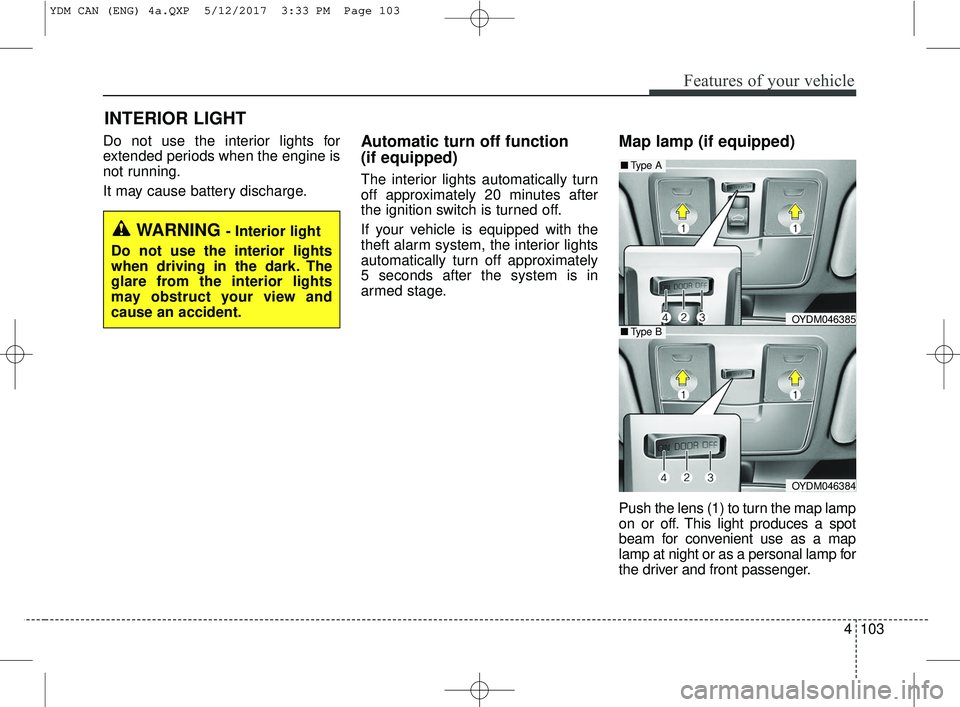
Push the lens (1) to turn the map lamp
on or off. This light produces a spot
beam for convenient use as a map
lamp at night or as a personal lamp for
the driver and front passenger.
INTERIOR LIGHT
WARNING - Interior light
Do not use the interior lights
when driving in the dark. The
glare from the interior lights
may obstruct your view and
cause an accident.
OYDM046385
OYDM046384
■ Type B
■Type A
YDM CAN (ENG) 4a.QXP 5/12/2017 3:33 PM Page 103