key KIA FORTE 2018 Service Manual
[x] Cancel search | Manufacturer: KIA, Model Year: 2018, Model line: FORTE, Model: KIA FORTE 2018Pages: 584, PDF Size: 15.14 MB
Page 179 of 584
Features of your vehicle
104
4
In the DOOR position, the map
lamp and the room lamp come on
when any door is opened regard-
less of the ignition switch position.
When doors are unlocked by the
transmitter (or smart key), the map
lamp and the room lamp come on
for approximately 30 seconds as
long as any door is not open.
The map lamp and the room lamp
go out gradually after approximate-
ly 30 seconds if the door is closed.
However, if the ignition switch is
ON or all doors are locked, the
map lamp and the room lamp will
turn off immediately. If a door is
opened with the ignition switch in
the ACC or LOCK position, the
map lamp and the room lamp stays
on for about 20 minutes. However,
if a door is opened with the ignition
switch in the ON position, the map
lamp and the room lamp stays on
continuously. If the type B room
lamp switch is OFF, it doesn't work. The lights turn off even if
a door is opened.
When the lamp is
turned ON by pressing
the lens (1), the lamp
does not turn off even
if the switch (2) is in the
OFF position.
The map lamp and the room lamp stay on at all
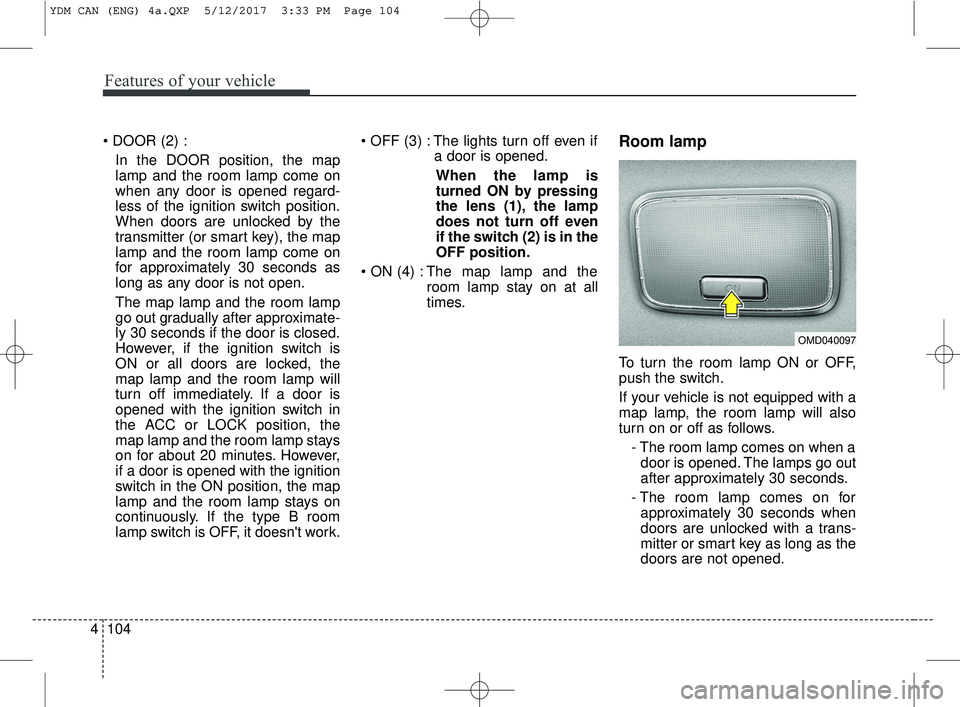
times.Room lamp
To turn the room lamp ON or OFF,
push the switch.
If your vehicle is not equipped with a
map lamp, the room lamp will also
turn on or off as follows.
- The room lamp comes on when adoor is opened. The lamps go out
after approximately 30 seconds.
- The room lamp comes on for approximately 30 seconds when
doors are unlocked with a trans-
mitter or smart key as long as the
doors are not opened.
OMD040097
YDM CAN (ENG) 4a.QXP 5/12/2017 3:33 PM Page 104
Page 182 of 584
4107
Features of your vehicle
Headlamp welcome
When the headlight(light switch in the
headlight or AUTO position) is on and
all doors (and trunk/tailgate) are
locked and closed, the headlight,
position light and tail light will come
on for 15 seconds if any of the below
is performed.
Without smart key system- When the door unlock button ispressed on the transmitter.
With the smart key system - When the door unlock button ispressed on the smart key.
At this time, if you press the door lock
button (on the transmitter or smart
key), the lights will turn off immediately.
Interior light welcome
When the interior light switch is in the
DOOR position and all doors (and
trunk/tailgate) are locked and closed,
the room lamp will come on for 30
seconds if any of the below is per-
formed.
Without smart key system - When the door unlock button ispressed on the transmitter.
With the smart key system - When the door unlock button ispressed on the smart key.
- When the button of the outside door handle is pressed.
At this time, if you press the door lock
button, the lamps will turn off imme-
diately.
Puddle lamp and pocket lamp
(if equipped)
When all doors are locked and
closed, the puddle lamp and pocket
lamp will come on for 15 seconds if
any of the below is performed.
With the smart key system - When the door unlock button ispressed on the smart key.
- When the button of the outside door handle is pressed.
- When the vehicle is approached with the smart key in possession.
At this time, if you press the door lock
button, the lamps will turn off imme-
diately.
WELCOME SYSTEM (IF EQUIPPED)
YDM CAN (ENG) 4a.QXP 5/12/2017 3:33 PM Page 107
Page 232 of 584
157
4
Features of your vehicle
(Continued)
If you use devices such as a USB
hub purchased separately, the
vehicle’s audio system may not
recognize the USB device. In that
case, connect the USB device
directly to the multimedia terminal
of the vehicle.
If the USB device is divided by log- ical drives, only the music files on
the highest-priority drive are rec-
ognized by car audio.
Devices such as MP3 Player/ Cellular phone/Digital camera can
be unrecognizable by standard
USB I/F can be unrecognizable.
Charging through the USB may not be supported in some mobile
devices.
USB HDD or USB types liable to connection failures due to vehicle
vibrations are not supported. (i-
stick type)
Some non-standard USB devices (METAL COVER TYPE USB) can
be unrecognizable.
(Continued)(Continued)
Some USB flash memory read-
ers (such as CF, SD, micro SD,
etc.) or external-HDD type
devices can be unrecognizable.
Music files protected by DRM (DIGITAL RIGHTS MANAGE-
MENT) are not recognizable.
The data in the USB memory may be lost while using this
audio. Always back up important
data on a personal storage
device.
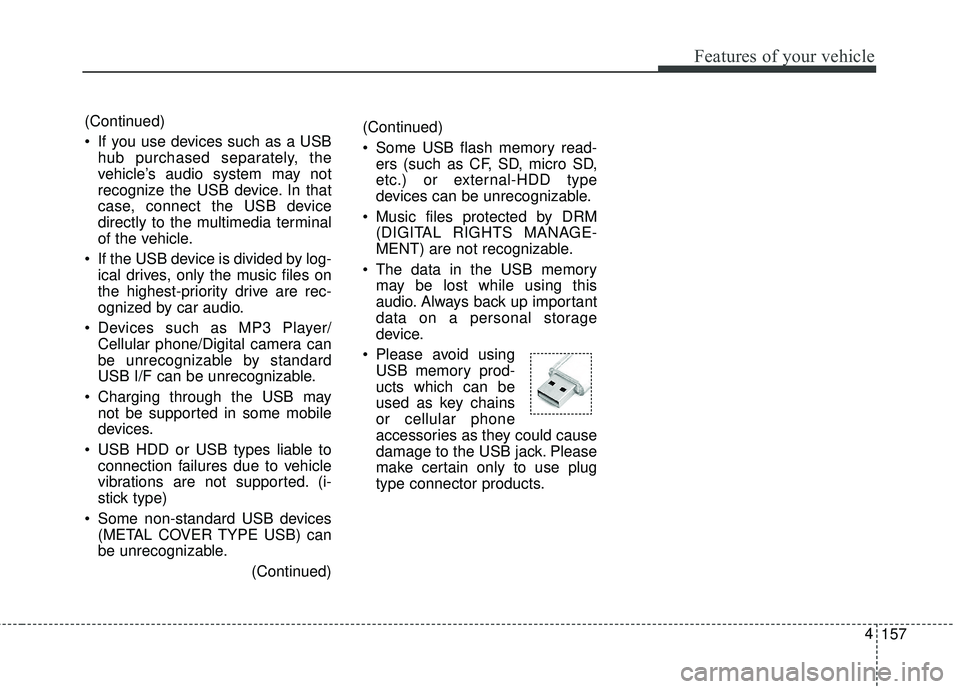
Please avoid using USB memory prod-
ucts which can be
used as key chains
or cellular phone
accessories as they could cause
damage to the USB jack. Please
make certain only to use plug
type connector products.
Page 236 of 584
Voice Recognition
feature, only commands listed with-
in the user's manual are supported.
of the voice recognition system,
pressing any key other than the key terminate voice recognition
mode.
For superior voice recognition per- formance, position the microphone
used for voice recognition above
the head of the driver’s seat and
maintain a proper position when
saying commands.
voice recognition may not function
properly due to external sound.
- When the windows and sunroof are open
- When the wind of the cooling / heating device is strong
- When entering and passing through tunnels
(Continued)(Continued)
- When driving on rugged and uneven roads
- During severe rain (heavy rains, windstorms)
can be used only when a
Bluetooth®Wireless Technology
device is connected.
name, the corresponding contact
must be downloaded and stored
within the audio system.
downloading the
Bluetooth®
Wireless Technology phone book, it
takes some times to convert the
phone book data into voice infor-
mation. During this time, voice
recognition may not properly oper-
ate.
naturally and clearly as if in a nor-
mal conversation.
161
4
Features of your vehicle
Page 245 of 584
4 170
Features of your vehicle
(Continued)
• If you use devices such as a USBhub purchased separately, the
vehicle’s audio system may not
recognize the USB device. In that
case, connect the USB device
directly to the multimedia termi-
nal of the vehicle.
• If the USB device is divided by log- ical drives, only the music files on
the highest-priority drive are rec-
ognized by car audio.
• Devices such as MP3 Player/ Cellular phone/Digital camera can
be unrecognizable by standard
USB I/F.
• Charging through the USB may not be supported in some mobile
devices.
• USB HDD or USB types liable to connection failures due to vehicle
vibrations are not supported. (i-
stick type)
• Some non-standard USB devices (METAL COVER TYPE USB)
can be unrecognizable. (Continued)(Continued)
• Some USB flash memory readers
(such as CF, SD, micro SD, etc.) or
external-HDD type devices can be
unrecognizable.
• Music files protected by DRM (DIG- ITAL RIGHTS MANAGEMENT)
are not recognizable.
• The data in the USB memory may be lost while using this audio.
Always back up important data on
a personal storage device.
• Please avoid using USB memory products
which can be used as
key chains or cellular
phone accessories as
they could cause damage to the
USB jack. Please make certain
only to use plug type connector
products.
Page 261 of 584
4 186
Features of your vehicle
Phone Mode
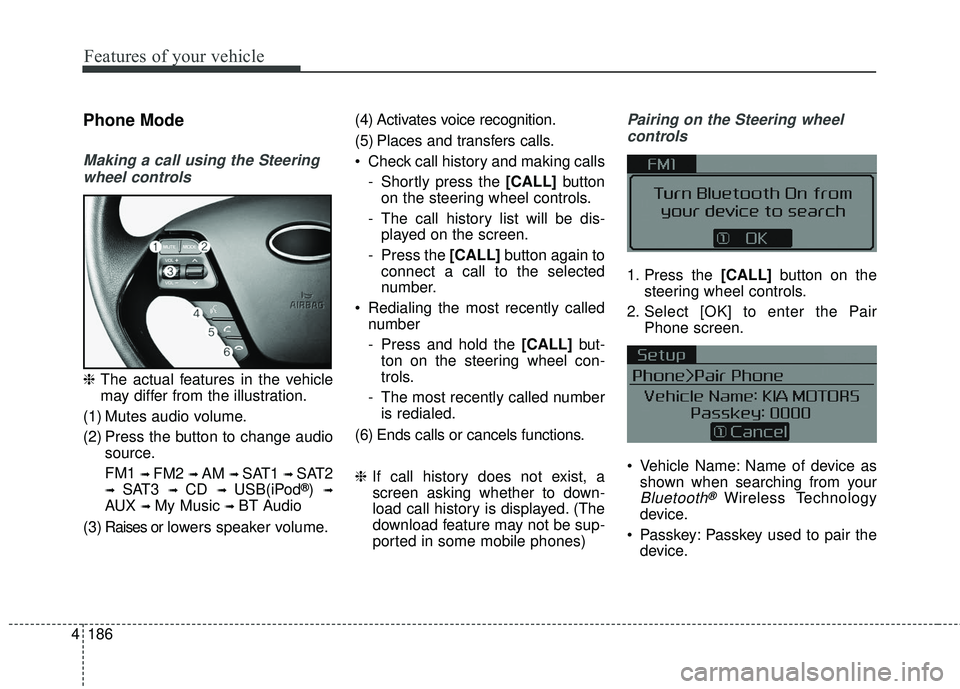
Making a call using the Steeringwheel controls
❈ The actual features in the vehicle
may differ from the illustration.
(1) Mutes audio volume.
(2) Press the button to change audio source.
FM1
➟ FM2 ➟ AM ➟ SAT1 ➟ SAT2
➟ SAT3 ➟ CD ➟ USB(iPod®) ➟
AUX ➟ My Music ➟ BT Audio
( 3 ) Raises or l ow ers speaker volume. (4) Activates voice recognition.
(5) Places and transfers calls.
Check call history and making calls
- Shortly press the [CALL] button
on the steering wheel controls.
- The call history list will be dis- played on the screen.
- Press the [CALL] button again to
connect a call to the selected
number.
Redialing the most recently called number
- Press and hold the [CALL] but-
ton on the steering wheel con-
trols.
- The most recently called number is redialed.
(6) Ends calls or cancels functions.
❈ If call history does not exist, a
screen asking whether to down-
load call history is displayed. (The
download feature may not be sup-
ported in some mobile phones)
Pairing on the Steering wheel
controls
1. Press the [CALL] button on the
steering wheel controls.
2. Select [OK] to enter the Pair Phone screen.
Vehicle Name: Name of device as shown when searching from your
Bluetooth®Wireless Technology
device.
Passkey: Passkey used to pair the device.
Page 262 of 584
187
4
Features of your vehicle
3. From your Bluetooth®Wireless
Technology device (i.e. Mobile
Phone), search and select your
car audio system.
❈ SSP: Secure Simple Pairing
Non SSP supported device:
4. After a few moments, a screen is displayed where the passkey is
entered. Enter the passkey “0000”
to pair your
Bluetooth®Wireless
Technology device with the car
audio system.
SSP supported device:
4. After a few moments, a screen is displayed that has the 6 digit
passkey from any nearby SSP
device that is found. Check the
passkey on your
Bluetooth®
Wireless Technology. Some phones (i.e., iPhone
®, AndroidTM
and Blackberry®phones) may offer
an option to allow acceptance of all
future Bluetooth
®connection requests
by default.
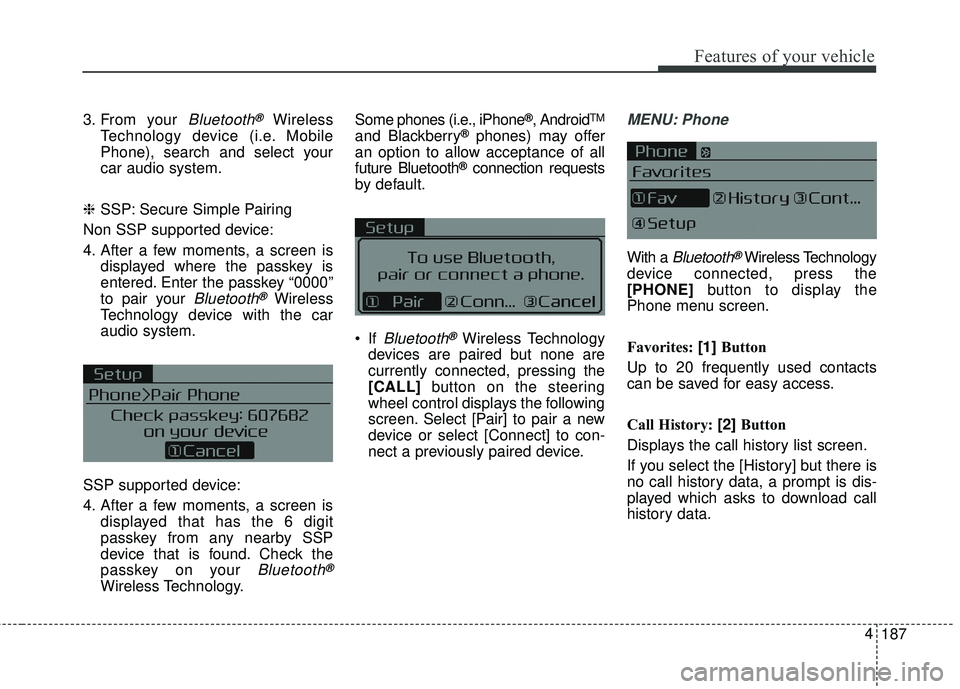
If
Bluetooth®Wireless Technology
devices are paired but none are
currently connected, pressing the
[CALL] button on the steering
wheel control displays the following
screen. Select [Pair] to pair a new
device or select [Connect] to con-
nect a previously paired device.
MENU: Phone
With a Bluetooth®Wireless Technology
device connected, press the
[PHONE] button to display the
Phone menu screen.
Favorites: [1] Button
Up to 20 frequently used contacts
can be saved for easy access.
Call History: [2] Button
Displays the call history list screen.
If you select the [History] but there is
no call history data, a prompt is dis-
played which asks to download call
history data.
Page 290 of 584
215
4
Features of your vehicle
(Continued)
• Charging through the USB may
not work for some mobile devices.
• The device may not support nor- mal operation when using a typi-
cal USB memory device (minia-
ture, keychain, etc.). For best
results, use a typical USB device
that has a metal case.
• The device may not support nor- mal operation when using formats
such as HDD Type, CF, or SD
Memory.
• The device will not support files locked by DRM (Digital Rights
Management.)
• USB memory sticks used by con- necting an Adaptor (SD Type or
CF Type) may not be properly rec-
ognized.
• The device may not operate prop- erly when using USB HDDs or
USBs subject to connection fail-
ures caused by vehicle vibrations.
(e.g. i-stick type) (Continued)(Continued)
• Avoid use of USB
memory products that
can also be used as key
chains or mobile phone
accessories. Use of such products
may cause damage to the USB
jack.
• Connecting an MP3 device or phone through various channels,
such as AUX/BT or Audio/ USB
mode may result in pop noises or
abnormal operation.
Page 318 of 584
![KIA FORTE 2018 Service Manual 243
4
Features of your vehicle
Bluetooth®Wireless Technology
When No Devices have been
Paired
➀ Press the [PHONE] button or the
[CALL] button on the steering
wheel controls. The following
screen is](/img/2/40397/w960_40397-317.png "KIA FORTE 2018 Service Manual 243
4
Features of your vehicle
Bluetooth®Wireless Technology
When No Devices have been
Paired
➀ Press the [PHONE] button or the
[CALL] button on the steering
wheel controls. The following
screen is")
243
4
Features of your vehicle
Bluetooth®Wireless Technology
When No Devices have been
Paired
➀ Press the [PHONE] button or the
[CALL] button on the steering
wheel controls. The following
screen is displayed.
\b Press the [OK] to enter the Pair
Phone screen. Vehicle Name: Name of device as
shown when searching from your
Bluetooth®Wireless Technology
device.
Passkey: Passkey used to pair the device.
➂ From your
Bluetooth®Wireless
Technology device (i.e. Mobile
Phone), search and select your
car audio system.
❈ SSP: Secure Simple Pairing
Non SSP supported device:
➃ After a few moments, a screen is
displayed where the passkey is
entered.
Enter the passkey “0000” to pair your
Bluetooth®Wireless Technology
device with the car audio system. SSP supported device:
➃
After a few moments, a screen is
displayed 6 digits passkey.
Check the passkey on your
Bluetooth®Wireless Technology
device and confirm.
➄ Once pairing is complete, the fol-
lowing screen is displayed.
Page 342 of 584
Driving your vehicle
Before driving . . . . . . . . . . . . . . . . . . . . . . . . . . . . . . 5-4
• Before entering vehicle . . . . . . . . . . . . . . . . . . . . . . . . . 5-4
• Necessary inspections . . . . . . . . . . . . . . . . . . . . . . . . . . 5-4
• Before starting . . . . . . . . . . . . . . . . . . . . . . . . . . . . . . . . 5-4
key positions . . . . . . . . . . . . . . . . . . . . . . . . . . . . . . . 5-6
• Illuminated ignition switch . . . . . . . . . . . . . . . . . . . . . . 5-6
• Ignition switch position . . . . . . . . . . . . . . . . . . . . . . . . . 5-6
Engine start/stop button . . . . . . . . . . . . . . . . . . . . . 5-8
• Illuminated ENGINE START/STOP button . . . . . . . 5-8
• ENGINE START/STOP button position . . . . . . . . . . . 5-8
Starting the engine . . . . . . . . . . . . . . . . . . . . . . . . . 5-11
• Starting the engine with an ignition key . . . . . . . . . . 5-11
• Starting the engine with a smart key. . . . . . . . . . . . . 5-12
Manual Transaxle. . . . . . . . . . . . . . . . . . . . . . . . . . 5-14
• Manual transaxle operation . . . . . . . . . . . . . . . . . . . . 5-14
• Good driving practices . . . . . . . . . . . . . . . . . . . . . . . . 5-17
Automatic transaxle . . . . . . . . . . . . . . . . . . . . . . . . 5-18
• Automatic transaxle operation. . . . . . . . . . . . . . . . . . 5-18
• Good driving practices . . . . . . . . . . . . . . . . . . . . . . . . 5-23
Dual Clutch Transmission (DCT) . . . . . . . . . . . . . 5-24
• Dual clutch transmission operation . . . . . . . . . . . . . 5-24
• Paddle shifter . . . . . . . . . . . . . . . . . . . . . . . . . . . . . . . . 5-30
• Good driving practices . . . . . . . . . . . . . . . . . . . . . . . . 5-32
Brake system . . . . . . . . . . . . . . . . . . . . . . . . . . . . . . 5-34
• Power brakes . . . . . . . . . . . . . . . . . . . . . . . . . . . . . . . . 5-34
• Parking brake . . . . . . . . . . . . . . . . . . . . . . . . . . . . . . . 5-35
• Anti-lock brake system (ABS) . . . . . . . . . . . . . . . . . . 5-37
• Electronic stability control (ESC) . . . . . . . . . . . . . . . 5-39
• Hill-start assist control (HAC) . . . . . . . . . . . . . . . . . . 5-43
• Vehicle stability management (VSM) . . . . . . . . . . . . 5-43
• Good braking practices. . . . . . . . . . . . . . . . . . . . . . . . 5-45
Autonomous emergency braking (AEB)/Forward collision warning (FCW) . . . . . . . . . . . 5-47
• System setting and activation . . . . . . . . . . . . . . . . . . . 5-47
• AEB warning message and system control . . . . . . . . 5-49
• Brake operation . . . . . . . . . . . . . . . . . . . . . . . . . . . . . . 5-50
• Sensor to detect the distance from the vehicle in
front (front radar) . . . . . . . . . . . . . . . . . . . . . . . . . . . 5-51
• System malfunction . . . . . . . . . . . . . . . . . . . . . . . . . . . 5-52
• Limitation of the system . . . . . . . . . . . . . . . . . . . . . . . 5-53
• Recognizing pedestrians . . . . . . . . . . . . . . . . . . . . . . . 5-56
Cruise Control system . . . . . . . . . . . . . . . . . . . . . . 5-58
• Cruise control switch . . . . . . . . . . . . . . . . . . . . . . . . . 5-58
• To set cruise control speed: . . . . . . . . . . . . . . . . . . . . 5-59
• To increase cruise control set speed: . . . . . . . . . . . . . 5-60
• To decrease the cruising speed: . . . . . . . . . . . . . . . . . 5-60
• To temporarily accelerate with the cruise control on . . 5-60
• To cancel cruise control . . . . . . . . . . . . . . . . . . . . . . . 5-61
5