warning KIA FORTE 2019 Owners Manual
[x] Cancel search | Manufacturer: KIA, Model Year: 2019, Model line: FORTE, Model: KIA FORTE 2019Pages: 550, PDF Size: 11.66 MB
Page 358 of 550
Driving your vehicle
112
5
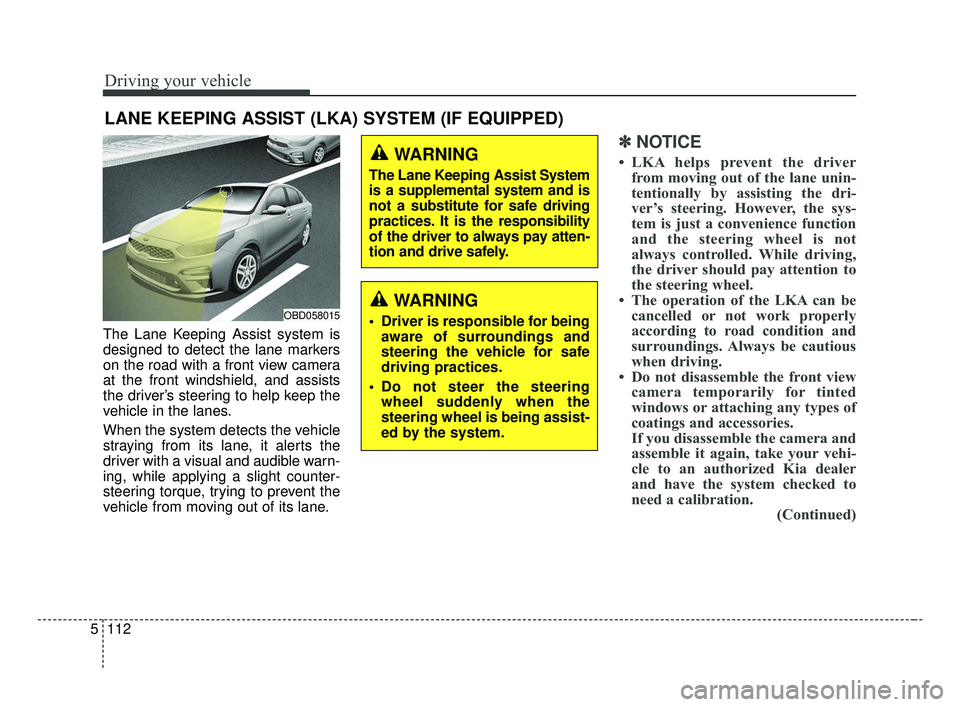
The Lane Keeping Assist system is
designed to detect the lane markers
on the road with a front view camera
at the front windshield, and assists
the driver’s steering to help keep the
vehicle in the lanes.
When the system detects the vehicle
straying from its lane, it alerts the
driver with a visual and audible warn-
ing, while applying a slight counter-
steering torque, trying to prevent the
vehicle from moving out of its lane.
✽ ✽
NOTICE
• LKA helps prevent the driver
from moving out of the lane unin-
tentionally by assisting the dri-
ver’s steering. However, the sys-
tem is just a convenience function
and the steering wheel is not
always controlled. While driving,
the driver should pay attention to
the steering wheel.
• The operation of the LKA can be cancelled or not work properly
according to road condition and
surroundings. Always be cautious
when driving.
• Do not disassemble the front view camera temporarily for tinted
windows or attaching any types of
coatings and accessories.
If you disassemble the camera and
assemble it again, take your vehi-
cle to an authorized Kia dealer
and have the system checked to
need a calibration. (Continued)
LANE KEEPING ASSIST (LKA) SYSTEM (IF EQUIPPED)
WARNING
Driver is responsible for being
aware of surroundings and
steering the vehicle for safe
driving practices.
Do not steer the steering wheel suddenly when the
steering wheel is being assist-
ed by the system.
WARNING
The Lane Keeping Assist System
is a supplemental system and is
not a substitute for safe driving
practices. It is the responsibility
of the driver to always pay atten-
tion and drive safely.
OBD058015
BDm CAN (ENG) 5.QXP 7/4/2018 10:17 AM Page 112
Page 359 of 550
5113
Driving your vehicle
(Continued)
• When you replace the windshieldglass, front view camera or sys-
tem, take your vehicle to an
authorized Kia dealer and have
the system checked to need a cali-
bration.
• The system is designed to detect lane markers using a front view
camera. If the lane markers are
hard to detect, then the system
may be limited. Always be cau-
tious when using the system.
• When the lane markers are hard to detect, please refer to “Driver’s
Attention”.
• Do not remove or damage the related parts of LKA.
• Do not place objects on the dash- board that reflects light such as
mirrors, white paper, etc. This
may prevent the system from
functioning. (Continued)(Continued)
• You may not hear warning sound
of LKA because of the excessive
audio sound.
• If you continue to drive with your hands off the steering wheel, the
LKA system will stop controlling
the steering wheel after the hands
off alarm. Afterwards, if you drive
with your hands on the steering
wheel, the control will be activated
again.
• If the vehicle speed is high, steer- ing torque for assistance will not
be enough to keep your vehicle
within the lane. If so, the vehicle
may move out of its lane. Obey
speed limit when using LKA.
• If you attach objects to the steer- ing wheel, the system may not
assist steering.
• If you attach objects to the steer- ing wheel, hands off alarm may
not work properly.LKA operation
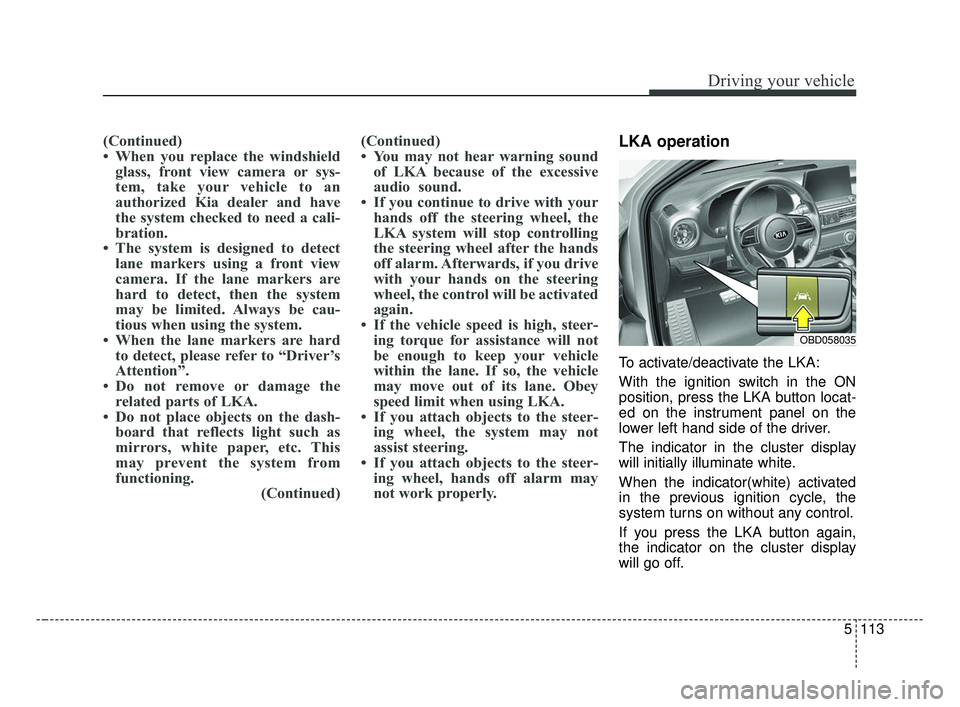
To activate/deactivate the LKA:
With the ignition switch in the ON
position, press the LKA button locat-
ed on the instrument panel on the
lower left hand side of the driver.
The indicator in the cluster display
will initially illuminate white.
When the indicator(white) activated
in the previous ignition cycle, the
system turns on without any control.
If you press the LKA button again,
the indicator on the cluster display
will go off.
OBD058035
BDm CAN (ENG) 5.QXP 7/4/2018 10:17 AM Page 113
Page 360 of 550
Driving your vehicle
114
5
The color of indicator will change
depend on the condition of LKA.
- White : Sensor does not detect the lane marker or vehicle
speed is less than 64
km/h (40 mph).
- Green : Sensor detects the lane
marker and system is able
to control the steering.LKA activation
To see the LKA screen on the LCD
display in the cluster, Tab to the
ASSIST mode ( ).
For further details, refer to [menu settings] in chapter 4.
After LKA is activated, if both lane markers are detected, vehicle
speed is over 64 km/h (40 mph)
and all the activation conditions are
satisfied, a green steering wheel
indicator will illuminate and the
steering wheel will be controlled.WARNING
The Lane Keeping Assist system
is a system to help prevent the
driver from leaving the lane.
However, the driver should not
solely rely on the system but
always check the road condi-
tions when driving.
BDm CAN (ENG) 5.QXP 7/4/2018 10:17 AM Page 114
Page 361 of 550
5115
Driving your vehicle
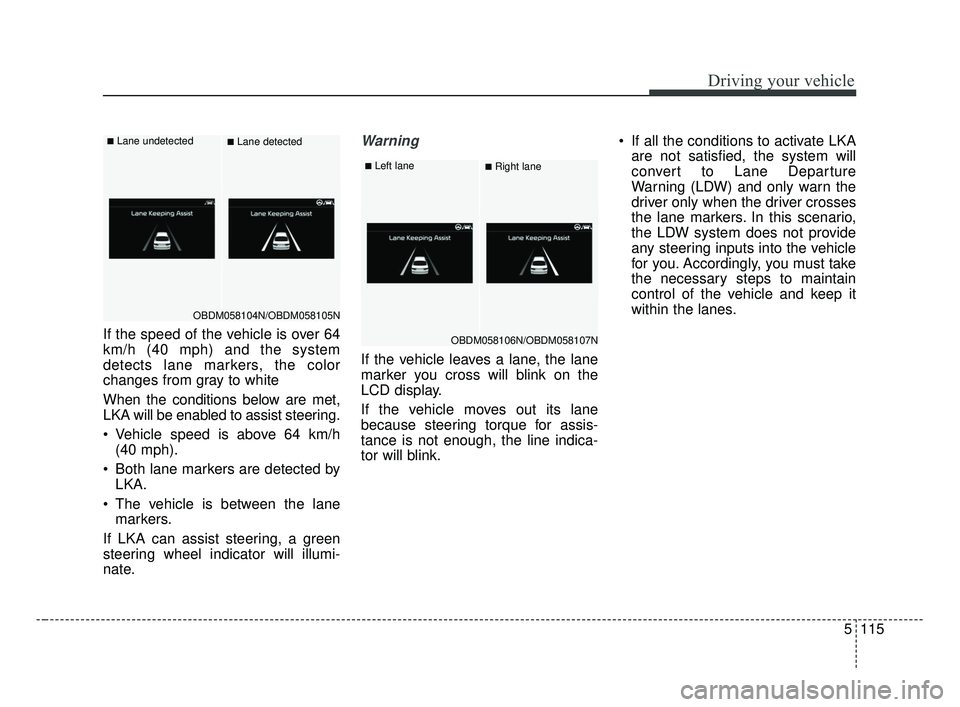
If the speed of the vehicle is over 64
km/h (40 mph) and the system
detects lane markers, the color
changes from gray to white
When the conditions below are met,
LKA will be enabled to assist steering.
Vehicle speed is above 64 km/h(40 mph).
Both lane markers are detected by LKA.
The vehicle is between the lane markers.
If LKA can assist steering, a green
steering wheel indicator will illumi-
nate.
Warning
If the vehicle leaves a lane, the lane
marker you cross will blink on the
LCD display.
If the vehicle moves out its lane
because steering torque for assis-
tance is not enough, the line indica-
tor will blink. If all the conditions to activate LKA
are not satisfied, the system will
convert to Lane Departure
Warning (LDW) and only warn the
driver only when the driver crosses
the lane markers. In this scenario,
the LDW system does not provide
any steering inputs into the vehicle
for you. Accordingly, you must take
the necessary steps to maintain
control of the vehicle and keep it
within the lanes.
OBDM058104N/OBDM058105N
■Lane undetected■Lane detected
OBDM058106N/OBDM058107N
■Left lane■Right lane
BDm CAN (ENG) 5.QXP 7/4/2018 10:17 AM Page 115
Page 362 of 550
Driving your vehicle
116
5
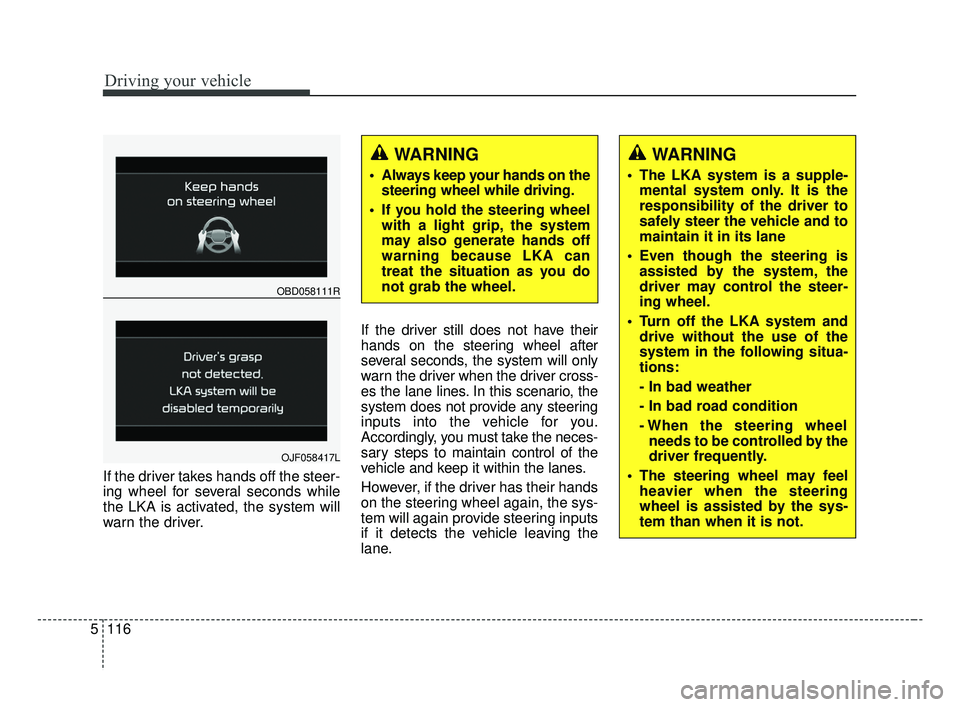
If the driver takes hands off the steer-
ing wheel for several seconds while
the LKA is activated, the system will
warn the driver. If the driver still does not have their
hands on the steering wheel after
several seconds, the system will only
warn the driver when the driver cross-
es the lane lines. In this scenario, the
system does not provide any steering
inputs into the vehicle for you.
Accordingly, you must take the neces-
sary steps to maintain control of the
vehicle and keep it within the lanes.
However, if the driver has their hands
on the steering wheel again, the sys-
tem will again provide steering inputs
if it detects the vehicle leaving the
lane.
WARNING
Always keep your hands on the
steering wheel while driving.
If you hold the steering wheel with a light grip, the system
may also generate hands off
warning because LKA can
treat the situation as you do
not grab the wheel.
OBD058111R
OJF058417L
WARNING
The LKA system is a supple-mental system only. It is the
responsibility of the driver to
safely steer the vehicle and to
maintain it in its lane
Even though the steering is assisted by the system, the
driver may control the steer-
ing wheel.
Turn off the LKA system and drive without the use of the
system in the following situa-
tions:
- In bad weather
- In bad road condition
- When the steering wheelneeds to be controlled by the
driver frequently.
The steering wheel may feel heavier when the steering
wheel is assisted by the sys-
tem than when it is not.
BDm CAN (ENG) 5.QXP 7/4/2018 10:17 AM Page 116
Page 365 of 550
5119
Driving your vehicle
LKA malfunction
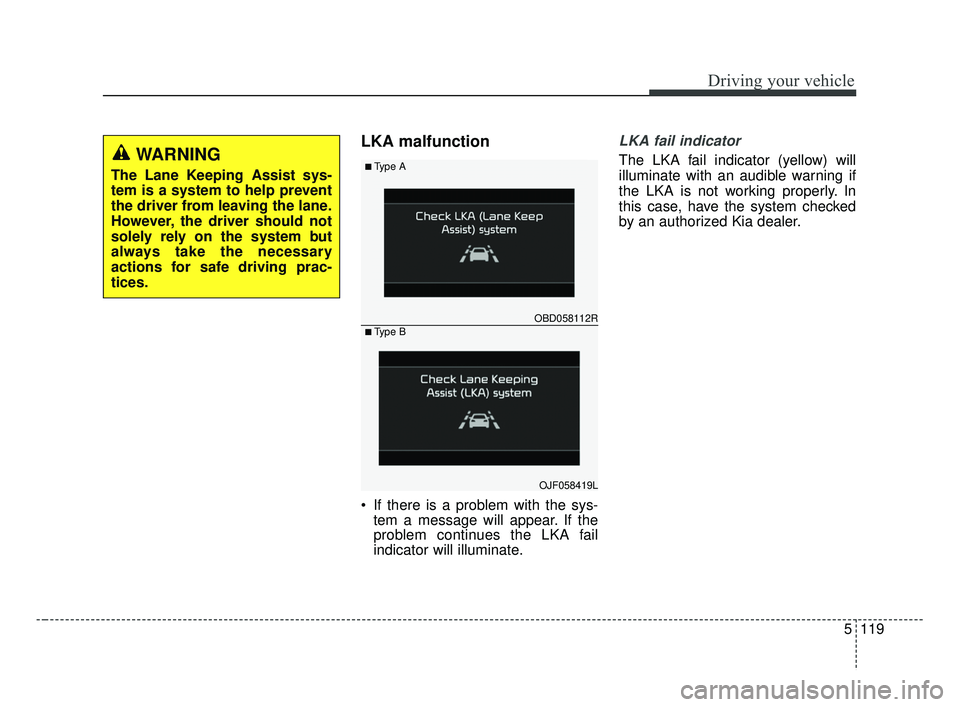
If there is a problem with the sys-tem a message will appear. If the
problem continues the LKA fail
indicator will illuminate.
LKA fail indicator
The LKA fail indicator (yellow) will
illuminate with an audible warning if
the LKA is not working properly. In
this case, have the system checked
by an authorized Kia dealer.WARNING
The Lane Keeping Assist sys-
tem is a system to help prevent
the driver from leaving the lane.
However, the driver should not
solely rely on the system but
always take the necessary
actions for safe driving prac-
tices.
OBD058112R
■Type A
■Type B
OJF058419L
BDm CAN (ENG) 5.QXP 7/4/2018 10:18 AM Page 119
Page 366 of 550
Driving your vehicle
120
5
When there is a problem with the sys-
tem do one of the following:
Turn the system on after turning
the engine off and on again.
Check if the ignition switch is in the ON position.
Check if the system is affected by the weather. (ex: fog, heavy rain,
etc.)
Check if there is foreign matter on the camera lens
If the problem is not solved, take your
vehicle to an authorized Kia dealer
and have the system checked.LKA function change
The driver can change LKA to Lane
Departure Warning (LDW) system or
change the LKA mode between
Standard LKA and Active LKA from
the User Settings Mode on the LCD
display. The driver can choose them by plac-
ing the ignition switch to the ON posi-
tion and by selecting ‘User Settings’,
‘Driver Assistance’, and ‘Lane
Safety’.
The system is automatically set to
Standard LKA when your vehicle is
first delivered from the factory.
Lane Departure Warning
LDW alerts the driver with a visual
and acoustic warning when the sys-
tem detects the vehicle leaving the
lane. In this mode, the system will not
provide steering inputs. When the
vehicle’s front wheel contacts the
inside edge of lane line, LKA issues
the lane departure warning.
Standard LKA
The Standard LKA mode guides the
driver to keep the vehicle within the
lanes. It provides inputs to the steer-
ing, when the vehicle is about to
deviate from the lanes.
Active LKA
The active LKA mode provides more
frequent steering wheel control in
comparison with the Standard LKA
mode. Active LKA can reduce the dri-
ver’s fatigue to assist the steering for
maintaining the vehicle in the middle
of the lane.
BDm CAN (ENG) 5.QXP 7/4/2018 10:18 AM Page 120
Page 367 of 550
5121
Driving your vehicle
The Driver Attention Warning (DAW)
system is designed to warn the driv-
er of potentially hazardous driving
situations if it detects inattentive
driving practices.System setting and activation
System setting
The Driver Attention Warning sys-tem is set to be in the Normal posi-
tion, when your vehicle is first
delivered to you from the factory.
To turn ON the Driver Attention Warning system, turn on the
engine, and then select 'User
Settings →Driver Assistance →
DAW (Driver Attention Warning) →
High sensitivity/Normal sensitivi-
ty/Off' on the LCD display. The driver can select the Driver
Attention Warning system mode.
- Off : The Driver Attention Warningsystem is deactivated.
- Normal sensitivity : The Driver Attention Warning system alerts
the driver of his/her fatigue level
or inattentive driving practices.
- High sensitivity : The Driver Attention Warning system alerts
the driver of his/her fatigue level
or inattentive driving practices
faster than Normal mode.
The set-up of the Driver Attention Warning system will be main-
tained, as selected, when the
engine is re-started.
DRIVER ATTENTION WARNING (DAW, IF EQUIPPED)
BDm CAN (ENG) 5.QXP 7/4/2018 10:18 AM Page 121
Page 368 of 550
Driving your vehicle
122
5
Display of the driver's attention
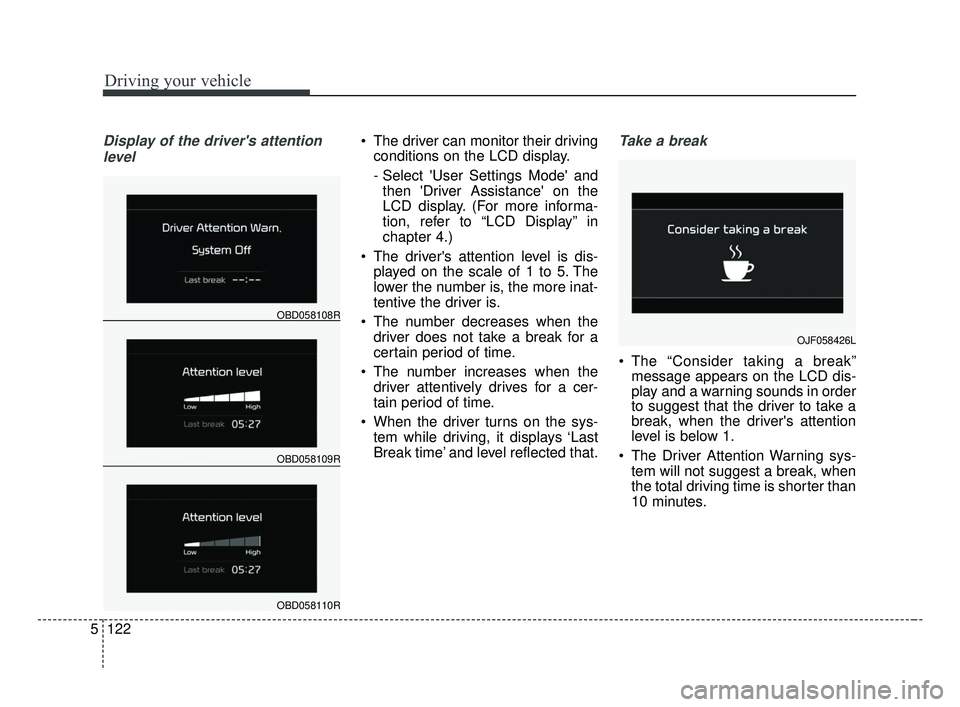
level The driver can monitor their driving conditions on the LCD display.
- Select 'User Settings Mode' andthen 'Driver Assistance' on the
LCD display. (For more informa-
tion, refer to “LCD Display” in
chapter 4.)
The driver's attention level is dis- played on the scale of 1 to 5. The
lower the number is, the more inat-
tentive the driver is.
The number decreases when the driver does not take a break for a
certain period of time.
The number increases when the driver attentively drives for a cer-
tain period of time.
When the driver turns on the sys- tem while driving, it displays ‘Last
Break time’ and level reflected that.Take a break
The “Consider taking a break”message appears on the LCD dis-
play and a warning sounds in order
to suggest that the driver to take a
break, when the driver's attention
level is below 1.
The Driver Attention Warning sys- tem will not suggest a break, when
the total driving time is shorter than
10 minutes.
OBD058109R
OBD058108R
OBD058110R
OJF058426L
BDm CAN (ENG) 5.QXP 7/4/2018 10:18 AM Page 122
Page 369 of 550
5123
Driving your vehicle
Resetting the system
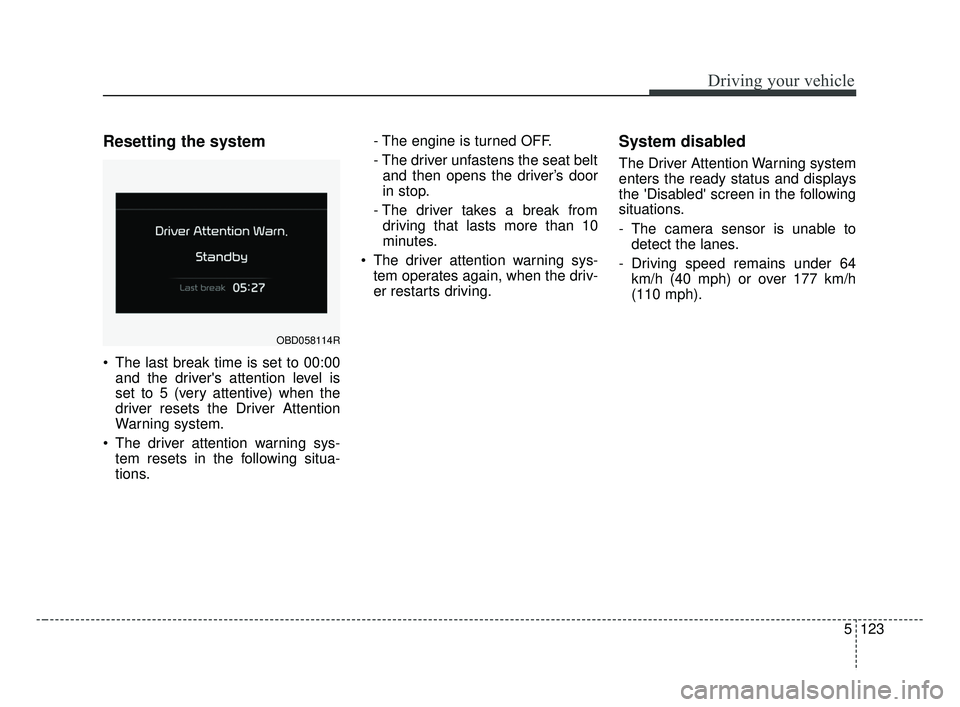
The last break time is set to 00:00and the driver's attention level is
set to 5 (very attentive) when the
driver resets the Driver Attention
Warning system.
The driver attention warning sys- tem resets in the following situa-
tions. - The engine is turned OFF.
- The driver unfastens the seat belt
and then opens the driver’s door
in stop.
- The driver takes a break from driving that lasts more than 10
minutes.
The driver attention warning sys- tem operates again, when the driv-
er restarts driving.
System disabled
The Driver Attention Warning system
enters the ready status and displays
the 'Disabled' screen in the following
situations.
- The camera sensor is unable todetect the lanes.
- Driving speed remains under 64 km/h (40 mph) or over 177 km/h
(110 mph).
OBD058114R
BDm CAN (ENG) 5.QXP 7/4/2018 10:18 AM Page 123