ECO mode KIA FORTE 2019 Owner's Manual
[x] Cancel search | Manufacturer: KIA, Model Year: 2019, Model line: FORTE, Model: KIA FORTE 2019Pages: 550, PDF Size: 11.66 MB
Page 219 of 550
Features of your vehicle
134
4
✽ ✽
NOTICE
When opening the windows in humid
weather, air conditioning may create
water droplets inside the vehicle.
Since excessive water droplets may
cause damage to electrical equip-
ment, air conditioning should only be
used with the windows closed.
Air conditioning system operation tips
If the vehicle has been parked in
direct sunlight during hot weather,
open the windows for a short time
to let the hot air inside the vehicle
escape.
To help reduce moisture inside of the windows on rainy or humid
days, decrease the humidity inside
the vehicle by operating the air
conditioning system.
During air conditioning system operation, you may occasionally
notice a slight change in engine
speed as the air conditioning com-
pressor cycles. This is a normal
system operation characteristic.
Use the air conditioning system every month only for a few minutes
to ensure maximum system per-
formance. When using the air conditioning
system, you may notice clear water
dripping (or even puddling) on the
ground under the passenger side
of the vehicle. This is a normal sys-
tem operation characteristic.
Operating the air conditioning sys- tem in the recirculated air position
provides maximum cooling, how-
ever, continual operation in this
mode may cause the air inside the
vehicle to become stale.
During cooling operation, you may occasionally notice a misty air flow
because of rapid cooling and
humid air intake. This is a normal
system operation characteristic.CAUTION - Excessive A/C
Use
When using the air conditioningsystem, monitor the tempera-ture gauge closely while drivingup hills or in heavy traffic whenoutside temperatures are high.Air conditioning system opera-tion may cause engine over-heating. Continue to use theblower fan but turn the air con-ditioning system off if the tem-perature gauge indicates engineoverheating.
BDm CAN (ENG) 4.qxp 7/4/2018 10:09 AM Page 134
Page 230 of 550
4145
Features of your vehicle
During mild weather or under condi-
tions where the operation of the seat
warmer is not needed, keep the
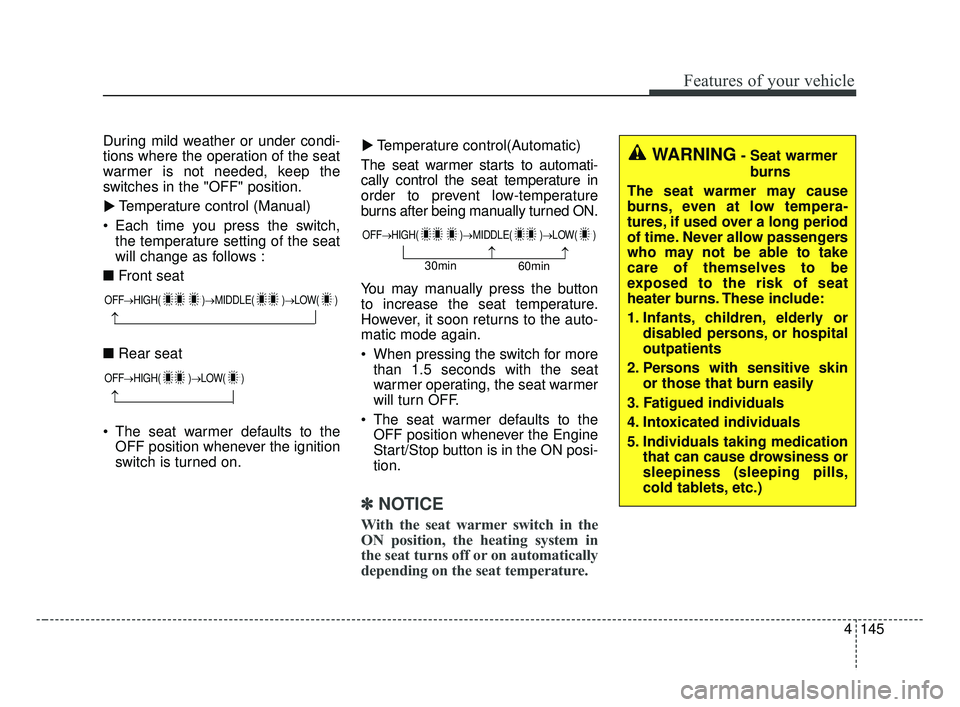
switches in the "OFF" position.Temperature control (Manual)
Each time you press the switch, the temperature setting of the seat
will change as follows :
■ Front seat
■ Rear seat
The seat warmer defaults to the OFF position whenever the ignition
switch is turned on. Temperature control(Automatic)
The seat warmer starts to automati-
cally control the seat temperature in
order to prevent low-temperature
burns after being manually turned ON.
You may manually press the button
to increase the seat temperature.
However, it soon returns to the auto-
matic mode again.
When pressing the switch for more than 1.5 seconds with the seat
warmer operating, the seat warmer
will turn OFF.
The seat warmer defaults to the OFF position whenever the Engine
Start/Stop button is in the ON posi-
tion.
✽ ✽ NOTICE
With the seat warmer switch in the
ON position, the heating system in
the seat turns off or on automatically
depending on the seat temperature.
▼
▼WARNING- Seat warmer
burns
The seat warmer may cause
burns, even at low tempera-
tures, if used over a long period
of time. Never allow passengers
who may not be able to take
care of themselves to be
exposed to the risk of seat
heater burns. These include:
1. Infants, children, elderly or disabled persons, or hospital
outpatients
2. Persons with sensitive skin or those that burn easily
3. Fatigued individuals
4. Intoxicated individuals
5. Individuals taking medication that can cause drowsiness or
sleepiness (sleeping pills,
cold tablets, etc.)
OFF→ HIGH( )→ MIDDLE( )→LOW( )
→
OFF→HIGH( )→ LOW( )
→
OFF→HIGH( )→ MIDDLE( )→LOW( )
→→30min
60min
BDm CAN (ENG) 4.qxp 7/4/2018 10:10 AM Page 145
Page 248 of 550
Cruise control system. . . . . . . . . . . . . . . . . . . . . . . 5-73
• To set cruise control speed: . . . . . . . . . . . . . . . . . . . . 5-74
• To increase cruise control set speed: . . . . . . . . . . . . . 5-74
• To decrease the cruising speed: . . . . . . . . . . . . . . . . . 5-75
• To temporarily accelerate with the cruise control on . 5-75
• To cancel cruise control, do one of the following . . . 5-75
• To resume cruising speed at more than approximately 30 km/h (20 mph) . . . . . . . . . . . . . . 5-76
• To turn cruise control off, do one of the following. . 5-76
Smart Cruise Control . . . . . . . . . . . . . . . . . . . . . . 5-77
• Smart Cruise Control switch . . . . . . . . . . . . . . . . . . . 5-79
• Smart Cruise Control speed . . . . . . . . . . . . . . . . . . . . 5-79
• Vehicle to vehicle distance setting . . . . . . . . . . . . . . . 5-84
• When the lane ahead is clear . . . . . . . . . . . . . . . . . . . 5-85
• When there is a vehicle ahead of you in your lane . 5-86
• To adjust the sensitivity of smart cruise control . . . 5-90
• To convert to cruise control mode . . . . . . . . . . . . . . . 5-90
• Limitations of the system . . . . . . . . . . . . . . . . . . . . . . 5-91
Drive mode integrated control system . . . . . . . . . 5-98
Blind-spot Collision Warning (BCW) . . . . . . . . 5-102
• BCW (Blind-Spot Collision Warning)/ LCA (Lane Change Assist) . . . . . . . . . . . . . . . . . . . 5-103
• RCCW (Rear Cross-Traffic Collision Warning) . . 5-106
• Driver's Attention . . . . . . . . . . . . . . . . . . . . . . . . . . . 5-110
Lane Keeping Assist (LKA) system . . . . . . . . . . 5-112
• LKA operation . . . . . . . . . . . . . . . . . . . . . . . . . . . . . . 5-113
• LKA malfunction . . . . . . . . . . . . . . . . . . . . . . . . . . . . 5-119
• LKA function change . . . . . . . . . . . . . . . . . . . . . . . . 5-120
Driver Attention Warning (DAW) . . . . . . . . . . . 5-121
• System setting and activation . . . . . . . . . . . . . . . . . . 5-121
• Resetting the system . . . . . . . . . . . . . . . . . . . . . . . . . 5-123
• System disabled . . . . . . . . . . . . . . . . . . . . . . . . . . . . . 5-123
• System malfunction . . . . . . . . . . . . . . . . . . . . . . . . . . 5-124
Economical operation . . . . . . . . . . . . . . . . . . . . . 5-126
Special driving conditions . . . . . . . . . . . . . . . . . . 5-128
• Hazardous driving conditions . . . . . . . . . . . . . . . . . 5-128
• Rocking the vehicle . . . . . . . . . . . . . . . . . . . . . . . . . . 5-128
• Smooth cornering . . . . . . . . . . . . . . . . . . . . . . . . . . . 5-129
• Driving at night . . . . . . . . . . . . . . . . . . . . . . . . . . . . . 5-129
• Driving in the rain . . . . . . . . . . . . . . . . . . . . . . . . . . . 5-130
• Driving in flooded areas . . . . . . . . . . . . . . . . . . . . . . 5-131
• Driving off-road . . . . . . . . . . . . . . . . . . . . . . . . . . . . . 5-131
• Highway driving . . . . . . . . . . . . . . . . . . . . . . . . . . . . 5-131
Winter driving . . . . . . . . . . . . . . . . . . . . . . . . . . . 5-132
• Snowy or icy conditions . . . . . . . . . . . . . . . . . . . . . . 5-132
• Use high quality ethylene glycol coolant . . . . . . . . . 5-133
• Check battery and cables . . . . . . . . . . . . . . . . . . . . . 5-133
• Change to "winter weight" oil if necessary . . . . . . 5-133
• Check spark plugs and ignition system. . . . . . . . . . 5-133
5
BDm CAN (ENG) 5.QXP 7/4/2018 10:12 AM Page 2
Page 255 of 550
59
Driving your vehicle
Starting the engine
1.Make sure the parking brake isapplied.
2. Manual Transmission - Depress
the clutch pedal fully and shift the
transmission into Neutral. Keep the
clutch pedal and brake pedal
depressed while turning the igni-
tion switch to the start position.
Intelligent Variable Transmission
- Place the transmission shift lever
in P (Park). Depress the brake
pedal fully.
You can also start the engine when the shift lever is in the N (Neutral)position.
3.Turn the ignition switch to START and hold it there until the engine
starts (a maximum of 10 seconds),
then release the key.
It should be started withoutdepressing the accelerator.
4.Do not wait for the engine to warm up while the vehicle remains sta-
tionary.
Start driving at moderate engine
speeds. (Steep accelerating and
decelerating should be avoided.) If the engine stalls while you are in
motion, do not attempt to move the
shift lever to the P (Park) position. If
traffic and road conditions permit,
you may put the shift lever in the N
(Neutral) position while the vehicle is
still moving and turn the ignition
switch to the START position in an
attempt to restart the engine.
CAUTION- Starter
Do not engage the starter for
more than 10 seconds. If theengine stalls or fails to start,wait 5 to 10 seconds before re-engaging the starter. Improperuse of the starter may damageit.
WARNING- Steering
wheel
Never reach for any controls
through the steering wheel
while the vehicle is in motion.
The presence of your hand or
arm in this area could cause a
loss of vehicle control.
WARNING- Proper footwear
Always wear appropriate shoes
when operating your vehicle.
Unsuitable shoes (high heels,
ski boots, sandals, etc.) may
interfere with your ability to use
the brake and accelerator pedal.
BDm CAN (ENG) 5.QXP 7/4/2018 10:12 AM Page 9
Page 261 of 550
515
Driving your vehicle
Starting the engine
1. Carry the smart key or place itinside the vehicle.
2. Make sure the parking brake is firmly applied.
3. Manual Transmission - Depress
the clutch pedal fully and shift the
transmission into Neutral. Keep the
clutch pedal and brake pedal
depressed while starting the
engine.
Intelligent Variable Transmission
- Place the transmission shift lever in
P (Park). Depress the brake pedal
fully.
You can also start the engine when the shift lever is in the N(Neutral) position.
4. Press the engine start/stop button.
It should be started without depress-ing the accelerator pedal.
5. Do not wait for the engine to warm
up while the vehicle remains sta-
tionary. Start driving at moderate
engine speeds. (Steep accelerat-
ing and decelerating should be
avoided.)
Starting and stopping the engine
for turbocharger intercooler
1. Do not race or accelerate the engine immediately after starting.
If the engine is cold, idle for sever-
al seconds before sufficient lubri-
cation is ensured in the tur-
bocharger unit.
2. After high speed or extended driv- ing, requiring a heavy engine load,
idle the engine about 1 minute
before turning it off.
This idle time will allow the tur- bocharger to cool prior to shutting
the engine off.
Starting the engine with smart key
Even if the smart key is in the vehi- cle, if it is far away from you, the
engine may not start.
When the engine start/stop button is in the ACC position or above, if
any door is opened, the system
checks for the smart key. If the
smart key is not in the vehicle, the
“ ” indicator and a message
“Key is not in the vehicle” will appear
on the instrument cluster and LCD
window. And if all doors are closed,
the chime will sound for 5 seconds.
The indicator or warning will turn off
while the vehicle is moving. Always
have the smart key with you.
CAUTION
Do not turn the engine off imme-diately after it has been subject-ed to a heavy load. Doing somay cause severe damage tothe engine or turbocharger unit.
BDm CAN (ENG) 5.QXP 7/4/2018 10:13 AM Page 15
Page 271 of 550
525
Driving your vehicle
D (Drive)
This is the normal forward driving
position. The transmission will auto-
matically shift, providing the best fuel
economy and power.
For extra power when passing anoth-
er vehicle or climbing grades,
depress the accelerator fully, at which
time the transmission will automati-
cally downshift to the next lower gear.
✽ ✽NOTICE
Always come to a complete stop
before shifting into D (Drive).
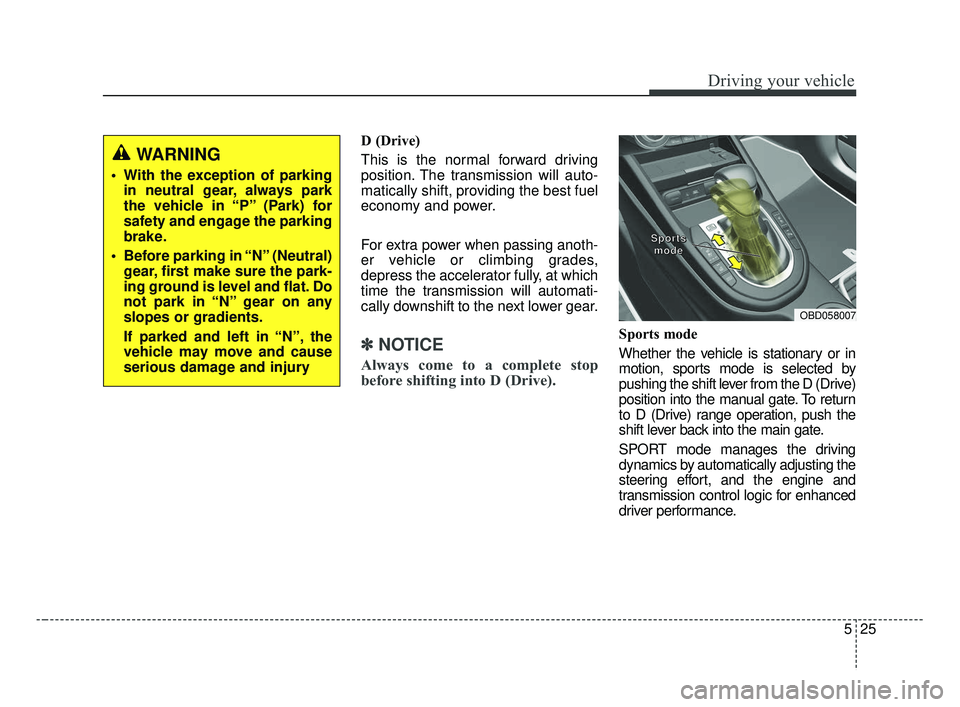
Sports mode
Whether the vehicle is stationary or in
motion, sports mode is selected by
pushing the shift lever from the D (Drive)
position into the manual gate. To return
to D (Drive) range operation, push the
shift lever back into the main gate.
SPORT mode manages the driving
dynamics by automatically adjusting the
steering effort, and the engine and
transmission control logic for enhanced
driver performance.
OBD058007
S S
S S
p p
p p
o o
o o
r r
r r
t t
t t
s s
s s
m m
m m
o o
o o
d d
d d
e e
e e
WARNING
With the exception of parking
in neutral gear, always park
the vehicle in “P” (Park) for
safety and engage the parking
brake.
Before parking in “N” (Neutral) gear, first make sure the park-
ing ground is level and flat. Do
not park in “N” gear on any
slopes or gradients.
If parked and left in “N”, the
vehicle may move and cause
serious damage and injury
BDm CAN (ENG) 5.QXP 7/4/2018 10:13 AM Page 25
Page 306 of 550
Driving your vehicle
60
5
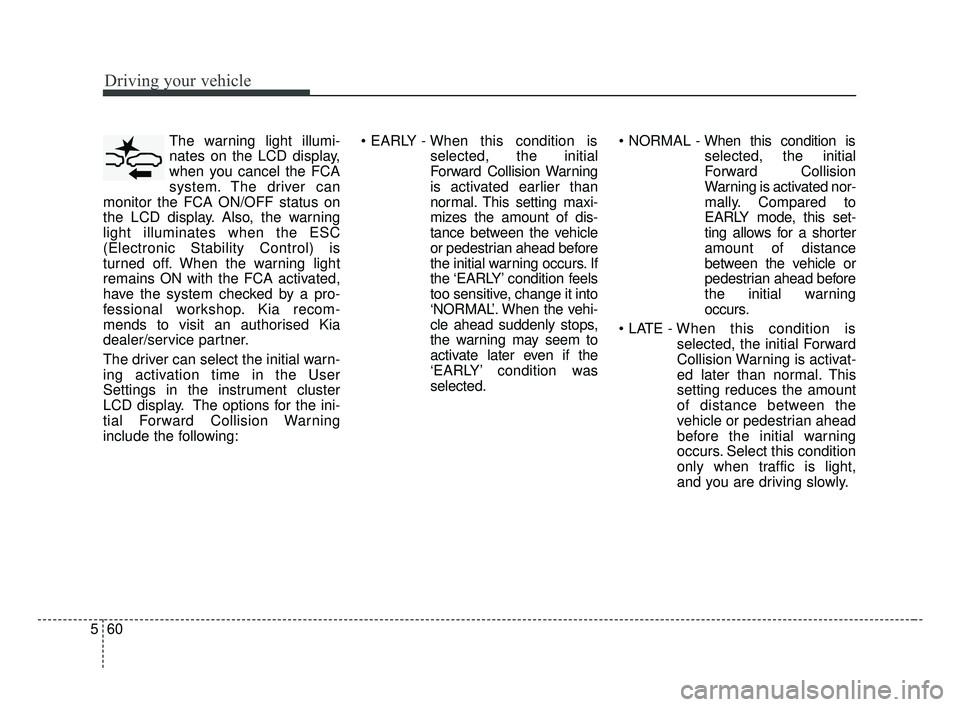
The warning light illumi-
nates on the LCD display,
when you cancel the FCA
system. The driver can
monitor the FCA ON/OFF status on
the LCD display. Also, the warning
light illuminates when the ESC
(Electronic Stability Control) is
turned off. When the warning light
remains ON with the FCA activated,
have the system checked by a pro-
fessional workshop. Kia recom-
mends to visit an authorised Kia
dealer/service partner.
The driver can select the initial warn-
ing activation time in the User
Settings in the instrument cluster
LCD display. The options for the ini-
tial Forward Collision Warning
include the following:
selected, the initial
Forward Collision Warning
is activated earlier than
normal. This setting maxi-
mizes the amount of dis-
tance between the vehicle
or pedestrian ahead before
the initial warning occurs. If
the ‘EARLY’ condition feels
too sensitive, change it into
‘NORMAL’. When the vehi-
cle ahead suddenly stops,
the warning may seem to
activate later even if the
‘EARLY’ condition was
selected.
selected, the initial
Forward Collision
Warning is activated nor-
mally. Compared to
EARLY mode, this set-
ting allows for a shorter
amount of distance
between the vehicle or
pedestrian ahead before
the initial warning
occurs.
selected, the initial Forward
Collision Warning is activat-
ed later than normal. This
setting reduces the amount
of distance between the
vehicle or pedestrian ahead
before the initial warning
occurs. Select this condition
only when traffic is light,
and you are driving slowly.
BDm CAN (ENG) 5.QXP 7/4/2018 10:14 AM Page 60
Page 337 of 550
591
Driving your vehicle
1. Turn the smart cruise control sys-tem on (the cruise indicator light
will be on but the system will not
be activated).
2. Push the distance to distance switch for more than 2 seconds.
3. Choose between "Smart Cruise Control" and "Cruise Control".
When the system is canceled using
the CRUISE button or the CRUISE
button is used after the engine is
turned on, the Smart Cruise Control
mode will turn on.Limitations of the system
The smart cruise control system may
have limits to its ability to detect dis-
tance to the vehicle ahead due to
road and traffic conditions.
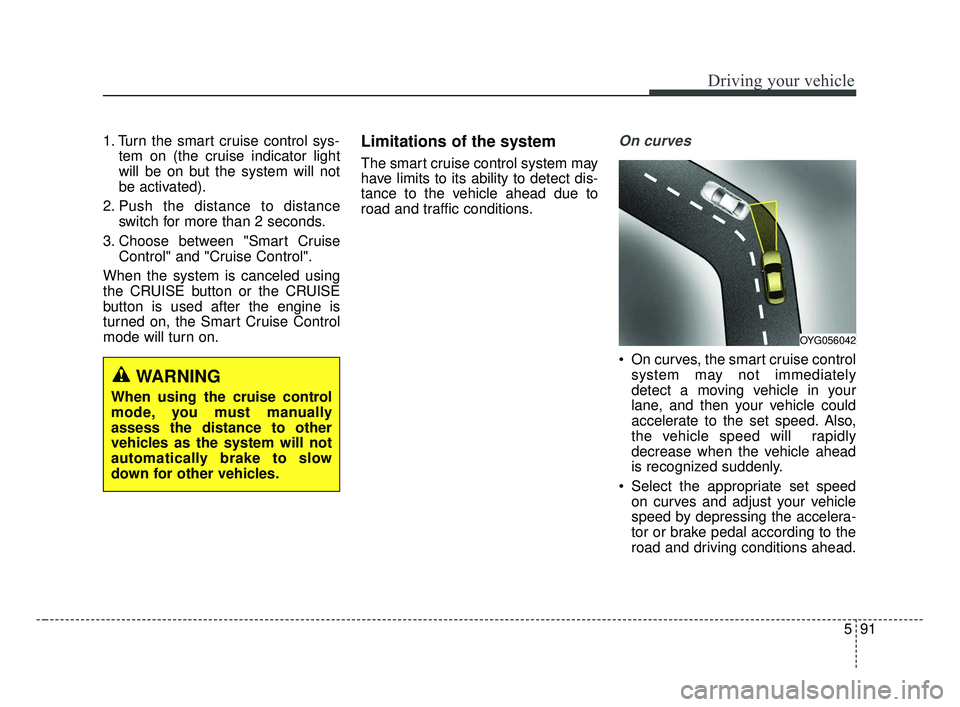
On curves
On curves, the smart cruise control system may not immediately
detect a moving vehicle in your
lane, and then your vehicle could
accelerate to the set speed. Also,
the vehicle speed will rapidly
decrease when the vehicle ahead
is recognized suddenly.
Select the appropriate set speed on curves and adjust your vehicle
speed by depressing the accelera-
tor or brake pedal according to the
road and driving conditions ahead.
WARNING
When using the cruise control
mode, you must manually
assess the distance to other
vehicles as the system will not
automatically brake to slow
down for other vehicles.
OYG056042
BDm CAN (ENG) 5.QXP 7/4/2018 10:16 AM Page 91
Page 344 of 550
Driving your vehicle
98
5
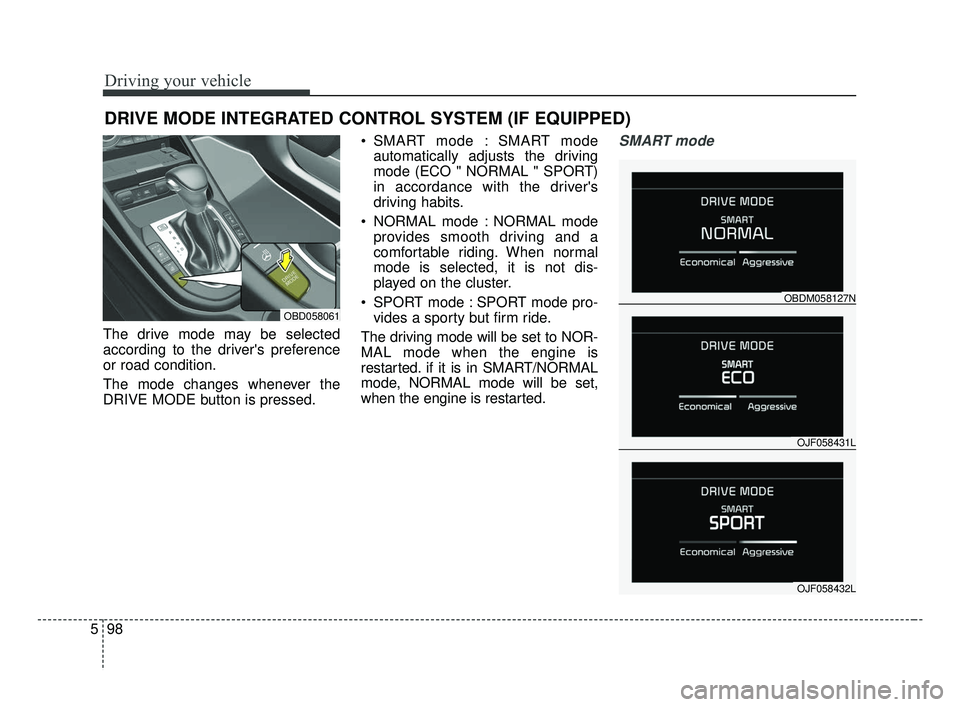
The drive mode may be selected
according to the driver's preference
or road condition.
The mode changes whenever the
DRIVE MODE button is pressed. SMART mode : SMART mode
automatically adjusts the driving
mode (ECO " NORMAL " SPORT)
in accordance with the driver's
driving habits.
NORMAL mode : NORMAL mode provides smooth driving and a
comfortable riding. When normal
mode is selected, it is not dis-
played on the cluster.
SPORT mode : SPORT mode pro- vides a sporty but firm ride.
The driving mode will be set to NOR-
MAL mode when the engine is
restarted. if it is in SMART/NORMAL
mode, NORMAL mode will be set,
when the engine is restarted.
SMART mode
DRIVE MODE INTEGRATED CONTROL SYSTEM (IF EQUIPPED)
OBD058061
OJF058431L
OBDM058127N
OJF058432L
BDm CAN (ENG) 5.QXP 7/4/2018 10:17 AM Page 98
Page 345 of 550
599
Driving your vehicle
SMART mode selects the
proper driving mode
among ECO, NORMAL
and SPORT by judging
the driver's driving habits
(i.e. mild or dynamic)
from the brake pedal
depression or the steer-
ing wheel operation.
Press the DRIVE MODE button to activate SMART mode. When
SMART mode is activated, the
indicator illuminates on the instru-
ment cluster.
The indicator illuminates in blue, when the driver's driving is catego-
rized to be mild. It illuminates in
white, when the driver's driving is
categorized to be normal. It illumi-
nates in red, when the driver's driv-
ing is categorized to be dynamic
during abrupt braking or sharp
curves. The vehicle starts in NORMAL
mode, if the engine was turned
OFF in SMART mode.
SMART mode automatically con- trols the vehicle driving, such as
gear shifting patterns, engine
torque, riding quality in accordance
with the driver's driving habits.✽ ✽ NOTICE
• When you mildly drive the vehicle
in SMART mode, the driving
mode changes to ECO mode to
improve fuel efficiency. However,
the actual fuel efficiency may dif-
fer in accordance with your driv-
ing situations (i.e. upward/down-
ward slope, vehicle
deceleration/acceleration).
• When you dynamically drive the vehicle in SMART mode by
abruptly decelerating or sharply
turning, the driving mode changes
to SPORT mode. However, it may
adversely affect fuel economy.SMART
BDm CAN (ENG) 5.QXP 7/4/2018 10:17 AM Page 99