change time KIA FORTE 2019 Owner's Manual
[x] Cancel search | Manufacturer: KIA, Model Year: 2019, Model line: FORTE, Model: KIA FORTE 2019Pages: 550, PDF Size: 11.66 MB
Page 250 of 550
Driving your vehicle
45
Be sure the exhaust system does
not leak.
The exhaust system should be
checked whenever the vehicle is
raised to change the oil or for any
other purpose. If you hear a change in
the sound of the exhaust or if you drive
over something that strikes the under-
neath side of the vehicle, have the
exhaust system checked as soon as
possible by an authorized Kia dealer.
WARNING- Engineexhaust
Do not inhale exhaust fumes or
leave your engine running in a
enclosed area for a prolonged
time. Exhaust fumes contain
carbon monoxide, a colorless,
odorless gas that can cause
unconsciousness and death by
asphyxiation.
WARNING- Open trunk
Do not drive with the trunk open.
Poisonous exhaust gases can
enter the passenger compart-
ment. If you must drive with the
trunk open proceed as follows:
1. Close all windows.
2. Open side vents.
3. Set the air intake control at “Fresh”, the air flow control
at “Floor” or “Face” and the
fan at the highest speed.
BDm CAN (ENG) 5.QXP 7/4/2018 10:12 AM Page 4
Page 254 of 550
Driving your vehicle
85
✽ ✽
NOTICE
If you leave the ignition switch to the
ACC or ON position for a long time,
the battery may discharge.
WARNING- Key holder
Do not attach small purses,
multiple keys, or any other
heavy accessories to the dri-
ver's key chain used to start the
vehicle. This may cause the
driver to accidently make the
key inserted in the vehicle to
change the ignition position to
the ACC position while the vehi-
cle is moving thereby increas-
ing the risk of an accident and
causing the deactivation of sev-
eral safety features.WARNING- Leaving the Vehicle
To avoid unexpected or sudden
vehicle movement, never leave
your vehicle if the transmission
is not locked in the P (Park)
position and the parking brake
is fully engaged. Before leaving
the driver's seat, always make
sure the shift lever is engaged in
P (Park), set the parking brake
fully and shut the engine off.WARNING- Ignition switch
Never turn the ignition switch to
LOCK or ACC while the vehicle
is moving. This would result in
loss of directional control and
braking function, which could
cause an accident.
BDm CAN (ENG) 5.QXP 7/4/2018 10:12 AM Page 8
Page 259 of 550
513
Driving your vehicle
With Intelligent Variable Transmission
Press the engine start/stop button
while it is in the OFF position without
depressing the brake pedal.
The steering wheel unlocks and elec-
trical accessories are operational.
If the engine start/stop button is in the
ACC position for more than 1 hour,
the button is turned off automatically
to prevent battery discharge.ON
With manual transmission
Press the engine start/stop button
when the button is in the ACC position
without depressing the clutch pedal.
With Intelligent Variable Transmission
Press the engine start/stop button
while it is in the ACC position without
depressing the brake pedal.
The warning lights can be checked
before the engine is started. Do not
leave the engine start/stop button in
the ON position for a long time. The
battery may discharge, because the
engine is not running.
START/RUN
With manual transmission
To start the engine, depress the clutch
pedal and brake pedal, then press the
engine start/stop button with the shift
lever in the N (Neutral) position.
With Intelligent Variable Transmission
To start the engine, depress the brake
pedal and press the engine start/stop
button with the shift lever in the P
(Park) or the N (Neutral) position. For
your safety, start the engine with the
shift lever in the P (Park) position.
✽ ✽
NOTICE
If you press the engine start/stop
button without depressing the clutch
pedal for manual transmission vehi-
cles or without depressing the brake
pedal for manual transmission /
Intelligent Variable Transmission
vehicles, the engine will not start
and the engine start/stop button
changes as follow:
OFF ➔ ➔
ACC ➔ ➔
ON ➔ ➔
OFF or ACC
BDm CAN (ENG) 5.QXP 7/4/2018 10:13 AM Page 13
Page 270 of 550
Driving your vehicle
24
5
R (Reverse)
Use this position to drive the vehicle
backward. N (Neutral)
The wheels and transmission are not
engaged. The vehicle will roll freely
even on the slightest incline unless
the parking brake or service brakes
are applied.
-Parking in N (Neutral) gear
Follow the steps below when parking
and you want the vehicle to move
when pushed.
1.After parking your vehicle, step on
the brake pedal and move the shift
lever to "P" with the ignition button in
"ON" or while the engine is running.
2.If the parking brake is applied unlock the parking brake.
3.While pressing the brake pedal, turn the ignition button "OFF".
- For smart key equipped vehicles,the ignition switch can be moved
to "OFF" only when the shift lever
is in "P".
4.Change the gear shift lever to "N" (Neutral) while pressing the brake
pedal and pushing "SHIFT LOCK
RELEASE" button or inserting, a
tool (e.g. flathead screw-driver) into
the "SHIFT LOCK RELEASE"
access hole at the same time. Then,
the vehicle will move when external
force is applied.
CAUTION
The transmission may be dam-aged if you shift into P (Park)while the vehicle is in motion.
CAUTION
Always come to a complete stopbefore shifting into or out of R(Reverse); you may damage thetransmission if you shift into Rwhile the vehicle is in motion,except as explained in “Rockingthe vehicle” in this section.
WARNING
Do not drive with the shift lever
in N (Neutral).
The engine brake will not work
and lead to an accident.
BDm CAN (ENG) 5.QXP 7/4/2018 10:13 AM Page 24
Page 279 of 550
533
Driving your vehicle
Rear drum brakes (if equipped)
Your rear drum brakes do not have
wear indicators. Therefore, have the
rear brake linings inspected if you
hear a rear brake rubbing noise. Also
have your rear brakes inspected
each time you change or rotate your
tires and when you have the front
brakes replaced.
Parking brake
Applying the parking brake
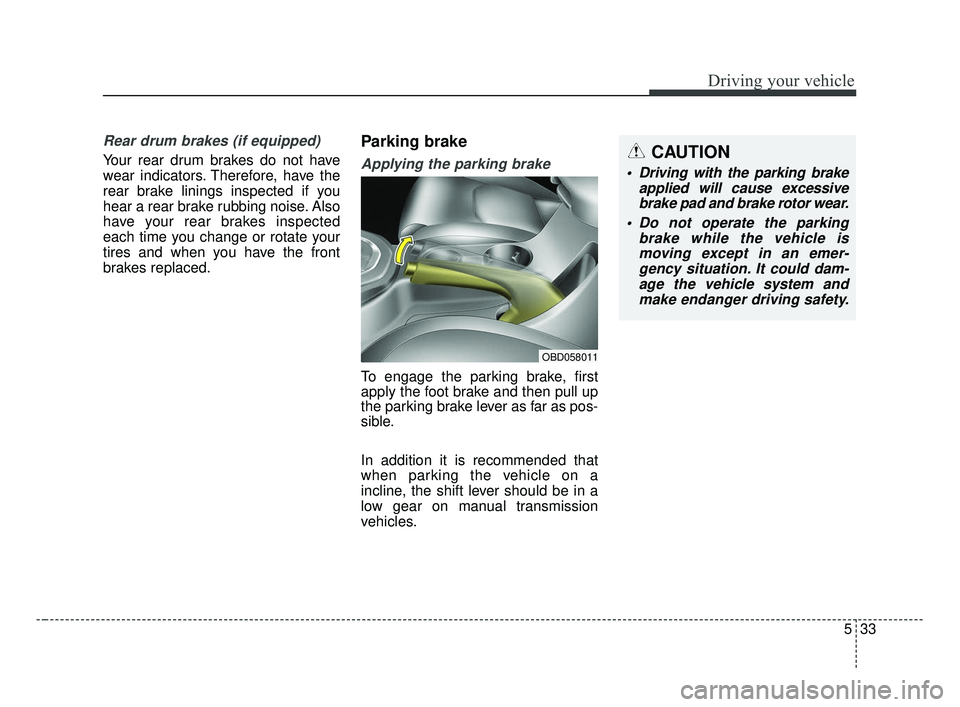
To engage the parking brake, first
apply the foot brake and then pull up
the parking brake lever as far as pos-
sible.
In addition it is recommended that
when parking the vehicle on a
incline, the shift lever should be in a
low gear on manual transmission
vehicles.
OBD058011
CAUTION
Driving with the parking brakeapplied will cause excessivebrake pad and brake rotor wear.
Do not operate the parking brake while the vehicle ismoving except in an emer-gency situation. It could dam-age the vehicle system andmake endanger driving safety.
BDm CAN (ENG) 5.QXP 7/4/2018 10:13 AM Page 33
Page 293 of 550
547
Driving your vehicle
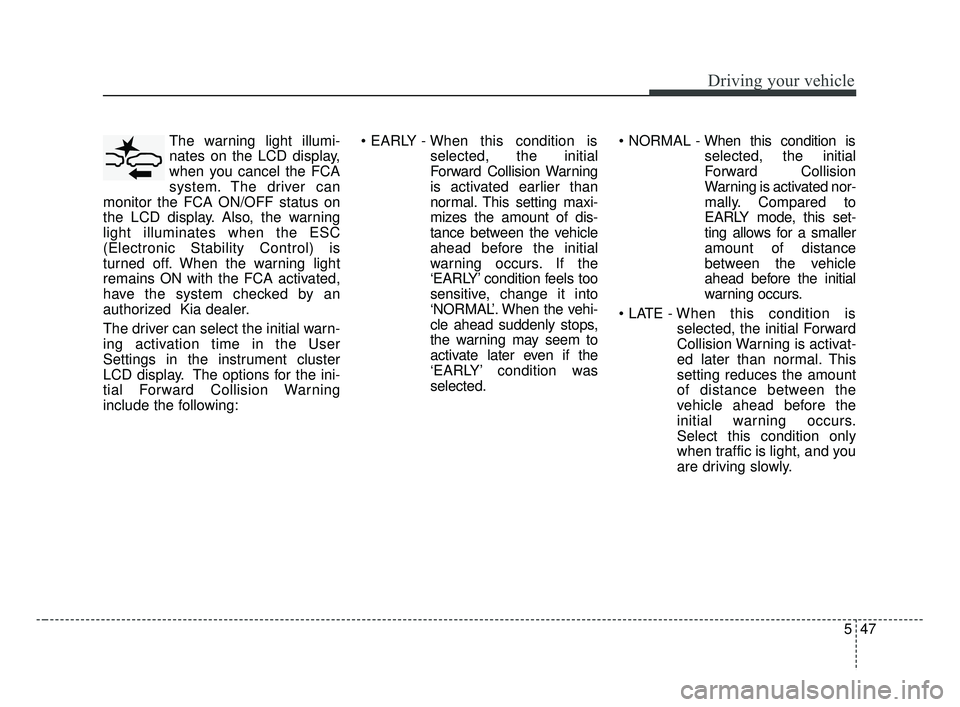
The warning light illumi-
nates on the LCD display,
when you cancel the FCA
system. The driver can
monitor the FCA ON/OFF status on
the LCD display. Also, the warning
light illuminates when the ESC
(Electronic Stability Control) is
turned off. When the warning light
remains ON with the FCA activated,
have the system checked by an
authorized Kia dealer.
The driver can select the initial warn-
ing activation time in the User
Settings in the instrument cluster
LCD display. The options for the ini-
tial Forward Collision Warning
include the following:
selected, the initial
Forward Collision Warning
is activated earlier than
normal. This setting maxi-
mizes the amount of dis-
tance between the vehicle
ahead before the initial
warning occurs. If the
‘EARLY’ condition feels too
sensitive, change it into
‘NORMAL’. When the vehi-
cle ahead suddenly stops,
the warning may seem to
activate later even if the
‘EARLY’ condition was
selected.
selected, the initial
Forward Collision
Warning is activated nor-
mally. Compared to
EARLY mode, this set-
ting allows for a smaller
amount of distance
between the vehicle
ahead before the initial
warning occurs.
selected, the initial Forward
Collision Warning is activat-
ed later than normal. This
setting reduces the amount
of distance between the
vehicle ahead before the
initial warning occurs.
Select this condition only
when traffic is light, and you
are driving slowly.
BDm CAN (ENG) 5.QXP 7/4/2018 10:13 AM Page 47
Page 306 of 550
Driving your vehicle
60
5
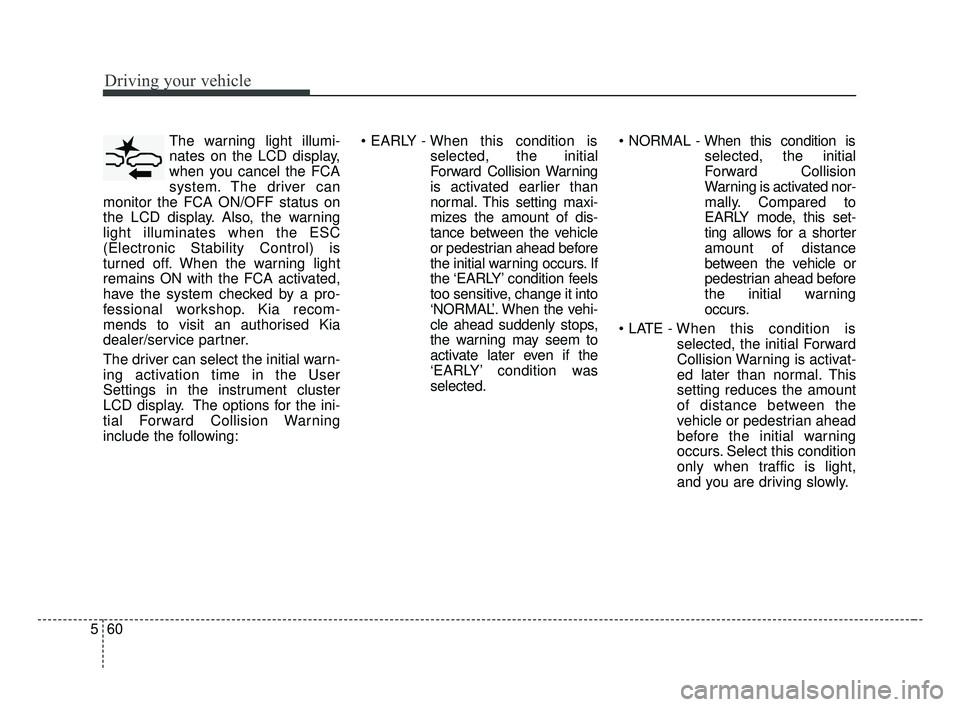
The warning light illumi-
nates on the LCD display,
when you cancel the FCA
system. The driver can
monitor the FCA ON/OFF status on
the LCD display. Also, the warning
light illuminates when the ESC
(Electronic Stability Control) is
turned off. When the warning light
remains ON with the FCA activated,
have the system checked by a pro-
fessional workshop. Kia recom-
mends to visit an authorised Kia
dealer/service partner.
The driver can select the initial warn-
ing activation time in the User
Settings in the instrument cluster
LCD display. The options for the ini-
tial Forward Collision Warning
include the following:
selected, the initial
Forward Collision Warning
is activated earlier than
normal. This setting maxi-
mizes the amount of dis-
tance between the vehicle
or pedestrian ahead before
the initial warning occurs. If
the ‘EARLY’ condition feels
too sensitive, change it into
‘NORMAL’. When the vehi-
cle ahead suddenly stops,
the warning may seem to
activate later even if the
‘EARLY’ condition was
selected.
selected, the initial
Forward Collision
Warning is activated nor-
mally. Compared to
EARLY mode, this set-
ting allows for a shorter
amount of distance
between the vehicle or
pedestrian ahead before
the initial warning
occurs.
selected, the initial Forward
Collision Warning is activat-
ed later than normal. This
setting reduces the amount
of distance between the
vehicle or pedestrian ahead
before the initial warning
occurs. Select this condition
only when traffic is light,
and you are driving slowly.
BDm CAN (ENG) 5.QXP 7/4/2018 10:14 AM Page 60
Page 321 of 550
575
Driving your vehicle
To decrease the cruising
speed:
Follow either of these procedures:
Move the lever down (to SET-) andhold it. Your vehicle SET speed will
decrease by 10 km/h (5 mph).
Release the lever at the speed you
want to maintain.
Move the lever down (to SET-) and release it immediately. The cruising
speed will decrease by 1 km/h (1.0
mph) each time the lever is operat-
ed in this manner.
To temporarily accelerate with
the cruise control on:
If you want to speed up temporarily
when the cruise control is on,
depress the accelerator pedal.
Increased speed will not interfere
with the cruise control operation or
change the set speed.
To return to the set speed, take your
foot off the accelerator.
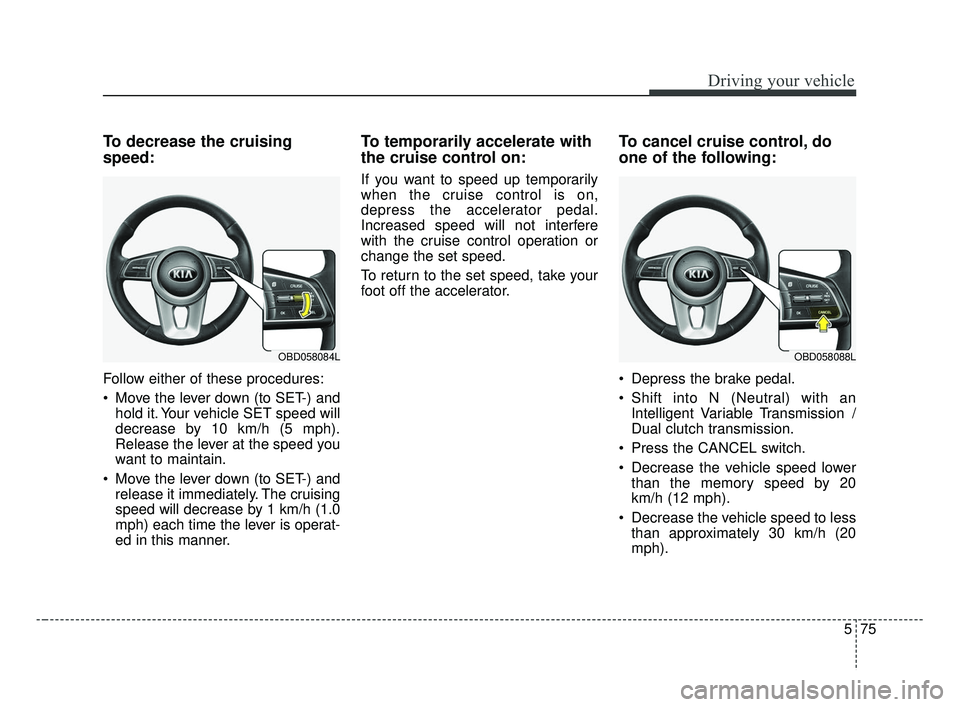
To cancel cruise control, do
one of the following:
Depress the brake pedal.
Shift into N (Neutral) with an Intelligent Variable Transmission /
Dual clutch transmission.
Press the CANCEL switch.
Decrease the vehicle speed lower than the memory speed by 20
km/h (12 mph).
Decrease the vehicle speed to less than approximately 30 km/h (20
mph).
OBD058088LOBD058084L
BDm CAN (ENG) 5.QXP 7/4/2018 10:15 AM Page 75
Page 327 of 550
581
Driving your vehicle
You can set the speed to a maxi-mum of 180 km/h (110 mph).
However, all speed limit laws must
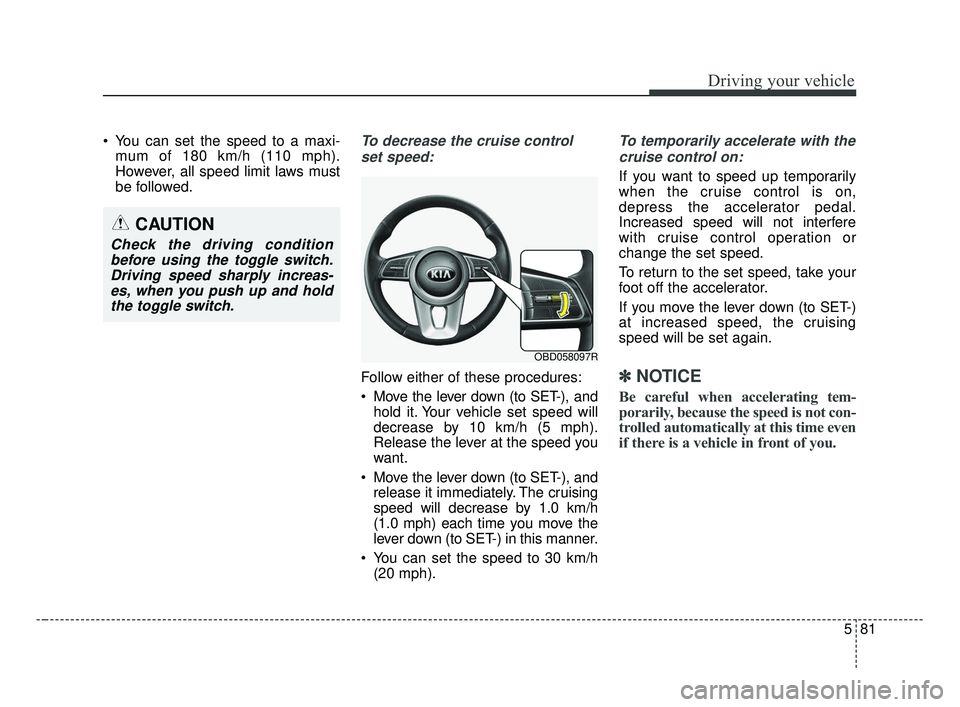
be followed.To decrease the cruise control
set speed:
Follow either of these procedures:
Move the lever down (to SET-), and hold it. Your vehicle set speed will
decrease by 10 km/h (5 mph).
Release the lever at the speed you
want.
Move the lever down (to SET-), and release it immediately. The cruising
speed will decrease by 1.0 km/h
(1.0 mph) each time you move the
lever down (to SET-) in this manner.
You can set the speed to 30 km/h (20 mph).
To temporarily accelerate with the
cruise control on:
If you want to speed up temporarily
when the cruise control is on,
depress the accelerator pedal.
Increased speed will not interfere
with cruise control operation or
change the set speed.
To return to the set speed, take your
foot off the accelerator.
If you move the lever down (to SET-)
at increased speed, the cruising
speed will be set again.
✽ ✽ NOTICE
Be careful when accelerating tem-
porarily, because the speed is not con-
trolled automatically at this time even
if there is a vehicle in front of you.
OBD058097R
CAUTION
Check the driving condition
before using the toggle switch.Driving speed sharply increas-es, when you push up and holdthe toggle switch.
BDm CAN (ENG) 5.QXP 7/4/2018 10:15 AM Page 81
Page 331 of 550
585
Driving your vehicle
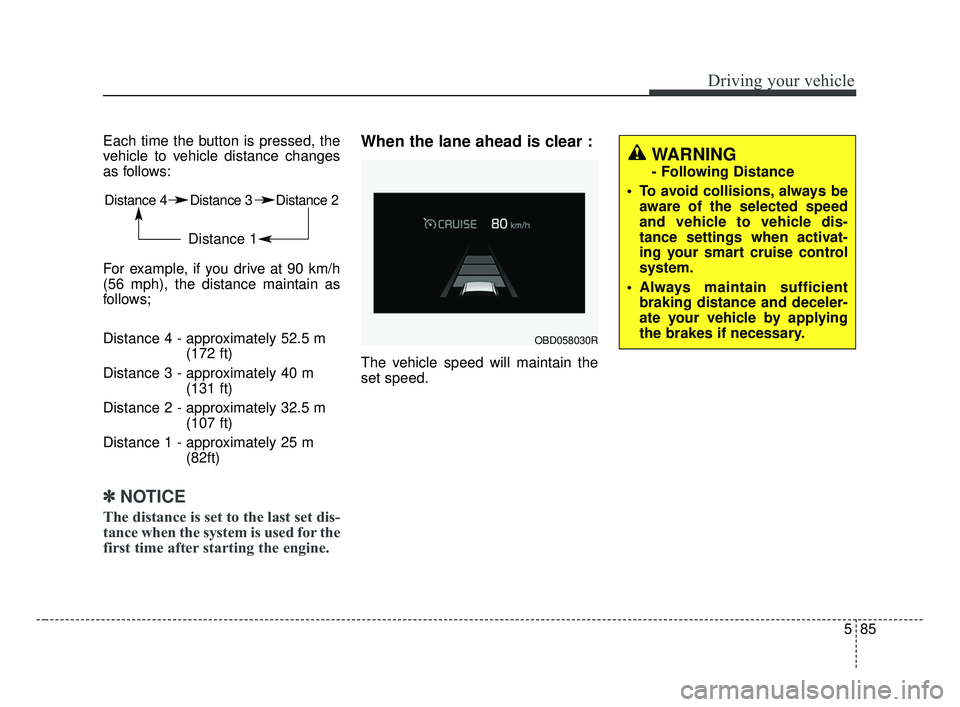
Each time the button is pressed, the
vehicle to vehicle distance changes
as follows:
For example, if you drive at 90 km/h
(56 mph), the distance maintain as
follows;
Distance 4 - approximately 52.5 m(172 ft)
Distance 3 - approximately 40 m (131 ft)
Distance 2 - approximately 32.5 m (107 ft)
Distance 1 - approximately 25 m (82ft)
✽ ✽NOTICE
The distance is set to the last set dis-
tance when the system is used for the
first time after starting the engine.
When the lane ahead is clear :
The vehicle speed will maintain the
set speed.
Distance 4 Distance 3 Distance 2
Distance 1
OBD058030R
WARNING
- Following Distance
To avoid collisions, always be aware of the selected speed
and vehicle to vehicle dis-
tance settings when activat-
ing your smart cruise control
system.
Always maintain sufficient braking distance and deceler-
ate your vehicle by applying
the brakes if necessary.
BDm CAN (ENG) 5.QXP 7/4/2018 10:15 AM Page 85