steering KIA FORTE 2019 Workshop Manual
[x] Cancel search | Manufacturer: KIA, Model Year: 2019, Model line: FORTE, Model: KIA FORTE 2019Pages: 550, PDF Size: 11.66 MB
Page 360 of 550
Driving your vehicle
114
5
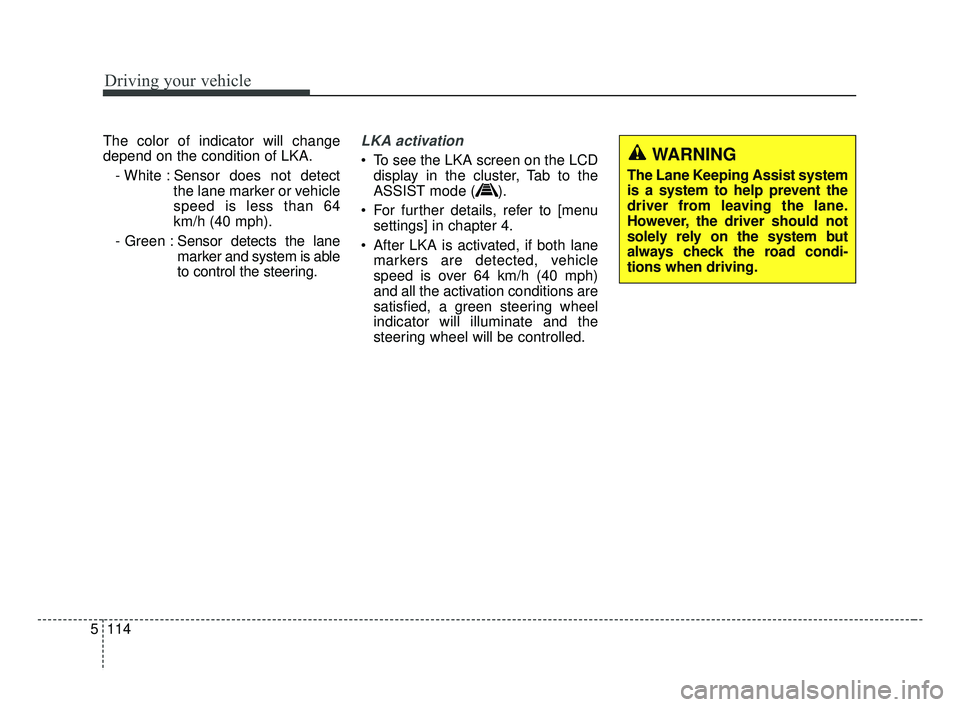
The color of indicator will change
depend on the condition of LKA.
- White : Sensor does not detect the lane marker or vehicle
speed is less than 64
km/h (40 mph).
- Green : Sensor detects the lane
marker and system is able
to control the steering.LKA activation
To see the LKA screen on the LCD
display in the cluster, Tab to the
ASSIST mode ( ).
For further details, refer to [menu settings] in chapter 4.
After LKA is activated, if both lane markers are detected, vehicle
speed is over 64 km/h (40 mph)
and all the activation conditions are
satisfied, a green steering wheel
indicator will illuminate and the
steering wheel will be controlled.WARNING
The Lane Keeping Assist system
is a system to help prevent the
driver from leaving the lane.
However, the driver should not
solely rely on the system but
always check the road condi-
tions when driving.
BDm CAN (ENG) 5.QXP 7/4/2018 10:17 AM Page 114
Page 361 of 550
5115
Driving your vehicle
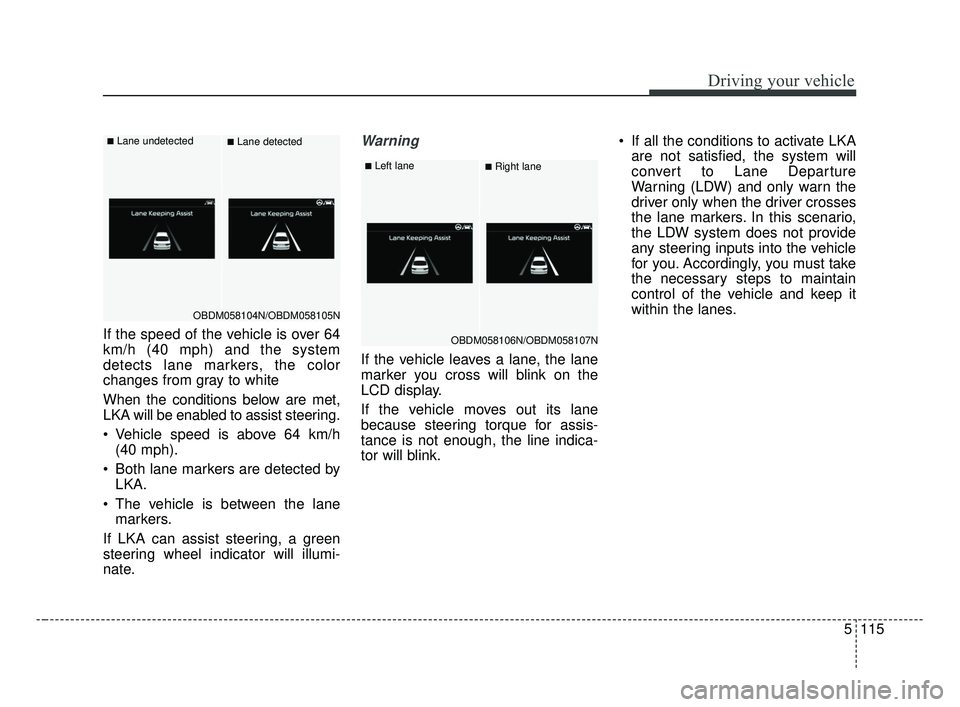
If the speed of the vehicle is over 64
km/h (40 mph) and the system
detects lane markers, the color
changes from gray to white
When the conditions below are met,
LKA will be enabled to assist steering.
Vehicle speed is above 64 km/h(40 mph).
Both lane markers are detected by LKA.
The vehicle is between the lane markers.
If LKA can assist steering, a green
steering wheel indicator will illumi-
nate.
Warning
If the vehicle leaves a lane, the lane
marker you cross will blink on the
LCD display.
If the vehicle moves out its lane
because steering torque for assis-
tance is not enough, the line indica-
tor will blink. If all the conditions to activate LKA
are not satisfied, the system will
convert to Lane Departure
Warning (LDW) and only warn the
driver only when the driver crosses
the lane markers. In this scenario,
the LDW system does not provide
any steering inputs into the vehicle
for you. Accordingly, you must take
the necessary steps to maintain
control of the vehicle and keep it
within the lanes.
OBDM058104N/OBDM058105N
■Lane undetected■Lane detected
OBDM058106N/OBDM058107N
■Left lane■Right lane
BDm CAN (ENG) 5.QXP 7/4/2018 10:17 AM Page 115
Page 362 of 550
Driving your vehicle
116
5
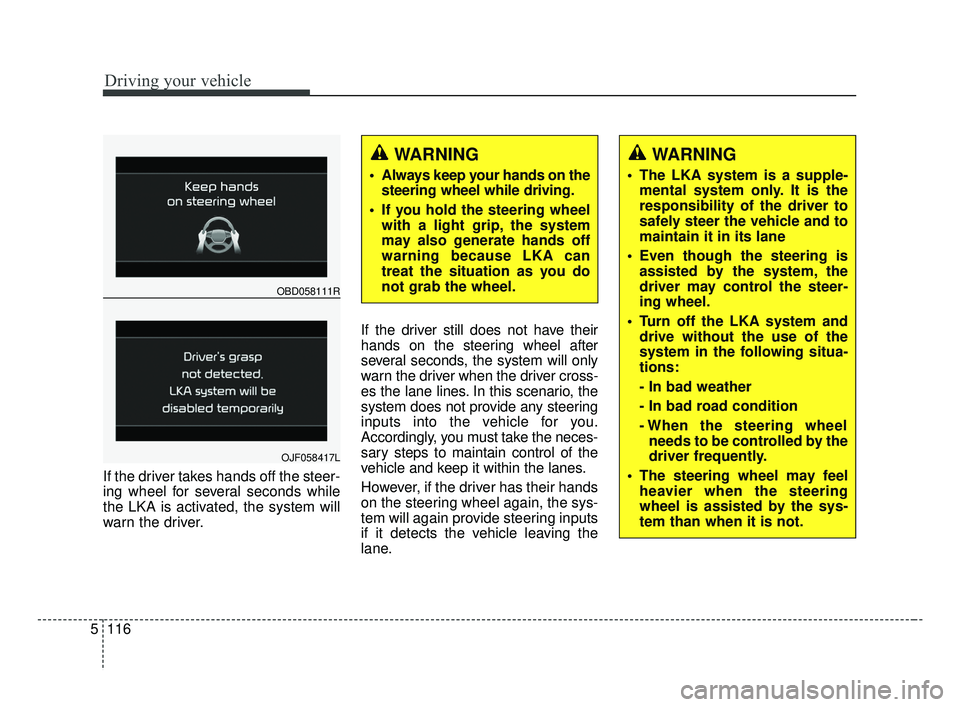
If the driver takes hands off the steer-
ing wheel for several seconds while
the LKA is activated, the system will
warn the driver. If the driver still does not have their
hands on the steering wheel after
several seconds, the system will only
warn the driver when the driver cross-
es the lane lines. In this scenario, the
system does not provide any steering
inputs into the vehicle for you.
Accordingly, you must take the neces-
sary steps to maintain control of the
vehicle and keep it within the lanes.
However, if the driver has their hands
on the steering wheel again, the sys-
tem will again provide steering inputs
if it detects the vehicle leaving the
lane.
WARNING
Always keep your hands on the
steering wheel while driving.
If you hold the steering wheel with a light grip, the system
may also generate hands off
warning because LKA can
treat the situation as you do
not grab the wheel.
OBD058111R
OJF058417L
WARNING
The LKA system is a supple-mental system only. It is the
responsibility of the driver to
safely steer the vehicle and to
maintain it in its lane
Even though the steering is assisted by the system, the
driver may control the steer-
ing wheel.
Turn off the LKA system and drive without the use of the
system in the following situa-
tions:
- In bad weather
- In bad road condition
- When the steering wheelneeds to be controlled by the
driver frequently.
The steering wheel may feel heavier when the steering
wheel is assisted by the sys-
tem than when it is not.
BDm CAN (ENG) 5.QXP 7/4/2018 10:17 AM Page 116
Page 363 of 550
5117
Driving your vehicle
✽ ✽NOTICE
• Even though the steering is assist-
ed by the system, the driver may
control the steering.
• The steering wheel may feel heav- ier when the steering wheel is
assisted by the system than when it
is not.
The system will be cancelled when:
You change lanes with the turn sig-
nal.
- Using the turn signal to changelanes.
- If you change lanes without the turn signal on, the steering wheel
might be controlled.
LKA can transit to steering assist mode when the car is near to mid-
dle of the lane after system on or
the lane was changed. LKA can
not assist steering if the vehicle fol-
lows lane marker too close contin-
uously before transition to steering
assist mode.
The control of ESC (Electronic Stability Control) or VSM (Vehicle
Stability Management) is activated.
The steering will not be assisted when you drive fast on a sharp
curve. The steering will not be assisted
when vehicle speed is below 64
km/h (40 mph). and over 177 km/h
(110 mph). Always obey all traffic
laws and drive safely.
The steering will not be assisted when you change lanes quickly.
The steering will not be assisted when you brake suddenly.
The steering will not be assisted when the lane is very wide or nar-
row.
The steering will not be assisted when only one side lane marker is
detected.
There are more than two lane markers such as a construction
area.
Radius of a curve is too small.
When you turn steering wheel sud- denly, the LKA will be disabled
temporarily.
Driving on a steep slope or hill.
BDm CAN (ENG) 5.QXP 7/4/2018 10:17 AM Page 117
Page 366 of 550
Driving your vehicle
120
5
When there is a problem with the sys-
tem do one of the following:
Turn the system on after turning
the engine off and on again.
Check if the ignition switch is in the ON position.
Check if the system is affected by the weather. (ex: fog, heavy rain,
etc.)
Check if there is foreign matter on the camera lens
If the problem is not solved, take your
vehicle to an authorized Kia dealer
and have the system checked.LKA function change
The driver can change LKA to Lane
Departure Warning (LDW) system or
change the LKA mode between
Standard LKA and Active LKA from
the User Settings Mode on the LCD
display. The driver can choose them by plac-
ing the ignition switch to the ON posi-
tion and by selecting ‘User Settings’,
‘Driver Assistance’, and ‘Lane
Safety’.
The system is automatically set to
Standard LKA when your vehicle is
first delivered from the factory.
Lane Departure Warning
LDW alerts the driver with a visual
and acoustic warning when the sys-
tem detects the vehicle leaving the
lane. In this mode, the system will not
provide steering inputs. When the
vehicle’s front wheel contacts the
inside edge of lane line, LKA issues
the lane departure warning.
Standard LKA
The Standard LKA mode guides the
driver to keep the vehicle within the
lanes. It provides inputs to the steer-
ing, when the vehicle is about to
deviate from the lanes.
Active LKA
The active LKA mode provides more
frequent steering wheel control in
comparison with the Standard LKA
mode. Active LKA can reduce the dri-
ver’s fatigue to assist the steering for
maintaining the vehicle in the middle
of the lane.
BDm CAN (ENG) 5.QXP 7/4/2018 10:18 AM Page 120
Page 373 of 550
5127
Driving your vehicle
Remember, your vehicle does notrequire extended warm-up. After
the engine has started, allow the
engine to run for 10 to 20 seconds
prior to placing the vehicle in gear.
In very cold weather, however, give
your engine a slightly longer warm-
up period.
Don't "lug" or "over-rev" the engine. Lugging is driving too slowly in a
very high gear resulting in engine
bucking. If this happens, shift to a
lower gear. Over-revving is racing
the engine beyond its safe limit.
This can be avoided by shifting at
the recommended speed. Use your air conditioning sparingly.
The air conditioning system is
operated by engine power so your
fuel economy is reduced when you
use it.
Open windows at high speeds can reduce fuel economy.
Fuel economy is less in crosswinds and headwinds. To help offset
some of this loss, slow down when
driving in these conditions.
Keeping a vehicle in good operating
condition is important both for econ-
omy and safety. Therefore, have an
authorized Kia dealer perform
scheduled inspections and mainte-
nance.
WARNING - Engine off
during motion
Never turn the engine off to
coast down hills or anytime the
vehicle is in motion. The power
steering and power brakes will
not function properly without
the engine running. In addition,
turning off the ignition while
driving could engage the steer-
ing wheel lock resulting in loss
of vehicle steering. Keep the
engine on and downshift to an
appropriate gear for an engine
braking effect.
BDm CAN (ENG) 5.QXP 7/4/2018 10:18 AM Page 127
Page 374 of 550
Driving your vehicle
128
5
Hazardous driving conditions
When hazardous driving conditions
are encountered such as water,
snow, ice, mud, sand, or similar haz-
ards, follow these suggestions:
Drive cautiously and allow extra
distance for braking.
Avoid sudden braking or steering.
When braking with non-ABS brakes pump the brake pedal with
a light up-and-down motion until
the vehicle is stopped.
Do not pump the brake pedal on a
vehicle equipped with ABS. If stalled in snow, mud, or sand,
use the second gear. Accelerate
slowly to avoid spinning the drive
wheels.
Use sand, rock salt, or other non- slip material under the drive
wheels to provide traction when
stalled in ice, snow, or mud.
Rocking the vehicle
If it is necessary to rock the vehicle
to free it from snow, sand, or mud,
first turn the steering wheel right and
left to clear the area around your
front wheels. Then, shift back and
forth between R (Reverse) and any
forward gear in vehicles equipped
with an Intelligent Variable
Transmission / Dual clutch transmis-
sion. Do not race the engine, and
spin the wheels as little as possible.
If you are still stuck after a few tries,
have the vehicle pulled out by a tow
vehicle to avoid engine overheating
and possible damage to the trans-
mission.
SPECIAL DRIVING CONDITIONS
WARNING- Downshifting
Do not downshift with an intelli-
gent variable transmission
while driving on slippery sur-
faces. The sudden change in
tire speed could cause the tires
to skid and result in an acci-
dent.
WARNING- Sudden
Vehicle Movement
Do not attempt to rock the vehi-
cle if people or objects are near-
by. The vehicle may suddenly
move forward or backwards as it
becomes unstuck.
BDm CAN (ENG) 5.QXP 7/4/2018 10:18 AM Page 128
Page 380 of 550
Driving your vehicle
134
5
Don’t let your parking brake
freeze
Under some conditions your parking
brake can freeze in the engaged
position. This is most likely to happen
when there is an accumulation of
snow or ice around or near the rear
brakes or if the brakes are wet. If
there is a risk the parking brake may
freeze, apply it only temporarily while
you put the gear shift lever in P
(Park, Intelligent variable transmis-
sion / Dual clutch transmission) and
block the rear wheels so the vehicle
cannot roll. Then release the parking
brake.
Don't let ice and snow accu-
mulate underneath
Under some conditions, snow and
ice can build up under the fenders
and interfere with the steering. When
driving in severe winter conditions
where this may happen, you should
periodically check underneath the
vehicle to be sure the movement of
the front wheels and the steering
components are not obstructed.
Carry emergency equipment
Depending on the severity of the
weather, you should carry appropri-
ate emergency equipment. Some of
the items you may want to carry
include tow straps or chains, flash-
light, emergency flares, sand, shov-
el, jumper cables, window scraper,
gloves, ground cloth, coveralls, blan-
ket, etc.
TRAILER TOWING
We do not recommend using this
vehicle for trailer towing.
BDm CAN (ENG) 5.QXP 7/4/2018 10:18 AM Page 134
Page 410 of 550
What to do in an emergency
24
6
Introduction
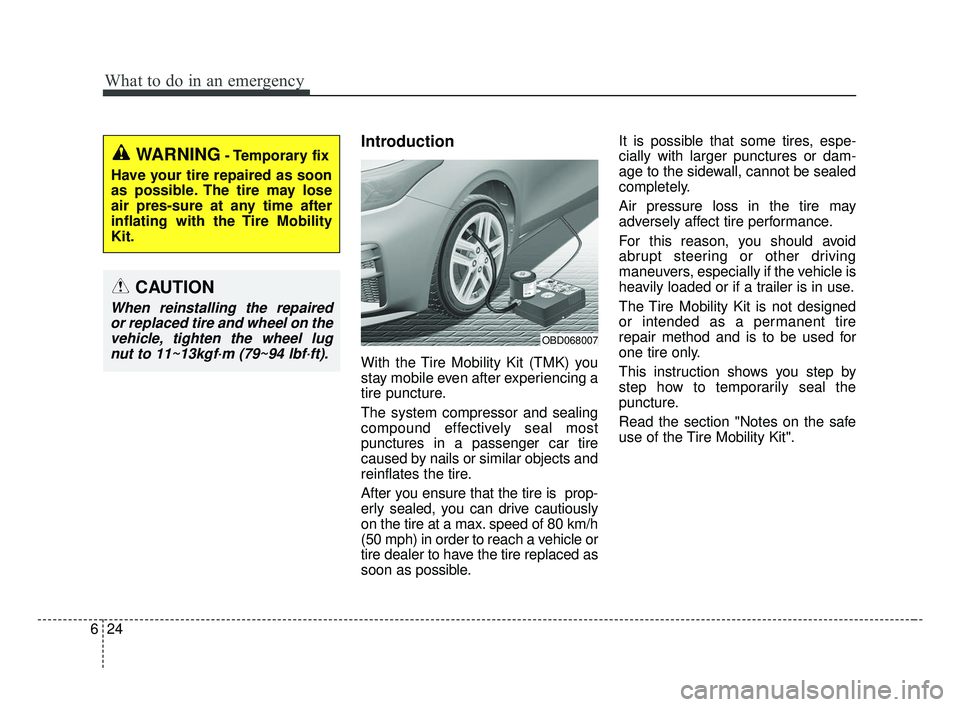
With the Tire Mobility Kit (TMK) you
stay mobile even after experiencing a
tire puncture.
The system compressor and sealing
compound effectively seal most
punctures in a passenger car tire
caused by nails or similar objects and
reinflates the tire.
After you ensure that the tire is prop-
erly sealed, you can drive cautiously
on the tire at a max. speed of 80 km/h
(50 mph) in order to reach a vehicle or
tire dealer to have the tire replaced as
soon as possible. It is possible that some tires, espe-
cially with larger punctures or dam-
age to the sidewall, cannot be sealed
completely.
Air pressure loss in the tire may
adversely affect tire performance.
For this reason, you should avoid
abrupt steering or other driving
maneuvers, especially if the vehicle is
heavily loaded or if a trailer is in use.
The Tire Mobility Kit is not designed
or intended as a permanent tire
repair method and is to be used for
one tire only.
This instruction shows you step by
step how to temporarily seal the
puncture.
Read the section "Notes on the safe
use of the Tire Mobility Kit".
WARNING- Temporary fix
Have your tire repaired as soon
as possible. The tire may lose
air pres-sure at any time after
inflating with the Tire Mobility
Kit.
CAUTION
When reinstalling the repaired or replaced tire and wheel on thevehicle, tighten the wheel lugnut to 11~13kgf·m (79~94 lbf·ft).
OBD068007
BDm CAN (ENG) 6.qxp 7/4/2018 10:21 AM Page 24
Page 414 of 550
What to do in an emergency
28
6
Using the Tire Mobility Kit
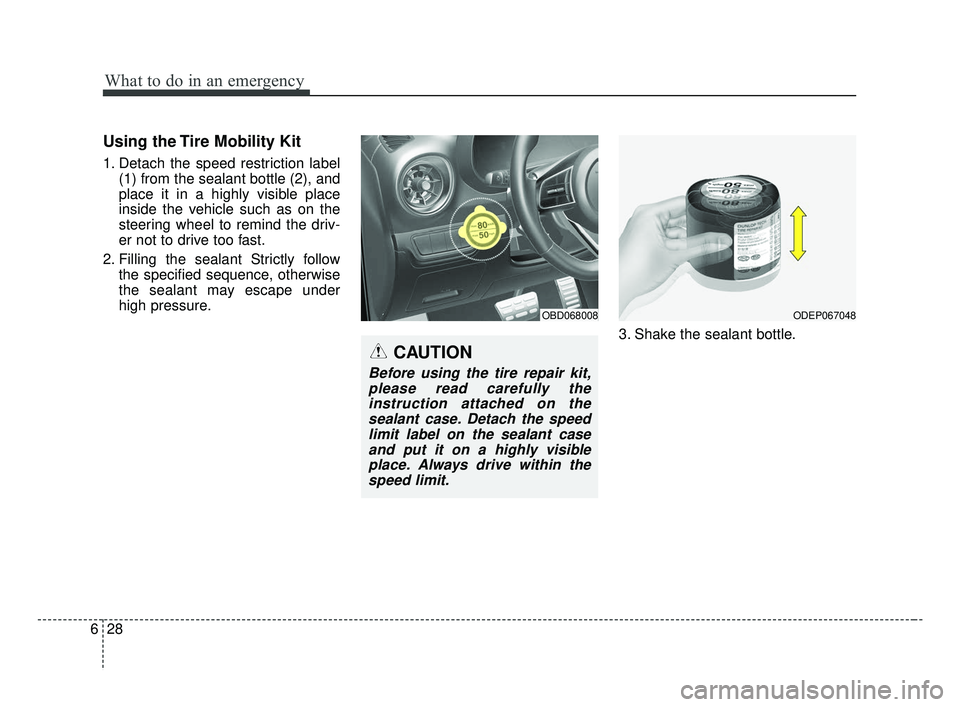
1. Detach the speed restriction label
(1) from the sealant bottle (2), and
place it in a highly visible place
inside the vehicle such as on the
steering wheel to remind the driv-
er not to drive too fast.
2. Filling the sealant Strictly follow the specified sequence, otherwise
the sealant may escape under
high pressure.
3. Shake the sealant bottle.
OBD068008ODEP067048
CAUTION
Before using the tire repair kit,please read carefully theinstruction attached on thesealant case. Detach the speedlimit label on the sealant caseand put it on a highly visibleplace. Always drive within thespeed limit.
BDm CAN (ENG) 6.qxp 7/4/2018 10:21 AM Page 28