manual transmission KIA FORTE 2019 Owners Manual
[x] Cancel search | Manufacturer: KIA, Model Year: 2019, Model line: FORTE, Model: KIA FORTE 2019Pages: 550, PDF Size: 11.66 MB
Page 87 of 550
Instrument cluster . . . . . . . . . . . . . . . . . . . . . . . . . 4-56
• Instrument cluster control . . . . . . . . . . . . . . . . . . . . . 4-57
• LCD window control . . . . . . . . . . . . . . . . . . . . . . . . . . 4-57
• Gauges . . . . . . . . . . . . . . . . . . . . . . . . . . . . . . . . . . . . \
. 4-58
• Transmission shift indicator . . . . . . . . . . . . . . . . . . . . 4-61
LCD windows . . . . . . . . . . . . . . . . . . . . . . . . . . . . . 4-63
• Over view . . . . . . . . . . . . . . . . . . . . . . . . . . . . . . . . . . . 4-\
63
• Trip information (Trip computer) . . . . . . . . . . . . . . . 4-63
• Distance to empty . . . . . . . . . . . . . . . . . . . . . . . . . . . . 4-63
• LCD modes (For type B, C cluster) . . . . . . . . . . . . . . 4-69
• Service mode . . . . . . . . . . . . . . . . . . . . . . . . . . . . . . . . 4-70
• User settings mode (For type B, C cluster) . . . . . . . . 4-71
Warning and indicator lights . . . . . . . . . . . . . . . . 4-80
• Warning lights . . . . . . . . . . . . . . . . . . . . . . . . . . . . . . . 4-80
• Indicator lights. . . . . . . . . . . . . . . . . . . . . . . . . . . . . . . 4-90
Parking distance warning-reverse . . . . . . . . . . . . 4-96
• Operation of the parking distance warning-reverse. 4-96
• Non-operational conditions of parking distance warning-reverse . . . . . . . . . . . . . . . . . . . . . . . . . . . . . 4-97
• Parking distance warning-reverse precautions . . . . 4-98
• Self-diagnosis . . . . . . . . . . . . . . . . . . . . . . . . . . . . . . . . 4-98
Rear view monitor . . . . . . . . . . . . . . . . . . . . . . . . . 4-99
Lighting . . . . . . . . . . . . . . . . . . . . . . . . . . . . . . . . . 4-100
• Battery saver function. . . . . . . . . . . . . . . . . . . . . . . . 4-100
• Daytime running light . . . . . . . . . . . . . . . . . . . . . . . . 4-100 • Lighting control . . . . . . . . . . . . . . . . . . . . . . . . . . . . . 4-100
• High beam operation. . . . . . . . . . . . . . . . . . . . . . . . . 4-102
• High beam assist . . . . . . . . . . . . . . . . . . . . . . . . . . . . 4-103
• Turn signals and lane change signals . . . . . . . . . . . 4-106
• Front fog light . . . . . . . . . . . . . . . . . . . . . . . . . . . . . . 4-107
Wipers and washers . . . . . . . . . . . . . . . . . . . . . . . 4-108
• Windshield wipers . . . . . . . . . . . . . . . . . . . . . . . . . . . 4-108
• Front windshield washers . . . . . . . . . . . . . . . . . . . . . 4-109
Interior lights . . . . . . . . . . . . . . . . . . . . . . . . . . . . 4-110
• Room lamp . . . . . . . . . . . . . . . . . . . . . . . . . . . . . . . . . 4-110
• Map lamp . . . . . . . . . . . . . . . . . . . . . . . . . . . . . . . . . . 4-110
• Trunk room lamp. . . . . . . . . . . . . . . . . . . . . . . . . . . . 4-111
• Vanity mirror lamp . . . . . . . . . . . . . . . . . . . . . . . . . . 4-112
• Glove box lamp . . . . . . . . . . . . . . . . . . . . . . . . . . . . . 4-112
Welcome system . . . . . . . . . . . . . . . . . . . . . . . . . . 4-113
• Headlight (Headlamp) escort function . . . . . . . . . . 4-113
• Interior light . . . . . . . . . . . . . . . . . . . . . . . . . . . . . . . . 4-113
• Pocket light . . . . . . . . . . . . . . . . . . . . . . . . . . . . . . . . . 4-113
Defroster . . . . . . . . . . . . . . . . . . . . . . . . . . . . . . . . 4-114
• Rear window defroster . . . . . . . . . . . . . . . . . . . . . . . 4-114
Manual climate control system . . . . . . . . . . . . . . 4-115
• Heating and air conditioning . . . . . . . . . . . . . . . . . . 4-116
• System operation . . . . . . . . . . . . . . . . . . . . . . . . . . . . 4-121
• Climate control air filter . . . . . . . . . . . . . . . . . . . . . . 4-123
4
BDm CAN (ENG) 4.qxp 7/4/2018 10:03 AM Page 2
Page 109 of 550
Features of your vehicle
24
4
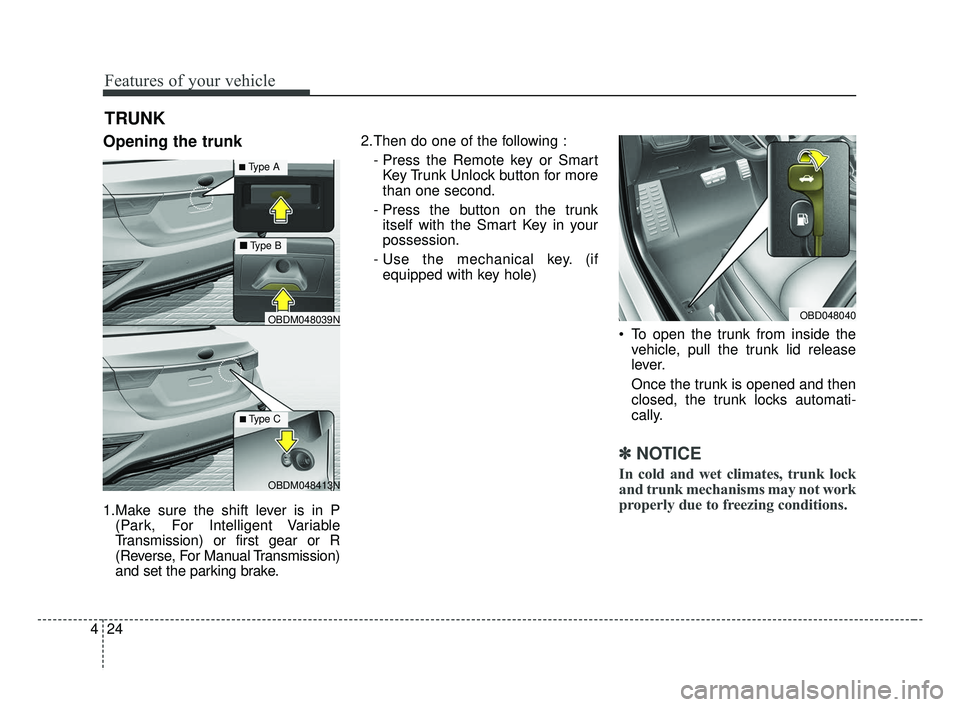
Opening the trunk
1.Make sure the shift lever is in P
(Park, For Intelligent Variable
Transmission) or first gear or R
(Reverse, For Manual Transmission)
and set the parking brake. 2.Then do one of the following :
- Press the Remote key or SmartKey Trunk Unlock button for more
than one second.
- Press the button on the trunk itself with the Smart Key in your
possession.
- Use the mechanical key. (if equipped with key hole)
To open the trunk from inside thevehicle, pull the trunk lid release
lever.
Once the trunk is opened and then
closed, the trunk locks automati-
cally.
✽ ✽ NOTICE
In cold and wet climates, trunk lock
and trunk mechanisms may not work
properly due to freezing conditions.
TRUNK
OBD048040
OBDM048413N
OBDM048039N
■ Type B
■Type A
■Type C
BDm CAN (ENG) 4.qxp 7/4/2018 10:03 AM Page 24
Page 120 of 550
435
Features of your vehicle
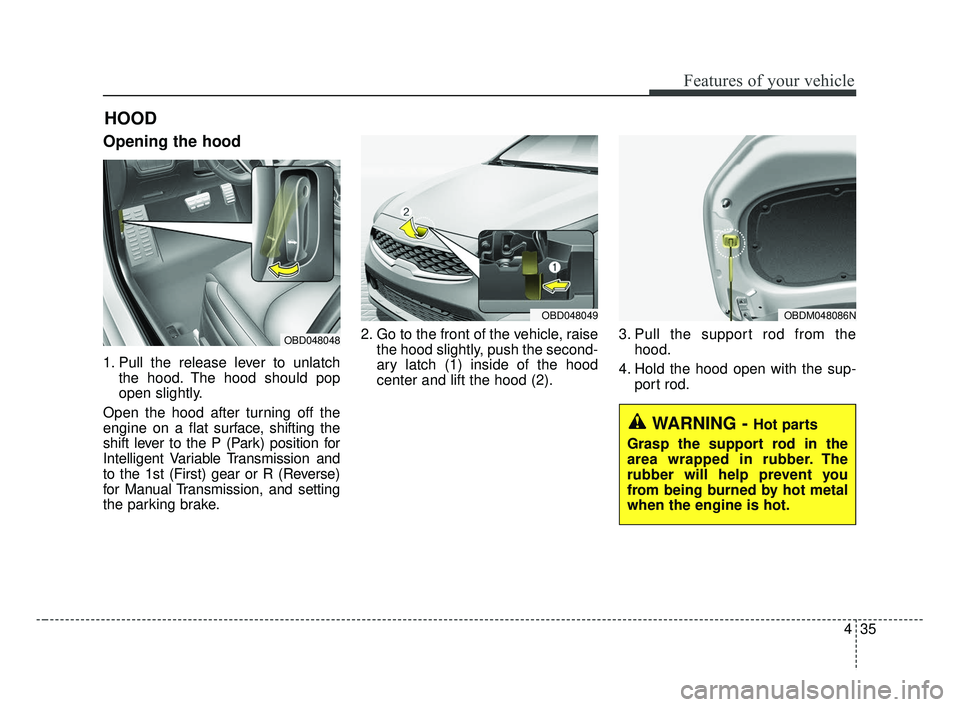
Opening the hood
1. Pull the release lever to unlatchthe hood. The hood should pop
open slightly.
Open the hood after turning off the
engine on a flat surface, shifting the
shift lever to the P (Park) position for
Intelligent Variable Transmission and
to the 1st (First) gear or R (Reverse)
for Manual Transmission, and setting
the parking brake. 2. Go to the front of the vehicle, raise
the hood slightly, push the second-
ary latch (1) inside of the hood
center and lift the hood (2). 3. Pull the support rod from the
hood.
4. Hold the hood open with the sup- port rod.
HOOD
OBD048048
OBD048049OBDM048086N
WARNING - Hot parts
Grasp the support rod in the
area wrapped in rubber. The
rubber will help prevent you
from being burned by hot metal
when the engine is hot.
BDm CAN (ENG) 4.qxp 7/4/2018 10:04 AM Page 35
Page 146 of 550
461
Features of your vehicle
The outside temperature on the dis-
play may not change immediately
like a general thermometer to pre-
vent the driver from being inattentive.
To change the temperature unit (from
°C to °F or from °F to °C)
Press the TRIP button for 5 seconds
and more.
The temperature unit can be
changed by using the “User Settings”
mode of the LCD Windows.
❈For more details, refer to “LCD
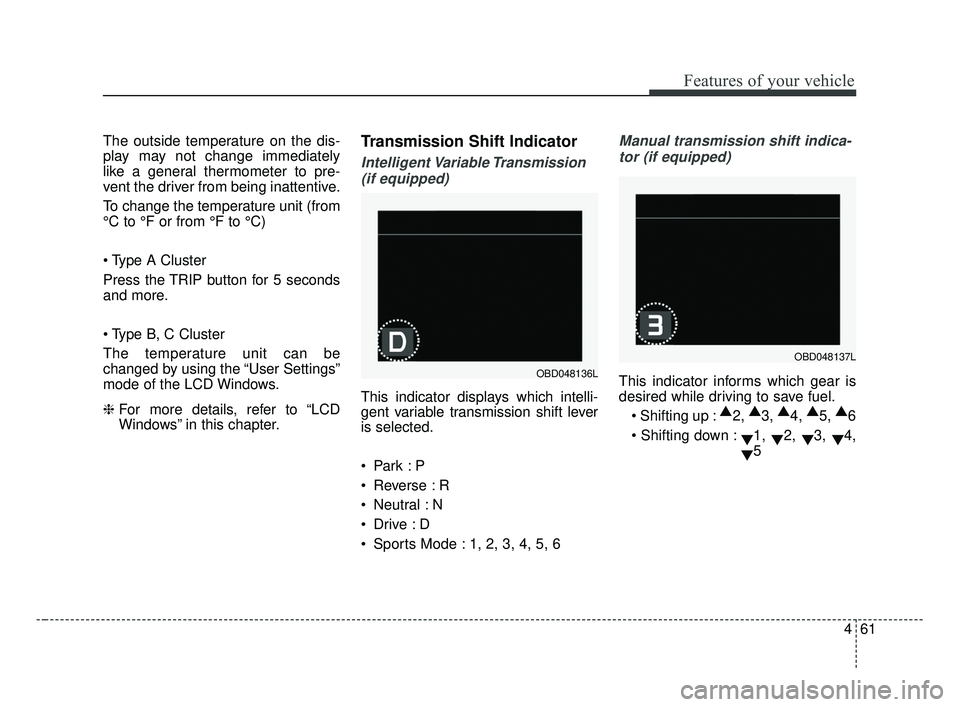
Windows” in this chapter.Transmission Shift Indicator
Intelligent Variable Transmission
(if equipped)
This indicator displays which intelli-
gent variable transmission shift lever
is selected.
Reverse : R
Neutral : N
Sports Mode : 1, 2, 3, 4, 5, 6
Manual transmission shift indica-tor (if equipped)
This indicator informs which gear is
desired while driving to save fuel.
▲
2, ▲
3, ▲
4, ▲
5, ▲
6
▼1,
▼2,
▼3,
▼4,
▼ 5OBD048136L
OBD048137L
BDm CAN (ENG) 4.qxp 7/4/2018 10:06 AM Page 61
Page 156 of 550
471
Features of your vehicle
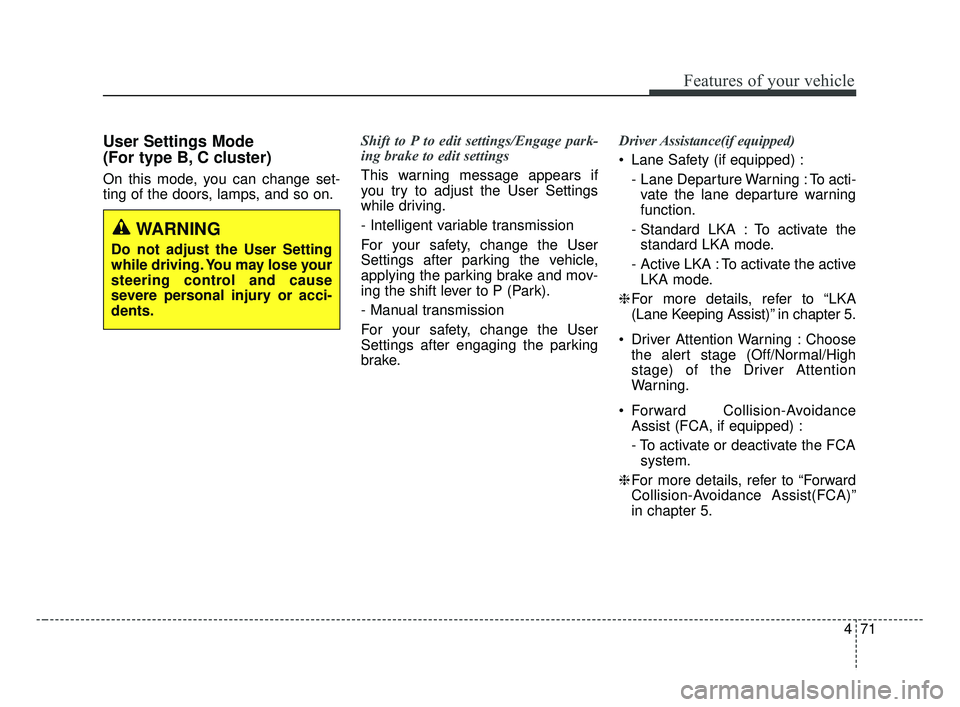
User Settings Mode
(For type B, C cluster)
On this mode, you can change set-
ting of the doors, lamps, and so on.Shift to P to edit settings/Engage park-
ing brake to edit settings
This warning message appears if
you try to adjust the User Settings
while driving.
- Intelligent variable transmission
For your safety, change the User
Settings after parking the vehicle,
applying the parking brake and mov-
ing the shift lever to P (Park).
- Manual transmission
For your safety, change the User
Settings after engaging the parking
brake.Driver Assistance(if equipped)
Lane Safety (if equipped) :
- Lane Departure Warning : To acti-vate the lane departure warning
function.
- Standard LKA : To activate the standard LKA mode.
- Active LKA : To activate the active LKA mode.
❈ For more details, refer to “LKA
(Lane Keeping Assist)” in chapter 5.
Driver Attention Warning : Choose the alert stage (Off/Normal/High
stage) of the Driver Attention
Warning.
Forward Collision-Avoidance Assist (FCA, if equipped) :
- To activate or deactivate the FCAsystem.
❈ For more details, refer to “Forward
Collision-Avoidance Assist(FCA)”
in chapter 5.
WARNING
Do not adjust the User Setting
while driving. You may lose your
steering control and cause
severe personal injury or acci-
dents.
BDm CAN (ENG) 4.qxp 7/4/2018 10:06 AM Page 71
Page 247 of 550
Driving your vehicle
Before driving . . . . . . . . . . . . . . . . . . . . . . . . . . . . . . 5-5
• Before entering vehicle . . . . . . . . . . . . . . . . . . . . . . . . . 5-5
• Necessary inspections . . . . . . . . . . . . . . . . . . . . . . . . . . 5-5
• Before starting . . . . . . . . . . . . . . . . . . . . . . . . . . . . . . . . 5-5
Key positions . . . . . . . . . . . . . . . . . . . . . . . . . . . . . . . 5-7
• Illuminated ignition switch . . . . . . . . . . . . . . . . . . . . . . 5-7
• Ignition switch position . . . . . . . . . . . . . . . . . . . . . . . . . 5-7
• Starting the engine. . . . . . . . . . . . . . . . . . . . . . . . . . . . . 5-9
• Stopping the gasoline engine (Manual transmission) . . . . . . . . . . . . . . . . . . . . . . . 5-10
Engine start/stop button . . . . . . . . . . . . . . . . . . . . 5-11
• Illuminated engine start/stop button . . . . . . . . . . . . . 5-11
• Engine start/stop button position . . . . . . . . . . . . . . . . 5-11
• Starting the engine. . . . . . . . . . . . . . . . . . . . . . . . . . . . 5-14
• Stopping the engine (Manual transmission) . . . . . . . 5-17
Manual transmission . . . . . . . . . . . . . . . . . . . . . . . 5-18
• Manual transmission operation . . . . . . . . . . . . . . . . . 5-18
• Good driving practices . . . . . . . . . . . . . . . . . . . . . . . . 5-20
Intelligent Variable Transmission (IVT) . . . . . . . 5-22
• Intelligent Variable Transmission (IVT) operation . 5-22
• Shift lock system . . . . . . . . . . . . . . . . . . . . . . . . . . . . . 5-27
• Good driving practices . . . . . . . . . . . . . . . . . . . . . . . . 5-28
Brake system . . . . . . . . . . . . . . . . . . . . . . . . . . . . . . 5-31
• Power brakes . . . . . . . . . . . . . . . . . . . . . . . . . . . . . . . . 5-31
• Parking brake . . . . . . . . . . . . . . . . . . . . . . . . . . . . . . . 5-33 • Anti-lock Brake System (ABS). . . . . . . . . . . . . . . . . . 5-36
• Electronic Stability Control (ESC) . . . . . . . . . . . . . . 5-37
• Vehicle Stability Management (VSM) . . . . . . . . . . . . 5-42
• Hill-start Assist Control (HAC) . . . . . . . . . . . . . . . . . 5-44
• Good braking practices. . . . . . . . . . . . . . . . . . . . . . . . 5-44
Forward Collision-avoidance Assist (FCA)
(Camera type) . . . . . . . . . . . . . . . . . . . . . . . . . . . . 5-46
• System setting and activation . . . . . . . . . . . . . . . . . . . 5-46
• FCA warning message and system control . . . . . . . . 5-48
• Brake operation . . . . . . . . . . . . . . . . . . . . . . . . . . . . . . 5-49
• FCA front view camera sensor. . . . . . . . . . . . . . . . . . 5-50
• System malfunction . . . . . . . . . . . . . . . . . . . . . . . . . . . 5-52
• Limitation of the system . . . . . . . . . . . . . . . . . . . . . . . 5-54
Forward Collision-avoidance Assist (FCA) (Camera + radar type). . . . . . . . . . . . . . . . . . . . . 5-59
• System setting and activation . . . . . . . . . . . . . . . . . . . 5-59
• FCA warning message and system control . . . . . . . . 5-61
• Brake operation . . . . . . . . . . . . . . . . . . . . . . . . . . . . . . 5-62
• Sensor to detect the distance from the vehicle in front
(front radar/camera) . . . . . . . . . . . . . . . . . . . . . . . . . 5-63
• System malfunction . . . . . . . . . . . . . . . . . . . . . . . . . . . 5-65
• Limitation of the system . . . . . . . . . . . . . . . . . . . . . . . 5-67
• Recognizing pedestrians . . . . . . . . . . . . . . . . . . . . . . . 5-70
5
BDm CAN (ENG) 5.QXP 7/4/2018 10:12 AM Page 1
Page 255 of 550
59
Driving your vehicle
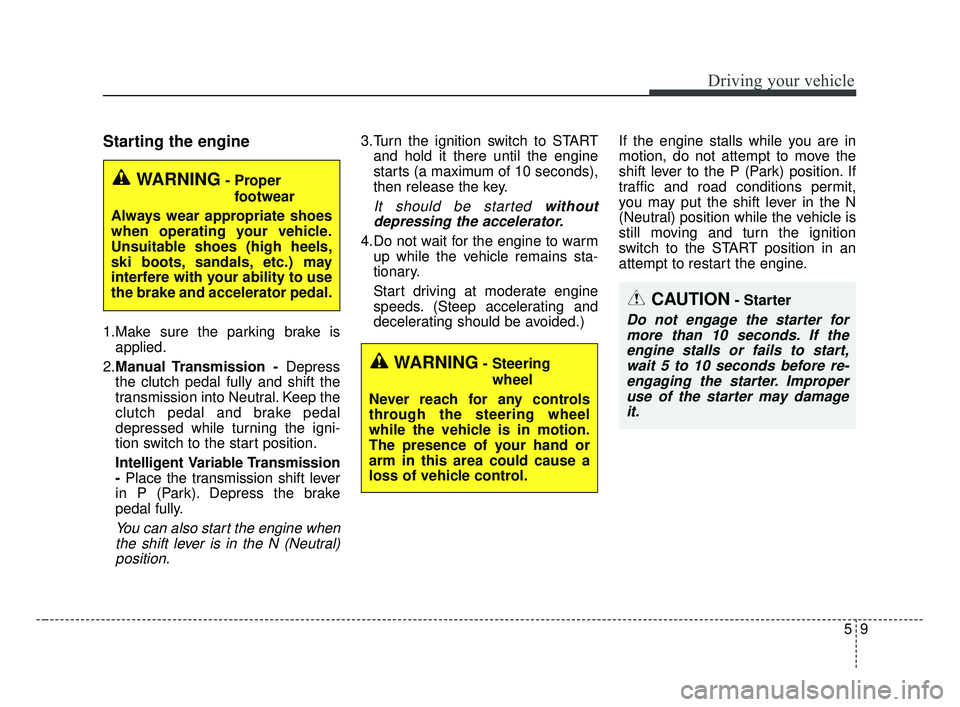
Starting the engine
1.Make sure the parking brake isapplied.
2. Manual Transmission - Depress
the clutch pedal fully and shift the
transmission into Neutral. Keep the
clutch pedal and brake pedal
depressed while turning the igni-
tion switch to the start position.
Intelligent Variable Transmission
- Place the transmission shift lever
in P (Park). Depress the brake
pedal fully.
You can also start the engine when the shift lever is in the N (Neutral)position.
3.Turn the ignition switch to START and hold it there until the engine
starts (a maximum of 10 seconds),
then release the key.
It should be started withoutdepressing the accelerator.
4.Do not wait for the engine to warm up while the vehicle remains sta-
tionary.
Start driving at moderate engine
speeds. (Steep accelerating and
decelerating should be avoided.) If the engine stalls while you are in
motion, do not attempt to move the
shift lever to the P (Park) position. If
traffic and road conditions permit,
you may put the shift lever in the N
(Neutral) position while the vehicle is
still moving and turn the ignition
switch to the START position in an
attempt to restart the engine.
CAUTION- Starter
Do not engage the starter for
more than 10 seconds. If theengine stalls or fails to start,wait 5 to 10 seconds before re-engaging the starter. Improperuse of the starter may damageit.
WARNING- Steering
wheel
Never reach for any controls
through the steering wheel
while the vehicle is in motion.
The presence of your hand or
arm in this area could cause a
loss of vehicle control.
WARNING- Proper footwear
Always wear appropriate shoes
when operating your vehicle.
Unsuitable shoes (high heels,
ski boots, sandals, etc.) may
interfere with your ability to use
the brake and accelerator pedal.
BDm CAN (ENG) 5.QXP 7/4/2018 10:12 AM Page 9
Page 256 of 550
Driving your vehicle
10
5
Stopping the gasoline engine
(Manual Transmission)
1. Make sure the vehicle is complete-
ly stopped and keep the clutch
pedal and brake pedal depressed.
2. Shift the transmission into Neutral while depressing the clutch pedal
and brake pedal.
3. Engage the parking brake while depressing the brake pedal.
4. Turn the ignition key to the LOCK position and remove it.
BDm CAN (ENG) 5.QXP 7/4/2018 10:12 AM Page 10
Page 257 of 550
511
Driving your vehicle
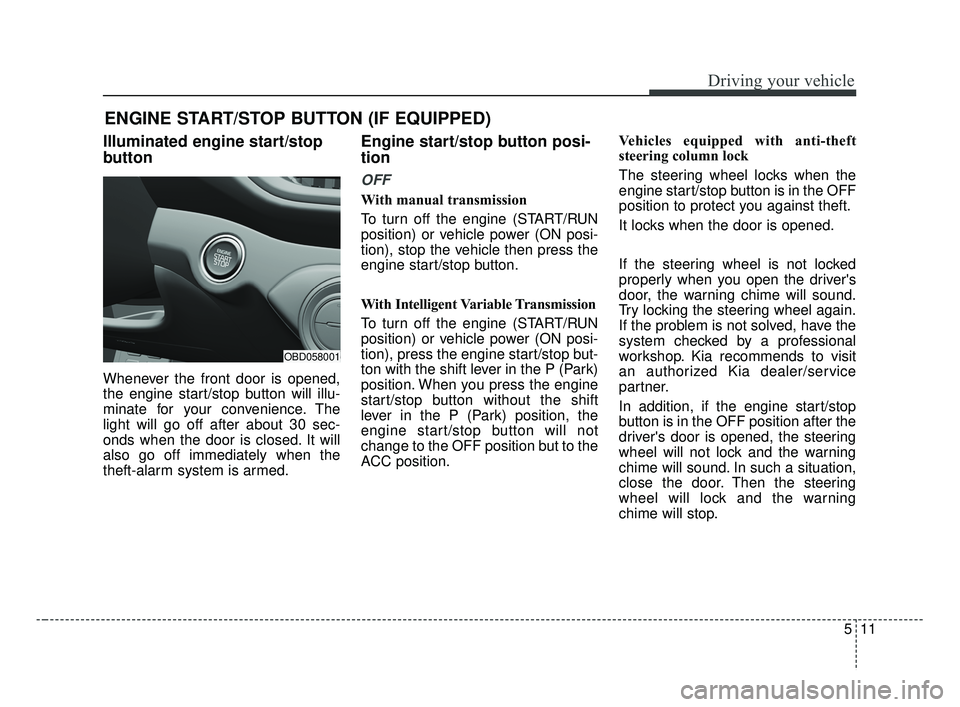
Illuminated engine start/stop
button
Whenever the front door is opened,
the engine start/stop button will illu-
minate for your convenience. The
light will go off after about 30 sec-
onds when the door is closed. It will
also go off immediately when the
theft-alarm system is armed.
Engine start/stop button posi-
tion
OFF
With manual transmission
To turn off the engine (START/RUN
position) or vehicle power (ON posi-
tion), stop the vehicle then press the
engine start/stop button.
With Intelligent Variable Transmission
To turn off the engine (START/RUN
position) or vehicle power (ON posi-
tion), press the engine start/stop but-
ton with the shift lever in the P (Park)
position. When you press the engine
start/stop button without the shift
lever in the P (Park) position, the
engine start/stop button will not
change to the OFF position but to the
ACC position.Vehicles equipped with anti-theft
steering column lock
The steering wheel locks when the
engine start/stop button is in the OFF
position to protect you against theft.
It locks when the door is opened.
If the steering wheel is not locked
properly when you open the driver's
door, the warning chime will sound.
Try locking the steering wheel again.
If the problem is not solved, have the
system checked by a professional
workshop. Kia recommends to visit
an authorized Kia dealer/service
partner.
In addition, if the engine start/stop
button is in the OFF position after the
driver's door is opened, the steering
wheel will not lock and the warning
chime will sound. In such a situation,
close the door. Then the steering
wheel will lock and the warning
chime will stop.
ENGINE START/STOP BUTTON (IF EQUIPPED)
OBD058001
BDm CAN (ENG) 5.QXP 7/4/2018 10:12 AM Page 11
Page 258 of 550
Driving your vehicle
12
5
✽ ✽
NOTICE
If the steering wheel doesn't unlock
properly, the engine start/stop but-
ton will not work. Press the engine
start/stop button while turning the
steering wheel right and left to
release the tension.
✽ ✽
NOTICE
You are able to turn off the engine
(START/RUN) or vehicle power
(ON), only when the vehicle is not in
motion.
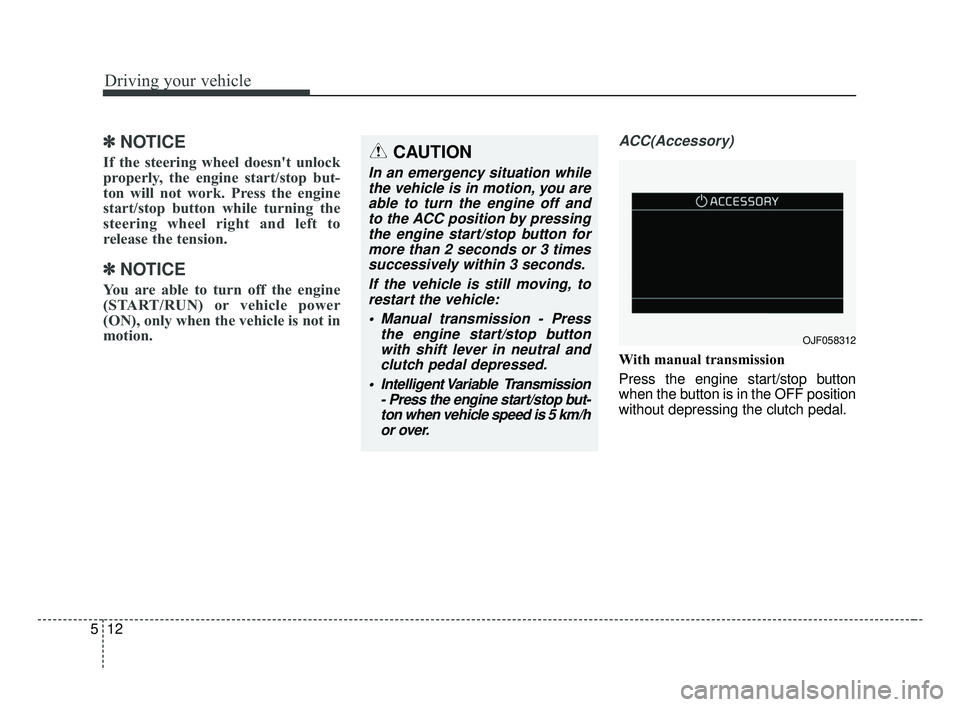
ACC(Accessory)
With manual transmission
Press the engine start/stop button
when the button is in the OFF position
without depressing the clutch pedal.
CAUTION
In an emergency situation while
the vehicle is in motion, you areable to turn the engine off andto the ACC position by pressingthe engine start/stop button formore than 2 seconds or 3 timessuccessively within 3 seconds.
If the vehicle is still moving, torestart the vehicle:
Manual transmission - Press the engine start/stop buttonwith shift lever in neutral andclutch pedal depressed.
Intelligent Variable Transmission - Press the engine start/stop but-ton when vehicle speed is 5 km/hor over.
OJF058312
BDm CAN (ENG) 5.QXP 7/4/2018 10:13 AM Page 12