warning KIA FORTE 2020 Owners Manual
[x] Cancel search | Manufacturer: KIA, Model Year: 2020, Model line: FORTE, Model: KIA FORTE 2020Pages: 568, PDF Size: 8.58 MB
Page 306 of 568

Driving your vehicle
60
5
The warning light illumi-
nates on the LCD display,
when you cancel the FCA
system. The driver can
monitor the FCA ON/OFF status on
the LCD display. Also, the warning
light illuminates when the ESC
(Electronic Stability Control) is
turned off. When the warning light
remains ON with the FCA activated,
have the system checked by an
authorized Kia dealer.
The driver can select the initial warn-
ing activation time in the User
Settings in the instrument cluster
LCD display. The options for the ini-
tial Forward Collision Warning
include the following:
selected, the initial
Forward Collision Warning
is activated earlier than
normal. This setting maxi-
mizes the amount of dis-
tance between the vehicle
ahead before the initial
warning occurs. If the
‘EARLY’ condition feels too
sensitive, change it, into
‘NORMAL’. When the vehi-
cle ahead suddenly stops,
the warning may seem to
activate later even if the
‘EARLY’ condition was
selected.
selected, the initial
Forward Collision
Warning is activated nor-
mally. Compared to
EARLY mode, this set-
ting allows for a smaller
amount of distance
between the vehicle
ahead before the initial
warning occurs.
selected, the initial Forward
Collision Warning is activat-
ed later than normal. This
setting reduces the amount
of distance between the
vehicle ahead before the
initial warning occurs.
Select this condition only
when traffic is light, and you
are driving slowly.
Page 307 of 568

561
Driving your vehicle
Prerequisite for activation
The FCA gets ready to be activated
when the FCA is selected on the
LCD display, and when the following
prerequisites are satisfied.
- The ESC is ON.
- The driving speed is over 10 km/h(6 mph ). (However, FCA is activat-
ed within certain driving speed.)
- When recognizing a vehicle in front. (However, FCA deactivates
according to conditions in front and
vehicle systems, but it notices only
certain warnings.)
- The FCA automatically deactivates upon canceling the ESC. When the
ESC is cancelled, the FCA cannot
be activated on the LCD display. In
this situation, the FCA warning
light will illuminate.
FCA warning message and
system control
The FCA system produces warning
messages, warning alarms, and
emergency braking based on the risk
of a frontal collision, such as when a
vehicle ahead suddenly brakes.
The driver can select the initial warn-
ing activation time in the User Settings
in the LCD display. The options for the
initial Forward Collision-Avoidance
Assist include Early, Normal or Late
initial warning time.
WARNING
The FCA automatically acti-vates upon placing the igni-
tion switch to the ON position.
The driver can deactivate the
FCA by canceling the system
setting on the LCD display.
The FCA automatically deacti- vates upon canceling the
ESC. When the ESC is can-
celled, the FCA cannot be
activated on the LCD display.
The FCA warning light will
illuminate, but it does not indi-
cate a malfunction of the sys-
tem.
Set or cancel FCA with the control switches on the steer-
ing wheel after stopping the
vehicle in a safe place.
Page 308 of 568

Driving your vehicle
62
5
Collision Warning! (1st warning)
This warning message appears on
the LCD display with a warning
chime.
Additionally, the engine management
system intervenes to help decelerate
the vehicle.
- Your vehicle speed may decelerate
moderately.
- The FCA system limitedly controls the brakes to preemptively mitigate
impact from a collision.
Emergency braking! (2nd warning)
This warning message appears on
the LCD display with a warning
chime.
Additionally, the engine management
system intervenes to help decelerate
the vehicle.
- The FCA system limitedly controlsthe brakes to preemptively mitigate
impact from a collision. The brake
control is maximized just before a
collision.
Brake operation
In an emergency situation, the braking system enters in ready sta-
tus for prompt reaction upon the
driver depressing the brake pedal.
The FCA system provides addi- tional braking power for optimum
braking performance when the
driver depresses the brake pedal.
The braking control is automatical- ly deactivated when the driver
sharply depresses the accelerator
pedal or when the driver abruptly
operates the steering wheel.
The braking control is automatical- ly cancelled when risk factors dis-
appear.
OBDM058065NOBDM058066N
CAUTION
The driver should always exer-cise great caution during vehi-cle operation, even though thereis no warning message or warn-ing alarm.
Page 309 of 568

563
Driving your vehicle
FCA front view camera sensor
The sensor is designed to maintain a
certain distance from the front end of
the vehicle.
However, a sensor covered or dirty
with foreign substances, such as dirt
or snow, adversely affects the sens-
ing performance. It may even tem-
porarily cancel the FCA. Always keep
the sensor and its external parts
clean.
WARNING
The FCA system is a supple-
mental system and cannot com-
pletely stop the vehicle in all sit-
uations and avoid all collisions.
It is the responsibility of the
driver to drive safely and con-
trol the vehicle.
WARNING
The FCA system assesses the
risk of a collision by monitoring
several variables, such as the
distance to the vehicle ahead,
the speed of the vehicle ahead,
and the driver's operation of the
vehicle.
Certain conditions such as
inclement weather, road condi-
tions, and systems limitations
may affect the operation of the
FCA system.OBD058015
WARNING
Never deliberately drive danger-
ously to activate the system as
such conduct increases the risk
of an accident.
Page 310 of 568

Driving your vehicle
64
5
Warning message and warning
light
When the sensor is covered or the
sensor lens is dirty with foreign sub-
stances, such as snow or rain, the
FCA system may not be able to
detect vehicles. In this situation, a
warning message ("Forward
Collision-Avoidance Assist (FCA)
system disabled. Camera blocked")
will appear to notify the driver.
Remove the foreign substances to
allow the FCA system to function
property.
This is not a malfunction with the
FCA. To operate the FCA again,
remove the foreign substances. The FCA may not properly operate in
an area (e.g. open terrain), where
vehicles or objects are not detected
after turning ON the engine.
✽ ✽
NOTICE
• Always keep the sensor clean and
free of dirt and debris.
• Be careful not to apply unneces- sary force on the sensor. If the sen-
sor is forcibly moved out of proper
alignment, the FCA system may
not operate correctly. In this situa-
tion, a warning message may not
be displayed. In this situation,
have the vehicle inspected by an
authorized Kia dealer.
• Use only genuine parts to repair or replace a damaged
• Do not tint the window or install stickers, accessories around the
inside mirror where the camera is
installed.
• Make sure the frontal camera installation point does not get wet.
• Do not impact or remove any cam- era components. (Continued)
OBDM058129N
Page 311 of 568
565
Driving your vehicle
(Continued)
• Do not place reflectiveobjects(white paper or mirror etc.)
on the dashboard.
The system may unnecessarily
activate or deactivate due to
reflection of the sunlight.
• Excessive audio system volume may prevent occupants from hear-
ing the FCA system warning
alarm.System malfunction
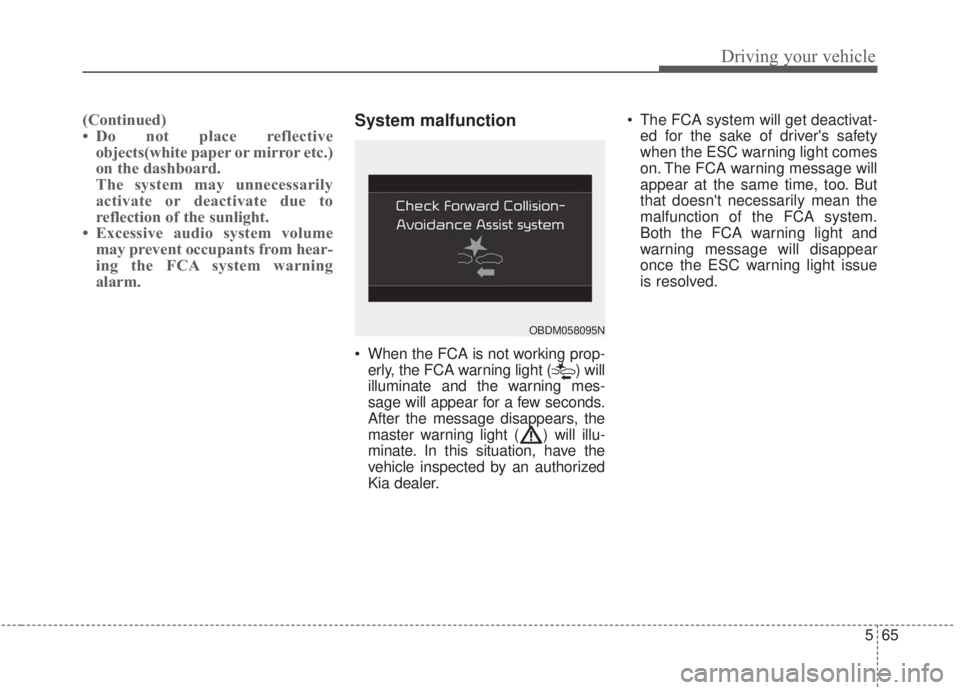
When the FCA is not working prop-
erly, the FCA warning light ( ) will
illuminate and the warning mes-
sage will appear for a few seconds.
After the message disappears, the
master warning light ( ) will illu-
minate. In this situation, have the
vehicle inspected by an authorized
Kia dealer. The FCA system will get deactivat-
ed for the sake of driver's safety
when the ESC warning light comes
on. The FCA warning message will
appear at the same time, too. But
that doesn't necessarily mean the
malfunction of the FCA system.
Both the FCA warning light and
warning message will disappear
once the ESC warning light issue
is resolved.
OBDM058095N
Page 312 of 568

Driving your vehicle
66
5
(Continued)
The FCA system may activate
during braking and the vehicle
may stop suddenly. If this
occurs, any load in the vehicle
may endanger passengers.
Therefore, always be mindful
of the load volume in the vehi-
cle.
The FCA system may not acti- vate if the driver applies the
brake pedal to avoid the risk
of a collision.
The FCA system does not operate when the vehicle is in
reverse. In these cases, you
must maintain a safe braking
distance, and if necessary,
depress the brake pedal to
reduce the driving speed in
order to maintain a safe dis
tance.
(Continued)WARNING
The FCA is only a supplemen-tal system for the driver’s con-
venience. It is the driver's
responsibility to control the
vehicle. Do not solely depend
on the FCA system. Rather,
maintain a safe braking dis-
tance, and, if necessary,
depress the brake pedal to
lower the driving speed.
The FCA may unnecessarily produce the warning message
and the warning alarms. Also,
due to sensing limitations, the
FCA may not produce alarms
in certain situations. Read the
section “Limitation of the sys-
tem” for more information.
(Continued)
(Continued)
When there is a malfunctionwith the FCA, the FCA braking
control does not operate upon
detecting a collision risk even
with other braking systems
operating normally.
The FCA system only recog- nizes vehicles in front of it
while driving forward. It does
not identify any animals or
vehicles in the opposite direc-
tion.
The FCA cannot recognize cross-traffic or parked vehi-
cles presenting a side profile.
If the vehicle in front stops suddenly, you may have less
time to apply the brakes sys-
tem. Therefore, always keep a
safe distance between your
vehicle and the vehicle in
front of you.
(Continued)
Page 314 of 568
Driving your vehicle
68
5
- The vehicle in front is driving errat-
ically
- Backlight is reflected in the direc- tion of the vehicle (including front
light from the vehicle ahead)
- Moisture on the windscreen is not completely removed or frozen.
- The weather is misty.
- The vehicle in front does not turn ON the rear lights, does not have
rear lights, has asymmetric rear
lights, or has rear lights out of
angle.
- The vehicle is on unpaved or uneven rough surfaces, or roads
with sudden gradient changes
- The vehicle is moving under ground level or inside a building
- If a sudden change in the sensor recognition takes place whilst
passing through a speed bump
- When the vehicle is severely shak- en
- When driving around a circular intersection with a vehicle or object
in front - If the front of the camera lens is
contaminated by front glass tinting,
film, water repellent coating, dam-
age on glass, or foreign matter
(sticker, insect, etc.)
- The camera or camera lens is damaged.
- If the headlights of the vehicle are not used at night or in a tunnel sec-
tion, or the light is too weak
- If street light or the light of the vehi- cle coming from the opposite direc-
tion is reflected or when sunlight is
reflected by water on the road
service
- When the back light is projected in the direction of the vehicle's motion
(including the headlights of vehi-
cles)
- Road sign, shadow on the road, tunnel entrances, toll gates, partial
pavement
- If the windshield has moisture on its surface or if the windshield
freezes,
- Driving in the fog.
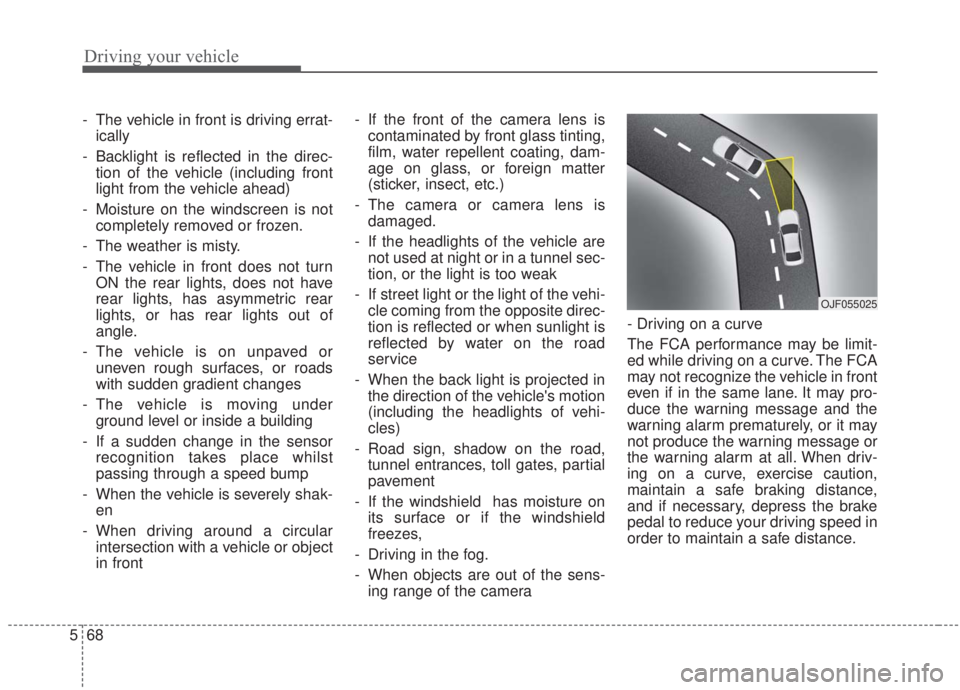
- When objects are out of the sens- ing range of the camera - Driving on a curve
The FCA performance may be limit-
ed while driving on a curve. The FCA
may not recognize the vehicle in front
even if in the same lane. It may pro-
duce the warning message and the
warning alarm prematurely, or it may
not produce the warning message or
the warning alarm at all. When driv-
ing on a curve, exercise caution,
maintain a safe braking distance,
and if necessary, depress the brake
pedal to reduce your driving speed in
order to maintain a safe distance.
OJF055025
Page 315 of 568

569
Driving your vehicle
The FCA system may recognize a
vehicle in an adjacent lane when driv-
ing on a curved road. In this situation,
the system may apply the brake.
Always pay attention to road and driv-
ing conditions while driving. If neces-
sary, depress the brake pedal to
reduce your driving speed in order to
maintain a safe distance. Also, when
necessary, you may depress the
accelerator pedal to prevent the sys-
tem from unnecessarily decelerating
your vehicle. Always check the traffic
conditions around the vehicle.- Driving on a slope
The FCA performance may be limit-
ed while driving upward or downward
on a slope, and may not recognize a
vehicle in front in the same lane. It
may produce the warning message
and the warning alarm prematurely,
or it may not produce the warning
message and the warning alarm at
all.
When the FCA suddenly recognizes
the vehicle in front while passing
over a slope, you may experience
sharp deceleration.
Always keep your eyes forward while
driving upward or downward on a
slope, and, if necessary, depress the
brake pedal.- Changing lanes
When a vehicle changes lanes in
front of you, the FCA system may not
immediately detect the vehicle, espe-
cially if the vehicle changes lanes
abruptly. In this situation, you must
maintain a safe braking distance,
and if necessary, depress the brake
pedal to reduce your driving speed in
order to maintain a safe distance.
OJF055026OBD058016LOJF055028
Page 316 of 568
Driving your vehicle
70
5
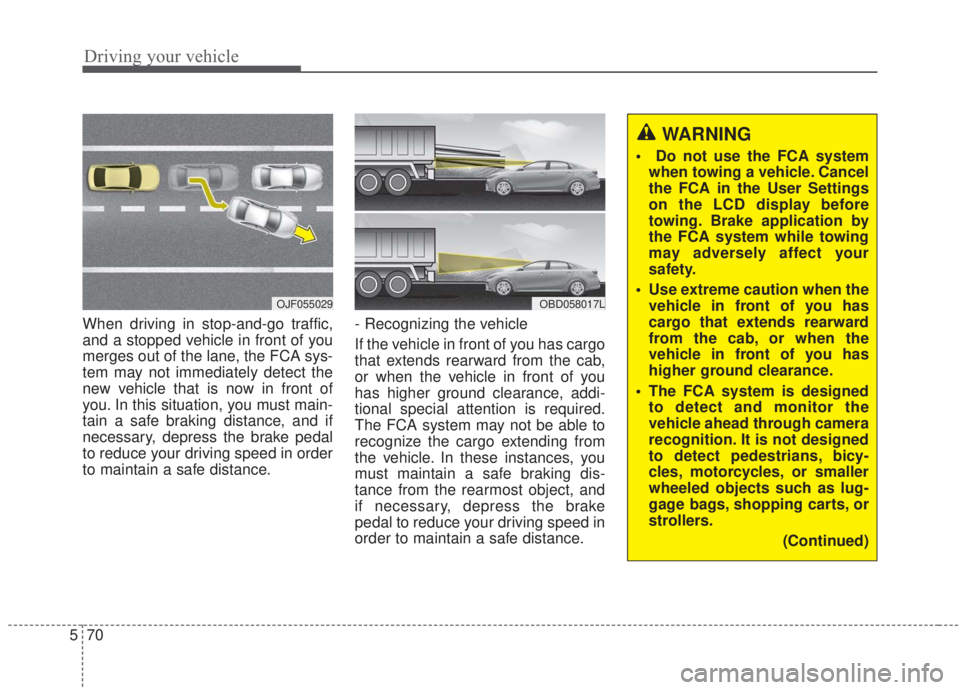
When driving in stop-and-go traffic,
and a stopped vehicle in front of you
merges out of the lane, the FCA sys-
tem may not immediately detect the
new vehicle that is now in front of
you. In this situation, you must main-
tain a safe braking distance, and if
necessary, depress the brake pedal
to reduce your driving speed in order
to maintain a safe distance. - Recognizing the vehicle
If the vehicle in front of you has cargo
that extends rearward from the cab,
or when the vehicle in front of you
has higher ground clearance, addi-
tional special attention is required.
The FCA system may not be able to
recognize the cargo extending from
the vehicle. In these instances, you
must maintain a safe braking dis-
tance from the rearmost object, and
if necessary, depress the brake
pedal to reduce your driving speed in
order to maintain a safe distance.
OJF055029OBD058017L
WARNING
Do not use the FCA system
when towing a vehicle. Cancel
the FCA in the User Settings
on the LCD display before
towing. Brake application by
the FCA system while towing
may adversely affect your
safety.
Use extreme caution when the vehicle in front of you has
cargo that extends rearward
from the cab, or when the
vehicle in front of you has
higher ground clearance.
The FCA system is designed to detect and monitor the
vehicle ahead through camera
recognition. It is not designed
to detect pedestrians, bicy-
cles, motorcycles, or smaller
wheeled objects such as lug-
gage bags, shopping carts, or
strollers.
(Continued)