ignition KIA FORTE 2020 Service Manual
[x] Cancel search | Manufacturer: KIA, Model Year: 2020, Model line: FORTE, Model: KIA FORTE 2020Pages: 568, PDF Size: 8.58 MB
Page 169 of 568
Features of your vehicle
84
4
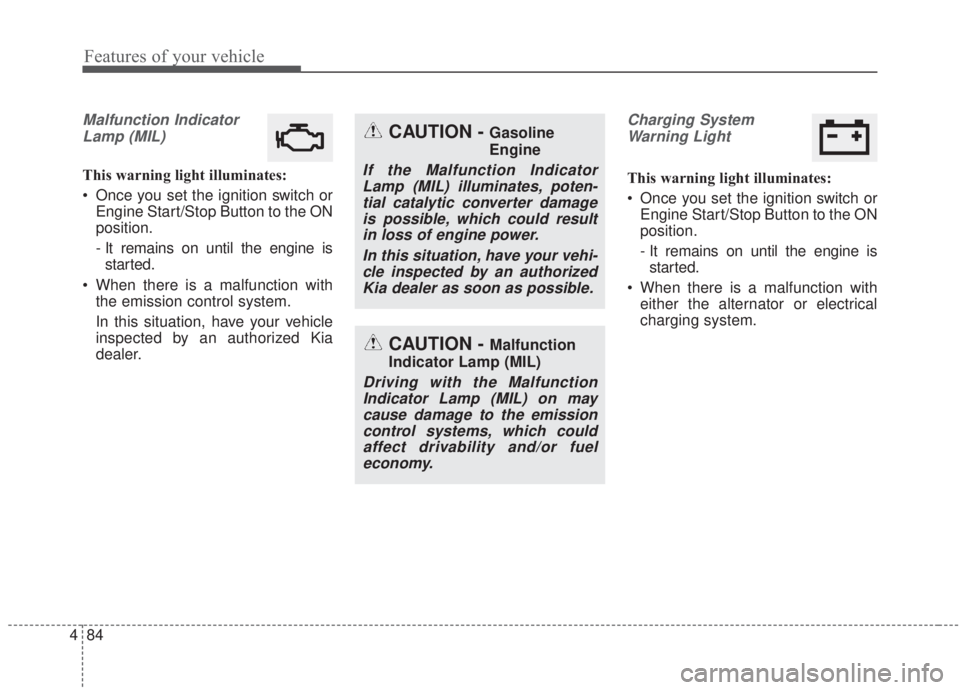
Malfunction Indicator
Lamp (MIL)
This warning light illuminates:
Once you set the ignition switch or Engine Start/Stop Button to the ON
position.
- It remains on until the engine isstarted.
When there is a malfunction with the emission control system.
In this situation, have your vehicle
inspected by an authorized Kia
dealer.
Charging System
Warning Light
This warning light illuminates:
Once you set the ignition switch or Engine Start/Stop Button to the ON
position.
- It remains on until the engine isstarted.
When there is a malfunction with either the alternator or electrical
charging system.
CAUTION - Malfunction
Indicator Lamp (MIL)
Driving with the Malfunction Indicator Lamp (MIL) on maycause damage to the emissioncontrol systems, which couldaffect drivability and/or fueleconomy.
CAUTION - Gasoline
Engine
If the Malfunction IndicatorLamp (MIL) illuminates, poten-tial catalytic converter damageis possible, which could resultin loss of engine power.
In this situation, have your vehi-cle inspected by an authorizedKia dealer as soon as possible.
Page 170 of 568

485
Features of your vehicle
If there is a malfunction with either
the alternator or electrical charging
system:
1. Drive carefully to the nearest safelocation and stop your vehicle.
2. Turn the engine off and check the alternator drive belt for looseness
or breakage.
If the belt is adjusted properly,
there may be a problem in the
electrical charging system.
In this situation, have your vehicle
inspected by an authorized Kia
dealer as soon as possible.Engine Oil Pressure Warning Light
This warning light illuminates:
Once you set the ignition switch or Engine Start/Stop Button to the ON
position.
- It remains on until the engine isstarted.
When the engine oil pressure is low.
If the engine oil pressure is low:
1.Drive carefully to the nearest safe location and stop your vehicle.
2.Turn the engine off and check the engine oil level (For more details,
refer to the “Engine Oil” section in
Chapter 8). If the level is low, add
oil as required.
If the warning light remains on after
adding oil or if oil is not available,
have your vehicle inspected by an
authorized Kia dealer as soon as
possible.
CAUTION - Engine
damage
If the engine is not stopped immediately after the engine oilpressure warning light is illumi-nated and stays on while theengine is running, seriousengine damage may result.
CAUTION - Engine over-
heating
Do not continue driving with theengine overheated. Otherwise,the engine may be damaged.
Page 171 of 568

Features of your vehicle
86
4
If the warning light stays on while the
engine is running, there may be seri-
ous engine damage. In this case,
1. Stop the vehicle as soon as it is
safe to do so.
2. Turn off the engine and check the oil level. If the oil level is low, fill the
engine oil to the proper level.
3. Start the engine again. If the warn- ing light stays on after the engine
is started, turn the engine off
immediately. In this situation, have
your vehicle inspected by an
authorized Kia dealer.Low Fuel Level Warning
Light
This warning light illuminates:
When the fuel tank is nearly empty.
If the fuel tank is nearly empty:
Add fuel as soon as possible.
Low Tire PressureWarning Light
This warning light illuminates:
Once you set the ignition switch or Engine Start/Stop Button to the ON
position.
- It illuminates for approximately 3seconds and then goes off.
When one or more of your tires are significantly underinflated.
❈ For more details, refer to the “Tire
Pressure Monitoring System
(TMPS)” section in Chapter 6.
CAUTION - Low Fuel
Level
Driving with the Low Fuel Level
warning light on or with the fuellevel below “E” can cause theengine to misfire and damagethe catalytic converter (ifequipped).
Page 174 of 568

489
Features of your vehicle
Sunroof open warninglight (if equipped)
This warning light blinks:
If the driver removes the ignition key and opens the driver-side door
when the sunroof is not fully
closed, the warning chime will
sound for a few seconds and a
warning light will appear on the
LCD display.
Close the sunroof securely when
leaving your vehicle.
Ice Warning Light
(if equipped)
This warning light blinks 5 times and
then illuminates, and a warning chime
also sounds 1 time:
When the temperature on the Outside Temperature Gauge is
below approximately 4
OC (39.2OF)
with the ignition switch or Engine
Start/Stop button in the ON posi-
tion.
✽ ✽ NOTICE
If the ice warning light appears
while driving, you should drive
more attentively and safely refrain-
ing from over-speeding, rapid accel-
eration, sudden braking or sharp
turning, etc.
Forward Collision-avoid-
ance Assist Warninglight (FCA, if equipped)
This indicator light illuminates:
When there is a malfunction with the FCA.
In this situation, have the vehicle
inspected by an authorized Kia deal-
er.
Page 175 of 568

Features of your vehicle
90
4
Master Warning Mode
(if equipped)
This warning light informs the driv- er of the following situations:
- LED head lamp malfunction (ifequipped)
- Forward Collision-Avoidance Assist malfunction (if equipped)
- Blind-Spot Collision Warning radar blind (if equipped)
- Lamp malfunction
- High Beam Assist malfunction (if equipped)
The Master Warning Light illumi
nates when more than one of the
above warning situations occur.
If the warning situation is solved, the
master warning light will be turned
off.
Indicator Lights
Electronic Stability Control (ESC) IndicatorLight
This indicator light illuminates:
Once you set the ignition switch or Engine Start/Stop Button to the ON
position.
- It illuminates for approximately 3seconds and then goes off.
When there is a malfunction with the ESC system.
In this situation, have your vehicle
inspected by an authorized Kia
dealer.
This indicator light blinks:
While the ESC is operating.
❈ For more details, refer to the
“Electronic Stability Control (ESC)”
section in Chapter 5.
Electronic Stability
Control (ESC) OFFIndicator Light
This indicator light illuminates:
Once you set the ignition switch or Engine Start/Stop Button to the ON
position.
- It illuminates for approximately 3seconds and then goes off.
When you deactivate the ESC sys- tem by pressing the ESC OFF but-
ton.
❈ For more details, refer to refer to
the “Electronic Stability Control
(ESC)” section in Chapter 5.
Page 176 of 568

491
Features of your vehicle
Immobilizer IndicatorLight (Without Smart Key)
This indicator light illuminates:
When the vehicle detects the immobilizer in your key while the
ignition switch is ON.
- At this time, you can start theengine.
- The indicator light goes off after starting the engine.
This indicator light blinks:
When there is a malfunction with the immobilizer system.
In this situation, have your vehicle
inspected by an authorized Kia
dealer.
Immobilizer Indicator
Light (With Smart Key)
This indicator light illuminates for up
to 30 seconds:
When the vehicle detects the smart key in the vehicle properly
while the Engine Start/Stop Button
is ACC or ON.
- At this time, you can start theengine.
- The indicator light goes off after starting the engine.
This indicator light blinks for a few
seconds:
When the smart key is not in the vehicle.
- In this situation, you can not startthe engine. This indicator light illuminates for 2
seconds and goes off:
When the vehicle can not detect a
smart key which is in the vehicle
while the Engine Start/Stop Button
is ON.
In this situation, have your vehicle
inspected by an authorized Kia
dealer.
This indicator light blinks:
When the battery of the smart key is weak.
- In this situation, you can not startthe engine. However, you can
start the engine if you press the
Engine Start/Stop Button with the
smart key. (For more details, refer
to the “Starting the Engine” sec-
tion in Chapter 6.).
When there is a malfunction with the immobilizer system.
In this situation, have your vehicle
inspected by an authorized Kia
dealer.
Page 180 of 568

495
Features of your vehicle
KEY OUT Indicator Light(if equipped)
When the ENGINE START/STOP
button is in the ACC or ON position,
and if any door is open, the system
checks for the smart key.
This indicator light blinks:
When the smart key is not in the
vehicle and any door is open with the
ignition switch or Engine Start/Stop
button in the ACC or ON position.
- In this situation, if you close all doors, the chime will also sound for
approximately 5 seconds.
- The indicator will go off while the vehicle is moving
KEY
OUT
Page 181 of 568

Features of your vehicle
96
4
The reverse parking distance warning
assists the driver during backward
movement of the vehicle by chiming if
any object is sensed within a distance
of 120 cm (47 in.) behind the vehicle.
This system is a supplemental system
and is not intended to, nor does it,
replace the need for the driver's
extreme care and attention. The sens-
ing range and objects detectable by
the back sensors ( ➀) are limited.
Whenever backing-up, pay as much
attention to what is behind you as you
would in a vehicle without a reverse
parking distance warning.
Operation of the reverse park-
ing distance warning
Operating condition
This system will activate when backing up with the ignition switch
ON.
If the vehicle is moving at a speed
over 5 km/h (3 mph), the system
may not be activated correctly.
The sensing distance while the back-up warning system is in oper-
ation is approximately 120 cm (47
in.) at the rear bumper center area,
and 60 cm (23.5 in.) at the rear
bumper side area.
When more than two objects are sensed at the same time, the clos-
est one will be recognized first.
REVERSE PARKING DISTANCE WARNING (IF EQUIPPED)
WARNING - Reverse park-
ing distance warning
Never rely solely on the reverse
parking distance warning.
Always perform a visual inspec-
tion to make sure the vehicle is
clear of all obstructions before
moving the vehicle in any direc-
tion. Stop immediately if you are
aware of a child anywhere near
your vehicle. Some objects may
not be detected by the sensors,
due to the object's size or mate-
rial.
OBD048001L
Page 184 of 568

499
Features of your vehicle
The rear view monitor will activate
with the ignition switch ON and the
shift lever in the R (Reverse) position.
The system is a supplemental sys-
tem that shows the area behind the
vehicle through the audio screen
while backing up. It is the responsibility of the driver
to always check the inside/outside
rearview mirrors and the area
behind the vehicle before and
while backing up.
Always keep the camera lens clean. If the lens is covered with
foreign matter, the camera may not
operate normally.
REAR VIEW MONITOR
WARNING - Backing &
using camera
Never rely solely on the rear view
camera. You must always use
other methods of viewing the
area behind you, including look-
ing over both shoulders as well
as continuously checking all
three rear view mirrors. Due to
the difficulty of ensuring that the
area behind you remains clear,
always back-up slowly and stop
immediately if you suspect that a
person, and especially a child,
might be behind you.
OBD048004
OBDM048055N
Page 185 of 568
Features of your vehicle
100
4
Battery saver function
The purpose of this feature is to
prevent the battery from being dis-
charged if the lights are left in the
ON position. The system automati-
cally shuts off the parking lights 30
seconds after the ignition key is
removed and the driver’s door is
opened and closed.
With this feature, the parking lights will turn off automatically if the driver
parks on the side of the road at night
and opens the driver’s side door.
If necessary, to keep the parking
lights on when the ignition key is
removed, perform the following:
1) Open the driver-side door.
2) Turn the parking lights OFF and ON again using the light switch
on the steering column.
Daytime running light
(if equipped)
The Daytime Running Lights (DRL)
can make it easier for others to see
the front of your vehicle during the
day. DRL can be helpful in many dif-
ferent driving conditions, and it is
especially helpful after dawn and
before sunset.
The DRL system turns OFF when:
1. The headlight switch is ON.
2. The engine is OFF.
3. The front fog light is ON.
4. The parking brake is engaged.
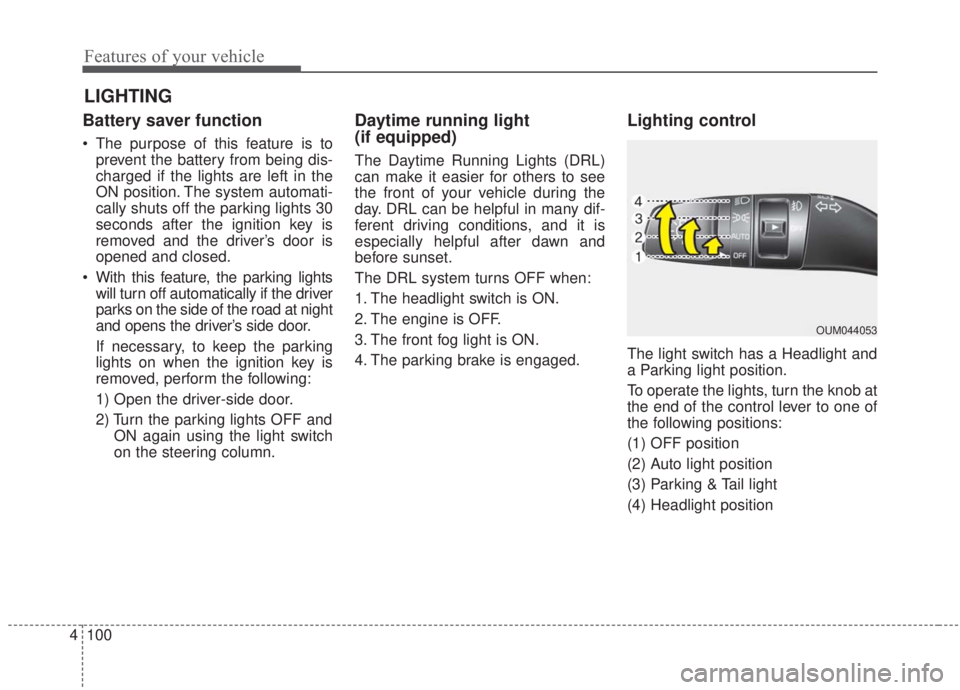
Lighting control
The light switch has a Headlight and
a Parking light position.
To operate the lights, turn the knob at
the end of the control lever to one of
the following positions:
(1) OFF position
(2) Auto light position
(3) Parking & Tail light
(4) Headlight position
LIGHTING
OUM044053