air KIA FORTE 2021 Navigation System Quick Reference Guide
[x] Cancel search | Manufacturer: KIA, Model Year: 2021, Model line: FORTE, Model: KIA FORTE 2021Pages: 300, PDF Size: 10.06 MB
Page 190 of 300
9-10
Automatic Ventilation (if equipped)
You can set to prevent condensation inside and keep inside air pleasant using this feature.
\225Auto Dehumidify: Once the inside air circulation mode has been used for a long time, it
is switched to the outside air inflow mode to prevent condensation.
Defog/Defrost Options (if equipped)
You can set to enable the defogger to secure driver visibility.
\225Auto Defog: When the sensor detects fog on the windshield, the automatic ventilation is
run for defogging.
Climate Features (if equipped)
You can set or change the settings for the climate system.
\225Rear Climate Controls: Used to move to the climate control screen for the rear seat. You
can check or set the climate status for the rear seat.
0000
A
For more information about controlling the rear-seat climate control system:
> see "Using the rear-seat climate control system (if equipped)"
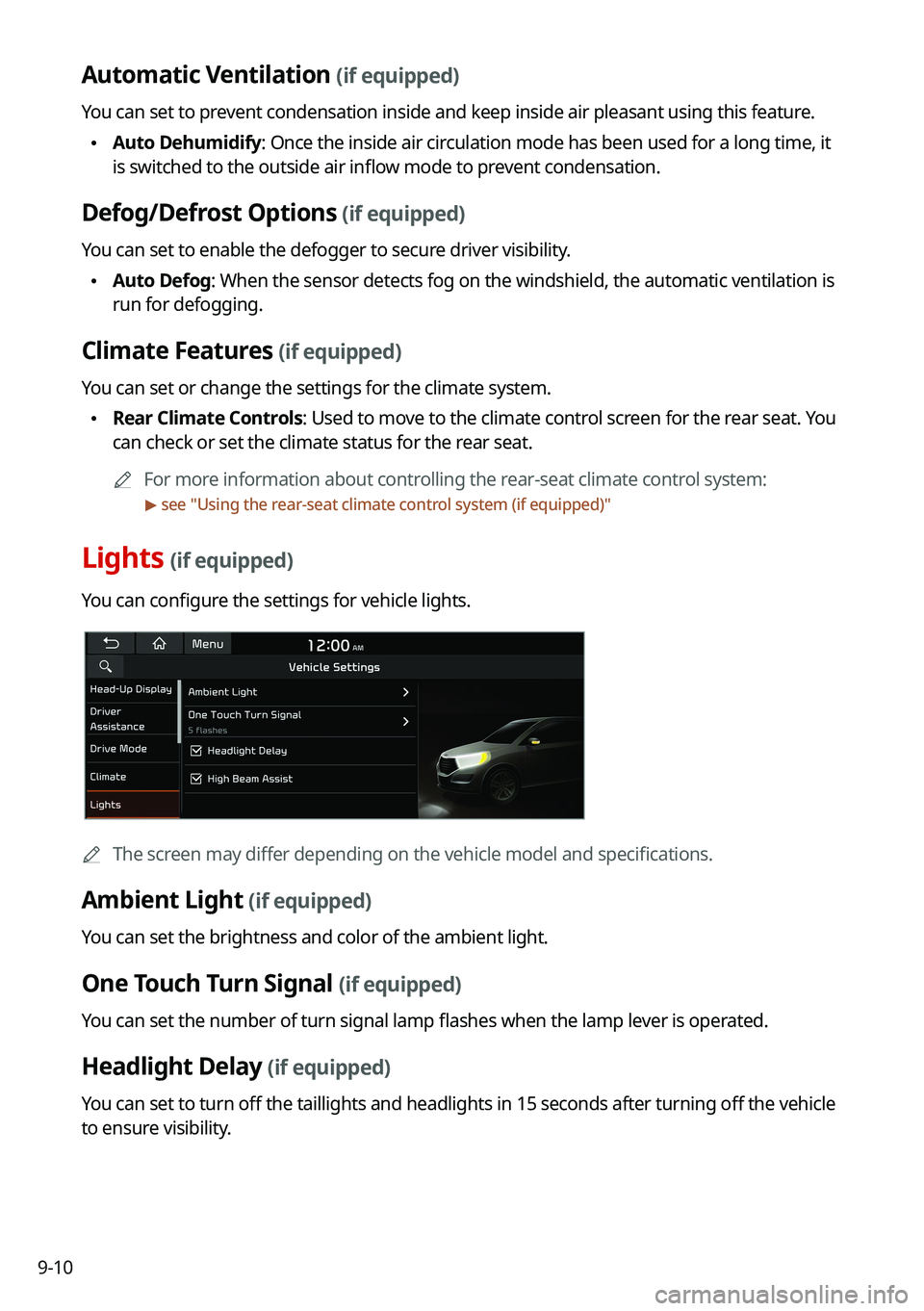
Lights (if equipped)
You can configure the settings for vehicle lights.
0000
A
The screen may differ depending on the vehicle model and specifications.
Ambient Light (if equipped)
You can set the brightness and color of the ambient light.
One Touch Turn Signal (if equipped)
You can set the number of turn signal lamp flashes when the lamp lever is operated.
Headlight Delay (if equipped)
You can set to turn off the taillights and headlights in 15 seconds after turning off the vehicle
to ensure visibility.
Page 202 of 300

9-22
ECO Vehicle (if equipped)
You can set the convenience features available for ECO vehicles.
0000
A
The screen may differ depending on the vehicle model and specifications.
Coasting Guide (if equipped)
You can set the system to notify when to release the accelerator pedal to improve fuel
efficiency.
Start Coasting (if equipped)
You can set when to receive the accelerator release notification.
Green Zone Drive Mode (if equipped)
When you are driving in an area that needs to improve air quality, set to drive in EV mode as
much as possible.
Head-Up Display (if equipped)
You can set to use the head-up display that displays information such as driving speed and
road-related information while driving.
0000AThe screen may differ depending on the vehicle model and specifications.
Page 205 of 300
9-25
Recirculate Air (if equipped)
You can set to keep the inside air pleasant by blocking inflow of outside air.
\225Activate upon Washer Fluid Use
: Sets to automatically switch to the inside air circulation
mode to prevent inflow of washer fluid scent when spraying washer fluid.
Automatic Ventilation (if equipped)
You can set to prevent condensation inside and keep inside air pleasant using this feature.
\225 Auto Dehumidify: Once the inside air circulation mode has been used for a long time, it
is switched to the outside air inflow mode to prevent condensation.
Defog/Defrost Options (if equipped)
You can set to enable the defogger to secure driver visibility.
\225Defog/Defrost: When the sensor detects humidity on the windshield and glasses, it
enables the outside air inflow mode and air conditioner for defogging and defrosting.
\225Auto Defog: When the sensor detects fog on the windshield, the automatic ventilation is
run for defogging.
Climate Features (if equipped)
You can set or change the settings for the climate system.
\225Rear Climate Controls: Used to move to the climate control screen for the rear seat. You
can check or set the climate status for the rear seat.
0000
A
A For more information about controlling the rear-seat climate control system: >
see
" Using the rear-seat climate control system (if equipped)"
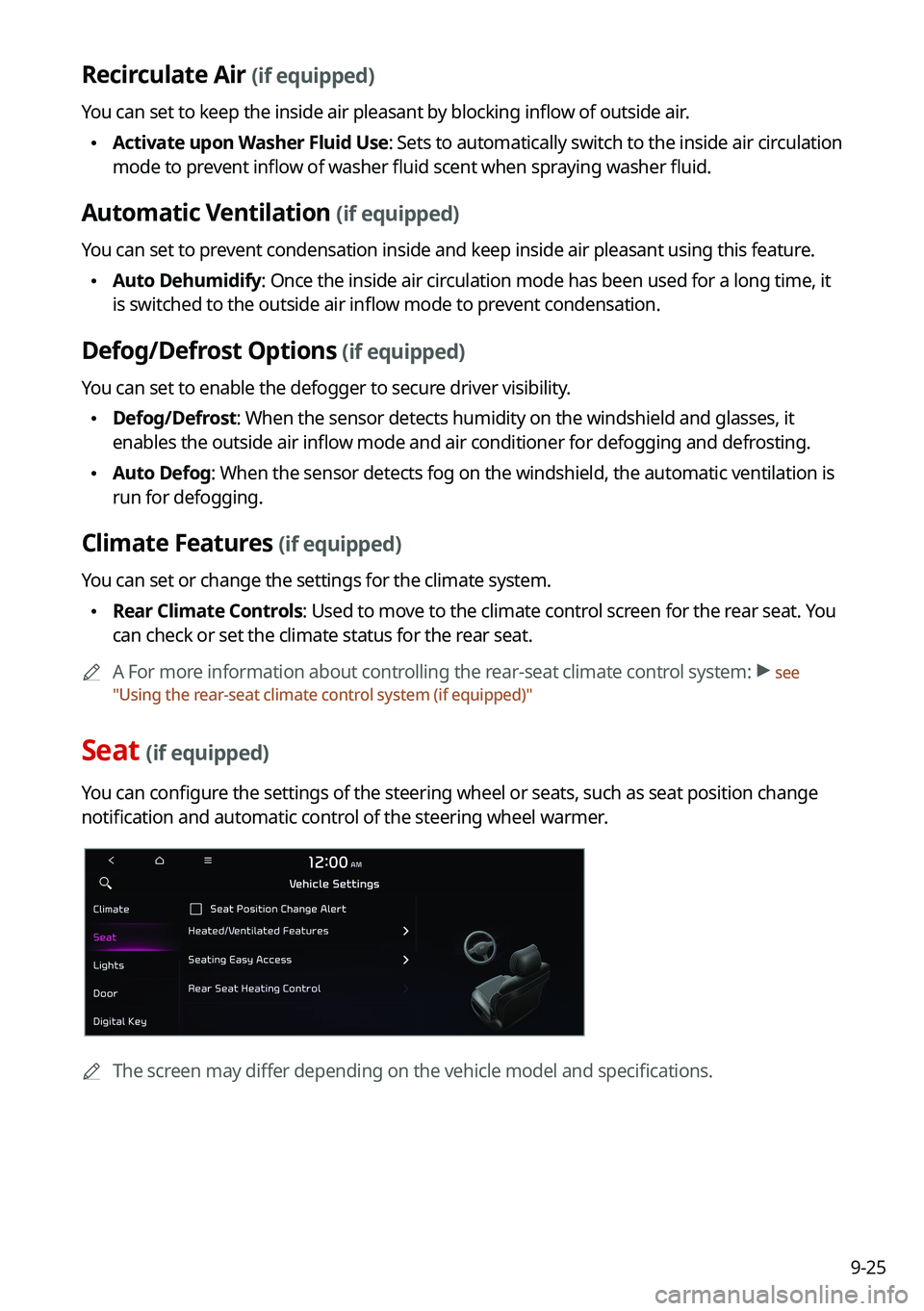
Seat (if equipped)
You can configure the settings of the steering wheel or seats, such as seat position change
notification and automatic control of the steering wheel warmer.
0000
A
The screen may differ depending on the vehicle model and specifications.
Page 212 of 300

9-32
Android Auto
You can activate the Android Auto function to pair your Android smartphone with the system.
Apple CarPlay
You can activate the Apple CarPlay function to pair your iPhone with the system.
Configuring the device connections settings
(Type2)
You can manage Bluetooth devices or configure their operation settings. You can also
activate the phone projection so that you can control the smartphone Apps on the system
screen after connecting the smartphone to the system.
1 On the All Menus screen, press Setup >
Device Connections.
The device connection settings screen appears.
2 Configure the settings required:
0000
A
Press >
Search for Settings or press and enter a keyword to search for a
setting item. You can also search for a setting item by voice.
Page 214 of 300

9-34
Predefined Messages
Edit message templates for quick replies.0000
A
This option may not be available in some phone models.
Bluetooth Voice Prompts
Set whether to hear voice prompts for events related to Bluetooth connections.
Privacy Mode
Enable or disable Privacy Mode. Hide data including contacts and call history from showing
up on the system screen to protect privacy.
Bluetooth System Info
You can see and edit the Bluetooth information of the system.
Android Auto
You can activate the Android Auto function to pair your Android smartphone with the system.
Apple CarPlay
You can activate the Apple CarPlay function to pair your iPhone with the system.
Page 244 of 300
9-64
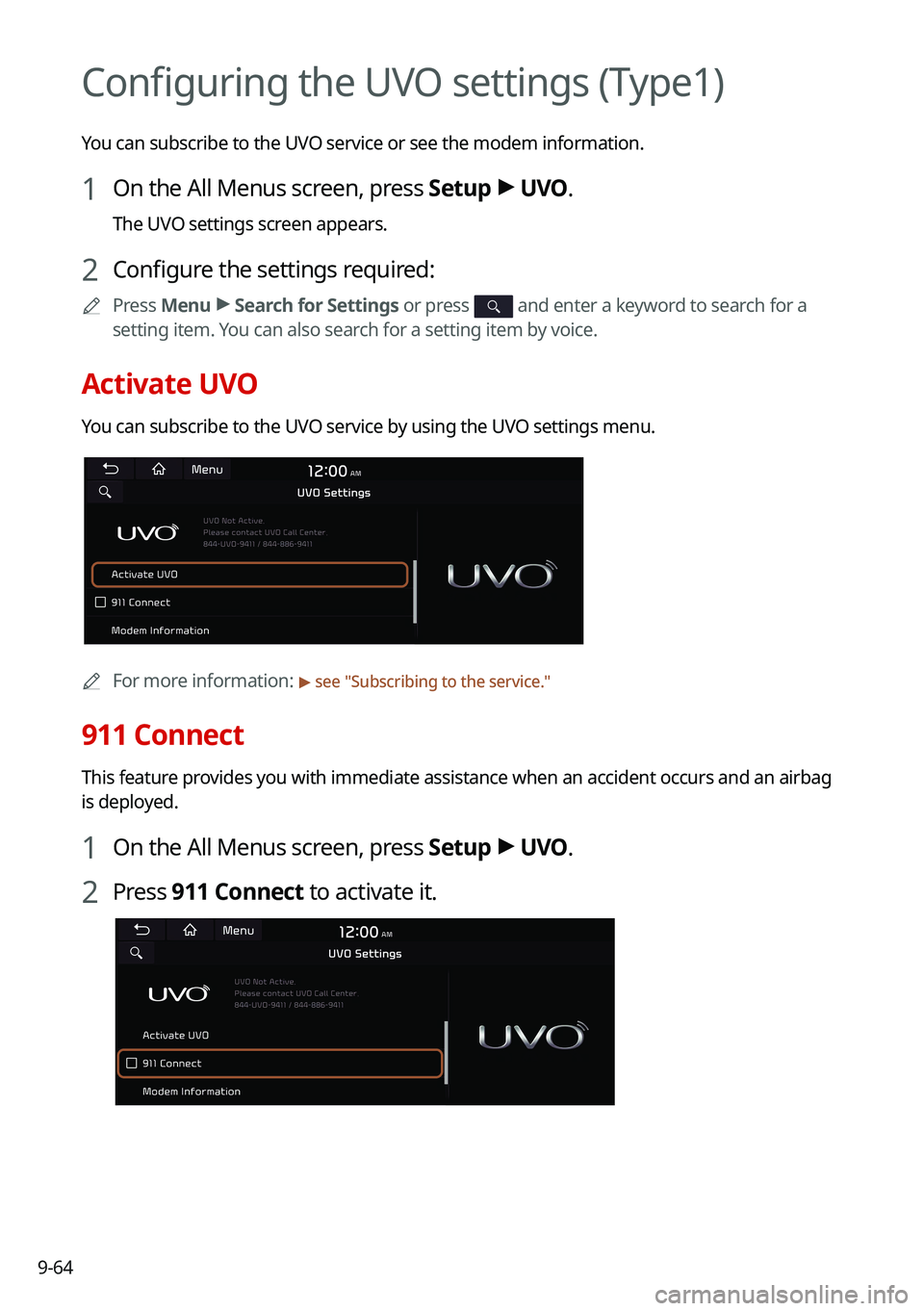
Configuring the UVO settings (Type1)
You can subscribe to the UVO service or see the modem information.
1 On the All Menus screen, press Setup >
UVO .
The UVO settings screen appears.
2 Configure the settings required:
0000
A
Press Menu >
Search for Settings or press and enter a keyword to search for a
setting item. You can also search for a setting item by voice.
Activate UVO
You can subscribe to the UVO service by using the UVO settings menu.
0000A
For more information: > see "Subscribing to the service."
911 Connect
This feature provides you with immediate assistance when an accident occurs and an airbag
is deployed.
1 On the All Menus screen, press Setup >
UVO .
2 Press 911 Connect to activate it.
Page 245 of 300
9-65
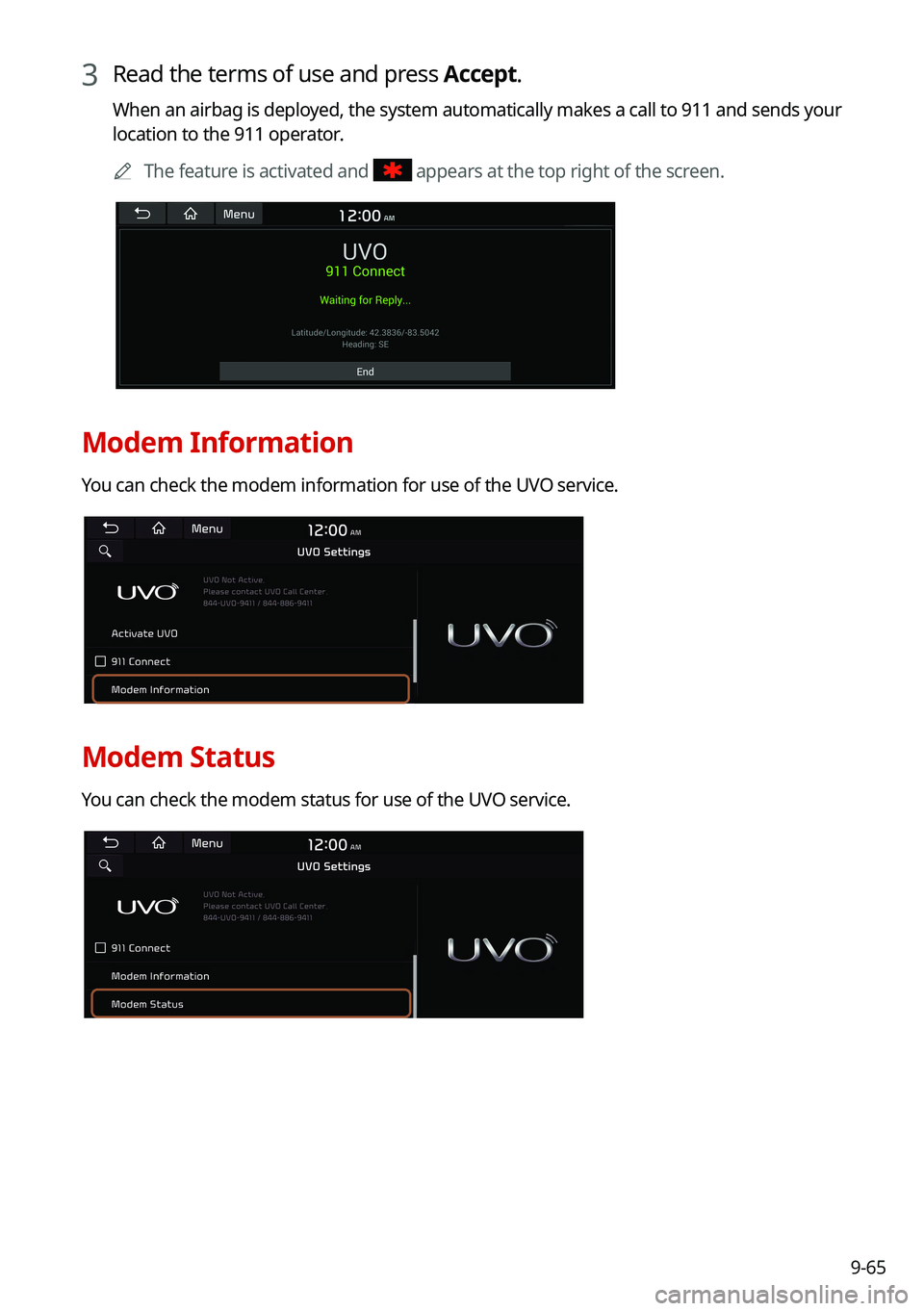
3 Read the terms of use and press Accept.
When an airbag is deployed, the system automatically makes a call to 911 and sends your
location to the 911 operator.0000
A
The feature is activated and
appears at the top right of the screen.
Modem Information
You can check the modem information for use of the UVO service.
Modem Status
You can check the modem status for use of the UVO service.
Page 246 of 300
9-66
Configuring the UVO settings (Type2)
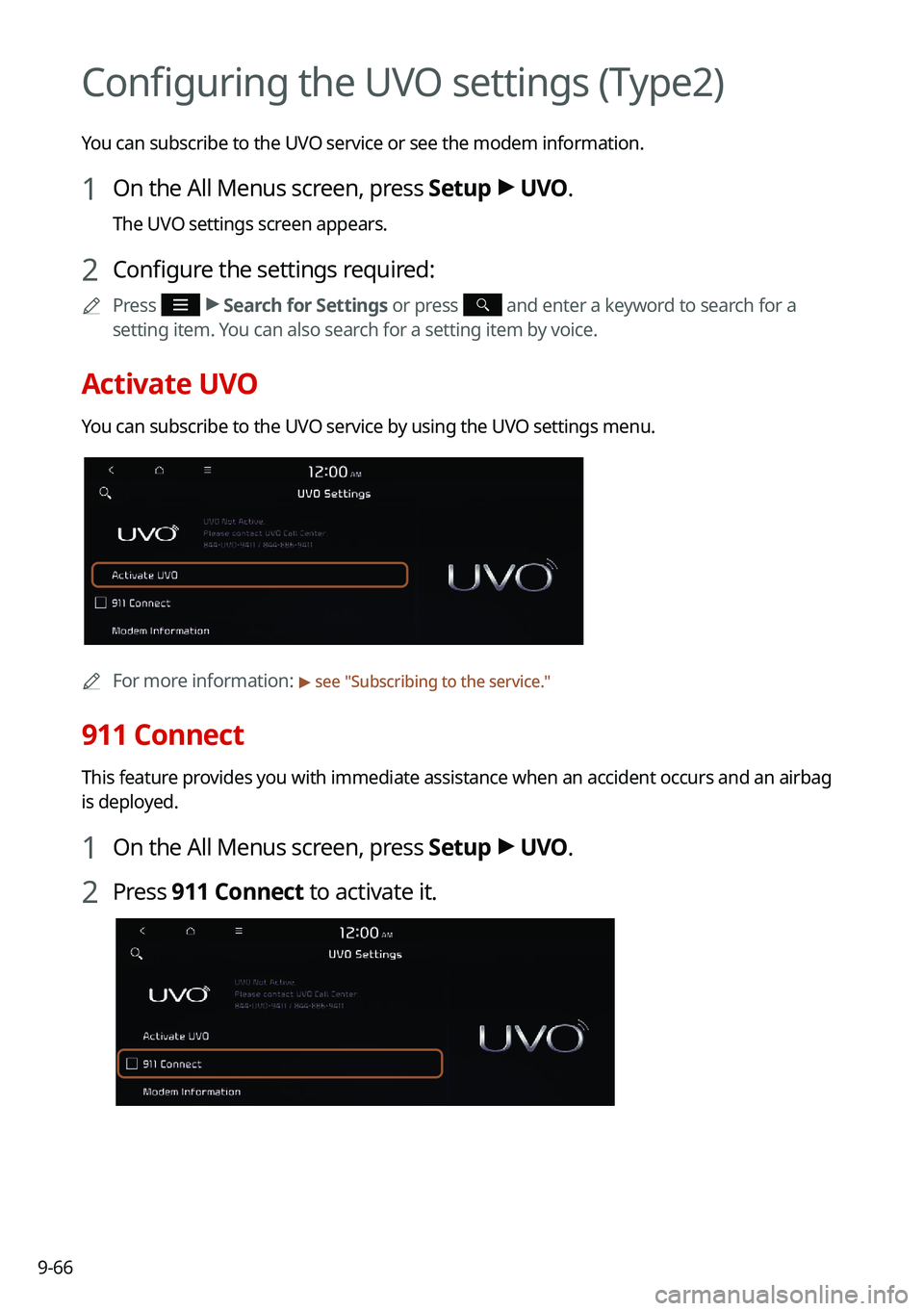
You can subscribe to the UVO service or see the modem information.
1 On the All Menus screen, press Setup >
UVO .
The UVO settings screen appears.
2 Configure the settings required:
0000
A
Press >
Search for Settings or press and enter a keyword to search for a
setting item. You can also search for a setting item by voice.
Activate UVO
You can subscribe to the UVO service by using the UVO settings menu.
0000A
For more information: > see "Subscribing to the service."
911 Connect
This feature provides you with immediate assistance when an accident occurs and an airbag
is deployed.
1 On the All Menus screen, press Setup >
UVO .
2 Press 911 Connect to activate it.
Page 247 of 300
9-67
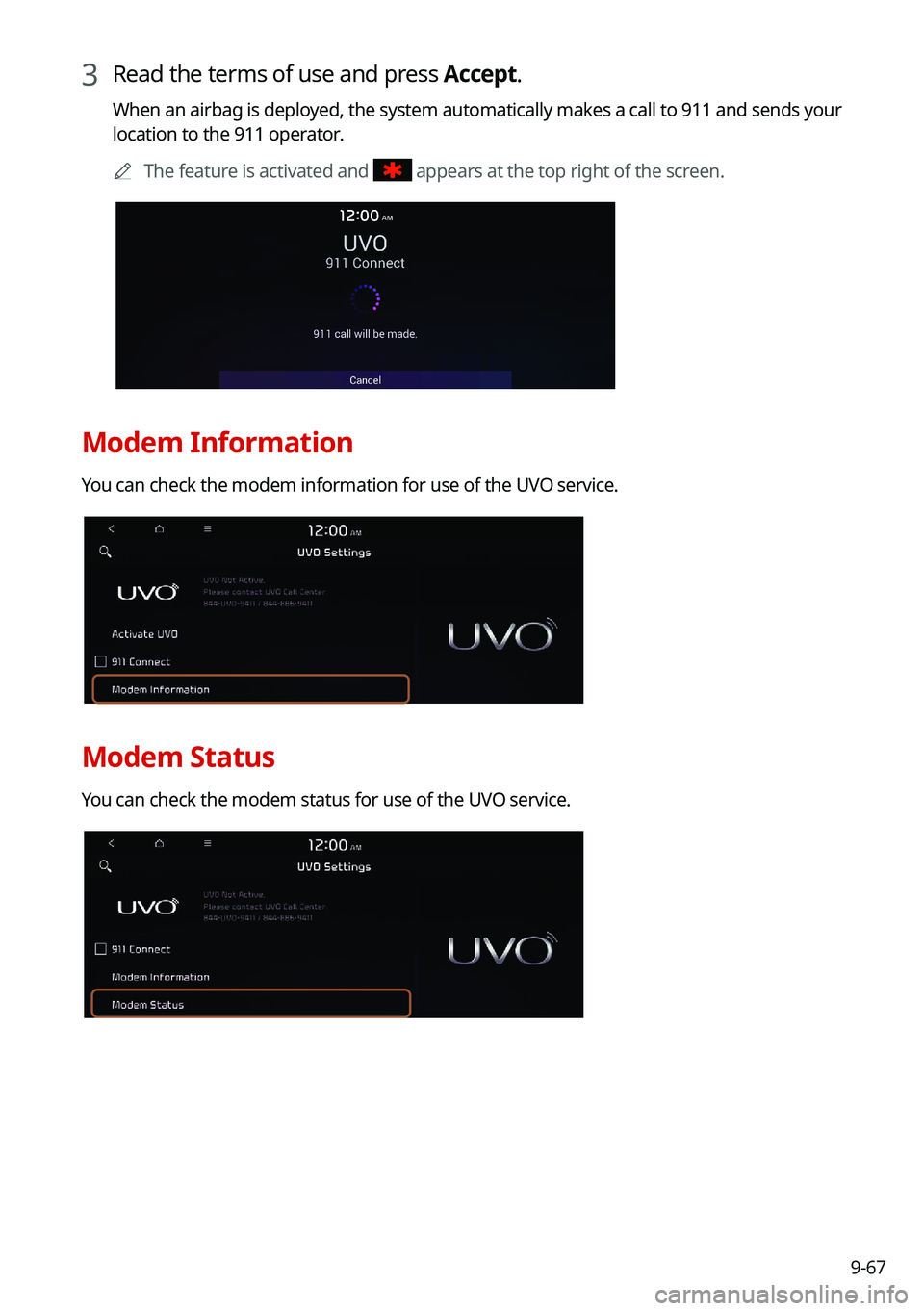
3 Read the terms of use and press Accept.
When an airbag is deployed, the system automatically makes a call to 911 and sends your
location to the 911 operator.0000
A
The feature is activated and
appears at the top right of the screen.
Modem Information
You can check the modem information for use of the UVO service.
Modem Status
You can check the modem status for use of the UVO service.